Cold Email Personalization Tool: The 2026 Buyer's Guide
Most cold email personalization tools automate the wrong layer — cosmetic merge tags instead of real research. Here's what moves reply rates in 2026, which tools do it, and how to pick one without lighting your budget on fire.
TL;DR
- A cold email personalization tool is only worth paying for if it changes what you say, not just where you paste a name. Merge tags are table stakes and have been since 2015.
- The three real layers are identity (who is this person, and is the address deliverable), context (what's happening at their company right now), and language (turning that context into one sentence a human would actually write).
- AI research agents like Clay and Lavender score well on language but inherit whatever contact data you feed them. Garbage identity in, confidently personalized garbage out.
- Expect to pay $49–$800/mo depending on which layer you're buying. Most teams overpay for language and underpay for identity.
- The cheapest lift available to most teams: fix your data layer first, verify before send, then add one research signal per email. Reply rates move before you buy an AI writer.
What is a cold email personalization tool, actually?#
It's software that inserts prospect-specific information into an outbound email before it sends. That's the whole definition, and it's why the category is such a mess — a $12/mo mail merge and an $800/mo AI research agent both fit inside it.
The useful way to think about the category is as three stacked layers. Each one depends on the one below it.
- Identity layer — Who is this person? Correct name, correct spelling, correct company, correct role, correct and deliverable email address. This is where an email finder and an email verifier live. If the identity layer is wrong, everything above it amplifies the error.
- Context layer — What is true about this person or company right now? Recent funding, a job posting for a role your product supports, a tech-stack change, a podcast appearance, a hiring surge, a leadership hire. This is scraping, enrichment, and intent data.
- Language layer — Turning a fact into a sentence. "I saw you're hiring three RevOps analysts" is context. "Three RevOps reqs open in six weeks usually means someone's drowning in manual routing" is language.
- Delivery layer — The unglamorous prerequisite. If your email deliverability is broken, the most beautifully personalized email in the world lands in spam and nobody reads the first line you spent 40 seconds on.
Almost every vendor markets itself as a personalization tool while actually owning one or two of those layers. Read the layer, not the landing page.

Why do merge tags stop working?#
Because everyone has them, and prospects have learned the tell.
The classic opener — "Hi {{FirstName}}, I noticed {{Company}} is in the {{Industry}} space" — is now a negative signal. It reads as automation. Worse, it fails loudly: when the data is dirty you get "Hi Dr, I noticed Acme Inc. (formerly) is in the space." Anyone who has run outbound has sent that email. Most have sent it to 400 people.
There's also a second-order problem. Merge tags encourage a template shape where personalization is bolted onto a generic pitch. The reader hits the tag, registers "mail merge," and stops reading before your value prop. You paid for a token that made your email worse.
What still works is narrower than vendors admit:
- A specific, checkable fact the recipient knows is not in a database. Something you'd only know by reading.
- A relevant inference from that fact. Not "congrats on the Series B" — everybody sends that. Rather, what the Series B implies for the problem you solve.
- Brevity that proves you didn't spray. A three-sentence email that names one real thing beats a nine-sentence email with five tags.
HubSpot's own sales email benchmarks have shown for years that specificity and length matter more than token count. The tool you buy should make specificity cheap. Most make token count cheap.
What separates the tool categories?#
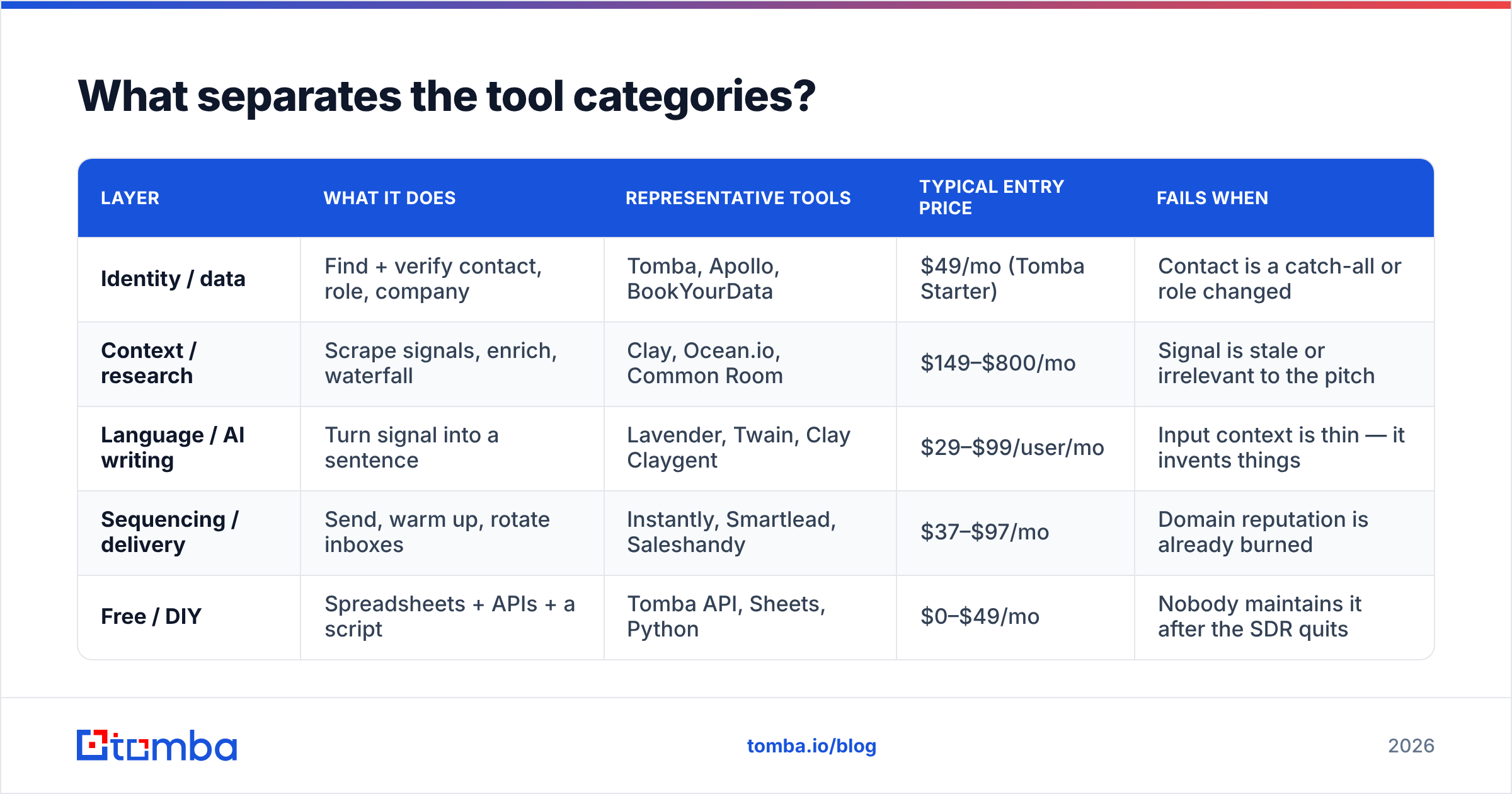
Here's how the market actually splits once you stop reading the homepages and start reading the invoices.
| Layer | What it does | Representative tools | Typical entry price | Fails when |
|---|---|---|---|---|
| Identity / data | Find + verify contact, role, company | Tomba, Apollo, BookYourData | $49/mo (Tomba Starter) | Contact is a catch-all or role changed |
| Context / research | Scrape signals, enrich, waterfall | Clay, Ocean.io, Common Room | $149–$800/mo | Signal is stale or irrelevant to the pitch |
| Language / AI writing | Turn signal into a sentence | Lavender, Twain, Clay Claygent | $29–$99/user/mo | Input context is thin — it invents things |
| Sequencing / delivery | Send, warm up, rotate inboxes | Instantly, Smartlead, Saleshandy | $37–$97/mo | Domain reputation is already burned |
| Free / DIY | Spreadsheets + APIs + a script | Tomba API, Sheets, Python | $0–$49/mo | Nobody maintains it after the SDR quits |
Note what this table shows: no single vendor covers the stack well. Tools that claim to are usually strong at one layer and thin everywhere else. Apollo has a giant database and a mediocre writer. Lavender writes beautifully with no data of its own. Clay orchestrates everything and charges you per credit for the privilege.
The practical implication is that "which cold email personalization tool should I buy?" is the wrong question. The right one is "which layer is currently costing me the most reply rate?"
How do you diagnose which layer is broken?#
Run this before you buy anything. It takes an afternoon.
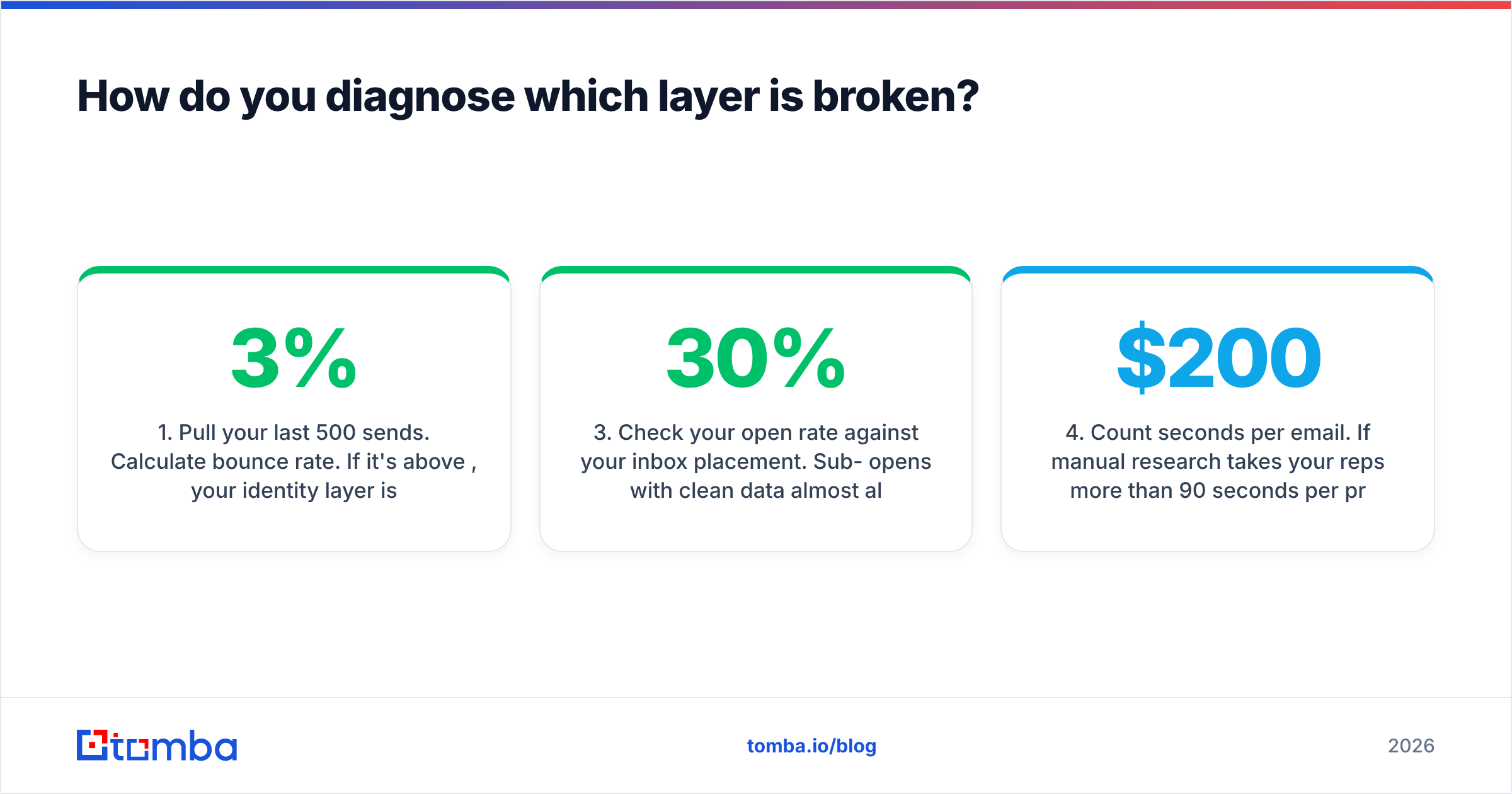
- Pull your last 500 sends. Calculate bounce rate. If it's above 3%, your identity layer is broken and no amount of AI copy will help. Fix data first.
- Read 20 emails you sent, cold, as if you were the recipient. Circle every sentence that could have been sent to any of the other 19 prospects. If more than two-thirds of the body is circled, your context layer is the problem.
- Check your open rate against your inbox placement. Sub-30% opens with clean data almost always means sender reputation, not subject lines. Run an SPF and DMARC check before you blame copy.
- Count seconds per email. If manual research takes your reps more than 90 seconds per prospect, you have a tooling problem worth $200/mo to solve. If it takes 15 seconds, you have a thinking problem, and software will scale the wrong thing.
- Ask a rep to explain, out loud, why this prospect specifically. If they can't in one sentence, the list is bad. Personalization software cannot repair a bad ICP.
Most teams that run this exercise honestly discover the same thing: the data is dirtier than they thought, and the copy is more generic than they thought, and the AI writer they were about to buy addresses neither.
Is AI personalization better than manual research?#
It depends entirely on what you feed it, and the honest answer is less flattering than the demos.
AI research agents — Clay's Claygent, Apollo's AI, the LLM chains people wire up themselves — are extremely good at summarizing a source you point them at. Give an agent a prospect's recent conference talk transcript, and it will write a credible opening line. Give it a company name and a URL and tell it to "find something personal," and it will confidently describe a rebrand that happened to a different company with a similar name. This isn't a bug you'll patch with a better prompt. It's what happens when a language model is asked to find facts rather than phrase them.
So the split that works in practice:
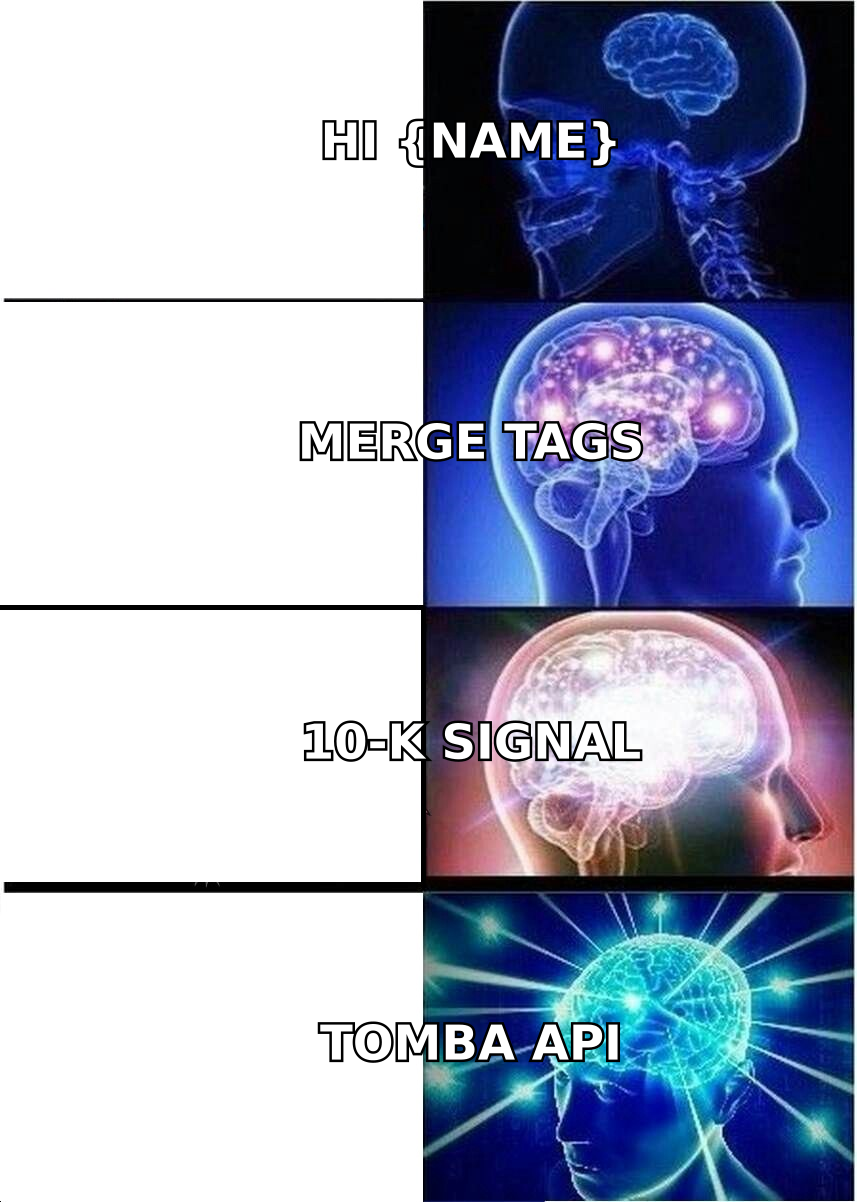
- Let the machine do retrieval on named sources. A 10-K, a job board page, a changelog, a specific LinkedIn post URL. Bounded input, bounded output.
- Let the machine do phrasing. Turning three bullet facts into one natural sentence is genuinely what LLMs are for.
- Let a human do relevance. Deciding that a hiring surge in RevOps means the prospect cares about lead routing is a judgment call, and models make it badly. They'll cheerfully connect any fact to any product.
The teams getting real lift from AI personalization in 2026 aren't the ones with the fanciest agent. They're the ones who narrowed the input. One signal, one source, one sentence.
What does personalization at scale actually cost?#
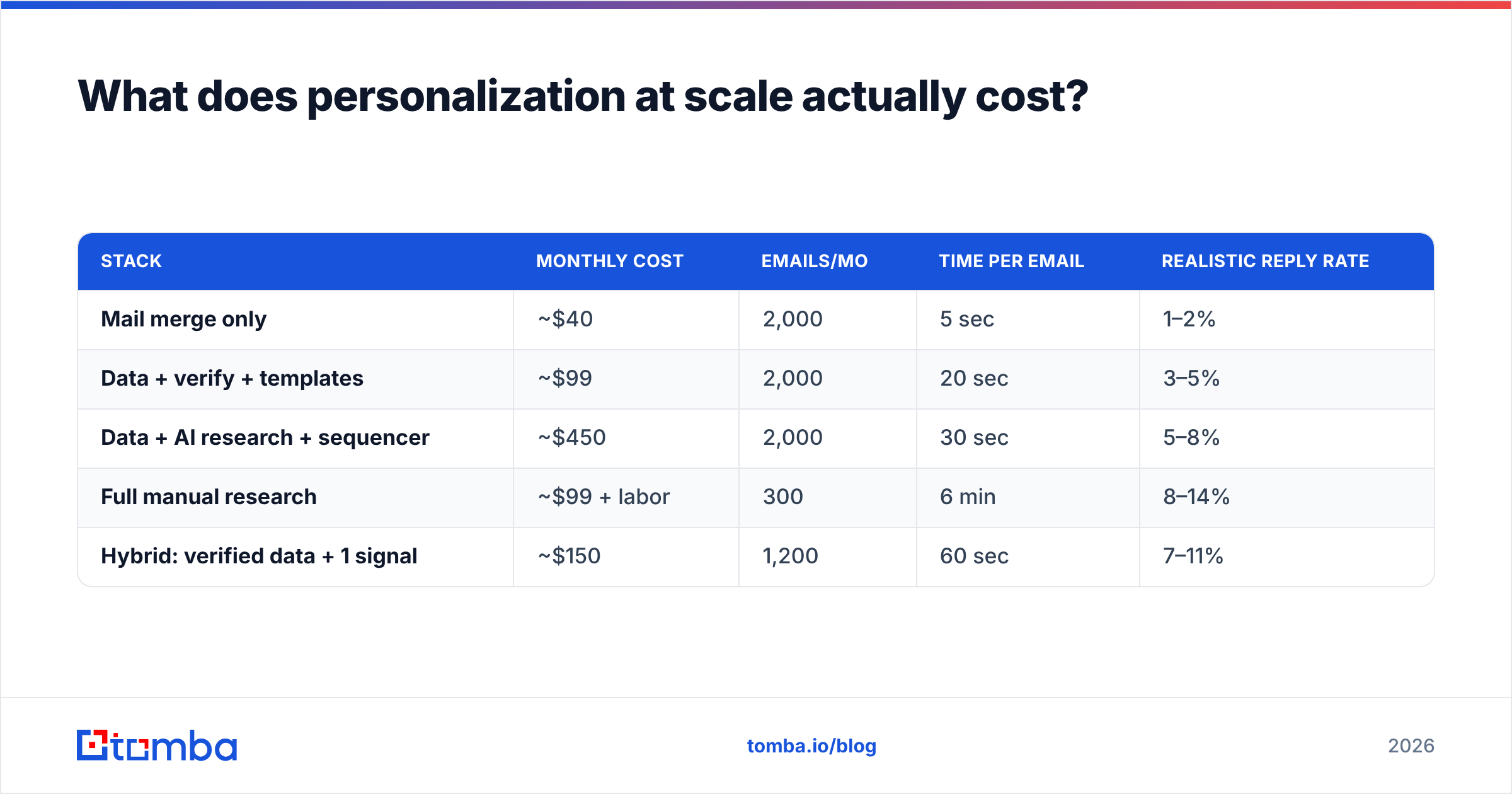
Vendor pricing pages compare features. Nobody compares total cost per booked meeting, which is the only number that matters. Here's a realistic model for a two-rep team sending 2,000 emails/month.
| Stack | Monthly cost | Emails/mo | Time per email | Realistic reply rate |
|---|---|---|---|---|
| Mail merge only | ~$40 | 2,000 | 5 sec | 1–2% |
| Data + verify + templates | ~$99 | 2,000 | 20 sec | 3–5% |
| Data + AI research + sequencer | ~$450 | 2,000 | 30 sec | 5–8% |
| Full manual research | ~$99 + labor | 300 | 6 min | 8–14% |
| Hybrid: verified data + 1 signal | ~$150 | 1,200 | 60 sec | 7–11% |
Two things jump out. First, the manual row still wins on reply rate — it just doesn't scale, and the labor cost is invisible in the pricing column. Second, the hybrid row gets ~80% of manual's reply rate at ~20% of the effort. That's where most well-run outbound teams land, and it's the row that no vendor markets because it's mostly restraint.
Note also that the expensive AI row underperforms the cheap hybrid row. Spending more on the language layer while the identity layer stays dirty is the single most common way to waste outbound budget. Independent reviews on G2's sales engagement category show the same pattern in user complaints: the top-recurring gripe about premium personalization tools isn't the writing, it's the data.
What should you look for in a cold email personalization tool?#
Six criteria, in order of how much they'll actually affect your pipeline.
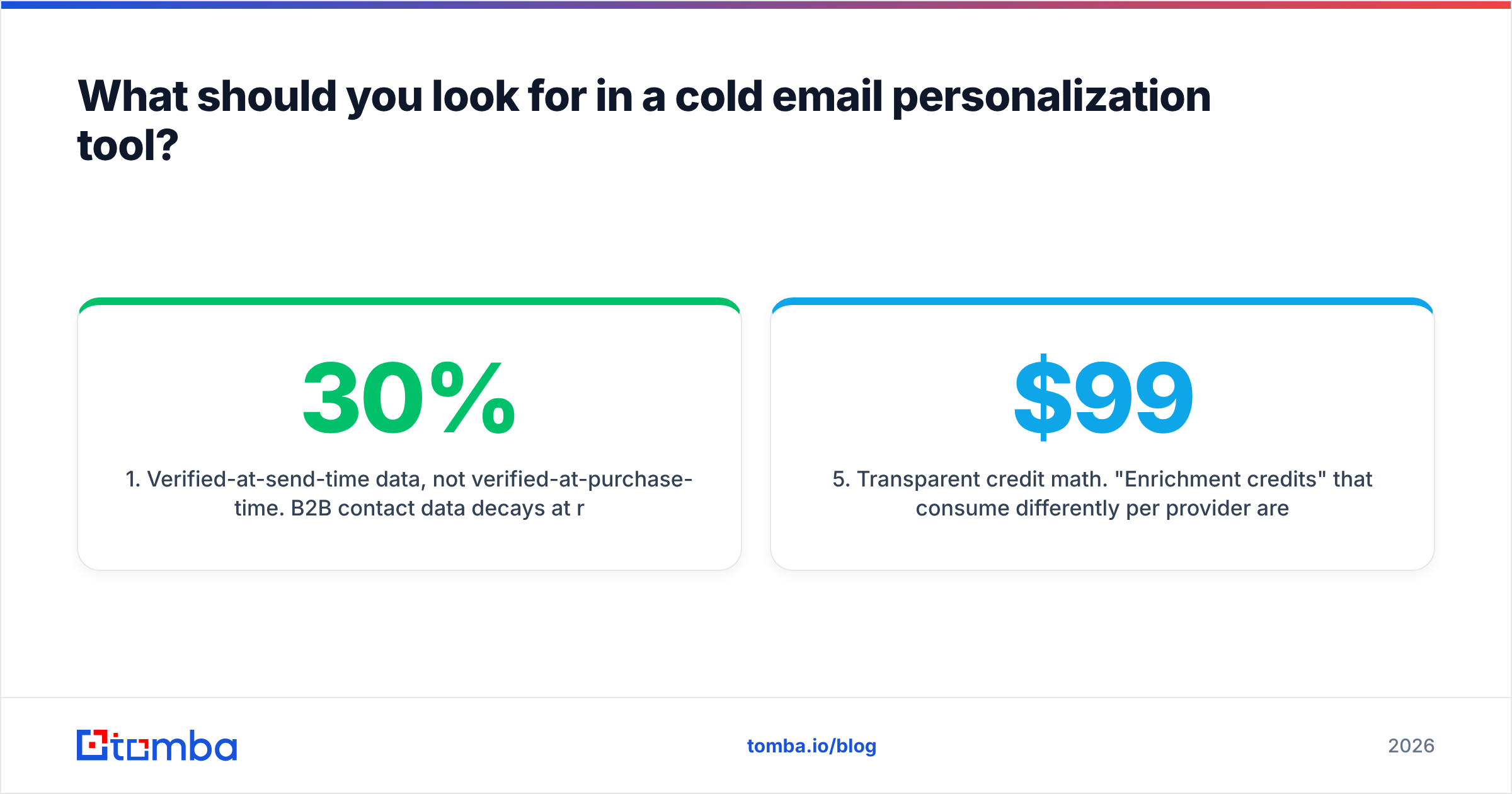
- Verified-at-send-time data, not verified-at-purchase-time. B2B contact data decays at roughly 25–30% per year. A database sold to you in January is measurably worse in July. Look for tools that verify on retrieval, and always run a bulk verify before a large send.
- Catch-all handling that isn't a coin flip. A large minority of B2B domains accept everything at the SMTP layer. Tools that mark catch-alls as "valid" are lying to you; tools that mark them "unknown" and stop are giving up. A proper catch-all verifier resolves a meaningful share of them.
- Signal freshness, with a timestamp. If a tool tells you a company is hiring but won't tell you when the req was posted, treat the signal as unusable. "I saw you're hiring" about a role filled four months ago is worse than sending nothing.
- An API, not just a UI. The moment personalization becomes part of your workflow, you'll want it in your own pipeline. A documented email finder API means the tool survives contact with your RevOps team.
- Transparent credit math. "Enrichment credits" that consume differently per provider are how a $99 plan becomes a $600 invoice. Ask what a failed lookup costs.
- Exportability. If you can't get your verified list out in CSV, you're not a customer, you're a hostage.
Deliberately absent from that list: template libraries, AI tone sliders, and spintax. They're pleasant. They don't move the number.
How do you build a personalization workflow that survives a quarter?#
Keep it boring and keep it in this order.
Step one — build the list on identity, not volume. Use domain search to pull the right roles at 50 target accounts, not 5,000 emails at random. A tight list makes every downstream step cheaper.
Step two — verify before you enrich. Enriching a bad contact means paying twice for a bounce. Run verification first; drop anything that fails; only then spend credits on research.
Step three — pick exactly one signal type per campaign. Job posts. Or funding. Or a tech-stack change. Not all three. One signal type means one research query, one prompt, one sentence structure, and a campaign you can actually measure. Mixed signals produce mixed results you can't attribute.
Step four — write the sentence yourself, once. Draft the opening line manually for five prospects. Find the structure that feels human. Then hand the structure to the model with the fact slot filled in. You're using AI as a phrasing engine, not a thinking engine.
Step five — cap it. One personalized sentence. The rest of the email should be your best generic copy, tightly written. Emails where every sentence is "personalized" read like a stalker wrote them, and they take four minutes each.
Step six — measure reply rate, not open rate. Opens are increasingly unreliable given privacy proxies. Replies — including negative ones — tell you whether the first sentence earned the second.
For teams sending from a small number of domains, add a warmup ramp before scaling volume; the warmup calculator will tell you how long that takes. Personalization does not rescue a cold domain sending 400 emails on day one.
What are the honest tradeoffs?#
Personalization tools have real costs beyond the invoice.
- They create a false sense of doing work. A dashboard showing 2,000 "personalized" emails feels productive. Reply rate is the only referee.
- They centralize risk. When one prompt or one enrichment source degrades, it degrades across every email simultaneously, and you find out from a prospect, not a monitor.
- They flatten voice. Every LLM-written opener converges on the same cadence. In a crowded inbox, the tenth AI-written "quick thought on your hiring push" is generic because it's personalized.
- They can outrun your compliance posture. Enrichment that scrapes personal data has GDPR implications your legal team may not have priced in.
None of these are reasons to avoid the category. They're reasons to buy the specific layer you need and stop there.
Where should you start?#
Start at the bottom of the stack, because that's where the leverage is and where the fixes are cheap.
If your bounce rate is above 3%, or you're unsure whether the addresses on your list are deliverable, no research agent will help you. Clean the identity layer first — find the right people, verify the addresses, drop the catch-alls you can't resolve — and you'll usually see reply rate move before you've written a single new sentence. Then add one context signal. Then, and only then, consider paying for a language layer.
Try it on your next list. Run 100 target-account contacts through Tomba's Email Finder — the free tier covers 25 searches a month, Starter is $49/mo, and Growth is $99/mo if you need volume. Verify them, drop the failures, and send the same email you were going to send anyway. Compare the reply rate to your last campaign. That's your baseline. Everything you buy above the identity layer should have to beat it.
Related guides#
Ready to find emails that actually work?
Join 150,000+ professionals who stopped guessing and started sending. Free credits on signup — no credit card required.
Get the Tomba newsletter
Practical outbound tactics and product updates — once every two weeks.
About the author