Cold Email Prospecting Tools in 2026: The Complete Stack Guide
Most cold email stacks break at the data layer, not the sending layer. Here's how the nine tool categories actually fit together, what each one costs, and which ones you can skip in 2026.
TL;DR
- Cold email prospecting tools split into four layers: data, verification, sending, and deliverability. Most teams overspend on layer three and underspend on layers one and two.
- Bounce rate is a data problem, not a sending problem. If you're above 3%, no sequencer will save you.
- An all-in-one platform (Apollo, Instantly, Smartlead) costs less in tabs but more in wasted credits when its built-in database is thin for your ICP.
- A modular stack — dedicated finder + verifier + sender — typically lands around $150–$250/mo for a two-rep team and gives you better data per dollar.
- Buy verification before you buy volume. A $49/mo finder with 95%+ deliverable output beats a $199/mo platform that hands you catch-alls.
What are cold email prospecting tools, exactly?#
"Cold email prospecting tools" is a category label that hides four very different jobs. Lumping them together is why so many stacks are bloated and still underperform.
Here's the actual breakdown:
- Data / contact discovery — turns a company, a domain, or a LinkedIn profile into a name, role, and work email. This is where accuracy is won or lost. Tools: Tomba, Apollo, RocketReach, Findymail, BookYourData.
- Verification — checks whether the address you found will actually accept mail before you send to it. SMTP handshake, MX record, catch-all detection, role-account flagging. Tools: Tomba Email Verifier, ZeroBounce, NeverBounce, Bouncer.
- Sending / sequencing — schedules the emails, spaces the follow-ups, rotates inboxes, handles reply detection. Tools: Instantly, Smartlead, Lemlist, Salesloft, Outreach.
- Deliverability infrastructure — SPF/DKIM/DMARC records, domain warmup, inbox rotation, spam-score testing, blacklist monitoring. Tools: Instantly Warmup, Mailreach, Google Postmaster Tools, plus your DNS.
A fifth layer, enrichment, sits sideways across all of them: appending firmographics, tech stack, funding, and headcount so your copy has something to reference. Tools: Clearbit, Tomba's data enrichment, Clay.
Most sales teams buy layer 3 first because it's the layer with the dashboard. That's backwards. Layer 3 is the cheapest to switch and the least differentiated. Layers 1 and 2 determine whether the campaign works at all.

Why does the data layer matter more than the sending layer?#
Run the arithmetic. You send 1,000 emails.
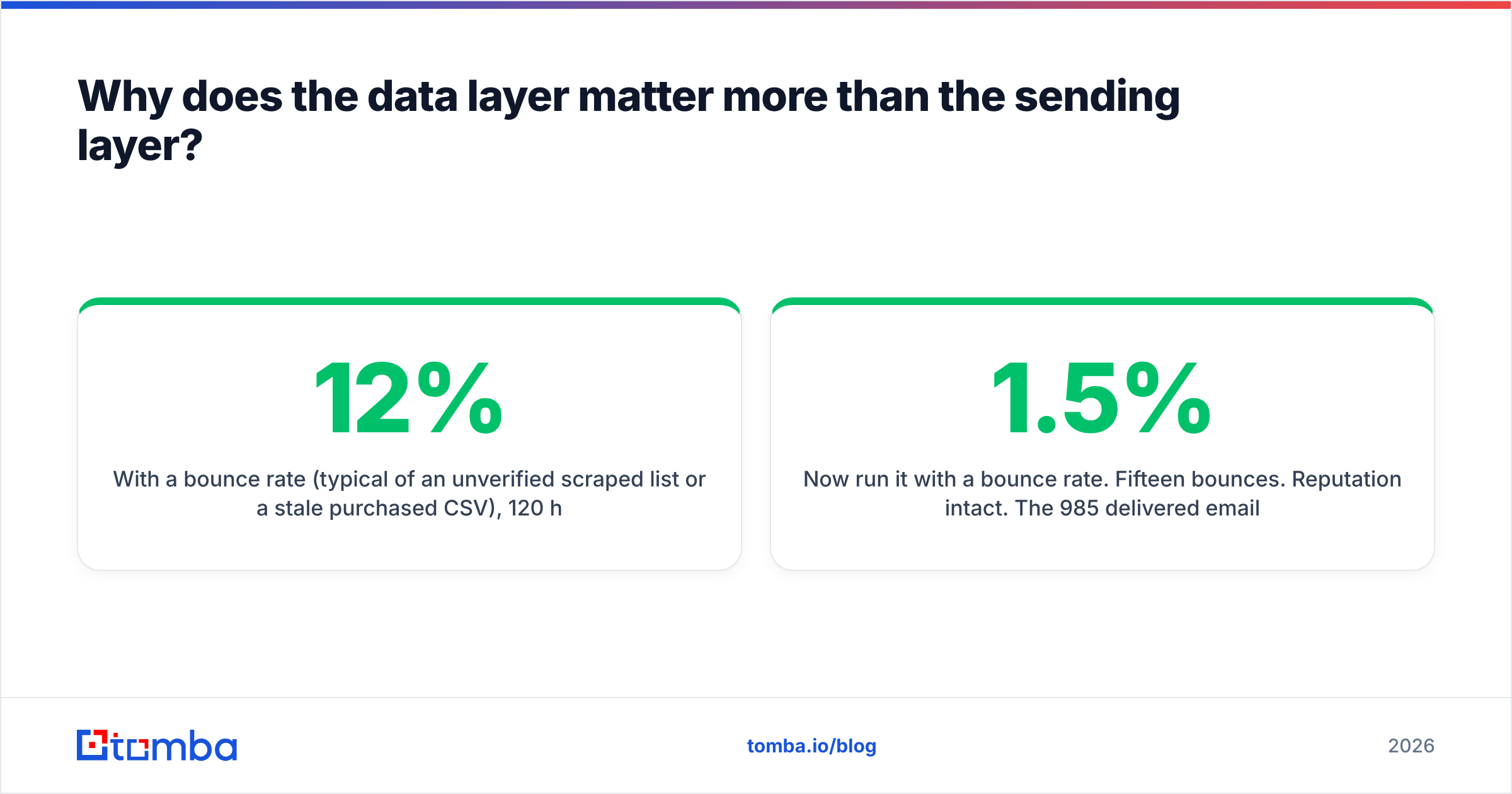
With a 12% bounce rate (typical of an unverified scraped list or a stale purchased CSV), 120 hard bounces hit your domain in a single send. Google and Microsoft both treat sustained bounce rates above roughly 3–5% as a spam signal. Your domain reputation degrades. The 880 emails that did deliver start landing in Promotions, then in Spam. Your reply rate on the next campaign drops even though your copy improved.
Now run it with a 1.5% bounce rate. Fifteen bounces. Reputation intact. The 985 delivered emails land in the primary inbox at whatever rate your copy and sender reputation earn.
Same sequencer. Same copy. Wildly different outcome. The variable was the data.
This is why the sequence you should follow when buying is:
- Find with a tool that publishes its accuracy method, not just a number.
- Verify every address before it enters the sequencer — including the ones the finder marked "valid."
- Segment catch-all domains into their own low-volume bucket rather than blending them into your main send.
- Then pick a sender, and honestly, most of them are fine.
If you want to see how a provider substantiates its claims, look for a public page describing where the data comes from rather than a vague "billions of records" banner. Vendors who won't describe their sourcing usually have a reason.
Which cold email prospecting tools should you compare in 2026?#
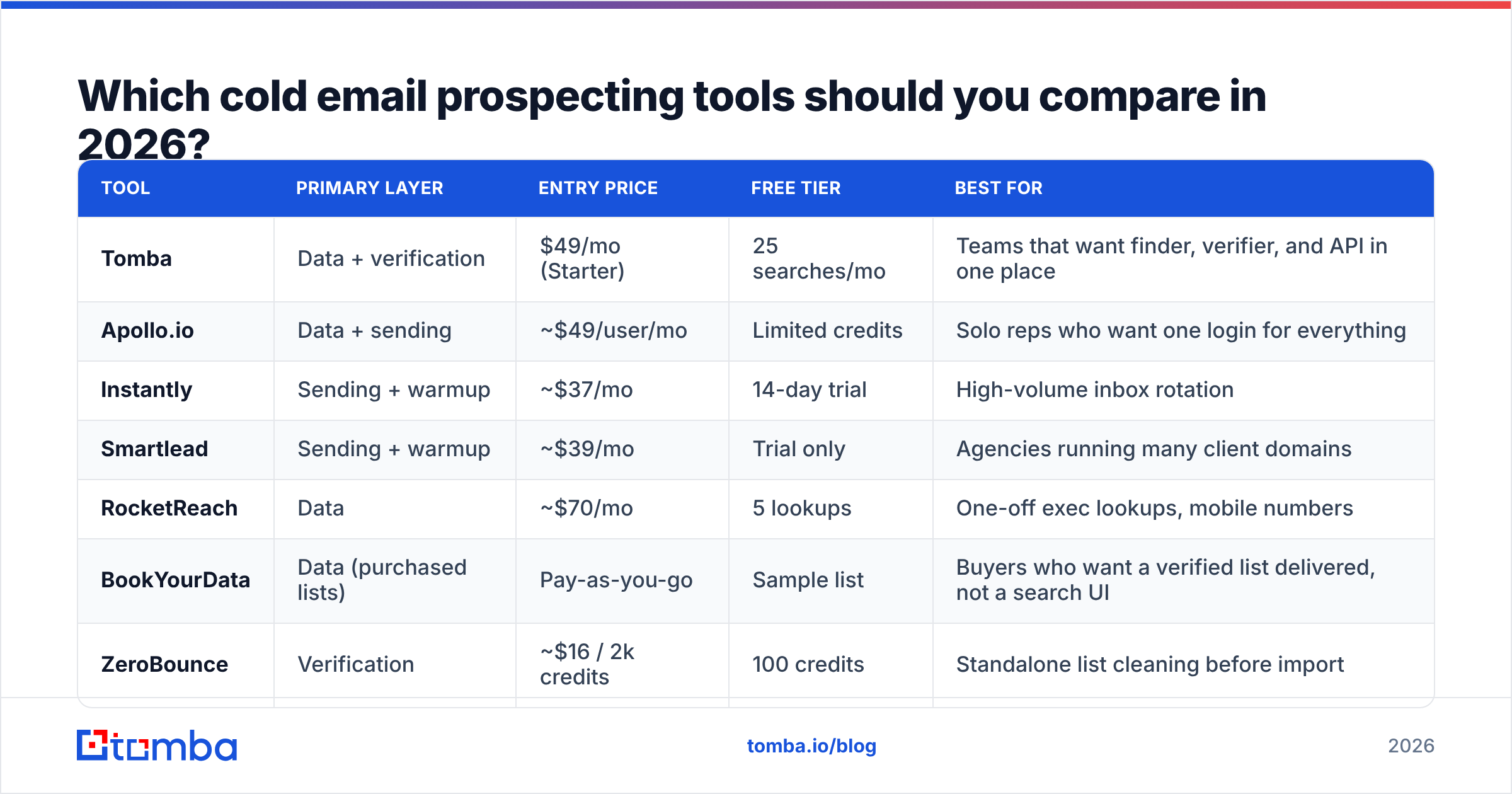
Below is the head-to-head that matters. Prices are entry-tier list prices as of early 2026 and change often — check the vendor before you commit.
| Tool | Primary layer | Entry price | Free tier | Best for |
|---|---|---|---|---|
| Tomba | Data + verification | $49/mo (Starter) | 25 searches/mo | Teams that want finder, verifier, and API in one place |
| Apollo.io | Data + sending | ~$49/user/mo | Limited credits | Solo reps who want one login for everything |
| Instantly | Sending + warmup | ~$37/mo | 14-day trial | High-volume inbox rotation |
| Smartlead | Sending + warmup | ~$39/mo | Trial only | Agencies running many client domains |
| RocketReach | Data | ~$70/mo | 5 lookups | One-off exec lookups, mobile numbers |
| BookYourData | Data (purchased lists) | Pay-as-you-go | Sample list | Buyers who want a verified list delivered, not a search UI |
| ZeroBounce | Verification | ~$16 / 2k credits | 100 credits | Standalone list cleaning before import |
| Lemlist | Sending + personalization | ~$59/user/mo | Trial only | Image/video personalization at low volume |
| Clay | Enrichment orchestration | ~$149/mo | Free plan | RevOps teams chaining 20+ data providers |
Two notes on reading this table honestly.
All-in-ones are not cheaper. Apollo bundles data and sending for one seat price, which looks efficient until you discover its database is thin in your vertical — European mid-market manufacturers, say, or US healthcare providers — and you burn credits on lookups that return nothing. Then you're paying for a database you don't use and buying a second data source anyway.
Purchased lists are not automatically worse. BookYourData and similar vendors deliver human-verified lists with replacement guarantees, which is genuinely useful when you need 5,000 contacts in a defined segment tomorrow and don't want to build a search workflow. The tradeoff is freshness: a list is a snapshot, and B2B contact data decays at roughly 2–3% per month as people change jobs. Search-based finders re-resolve at query time. Neither model is strictly better — they solve different problems. If you buy a list, verify it on arrival regardless of what the seller promises.
How do you actually evaluate accuracy claims?#
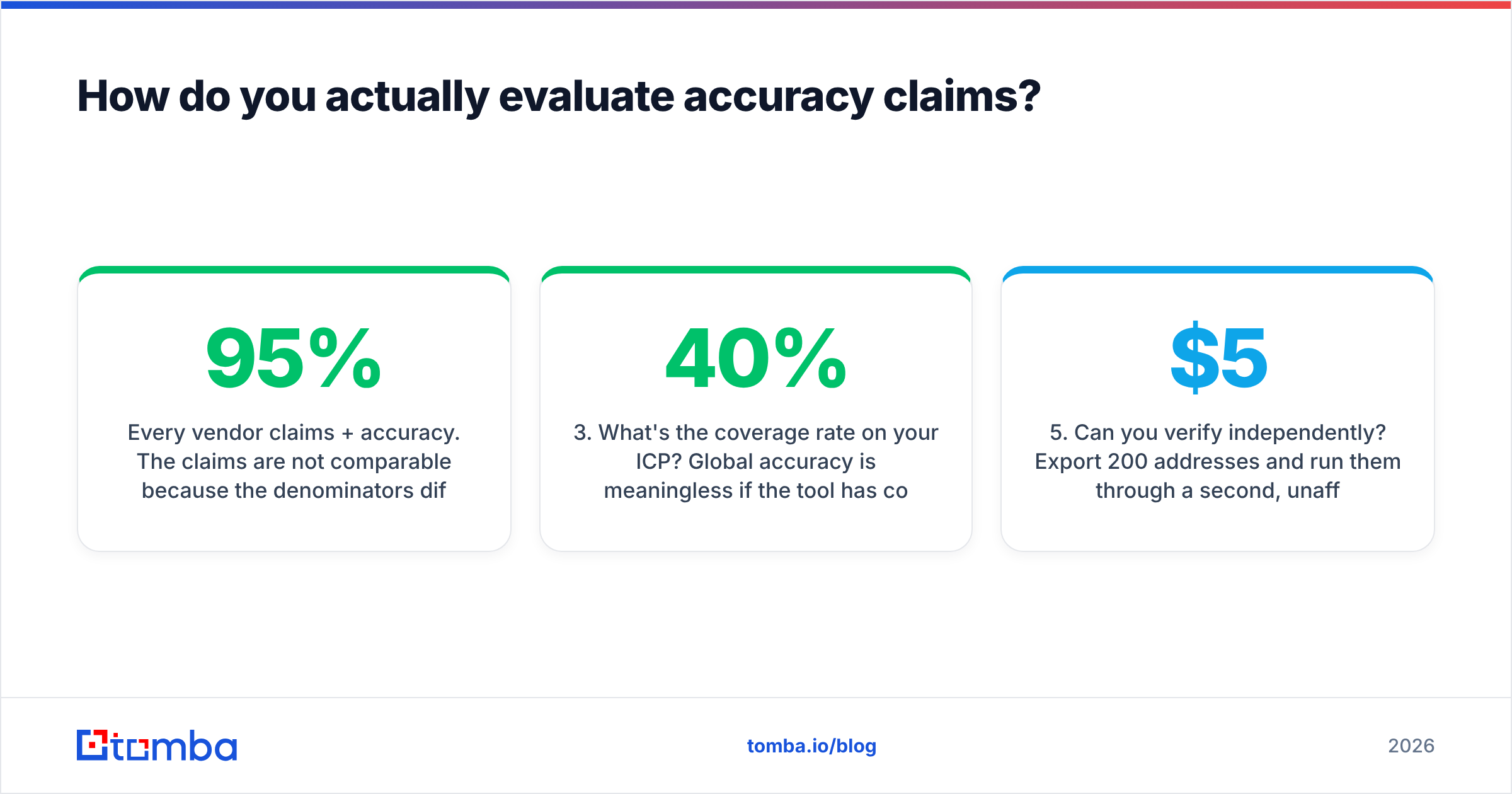
Every vendor claims 95%+ accuracy. The claims are not comparable because the denominators differ.
Ask these five questions before you sign anything:
- What counts as a "hit"? Some tools count a pattern-guessed address as found even when the mailbox doesn't exist. Others only count addresses confirmed by SMTP.
- How are catch-all domains reported? A catch-all domain accepts every address, so SMTP verification returns "valid" for
asdfgh@company.com. Honest tools flag these asaccept_alland let you decide. Dishonest ones report them as valid and inflate their accuracy number. - What's the coverage rate on your ICP? Global accuracy is meaningless if the tool has 40% coverage on 50-person SaaS companies in the Nordics. Run a 100-contact test on your real target list.
- Is there a bounce guarantee? Some providers credit back addresses that bounce. That's a costly promise, and vendors only make it when they trust the pipeline.
- Can you verify independently? Export 200 addresses and run them through a second, unaffiliated verifier. Compare. This costs about $5 and saves you a year of arguing with a dashboard.
Run the test yourself. Use a free email checker for a spot check, then move to a bulk pass. Anyone who resists a bake-off is telling you something.
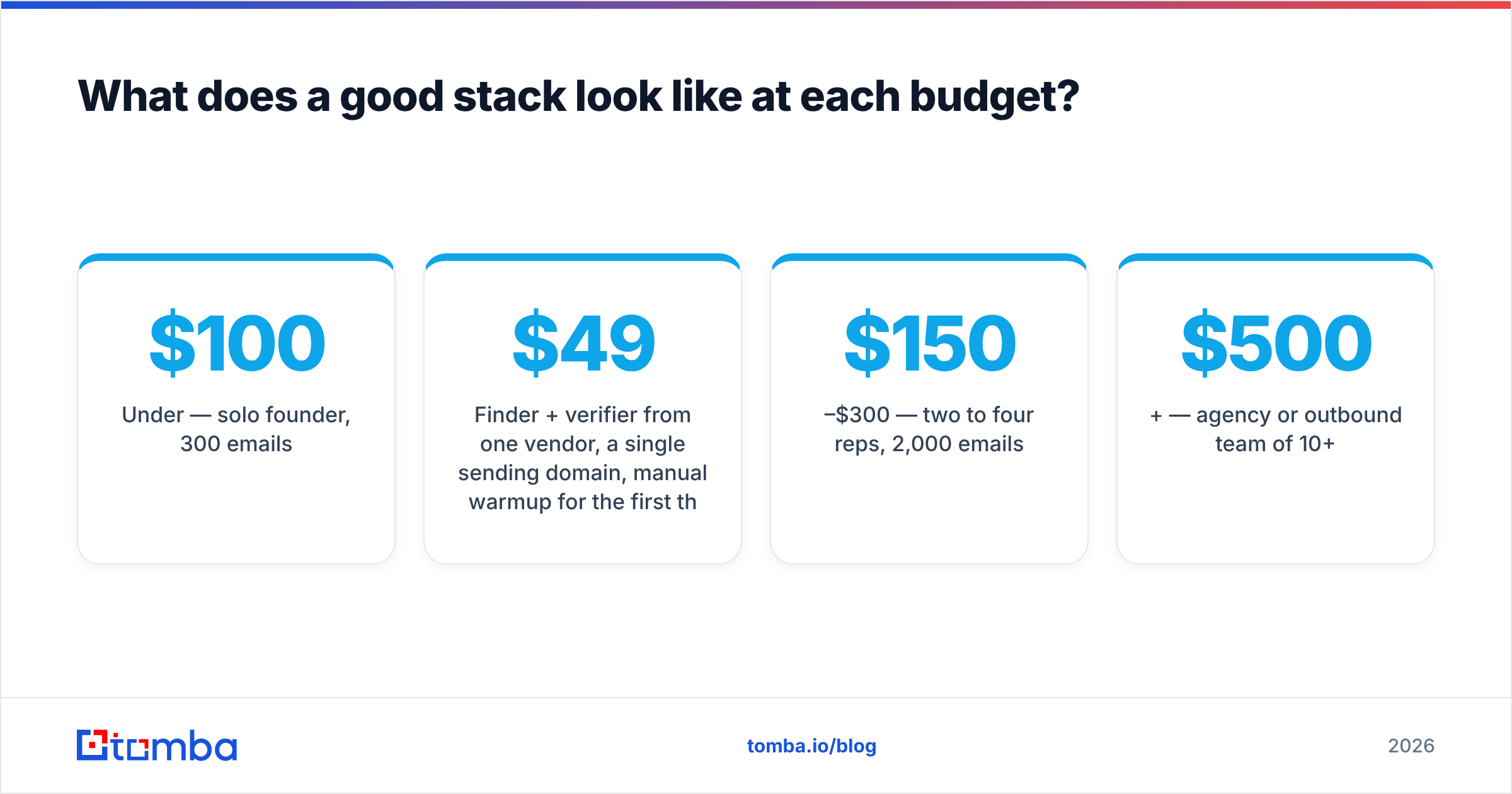
What does a good stack look like at each budget?#
Under $100/mo — solo founder, 300 emails/week
Finder + verifier from one vendor, a single sending domain, manual warmup for the first three weeks. A Tomba Starter plan at $49/mo plus a $37/mo sender covers this. Skip enrichment entirely; write personalization from the prospect's site.
$150–$300/mo — two to four reps, 2,000 emails/week
Dedicated finder with API access so your CRM auto-enriches on lead creation. Bulk verification before every campaign import. Three to five sending domains with automated warmup and inbox rotation. This is where a bulk email finder earns its keep — you're processing lists of 500–5,000, not looking up individuals.
$500+/mo — agency or outbound team of 10+
Add an orchestration layer (Clay or an internal script) that waterfalls across two or three data providers: try provider A, fall back to B on a miss, fall back to C. Waterfalling raises coverage from ~65% single-source to ~85% multi-source on hard ICPs. It also means you need an email finder API rather than a UI, because a human clicking buttons cannot waterfall.

Is an all-in-one platform ever the right call?#
Yes, in two situations.
You're pre-product-market-fit and speed beats precision. Learning three tools and wiring them together costs a week. If you have twelve weeks of runway and need conversations, buy Apollo, accept the data quality, and move. You can un-bundle later.
Your ICP sits squarely inside the platform's strongest data. Apollo's US tech mid-market coverage is genuinely strong. If that's your entire market, the bundled database is not a compromise. Test it on 100 real accounts and count the misses. If coverage is above 80%, the all-in-one is fine. Below 60%, you're going to buy a second data source regardless, so buy the good one first.
The failure mode is buying the bundle because it's a bundle. That's a procurement preference, not a performance argument. Read the reviews on G2's sales intelligence category with a specific eye for reviewers in your industry, not the aggregate star rating.
What about deliverability — which tools actually move the needle?#
Deliverability tooling is the most oversold layer in the stack, because it's the layer where the causal chain is longest and vendors can claim credit for things they didn't do.
What genuinely matters, in order:
- Correct authentication. SPF, DKIM, and DMARC on every sending domain. This is free and takes twenty minutes. Check yours with an SPF checker before you pay anyone for a "deliverability audit."
- Clean lists. Covered above. This is 60% of the outcome.
- Sane volume ramp. New domains send 5–10 emails/day for week one, doubling weekly to a ceiling of about 40/day/inbox. A warmup calculator makes this arithmetic explicit rather than vibes-based.
- Separate domains. Never send cold email from your primary corporate domain. Buy
getcompany.comvariants, authenticate them, and quarantine the reputation risk. - Actual monitoring. Google Postmaster Tools is free and shows you your real spam-complaint rate and domain reputation at Gmail, which is the only reputation score that matters for most B2B lists.
Warmup networks — pools where tools email each other to simulate engagement — are less effective than they were in 2022. Mailbox providers got better at detecting synthetic engagement. Warmup is now table stakes and mild insurance, not a lever. Vendors like Instantly still bundle it, and you should use it, but don't expect it to rescue a list with a 10% bounce rate.
How do you migrate off a tool that isn't working?#
Cheaply, and with evidence.
Export your last 90 days of campaign data. Compute three numbers per data source: bounce rate, coverage rate (addresses found ÷ contacts attempted), and reply rate on found contacts. That third number catches the tool that finds lots of addresses which technically deliver but belong to people who left the company eighteen months ago.
Then run a 200-contact parallel test against the challenger. Same ICP, same list, same week. Compare the three numbers. Migration decisions made on those three numbers are almost never regretted. Migration decisions made on pricing pages usually are.
Keep the sending platform stable while you swap the data layer — changing two variables at once tells you nothing. HubSpot's sales blog has decent benchmark ranges if you need external comparison points, though treat any published reply-rate benchmark as a very wide band.
Where should you start this week?#
Pull your last campaign's bounce report. If bounces are above 3%, stop optimizing subject lines — you have a data problem, and no amount of copywriting fixes a mailbox that doesn't exist. Clean the list, then re-send to the survivors and watch what happens to open rate.
If you're starting from zero, get the data layer right first. Find the addresses with a tool that tells you how it found them, verify every one before it touches a sequencer, and only then worry about which sender has the nicer UI.
Start with the Tomba Email Finder. Free tier gives you 25 searches a month — enough to run the 100-contact coverage test on your real ICP before you spend anything. Pair it with the email verifier to catch the catch-alls, and if the coverage numbers hold up on your accounts, Starter is $49/mo. Run the bake-off. Let the bounce rate decide.
Related guides#
Ready to find emails that actually work?
Join 150,000+ professionals who stopped guessing and started sending. Free credits on signup — no credit card required.
Get the Tomba newsletter
Practical outbound tactics and product updates — once every two weeks.
About the author