Cold Email Server Setup: A Complete 2026 Deliverability Guide
Most cold email server setup guides stop at SPF and DKIM. Here's the full 2026 build: domain strategy, DNS records, mailbox providers, warmup math, and the sending limits that quietly kill campaigns.
TL;DR
- Your cold email server setup is 20% software and 80% DNS, domain strategy, and volume discipline. Get the boring parts right and mediocre copy still lands in the inbox.
- Never send cold email from your primary domain. Buy 2–5 lookalike domains, point each to 2–3 mailboxes, and cap each mailbox at 30–50 sends per day.
- SPF, DKIM, and DMARC are now enforcement gates at Google and Microsoft, not nice-to-haves. A missing DMARC record alone can bulk-fold your entire campaign.
- Warmup is a 3–4 week ramp, not a checkbox. Expect ~21 days before a fresh mailbox is safe at production volume.
- The fastest way to burn a perfectly configured server is a dirty list. Bounce rate above 3% undoes every DNS record you set.
What is a cold email server setup, exactly?#
A cold email server setup is the sending infrastructure behind your outbound campaigns: the domains you send from, the mailboxes attached to them, the DNS records that authenticate those mailboxes, the SMTP relay or mailbox provider that actually transmits the message, and the warmup schedule that teaches receiving servers to trust you.
Think of it like opening a restaurant. The sequencing tool is the menu. The copy is the food. But the health inspection certificate on the wall — that's SPF, DKIM, and DMARC. No amount of good cooking gets you past a failed inspection.
Most teams invert this. They spend six weeks A/B testing subject lines while sending from a brand-new domain with no DMARC record and a 40% bounce rate. Then they blame the copy.
Here's what actually determines whether your mail reaches a human:
- Domain reputation — the historical sending behavior tied to the domain in your
From:header. Slow to build, fast to lose, and it does not transfer between domains. - Authentication alignment — SPF, DKIM, and DMARC agreeing that you are who you say you are. Binary. Either it passes or you're in the spam folder.
- Recipient engagement — opens, replies, and "not spam" clicks versus deletes, ignores, and complaints. Google weights replies heavily.
- List hygiene — hard bounces and spam traps. A single spam trap hit can suppress a domain for weeks.
- Volume consistency — a mailbox that sends 12 emails on Monday and 400 on Tuesday looks exactly like a compromised account.
- Content signals — link count, image-to-text ratio, tracking pixels, and known-bad shortener domains.
You control all six. Only the last one is about writing.
Why can't you just send cold email from your main domain?#
Because domain reputation is not compartmentalized. If yourcompany.com sends 500 cold emails a day and 8 recipients hit "report spam," Gmail does not distinguish between your outbound prospecting and the invoice you sent a customer that afternoon. Both come from the same reputation bucket.
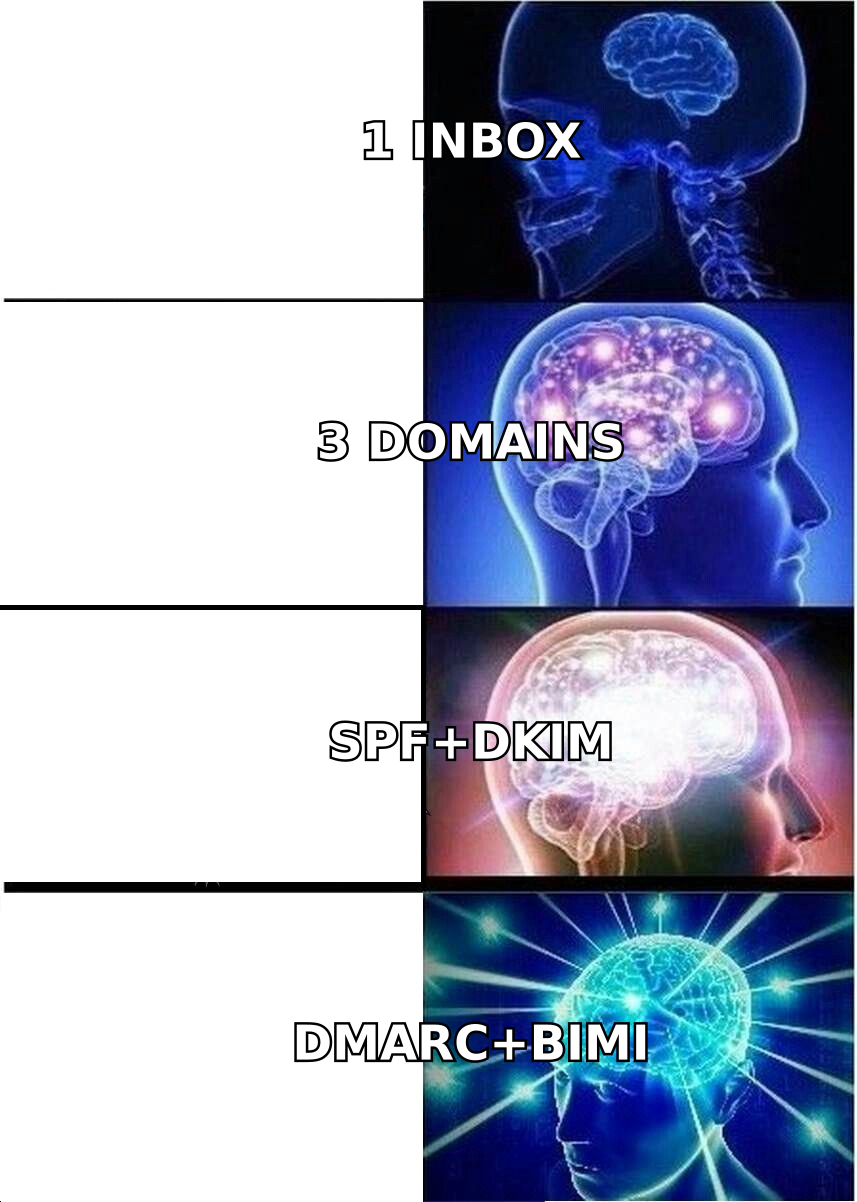
The standard architecture separates them:
- Primary domain (
yourcompany.com) — website, transactional mail, customer support, invoices. Never touches cold outbound. - Sending domains (
getyourcompany.com,yourcompany.co,try-yourcompany.com) — cold outbound only. Each one redirects at the web layer to your primary site so click-throughs don't hit a dead page.
Buy sending domains at least 30 days before you send from them. Registrars leak registration age into WHOIS, and receiving filters read it. A domain registered yesterday sending 200 emails today is the single loudest spam signal in the stack.
Then map mailboxes. Two to three mailboxes per domain, each with a real human name (sarah@getyourcompany.com, not sales@), each with a full signature, a profile photo, and a plausible LinkedIn presence.
The math you're solving for:
Daily capacity = (# domains) × (mailboxes per domain) × (sends per mailbox per day)Three domains × 3 mailboxes × 40 sends = 360 emails per day. That is a healthy, boring, sustainable setup. If you need 2,000 sends a day, you buy more domains — you do not raise the per-mailbox cap.
Which mailbox provider should you use for cold email?#
This is where most guides hand-wave. The honest answer is that four architectures dominate, and they trade off differently on cost, deliverability ceiling, and setup pain.
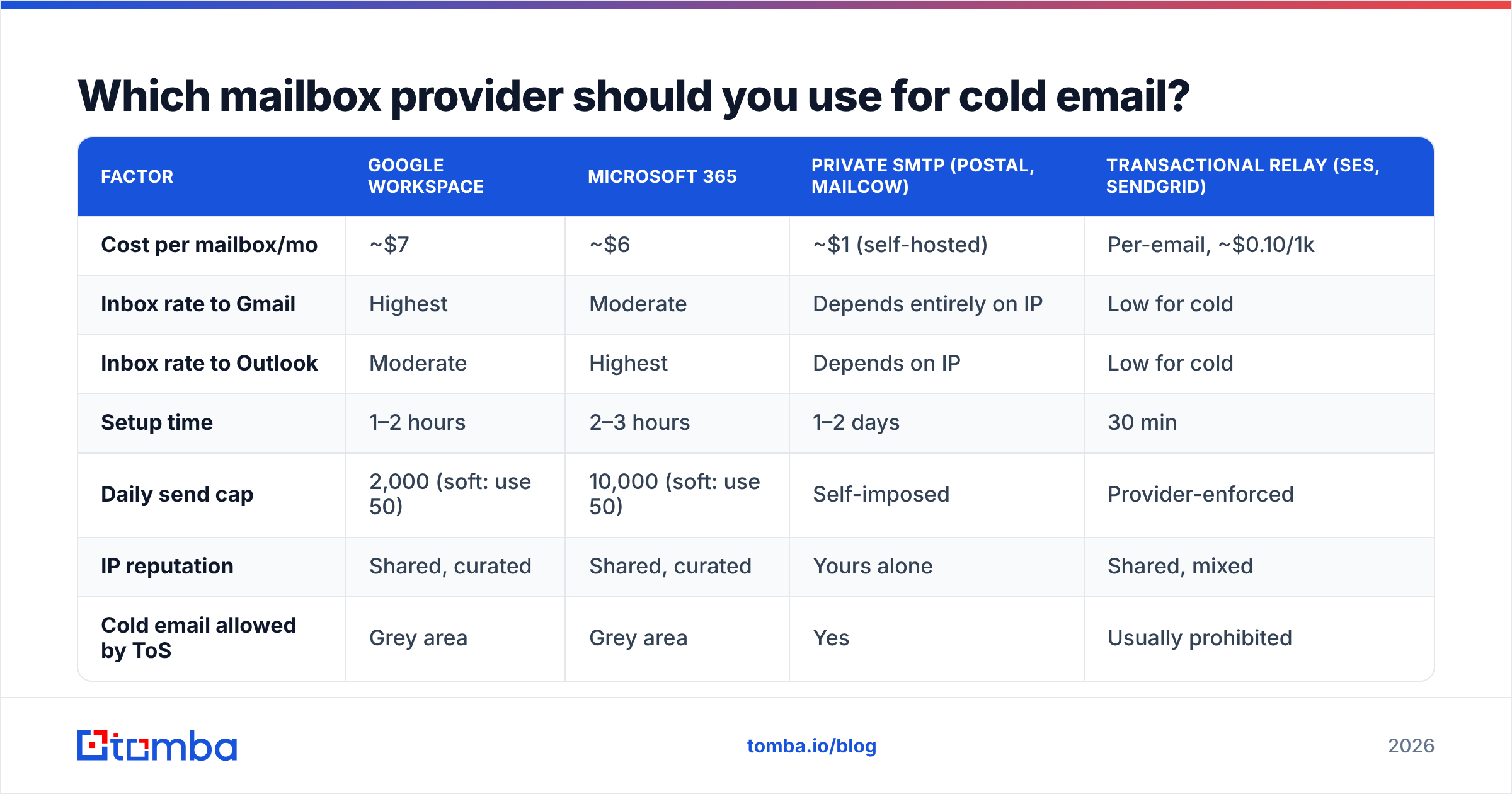
| Factor | Google Workspace | Microsoft 365 | Private SMTP (Postal, Mailcow) | Transactional relay (SES, SendGrid) |
|---|---|---|---|---|
| Cost per mailbox/mo | ~$7 | ~$6 | ~$1 (self-hosted) | Per-email, ~$0.10/1k |
| Inbox rate to Gmail | Highest | Moderate | Depends entirely on IP | Low for cold |
| Inbox rate to Outlook | Moderate | Highest | Depends on IP | Low for cold |
| Setup time | 1–2 hours | 2–3 hours | 1–2 days | 30 min |
| Daily send cap | 2,000 (soft: use 50) | 10,000 (soft: use 50) | Self-imposed | Provider-enforced |
| IP reputation | Shared, curated | Shared, curated | Yours alone | Shared, mixed |
| Cold email allowed by ToS | Grey area | Grey area | Yes | Usually prohibited |
| Best for | Gmail-heavy ICPs | Enterprise/Outlook ICPs | 5k+/day, technical team | Never (for cold) |
Three things worth stating plainly:
Transactional relays are the wrong tool. SendGrid, Mailgun, and Amazon SES are built for password resets and receipts, where the recipient asked for the mail. Their acceptable use policies generally prohibit unsolicited outreach, and their shared IP pools carry reputational baggage from other senders. You will get suspended. Use them for product email, not prospecting.
Private SMTP is a real option above ~5,000 sends per day. Below that, the operational overhead — rDNS, IP warming, PTR records, blacklist monitoring, TLS certificates — costs more engineer-hours than the Workspace bill you're avoiding. Above that, dedicated IPs give you a reputation you own outright rather than one you rent.
Match the provider to your ICP's mail stack. If your prospects are at enterprises running Microsoft 365, send from Microsoft 365. Intra-provider mail gets measurably better treatment. You can check what a prospect's domain runs with an MX lookup, or use a website tech stack check as part of enrichment.
How do you configure SPF, DKIM, and DMARC correctly?#
These three records answer three different questions for the receiving server. Configure all three or the authentication chain breaks.
SPF (Sender Policy Framework) answers "Is this IP allowed to send for this domain?" It is a single TXT record on the root domain listing authorized senders.
v=spf1 include:_spf.google.com ~allTwo rules people break constantly. First, one SPF record per domain — not three. If you use Google Workspace plus a sequencer that sends via its own servers, merge them into one record with multiple include: statements. Second, SPF has a hard limit of 10 DNS lookups. Every include: costs at least one. Exceed 10 and the record returns permerror, which most receivers treat as a fail. Flatten if you must.
End with ~all (softfail) during rollout, then tighten to -all (hardfail) once you've confirmed nothing legitimate is being rejected.
DKIM (DomainKeys Identified Mail) answers "Was this message modified in transit, and does the sender hold the private key?" Your provider generates a key pair; you publish the public half as a TXT record at a selector subdomain like google._domainkey.yourdomain.com.
Use a 2048-bit key, not 1024. Google Workspace still defaults to 1024 in some flows — regenerate. And rotate keys every 6–12 months, which almost nobody does but which materially helps if a key is ever exposed. The DKIM specification covers the cryptography if you want the underlying detail.
DMARC answers "What should I do when SPF and DKIM disagree?" It also enables reporting, which is the part that actually earns its keep.
v=DMARC1; p=none; rua=mailto:dmarc@yourdomain.com; pct=100; adkim=r; aspf=rStart at p=none with aggregate reports flowing to a monitored inbox. Read those reports for two to three weeks. Once you see 100% alignment across your legitimate sources, move to p=quarantine, then p=reject.
Since Google and Yahoo's 2024 bulk-sender requirements — now effectively table stakes across the industry — a DMARC record is mandatory for anyone sending meaningful volume. Google's email sender guidelines spell out the current thresholds, and dmarc.org maintains the reference implementation notes. Verify your record resolves correctly with an SPF checker before your first send, not after.
BIMI is the optional fourth layer: a logo that renders next to your name in supporting clients. It requires p=quarantine or stricter plus a Verified Mark Certificate. Nice for brand recall on a warm list. Marginal for cold outbound. Skip it until the rest is airtight.
How long does email warmup actually take?#
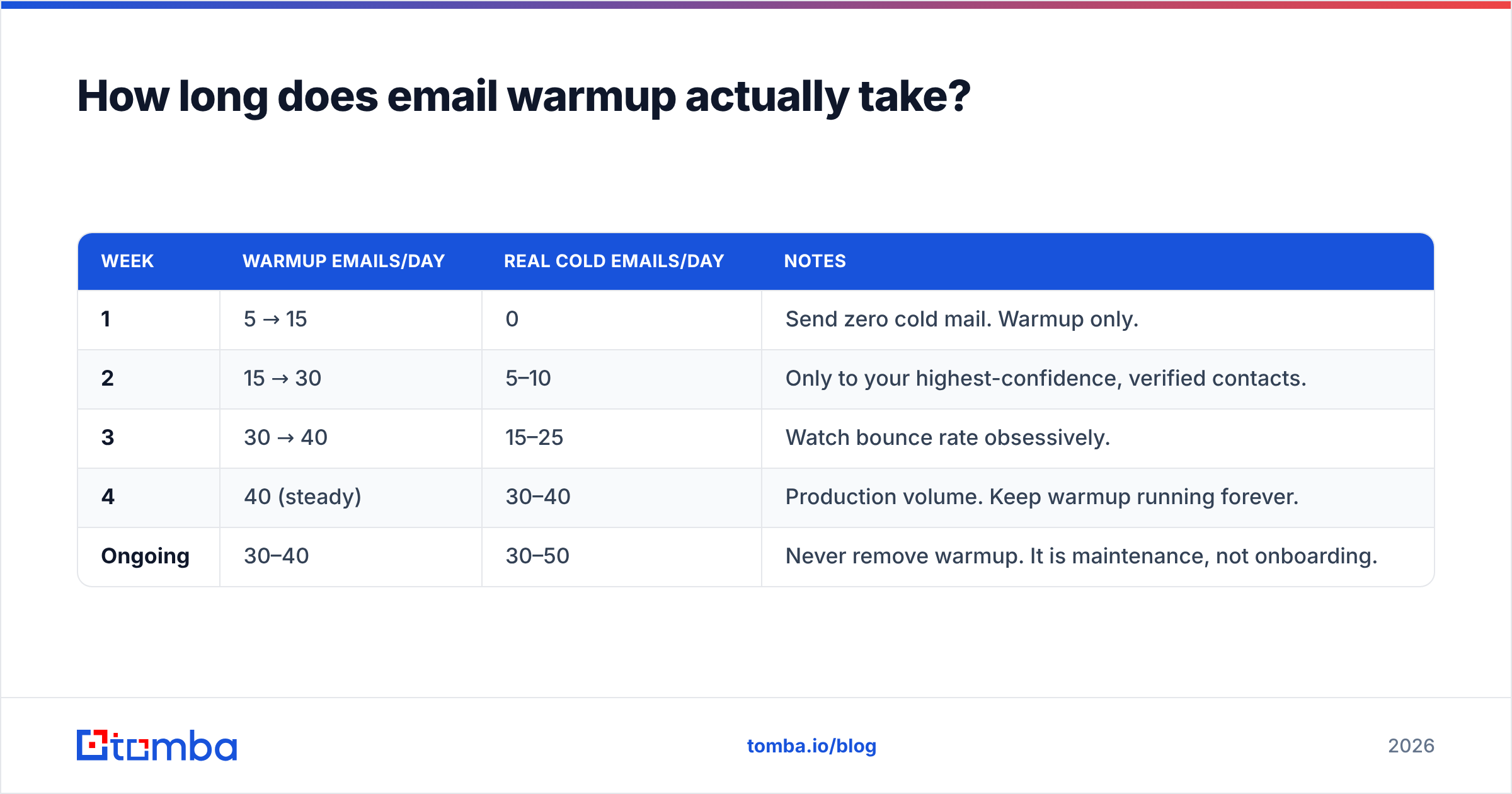
Twenty-one days minimum for a fresh mailbox. Thirty to forty-five if you want margin.
Warmup works by generating engagement signals — sends, opens, replies, and folder moves — at a volume that grows slowly enough to look like a human joining a company. Automated warmup networks do this by cycling mail between pools of participating mailboxes.
A defensible ramp for a Google Workspace mailbox:
| Week | Warmup emails/day | Real cold emails/day | Notes |
|---|---|---|---|
| 1 | 5 → 15 | 0 | Send zero cold mail. Warmup only. |
| 2 | 15 → 30 | 5–10 | Only to your highest-confidence, verified contacts. |
| 3 | 30 → 40 | 15–25 | Watch bounce rate obsessively. |
| 4 | 40 (steady) | 30–40 | Production volume. Keep warmup running forever. |
| Ongoing | 30–40 | 30–50 | Never remove warmup. It is maintenance, not onboarding. |
Two mistakes dominate. The first is stopping warmup once campaigns start — reputation decays, and warmup traffic is the floor under it. The second is ramping on a calendar rather than on signal. If your week-2 bounce rate is 6%, you do not proceed to week 3. You stop, clean the list, and restart the ramp.
Run the numbers for your own target volume with a warmup calculator before you commit to a domain count.

What kills a correctly configured cold email server?#
Bad data. Every time.
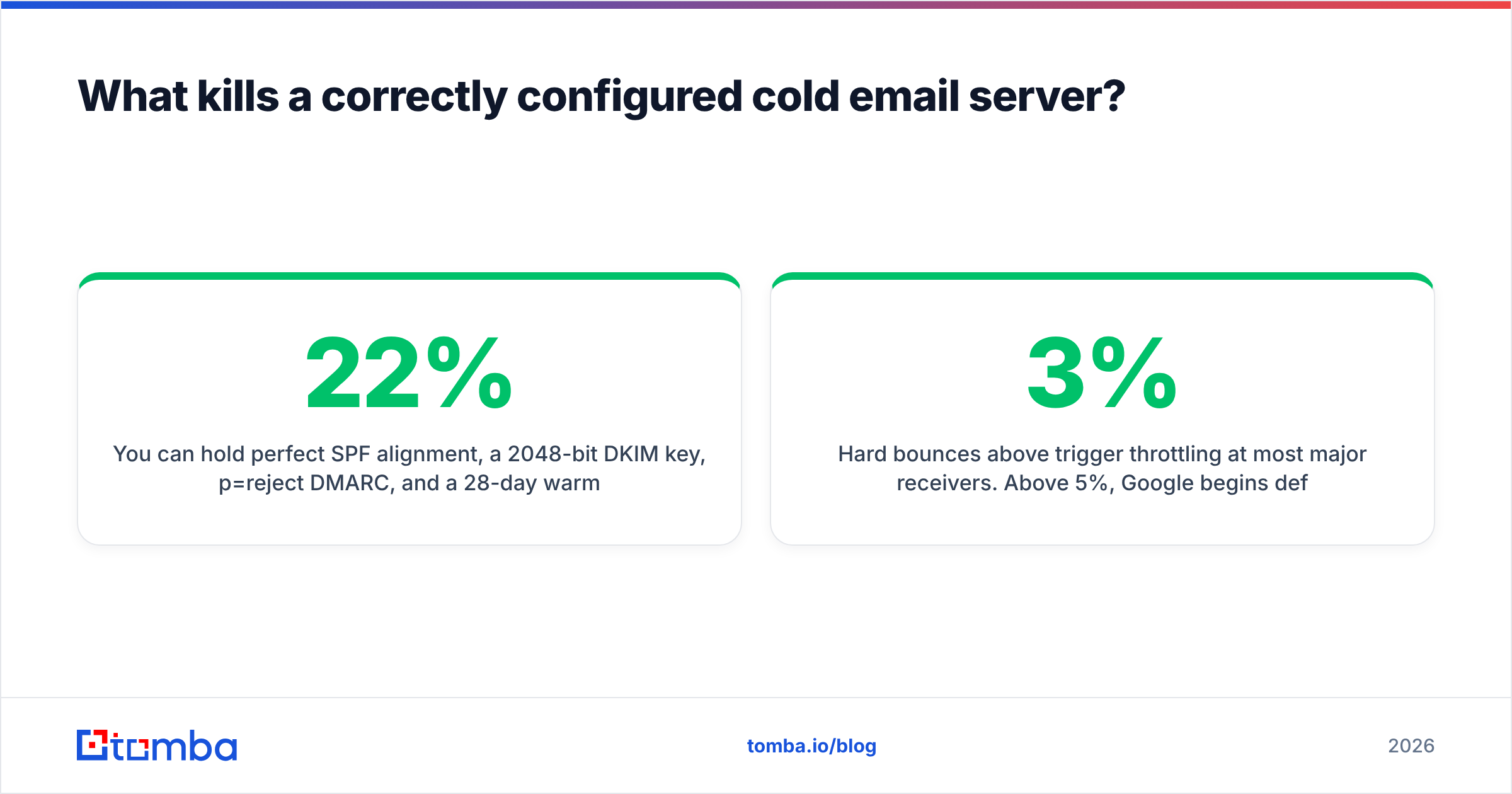
You can hold perfect SPF alignment, a 2048-bit DKIM key, p=reject DMARC, and a 28-day warmup — and destroy the domain in one afternoon by uploading a scraped list with a 22% invalid rate.
Here is why the mechanics are so unforgiving:
- Hard bounces above 3% trigger throttling at most major receivers. Above 5%, Google begins deferring your mail outright.
- Spam traps are addresses that were once real and are now recycled specifically to catch senders using stale data. Hitting one is worse than a hundred bounces.
- Catch-all domains accept every address at SMTP time and silently discard invalid ones. They inflate your apparent deliverability while your replies stay at zero. A dedicated catch-all verifier is the only way to distinguish a real mailbox from a black hole on these domains.
- Role addresses (
info@,sales@,support@) route to shared inboxes with aggressive filtering and near-zero reply rates. Strip them.
The sequencing is not negotiable: find, verify, then send. Sourcing addresses with an email finder, running them through an email verifier to strip invalids and traps, and only then loading them into the sequencer. Verification costs fractions of a cent per record. A burned domain costs you 30 days and the price of a new one.
If you're building lists at scale, a bulk email finder that verifies inline saves you a round trip. If you're integrating into a pipeline, the Tomba API exposes finding and verification as separate endpoints so you can gate the send on the verification result programmatically.
What does the full setup checklist look like?#
Work top to bottom. Do not skip ahead because a step seems tedious.
- Buy 2–5 sending domains at a registrar with fast DNS propagation. Age them 30 days.
- Set up domain forwarding so each sending domain 301-redirects to your primary site.
- Create 2–3 mailboxes per domain with real human names, photos, and signatures.
- Publish SPF, DKIM, and DMARC on every sending domain. Verify with a lookup tool, not by eyeballing the DNS panel.
- Set DMARC to
p=nonewith aggregate reporting. Read the reports. - Enable custom tracking domains so your click links don't share a shortener with 10,000 other senders.
- Start warmup. Twenty-one days. No cold sends in week one.
- Build and verify the list before any campaign goes live. Target sub-2% bounce.
- Cap sends at 30–50 per mailbox per day. Add domains, not volume.
- Monitor weekly: bounce rate, spam complaint rate (keep under 0.1%), reply rate, and your sender reputation in Google Postmaster Tools.
- Tighten DMARC to
p=quarantine, thenp=reject, once reports show full alignment. - Rotate a domain out if its reputation tanks. Do not try to rehabilitate. Retire it, spin up a replacement, and warm it.
Step 8 is the one teams skip, and it is the one that determines whether steps 1–7 mattered.
Where should you start?#
If you have no infrastructure today: buy three domains this week, park them, and spend the aging period building a clean, verified list. Infrastructure without data is an empty restaurant. Data without infrastructure is food nobody gets to eat.
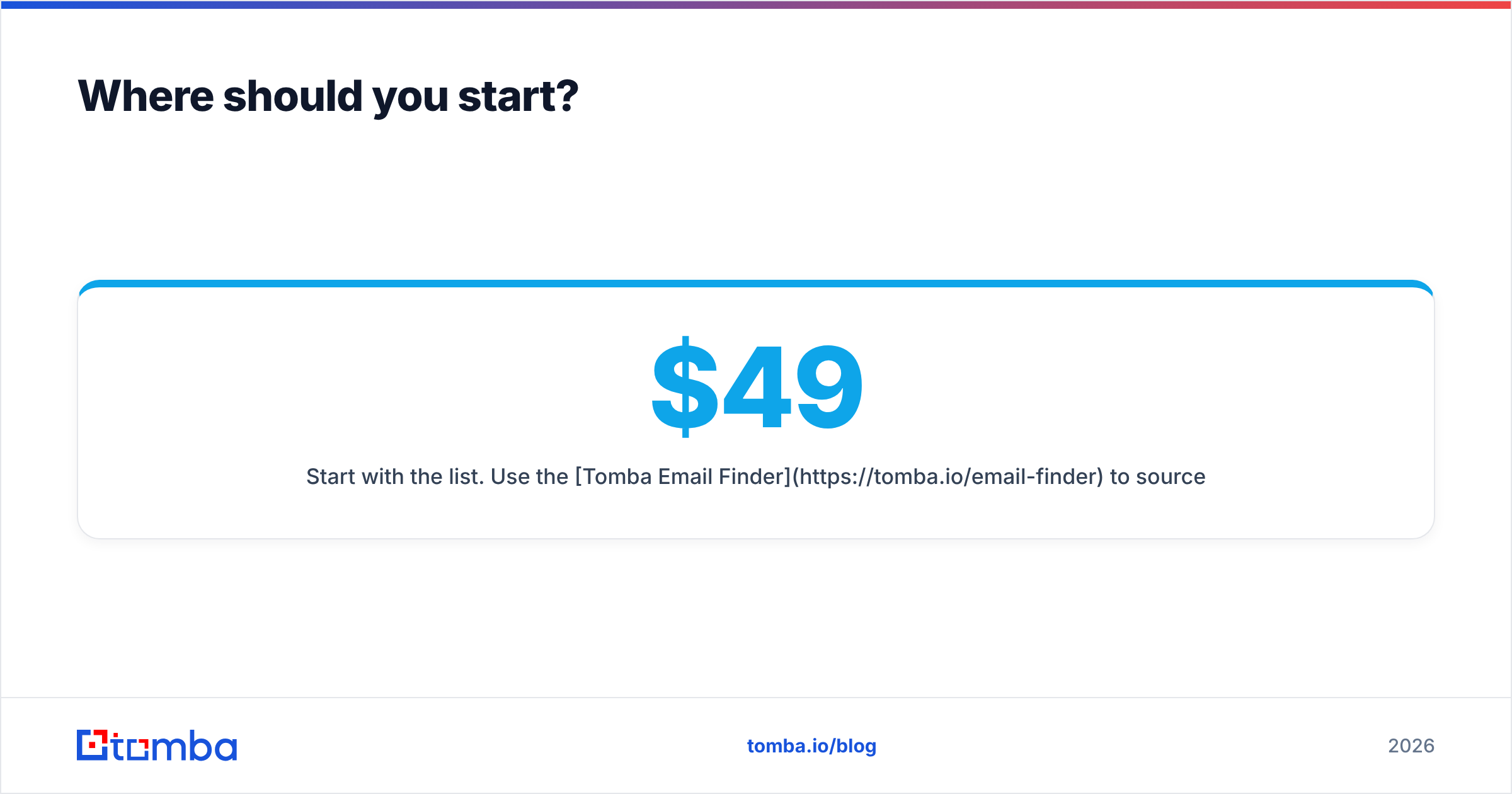
Start with the list. Use the Tomba Email Finder to source verified professional addresses by domain, name, or company — every result comes back with a confidence score and a verification status, so you know your bounce rate before you send rather than after. The free tier covers 25 searches a month, and paid plans start at $49/mo on Starter with 1,000 searches; full Tomba pricing runs from Starter through Growth at $99/mo and Pro at $249/mo.
Get the DNS right. Warm the mailboxes. Then send clean data through them. In that order.
Related guides#
// get started
Find, verify and enrich your first contacts today
Start on the free plan with 25 searches a month, then scale when your team is ready.
Free plan · No credit card required · GDPR & CCPA
// about the author