Cold Email Signature: The 2026 Guide That Boosts Replies
Your signature is the most-ignored, most-tested block in a cold email. Here is what belongs in a cold email signature in 2026, what silently hurts deliverability, and the four-line format that outperforms designed HTML blocks.
TL;DR
- A cold email signature is a deliverability surface, not a branding surface. Every image, tracking pixel, and social icon adds HTML weight and spam signals to a message that has no prior engagement history to protect it.
- The format that consistently survives filters is plain text, four lines or fewer: name, role + company, one link, one unsubscribe path.
- Logos, banners, GIFs, quotes, legal disclaimers, and "Sent from my iPhone" belong in warm threads — not in first-touch cold email.
- Add the design only after the prospect replies. Your reply-thread signature and your cold-open signature should be two different assets.
- The single highest-leverage fix is not the signature at all: it's whether the address you're sending to is real. Bounces destroy sender reputation faster than any font choice.
What is a cold email signature, and why is it different?#
A cold email signature is the block of identifying text at the bottom of an outbound message sent to someone who has never heard from you. That last clause changes everything.
Think of it like showing up at a stranger's door. A warm signature — the one you use with clients and colleagues — is the equivalent of walking in wearing a company polo, carrying a branded folder, handing over a business card with a QR code. Perfectly normal once you're inside. On a cold doorstep, that same presentation reads as a sales visit before you've said a word.
Mailbox providers make the same judgment, mechanically. A message from an unknown sender to a recipient with zero prior engagement gets scored on content signals alone. Images, external CSS, link count, HTML-to-text ratio, and tracking pixels all feed that score. In a warm thread, engagement history overwhelms those signals. In a cold email, they're most of what the filter has.
So the practical definition: a cold email signature is the minimum identifying information that makes you a real, findable human — with the maximum amount of everything else stripped out.
The classic signature block predates HTML email entirely. It was four lines of plain text. That constraint turned out to be right for reasons nobody in 1988 anticipated.
What should a cold email signature include in 2026?#
Here is the working set. Everything on this list earns its place; everything not on it should be defended before you add it.
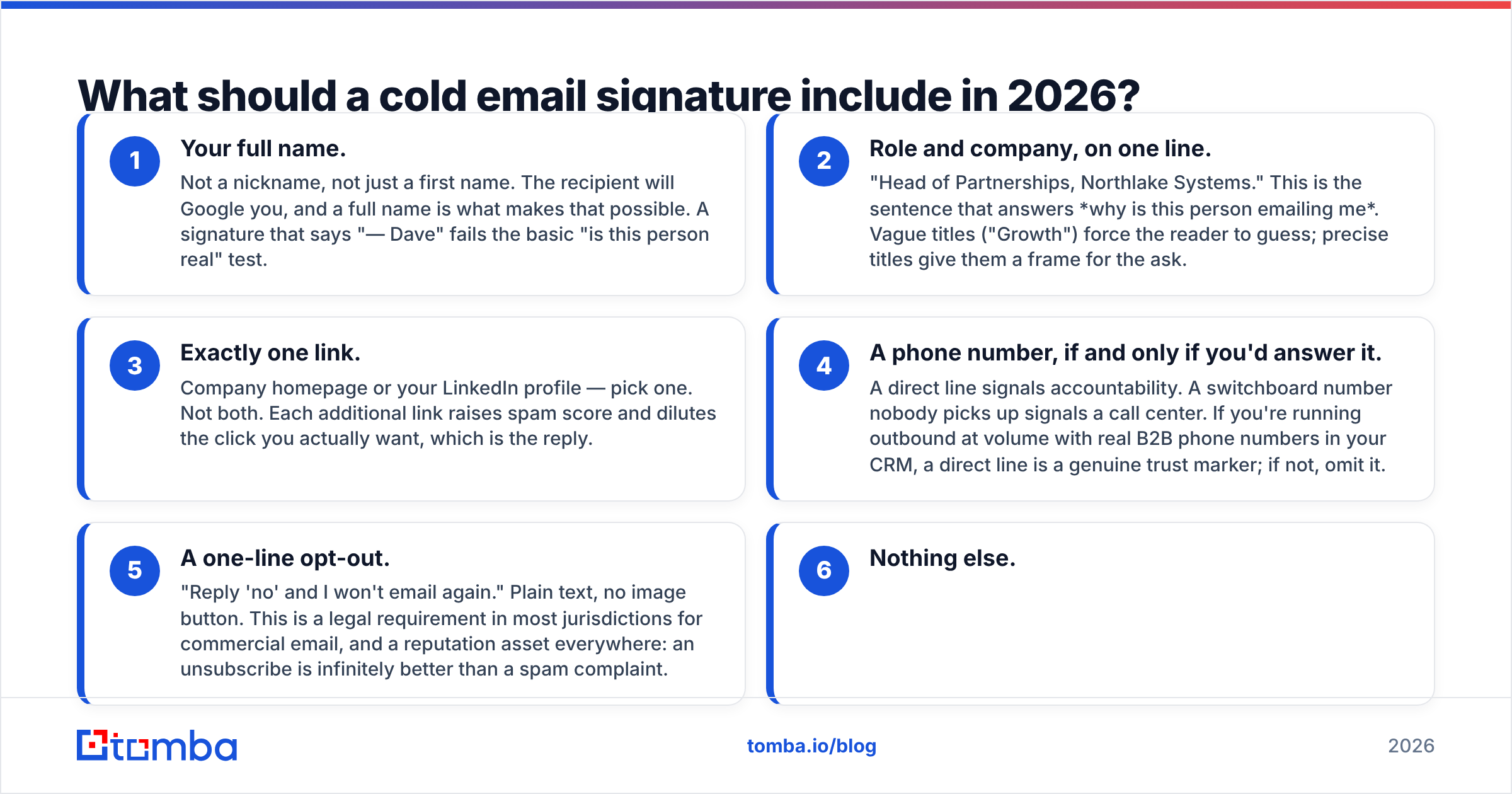
Your full name. Not a nickname, not just a first name. The recipient will Google you, and a full name is what makes that possible. A signature that says "— Dave" fails the basic "is this person real" test.
Role and company, on one line. "Head of Partnerships, Northlake Systems." This is the sentence that answers why is this person emailing me. Vague titles ("Growth") force the reader to guess; precise titles give them a frame for the ask.
Exactly one link. Company homepage or your LinkedIn profile — pick one. Not both. Each additional link raises spam score and dilutes the click you actually want, which is the reply.
A phone number, if and only if you'd answer it. A direct line signals accountability. A switchboard number nobody picks up signals a call center. If you're running outbound at volume with real B2B phone numbers in your CRM, a direct line is a genuine trust marker; if not, omit it.
A one-line opt-out. "Reply 'no' and I won't email again." Plain text, no image button. This is a legal requirement in most jurisdictions for commercial email, and a reputation asset everywhere: an unsubscribe is infinitely better than a spam complaint.
Nothing else.
That last item is the hard one.
What kills a cold email signature?#
Every element below has been rationalized by someone as "professional." Each one costs you something measurable.
Logo images. An image reference means the message must render remote content. Most clients block that by default for unknown senders, so the recipient sees a broken-image icon or a grey box where your credibility was supposed to be. Worse, image-heavy HTML skews your text-to-HTML ratio in exactly the direction filters penalize.
Banner CTAs. "Book a demo" buttons in the signature are a second ask competing with your primary ask. Cold email works when there is exactly one thing to do. Two CTAs means zero.
Social icon rows. Six small images, six external requests, six links. On a message with no engagement history, this is the single fastest way to look like a marketing blast — because it is the visual grammar of a marketing blast.
Tracking pixels. A 1×1 transparent image at the bottom of a cold email is not neutral. Some filters flag them directly. Beyond the technical cost, open-rate data has been effectively noise since Apple's Mail Privacy Protection began pre-fetching images at scale. You are paying a deliverability tax for a metric that no longer measures anything.
Legal disclaimers. The 90-word confidentiality boilerplate does nothing legally in an unsolicited message and everything to signal "corporate mass send."
Quotes and awards. "Voted #1 in category by SoftwareList 2025" is not social proof to a stranger. It's clutter.
HTML formatting for its own sake. Colored text, custom fonts, tables inside the signature. Plain text renders identically everywhere, in every client, on every screen size, at every zoom level. There is no rendering bug to test for because there is no rendering.
Google's own sender guidelines are blunt about this: authenticate properly, keep spam complaints below 0.3%, and make unsubscribing easy. They say nothing about brand consistency. That should tell you where the priorities sit.

Cold signature vs. reply signature vs. marketing signature#
These are three different assets that get confused because they occupy the same physical space at the bottom of an email. Treat them separately.
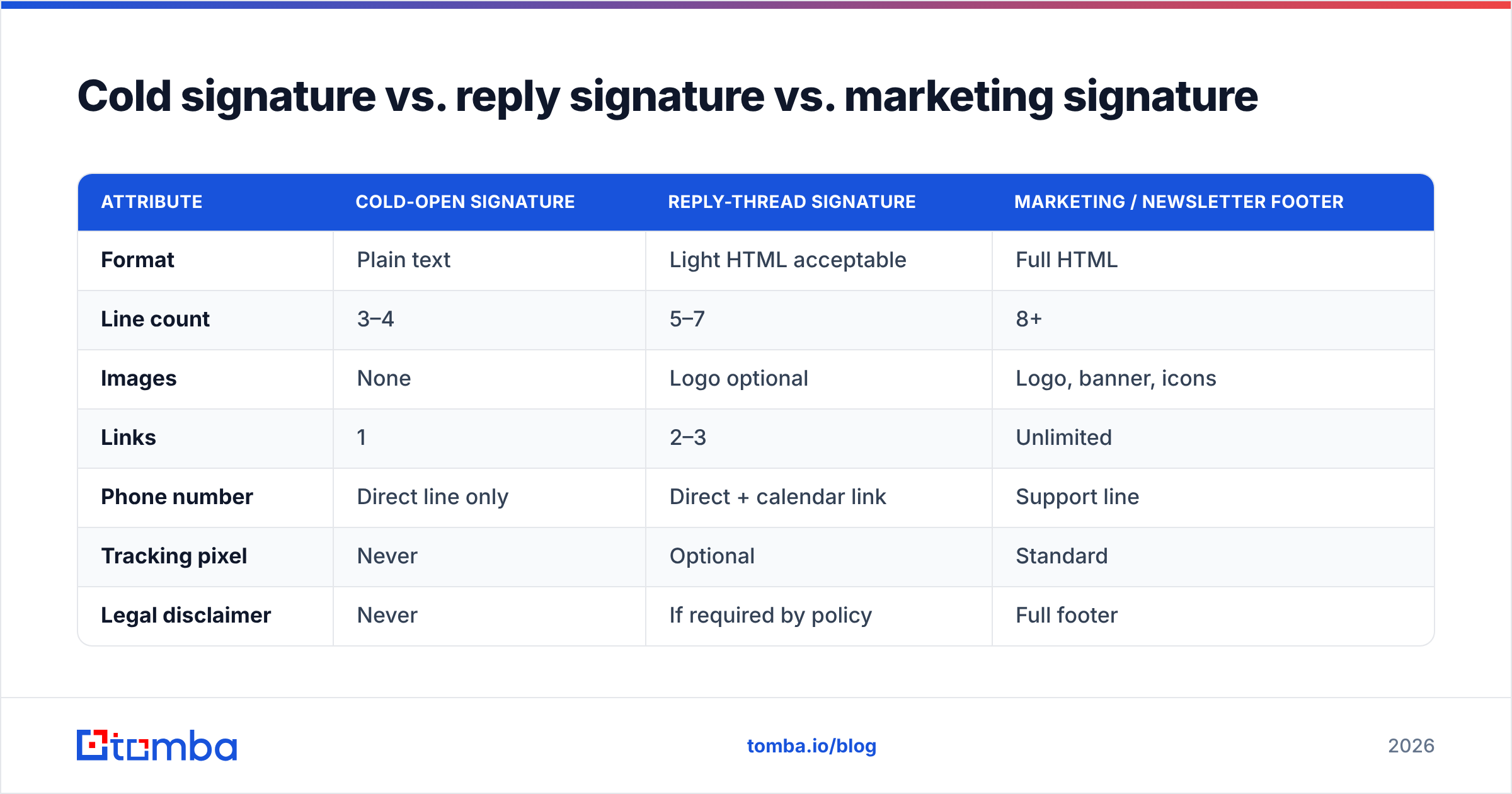
| Attribute | Cold-open signature | Reply-thread signature | Marketing / newsletter footer |
|---|---|---|---|
| Format | Plain text | Light HTML acceptable | Full HTML |
| Line count | 3–4 | 5–7 | 8+ |
| Images | None | Logo optional | Logo, banner, icons |
| Links | 1 | 2–3 | Unlimited |
| Phone number | Direct line only | Direct + calendar link | Support line |
| Tracking pixel | Never | Optional | Standard |
| Legal disclaimer | Never | If required by policy | Full footer |
| Calendar link | No | Yes | Yes |
| Unsubscribe | One plain-text line | Not needed (thread) | Required, styled |
| Primary risk if wrong | Spam folder | Looks unpolished | Low deliverability impact |
| Optimizes for | Landing in inbox | Making booking easy | Brand recall |
The pattern is a ramp. Cold-open is bare because it has no engagement credit to spend. Once the prospect replies, you have earned engagement history with that recipient's mailbox provider — and only then is HTML a reasonable cost.
Most sales teams get this backwards. They design one gorgeous signature, apply it everywhere, and then wonder why cold campaigns underperform while reply threads convert fine. The reply threads were never the problem.
What does a good cold email signature actually look like?#
Three variants, each defensible.
The minimum viable signature (default choice):
Maya Okonjo
RevOps Lead, Bright Ledger
brightledger.com

Reply "no" and I'll close your file.
Four lines. One link. One opt-out. Renders identically in Gmail, Outlook, Apple Mail, Superhuman, and a terminal client from 1994.
The credibility signature (when you're selling to skeptics — security, fintech, healthcare):
Maya Okonjo
RevOps Lead, Bright Ledger
Direct: +1 415 555 0184
linkedin.com/in/mayaokonjo

Not relevant? Reply "no" — I won't follow up.
The direct line and the LinkedIn profile together make you verifiable in under ten seconds. That's the entire job.
The founder signature (when the sender's identity is the pitch):
Maya Okonjo
Founder, Bright Ledger — I read every reply.
brightledger.com

Say the word and you're off my list.
The half-line of personality after the title does real work. It is also the only place personality belongs in a cold signature.
Notice what none of these have: a calendar link. A meeting link in a first-touch email asks a stranger to commit thirty minutes before they've decided whether you're worth thirty seconds. Save it for the reply.
If you want to prototype variants quickly, an email signature generator will handle the mechanics, but resist its defaults — most generators optimize for visual richness, which is the opposite of what a cold-open signature needs.
How do you test whether your signature is hurting you?#
Signature changes are hard to A/B test honestly, because signature effects show up in deliverability rather than in reply rate directly. A signature that pushes 8% of your volume into spam looks, in your dashboard, like a copy problem.
Run these checks in order:
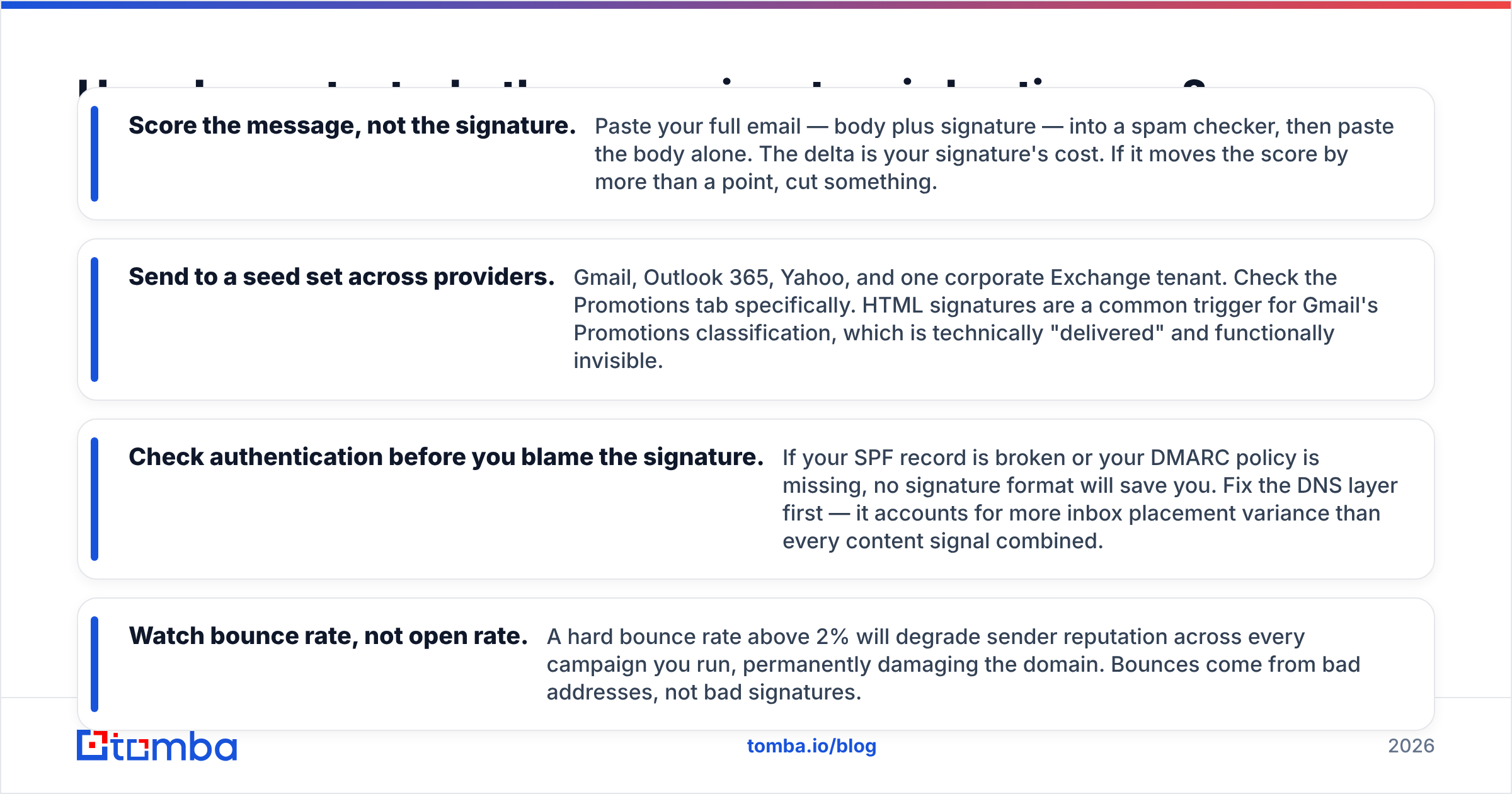
Score the message, not the signature. Paste your full email — body plus signature — into a spam checker, then paste the body alone. The delta is your signature's cost. If it moves the score by more than a point, cut something.
Send to a seed set across providers. Gmail, Outlook 365, Yahoo, and one corporate Exchange tenant. Check the Promotions tab specifically. HTML signatures are a common trigger for Gmail's Promotions classification, which is technically "delivered" and functionally invisible.
Check authentication before you blame the signature. If your SPF record is broken or your DMARC policy is missing, no signature format will save you. Fix the DNS layer first — it accounts for more inbox placement variance than every content signal combined.
Watch bounce rate, not open rate. A hard bounce rate above 2% will degrade sender reputation across every campaign you run, permanently damaging the domain. Bounces come from bad addresses, not bad signatures.
That last point deserves expansion, because it is where most teams are actually losing.
Does the signature even matter compared to list quality?#
Honestly? Less than you'd like.
Signature format is a real variable with a real effect on inbox placement — worth maybe a few points of deliverability across a large send. List quality is worth an order of magnitude more. A perfectly minimal plain-text signature attached to a list scraped from a stale export, with a 14% bounce rate, will land in spam. A mediocre signature attached to a verified list will land in the inbox.
The mechanism is straightforward: mailbox providers treat repeated delivery attempts to nonexistent addresses as the defining behavior of a spammer, because it is. Nobody with a legitimate relationship to their recipients emails hundreds of addresses that don't exist. Your bounce rate is a direct statement about how you got your data.
This is why the sequence matters. Verify the list, then fix authentication, then simplify the signature, then optimize copy. Doing it in the reverse order — which is what most teams do, because copy is the fun part — means iterating on variables that are swamped by noise from the ones you skipped.
Run your list through an email verifier before the first send, not after the first bounce report. Catch-all domains need a separate treatment; a standard SMTP check returns "accept all" and tells you nothing, which is why a dedicated catch-all verifier exists as a distinct step. And if you're building the list from scratch rather than cleaning an inherited one, sourcing verified addresses by domain search up front avoids the problem entirely.
What about signatures in follow-ups and sequences?#
Two rules.
Rule one: strip the signature almost entirely on follow-ups two through five. The recipient already has your full contact block from email one. Repeating it four more times adds nothing and makes each message heavier. Follow-ups should end with your first name and nothing else. This also makes the follow-up look like a quick human nudge rather than another automated payload — which is exactly what you want, because it's exactly what it should be.
Rule two: never reintroduce the full block until they reply. Some sequence tools auto-append the account-level signature to every step. Turn that off. It's a default, not a decision.
There's a third, softer rule worth stating: the signature should never carry information the body needs. If the only place your company name appears is the signature, the body is broken. A cold email should be readable and comprehensible with the signature deleted. The signature is the receipt, not the message.
The one-paragraph summary#
Cut your cold-open signature to four plain-text lines: name, role and company, one link, one opt-out. Move the logo, the calendar link, the social icons, and the disclaimer into your reply-thread signature, where you've earned the engagement history to afford them. Then stop optimizing the signature and go verify your list, because that's where the deliverability actually lives.
Start with the list, not the layout. A four-line signature on a clean list beats a beautiful one on a dirty list every single time. Tomba's Email Finder sources verified professional addresses by name, domain, or company, with verification built into the same call — so bounces get caught before they cost you reputation. The free tier covers 25 searches a month; paid plans start at $49/mo, and you can see the full breakdown on the Tomba pricing page. Fix the data first. The signature is the easy part.
Related guides#
Ready to find emails that actually work?
Join 150,000+ professionals who stopped guessing and started sending. Free credits on signup — no credit card required.
Get the Tomba newsletter
Practical outbound tactics and product updates — once every two weeks.
About the author