Cold Email Tech Stack 2026: The Complete No-Fluff Guide
Most outbound teams buy eight tools and use three. Here's the cold email tech stack that actually books meetings in 2026 — every layer, real prices, and the ones you can safely skip.
TL;DR
- A cold email tech stack has six layers: domains and inboxes, sending infrastructure, contact data, verification, sequencing, and reporting. Everything else is optional.
- Data quality and inbox placement decide your reply rate. Sequencer choice barely moves it. Most teams spend backwards.
- A lean, functional stack for a 2-person outbound team runs roughly $150–$300/month. Enterprise stacks hit $2,000+ and rarely reply-rate their way to justifying it.
- Verification is non-negotiable in 2026. Google and Microsoft enforce spam-complaint thresholds, and a 4% bounce rate can cost you a domain.
- Skip: standalone warmup networks with fake reply pods, "AI SDR" agents that write generic first lines, and any data vendor that won't show you a bounce guarantee.
What is a cold email tech stack?#
A cold email tech stack is the set of tools that takes you from "we want to talk to 500 RevOps leaders" to "37 of them replied." It is not one product. It is a chain, and every link can break the one after it.
Think of it like a restaurant kitchen. Your ingredients are the contact data. Your prep station is verification. Your stove is the sending infrastructure. The sequencer is the plating. Nobody compliments the plating when the fish is spoiled.
The six layers, in the order they actually matter:
- Contact data — names, roles, companies, and the email addresses that reach them. Garbage here poisons everything downstream. No sequencer fixes a wrong address.
- Verification — a real-time check that each address exists and will accept mail. This is what keeps your bounce rate under 2%.
- Domains and inboxes — secondary sending domains, one to three mailboxes each, with SPF, DKIM, and DMARC configured before a single send.
- Sending infrastructure — the mail provider (Google Workspace, Microsoft 365, or a dedicated SMTP relay) plus warmup.
- Sequencing and inbox rotation — the tool that schedules sends, spins between mailboxes, and stops on reply.
- Reporting and CRM sync — where replies, meetings, and pipeline get attributed.
Notice that four of the six layers happen before you write a single word of copy. That ordering is the whole point of this guide.
Why does data quality outrank everything else in the stack?#
Because bad data compounds. A wrong email address is not a neutral event — it's a bounce, and bounces are the single loudest negative signal you can send to a mailbox provider.
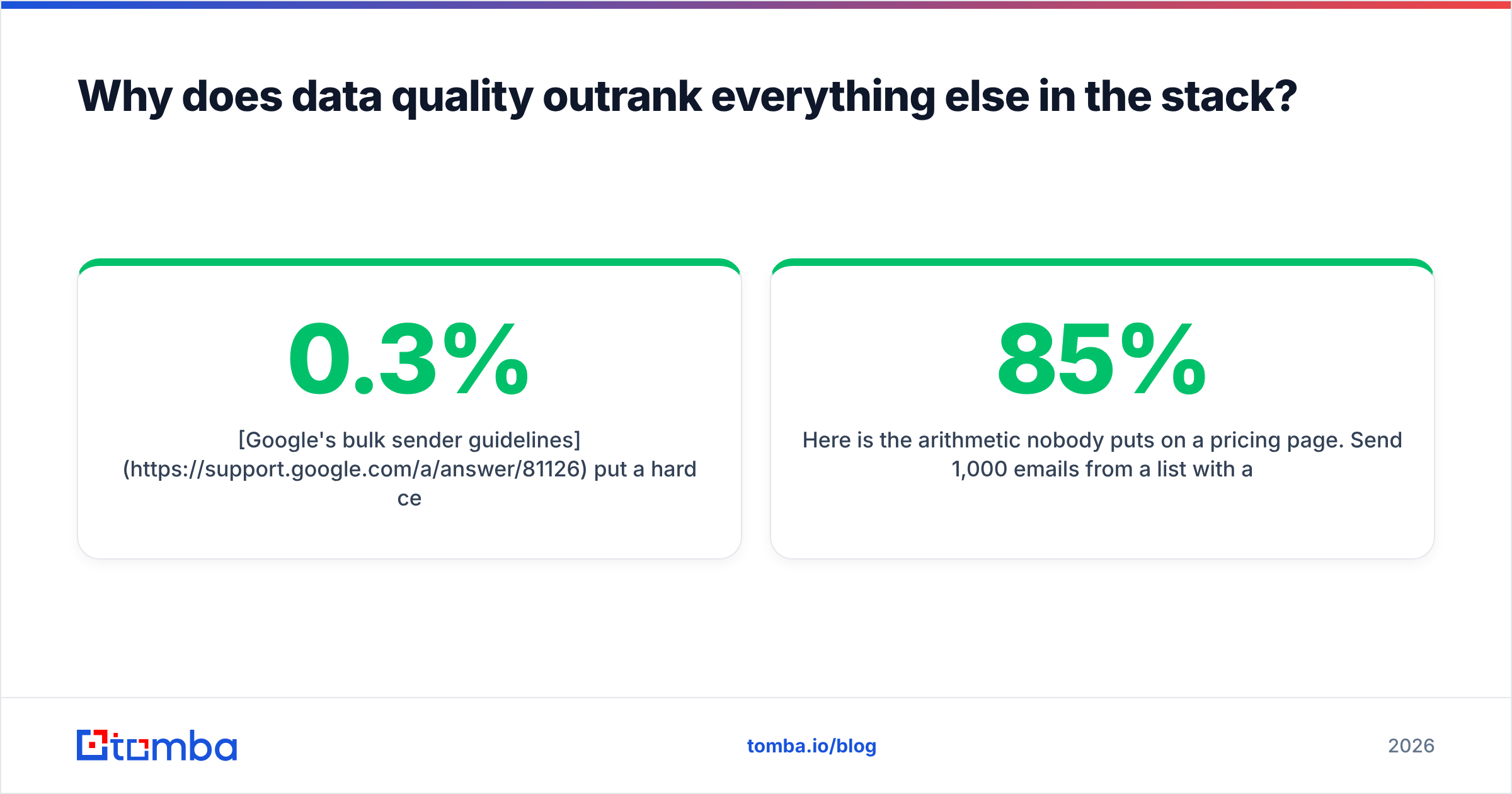
Google's bulk sender guidelines put a hard ceiling on spam complaints: stay under 0.3%, and never spike above 0.1% as a baseline. Bounces don't get their own published threshold, but every deliverability engineer will tell you the same thing: a sustained bounce rate over 3–4% and Gmail starts routing you to spam regardless of your copy, your warmup, or how many "personalization tokens" your sequencer offers.
Here is the arithmetic nobody puts on a pricing page. Send 1,000 emails from a list with 85% accuracy. That's 150 bounces. Your bounce rate is 15%. You are now burning a domain that took you three weeks to warm up, and you'll spend the next month wondering why your reply rate collapsed. The copy was fine.
Send the same 1,000 from a list you ran through an email verifier first, and you're at 20–30 bounces. Same copy. Same offer. Radically different outcome.
This is why "which sequencer should I buy" is the wrong first question. The sequencer is a scheduler. It cannot make a nonexistent mailbox exist.
What does each layer of the stack cost in 2026?#
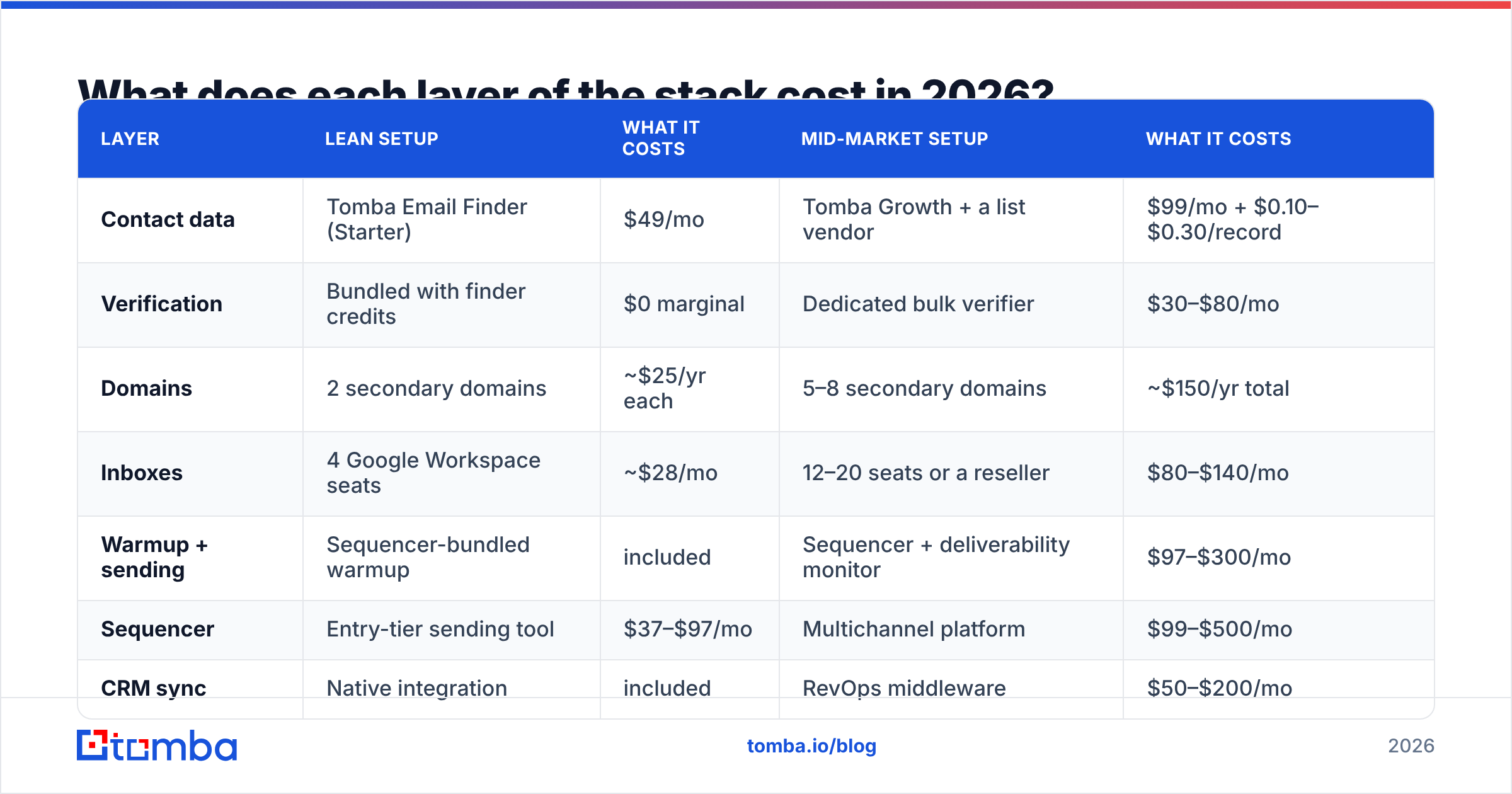
Real numbers, for a team sending 3,000–5,000 cold emails per month. Prices are list prices as of mid-2026 and move around; treat them as order-of-magnitude, not quotes.
| Layer | Lean setup | What it costs | Mid-market setup | What it costs |
|---|---|---|---|---|
| Contact data | Tomba Email Finder (Starter) | $49/mo | Tomba Growth + a list vendor | $99/mo + $0.10–$0.30/record |
| Verification | Bundled with finder credits | $0 marginal | Dedicated bulk verifier | $30–$80/mo |
| Domains | 2 secondary domains | ~$25/yr each | 5–8 secondary domains | ~$150/yr total |
| Inboxes | 4 Google Workspace seats | ~$28/mo | 12–20 seats or a reseller | $80–$140/mo |
| Warmup + sending | Sequencer-bundled warmup | included | Sequencer + deliverability monitor | $97–$300/mo |
| Sequencer | Entry-tier sending tool | $37–$97/mo | Multichannel platform | $99–$500/mo |
| CRM sync | Native integration | included | RevOps middleware | $50–$200/mo |
| Monthly total | ~$150–$220 | ~$450–$1,300 |
Two things jump out of that table.
First, the sequencer is rarely the expensive line item — inboxes and data are. Teams that "save money" by picking the cheapest sequencer are optimizing the wrong 15% of the bill.
Second, the mid-market column is where waste lives. Deliverability monitors, RevOps middleware, and multichannel platforms are all real products with real users. They are also the three most commonly bought-and-abandoned tools in outbound. Buy them when a specific failure forces you to, not as insurance.
Which tools belong in each layer?#
Rather than a 40-tool listicle, here's what you're actually choosing between at each layer, and the decision rule.
- Contact data — choose by verification-at-source, not database size. Every vendor claims 200M+ contacts. What separates them is whether the address was checked at request time or copied from a 2023 scrape. Tomba's Email Finder runs SMTP-level checks on delivery; BookYourData takes a different but equally credible route with a bounce guarantee on purchased lists. Both are defensible. A vendor that offers neither is not.
- Verification — choose by catch-all handling. Anyone can verify a mailbox that answers honestly. The differentiator is what a tool does with catch-all domains, which are now roughly a third of enterprise domains. A tool that returns "unknown" on every catch-all has handed the problem back to you.
- Domains — choose by TLD reputation, not price.
.comand country TLDs behave. Cheap novelty TLDs (.icu,.top,.click) carry inherited spam reputation you did not earn and cannot shed. Save $8 a year, lose a quarter. - Inboxes — choose Google Workspace unless you have a reason not to. Microsoft 365 filters cold outbound more aggressively on the receiving side, and its sending reputation systems are less legible. Google's Postmaster Tools give you actual data. That transparency is worth the seat price.
- Sequencer — choose by inbox rotation and reply detection. Everything else (A/B testing, liquid syntax, AI rewrite) is table stakes or noise. Rotation quality and whether the tool correctly stops a sequence on an out-of-office reply are what you'll actually feel in month two.
- Reporting — choose the one your CRM already speaks. If you use HubSpot, use the sequencer with a real HubSpot object sync, not a Zapier tape-and-glue job that creates duplicate contacts.
Do you need a separate warmup tool?#
Probably not, and this is where a lot of 2024-era advice went stale.
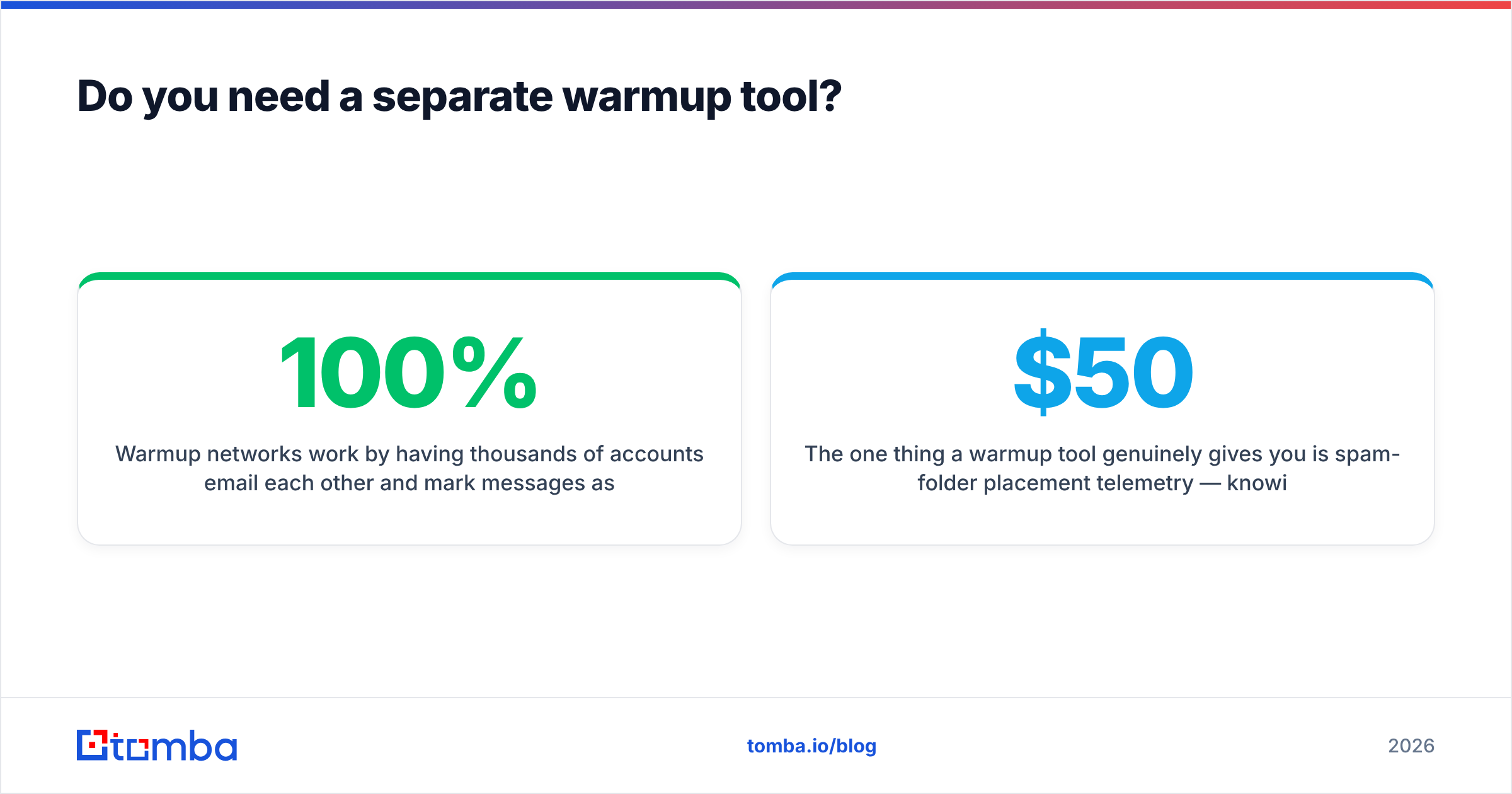
Warmup networks work by having thousands of accounts email each other and mark messages as important. Mailbox providers have spent two years learning what that traffic looks like. Reciprocal-reply pods with near-100% open rates and zero commercial intent are a fingerprint, not a disguise.
What still works is the boring version: start at 10–20 sends per mailbox per day, ramp 5–10 per day per week, cap at 40–50 per mailbox, and keep sending even when a campaign ends. Consistency of volume matters more than volume. If you want the ramp mapped out, the email warmup calculator does the arithmetic.
The one thing a warmup tool genuinely gives you is spam-folder placement telemetry — knowing you landed in Promotions at Gmail before your prospects tell you by not replying. If your sequencer already reports that, you're covered. If it doesn't, a $50/month monitor is a reasonable buy. A $200/month one is not.
How do you know if your stack is actually working?#
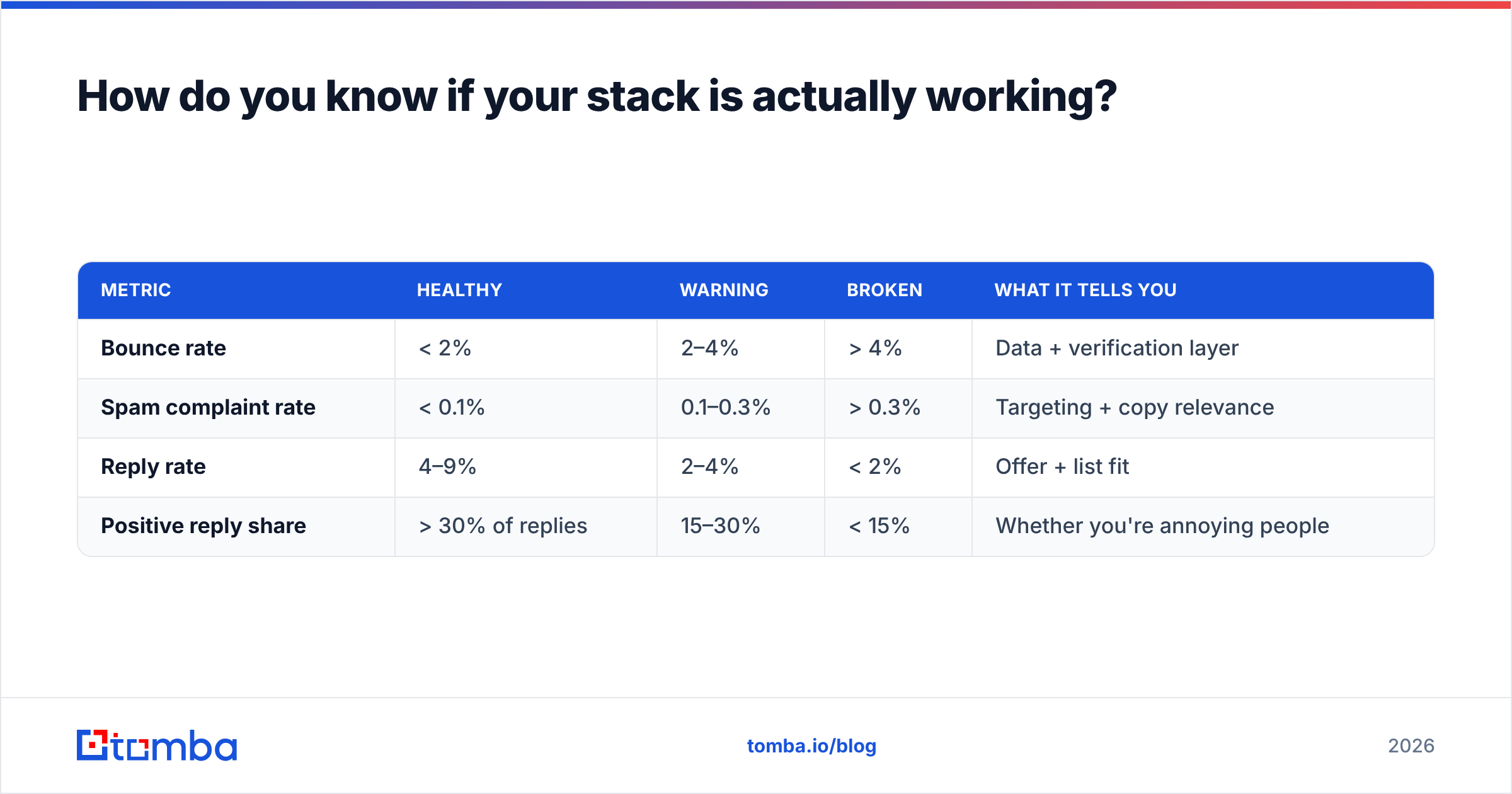
Four numbers. Check them weekly. Ignore everything else on the dashboard.
| Metric | Healthy | Warning | Broken | What it tells you |
|---|---|---|---|---|
| Bounce rate | < 2% | 2–4% | > 4% | Data + verification layer |
| Spam complaint rate | < 0.1% | 0.1–0.3% | > 0.3% | Targeting + copy relevance |
| Reply rate | 4–9% | 2–4% | < 2% | Offer + list fit |
| Positive reply share | > 30% of replies | 15–30% | < 15% | Whether you're annoying people |
Bounce rate is a stack problem. Reply rate is a strategy problem. Confusing the two is the most expensive mistake in outbound, because it sends teams shopping for tools when they need a better offer — or rewriting copy when they need better data.
One diagnostic that cuts through the noise: take 50 addresses from a campaign with a bad reply rate and verify them manually. If more than three are wrong, your problem is upstream of the sequencer. If they're all clean, the tools are fine and your message isn't landing.
What should you cut from your cold email tech stack?#
The honest list, based on what teams stop paying for after six months.
- "AI SDR" agents that write the first line. They produce a compliment about a prospect's LinkedIn post. Prospects have seen four thousand of these. The tell is that the compliment could apply to anyone, which means it applies to no one.
- Duplicate data vendors. If you're paying two providers for overlapping coverage, you're paying twice for the same 60% overlap. Test both on 200 records, keep the winner, cancel the other.
- Standalone verification when your finder already verifies. If your finder does SMTP validation on delivery, a second bulk verifier is redundant except for lists you imported from elsewhere.
- Multichannel platforms bought for LinkedIn you never use. Buy the LinkedIn layer when someone on the team is actually running LinkedIn touches, not before.
- Deliverability consultants on retainer. Hire one for a two-week audit when something breaks. A monthly retainer to tell you your SPF record is still fine is a subscription to reassurance.
What you should not cut: verification, domain hygiene, and the discipline of keeping list size small enough that you could explain to each prospect why you contacted them.
What does a minimum viable stack look like?#
For a founder or a two-person team starting from zero, in build order:
- Buy two secondary domains. Similar to your primary —
getcompany.com,trycompany.com— never the primary itself. Set up SPF, DKIM, DMARC on day one. Check them with a free SPF checker before you send anything. - Create 2 inboxes per domain. Four total. Real names, real photos, real signatures.
- Start the ramp immediately. Ten sends per mailbox per day, from real conversations if you have them. Two to three weeks minimum before campaign traffic.
- Build a 200-contact list. Not 2,000. Two hundred, hand-checked, where you can articulate the trigger for each one. Use a domain search to pull the pattern for each company, then verify every address.
- Pick one sequencer and one sequence. Four touches over 12 days. Stop on reply.
- Send 40/day total across four mailboxes. Read every reply.
That's it. Total cost: roughly $150/month plus domains. If this stack doesn't produce replies, no amount of additional tooling will — the problem is the offer, and adding a $500/month platform on top of a weak offer just makes the failure more expensive and slower to diagnose.
The teams that scale outbound successfully in 2026 all did this first, proved reply rate on 200 contacts, then bought infrastructure to do the same thing at 2,000. The teams that fail bought the infrastructure first and spent nine months blaming the tools.
Where does the API layer fit?#
Once you're past 5,000 sends a month, manual CSV exports become the bottleneck and the error source. That's the point to move the data layer behind an API call.
The pattern that works: a nightly job that pulls new accounts from your CRM, resolves contacts through the Tomba API, verifies in the same call, and writes only the deliverable addresses back as sequence-ready records. Bad addresses never enter the sequencer. Bounce rate becomes structurally low rather than something you monitor and react to.
This is the difference between a stack you operate and a stack that operates itself. It costs the same — Tomba's plans start free at 25 searches/month, with Starter at $49/mo and Growth at $99/mo covering most teams' API volume — but it removes the human step where 400 unverified rows get pasted into a campaign at 6pm on a Friday.
If you want to sanity-check vendor claims before committing, G2's category reviews are more useful than any vendor's own comparison page, including this one. Read the 3-star reviews. That's where the real limitations get documented.
Build the data layer first#
Everything in this guide reduces to one line: your cold email tech stack is a data problem wearing six tools as a costume.
Start where the leverage is. Get addresses that are real, verified at the moment you send, and attached to people who have a plausible reason to care. The Tomba Email Finder handles the find-and-verify step in a single call — free tier gives you 25 searches to test it against a list you already know the answers to, which is exactly how you should evaluate any data vendor. Run it on 50 contacts you've already confirmed. Count the matches. Then decide.
Build that layer right, and the other five get boring. Boring is the goal.
Related guides#
// get started
Find, verify and enrich your first contacts today
Start on the free plan with 25 searches a month, then scale when your team is ready.
Free plan · No credit card required · GDPR & CCPA
// about the author