Why Your Cold Emails Are Going to Spam (and How to Fix It)
Spam placement is almost never a copywriting problem. It's authentication, list hygiene, sending volume, and engagement — in that order. Here's the diagnostic order to work through, with the numbers that matter.
TL;DR
- Spam placement is a reputation problem before it is a copy problem. Fix authentication and list quality first — subject-line tweaks move nothing if your bounce rate is 9%.
- Google and Yahoo enforce a hard spam-complaint ceiling of 0.30% and require SPF, DKIM, and DMARC on any domain sending to their users. Miss those and nothing else you do matters.
- A cold list with 8-12% invalid addresses will tank a domain in under two weeks. Verified lists sit under 2% bounce.
- Volume ramps, sending-domain separation, and reply rate are the three levers that recover a burned domain.
- Run the checks in the order below. Each one is cheap to test and each one gates the next.
You wrote a good email. You sent 400 of them. You got two replies and no bounces you could see, and then you tested with a seed inbox and found out 70% of them landed in Promotions or Spam.
That is not a copywriting failure. Nobody read the copy. The message was filtered before a human ever saw the subject line, and it was filtered because of signals your ESP and the receiving mailbox provider exchanged in the first 200 milliseconds of the SMTP handshake.
Here's the order to debug it.
Why are cold emails going to spam in the first place?#
Mailbox providers do not have a "cold email" filter. They have a reputation model, and cold email happens to trip almost every input to it.
Think of your sending domain like a credit score. Every message you send is a small transaction. Bounces, spam complaints, and deletes-without-open are missed payments. Replies, opens, and "move to inbox" actions are on-time payments. Nobody tells you the score. You only find out when you get denied.
The specific signals that get weighted, roughly in order of severity:
- Authentication failure. No SPF, no DKIM, or a DMARC record that doesn't align. This is binary. Fail it and you're in spam regardless of everything else.
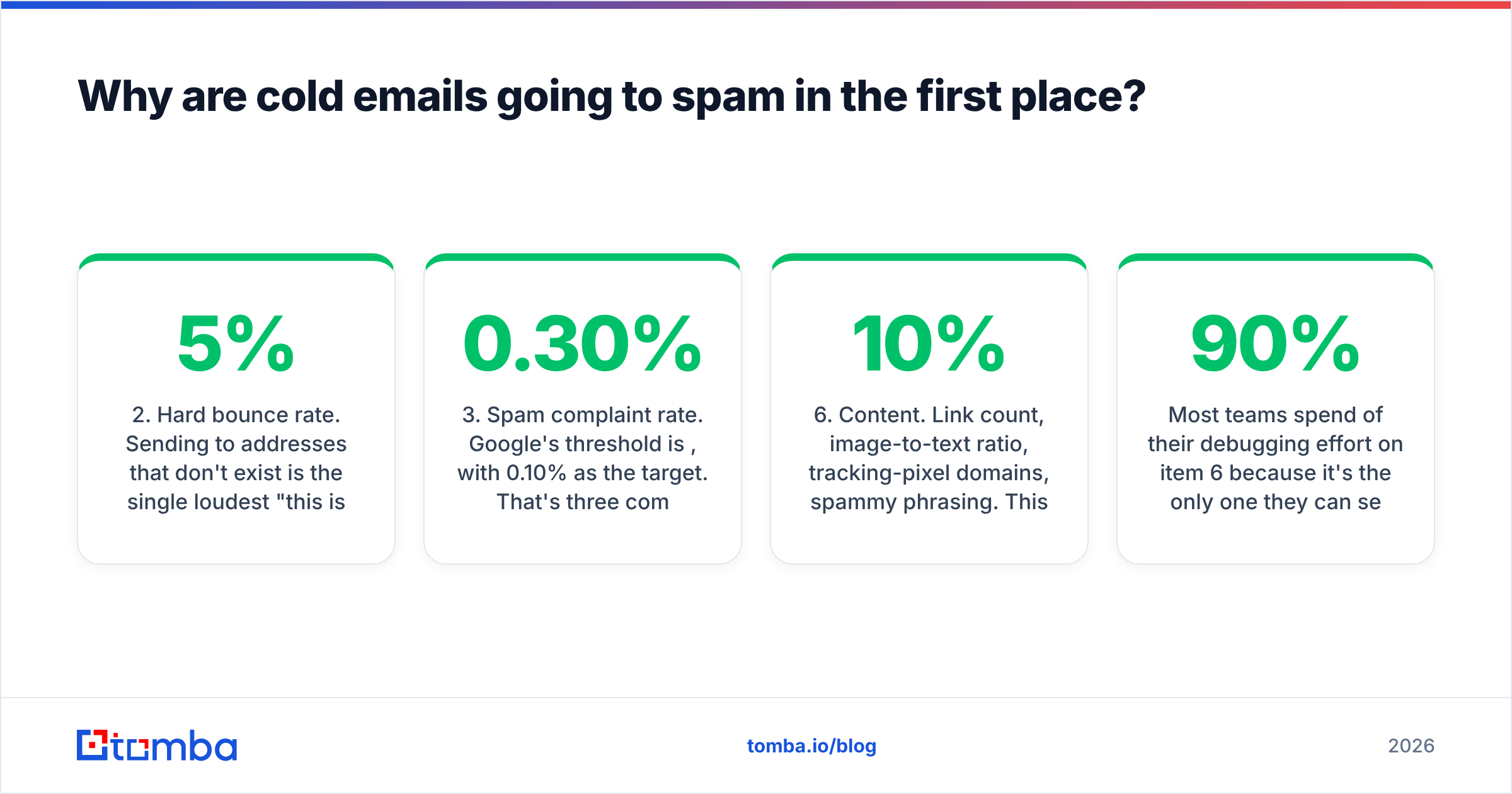
- Hard bounce rate. Sending to addresses that don't exist is the single loudest "this is a purchased list" signal available. Above 5% and filters assume you did not consent-collect the list.
- Spam complaint rate. Google's threshold is 0.30%, with 0.10% as the target. That's three complaints per thousand sends.
- Volume shape. A domain that sent 0 emails for six months and then sends 500 in a day looks compromised.
- Engagement. Reply rate, open rate, and time-in-message. Zero replies across 300 sends is a stronger negative than most people realize.
- Content. Link count, image-to-text ratio, tracking-pixel domains, spammy phrasing. This matters, but it is the last 10%, not the first 90%.
Most teams spend 90% of their debugging effort on item 6 because it's the only one they can see.

What are the exact thresholds you have to clear in 2026?#
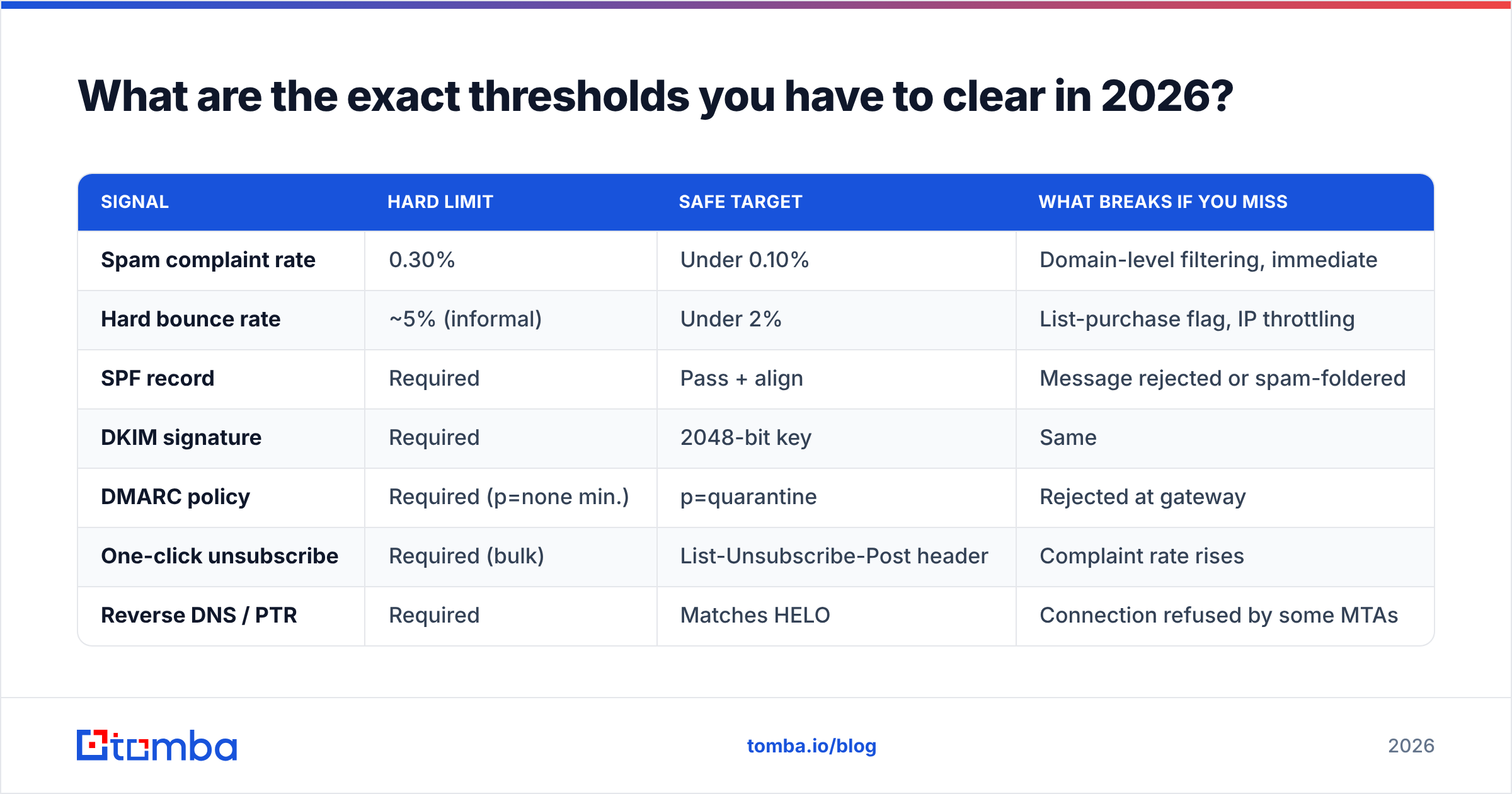
Since Google and Yahoo's bulk sender rules landed, the requirements are published rather than folklore. If you send more than 5,000 messages a day to Gmail addresses, all of these are mandatory. If you send fewer, they're still the model the filter uses — you just get slightly more rope.
| Signal | Hard limit | Safe target | What breaks if you miss |
|---|---|---|---|
| Spam complaint rate | 0.30% | Under 0.10% | Domain-level filtering, immediate |
| Hard bounce rate | ~5% (informal) | Under 2% | List-purchase flag, IP throttling |
| SPF record | Required | Pass + align | Message rejected or spam-foldered |
| DKIM signature | Required | 2048-bit key | Same |
| DMARC policy | Required (p=none min.) | p=quarantine | Rejected at gateway |
| One-click unsubscribe | Required (bulk) | List-Unsubscribe-Post header | Complaint rate rises |
| Reverse DNS / PTR | Required | Matches HELO | Connection refused by some MTAs |
The Google bulk sender guidelines are the authoritative source here and they get revised — read them directly rather than trusting a blog summary, including this one.
Two of those rows deserve expansion. The spam complaint rate is measured by the receiving provider, not your sending tool. Your ESP dashboard showing 0.02% means nothing if Gmail is counting differently. Register your domain with Google Postmaster Tools and read the number Google actually assigns you. It is free and it is the only spam-rate figure that matters for Gmail delivery.
And DMARC alignment trips people constantly. You can have a passing SPF record and a valid DKIM signature and still fail DMARC, because DMARC requires that the domain in the visible From: header matches the domain that SPF or DKIM authenticated. Sending through a third-party tool with an unaligned envelope sender fails this silently.
Is your list the actual problem?#
Almost certainly, yes.
Run this diagnostic before you touch anything else. Take your last 500-send campaign. Calculate:
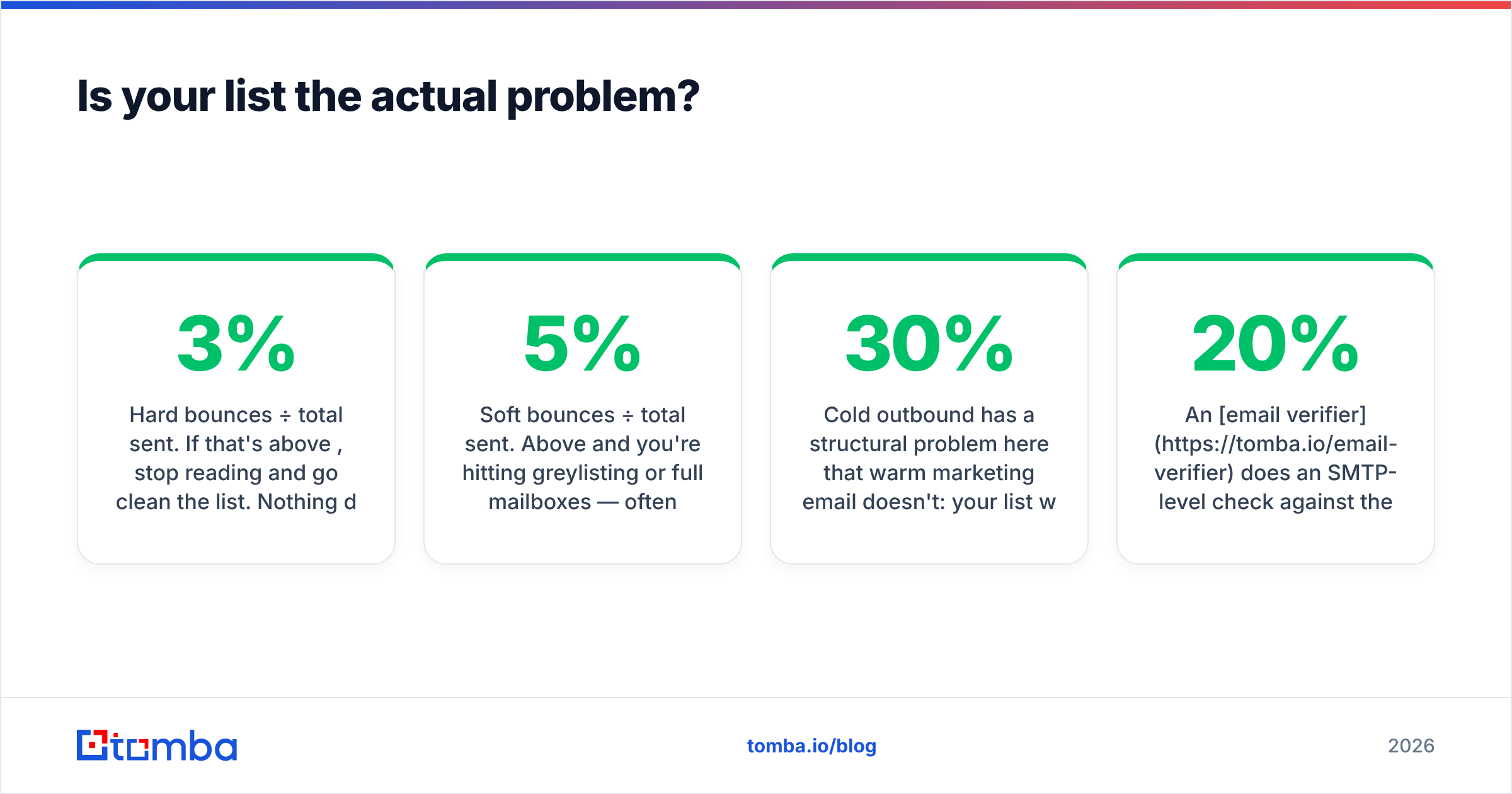
- Hard bounces ÷ total sent. If that's above 3%, stop reading and go clean the list. Nothing downstream will help.
- Soft bounces ÷ total sent. Above 5% and you're hitting greylisting or full mailboxes — often a sign of stale data.
- Unknown-user rejections specifically. These are the worst kind. A
550 5.1.1 User unknowntells the receiving server that you are guessing addresses.
Cold outbound has a structural problem here that warm marketing email doesn't: your list was never opt-in, so it was never self-cleaning. B2B email data decays at roughly 22-30% annually as people change jobs. A list you scraped or bought eighteen months ago is now a third garbage.
The fix is boring and it works: verify before you send, every time, without exception.
An email verifier does an SMTP-level check against the receiving server without delivering a message, returning valid, invalid, or risky. Feed it your entire list before any campaign and remove everything that isn't a clean valid. Expect to lose 10-20% of a list you thought was fine.
The pattern-generated addresses are the ones that hurt most. If you or a tool guessed firstname.lastname@company.com based on a naming convention and never confirmed it exists, roughly a third of those guesses are wrong. Guessing is how you get to a 12% bounce rate while believing your data is good.

What about catch-all domains?#
Catch-all domains — servers configured to accept mail to any address at the domain, valid or not — are where verification tools quietly disagree with each other and where a lot of "verified" lists go bad.
A standard SMTP check against a catch-all returns "accepted" for asdfghjkl@company.com. That tells you nothing. Some tools mark these valid (inflating your accuracy stat and your bounce rate). Some mark them invalid (throwing away real contacts, and catch-all configurations are common at mid-market and enterprise companies). Neither is correct.
The right handling is a separate risk category with independent signal — cross-referencing the address against other data sources, checking whether the pattern matches confirmed addresses at that domain, and scoring confidence rather than returning a binary. A dedicated catch-all verifier does this rather than shrugging. If a vendor's accuracy claim doesn't say how they treat catch-alls, the number is not comparable to anyone else's.
Practical rule: segment catch-all addresses into their own campaign, send them at low volume from a domain you're willing to risk, and measure. Don't blend them into your main sends.
How should you configure your sending infrastructure?#
Never send cold email from your primary business domain. If acme.com is where your invoices, contracts, and support tickets originate, a spam-foldered outbound campaign can take all of it down with it, and reputation recovery is measured in months.
The standard setup:
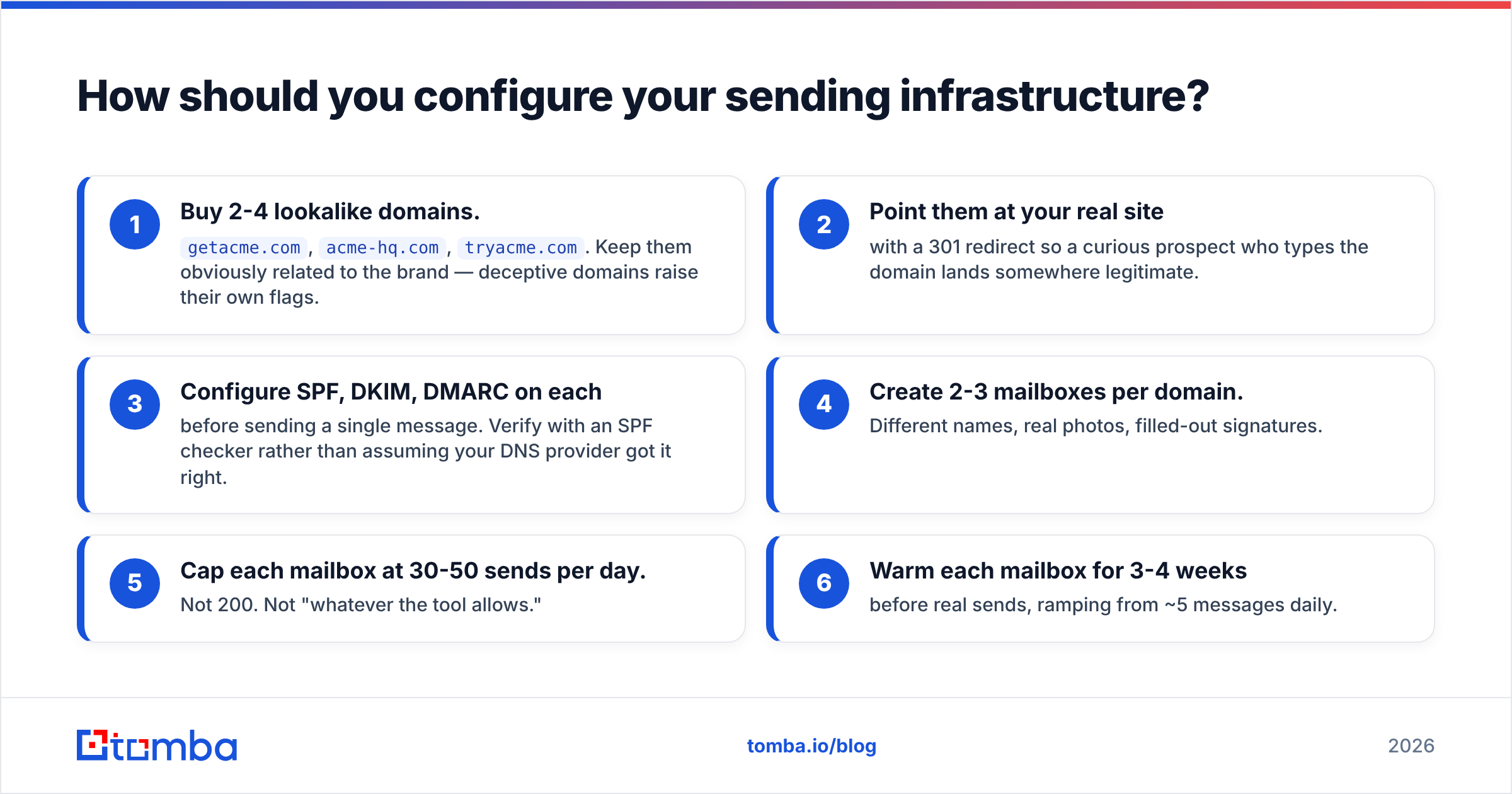
- Buy 2-4 lookalike domains.
getacme.com,acme-hq.com,tryacme.com. Keep them obviously related to the brand — deceptive domains raise their own flags. - Point them at your real site with a 301 redirect so a curious prospect who types the domain lands somewhere legitimate.
- Configure SPF, DKIM, DMARC on each before sending a single message. Verify with an SPF checker rather than assuming your DNS provider got it right.
- Create 2-3 mailboxes per domain. Different names, real photos, filled-out signatures.
- Cap each mailbox at 30-50 sends per day. Not 200. Not "whatever the tool allows."
- Warm each mailbox for 3-4 weeks before real sends, ramping from ~5 messages daily.
That last step is where impatience kills campaigns. A brand-new domain sending 50 cold messages on day one is indistinguishable, to a filter, from a domain a spammer registered that morning. The ramp is the entire point. An email warmup calculator will give you a day-by-day schedule based on your target volume; the shape matters more than the exact numbers.
Multiply it out: four domains × three mailboxes × 40 sends = 480 messages a day, sustainably, with no single point of failure. That's more than enough for most outbound teams, and it survives one domain getting burned.
Does the content of the email actually matter?#
Less than you think, but not zero. Content filtering is a tiebreaker, applied after reputation. A message from a domain with a strong sender reputation can contain three links and the word "free" and still inbox. The same message from a cold domain won't.
That said, here's what measurably moves the needle when reputation is neutral:
- Link count. One link, maximum, in a first-touch cold email. Zero is better. Every link is a phishing-model input.
- Tracking pixels. Open tracking inserts an image from a third-party domain shared with thousands of other senders, some of whom are actual spammers. Turn off open tracking on cold sends. Your open-rate data was unreliable after Apple Mail Privacy Protection anyway.
- Images and HTML. Send plain text. Real one-to-one email from a human doesn't have a header banner.
- Length. Under 120 words. Not for filter reasons — for reply reasons, and reply rate feeds reputation.
- Unsubscribe. Include a plain-text opt-out line even when not legally required. A recipient who can leave easily doesn't hit the spam button, and one spam complaint costs you more than fifty opt-outs.
- Spam-trigger phrasing. Real, but overrated. Run a draft through a spam checker once, fix what it flags, and stop thinking about it.
The single highest-leverage content change is asking a question that a human would actually answer. Reply rate is the strongest positive engagement signal available to you, and it's the one thing filters cannot fake-detect.
How do you recover a domain that's already burned?#
First, confirm it's actually burned. Send a test message to a seed set — a handful of real Gmail, Outlook, and corporate mailboxes you control — and check placement. Also check Postmaster Tools for a domain reputation of "Low" or "Bad," and run your domain through a blacklist checker to rule out an RBL listing.
If it's genuinely burned:
- Stop all sending from that domain immediately. Not reduced. Stopped.
- Fix the root cause. Usually the list. Verify everything, remove every risky address, and figure out where the bad data came from.
- Wait 2-4 weeks. Reputation decays toward neutral in the absence of new negative signal. There's no button.
- Restart at 5 sends a day and ramp over four weeks, sending only to addresses you're confident about — ideally people who've engaged with you before.
- If you're at Bad reputation after eight weeks, retire the domain. The economics of a $12 domain versus two months of a rep's pipeline aren't close.
Meanwhile, run your outbound from a fresh domain that you set up properly. The recovery is not the recovery of sending — it's the recovery of that specific domain, which you should have isolated in the first place.
What does a clean pre-send checklist look like?#
Before every campaign, in order:
- SPF, DKIM, DMARC pass on the sending domain, with alignment confirmed
- Domain reputation is Medium or High in Postmaster Tools
- Not listed on Spamhaus, SORBS, or Barracuda
- List run through verification within the last 30 days
- Catch-all addresses segmented out
- Duplicates and role addresses (
info@,sales@,support@) removed - Per-mailbox daily cap set at or below 50
- Open tracking disabled; link tracking on a branded domain if used at all
- Plain text, one link maximum, opt-out line present
- Seed-inbox test run and placement confirmed across Gmail, Outlook, and one corporate MX
Ten checks. Eight of them are one-time infrastructure. Two of them — verification and the seed test — repeat every campaign. If you skip either of the repeating ones, you are doing the equivalent of shipping without running the tests.
Where does data quality fit in all of this?#
At the front, and it compounds backward through everything else.
A verified list drops your bounce rate below 2%, which keeps your domain reputation neutral-to-good, which means your content gets the benefit of the doubt, which means your reply rate climbs, which reinforces the reputation. A dirty list inverts every step of that chain.
This is why the sequence in this post is not arbitrary. Authentication is a gate. List quality is the input to reputation. Reputation is the input to content evaluation. Content is what generates replies. You cannot optimize step four while step two is broken, and virtually every "my cold emails go to spam" thread is someone optimizing step four.
If you're sourcing prospect emails today by guessing patterns, scraping without verification, or buying lists that haven't been refreshed, that's the leak. Find the addresses properly, confirm each one exists, and the rest of this checklist becomes maintenance rather than firefighting.
Start with the data. Tomba's Email Finder returns verified professional addresses with a confidence score rather than a pattern guess, and every result is SMTP-checked before it reaches you — so the list you build is the list you can safely send to. The free tier gives you 25 searches a month to test it against a domain you already know the answers for; paid plans start at $49/mo on Tomba pricing. Verify your current list first, look at how many addresses come back invalid, and you'll know exactly how much of your spam problem was never about the email at all.
Related guides#
Ready to find emails that actually work?
Join 150,000+ professionals who stopped guessing and started sending. Free credits on signup — no credit card required.
Get the Tomba newsletter
Practical outbound tactics and product updates — once every two weeks.
About the author