Cold Outreach Automation in 2026: The Complete Playbook
Cold outreach automation can 10x your pipeline or torch your domain reputation. Here's the 2026 stack, the exact workflows, and the deliverability traps to sidestep before you scale.
Cold outreach automation is no longer a growth hack — it's table stakes. But the same tooling that lets one rep touch 2,000 accounts a month is also the fastest way to burn a sending domain to the ground. The difference between those two outcomes is almost never the software. It's the process wrapped around it.
This guide breaks down what cold outreach automation actually is in 2026, which parts you should automate (and which you shouldn't), the exact stack that works, and the mistakes that quietly kill reply rates before your first email lands.
TL;DR#
- Cold outreach automation is the use of software to run the repetitive parts of outbound — data collection, verification, sequencing, sending, and follow-up — so humans spend time only on targeting and replies.
- Automate the plumbing (finding, verifying, enriching, scheduling). Keep the strategy and the first line human.
- Deliverability is the real bottleneck. Warm up domains, verify every address, and cap daily volume per inbox.
- A clean, verified list beats a big dirty one every time — bounces above ~3% get you throttled or blacklisted.
- Your stack needs four layers: data, verification, sequencing, and inbox infrastructure. Skipping the verification layer is the most common failure.
What is cold outreach automation?#
Cold outreach automation is the practice of using software to execute the mechanical steps of a cold campaign so your team only touches the parts that require judgment.
Think of it like a restaurant kitchen. A great chef doesn't peel every potato by hand — prep cooks and machines handle the repetitive volume so the chef focuses on the plate that goes out the door. In outbound, automation is your prep line: it finds contacts, checks that their emails are real, drops them into a sequence, and sends follow-ups on schedule. You stay the chef — deciding who to target and what the message actually says.
That distinction matters because the failures in cold outreach almost always come from automating the wrong layer. Automate list-building and follow-up timing: great. Automate the personalization with a token that spits out "Hey {{first_name}}, love what you're doing at {{company}}" to 10,000 people: you've just built a spam cannon.
Which parts of cold outreach should you actually automate?#
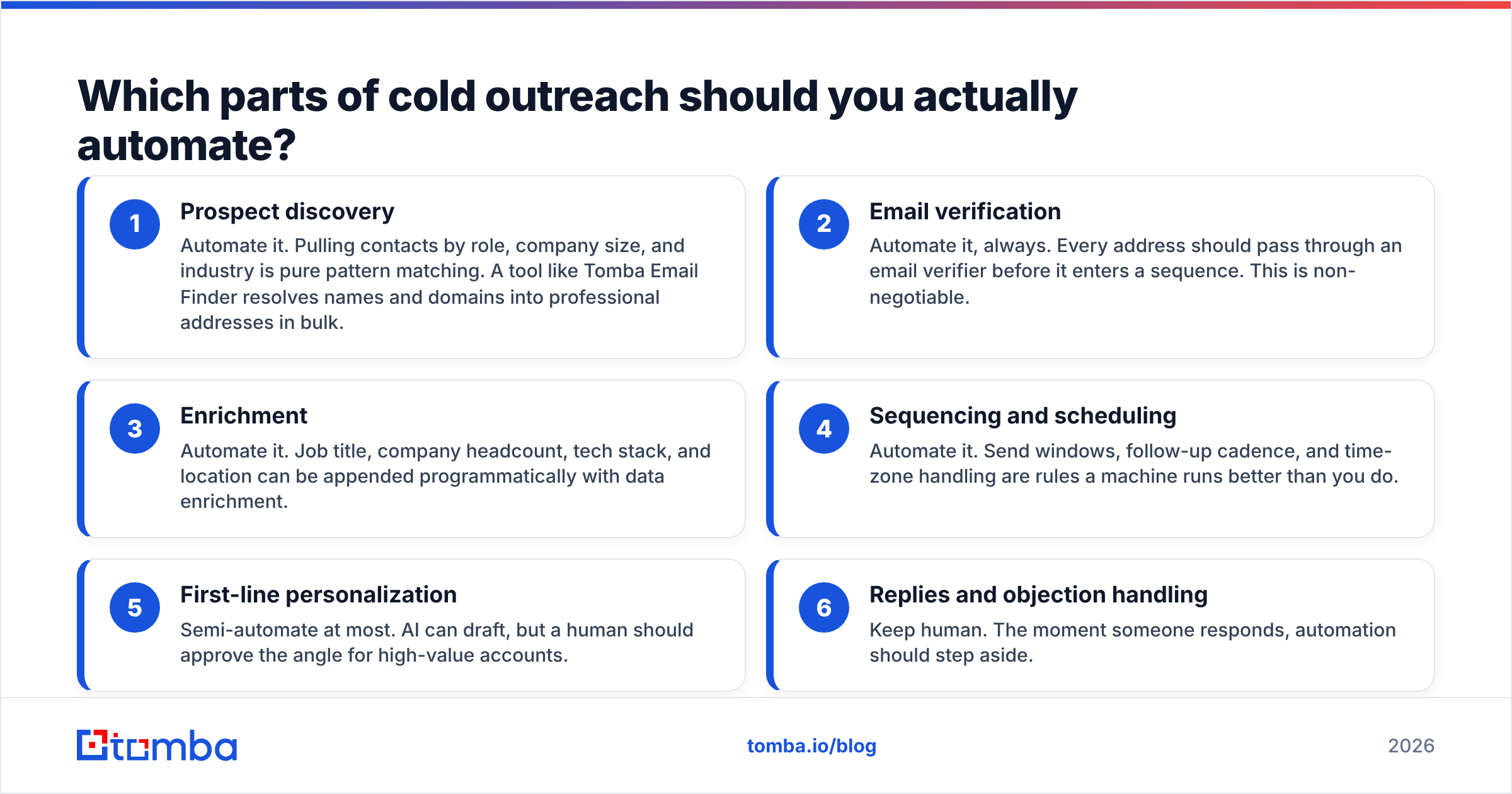
Not everything. The rule of thumb: automate anything that is repeatable and rule-based; keep anything that requires reading a room.
Here's how the pieces split:
- Prospect discovery — Automate it. Pulling contacts by role, company size, and industry is pure pattern matching. A tool like Tomba Email Finder resolves names and domains into professional addresses in bulk.
- Email verification — Automate it, always. Every address should pass through an email verifier before it enters a sequence. This is non-negotiable.
- Enrichment — Automate it. Job title, company headcount, tech stack, and location can be appended programmatically with data enrichment.
- Sequencing and scheduling — Automate it. Send windows, follow-up cadence, and time-zone handling are rules a machine runs better than you do.
- First-line personalization — Semi-automate at most. AI can draft, but a human should approve the angle for high-value accounts.
- Replies and objection handling — Keep human. The moment someone responds, automation should step aside.
What does a cold outreach automation stack look like?#
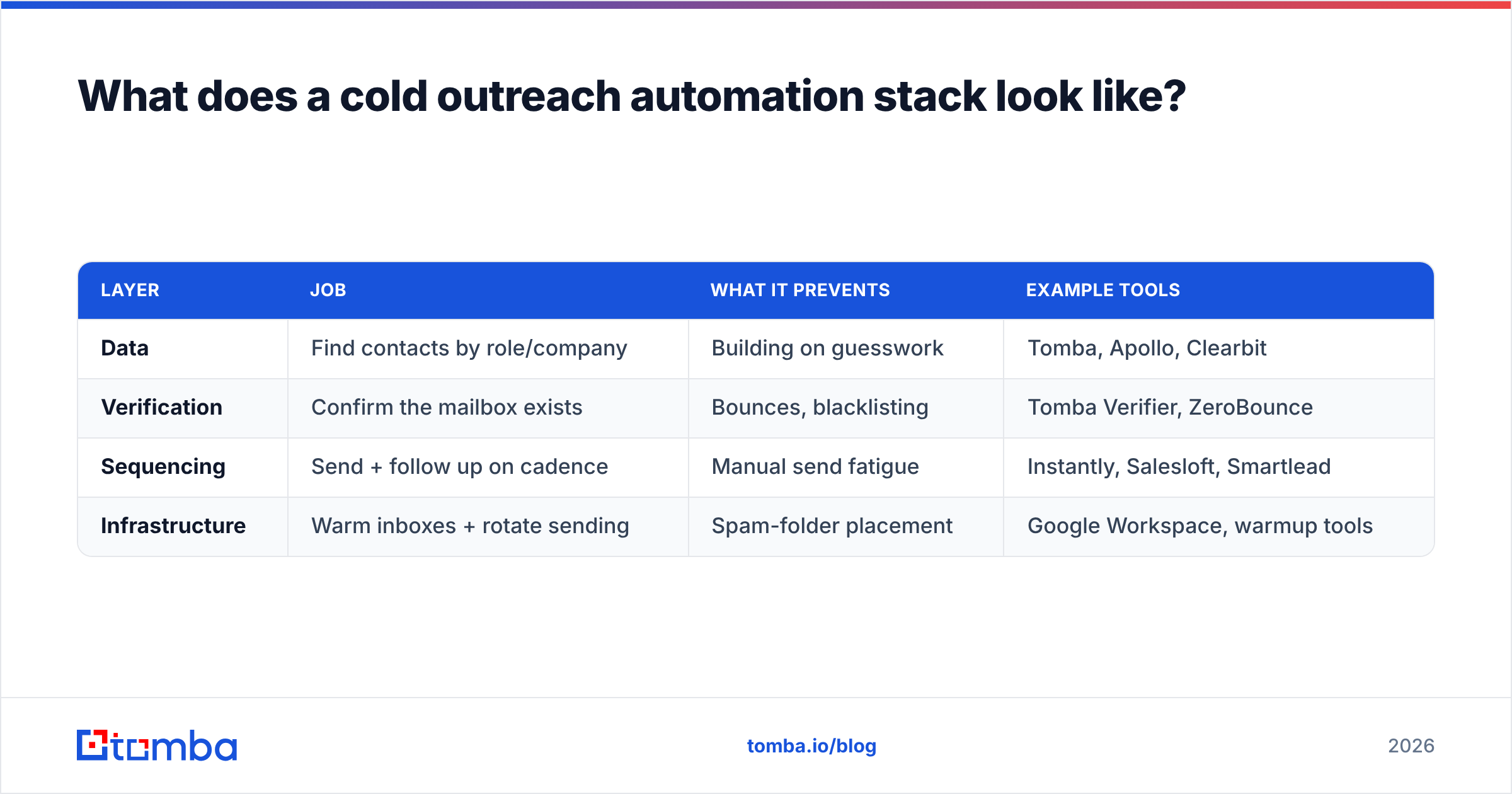
A working stack has four layers, and each one feeds the next. Skip a layer and the whole thing degrades — usually silently, showing up weeks later as a deliverability cliff.
| Layer | Job | What it prevents | Example tools |
|---|---|---|---|
| Data | Find contacts by role/company | Building on guesswork | Tomba, Apollo, Clearbit |
| Verification | Confirm the mailbox exists | Bounces, blacklisting | Tomba Verifier, ZeroBounce |
| Sequencing | Send + follow up on cadence | Manual send fatigue | Instantly, Salesloft, Smartlead |
| Infrastructure | Warm inboxes + rotate sending | Spam-folder placement | Google Workspace, warmup tools |
The layer teams most often skip is verification — and it's the one that quietly determines whether the other three work at all. If 15% of your list bounces, mailbox providers read that as a spam signal and start routing even your good messages to junk. You can have perfect copy and a perfect sequence, and still land in spam because your list was dirty on day one.
The non-negotiable pre-send checklist#
Before any list enters a sequence, run it through these five checks:
- Verify deliverability — remove invalid, disposable, and role-based addresses.
- Catch-all handling — flag catch-all domains so they don't inflate your "valid" count. A catch-all verifier separates genuinely reachable addresses from domains that accept everything.
- Deduplicate — one person, one sequence, ever.
- Segment by persona — different personas get different angles, never the same blast.
- Suppress existing contacts — never cold-email someone already in your CRM as an opp.
How do you keep automated outreach out of the spam folder?#
Deliverability is where most automated campaigns die, and it has almost nothing to do with your message and everything to do with your setup. Email deliverability is the ceiling on your entire program — every reply rate you'll ever measure sits underneath it.
Here's the survival kit:
Warm up every sending domain. New domains have zero reputation. Ramp sending volume over 3–6 weeks rather than blasting 500 emails on day one. Free tools like the email warmup calculator help you plan the ramp.
Authenticate properly. SPF, DKIM, and DMARC records must be set before you send a single email. Google and Yahoo now enforce these for bulk senders — miss them and you're filtered by default. Google's own Postmaster Tools lets you monitor your domain reputation directly from the source.
Cap volume per inbox. Keep individual mailboxes under ~30–50 cold sends per day. Need more volume? Add more inboxes, not more sends per inbox. This is why serious outbound teams run domain and inbox rotation.
Use a separate domain. Never run cold outreach from your primary company domain. Use a lookalike (e.g., getcompany.com instead of company.com) so a reputation hit never touches your real email.
Verify continuously. Lists decay ~2–3% per month as people change jobs. Re-verify before every major campaign.
Is automated cold outreach still worth it in 2026?#
Yes — but the bar has moved. The days of "spray 10,000 emails and count the replies" are over. Mailbox filtering is smarter, buyers are more jaded, and regulators have teeth. What still works is targeted automation: fewer, better-researched contacts, run through disciplined infrastructure.
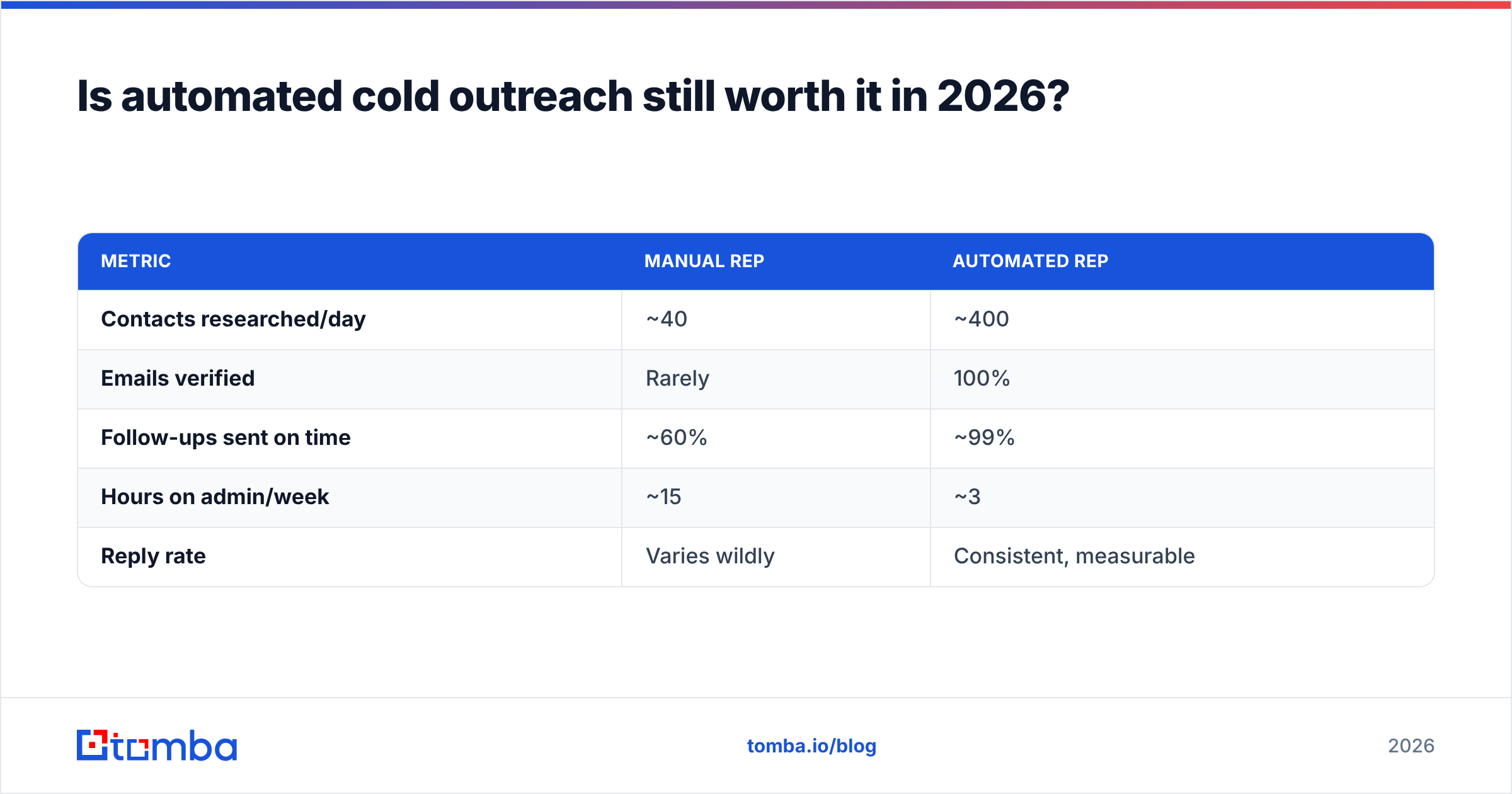
The math still favors automation heavily. Consider two reps:
| Metric | Manual rep | Automated rep |
|---|---|---|
| Contacts researched/day | ~40 | ~400 |
| Emails verified | Rarely | 100% |
| Follow-ups sent on time | ~60% | ~99% |
| Hours on admin/week | ~15 | ~3 |
| Reply rate | Varies wildly | Consistent, measurable |
The automated rep isn't just faster — they're measurable. When every step is instrumented, you can actually diagnose a bad campaign instead of guessing. That feedback loop is the real advantage, not raw volume. According to HubSpot's sales research, consistent follow-up is one of the largest single levers on conversion, and it's exactly the part humans forget and machines never do.
How do you build a cold outreach automation workflow step by step?#
Here's a workflow you can stand up this week. It assumes a separate sending domain that's already warming.
Step 1 — Define the segment. Pick one persona and one trigger (e.g., "RevOps leaders at Series B SaaS companies that just raised"). Narrow beats broad.
Step 2 — Build the list. Use domain search to pull contacts at target companies, or a bulk email finder to resolve a list of names into verified addresses at scale.
Step 3 — Verify and clean. Push the entire list through verification. Drop anything invalid, catch-all-only, or role-based. Deduplicate and suppress existing contacts.
Step 4 — Enrich. Append the two or three data points your first line depends on — recent funding, headcount, current tooling.
Step 5 — Draft the sequence. Three to four touches over two weeks. First email is short and specific. Follow-ups add one new angle each, never just "bumping this."
Step 6 — Sync to your tools. Connect your data source to your CRM and sequencer so verified contacts flow in automatically. Tomba's HubSpot integration and native integrations handle the handoff without CSV gymnastics.
Step 7 — Send, monitor, iterate. Watch bounce rate (keep under 3%), open/reply rates, and spam complaints. Kill segments that underperform; double down on ones that convert.
What are the biggest mistakes in cold outreach automation?#
Most failed programs share the same handful of errors. Avoid these and you're ahead of the majority of senders.
- Skipping verification. The single most common and most expensive mistake. Dirty lists bounce, bounces wreck reputation, and reputation is nearly impossible to rebuild.
- Over-automating personalization. A robotic "personal" line is worse than no personalization. Buyers spot it instantly.
- Volume before reputation. Blasting from a cold domain gets you filtered before anyone reads a word.
- No suppression list. Cold-emailing a current customer or open opportunity makes your whole team look disorganized.
- Ignoring the data on tools you already pay for. Compare vendors honestly — sites like G2 show real reply-rate and deliverability feedback from teams running the same playbook you are.
- Set-and-forget. Lists decay, copy fatigues, and filters evolve. Automation reduces manual labor; it doesn't remove the need for a human watching the dashboard.
How much should cold outreach automation cost?#
Costs stack across the four layers, but the data and verification layers are where accuracy pays for itself — a cheap tool that returns 20% bad addresses costs you far more in lost reputation than it saves in subscription fees.
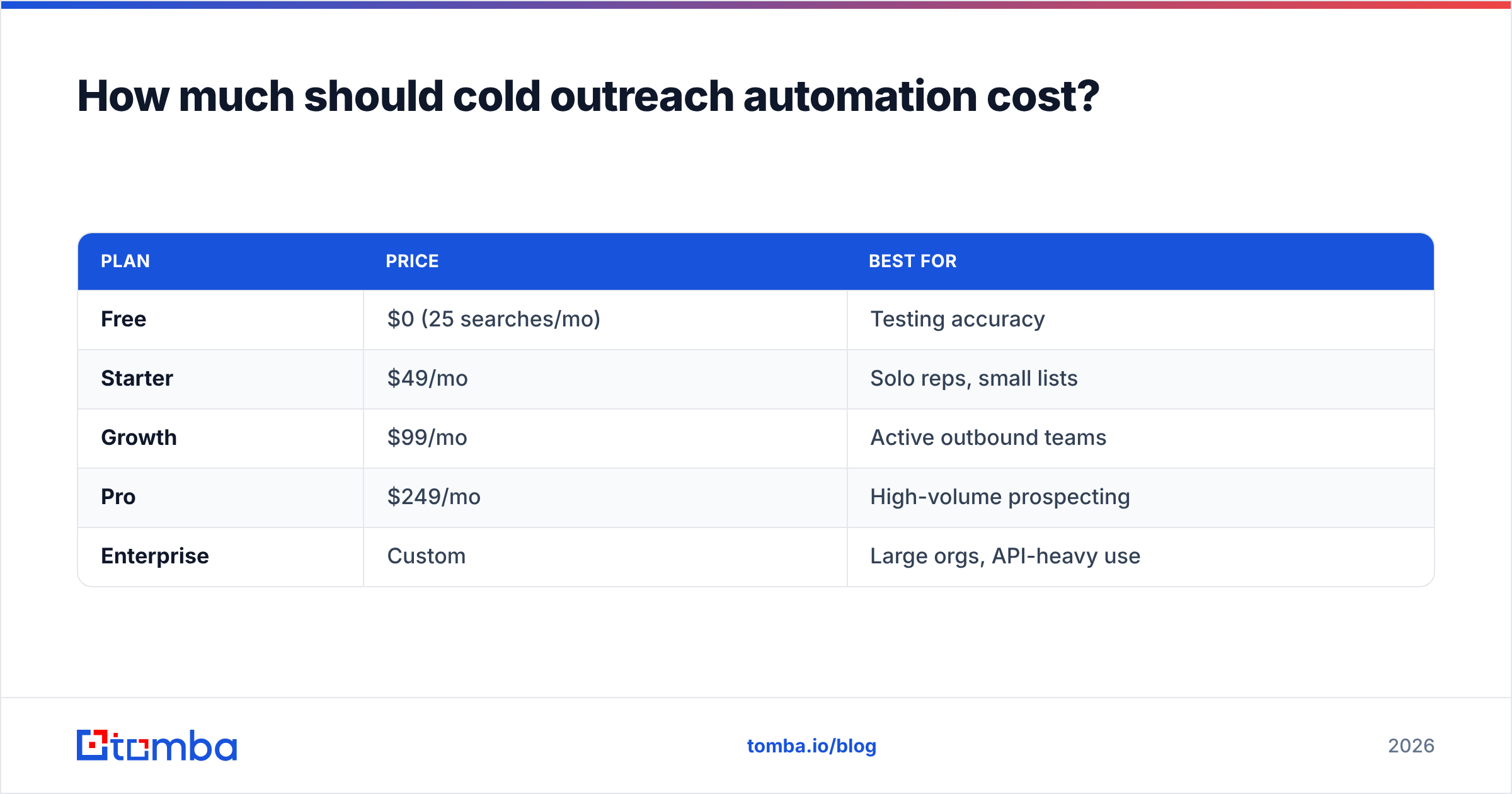
For the data-and-verification layer, Tomba pricing is straightforward:
| Plan | Price | Best for |
|---|---|---|
| Free | $0 (25 searches/mo) | Testing accuracy |
| Starter | $49/mo | Solo reps, small lists |
| Growth | $99/mo | Active outbound teams |
| Pro | $249/mo | High-volume prospecting |
| Enterprise | Custom | Large orgs, API-heavy use |
A sensible mid-market setup runs one data-and-verification tool, one sequencer, and inbox infrastructure — typically a few hundred dollars a month total. That's a rounding error against a single closed deal, provided the list underneath it is clean.
The bottom line#
Cold outreach automation works when you automate the plumbing and protect the parts that need a human: targeting and replies. Get the four layers right — data, verification, sequencing, infrastructure — and put verification first, because a clean list is what makes everything downstream possible.
Start where the leverage is highest: your contact data. Try Tomba's Email Finder to build and verify accurate, deliverable lists before they ever hit a sequence — so your automation scales pipeline instead of scaling bounces. The free tier gives you 25 searches to test the accuracy for yourself, no card required.
Related guides#
Ready to find emails that actually work?
Join 150,000+ professionals who stopped guessing and started sending. Free credits on signup — no credit card required.
Get the Tomba newsletter
Practical outbound tactics and product updates — once every two weeks.
About the author