ContactOut vs MailMerge365 (2026): Which One Do You Actually Need?
ContactOut finds the contact. MailMerge365 sends the email from your own Outlook mailbox. Most teams compare them as rivals when they solve two completely different halves of the same problem — here's how to pick, and when you need both.

TL;DR
- ContactOut is a contact data tool — a Chrome extension and database that pulls personal and work emails plus phone numbers off LinkedIn profiles. It does not send email campaigns in any serious way.
- MailMerge365 is a sending tool — an Outlook / Microsoft 365 add-in that mail-merges a spreadsheet into personalized emails sent from your own mailbox. It has no contact database at all.
- Comparing them head-to-head is like comparing a well to a hose. The real question is which half of your outbound stack is broken.
- If your list is thin, you need a finder. If your list is fine but you're stuck copy-pasting into Outlook, you need a merge tool. Plenty of teams end up running one of each.
- Whatever you pair, verify before you send. A merge tool will happily blast 400 stale addresses and torch your domain reputation doing it.
What are ContactOut and MailMerge365, actually?#
They sit on opposite ends of the outbound pipeline, and almost every comparison article online gets this wrong by cramming them into the same feature grid.
ContactOut is a B2B contact-data company. You install the browser extension, open a LinkedIn profile or a search result page, and it surfaces the person's work email, personal email, and phone number from its database. It also ships a web app with a searchable people database, a bulk CSV enrichment flow, an API, and a light "email campaigns" module bolted on top. Recruiters are its center of gravity — the product language, the personal-email emphasis, and the ATS integrations all point that way.
MailMerge365 is a mail-merge add-in that lives inside Outlook. You point it at an Excel file, a Google Sheet, or a SharePoint list, write a template with {{merge_fields}}, and it sends individual, personalized emails from your own Microsoft 365 mailbox. No separate SMTP relay, no third-party sending infrastructure, no contact database. The pitch is that mail sent through your real mailbox looks like real mail — because it is.
So the honest framing of ContactOut vs MailMerge365 is:
- ContactOut answers "who do I email, and what's their address?" — it is a data problem, solved with a database and enrichment waterfalls.
- MailMerge365 answers "how do I send 200 personalized emails without 200 copy-pastes?" — it is a workflow problem, solved inside the tool your team already lives in.
- Neither answers "is this address still valid?" — ContactOut gives you a confidence signal, not a live SMTP check; MailMerge365 just sends whatever you feed it.
- Neither is a full sequencer. If you want automated 5-step drip logic with reply detection and A/B branching, both will feel thin next to a dedicated platform.
- They are complements, not substitutes. The overlap between their feature sets is close to zero.
Once you see it that way, the buying decision gets a lot simpler.
How do ContactOut and MailMerge365 compare feature by feature?#
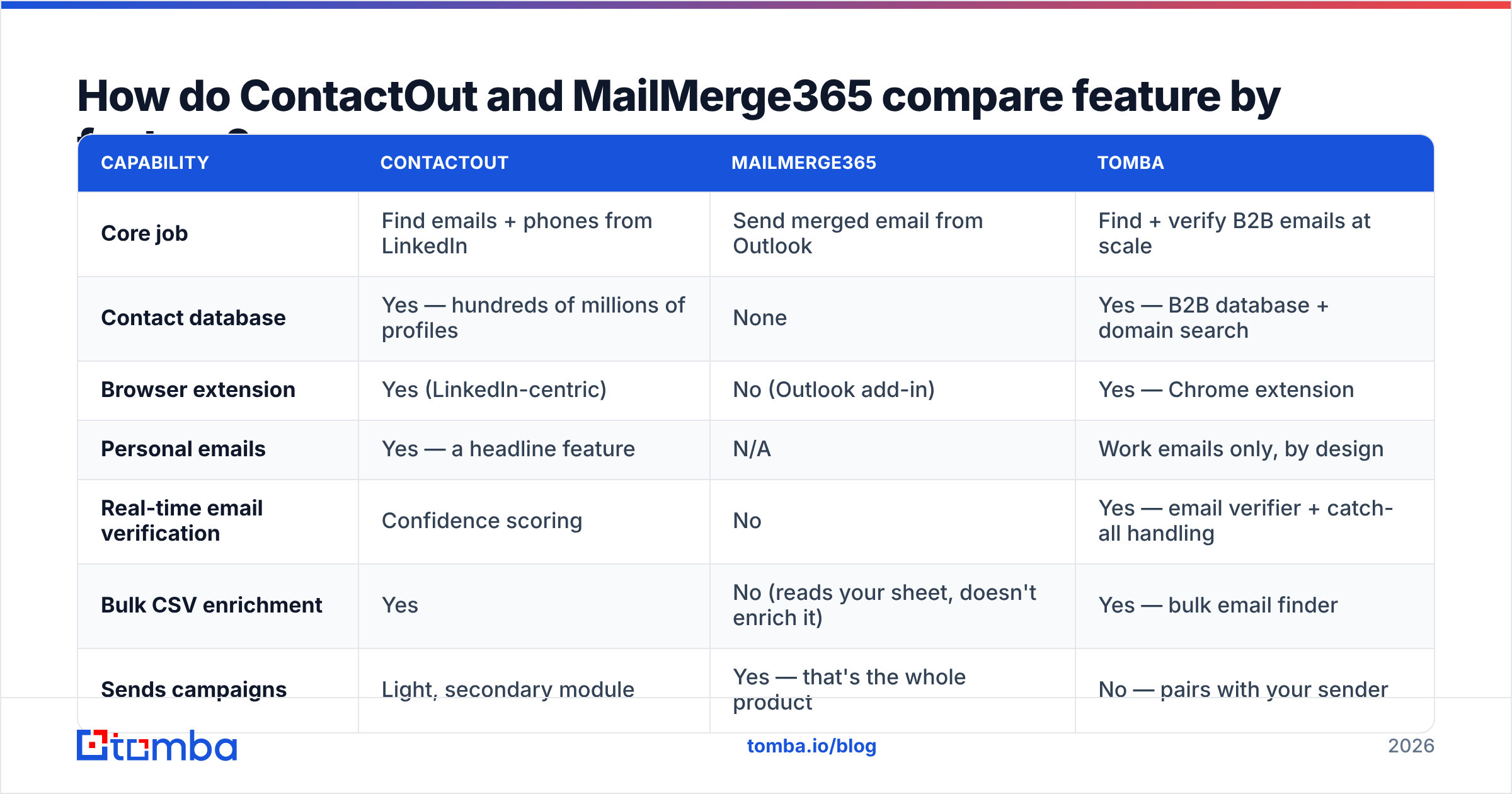
Here is the grid, with a data-first tool (Tomba) added as a third column so you can see where the finder-side capabilities actually cluster.
| Capability | ContactOut | MailMerge365 | Tomba |
|---|---|---|---|
| Core job | Find emails + phones from LinkedIn | Send merged email from Outlook | Find + verify B2B emails at scale |
| Contact database | Yes — hundreds of millions of profiles | None | Yes — B2B database + domain search |
| Browser extension | Yes (LinkedIn-centric) | No (Outlook add-in) | Yes — Chrome extension |
| Personal emails | Yes — a headline feature | N/A | Work emails only, by design |
| Real-time email verification | Confidence scoring | No | Yes — email verifier + catch-all handling |
| Bulk CSV enrichment | Yes | No (reads your sheet, doesn't enrich it) | Yes — bulk email finder |
| Sends campaigns | Light, secondary module | Yes — that's the whole product | No — pairs with your sender |
| Sends from your own mailbox | No | Yes (Microsoft 365 / Outlook) | N/A |
| API access | Yes | Limited | Yes — Tomba API, CLI, MCP |
| Best fit | Recruiters, sourcers, LinkedIn-heavy SDRs | Microsoft-shop teams doing 50–500 personalized sends | Teams that need clean, verified work emails to feed any sender |
| Starting paid price | Per-seat, published tiers (verify on their site) | Low per-user monthly (verify on their site) | $49/mo Starter; free tier at 25 searches/mo |
Pricing on both vendors changes often and varies by annual vs monthly billing, so treat the last row as a shape, not a quote — check each vendor's page before you sign anything. Tomba's pricing is the one I can state precisely: free tier at 25 searches/month, Starter $49/mo, Growth $99/mo, Pro $249/mo, Enterprise custom.
Is ContactOut better than MailMerge365?#
No — and yes, depending on which hole you're trying to fill. That's not a dodge; it's the actual answer.
Pick ContactOut if your bottleneck is list building. You're a recruiter sourcing candidates off LinkedIn, or an SDR whose ICP lives in LinkedIn Sales Navigator, and every day starts with "I have a name and a company, I need a way to reach them." ContactOut's personal-email coverage is genuinely strong for recruiting use cases, where a work address is useless because the candidate is not going to read your pitch on their employer's mail server. Its extension workflow is fast, its LinkedIn integration is the deepest thing it does, and the bulk enrichment path is fine for mid-size lists.
Pick MailMerge365 if your bottleneck is sending. You already have a list — from a CRM export, a webinar, a partner intro list, a conference scan — and the painful part is turning it into 200 personalized emails without living in your clipboard. MailMerge365 sends from your real mailbox, which means replies land in your inbox thread, your signature and formatting are native, and there's no third-party IP in the path. For Microsoft-shop teams whose IT department will not approve a new SMTP relay, that architecture is the entire reason to buy.
Pick neither if you need a real sequencer. Multi-step cadences with conditional branching, shared team inboxes, deliverability rotation across multiple sending domains — that's a different product category. Look at an Instantly alternative or a full sales-engagement platform instead, and use ContactOut or a dedicated finder purely as the data layer feeding it.
What are the real limits of each tool?#
Every vendor page lists strengths. Here's the other side.
ContactOut's limits:
- LinkedIn dependency. The extension workflow is built around LinkedIn. If your prospecting starts from a domain list, a job board, an event roster, or a set of company websites, you're working against the grain. A domain search approach — "give me everyone at acme.com and their email pattern" — is a different motion, and ContactOut is not optimized for it.
- Verification is a confidence score, not a live check. A percentage next to an address is a probability, not a guarantee. If you're feeding a cold-email sender, you want an actual SMTP-level result and an explicit catch-all classification, not a number.
- Credit economics. Per-seat pricing with monthly credit ceilings punishes bursty prospecting. A big sourcing sprint can drain a month's allowance in a week.
- The campaigns module is not the product. Treat it as a convenience, not a reason to buy.
MailMerge365's limits:
- It sends whatever you give it. No enrichment, no verification, no list hygiene. Garbage in, bounces out — and because you're sending from your primary Microsoft 365 mailbox, those bounces hit the domain your entire company uses for real business mail. That's the single biggest risk in the whole stack.
- Microsoft 365 throughput caps. Exchange Online enforces recipient-rate limits per mailbox per day. Microsoft publishes the current numbers in its Exchange Online limits documentation — read them before you plan a 5,000-recipient send, because the mail-merge tool cannot raise a ceiling the mail server imposes.
- Not a cadence engine. Follow-ups are largely a manual second merge. If your process is "5 touches over 12 days with reply detection," you'll outgrow it.
- Microsoft-only. Google Workspace shops need a different answer entirely.
Which tool should each type of team buy?#
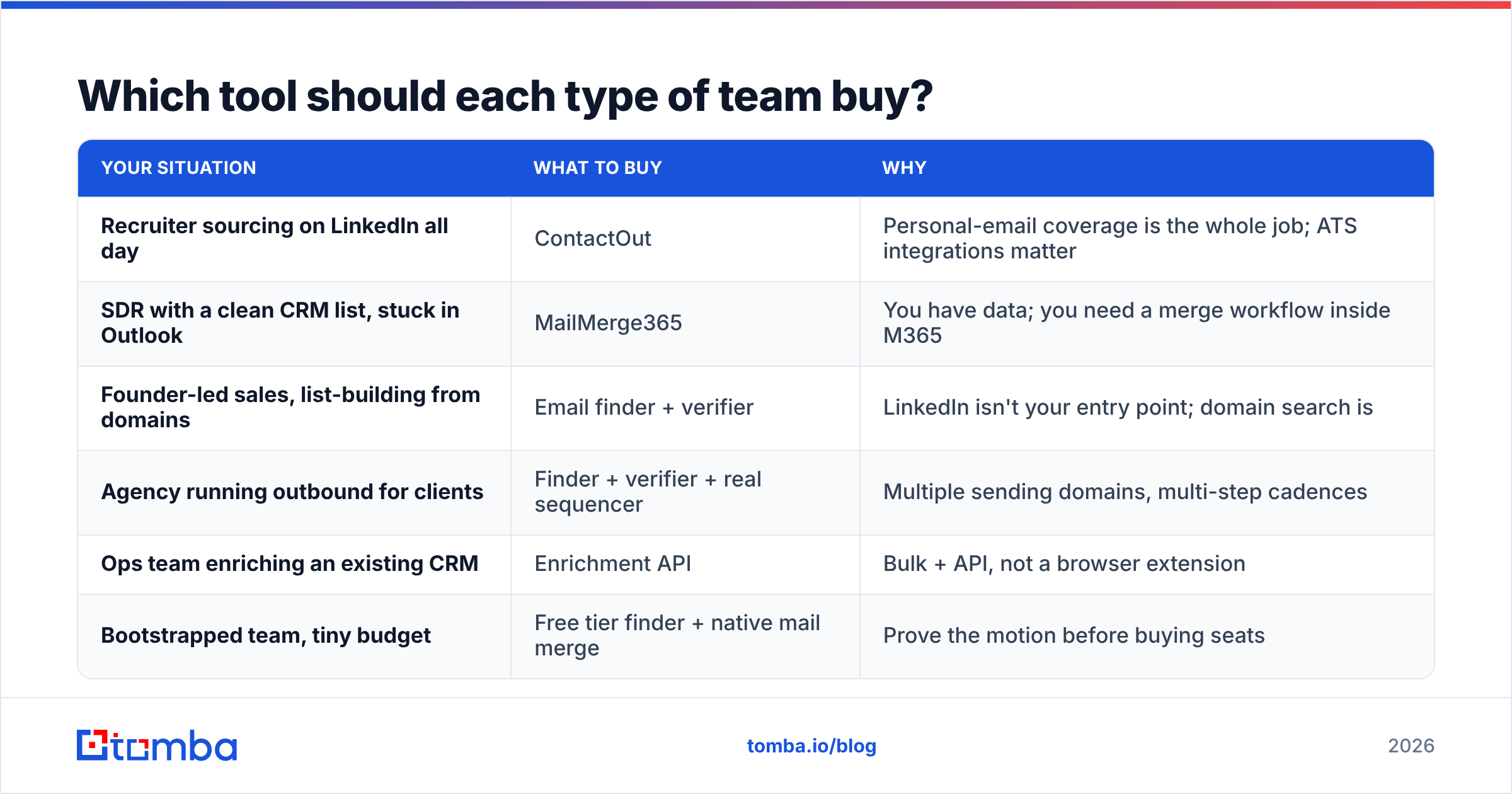
| Your situation | What to buy | Why |
|---|---|---|
| Recruiter sourcing on LinkedIn all day | ContactOut | Personal-email coverage is the whole job; ATS integrations matter |
| SDR with a clean CRM list, stuck in Outlook | MailMerge365 | You have data; you need a merge workflow inside M365 |
| Founder-led sales, list-building from domains | Email finder + verifier | LinkedIn isn't your entry point; domain search is |
| Agency running outbound for clients | Finder + verifier + real sequencer | Multiple sending domains, multi-step cadences |
| Ops team enriching an existing CRM | Enrichment API | Bulk + API, not a browser extension |
| Bootstrapped team, tiny budget | Free tier finder + native mail merge | Prove the motion before buying seats |
Two of those rows point at "email finder + verifier" rather than either tool in this comparison. That's not a sales trick — it's the most common real answer, because most B2B prospecting does not actually start on a LinkedIn profile page. It starts with a company list.
Where does an email finder like Tomba fit in this stack?#
Tomba sits on the ContactOut side of the pipeline — the data side — but it's built around a different entry point and a stricter verification posture.
The entry point difference: ContactOut is profile-first. You look at a person, you get their contact info. Tomba is domain-first and person-first. You can hand it a company domain and pull the whole reachable org plus the company's email pattern, or hand it a name plus a domain and get the address. If you're prospecting from a list of 300 target accounts rather than 300 LinkedIn profiles, that's the workflow you actually want. There's also a LinkedIn finder if you do need the profile-first motion.
The verification difference: every address Tomba returns goes through real-time verification, and catch-all domains are explicitly flagged rather than quietly scored — that distinction matters, because a catch-all domain accepts everything at the SMTP layer and tells you nothing. The catch-all verifier is a separate tool for exactly that reason. If you're piping addresses into a sender like MailMerge365 that fires from your primary company mailbox, this is not a nice-to-have. It's the thing standing between you and a wrecked sender reputation.
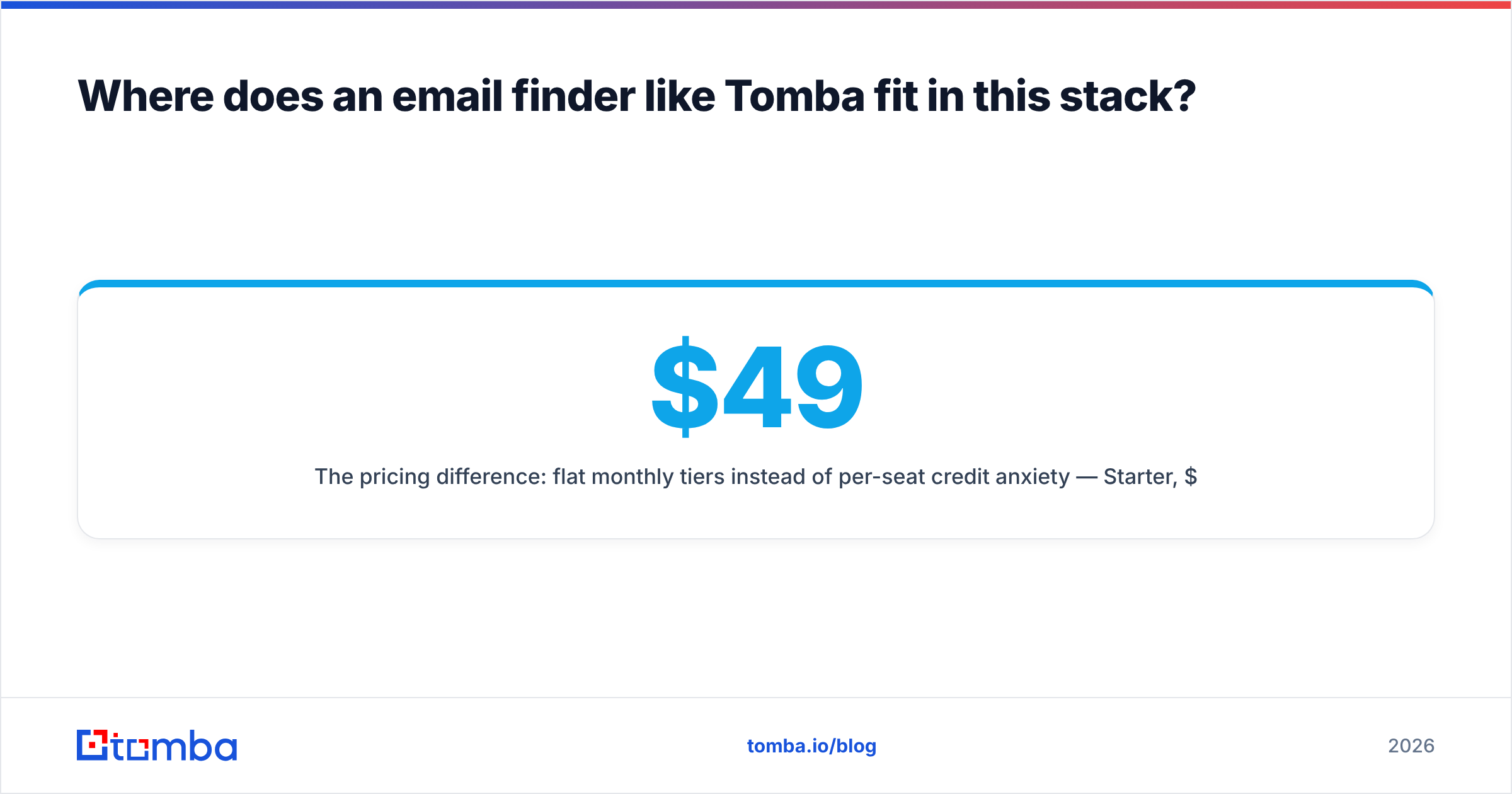
The pricing difference: flat monthly tiers instead of per-seat credit anxiety — $49/mo Starter, $99/mo Growth, $249/mo Pro — plus a free tier at 25 searches/month so you can test coverage on your actual ICP before paying. If you're actively weighing the switch, the ContactOut alternative breakdown goes deeper on coverage and cost side by side.
What Tomba does not do: it does not send campaigns. It has no sequencer and no mail merge. That's deliberate — it's a data layer, and it hands off cleanly to whatever sender you've standardized on, including MailMerge365, via CSV, Google Sheets, the API, or a HubSpot sync.
How do you actually combine a finder and a sender?#
Here's the pipeline that works, in order:
- Build the target list. Accounts first, people second. Domains, job titles, headcount, tech stack — whatever your ICP filter is.
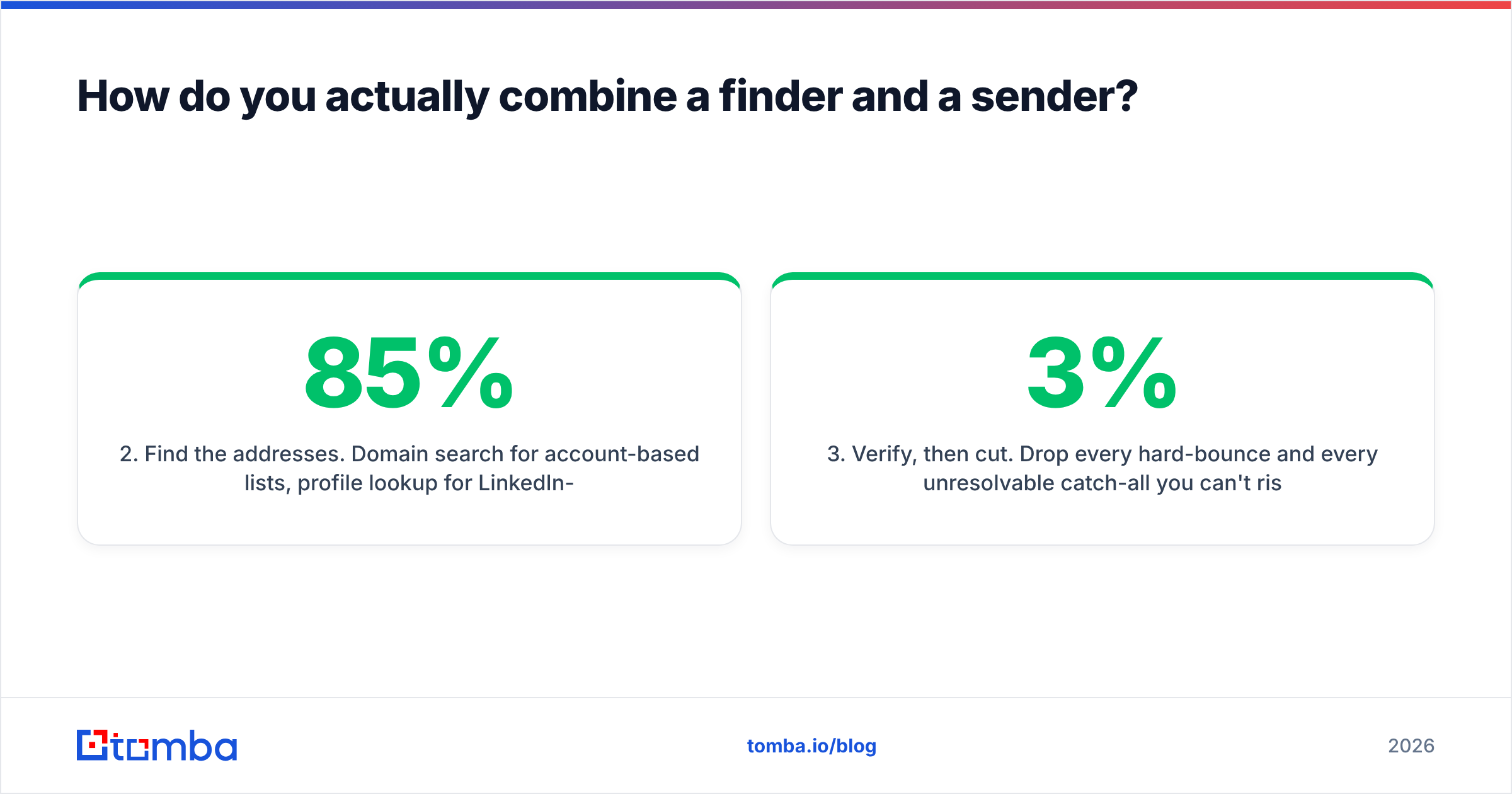
- Find the addresses. Domain search for account-based lists, profile lookup for LinkedIn-sourced ones. Expect 60–85% coverage on a realistic B2B list; anyone promising 99% on every list is selling you the top of a funnel, not the bottom.
- Verify, then cut. Drop every hard-bounce and every unresolvable catch-all you can't risk. A 3% bounce rate is the informal ceiling before mailbox providers start throttling you; the practical target is under 2%.
- Warm the domain. If the sending mailbox is new, or your volume is about to jump 10x, ramp gradually. Independent reviews on G2 are useful for comparing warmup and sending tools here.
- Merge and send. Now MailMerge365 (or your sequencer) does its job — on a list that won't hurt you.
- Feed the results back. Bounces, replies, and out-of-offices are data. Push them into your CRM and use them to correct the next list.
Step 3 is the one teams skip, and it's the one that determines whether steps 4 through 6 even matter. A merge tool sending from your primary Microsoft 365 mailbox has no safety net — there's no third-party IP pool absorbing the damage. Your domain eats it directly. Which means the more "native" and trustworthy your sending setup is, the more your list hygiene matters, not less.
Frequently asked questions#
Can MailMerge365 find email addresses for me? No. It reads addresses from a spreadsheet or list you supply. It has no contact database and no lookup capability. You need a finder upstream of it.
Can ContactOut run my cold email campaigns? Technically it has a campaigns module, but it's a secondary feature. If sending is a core part of your job, you'll want a real sequencer or a merge tool built for it.
Is it worth paying for both? Only if you have both problems. Many teams pay for a data tool plus a native sending tool and skip the all-in-one platform entirely — the combined cost is often lower and each half is better at its job.
What about deliverability? It's mostly upstream of both tools. Authenticate your domain (SPF, DKIM, DMARC — the SPF checker is a fast first pass), verify your list, and ramp volume gradually. No sending tool can rescue a dirty list.
Do I need a separate verifier if my finder scores confidence? If you're sending from your own primary mailbox, yes. A confidence score is a prediction. A verification result is a check. Only one of those protects your domain.
The bottom line#
ContactOut and MailMerge365 are not competitors. One fills your list; one empties it into inboxes. Buy the one that fixes the half of your pipeline that's actually broken — and if the honest answer is "my list is the problem," start there, because no sending tool will save a list full of guesses.
If your entry point is company domains rather than LinkedIn profiles, and you'd rather have 300 verified addresses than 500 scored ones, start with the Tomba Email Finder. The free tier gives you 25 searches a month — enough to run your real ICP through it and compare coverage against whatever you're using now, before you commit a dollar. Then hand the clean list to whatever sender you like, MailMerge365 included.
Related guides#
Ready to find emails that actually work?
Join 150,000+ professionals who stopped guessing and started sending. Free credits on signup — no credit card required.
Get the Tomba newsletter
Practical outbound tactics and product updates — once every two weeks.
About the author