Copper vs Streak: Which Gmail CRM Wins for Sales in 2026?
Copper and Streak both live inside Gmail, but they solve different problems. Here is an honest breakdown of pricing, pipeline depth, automation, and which one your team should actually run.
Both Copper and Streak promise the same thing: a CRM that lives where your reps already work — Gmail. Neither one is a Salesforce replacement, and neither one pretends to be. But they diverge fast once you get past the sidebar.
TL;DR — Copper vs Streak in five lines#
- Streak is a spreadsheet inside Gmail. Pipelines are tables, stages are columns, and every deal is a thread. It is the fastest CRM to adopt and the easiest to bend to a non-sales workflow (hiring, support, fundraising, deal flow).
- Copper is a real CRM that happens to live in Gmail. It has proper contact records, company hierarchies, activity reporting, workflow automation, and a relationship-strength view. It costs more and takes longer to configure.
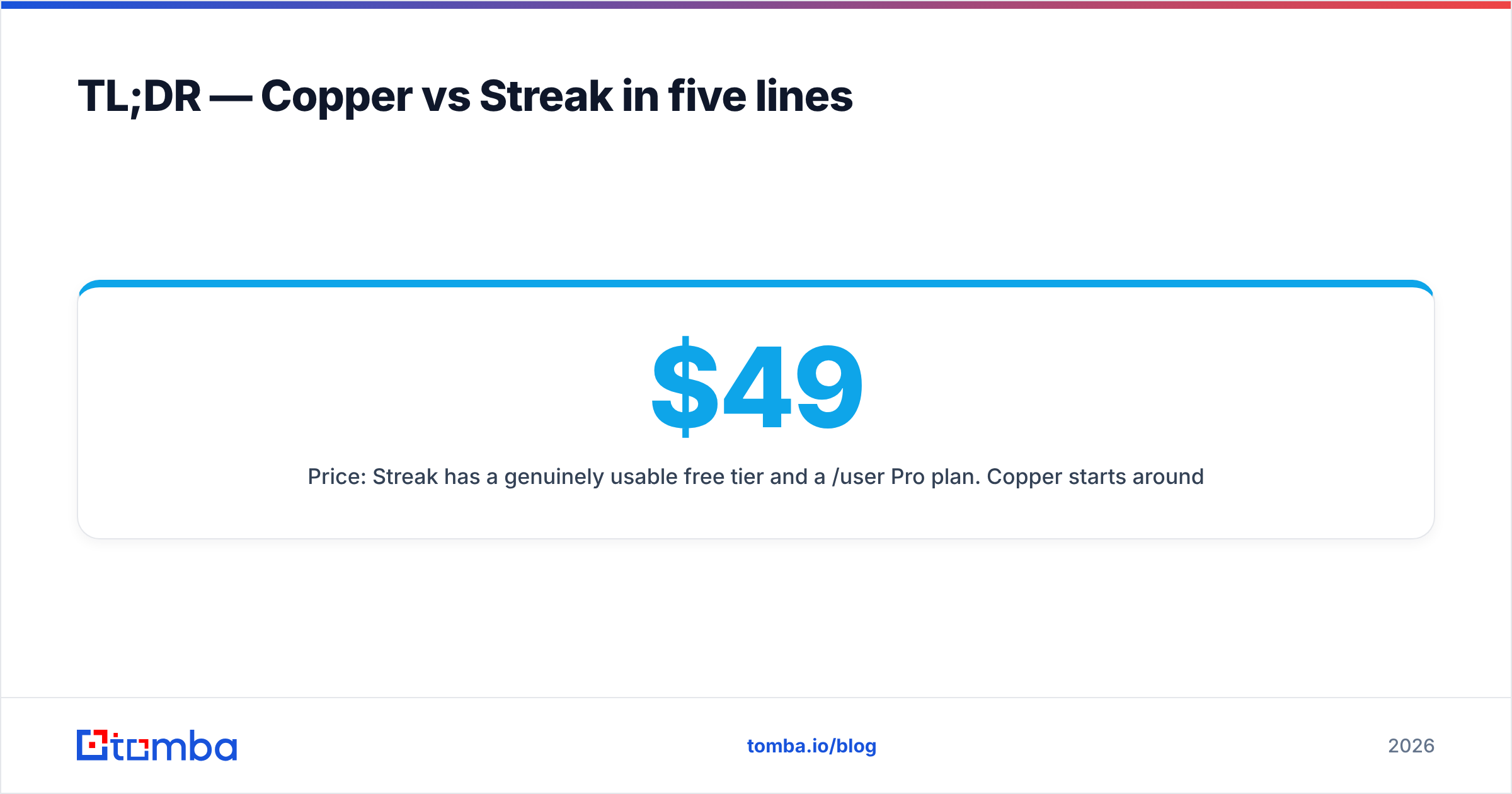
- Price: Streak has a genuinely usable free tier and a $49/user/mo Pro plan. Copper starts around $12/user/mo annually but the plan most sales teams actually need lands closer to $59–$99/user/mo.
- Choose Streak if you are a small team, a solo founder, an agency, or anyone tracking a process that is not strictly "sales." Choose Copper if you have 5+ reps, need forecasting and manager reporting, and want automation that fires without you touching it.
- Neither tool finds you contacts. Both are containers. If your pipeline is empty, the CRM debate is premature — you need a data layer first.
What are Copper and Streak, exactly?#
Copper (formerly ProsperWorks) is a Google Workspace-native CRM. It is a Google Cloud Premier partner and its entire product thesis is "no data entry" — it scrapes your Gmail, Calendar, and Drive activity and builds contact and opportunity records from it. You get a Chrome extension and a Gmail sidebar, but Copper also has a full standalone web app with dashboards, pipeline reports, and workflow rules.
Streak is a CRM that only lives in Gmail. There is no separate app to log into. You install the extension and your inbox grows a new layer: pipelines rendered as spreadsheet-style grids, where each row is a "box" (a deal, a candidate, a bug, whatever you decide) tied to the email threads that produced it. Streak's superpower is that a pipeline is just a schema you invent — column types, stages, formulas — so people use it for recruiting, investor tracking, editorial calendars, and legal intake as often as for sales.
The mental model difference matters more than any feature list:
- Streak asks: "What threads am I tracking, and what stage is each one in?"
- Copper asks: "Who are my people and companies, what happened with them, and what does the pipeline forecast say?"
If you think in threads, Streak. If you think in accounts, Copper.
How do Copper and Streak compare at a glance?#
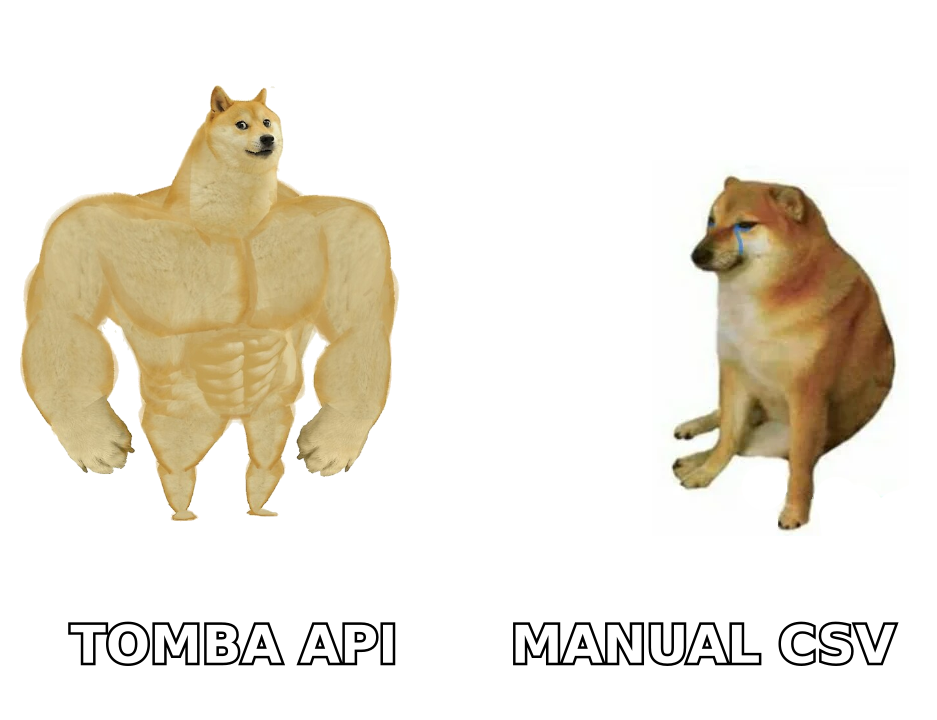
| Dimension | Copper | Streak |
|---|---|---|
| Where it lives | Gmail sidebar + full standalone web app | Gmail only (extension) |
| Core object model | Contacts, companies, opportunities, projects | "Boxes" in user-defined pipelines |
| Free tier | 14-day trial only | Yes — free plan for personal use, limited pipelines |
| Entry paid price | ~$12/user/mo (annual, Starter) | $49/user/mo (Pro, annual) |
| Sales-ready tier | Professional ~$59/user/mo | Pro+ ~$69/user/mo |
| Mail merge / sequences | Bulk email + basic sequences on higher tiers | Native mail merge, snippets, send later, tracking |
| Workflow automation | Yes — trigger/action rules, task automation | Limited; formulas and basic automation |
| Reporting & forecasting | Strong: dashboards, pipeline reports, goals | Basic: pipeline value, stage counts |
| Mobile app | iOS + Android (solid) | iOS + Android (thin) |
| Best for | 5–100 rep sales orgs on Google Workspace | Solo, small teams, non-sales processes |
| Learning curve | Moderate (2–5 days to configure) | Near-zero (30 minutes) |
Prices move. Check Copper's pricing page and Streak's before you budget — the numbers above reflect published list pricing as of early 2026 and both vendors run annual-vs-monthly deltas of roughly 20%.
Which one wins on Gmail integration?#
This is the fight both companies want, and the honest answer is: they win differently.
Streak wins on depth of inbox behavior. Because Streak is Gmail, everything happens in one tab. You get:
- Email tracking — open notifications on every send, no separate tool.
- Mail merge — send 400 personalized emails from a Gmail draft plus a Sheets column mapping. This is genuinely good and it is included on Pro.
- Snippets — saved reply templates with variables, triggered inline.
- Thread splitting and pipeline linking — any thread becomes a tracked box in two clicks.
- Shared inbox behavior — team members see the same box, its notes, and its history without CC chains.
Copper wins on data capture and what happens after. Copper's Gmail sidebar shows you the full account record — every past deal, every colleague's touchpoint, related files, the whole relationship graph — not just the current thread. It auto-creates contacts from email signatures, logs calls and meetings from Calendar, and pushes all of it into a reporting layer that a sales manager can actually read on a Monday morning.
Practical test: if your rep is looking at an inbound reply and needs to know "has anyone at my company ever talked to this account, and what did we quote them?" — Copper answers that in the sidebar. Streak, unless you built the pipeline meticulously, does not.
How do Copper and Streak handle pipelines and reporting?#
Streak's pipeline is a grid. It is fast, visual, and extremely flexible — you define columns (text, dropdown, date, currency, formula), define stages, and drag boxes across them. For a 3-person team running 40 open deals, this is close to perfect. What you do not get is a real forecast. Weighted pipeline value, stage-conversion analysis, rep-level activity comparisons, cohort win rates — these are either absent or so manual they stop being useful past ~100 open deals.
Copper's pipeline is an opportunity object with a value, a probability, an expected close date, and an owner. That means Copper can compute a weighted forecast, chart velocity between stages, flag deals that have gone quiet, and produce a leaderboard. It also supports multiple pipelines, custom fields per pipeline, and workflow automation that moves deals or assigns tasks based on rules. If you have a VP of Sales asking "what's committed this quarter," Copper answers and Streak does not.
Where Copper struggles: it is still a mid-market tool. Complex territory management, CPQ, deep multi-object customization — that is Salesforce or HubSpot territory, and Copper will feel constraining if you need it. Copper's own positioning is honest about this; they sell to relationship-driven SMBs, not enterprise sales machines.
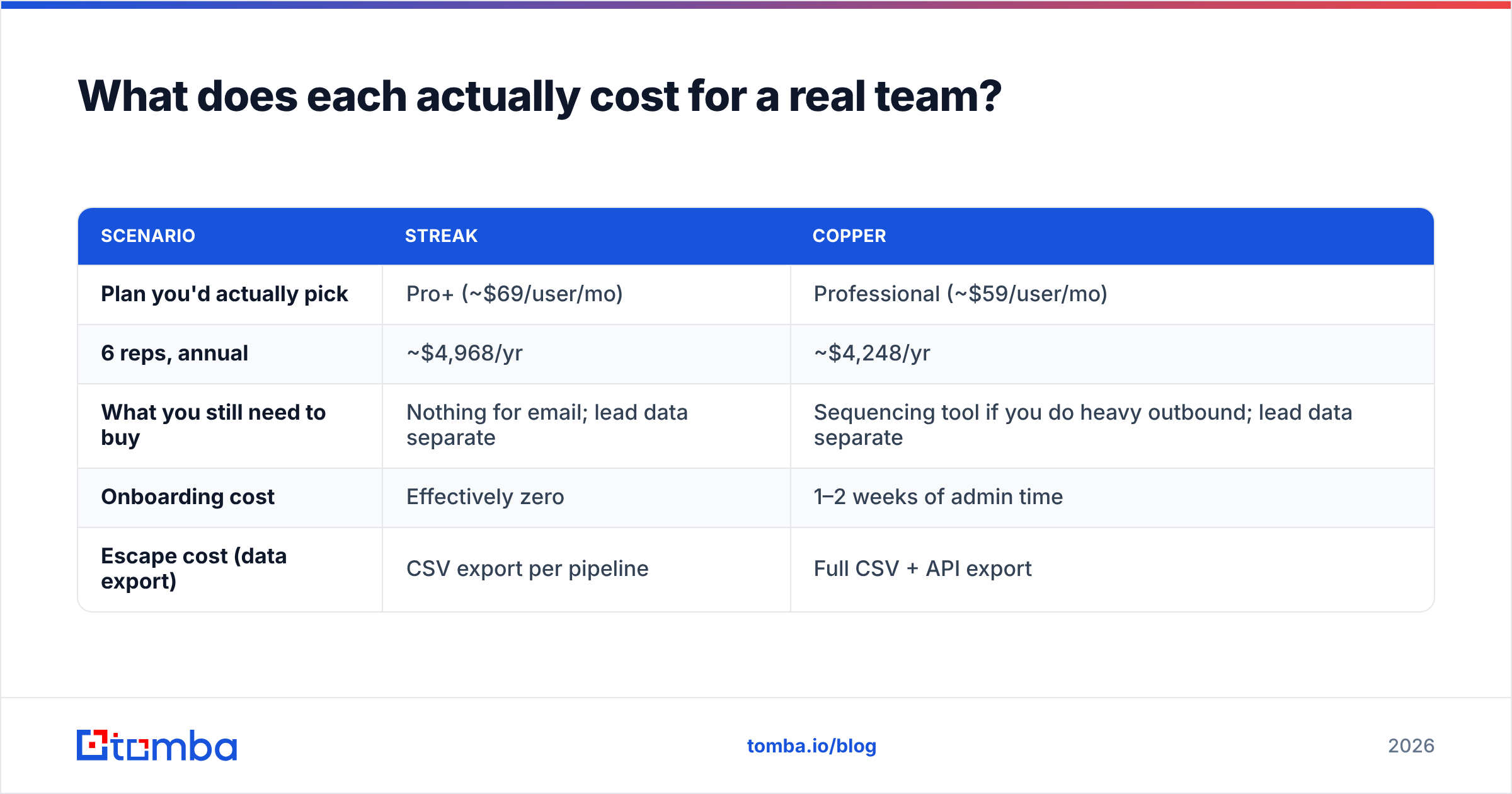
What does each actually cost for a real team?#
Sticker price hides the real number. Here is the math for a 6-rep team on annual billing:
| Scenario | Streak | Copper |
|---|---|---|
| Plan you'd actually pick | Pro+ (~$69/user/mo) | Professional (~$59/user/mo) |
| 6 reps, annual | ~$4,968/yr | ~$4,248/yr |
| What you still need to buy | Nothing for email; lead data separate | Sequencing tool if you do heavy outbound; lead data separate |
| Onboarding cost | Effectively zero | 1–2 weeks of admin time |
| Escape cost (data export) | CSV export per pipeline | Full CSV + API export |
Two things to note. First, Streak's Pro plan at $49 covers most of what a small team needs — you only jump to Pro+ for advanced permissions and reporting. Second, Copper's cheap Starter tier is a trap for sales teams: it caps contacts and strips workflow automation and reporting, which are the reasons you'd pick Copper in the first place. Budget for Professional or don't budget for Copper.
Where does each one fall short?#
Streak's real weaknesses:
- It dies with Gmail. Chrome extension performance on a heavy inbox is a recurring complaint on G2. If Gmail is slow, Streak is slow.
- No standalone app. No Gmail, no CRM. Bad for teams with non-inbox roles (SDR managers, ops, finance).
- Reporting is thin. You will end up exporting to Sheets, which defeats the point.
- Data model is flat. No native company↔contact↔deal hierarchy, so account-based selling gets awkward fast.
Copper's real weaknesses:
- Price ramps hard. The useful tier is 5x the entry tier.
- Google-only. If your company is on Microsoft 365, walk away — Copper is not the tool.
- Automation is rule-based, not a real workflow builder. It handles "when stage = X, create task Y." It does not handle branching logic.
- The AI/auto-capture magic is imperfect. Signature parsing creates duplicate contacts. You will do dedupe work.
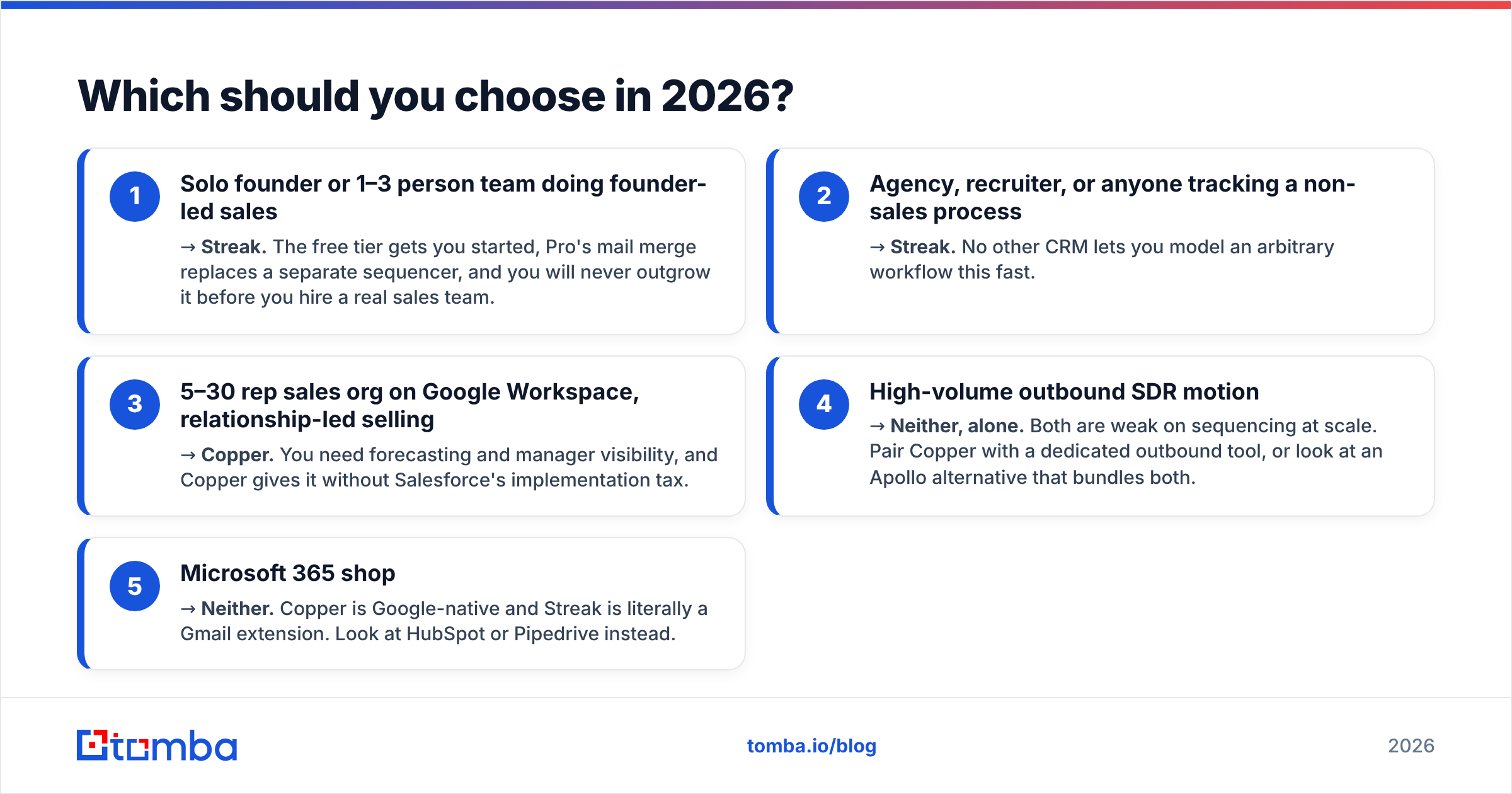
Which should you choose in 2026?#
Pick by shape of team, not by feature checklist:
- Solo founder or 1–3 person team doing founder-led sales → Streak. The free tier gets you started, Pro's mail merge replaces a separate sequencer, and you will never outgrow it before you hire a real sales team.
- Agency, recruiter, or anyone tracking a non-sales process → Streak. No other CRM lets you model an arbitrary workflow this fast.
- 5–30 rep sales org on Google Workspace, relationship-led selling → Copper. You need forecasting and manager visibility, and Copper gives it without Salesforce's implementation tax.
- High-volume outbound SDR motion → Neither, alone. Both are weak on sequencing at scale. Pair Copper with a dedicated outbound tool, or look at an Apollo alternative that bundles both.
- Microsoft 365 shop → Neither. Copper is Google-native and Streak is literally a Gmail extension. Look at HubSpot or Pipedrive instead.
If you are still torn, run Streak free for two weeks. It costs nothing, and the exercise will tell you very quickly whether you think in threads or in accounts.
How do you keep either CRM from becoming an empty database?#
Here is the thing neither vendor will tell you: the CRM is not the bottleneck. Empty pipelines are.
Both Copper and Streak are excellent at capturing activity that already exists. Neither one creates it. Copper builds contact records from emails you already sent. Streak tracks threads you already started. If nobody is starting threads, both tools are very expensive spreadsheets.
That means your stack needs a layer above the CRM:
- Source the contacts. Pull verified work emails for the accounts on your target list. An email finder that returns a confidence score beats a scraped list every time — and it keeps your Gmail sending reputation intact, which matters doubly when your CRM is your inbox.
- Verify before you send. A bounced send from a Gmail-native CRM damages the same domain your reps use for real conversations. Run addresses through an email verifier before the first touch.
- Enrich what's already there. Both CRMs will accumulate half-complete records. Periodic data enrichment fills in titles, companies, and phone numbers so your segmentation actually works.
- Bulk-load in batches. When you enter a new market or vertical, you want 300 verified contacts in one pass, not 300 manual lookups. That's a bulk email finder job, not a CRM job.
Copper vs Streak: the honest verdict#
There is no universal winner, and anyone who declares one is selling something.
Streak is the better product for its niche — small teams, thread-based work, flexible non-sales pipelines — and it is priced fairly for what it does. Its free tier is real, not a demo.
Copper is the better CRM. If you need forecasting, manager reporting, workflow automation, and an account-centric data model, Copper is what you actually want, and the extra $10–$20 per seat is cheap next to the cost of a sales team flying blind.
The decision usually resolves itself around headcount. Under five reps, Streak. Over five, Copper. The middle is a coin flip you should settle with two free trials, not a blog post.
Ready to fill whichever CRM you pick?#
A CRM only pays back what you put into it. Before you spend $5,000 a year on a place to store contacts, make sure you have contacts worth storing.
Tomba's Email Finder returns verified professional email addresses by name and domain, with a confidence score and the sources behind every result — so the records landing in Copper or Streak are ones your reps can actually send to. The free tier gives you 25 searches a month to test it, and paid plans start at $49/mo. See full Tomba pricing, or push results straight into your stack via the Tomba API.
Pick the CRM that matches how your team thinks. Then give it something to work with.
Related guides#
Ready to find emails that actually work?
Join 150,000+ professionals who stopped guessing and started sending. Free credits on signup — no credit card required.
Get the Tomba newsletter
Practical outbound tactics and product updates — once every two weeks.
About the author