CRM Data in 2026: The Complete Guide to Clean, Usable Records
Dirty CRM data quietly kills pipeline. Here's how CRM data decays, what clean records are worth, and a practical playbook to keep your database accurate in 2026.
Your CRM is only as good as the data inside it. Most teams treat the database as a filing cabinet — a place records go to sit. In reality it is a living asset that decays every single day, and when it rots, your forecasts, routing, and outreach rot with it.
This guide breaks down what CRM data actually is, why it degrades so fast, what clean records are worth in hard numbers, and a step-by-step playbook to keep your database accurate through 2026 and beyond.
TL;DR#
- CRM data decays ~30% per year — people change jobs, companies rebrand, emails bounce. A database you built 18 months ago is already half-wrong.
- Dirty data has a hard cost. Reps waste time on dead contacts, marketing pays to email bounces, and forecasts built on bad records mislead the whole business.
- Four data types matter: identity, engagement, firmographic, and intent. Most CRMs are rich in the first and starved of the last three.
- Enrichment beats manual entry. Automated verification and enrichment keep records fresh at a fraction of the labor cost of reps updating fields by hand.
- A maintenance loop — not a one-time cleanup — is the only thing that works. Verify on entry, enrich on a schedule, and archive the dead weight.
What is CRM data?#
CRM data is every piece of information your customer relationship management system stores about the people and companies you sell to. Think of it like the contents of a warehouse: the building (your CRM platform) is worthless if the shelves hold expired stock, mislabeled boxes, and duplicates of the same item.
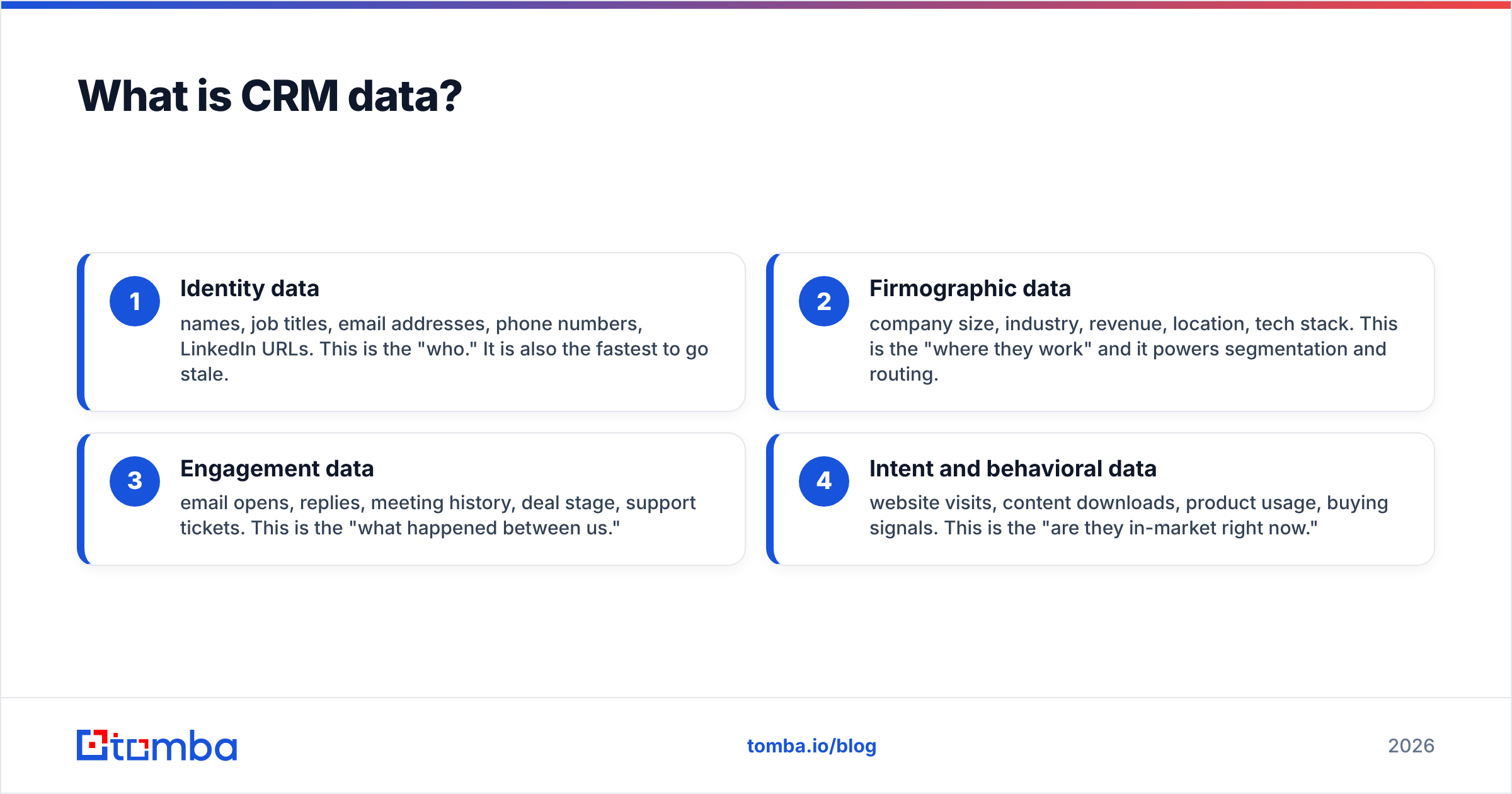
Technically, CRM data spans four categories, and healthy pipelines need all four:
- Identity data — names, job titles, email addresses, phone numbers, LinkedIn URLs. This is the "who." It is also the fastest to go stale.
- Firmographic data — company size, industry, revenue, location, tech stack. This is the "where they work" and it powers segmentation and routing.
- Engagement data — email opens, replies, meeting history, deal stage, support tickets. This is the "what happened between us."
- Intent and behavioral data — website visits, content downloads, product usage, buying signals. This is the "are they in-market right now."
Most CRMs overflow with identity and engagement data and are nearly blind on firmographic and intent. That imbalance is why so many "data-rich" teams still can't answer a simple question like which 200 accounts should I call this week?
Why does CRM data decay so fast?#
Because the world your data describes keeps moving after you write it down. A contact record is a photograph, not a live feed — and people walk out of frame constantly.
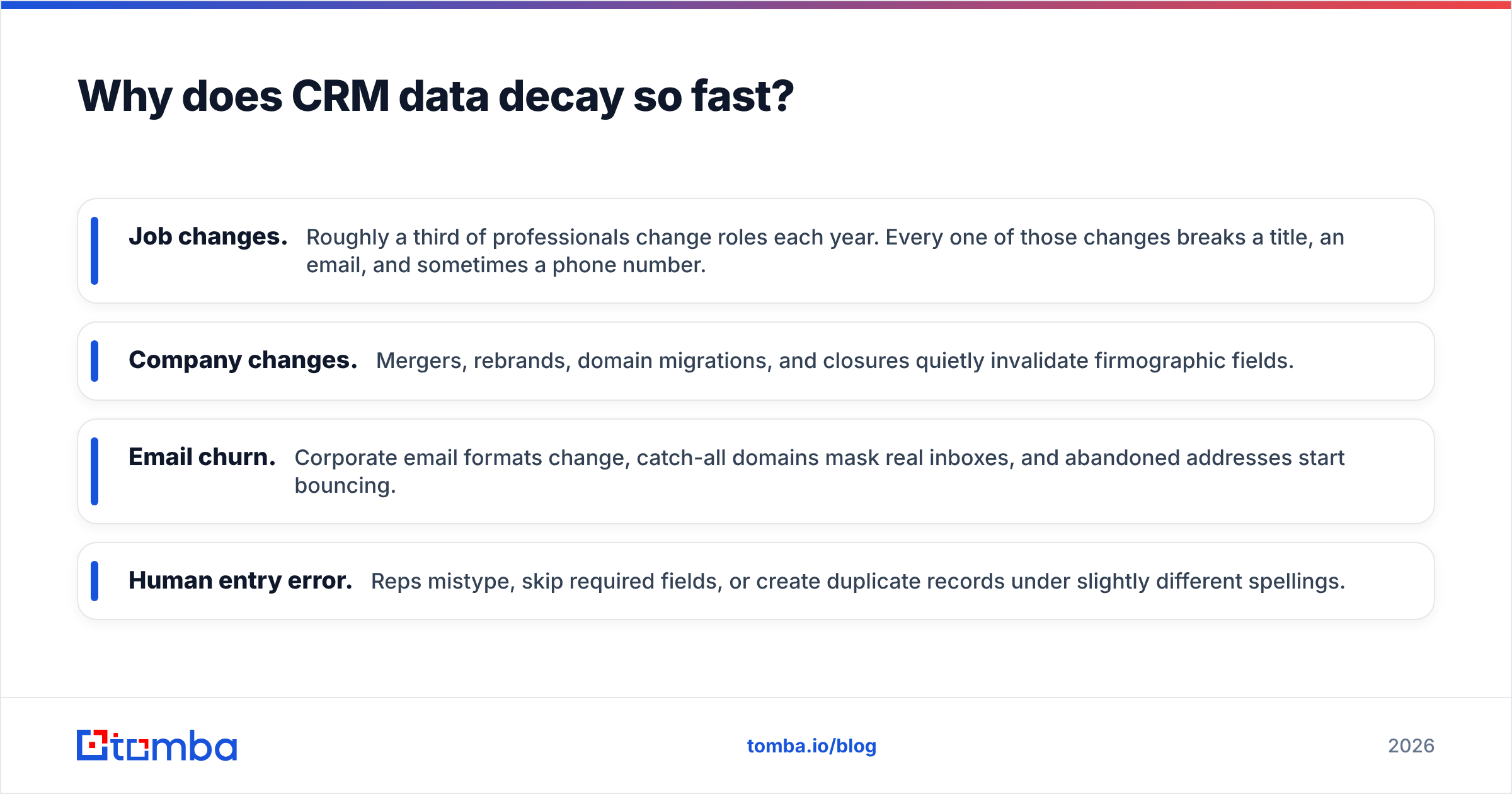
The main drivers of decay:
- Job changes. Roughly a third of professionals change roles each year. Every one of those changes breaks a title, an email, and sometimes a phone number.
- Company changes. Mergers, rebrands, domain migrations, and closures quietly invalidate firmographic fields.
- Email churn. Corporate email formats change, catch-all domains mask real inboxes, and abandoned addresses start bouncing.
- Human entry error. Reps mistype, skip required fields, or create duplicate records under slightly different spellings.
Industry analysts have estimated B2B data decay at roughly 30% per year, and independent reviewers on G2 consistently rank data accuracy as the single biggest frustration with contact databases. Left alone, a clean CRM built today is meaningfully wrong within a year and badly wrong within two.
If you want the vocabulary behind all this, Tomba's B2B glossary breaks down the terms teams throw around loosely.
What does dirty CRM data actually cost?#
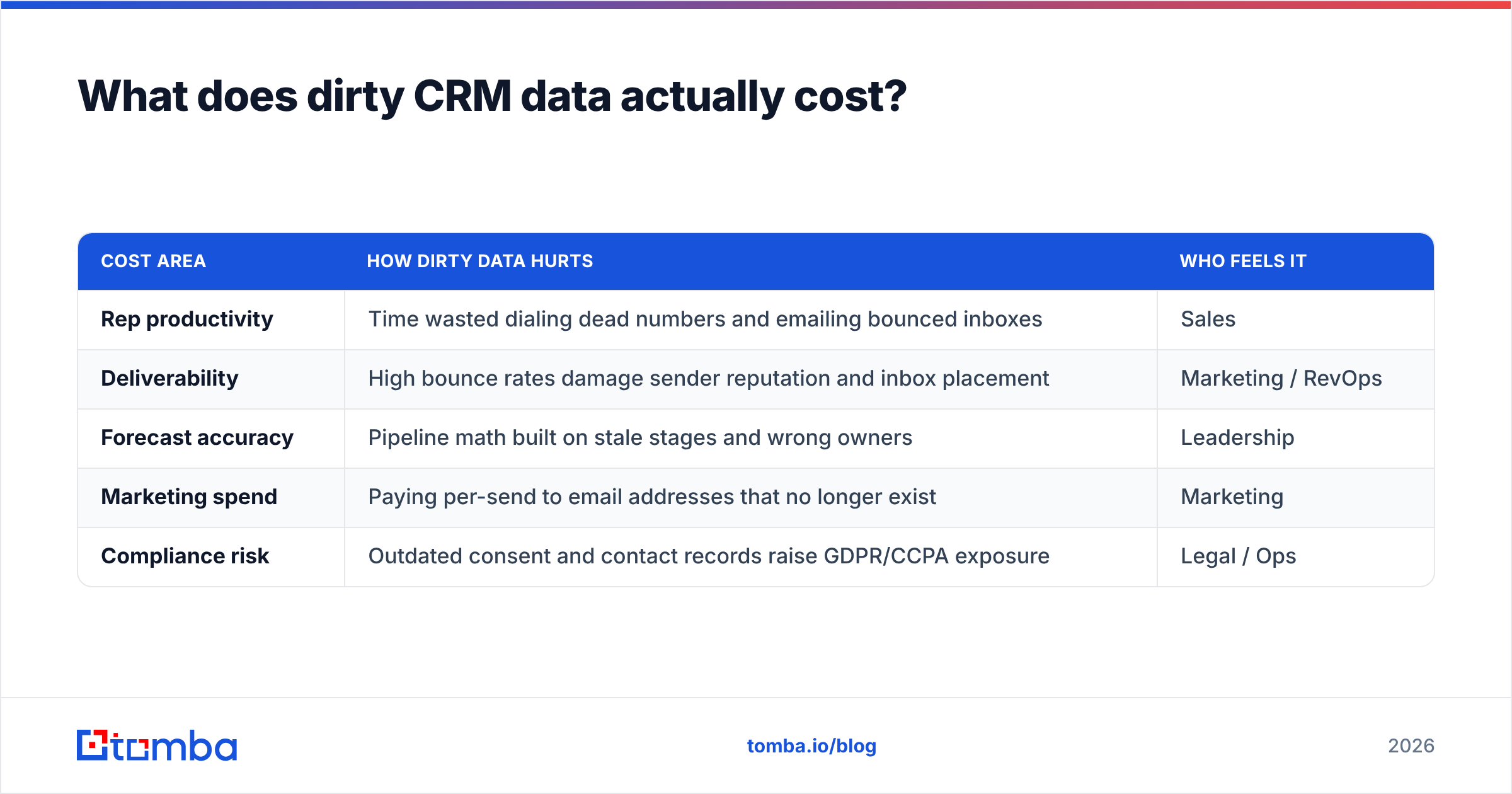
More than most leaders think, because the cost hides across three departments instead of showing up as one line item.
| Cost area | How dirty data hurts | Who feels it |
|---|---|---|
| Rep productivity | Time wasted dialing dead numbers and emailing bounced inboxes | Sales |
| Deliverability | High bounce rates damage sender reputation and inbox placement | Marketing / RevOps |
| Forecast accuracy | Pipeline math built on stale stages and wrong owners | Leadership |
| Marketing spend | Paying per-send to email addresses that no longer exist | Marketing |
| Compliance risk | Outdated consent and contact records raise GDPR/CCPA exposure | Legal / Ops |
A widely cited rule of thumb from data-quality research — the "1-10-100" rule — holds that verifying a record at entry costs ~$1, cleaning it later costs ~$10, and doing nothing costs ~$100 in downstream waste. You will pay one of those numbers. The only question is which.
How do you clean and maintain CRM data?#
Run a repeatable loop, not a one-off spring cleaning. A single big cleanup feels productive and is worthless within months because decay never stops. The teams that win treat data hygiene like brushing teeth: small, constant, automated.
Here is the practical playbook.
1. Audit what you have#
Start by measuring the damage. Pull your total record count, then quantify:
- Duplicate rate (same person or company, multiple records)
- Missing-field rate on critical fields (email, title, company)
- Bounce rate from your last few campaigns
- Records with no activity in 12+ months
You can't improve what you refuse to measure. Even a rough audit usually reveals that 20–40% of records are duplicates, incomplete, or dead.
2. Verify every email#
Bounces are the fastest way to torch email deliverability. Run your existing list through an email verifier to flag invalid, risky, and catch-all addresses before they ever hit a send. For domains that hide behind catch-all servers, a dedicated catch-all verifier tells you whether a mailbox is actually reachable.
3. Enrich the gaps#
Verification tells you what's wrong; enrichment fills what's missing. Instead of asking reps to hand-research titles and company data, pipe records through data enrichment to append firmographics, refreshed titles, and current contact details automatically. This is where most of the time savings live.
4. Deduplicate and merge#
Set matching rules (by email domain + normalized name, for example) and merge duplicates so activity history consolidates onto one golden record. A free remove duplicates tool handles list-level cleanup before records ever reach the CRM.
5. Verify on entry#
The cheapest record to clean is the one you never let in dirty. Wire verification into your web forms, your bulk lead generation imports, and your integrations so new data is validated at the door. Native connectors for HubSpot, Salesforce, and Pipedrive make this a background process rather than a project.
6. Set a refresh cadence#
Schedule a recurring re-enrichment — monthly for high-value accounts, quarterly for the long tail. This is the step everyone skips and the step that actually beats the 30% decay curve.
What tools keep CRM data clean?#
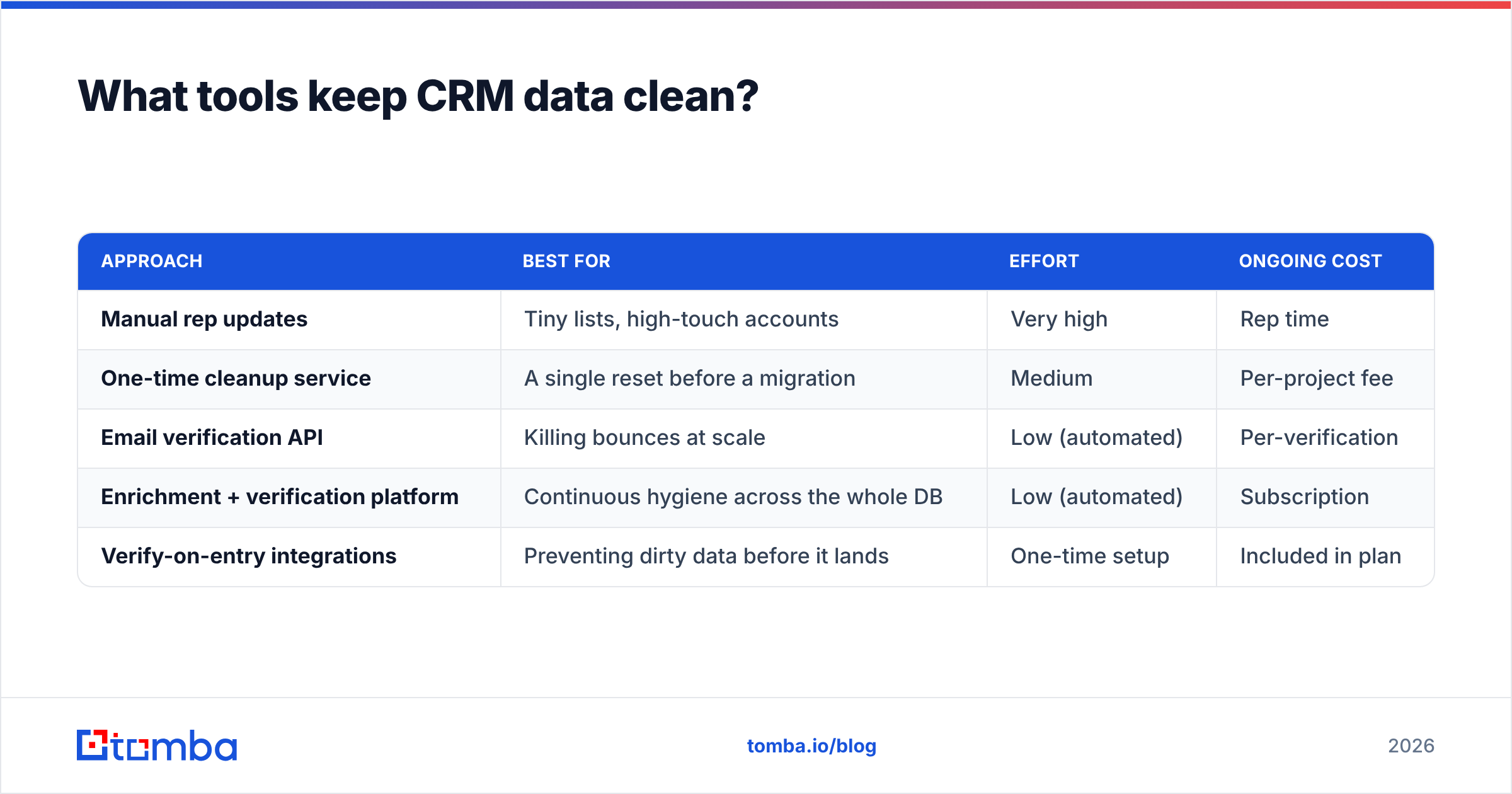
The right stack depends on whether you're fixing data, filling it, or preventing bad data at the source. Here's how the main approaches compare.
| Approach | Best for | Effort | Ongoing cost |
|---|---|---|---|
| Manual rep updates | Tiny lists, high-touch accounts | Very high | Rep time |
| One-time cleanup service | A single reset before a migration | Medium | Per-project fee |
| Email verification API | Killing bounces at scale | Low (automated) | Per-verification |
| Enrichment + verification platform | Continuous hygiene across the whole DB | Low (automated) | Subscription |
| Verify-on-entry integrations | Preventing dirty data before it lands | One-time setup | Included in plan |
For most B2B teams, the winning combination is an enrichment-and-verification platform wired directly into the CRM, so cleaning happens automatically instead of depending on human discipline. Reputable third-party review sites like Capterra are a good place to sanity-check any vendor's accuracy claims against real user feedback before you commit.
When you evaluate options, weigh coverage, verification depth (does it actually check catch-all domains?), integration fit, and transparent Tomba pricing against per-seat data tools that charge more for less. Tomba's plans run from a free tier (25 searches/mo) through Starter at $49/mo and Growth at $99/mo, which keeps continuous hygiene affordable even for small teams.
How do you build fresh records, not just fix old ones?#
Clean data isn't only about repairing what decayed — it's about sourcing new contacts correctly from day one. When you're adding accounts, use an email finder to get verified addresses tied to a real person and domain, or run a domain search to pull every reachable contact at a target company in one pass.
Building outbound lists this way means records enter your CRM already verified, already attributed to a company, and already enriched — so the maintenance loop above has far less to repair later. It's the difference between filtering water at the source versus scrubbing the tank every quarter.
Frequently asked questions#
How often should I clean my CRM data? Continuously, with a heavier pass quarterly. Verify on entry, enrich high-value accounts monthly, and audit the full database every three months. A once-a-year cleanup can't keep up with 30% annual decay.
What's the difference between data verification and enrichment? Verification confirms that existing data is accurate (is this email valid?). Enrichment adds new data that's missing (what's this person's title and company size?). You need both — one keeps records correct, the other keeps them complete.
Can't my reps just keep the CRM updated manually? They can, but it's the most expensive and least reliable option. Manual updates depend on discipline reps rarely have during a busy quarter, and human entry introduces its own errors. Automating verification and enrichment frees reps to sell.
Is dirty CRM data a compliance risk? Yes. Outdated consent status and inaccurate contact records increase exposure under GDPR and CCPA. Clean, well-documented data is easier to defend in an audit.
Keep your CRM data clean without the manual grind#
Dirty CRM data is a tax you pay every day in wasted rep hours, bounced campaigns, and forecasts you can't trust. The fix isn't a heroic one-time cleanup — it's a maintenance loop that verifies on entry, enriches on a schedule, and sources new records already-clean.
Start at the source. The Tomba Email Finder gives you verified, company-attributed email addresses so every contact enters your CRM accurate from day one — and pairs with Tomba's verification and enrichment tools to keep it that way. Spin up a free account, run your first list, and watch your bounce rate drop before your next campaign goes out.
Related guides#
Ready to find emails that actually work?
Join 150,000+ professionals who stopped guessing and started sending. Free credits on signup — no credit card required.
Get the Tomba newsletter
Practical outbound tactics and product updates — once every two weeks.
About the author