CRM Data Hygiene Best Practices: The 2026 Cleanup Playbook
Dirty CRM data silently drains pipeline, skews forecasts, and burns rep hours. Here are the CRM data hygiene best practices that keep records clean, deduped, and trustworthy in 2026.
Your CRM is only as good as the data inside it. And right now, for most B2B teams, that data is quietly rotting.
Contacts change jobs. Emails bounce. Duplicate records pile up every time two reps import the same list. Left alone, a CRM decays at roughly 22–30% per year — meaning nearly a third of what your reps trust is wrong within twelve months. This guide walks through the CRM data hygiene best practices that stop the rot, in the order that actually matters.
TL;DR#
- CRM data decays ~22–30% per year. Hygiene is not a one-time project; it's a recurring operating discipline.
- Deduplication and verification are the highest-ROI moves. Kill duplicates and dead emails before you spend a dollar on enrichment.
- Standardize on input, not just cleanup. Validation rules and picklists at entry prevent 80% of the mess.
- Automate the boring parts. Bulk verification and scheduled audits beat quarterly manual scrubs every time.
- Measure a data health score so leadership sees hygiene as a revenue lever, not an IT chore.
What is CRM data hygiene, and why does it matter?#
CRM data hygiene is the ongoing process of keeping records in your CRM accurate, complete, consistent, and free of duplicates. Think of it like dental hygiene: skip it and nothing hurts at first, but the decay compounds silently until you're facing an expensive, painful cleanup.
The cost is not abstract. Dirty data means reps email people who left the company six months ago, marketing scores leads against stale firmographics, and your VP forecasts off a pipeline padded with duplicate opportunities. Gartner estimates poor data quality costs organizations an average of $12.9 million per year. For a sales team, the tax shows up as wasted send volume, damaged sender reputation, and forecasts nobody trusts.
Clean data does the opposite. It compounds in your favor — every accurate record makes segmentation, routing, and personalization better across the whole stack.

What does dirty CRM data actually look like?#
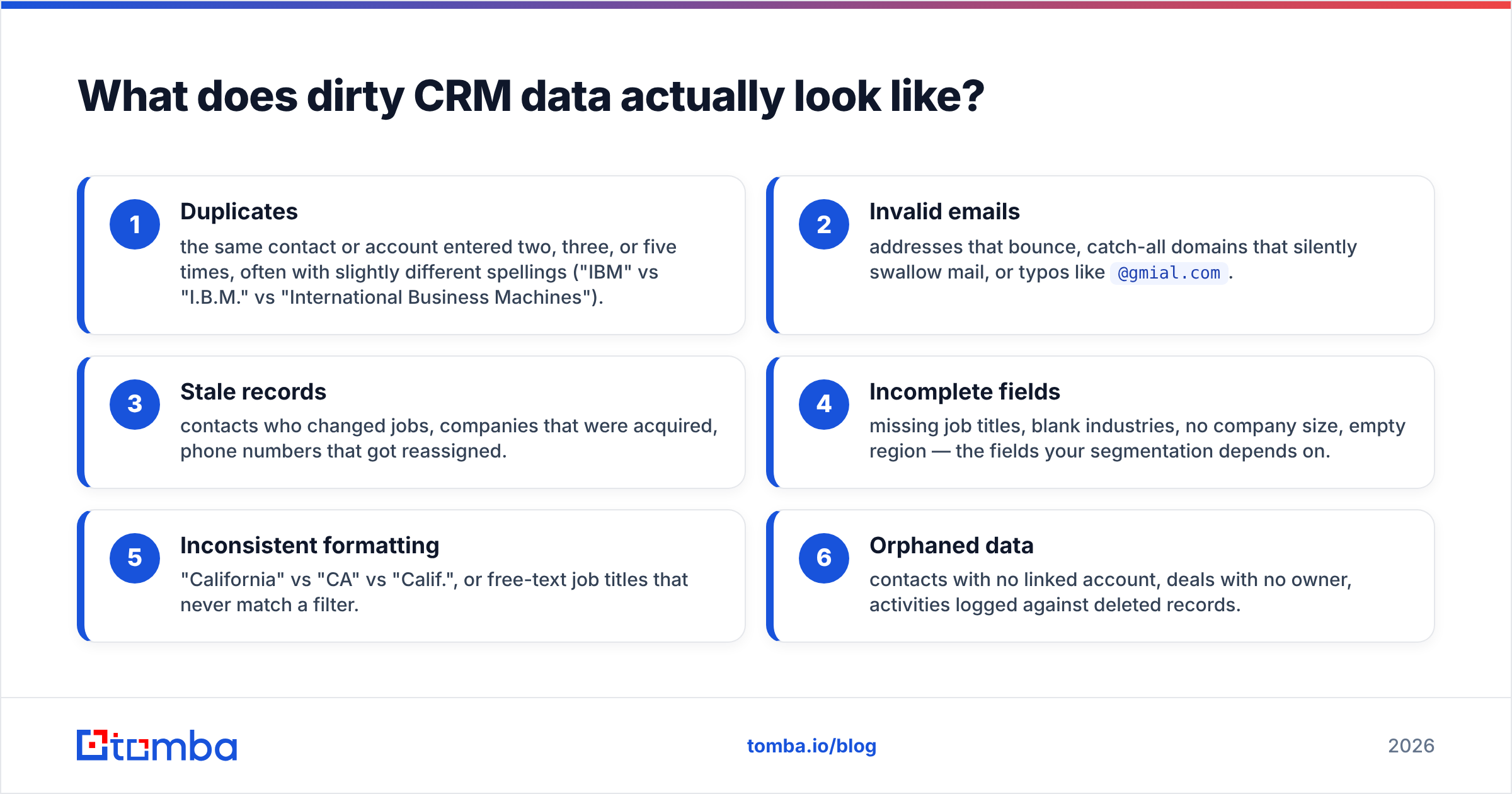
Before you fix anything, name the problem. Dirty data usually falls into six recognizable buckets:
- Duplicates — the same contact or account entered two, three, or five times, often with slightly different spellings ("IBM" vs "I.B.M." vs "International Business Machines").
- Invalid emails — addresses that bounce, catch-all domains that silently swallow mail, or typos like
@gmial.com. - Stale records — contacts who changed jobs, companies that were acquired, phone numbers that got reassigned.
- Incomplete fields — missing job titles, blank industries, no company size, empty region — the fields your segmentation depends on.
- Inconsistent formatting — "California" vs "CA" vs "Calif.", or free-text job titles that never match a filter.
- Orphaned data — contacts with no linked account, deals with no owner, activities logged against deleted records.
If you can put a percentage next to each of these buckets, you already have the beginnings of a data health score. That number is what turns hygiene from a vague complaint into a tracked metric.
What are the core CRM data hygiene best practices?#
Here's the operating playbook. The order matters — clean before you enrich, standardize before you scale.
1. Deduplicate first#
Duplicates are the single most damaging hygiene issue because they corrupt every downstream count: pipeline value, lead volume, email frequency. Run a dedupe pass using fuzzy matching on email, company domain, and normalized name — not just exact string matches. Most CRMs have native merge tools; for messy imports, a dedicated pass with a remove-duplicates tool before the data ever hits the CRM is cleaner than merging after the fact.
Rule of thumb: never bulk-import a list without deduping it against existing records first.
2. Verify every email before it enters the CRM#
An unverified email is a liability. It can bounce, trigger spam traps, and drag down the email deliverability of your entire domain. Run addresses through an email verifier at the point of entry and on a recurring schedule for existing records. Verification catches invalid syntax, dead mailboxes, and risky catch-all domains before your reps waste a send on them.
3. Standardize on input with validation rules#
The cheapest cleanup is the one you never have to do. Enforce picklists instead of free-text fields for country, state, industry, and lead source. Add format validation for phone numbers and required-field rules so a record can't be saved half-empty. Standardization at entry prevents the "CA vs California" chaos that makes filtering impossible later.
4. Enrich strategically, not indiscriminately#
Once records are deduped and verified, fill the gaps. Data enrichment appends missing firmographics — company size, industry, revenue, technologies used — so segmentation and scoring actually work. But enrich after cleanup: enriching a duplicate just gives you two well-decorated duplicates.
5. Establish ownership and accountability#
Every record needs an owner, and someone (a RevOps lead or data steward) needs to own the system. Data hygiene fails when it's everyone's job, which means it's no one's job. Assign it.
6. Automate recurring audits#
Manual quarterly scrubs are better than nothing, but they let decay accumulate for 89 days at a time. Schedule automated verification and dedupe sweeps — weekly or monthly — using bulk verification so hygiene runs in the background instead of as a fire drill.

Manual cleanup vs automated hygiene: which wins?#
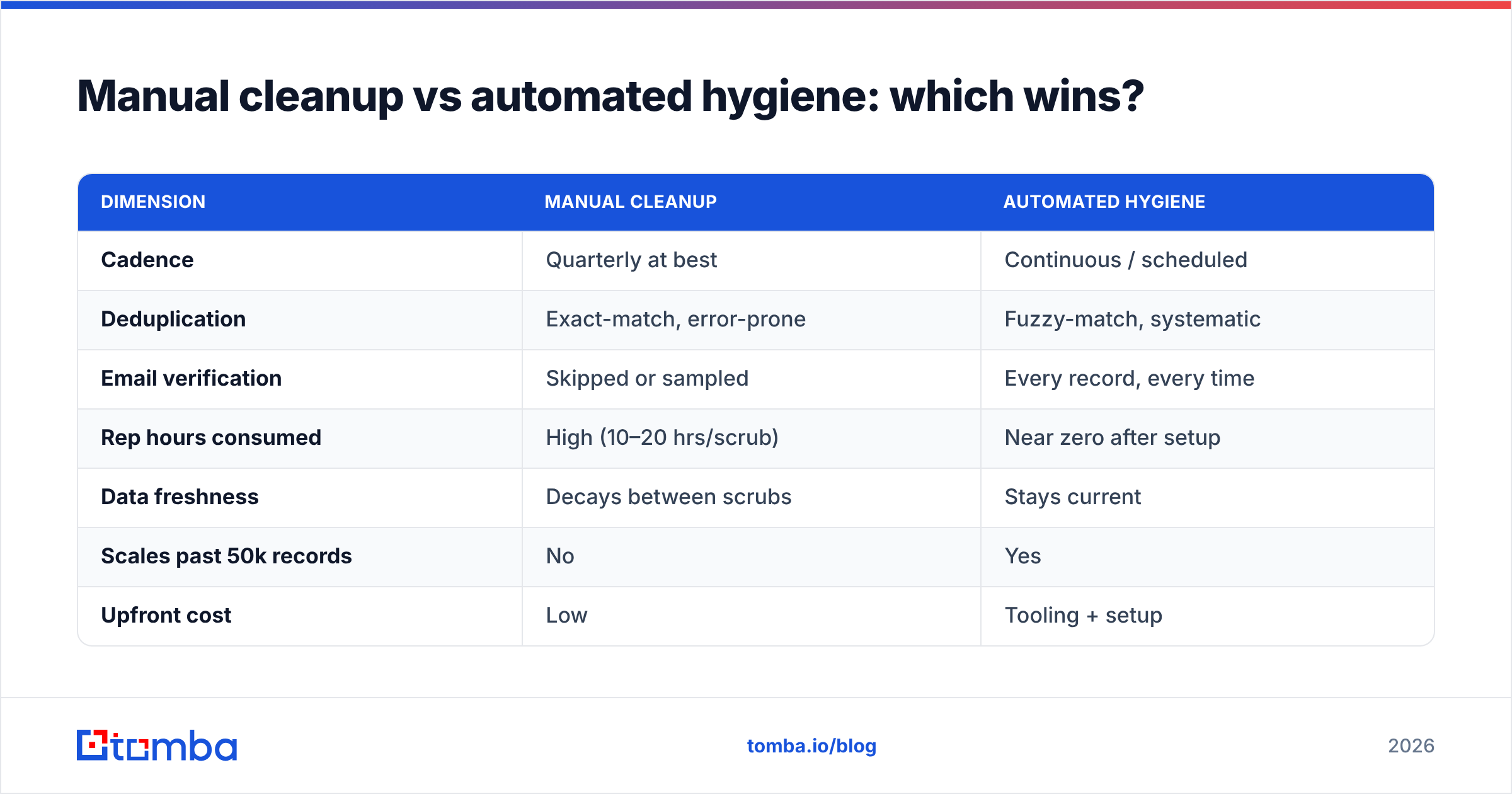
Most teams start with manual cleanup and eventually hit a wall — it doesn't scale, and it's demoralizing work. Here's how the two approaches compare across the dimensions that matter.
| Dimension | Manual Cleanup | Automated Hygiene |
|---|---|---|
| Cadence | Quarterly at best | Continuous / scheduled |
| Deduplication | Exact-match, error-prone | Fuzzy-match, systematic |
| Email verification | Skipped or sampled | Every record, every time |
| Rep hours consumed | High (10–20 hrs/scrub) | Near zero after setup |
| Data freshness | Decays between scrubs | Stays current |
| Scales past 50k records | No | Yes |
| Upfront cost | Low | Tooling + setup |
| Ongoing cost | High (labor) | Low (per-record) |
The verdict: manual work is fine for a one-time cleanup of a small list, but any team importing leads regularly needs automation. The break-even point arrives faster than most managers expect — usually the first time a rep spends a full day merging duplicates by hand.
How do you measure CRM data quality?#
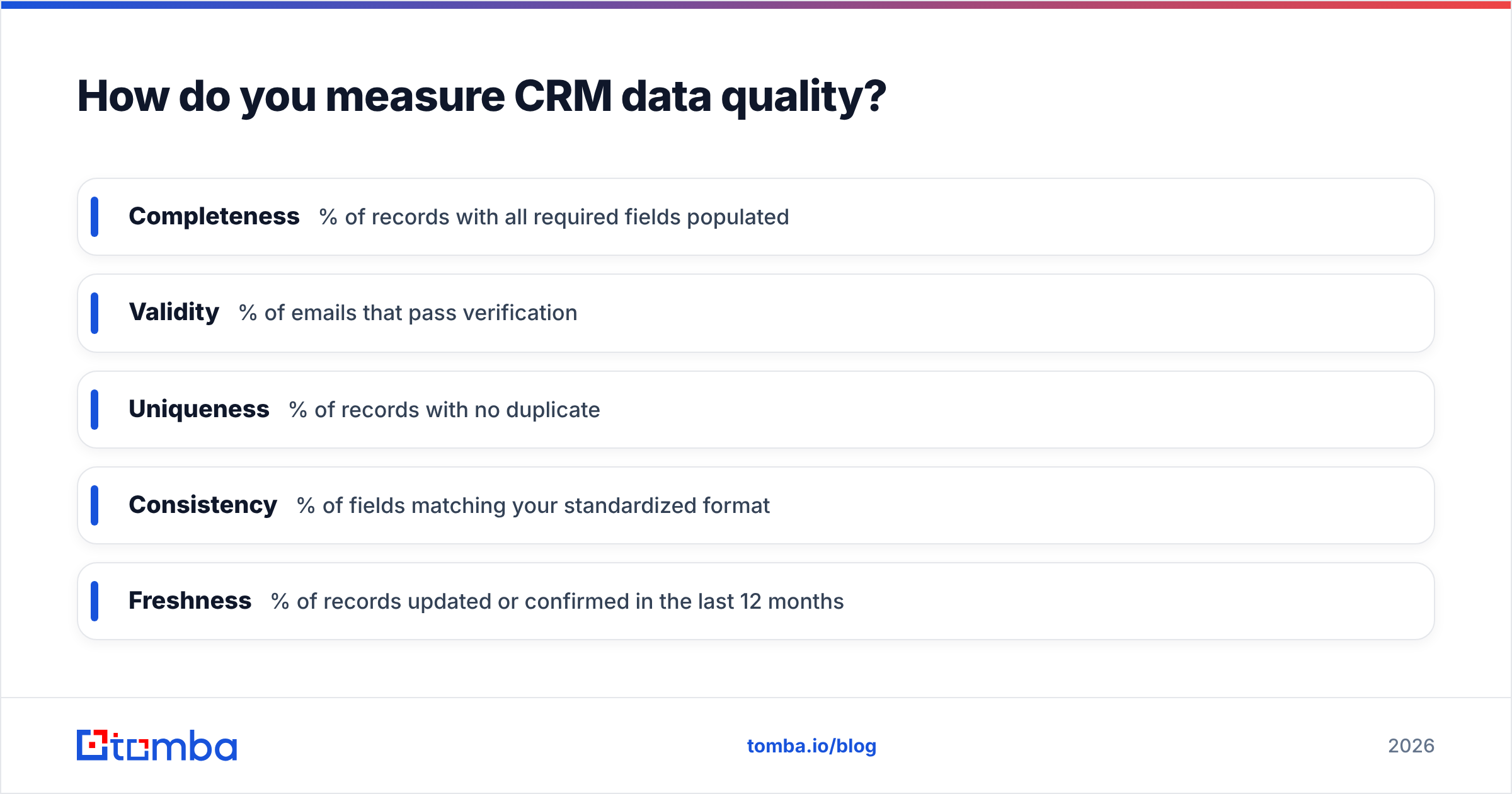
You can't improve what you don't measure. Build a simple data health score from five weighted components, tracked monthly:
- Completeness — % of records with all required fields populated
- Validity — % of emails that pass verification
- Uniqueness — % of records with no duplicate
- Consistency — % of fields matching your standardized format
- Freshness — % of records updated or confirmed in the last 12 months
Roll these into a single 0–100 score and put it on a dashboard leadership sees. When the number dips, you know hygiene slipped before it costs you a quarter's forecast. This reframes data hygiene as a revenue-operations KPI — which is exactly what platforms like HubSpot and Salesforce now build native tooling around.
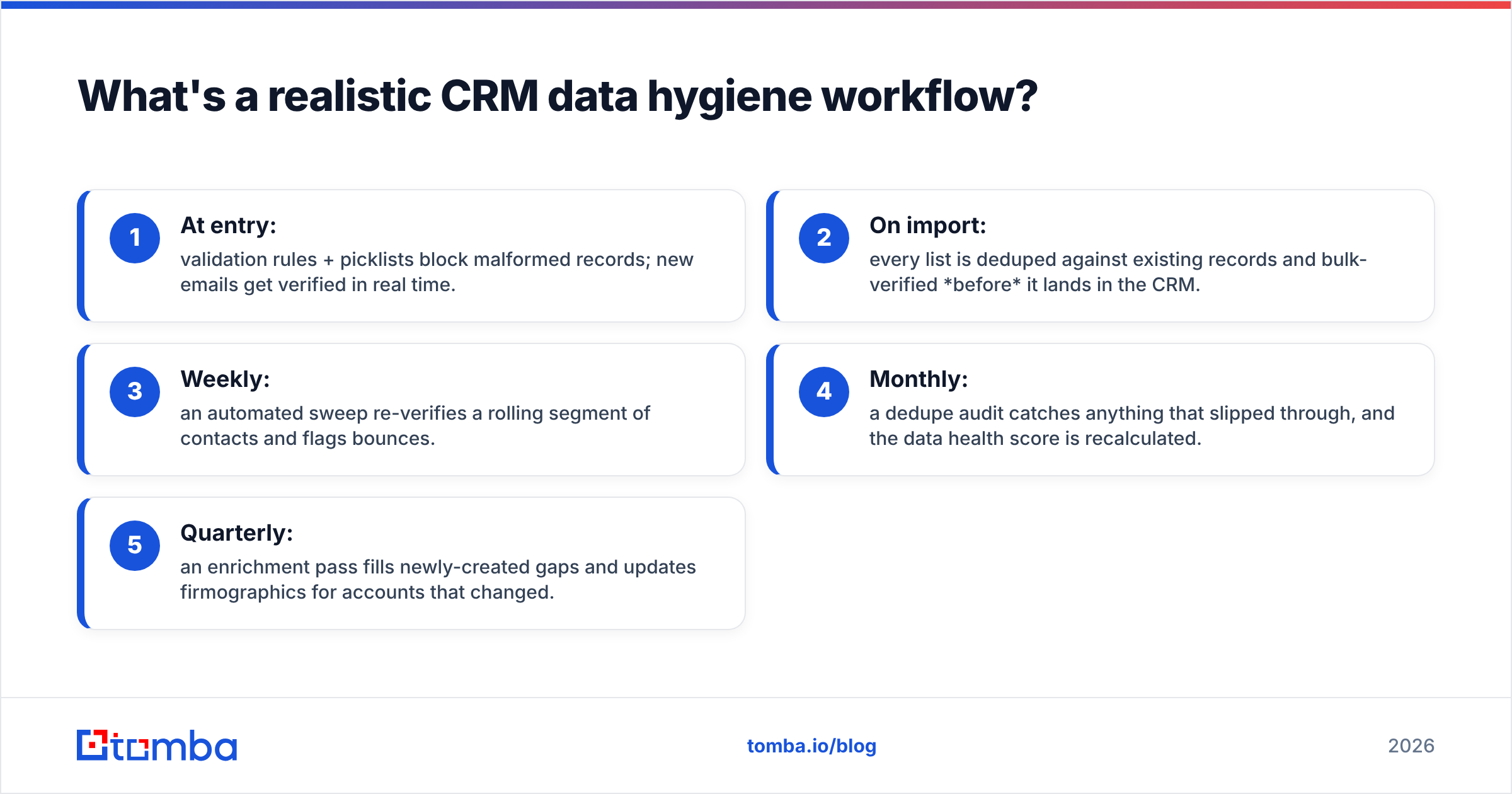
What's a realistic CRM data hygiene workflow?#
Tie the practices together into a repeatable loop. Here's a workflow that runs mostly on autopilot:
- At entry: validation rules + picklists block malformed records; new emails get verified in real time.
- On import: every list is deduped against existing records and bulk-verified before it lands in the CRM.
- Weekly: an automated sweep re-verifies a rolling segment of contacts and flags bounces.
- Monthly: a dedupe audit catches anything that slipped through, and the data health score is recalculated.
- Quarterly: an enrichment pass fills newly-created gaps and updates firmographics for accounts that changed.
If you run HubSpot or Salesforce, wire verification into the pipeline directly — the HubSpot integration and Salesforce integration let you verify and enrich without exporting to a spreadsheet and back.
What are the most common CRM hygiene mistakes?#
Even well-intentioned teams sabotage themselves. Watch for these:
- Enriching before deduping. You end up paying to enrich duplicate records. Always clean first.
- Treating hygiene as a project, not a process. A one-time scrub feels great for a month, then decay resumes. Only recurring automation holds the line.
- Verifying at import but never again. A verified email in January can be dead by June. Re-verify on a schedule.
- No standardization at entry. If reps can type anything, they will. Picklists and validation are non-negotiable.
- Ignoring catch-all domains. They pass basic checks but hide undeliverable mailboxes — use a dedicated catch-all verifier to assess risk.
- No owner. Without a named data steward, hygiene quietly falls off everyone's plate.
How often should you clean your CRM?#
The honest answer: continuously for new data, and on a rolling schedule for existing records. Given a 22–30% annual decay rate, a record you verified a year ago has a roughly one-in-four chance of being wrong today. A practical baseline:
- Real-time verification and validation for anything entering the CRM
- Weekly re-verification of a rolling ~2% of your database (so the whole thing cycles yearly)
- Monthly dedupe audits and health-score recalculation
- Quarterly enrichment refresh for account-level firmographics
Adjust the cadence to your import volume. Teams onboarding thousands of leads a month need tighter loops than a team adding fifty.
Keep your CRM clean without the manual grind#
CRM data hygiene isn't a heroic quarterly cleanup — it's a quiet system that runs in the background and keeps every downstream decision trustworthy. The teams that win aren't the ones who scrub hardest; they're the ones who automated cleanup so decay never accumulates in the first place.
Start where the ROI is highest: verify and dedupe before records ever hit your CRM. Tomba's Email Finder and email verification tools plug straight into that workflow — find accurate contacts, verify them at the point of entry, and push clean, enriched records into HubSpot or Salesforce automatically. You can test it on the free tier (25 searches/month) before scaling up, so your next import is clean before it ever touches your pipeline.
Clean data doesn't just feel better. It forecasts better, converts better, and protects the sender reputation your whole outbound engine depends on.
Related guides#
Ready to find emails that actually work?
Join 150,000+ professionals who stopped guessing and started sending. Free credits on signup — no credit card required.
Get the Tomba newsletter
Practical outbound tactics and product updates — once every two weeks.
About the author