CRM Database Enrichment: The Complete 2026 Playbook
CRM data rots faster than most teams admit. Here's how CRM database enrichment works in 2026, what it costs, and how to fix decay without breaking your pipeline.
Your CRM looks full. That is not the same as your CRM being useful. Somewhere between the lead form, the trade-show badge scan, and the rep who typed "jsmith@gmial.com" at 4:58 PM on a Friday, the data that should power your pipeline quietly turned into a liability. CRM database enrichment is how you fix it — systematically, and without deleting half your records in a panic.
This guide walks through what enrichment actually is, why records decay, how the major approaches compare, what it costs in 2026, and a step-by-step process you can run this quarter.
TL;DR#
- CRM database enrichment fills in missing fields (email, phone, title, company size, tech stack) and corrects stale ones so records are complete, accurate, and actionable.
- B2B data decays roughly 20–30% per year — people change jobs, companies rebrand, domains move. A CRM you enriched in 2024 is already partly fiction.
- The three core methods are manual, integrated (native CRM add-ons), and API/provider-based enrichment. Most teams end up blending them.
- Cost ranges from free browser tools to five-figure annual contracts. Match spend to how many records you actually act on, not how many you store.
- Start by verifying emails first, then enrich the survivors. Enriching bad records is paying to polish garbage.
What is CRM database enrichment?#
CRM database enrichment is the process of adding missing information to existing contact and company records — and correcting information that has gone stale — using external data sources.
Think of your CRM as a library where half the books lost their covers, a third have the wrong author printed on the spine, and some were shelved under a company that got acquired two years ago. Enrichment is the librarian who walks the aisles, checks each spine against a trusted catalog, reprints the missing covers, and moves the acquired-company books to their new section. You end up with the same shelves, just readable.
Technically, enrichment matches a record you already have (say, a name and a company domain) against a data provider, then writes back the fields you were missing: verified work email, direct phone, job title, seniority, department, company headcount, industry, revenue band, funding stage, and technographics. Good enrichment also flags records it can't confirm, so you know what to distrust.
There are two moments enrichment happens:
- Point-of-entry enrichment — a new lead comes in and gets enriched instantly, before it hits a rep's queue.
- Batch (or "refresh") enrichment — you periodically re-run your whole database to catch decay.
You need both. Point-of-entry keeps new data clean; batch refresh stops old data from silently rotting.
Why does CRM data decay so fast?#
Because the world moves and your database does not. According to widely cited B2B benchmarks, contact data degrades around 22–30% every year. The causes are boringly human:
- Job changes. A VP you sourced last spring is now at a competitor. Their old email bounces; their replacement isn't in your system.
- Company events. Mergers, acquisitions, rebrands, and domain migrations orphan entire account lists.
- Entry errors. Typos, autofill mistakes, fake numbers ("555-555-5555"), and personal Gmail addresses masquerading as work emails.
- Deliberate junk. Prospects who don't want to talk to sales enter garbage to get the gated PDF.
Left alone, decay compounds. Bad phone numbers waste cold-calling blocks. Invalid emails drag down your sender reputation and hurt email deliverability across every campaign — including the ones sent to good addresses. Missing firmographics break your lead scoring and routing. The CRM stops being a source of truth and becomes a source of arguments.
What fields should you actually enrich?#
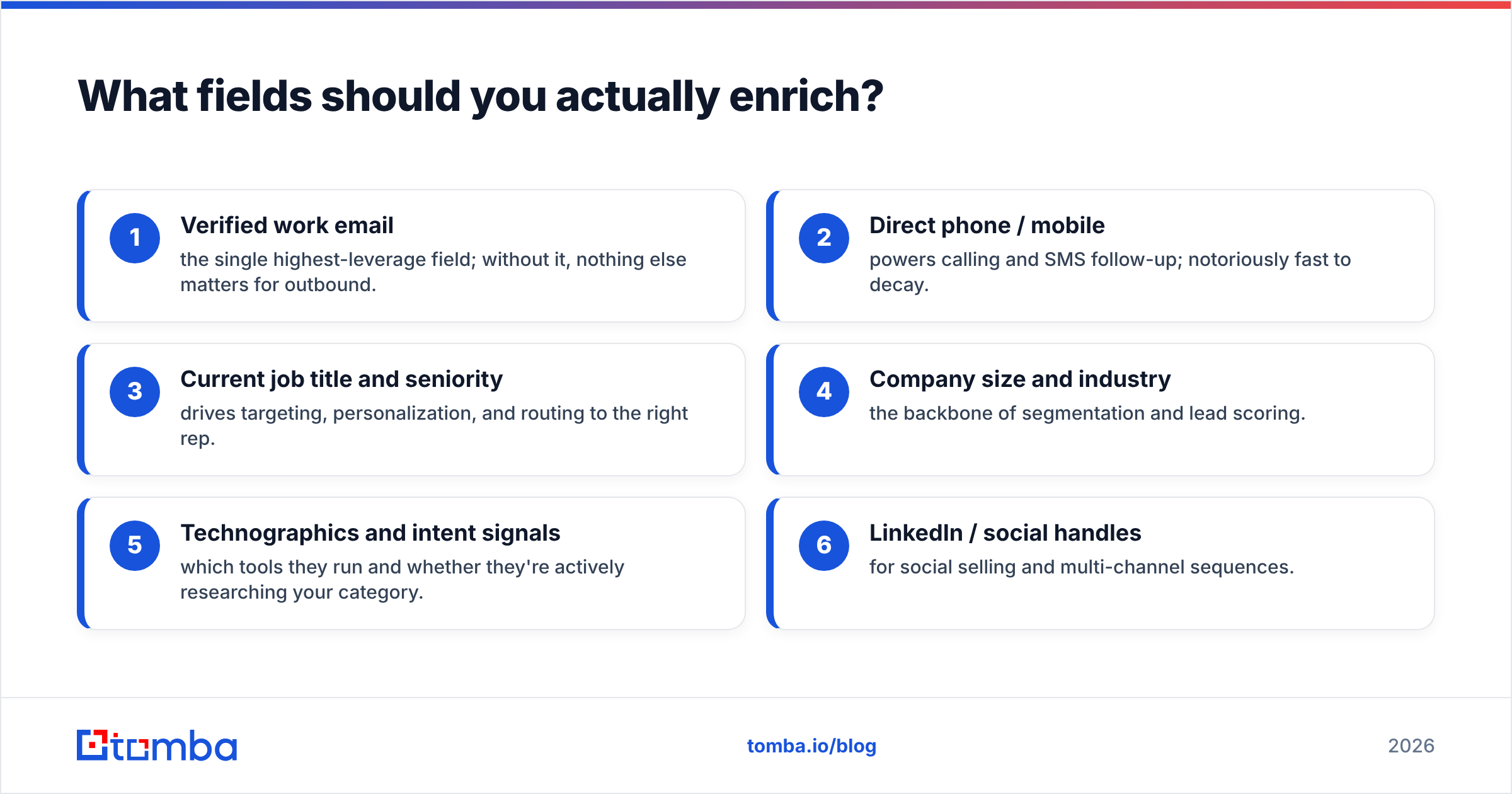
Not all fields earn their keep. Enrich what changes a decision or an action, and skip vanity data. A practical priority order:
- Verified work email — the single highest-leverage field; without it, nothing else matters for outbound.
- Direct phone / mobile — powers calling and SMS follow-up; notoriously fast to decay.
- Current job title and seniority — drives targeting, personalization, and routing to the right rep.
- Company size and industry — the backbone of segmentation and lead scoring.
- Technographics and intent signals — which tools they run and whether they're actively researching your category.
- LinkedIn / social handles — for social selling and multi-channel sequences.
Resist the urge to enrich 40 fields "just in case." Every field you write is a field you now have to keep clean.
How do the enrichment approaches compare?#
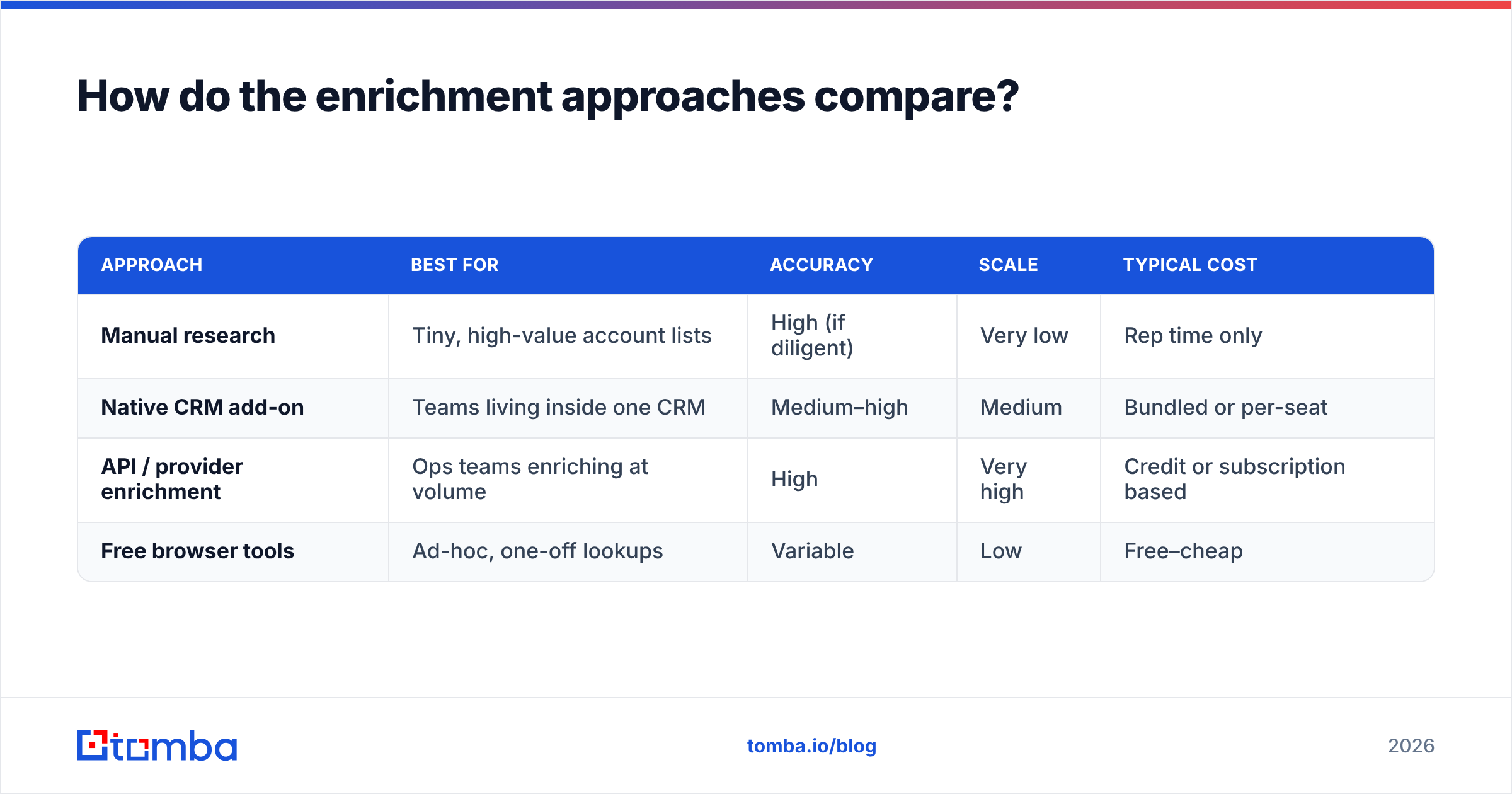
There are three practical ways to enrich a CRM, and they trade off cost, control, and scale. Here is how they stack up.
| Approach | Best for | Accuracy | Scale | Typical cost |
|---|---|---|---|---|
| Manual research | Tiny, high-value account lists | High (if diligent) | Very low | Rep time only |
| Native CRM add-on | Teams living inside one CRM | Medium–high | Medium | Bundled or per-seat |
| API / provider enrichment | Ops teams enriching at volume | High | Very high | Credit or subscription based |
| Free browser tools | Ad-hoc, one-off lookups | Variable | Low | Free–cheap |
Manual research — a rep opens LinkedIn, the company site, and a couple of tools, and hand-builds the record. It's accurate for a 30-account named list and completely unworkable for 30,000 rows.
Native add-ons live inside platforms like HubSpot or Salesforce and auto-fill records from the vendor's own data pool. Convenient, but you're locked to that vendor's coverage and refresh cadence.
API/provider enrichment is the workhorse for anyone operating at scale. You send records to a provider — via bulk upload, a Tomba API call, or a native connector — and get enriched, verified fields back. This is where a tool like Tomba's data enrichment fits: you pass a name and domain, it returns a verified email plus firmographic context, and you write it back to the CRM automatically.
Most mature teams blend all three: manual for strategic accounts, an API pipeline for the long tail, and native sync so reps never leave their CRM.
Verify first, enrich second#
Here is the mistake that quietly wastes the most money: enriching records you should have deleted.
If a contact's email is already invalid and the person has left the company, enriching their old title and phone is polishing a headstone. The correct order is:
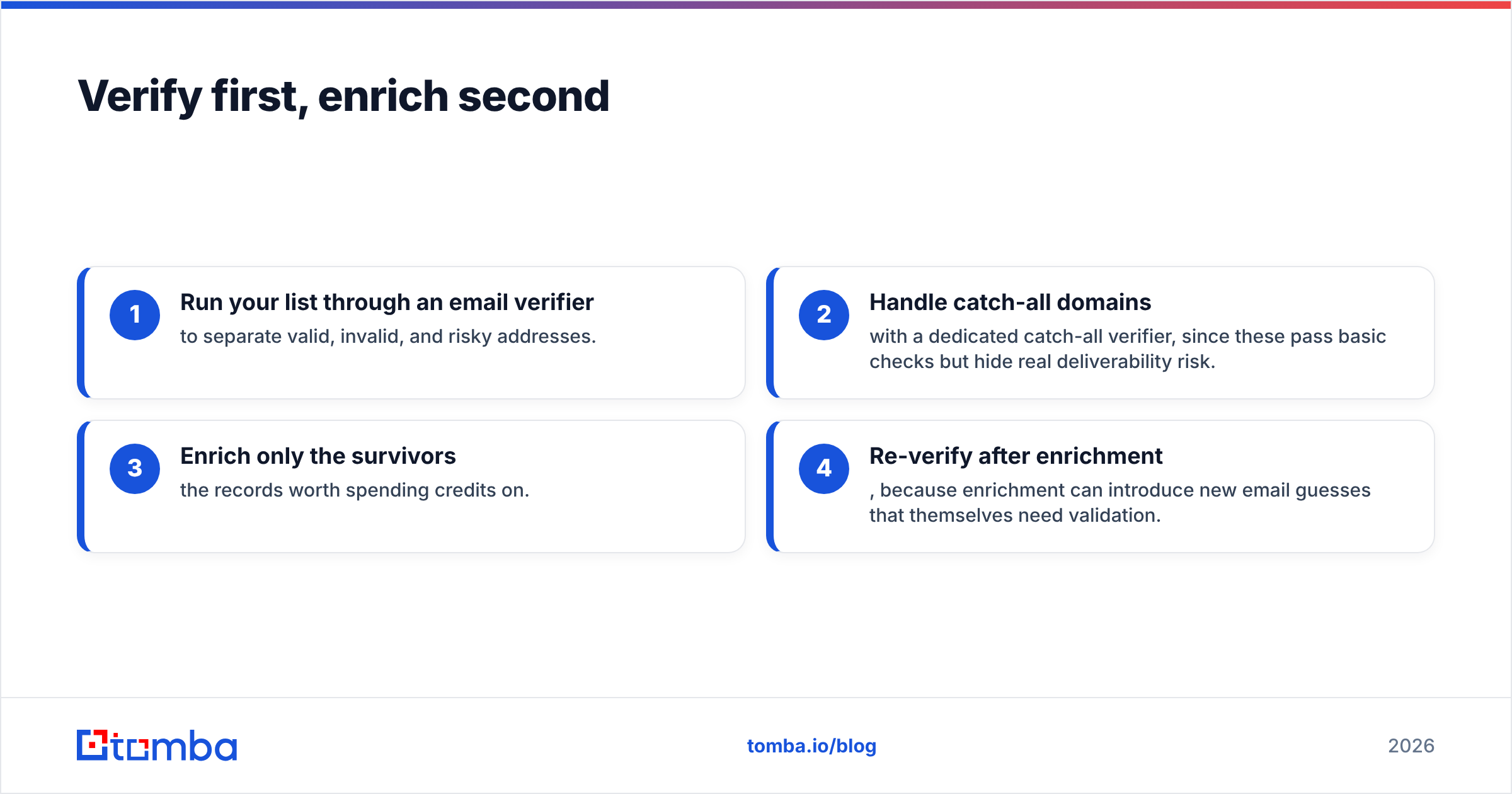
- Run your list through an email verifier to separate valid, invalid, and risky addresses.
- Handle catch-all domains with a dedicated catch-all verifier, since these pass basic checks but hide real deliverability risk.
- Enrich only the survivors — the records worth spending credits on.
- Re-verify after enrichment, because enrichment can introduce new email guesses that themselves need validation.
Verification is cheap relative to the cost of a damaged sender reputation. Do it first, every time.

How much does CRM database enrichment cost in 2026?#
Enrichment pricing splits into two models: credit-based (pay per successful record) and subscription/seat-based (flat monthly access, sometimes with caps). Neither is inherently cheaper — it depends on your volume and how "spiky" your enrichment needs are.
For reference, here's how a credit-forward provider like Tomba is structured:
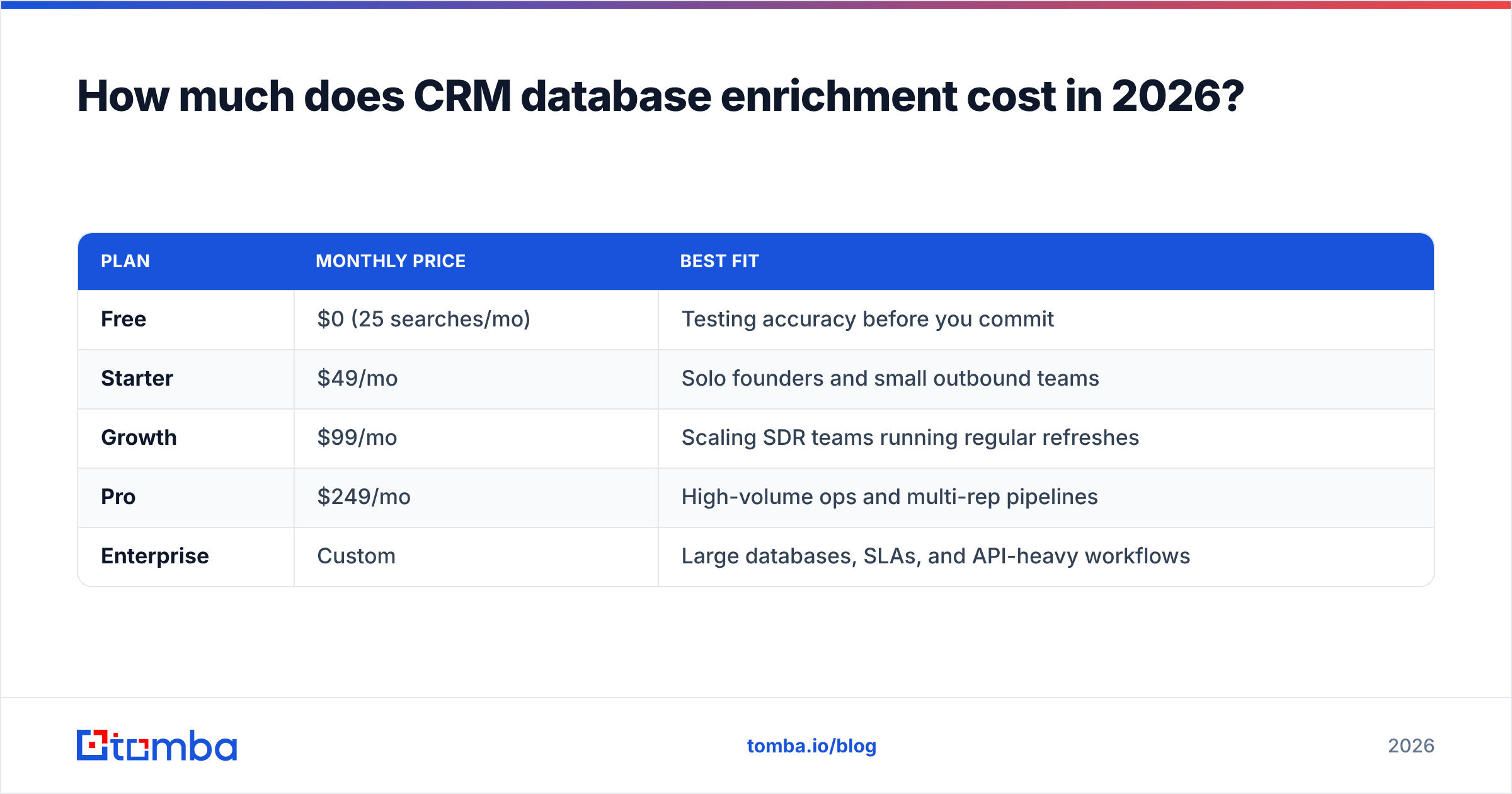
| Plan | Monthly price | Best fit |
|---|---|---|
| Free | $0 (25 searches/mo) | Testing accuracy before you commit |
| Starter | $49/mo | Solo founders and small outbound teams |
| Growth | $99/mo | Scaling SDR teams running regular refreshes |
| Pro | $249/mo | High-volume ops and multi-rep pipelines |
| Enterprise | Custom | Large databases, SLAs, and API-heavy workflows |
You can compare the tiers in full on the Tomba pricing page. Independent reviews on G2 are a useful sanity check on any vendor's real-world accuracy claims before you sign.
The buying rule that saves budgets: price against records you'll act on, not records you store. A 200,000-row CRM where reps only touch 5,000 accounts a quarter does not need a 200,000-record enrichment contract. Enrich the active segment on a schedule and let the dormant tail sit until it's activated.
What does a good enrichment workflow look like?#
A repeatable enrichment cycle beats a heroic one-time cleanup that decays right back. Here's a workflow you can run quarterly:
- Segment. Split the CRM into active (touched in the last 90 days), dormant, and net-new. Prioritize active.
- Verify. Push emails through email verification; quarantine invalids instead of deleting them outright.
- De-duplicate. Merge duplicate contacts and accounts before enriching, so you don't pay to enrich the same person twice. A remove-duplicates tool handles this quickly.
- Enrich. Run survivors through your provider for missing email, phone, title, and firmographics — via bulk upload or an integration.
- Write back and stamp. Sync enriched fields to the CRM and record an "enriched on" date so you know each record's freshness.
- Automate point-of-entry. Wire enrichment into your lead intake (via Zapier, HubSpot, or the API) so new records are clean from day one.
- Schedule the next refresh. Set a recurring calendar reminder. Enrichment is maintenance, not a project.
Skipping steps 5 and 7 is why most "we cleaned the CRM" initiatives fail — nobody stamps freshness, and nobody schedules the next pass.
What are the biggest enrichment mistakes to avoid?#
- Enriching everything at once. You'll blow your budget on dormant records. Segment first.
- Trusting a single source. Every provider has coverage gaps by geography and seniority. Spot-check against a second source or the company's own site for critical accounts.
- Overwriting good data. Configure your sync to fill blank fields and only overwrite when the new value is verified — never blindly clobber a rep's hand-entered note.
- Ignoring compliance. Enrichment touches personal data. Follow GDPR/CCPA rules, honor opt-outs, and document your lawful basis. Gartner and other analysts consistently flag data governance as the deciding factor in whether enrichment programs survive audit.
- No feedback loop. If reps flag a wrong number and nothing happens, they stop trusting the whole database. Route corrections back to the source.
Is CRM enrichment worth it?#
Short answer: yes, if you act on the data — and no, if enriched records just sit there.
The value shows up in three places. First, rep efficiency: no more manual lookups mid-call, no more chasing dead numbers. Second, campaign performance: clean emails protect sender reputation and lift reply rates. Third, forecasting and routing: complete firmographics make lead scoring and territory assignment trustworthy instead of decorative.
The teams that get the least from enrichment are the ones treating it as a one-time cleanup or a checkbox for the ops audit. Decay is continuous, so enrichment has to be too. Build it into your intake and your quarterly cadence, and the CRM stays a source of truth instead of drifting back into a source of arguments.
Where should you start?#
Start narrow and prove it. Take your active segment, verify the emails, enrich the survivors, and measure the lift in connect and reply rates before you scale to the full database. A focused pilot on a few thousand records tells you more about a provider's real accuracy than any sales deck.
If email coverage is your weakest field — and for most B2B teams it is — the fastest win is a reliable email finder. Tomba's Email Finder turns a name and company domain into a verified professional email, backed by a real email verifier and a B2B database you can query in bulk or through the API. Spin up the free tier, enrich a test batch, and check the results against your own known-good contacts. If the accuracy holds, wire it into your CRM and let the pipeline stay clean on its own. Your reps — and your sender reputation — will notice the difference within a quarter.
Related guides#
Ready to find emails that actually work?
Join 150,000+ professionals who stopped guessing and started sending. Free credits on signup — no credit card required.
Get the Tomba newsletter
Practical outbound tactics and product updates — once every two weeks.
About the author