CRM for Sales Management: The 2026 Guide for Sales Leaders
A CRM only helps your team sell if the data inside it is clean. Here's how to choose, configure, and feed a CRM for sales management in 2026 — with a side-by-side comparison of the platforms reps actually use.
Your CRM is only as good as the data you pour into it. You can buy the most expensive platform on the market, wire up every automation, and build gorgeous dashboards — and none of it matters if the contact records are half-empty, the emails bounce, and your reps are guessing at who to call next.
This guide is about picking a CRM for sales management that actually moves pipeline, then keeping it honest with clean, verified data. No vendor hype, no "digital transformation" filler. Just what a sales leader needs to decide.
TL;DR#
- A CRM for sales management is the system of record for your pipeline: accounts, contacts, deals, activities, and forecasts in one place your whole team trusts.
- The best platform depends on team size and process maturity — Pipedrive for lean teams, HubSpot for scaling GTM, Salesforce for complex enterprise motions.
- Features matter less than adoption and data quality. A CRM your reps skip is worse than a spreadsheet.
- Garbage in, garbage out: stale contacts and bad emails quietly kill forecast accuracy. Enrichment and verification are not optional.
- Feed your CRM with a data enrichment and email verifier layer so every record is complete and reachable before a rep ever touches it.
What is a CRM for sales management?#
A CRM (customer relationship management platform) for sales management is the single place where your team tracks every prospect, deal, and interaction from first touch to closed-won. Think of it as the flight-control tower for revenue: individual reps fly their own planes, but the manager needs one screen showing every aircraft, its altitude, and its ETA.
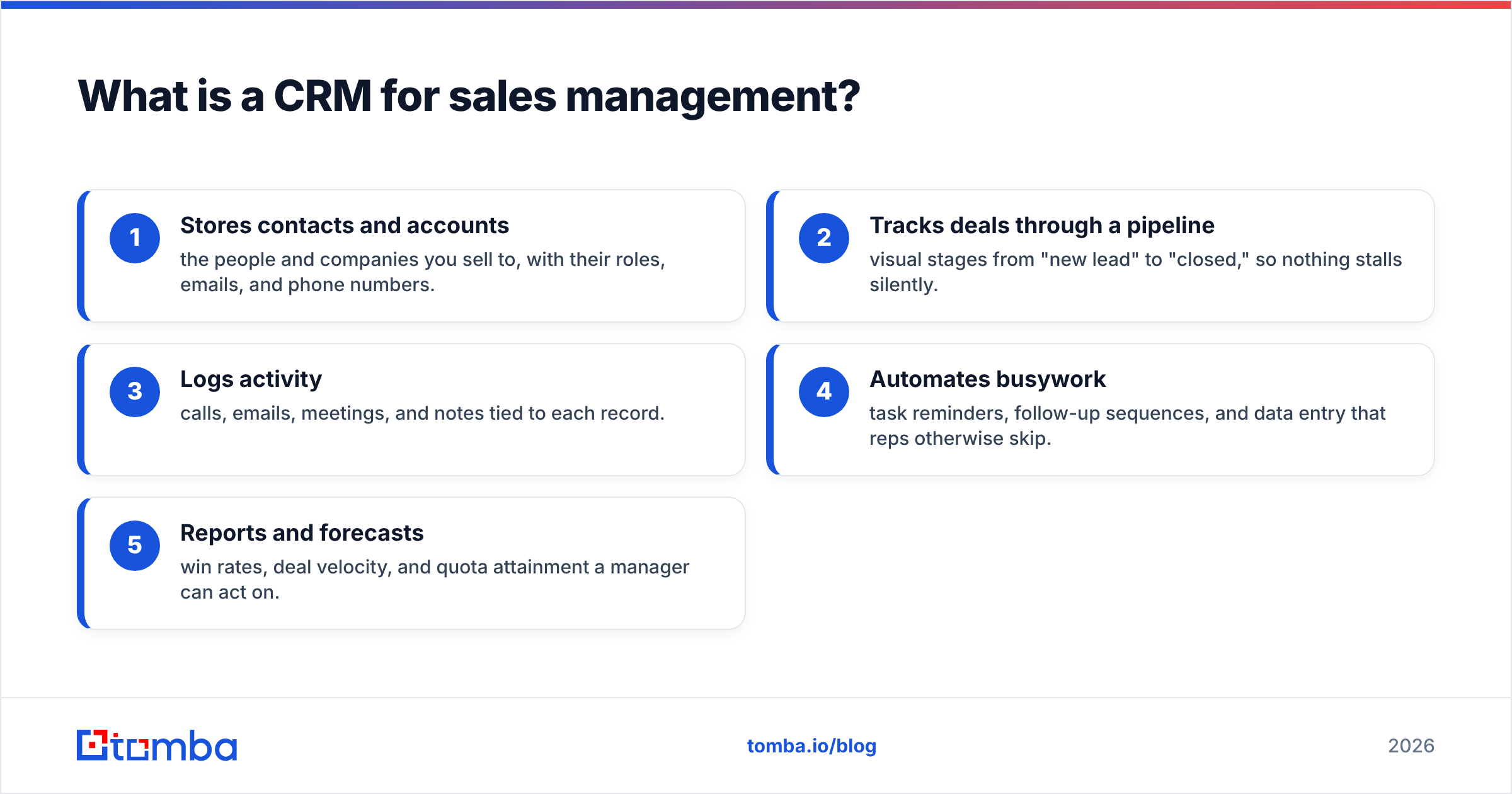
Practically, a sales-focused CRM does five jobs:
- Stores contacts and accounts — the people and companies you sell to, with their roles, emails, and phone numbers.
- Tracks deals through a pipeline — visual stages from "new lead" to "closed," so nothing stalls silently.
- Logs activity — calls, emails, meetings, and notes tied to each record.
- Automates busywork — task reminders, follow-up sequences, and data entry that reps otherwise skip.
- Reports and forecasts — win rates, deal velocity, and quota attainment a manager can act on.
If you want the textbook definition of the category, the CRM glossary entry breaks it down further. But the definition is the easy part. The hard part is choosing one and making your team use it.
Why does data quality decide CRM success?#
Because a CRM is a database, and a database full of wrong answers produces wrong decisions. Ask any sales manager where their forecast went sideways and you'll usually trace it back to dirty records: a contact who left the company six months ago, an email that bounces, a deal owner who never updated the stage.
Industry research backs this up. Gartner and other analysts have long flagged CRM data decay as one of the top reasons sales tech underdelivers — B2B contact data goes stale at roughly 2–3% per month as people change jobs. Over a year, that's a third of your database quietly rotting.
Three symptoms tell you data quality is the real problem, not the software:
- Reps don't trust the CRM, so they keep their "real" pipeline in a personal spreadsheet.
- Emails bounce and outreach numbers crater, because addresses were guessed or never verified.
- Forecasts miss because half the "active" deals are attached to contacts who are unreachable.
The fix is a discipline, not a feature toggle. Every contact entering the CRM should be complete (name, role, company, email, phone) and verified (the email actually resolves). You can enforce that at the point of entry with a bulk email finder for net-new lists and an email verifier that scrubs addresses before they hit a rep's queue.
How do the top CRMs for sales management compare?#
There is no single "best" CRM — there's the best fit for your team's size, deal complexity, and budget. Here's an honest side-by-side of the three platforms most B2B sales teams shortlist, plus a lightweight option for very small teams.
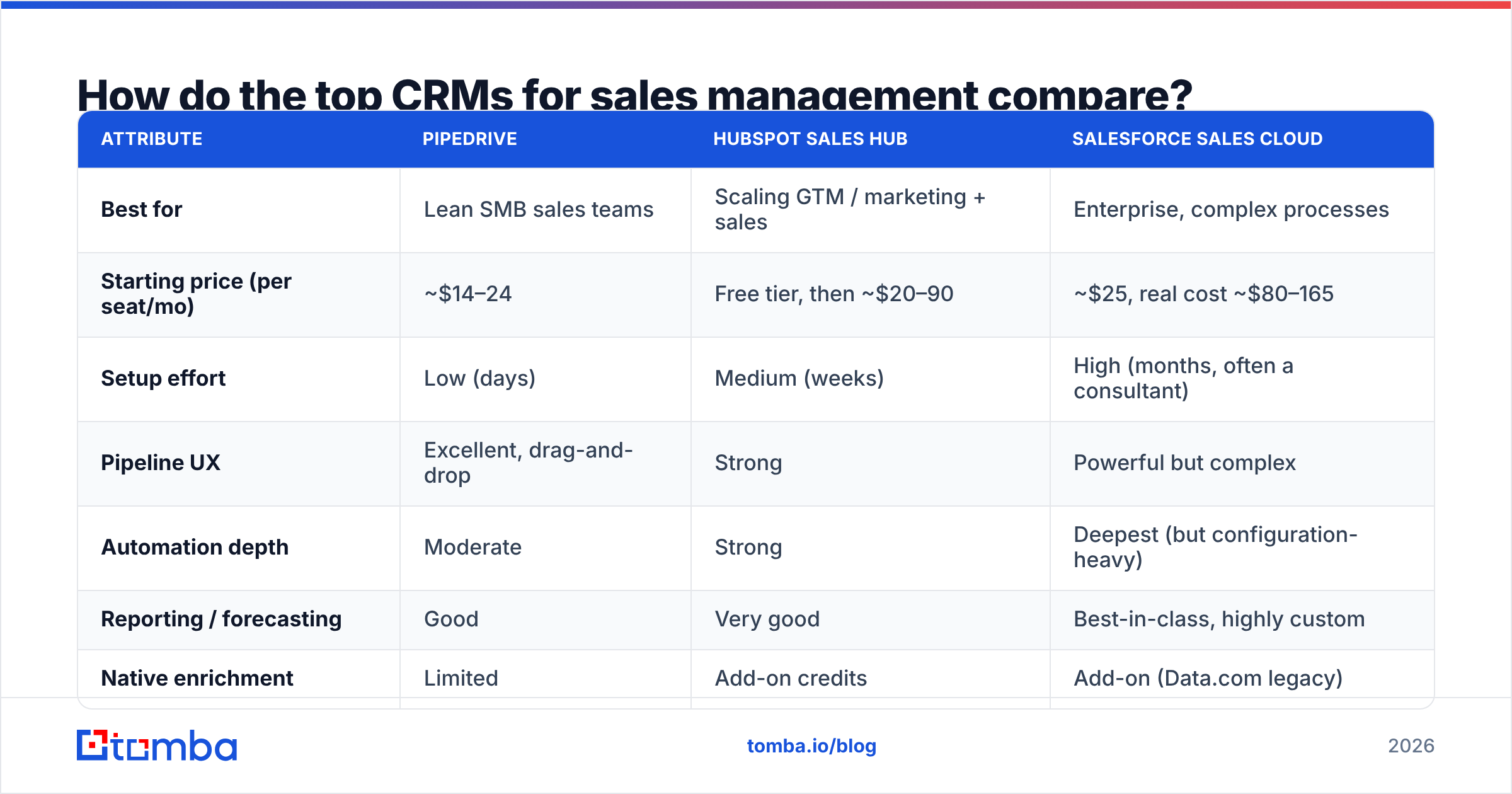
| Attribute | Pipedrive | HubSpot Sales Hub | Salesforce Sales Cloud |
|---|---|---|---|
| Best for | Lean SMB sales teams | Scaling GTM / marketing + sales | Enterprise, complex processes |
| Starting price (per seat/mo) | ~$14–24 | Free tier, then ~$20–90 | ~$25, real cost ~$80–165 |
| Setup effort | Low (days) | Medium (weeks) | High (months, often a consultant) |
| Pipeline UX | Excellent, drag-and-drop | Strong | Powerful but complex |
| Automation depth | Moderate | Strong | Deepest (but configuration-heavy) |
| Reporting / forecasting | Good | Very good | Best-in-class, highly custom |
| Native enrichment | Limited | Add-on credits | Add-on (Data.com legacy) |
| Learning curve | Gentle | Moderate | Steep |
A few honest takeaways from the table:
- Pipedrive wins on speed-to-value. If your team is under ~20 reps and your deals are relatively simple, you'll be live in a week and reps will actually use the pipeline view. Wire it up with the Pipedrive integration to auto-fill missing emails.
- HubSpot is the sweet spot when sales and marketing share a funnel. The free tier is genuinely useful, and it scales without a forklift migration. See the HubSpot pricing for the current tiers, and connect it via the HubSpot integration.
- Salesforce is unmatched for complex, multi-team enterprise motions — but the sticker price hides implementation cost. Budget for admin time. The Salesforce integration keeps records enriched once you're live.
Whatever you pick, don't over-index on the feature matrix. G2 reviews on g2.com consistently show that adoption — not feature count — separates CRMs that deliver ROI from shelfware.
What features actually matter for sales managers?#
Vendors list 200 features. As a manager, you care about maybe eight. Prioritize a CRM that nails these, and treat the rest as nice-to-haves.
- Visual pipeline with custom stages — your reps should see every deal and its next step in one glance. If moving a deal takes more than a drag, adoption drops.
- Activity capture that's automatic — email and calendar sync so reps don't hand-log every touch. Manual logging is where CRM data goes to die.
- Forecasting you can trust — weighted pipeline, deal probability, and historical win-rate baselines. Tie forecasting to your win rate so the numbers are grounded in reality.
- Task and follow-up automation — reminders and sequences so no lead sits untouched.
- Role-based reporting — a rep sees their deals; a manager sees the team; a VP sees the region.
- Clean data enforcement — required fields, duplicate detection, and enrichment at entry.
- Integrations — email, dialer, marketing, and data tools that connect without custom code.
- Mobile access — field reps update deals from their phone or they don't update them at all.
Notice that half of these are about process and data discipline, not raw capability. That's deliberate. The CRM is a container; your job as a sales manager is to keep what's inside it accurate and current.
How do you keep CRM data clean and enriched?#
The winning play is to enrich and verify contacts before they enter the CRM, then re-verify on a schedule. Left alone, every database decays. A little upfront hygiene saves hours of wasted outreach and prevents forecast drift.
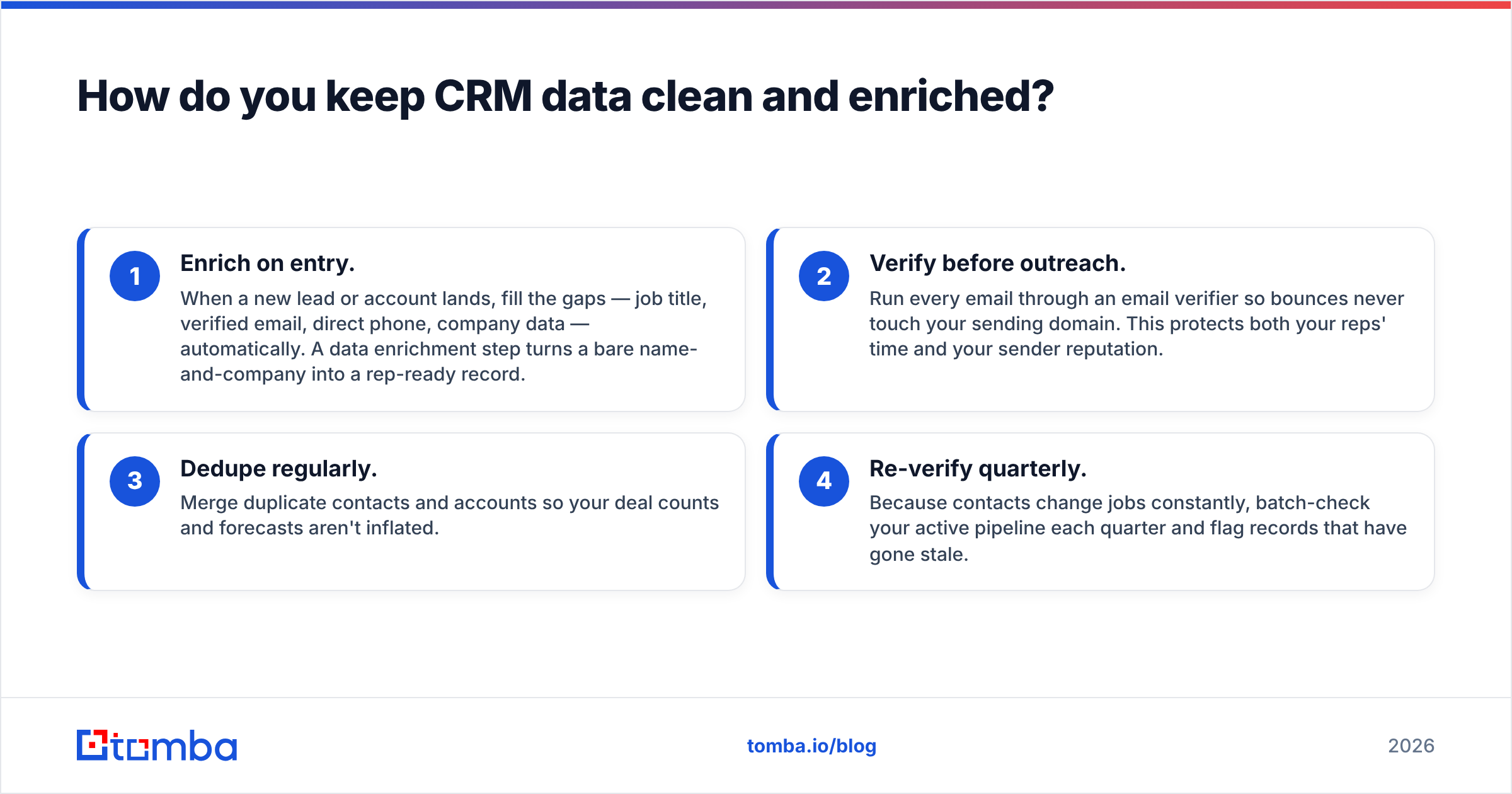
Here's a practical, four-step hygiene loop that works regardless of which CRM you chose:
- Enrich on entry. When a new lead or account lands, fill the gaps — job title, verified email, direct phone, company data — automatically. A data enrichment step turns a bare name-and-company into a rep-ready record.
- Verify before outreach. Run every email through an email verifier so bounces never touch your sending domain. This protects both your reps' time and your sender reputation.
- Dedupe regularly. Merge duplicate contacts and accounts so your deal counts and forecasts aren't inflated.
- Re-verify quarterly. Because contacts change jobs constantly, batch-check your active pipeline each quarter and flag records that have gone stale.
For net-new prospecting that feeds the CRM, an email finder that lets you look up addresses by name or domain search means your reps spend time selling, not hunting for contact info. And when you're building a list from scratch, a bulk email finder can populate hundreds of verified records at once.

Is a CRM enough, or do you need a data layer?#
A CRM is necessary but not sufficient. It's the destination; you still need a reliable pipeline of accurate contacts flowing into it. Most teams discover this the hard way — they buy a great CRM, then watch it fill with incomplete records because the source data was never verified.
Think of it like a warehouse. The CRM is the building with the shelves and the inventory system. But if the trucks arriving at the loading dock are half-empty or carrying the wrong boxes, no amount of warehouse software fixes the problem. You need quality control at the dock.
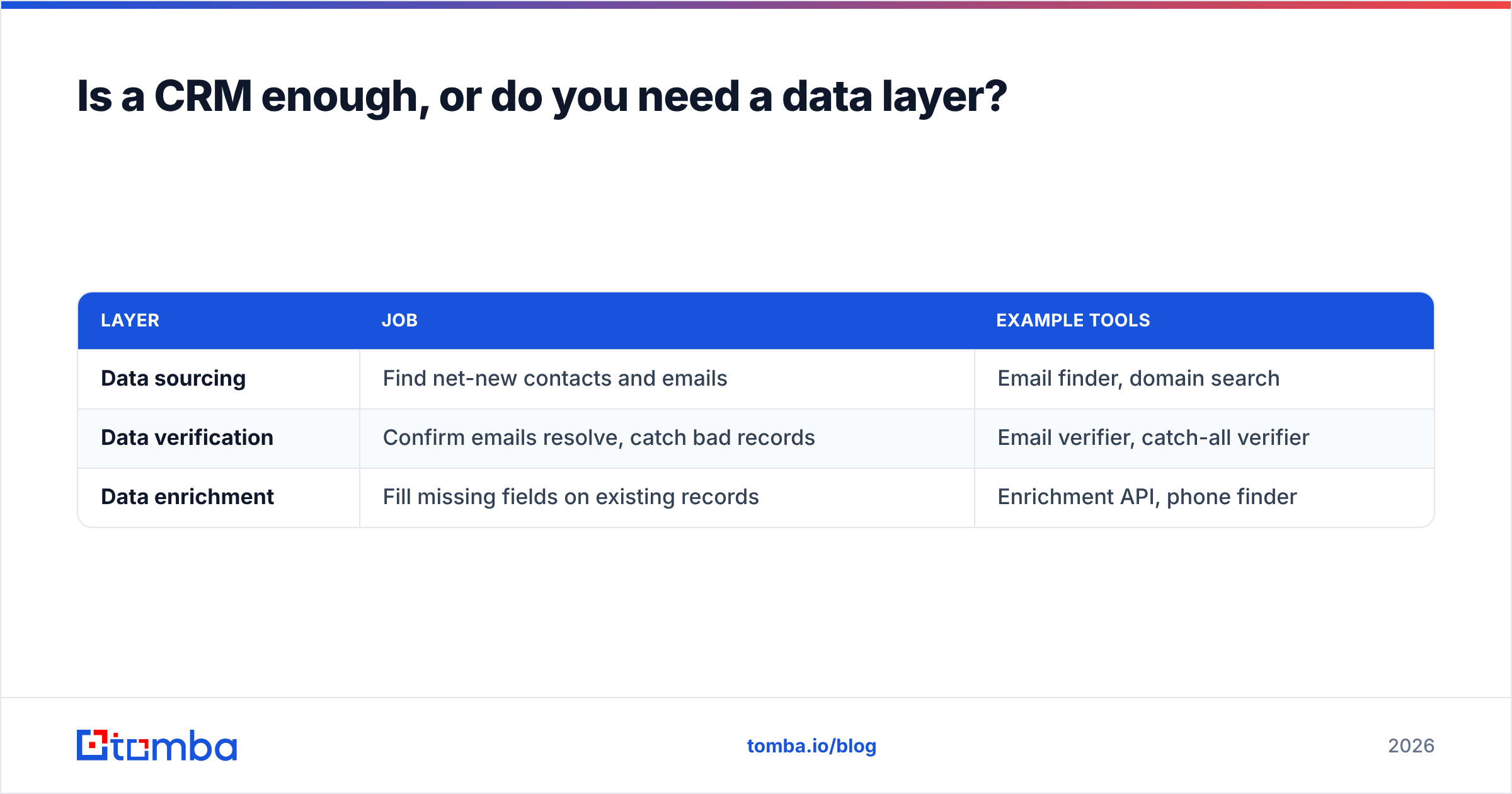
That quality-control layer has three parts:
| Layer | Job | Example tools |
|---|---|---|
| Data sourcing | Find net-new contacts and emails | Email finder, domain search |
| Data verification | Confirm emails resolve, catch bad records | Email verifier, catch-all verifier |
| Data enrichment | Fill missing fields on existing records | Enrichment API, phone finder |
Tomba sits in that data layer rather than replacing your CRM. It plugs into HubSpot, Salesforce, Pipedrive, and Google Sheets, so verified contacts flow straight into whatever system your reps already live in. The result: your CRM stays clean without your reps doing manual data entry — which, let's be honest, they were never going to do anyway.
If you'd rather keep costs predictable, the transparent Tomba pricing starts with a free tier (25 searches/month) and scales to a $49/mo Starter and $99/mo Growth plan — so you can enrich a growing CRM without an enterprise contract.
What's the fastest way to get your CRM producing revenue?#
Start small and enforce two rules from day one:
- No unverified data enters the CRM. Every contact gets an email check before a rep touches it.
- Every deal has a next step and a real close date. This is the single habit that makes forecasting trustworthy.
Then layer in automation, reporting, and integrations as your team matures. Don't try to configure all 200 features in week one — you'll stall the rollout and lose rep buy-in.
The CRM you choose matters less than the data you feed it and the discipline you enforce. Pick the platform that fits your team's size and complexity, wire up a verification-and-enrichment layer at the front door, and your pipeline will finally reflect reality instead of wishful thinking.
Ready to feed your CRM clean, verified contacts?#
Your CRM can't sell for you — but it can stop wasting your reps' time the moment the data inside it is accurate. Start with the Tomba Email Finder to source verified professional emails by name, domain, or company, then push them straight into HubSpot, Salesforce, or Pipedrive. Spin up a free account, enrich your first 25 contacts this week, and watch your bounce rate — and your forecast accuracy — improve on the very next campaign.
Related guides#
Ready to find emails that actually work?
Join 150,000+ professionals who stopped guessing and started sending. Free credits on signup — no credit card required.
Get the Tomba newsletter
Practical outbound tactics and product updates — once every two weeks.
About the author