CRM.io Pricing in 2026: Plans, Real Costs, and Alternatives
A neutral look at CRM.io pricing in 2026 — how the per-seat plans stack up, the limits buried in each tier, and where a data-first stack beats it on cost.
Choosing a CRM is easy. Predicting the two-year cost at 20 seats is the hard part. That is why crmio pricing deserves a close look. CRM.io is the sales CRM inside the 500apps suite. It sells an aggressive all-in-one price. But the sticker number and your real invoice rarely match.
This is a neutral breakdown of crmio pricing in 2026. It covers what each plan includes, where the limits bite, and the real per-seat cost. That cost rises once you add the data and outreach tools most teams bolt on anyway.
TL;DR#
- crmio pricing is per user, per month, and its headline pitch is bundling 30+ business apps under one 500apps subscription rather than a standalone CRM price.
- The low monthly number is per seat — multiply by your headcount and add annual-vs-monthly differences before you compare it to anything.
- Contact data is not included. A CRM stores records; it does not find or verify email addresses and phone numbers. That gap is where most "cheap CRM" budgets quietly blow up.
- For teams that mainly need accurate B2B contact data feeding a CRM they already like, a dedicated finder plus a mainstream CRM often costs less than an all-in-one suite.
- Always confirm live numbers on the official CRM.io site — suite pricing changes, and this post reflects the structure at time of writing.
What is CRM.io and how is its pricing structured?#
CRM.io is the customer-relationship-management product built by 500apps. Instead of pricing the CRM as a lone tool, 500apps sells it as part of an all-apps bundle: one per-user subscription unlocks the CRM plus a large catalog of other business apps (help desk, project management, email marketing, and so on).
Think of it like a gym membership that includes the pool, sauna, and classes for one price. Great value if you use the pool, the sauna, and the classes. If all you wanted was the treadmill, you're paying for a lot of rooms you'll never enter.
That framing matters because it changes how you evaluate crmio pricing. You're not really asking "is this CRM worth $X?" — you're asking "is the whole suite worth $X per seat, and will my team actually adopt more than the CRM?"

Two structural details drive the real cost:
- Per-seat multiplication. A friendly monthly figure per user becomes a serious line item at 15–30 reps. Ten seats at a low headline rate is still a four-figure annual spend.
- Annual vs monthly. Like most SaaS, the advertised low price usually assumes annual prepayment. Month-to-month is higher. Budget for the plan you'll actually sign.
How much does crmio pricing cost per plan?#
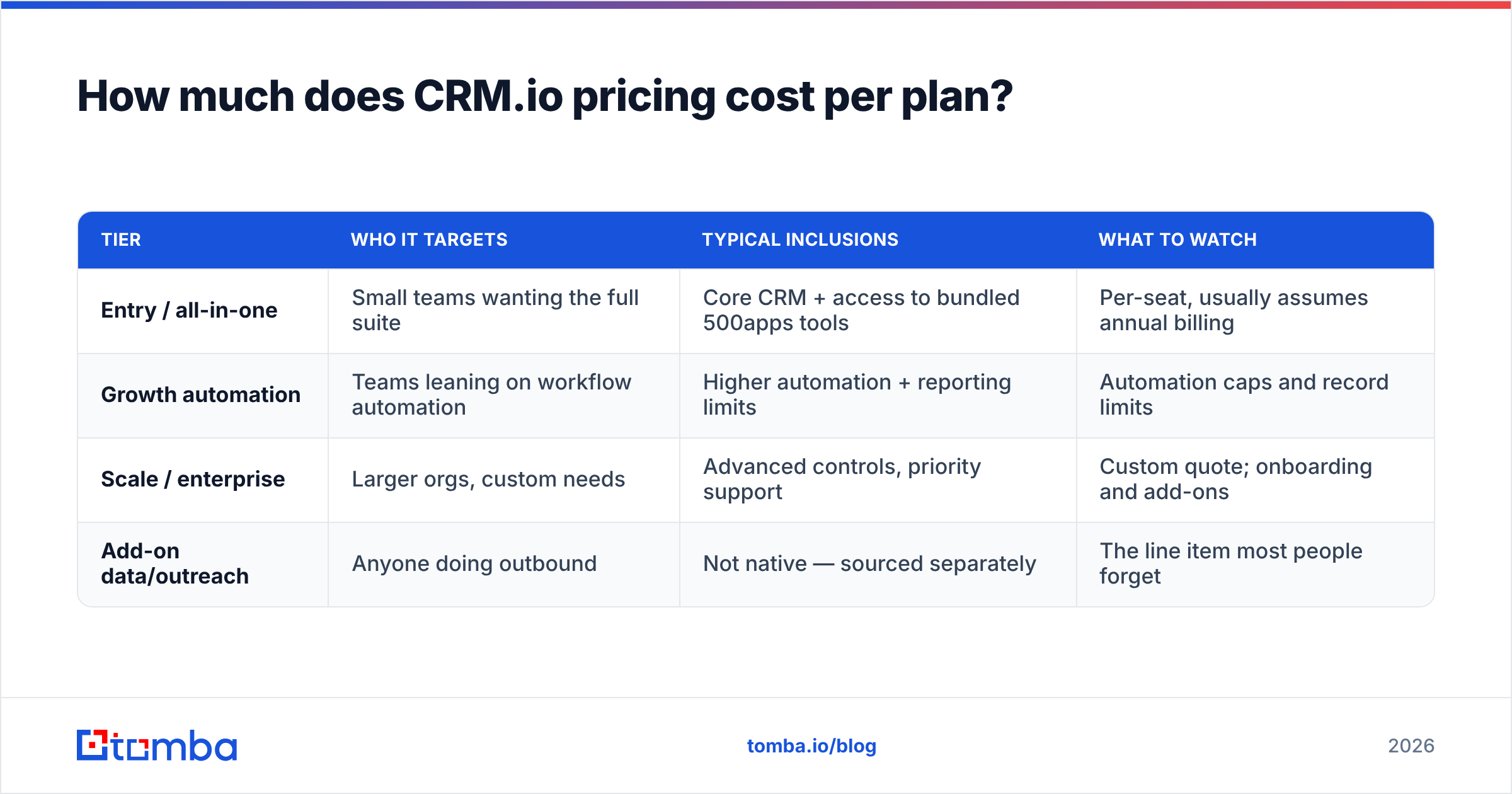
CRM.io's plans generally split along feature depth and automation limits rather than radically different products. Lower tiers cover core contact, deal, and pipeline management; higher tiers unlock heavier automation, reporting, and integration ceilings. Exact figures and tier names shift with 500apps packaging, so treat the table below as a shape, and verify current numbers on the vendor's page before you commit.
| Tier | Who it targets | Typical inclusions | What to watch |
|---|---|---|---|
| Entry / all-in-one | Small teams wanting the full suite | Core CRM + access to bundled 500apps tools | Per-seat, usually assumes annual billing |
| Growth automation | Teams leaning on workflow automation | Higher automation + reporting limits | Automation caps and record limits |
| Scale / enterprise | Larger orgs, custom needs | Advanced controls, priority support | Custom quote; onboarding and add-ons |
| Add-on data/outreach | Anyone doing outbound | Not native — sourced separately | The line item most people forget |
The single most important row is the last one. A CRM is a system of record, not a system of discovery. It organizes contacts you already have; it does not go find new, verified ones. So the honest cost of "running sales on CRM.io" is the suite price plus whatever you spend on prospect data.
That's the same trap teams hit when comparing any all-in-one platform — the base looks cheap until you price the pieces that make it actually generate pipeline. For a broader view of that math, our rundown of Tomba pricing and how contact-data credits work is a useful reference point.
crmio pricing: what's included vs what costs extra?#
Here's where the "one low price" story needs an asterisk. A useful way to read any CRM quote is to sort every feature into included, capped, or not present.
- Included: contacts, companies, deals, pipelines, tasks, basic email logging, and the wider 500apps catalog.
- Capped: workflow automations, custom fields, reports, API calls, and bulk operations often scale with tier. Hitting a cap mid-quarter means an upgrade, not a warning.
- Not present: verified email and phone discovery, catch-all validation, and large-scale enrichment. These are data problems, and CRMs outsource them by design.
A concrete example: you import 5,000 LinkedIn leads. CRM.io will happily store all 5,000 rows. But if 30% of those email addresses are guessed, stale, or catch-all, you learn that only after your bounce rate tanks your sender reputation — which is a deliverability problem no CRM can fix from inside. You need clean data going in.
This is why pairing a CRM with a dedicated email finder and email verifier is standard practice. The CRM manages the relationship; the data layer makes sure the relationship is reachable.
Is crmio pricing good value compared to alternatives?#
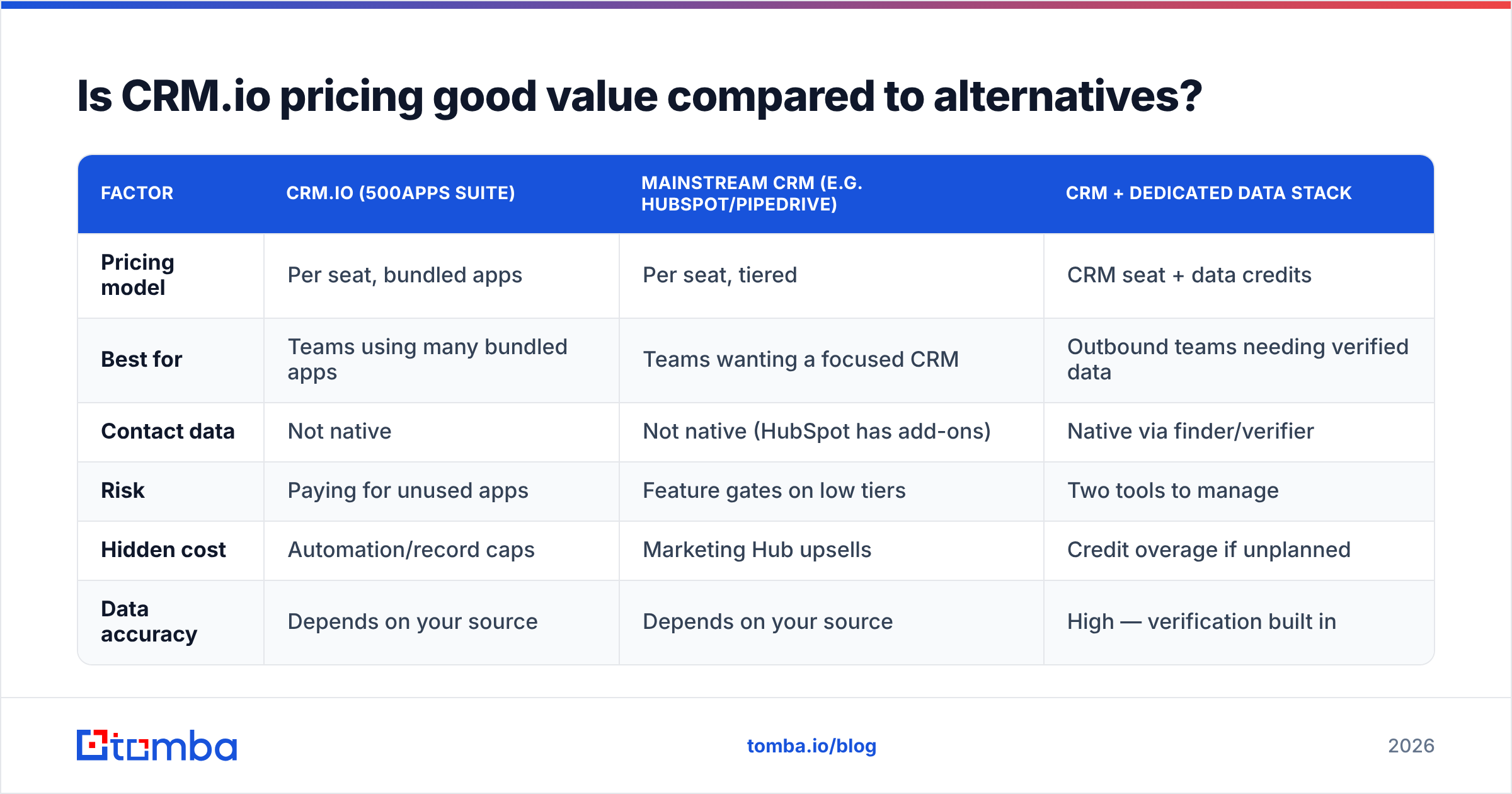
Value depends entirely on your utilization of the bundle. Below is a neutral comparison of three common approaches, so you can match the model to your team rather than the marketing to your budget.
| Factor | CRM.io (500apps suite) | Mainstream CRM (e.g. HubSpot/Pipedrive) | CRM + dedicated data stack |
|---|---|---|---|
| Pricing model | Per seat, bundled apps | Per seat, tiered | CRM seat + data credits |
| Best for | Teams using many bundled apps | Teams wanting a focused CRM | Outbound teams needing verified data |
| Contact data | Not native | Not native (HubSpot has add-ons) | Native via finder/verifier |
| Risk | Paying for unused apps | Feature gates on low tiers | Two tools to manage |
| Hidden cost | Automation/record caps | Marketing Hub upsells | Credit overage if unplanned |
| Data accuracy | Depends on your source | Depends on your source | High — verification built in |
Read the table like a menu, not a scoreboard. If your team genuinely runs projects, tickets, and email campaigns inside the suite, CRM.io's bundle can be strong value. If you mainly need a clean pipeline plus reliable outbound data, you're likely overpaying for rooms you don't enter — and underpaying for the one thing that drives revenue: accurate contacts.
For the outbound-heavy case, the cost logic flips. A mainstream CRM you already know, plus a focused data provider, frequently beats a broad suite on total cost and on results — because the money goes toward reaching real people, not licensing modules nobody opens. If you're comparing suites for that reason, our Apollo alternative breakdown covers the same trade-off from the data-platform side.
What hidden costs should you budget for?#
Every "cheap" CRM has a gap between the quoted price and the operating price. For CRM.io specifically, watch these:
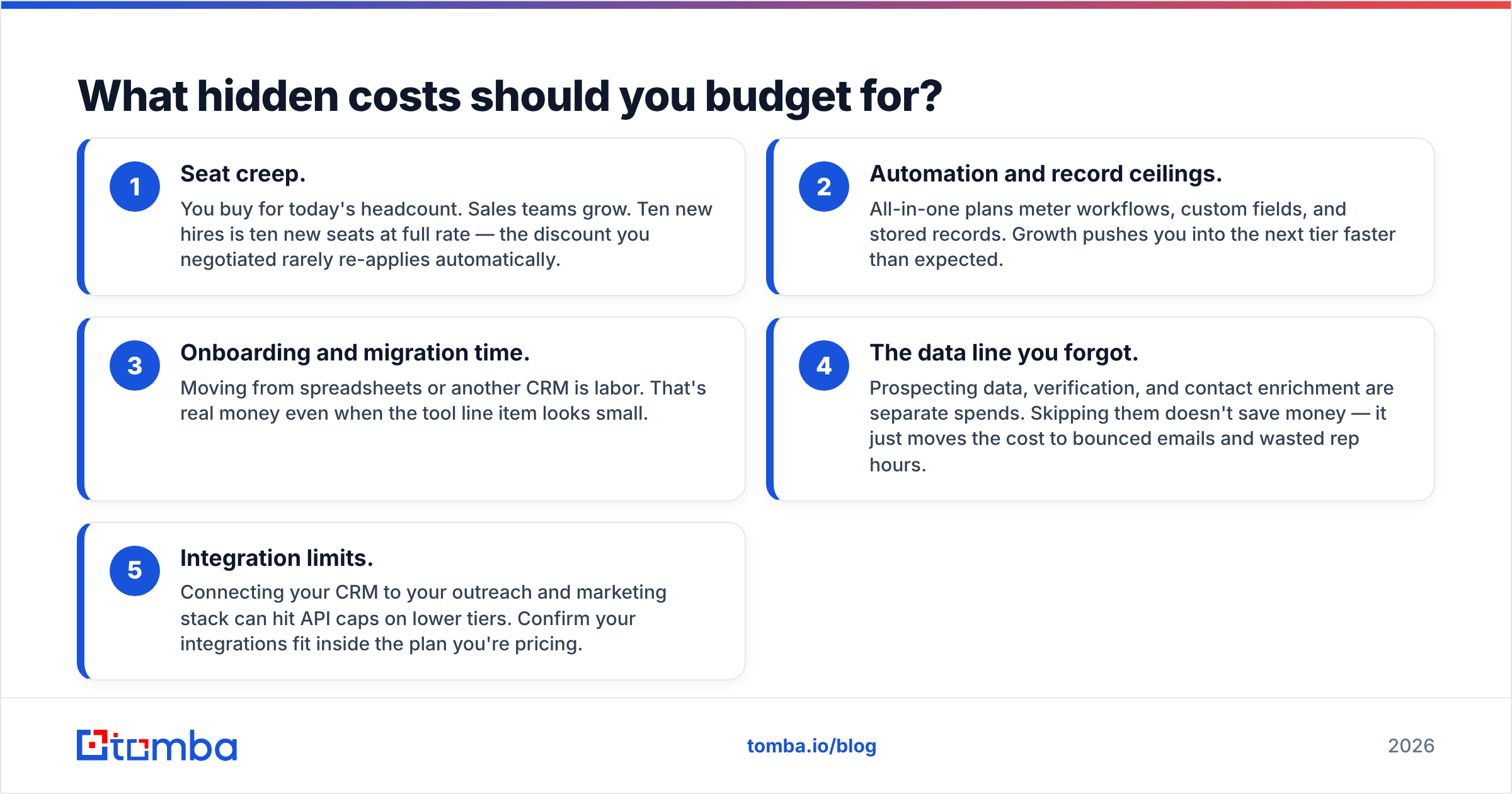
- Seat creep. You buy for today's headcount. Sales teams grow. Ten new hires is ten new seats at full rate — the discount you negotiated rarely re-applies automatically.
- Automation and record ceilings. All-in-one plans meter workflows, custom fields, and stored records. Growth pushes you into the next tier faster than expected.
- Onboarding and migration time. Moving from spreadsheets or another CRM is labor. That's real money even when the tool line item looks small.
- The data line you forgot. Prospecting data, verification, and contact enrichment are separate spends. Skipping them doesn't save money — it just moves the cost to bounced emails and wasted rep hours.
- Integration limits. Connecting your CRM to your outreach and marketing stack can hit API caps on lower tiers. Confirm your integrations fit inside the plan you're pricing.
A simple sanity check: take the per-seat price, multiply by real headcount, multiply by 12, then add a realistic annual data budget. Compare that number across options. The winner is rarely the one with the smallest sticker.
How does contact data fit into a CRM budget?#
Your CRM is only as good as the records inside it. Garbage in, garbage forecast.
This is the part of the budget teams systematically underprice. You can run a beautiful pipeline in any CRM. But if 25% of your contacts are wrong, a quarter of your outreach is dead on arrival — and no CRM tier fixes bad source data. The fix lives one layer up, in how you find and verify contacts before they ever hit a deal stage.
A dependable data workflow looks like this:
- Find decision-maker emails by name or domain with an email finder, or pull every address on a company via domain search.
- Verify each address before send so bounces don't wreck your sender reputation.
- Enrich thin records with firmographics and roles so reps prioritize correctly.
- Sync clean data straight into your CRM — CRM.io or otherwise — through an API or native integration, so nobody copy-pastes.
Priced separately, this data layer is transparent: you pay for credits you use, not seats you might not fill. That predictability is exactly what an all-in-one bundle obscures. You can see how the metered model works on the Tomba API, which drops verified contacts into whatever CRM you standardize on.
For deeper third-party validation of any CRM before you sign, cross-check current reviews and pricing signals on G2 and Capterra — both aggregate real buyer feedback on suites like this. And if you want the vendor's own comparison of an all-in-one platform against focused tools, HubSpot's resources lay out the bundle-versus-best-of-breed argument clearly.
Who should choose CRM.io — and who shouldn't?#
Choose CRM.io if: you're a small-to-mid team that will genuinely use several bundled apps, you want one vendor and one invoice, and your prospect data problem is already solved elsewhere. In that scenario the suite price is efficient and the consolidation is a feature, not a tax.
Look elsewhere if: you mainly need a clean, focused pipeline plus reliable outbound data. In that case, pairing a CRM you already trust with a dedicated data provider gives you lower total cost, higher accuracy, and no pressure to adopt modules you'll never touch.
The mistake isn't picking CRM.io. The mistake is pricing the CRM and forgetting the data — then wondering why a cheap platform produced expensive, low-converting outreach.
The bottom line on crmio pricing#
crmio pricing follows a per-seat, bundle-first model. It can be a good deal for teams that use the whole suite, and a poor one for teams that just wanted a pipeline and clean contacts. Do the full-headcount, full-year math. Always add the data line the CRM leaves out.
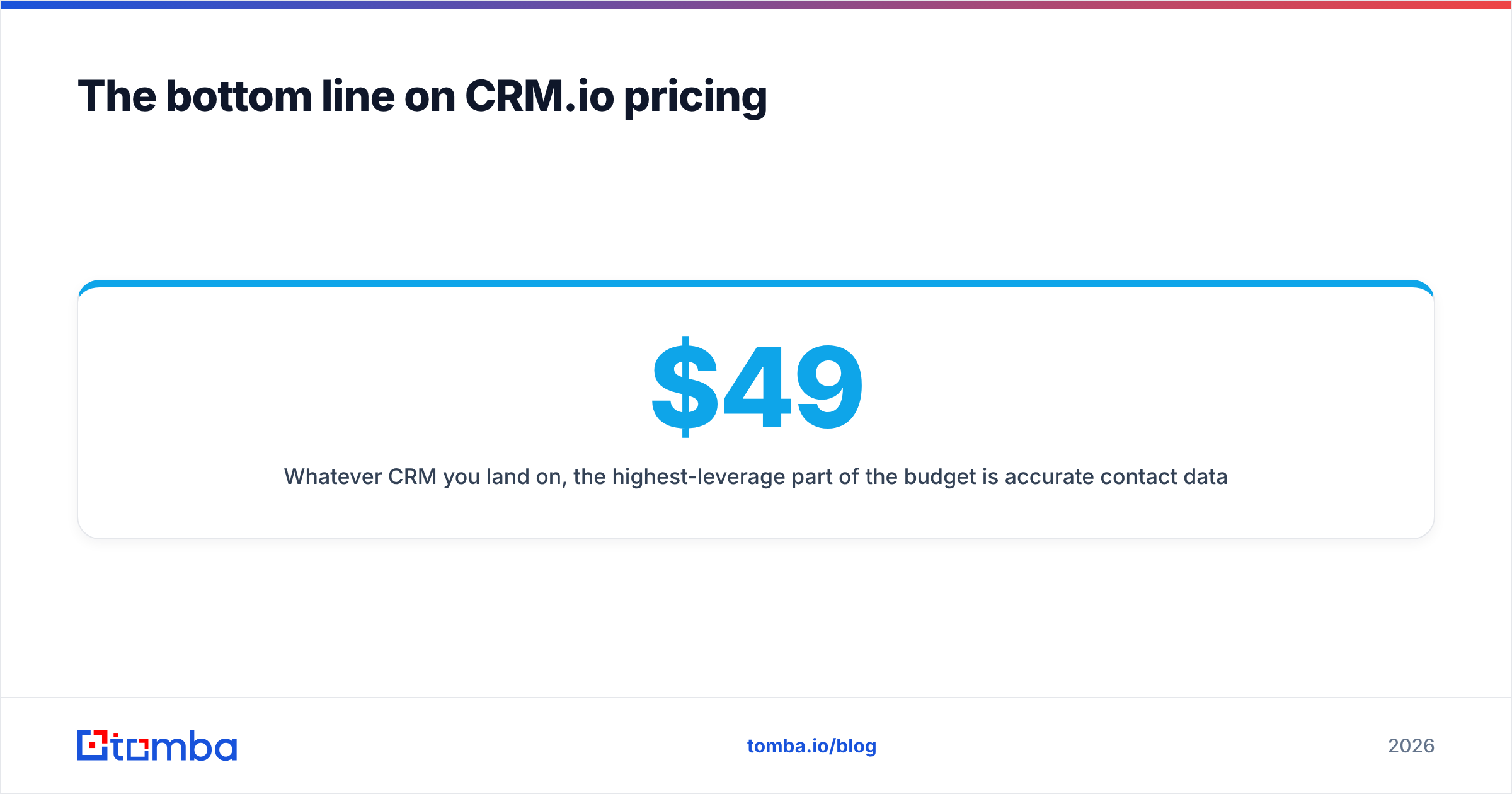
Whatever CRM you land on, the highest-leverage part of the budget is accurate contact data. Start free with the Tomba Email Finder — find and verify decision-maker emails by name or domain, and push them straight into your CRM through the API. Tomba's own plans stay transparent and metered: a free tier with 25 searches a month, Starter at $49/mo, Growth at $99/mo, and Pro at $249/mo — so you pay for the data you use, not the seats you don't. Fill the CRM you already like with contacts that actually reply.
Related guides#
Ready to find emails that actually work?
Join 150,000+ professionals who stopped guessing and started sending. Free credits on signup — no credit card required.
Get the Tomba newsletter
Practical outbound tactics and product updates — once every two weeks.
About the author