Customer Contact Management Software: 2026 Buyer's Guide
A contact list is not a strategy. Here's how customer contact management software actually moves revenue in 2026—what to look for, what to skip, and how to keep your data clean enough to trust.
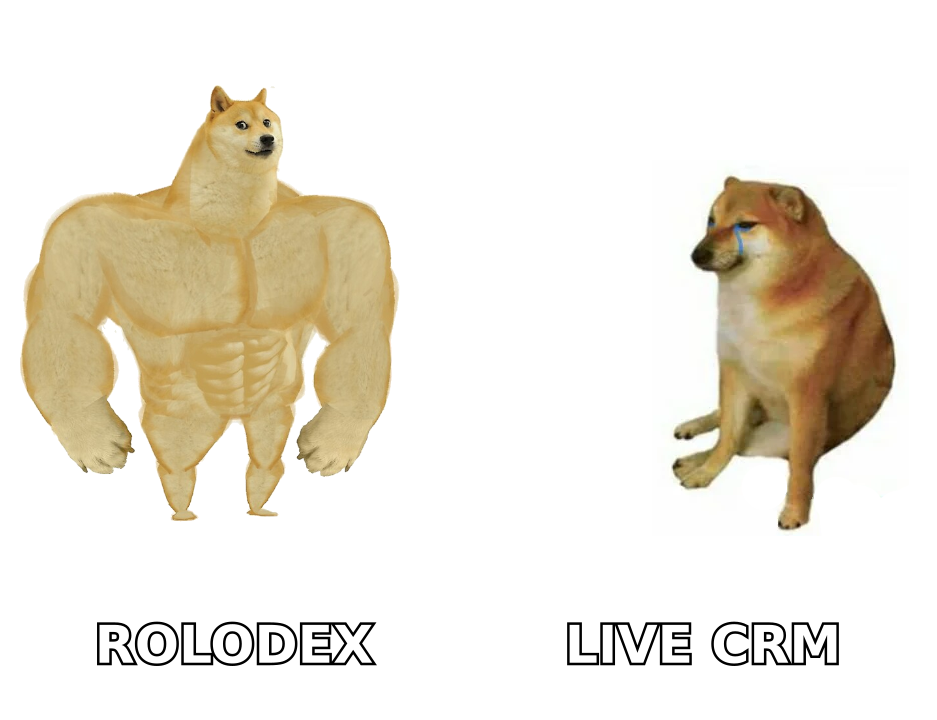
Most teams do not have a contact management problem. They have a trust problem: a database nobody believes, so reps rebuild their own spreadsheets on the side. Customer contact management software only earns its price when it makes the shared record more reliable than the private one.
This guide walks through what the category actually does in 2026, how to evaluate tools without falling for feature lists, and where the honest limits are.
TL;DR#
- Contact management software stores, organizes, and updates the people you sell to and serve—but the value is in freshness and enrichment, not storage.
- The line between a contact manager and a full CRM has mostly dissolved; the real question is how much pipeline and automation you actually need.
- Dirty data is the silent killer. Roughly 30% of B2B contact data decays every year, so verification and enrichment matter more than any single feature.
- Budget for the total cost: seats, enrichment credits, integrations, and cleanup time—not just the sticker price.
- Pair whatever CRM you pick with a dedicated email finder and email verifier so records stay reachable, not just stored.
What is customer contact management software?#
Customer contact management software is a system of record for every person and company you interact with—names, roles, emails, phone numbers, interaction history, and the context that ties them to a deal or an account.
Think of it as the difference between a shoebox of business cards and a receptionist who remembers every visitor, when they last called, and what they wanted. The shoebox stores; the receptionist knows. Modern tools aim to be the receptionist.
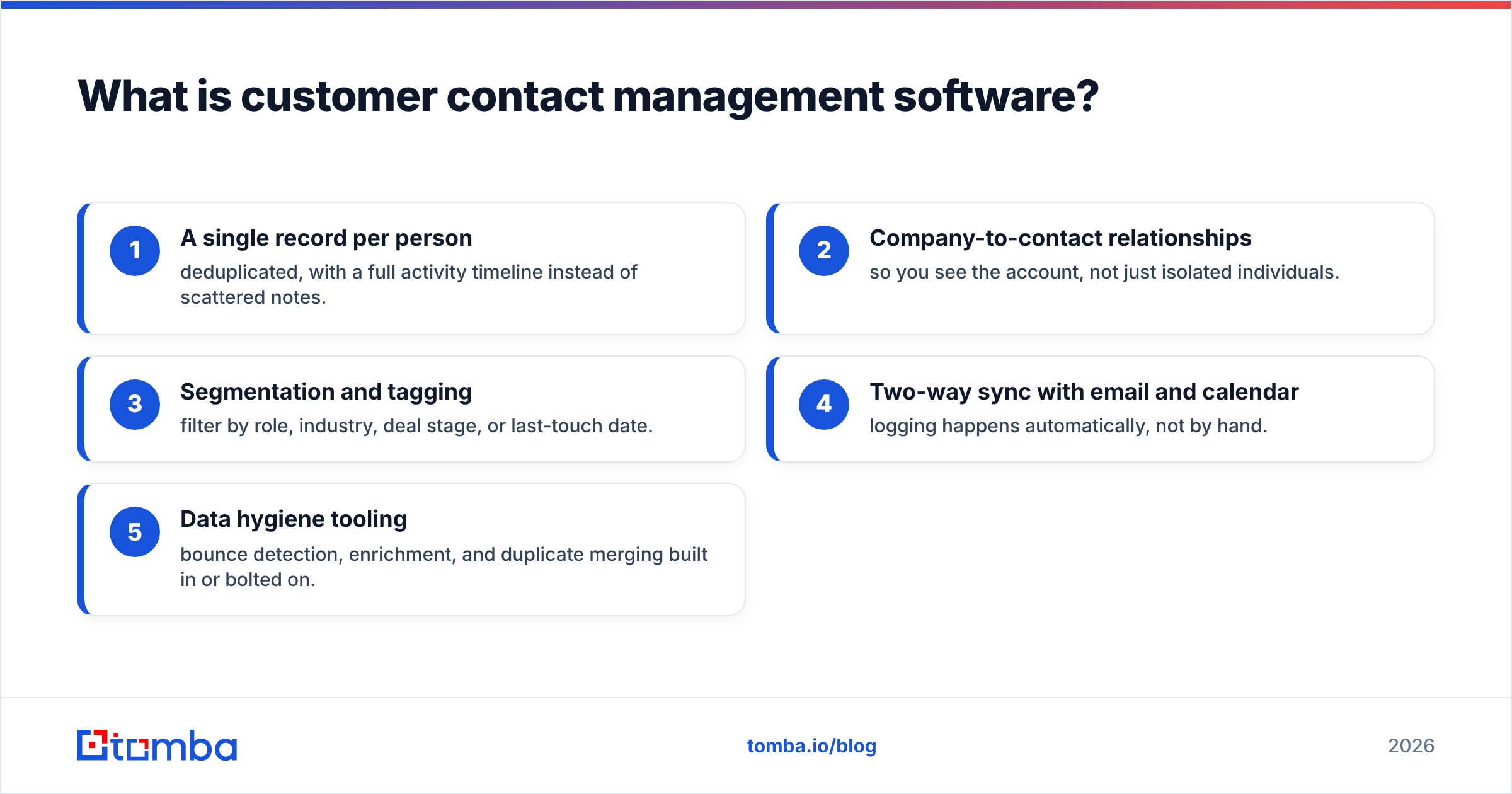
At minimum, a contact management platform should give you:
- A single record per person — deduplicated, with a full activity timeline instead of scattered notes.
- Company-to-contact relationships — so you see the account, not just isolated individuals.
- Segmentation and tagging — filter by role, industry, deal stage, or last-touch date.
- Two-way sync with email and calendar — logging happens automatically, not by hand.
- Data hygiene tooling — bounce detection, enrichment, and duplicate merging built in or bolted on.
That last point is where cheap tools quietly fail. Storing a contact is trivial. Keeping that contact reachable twelve months later is the hard, expensive part.
Contact manager vs CRM: what's the actual difference?#
The short answer: less than vendors want you to think. A decade ago, a "contact manager" was a lightweight address book and a "CRM" was a heavyweight pipeline system. Today most contact tools include deal tracking, and most CRMs start with contact management. The categories overlap almost entirely.
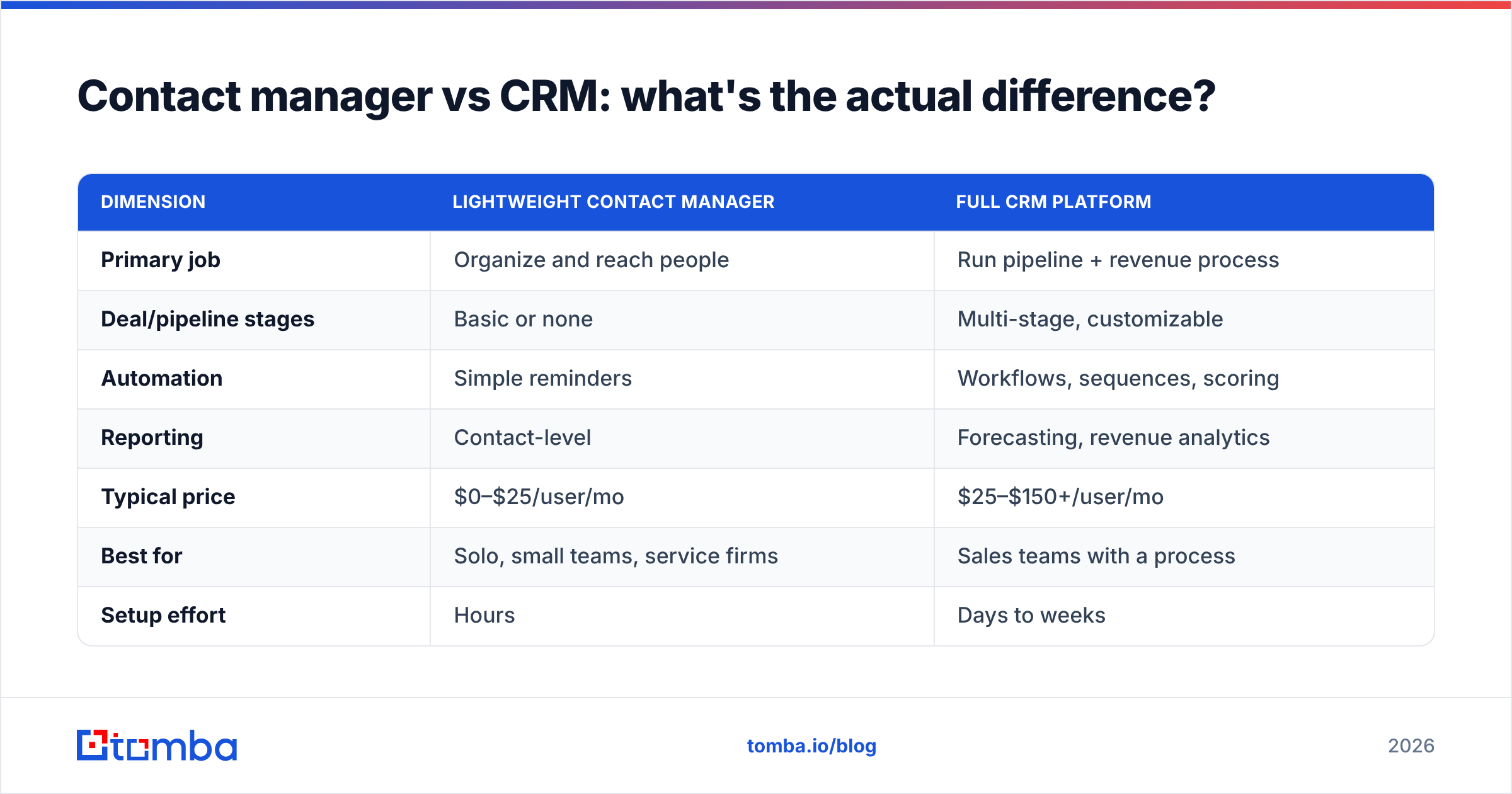
The useful distinction is depth, not label. Ask yourself where your work actually lives:
| Dimension | Lightweight contact manager | Full CRM platform |
|---|---|---|
| Primary job | Organize and reach people | Run pipeline + revenue process |
| Deal/pipeline stages | Basic or none | Multi-stage, customizable |
| Automation | Simple reminders | Workflows, sequences, scoring |
| Reporting | Contact-level | Forecasting, revenue analytics |
| Typical price | $0–$25/user/mo | $25–$150+/user/mo |
| Best for | Solo, small teams, service firms | Sales teams with a process |
| Setup effort | Hours | Days to weeks |
If your team is under five people and you sell relationship-first, a focused contact manager plus disciplined data hygiene beats an over-configured CRM you never fully adopt. If you have named stages, quotas, and handoffs, you need the CRM depth—and you should read the Salesforce contact management overview and HubSpot's CRM breakdown to see how the heavy end frames it.
The mistake is buying platform depth for a team that will only ever use the address book. You pay for the whole engine and drive it in first gear.
Why does contact data quality matter more than features?#
Because features assume the data is correct—and it usually isn't. Every automation, every sequence, every forecast is only as good as the email address underneath it. Industry surveys consistently peg B2B data decay at 20–30% per year as people change jobs, companies rebrand, and domains shift. G2's data on database decay and most enrichment vendors report similar ranges.
Here is what that decay costs in practice:
- Bounced sends damage your sender reputation and drag down email deliverability for the good addresses too.
- Stale titles route messages to people who left, so your best copy lands nowhere.
- Duplicate records split a single buyer across three entries, and no one sees the full history.
- Missing phone numbers kill multichannel follow-up before it starts.
A pretty interface will not save a database that is 30% wrong. This is why the smartest teams treat contact management as two jobs, not one: the system of record (the CRM) and the system of truth (verification and enrichment feeding it). Keep them separate in your head even when they share a screen.
How do you choose the right contact management software?#
Work through five filters in order. Most buyers start at features and never get to the ones that actually predict success.
- Data hygiene first. Can it verify emails, flag catch-all domains, and enrich thin records—natively or via a clean integration? If not, budget for a tool that does.
- Adoption second. Will reps actually use it? Auto-logging from email and calendar is the single biggest driver of adoption. Manual entry tools die quietly.
- Integrations third. It must connect to your inbox, your outreach tool, and your data source. Check for native HubSpot, Salesforce, and Pipedrive support rather than brittle CSV round-trips.
- Depth fourth. Only now weigh pipeline stages, automation, and reporting—matched to the process you have, not the one you imagine.
- Total cost last. Add seats, enrichment credits, add-on modules, and the hours your team spends cleaning data. The cheapest license is often the most expensive system.
A quick vendor comparison#
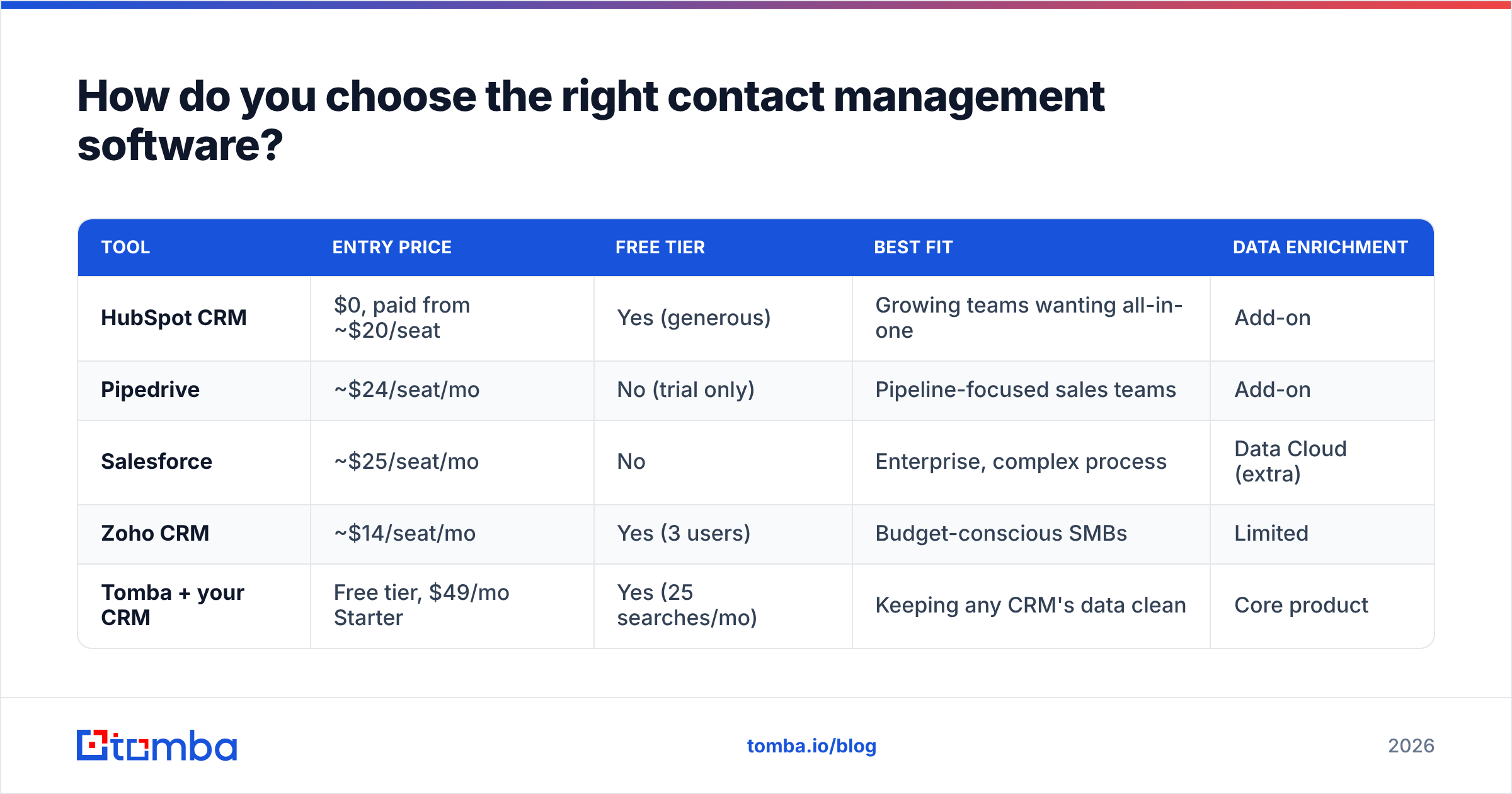
Prices and tiers below reflect commonly published 2026 plans and are meant as a shape, not a quote—verify current pricing before you buy.
| Tool | Entry price | Free tier | Best fit | Data enrichment |
|---|---|---|---|---|
| HubSpot CRM | $0, paid from ~$20/seat | Yes (generous) | Growing teams wanting all-in-one | Add-on |
| Pipedrive | ~$24/seat/mo | No (trial only) | Pipeline-focused sales teams | Add-on |
| Salesforce | ~$25/seat/mo | No | Enterprise, complex process | Data Cloud (extra) |
| Zoho CRM | ~$14/seat/mo | Yes (3 users) | Budget-conscious SMBs | Limited |
| Tomba + your CRM | Free tier, $49/mo Starter | Yes (25 searches/mo) | Keeping any CRM's data clean | Core product |
Notice the pattern: the CRMs treat enrichment and verification as an upsell or a separate cloud. That is the gap most teams underestimate. You buy the system of record, then discover the system of truth is sold separately.
Where does an email finder and verifier fit in?#
They are the layer that keeps the whole thing honest. Your CRM is the filing cabinet; a tool like Tomba is the fact-checker that makes sure the files are still accurate before you act on them.
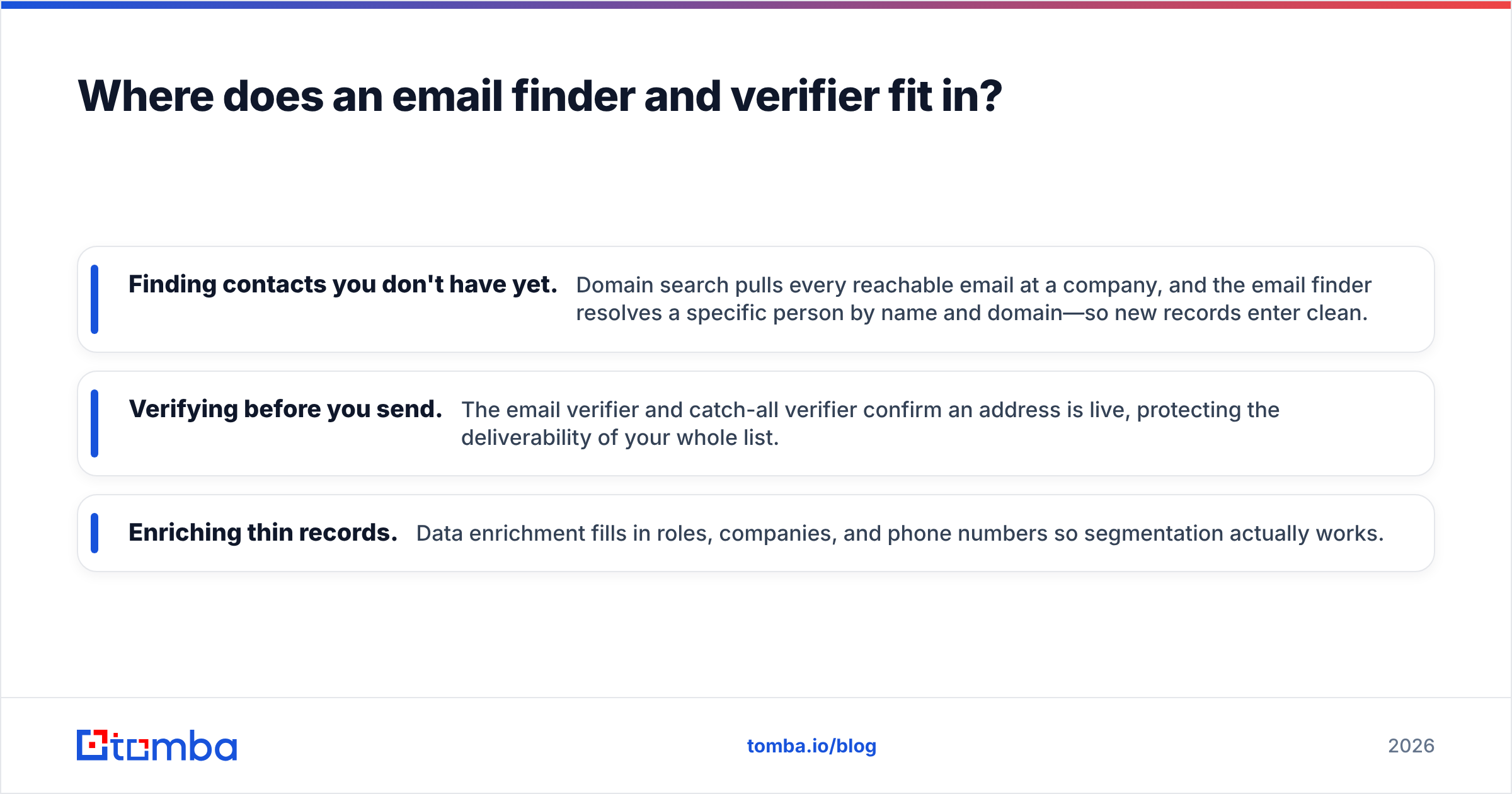
Three jobs sit outside what most contact managers do well:
- Finding contacts you don't have yet. Domain search pulls every reachable email at a company, and the email finder resolves a specific person by name and domain—so new records enter clean.
- Verifying before you send. The email verifier and catch-all verifier confirm an address is live, protecting the deliverability of your whole list.
- Enriching thin records. Data enrichment fills in roles, companies, and phone numbers so segmentation actually works.
You can run these on demand, in bulk, or automatically through the Tomba API inside your existing workflow. The point is not to replace your CRM—it is to feed it. A contact manager with a verification pipeline in front of it beats a more expensive CRM running on decayed data, every time.
For teams that want to compare dedicated data tools before committing, our roundups of an Apollo alternative and a Clearbit alternative break down where enrichment stacks differ.
What does a healthy contact management workflow look like?#
Here is a workflow that keeps data trustworthy without adding a full-time ops hire:
- On entry: every new contact is verified before it lands. No unverified address gets a send.
- On a schedule: run a quarterly bulk verification pass to catch decay early. A bulk email finder makes this a batch job, not a project.
- On engagement: enrich records that show buying signals so reps have full context before the call.
- On handoff: deduplicate before a lead moves from marketing to sales, so history stays intact.
The teams that do this do not have magic tools. They have a boring, repeatable hygiene loop, and they refuse to let unverified data into the system. That discipline is worth more than any premium feature tier.
Common mistakes to avoid#
- Buying depth you won't use. An over-featured CRM that reps ignore is worse than a simple one they adopt.
- Treating enrichment as optional. It is the difference between a database and a directory of ghosts.
- Skipping verification to save credits. One bounce spike costs more in deliverability than months of verification.
- Never merging duplicates. Split records hide the very history that closes deals.
- Ignoring phone data. Multichannel follow-up needs numbers; add a phone finder to the stack.
Is expensive contact software always better?#
No. Price tracks depth, not data quality—and data quality is what actually moves your numbers. A $150-per-seat platform running on 30%-decayed contacts will underperform a modest CRM paired with rigorous verification and enrichment. Match the tool's depth to your real process, then invest the savings in keeping the data clean.
The best-run teams we see spend less on the system of record than you'd expect, and more than you'd expect on the system of truth feeding it.
The bottom line#
Customer contact management software is only as valuable as the data inside it. Choose a CRM that matches the process you actually run, then put a verification-and-enrichment layer in front of it so every record stays reachable. Storage is cheap; trust is not.
Start with the free tier of the Tomba Email Finder—25 searches a month, no card—and run your existing contact list through the email verifier before your next campaign. If it's clean, you've confirmed your data is worth trusting. If it isn't, you just found the leak before it cost you a quarter. When you're ready to scale, the Tomba pricing Starter plan is $49/mo, and everything runs through the same API your CRM already talks to.
Related guides#
Ready to find emails that actually work?
Join 150,000+ professionals who stopped guessing and started sending. Free credits on signup — no credit card required.
Get the Tomba newsletter
Practical outbound tactics and product updates — once every two weeks.
About the author