Customer Email Templates: 15 Examples That Get Replies in 2026
Fifteen ready-to-use customer email templates for onboarding, renewals, support, and win-backs—each built to get opens, replies, and action, with tips to personalize before you hit send.
Customer emails are where retention, expansion, and churn get decided—usually in the first two sentences. The problem is that most teams either write every message from scratch (slow, inconsistent) or paste the same robotic block into every thread (fast, ignored). Templates fix both, but only if they're built to be personalized, not just copied.
This guide gives you 15 customer email templates you can use today, grouped by lifecycle stage, plus a framework for making each one sound like a human wrote it for one specific person.
TL;DR#
- Templates aren't the enemy of personalization—bad templates are. A good template handles structure so you spend your effort on the one or two lines that matter.
- Fifteen templates below cover onboarding, check-ins, renewals, upsells, support, feedback, and win-backs.
- Every template has a variable layer: name, company, specific outcome, and a single clear ask.
- Reply rate lives in the subject line and the first line. Nail those before anything else.
- Use a verified contact and the right sender—templates fail silently when they land in spam or hit a stale address.
What are customer email templates?#
Customer email templates are reusable message frameworks for the emails you send to existing customers—onboarding welcomes, renewal reminders, support follow-ups, feedback requests, and re-engagement notes. Think of them like a chef's mise en place: the ingredients are prepped and portioned, so when an order comes in you're assembling, not scrambling. The structure is fixed; the personalization is fresh every time.
The distinction that matters: a template is a skeleton, not a finished email. The skeleton keeps your tone, structure, and call-to-action consistent across a team of ten reps. The muscle—the specific reason you're writing to this customer today—you add per send. Teams that treat templates as fill-in-the-blank forms get ignored. Teams that treat them as a starting canvas get replies.
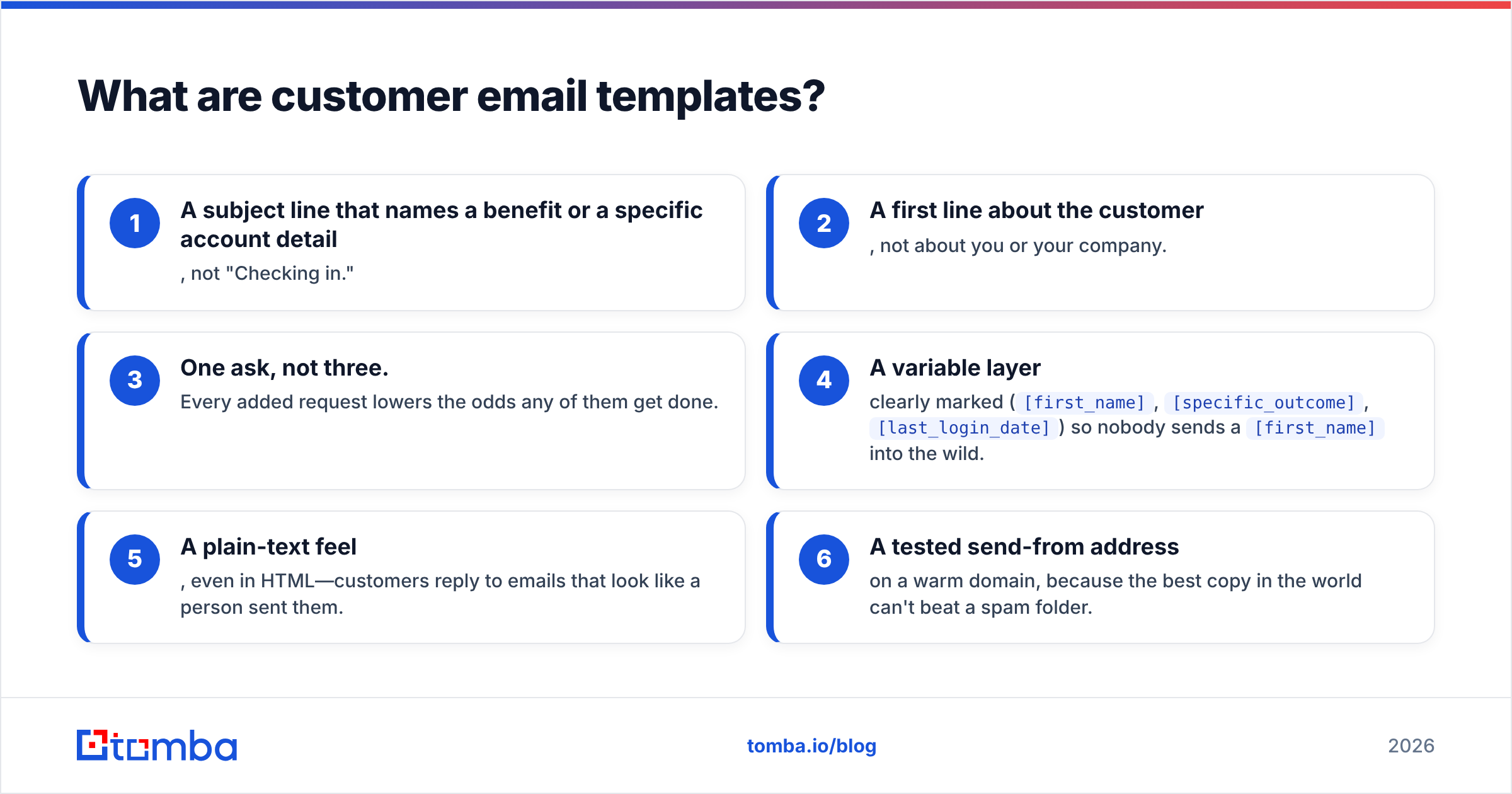
Here's what separates a template that converts from one that gets archived:
- A subject line that names a benefit or a specific account detail, not "Checking in."
- A first line about the customer, not about you or your company.
- One ask, not three. Every added request lowers the odds any of them get done.
- A variable layer clearly marked (
[first_name],[specific_outcome],[last_login_date]) so nobody sends a[first_name]into the wild. - A plain-text feel, even in HTML—customers reply to emails that look like a person sent them.
- A tested send-from address on a warm domain, because the best copy in the world can't beat a spam folder.
Why do most customer emails get ignored?#
Because they're written for the sender's convenience, not the reader's context. A renewal email that opens with "As per our records, your subscription expires soon" tells the customer you see them as a row in a database. The same email that opens with "You've run 214 reports this quarter—here's what renewing keeps running" tells them you're paying attention.
Three failure modes account for most ignored customer emails:
- Wrong timing. A check-in sent 60 days after a customer went quiet is a post-mortem, not a save. Trigger emails on behavior (drop in usage, milestone hit, support ticket closed), not on the calendar alone.
- No single ask. "Let me know if you have questions, and also here's our new feature, and would you leave a review?" gets zero of three.
- Deliverability drag. Even internal-feeling customer mail can trip spam filters if your domain authentication or sender reputation is weak. If you're not sure yours is clean, run your setup through an email verifier and check your sender reputation before you scale sending.
The 15 customer email templates#
Below are the templates, grouped by lifecycle stage. Replace everything in [brackets] and cut anything that doesn't apply. Shorter almost always wins.
Onboarding (templates 1–3)#
1. The welcome + one next step
Subject: You're in, [first_name]—here's step one
Hi [first_name],
Welcome to [product]. Skip the tour—there's one thing worth doing first: [single highest-value action, e.g. "connect your calendar"]. It takes about two minutes and unlocks [specific benefit].
Here's the link: [link]
Reply to this email if you get stuck. A real person (me) reads it.
[your_name]
2. The day-3 nudge (behavior-triggered)
Subject: Noticed you haven't [key action] yet
Hi [first_name],
You signed up for [product] to [inferred goal]. The fastest path there is [key action]—most customers see [result] within a week of doing it.
Want me to set it up with you on a 10-minute call? Here's my calendar: [link]
3. The first-win celebration
Subject: That's your first [milestone] 🎯
Hi [first_name],
You just [specific milestone]. That's the hard part done. The next lever is [next feature]—here's a 90-second walkthrough: [link].
Engagement & check-ins (templates 4–6)#
4. The quarterly value recap
Subject: What [company] got from [product] this quarter
Hi [first_name],
Quick recap: your team [specific metric, e.g. "sent 4,200 verified emails and saved ~9 hours"]. Here's where you're leaving value on the table: [one opportunity]. Worth a 15-minute review?
5. The re-activation (usage dropped)
Subject: Everything okay with [product], [first_name]?
Hi [first_name],
Your usage dipped over the last few weeks and I want to make sure nothing's broken on our end. Was it [likely reason A] or [likely reason B]? Either way, I can help—just hit reply.
6. The feature announcement (relevant only)
Subject: The [feature] you asked about is live
Hi [first_name],
You mentioned wanting [need] back in [month]. We just shipped it: [feature]. Here's how it maps to what you were trying to do: [one sentence]. Link to try it: [link].
Renewals & expansion (templates 7–9)#
7. The early renewal (60 days out)
Subject: Locking in [company]'s [plan] for another year
Hi [first_name],
Your plan renews on [date]. Before then, I'd love to make sure it still fits—your usage suggests [observation]. Want to keep as-is, or should we talk about [right-sized plan]?
8. The upsell (usage-based)
Subject: You're at [X]% of your [limit]
Hi [first_name],
Good problem: you've used [X]% of your [limit] this month. Bumping to [next tier] gives you [benefit] and works out to [per-unit framing]. Want the details?
9. The win-back (churned)
Subject: We rebuilt the thing that frustrated you
Hi [first_name],
When [company] left, you told us [reason]. We fixed it: [specific change]. If it's worth a second look, I'll add [incentive] to your account—no pressure either way.
Support & feedback (templates 10–12)#
10. The proactive issue heads-up
Subject: Heads-up about [issue] on your account
Hi [first_name],
We spotted [issue] before it hit you and already [action taken]. No action needed on your side. Details here if you want them: [link].
11. The post-resolution follow-up
Subject: Did we actually fix it, [first_name]?
Hi [first_name],
Your ticket about [issue] is closed on our end—but you're the judge. Is it working the way you need? One-word reply is fine.
12. The feedback request (specific, not generic)
Subject: 30 seconds on [specific feature]?
Hi [first_name],
You use [feature] more than most. We're deciding what to build next for it—what's the one thing you'd change? I read every reply personally.
Transactional & relationship (templates 13–15)#
13. The referral ask (after a win)
Subject: Who else should know about this?
Hi [first_name],
Since you hit [result], I figured I'd ask: is there one person at another company who'd want the same? A quick intro helps them and earns you [reward].
14. The contract/billing clarity note
Subject: Your [product] invoice, in plain English
Hi [first_name],
Your [month] invoice is [amount]. Here's exactly what it covers: [one-line breakdown]. Questions? Reply and I'll walk through it—no ticket needed.
15. The relationship check (no ask)
Subject: No agenda—just checking in
Hi [first_name],
No upsell, no ticket. Just wanted to say [company]'s been a great customer to work with, and if there's anything you wish [product] did, I'm listening.

How do templates compare to writing from scratch?#
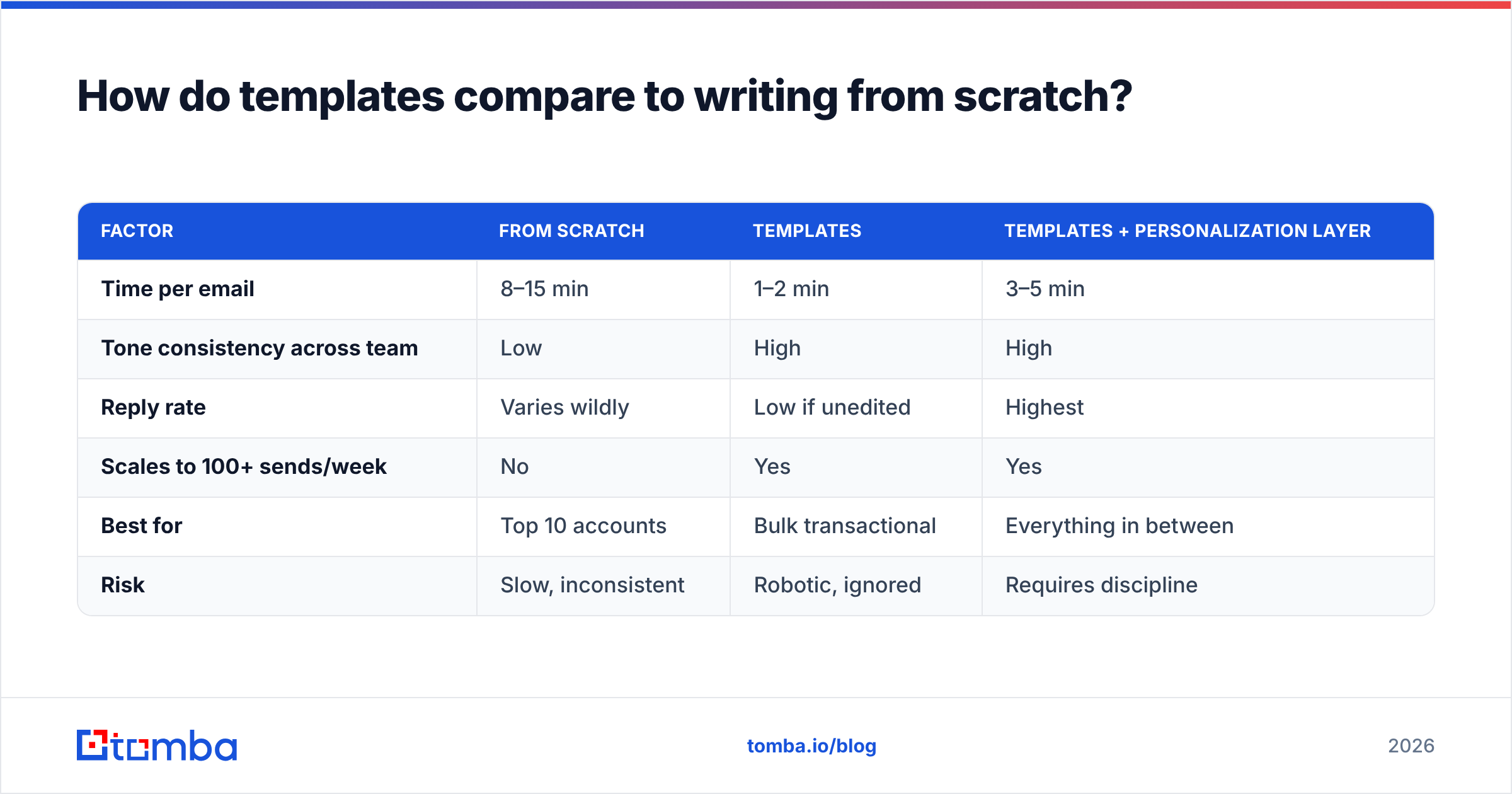
The honest answer: templates win on speed and consistency, from-scratch wins on nuance for high-stakes accounts, and the best teams use both. Here's the trade-off laid out.
| Factor | From scratch | Templates | Templates + personalization layer |
|---|---|---|---|
| Time per email | 8–15 min | 1–2 min | 3–5 min |
| Tone consistency across team | Low | High | High |
| Reply rate | Varies wildly | Low if unedited | Highest |
| Scales to 100+ sends/week | No | Yes | Yes |
| Best for | Top 10 accounts | Bulk transactional | Everything in between |
| Risk | Slow, inconsistent | Robotic, ignored | Requires discipline |
The takeaway isn't "templates good, custom bad." It's that a template plus 30 seconds of real personalization beats both a cold-start draft and a lazy copy-paste. For your five biggest accounts, write from scratch. For the other 95%, template with a real personalization layer.
What makes a customer email template actually convert?#
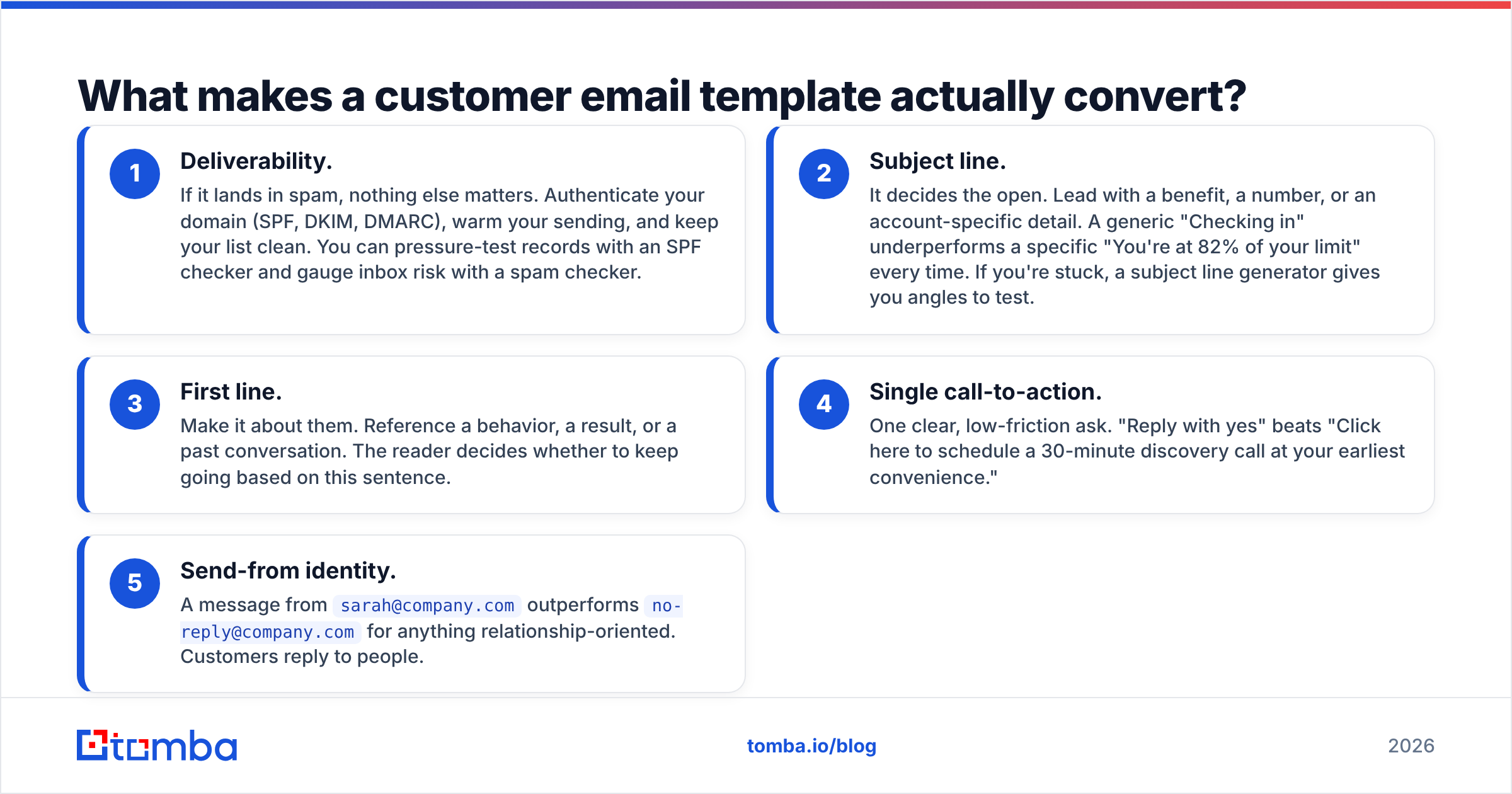
Conversion comes down to five levers, in order of impact:
- Deliverability. If it lands in spam, nothing else matters. Authenticate your domain (SPF, DKIM, DMARC), warm your sending, and keep your list clean. You can pressure-test records with an SPF checker and gauge inbox risk with a spam checker.
- Subject line. It decides the open. Lead with a benefit, a number, or an account-specific detail. A generic "Checking in" underperforms a specific "You're at 82% of your limit" every time. If you're stuck, a subject line generator gives you angles to test.
- First line. Make it about them. Reference a behavior, a result, or a past conversation. The reader decides whether to keep going based on this sentence.
- Single call-to-action. One clear, low-friction ask. "Reply with yes" beats "Click here to schedule a 30-minute discovery call at your earliest convenience."
- Send-from identity. A message from
sarah@company.comoutperformsno-reply@company.comfor anything relationship-oriented. Customers reply to people.
According to HubSpot's email research, personalized subject lines and segmented sends consistently outperform batch-and-blast—and the same principle applies to customer lifecycle mail, not just prospecting. Peer reviews on G2 echo it: the tools that win are the ones that make personalization fast, not the ones with the biggest template libraries.
How do you personalize templates at scale without sounding robotic?#
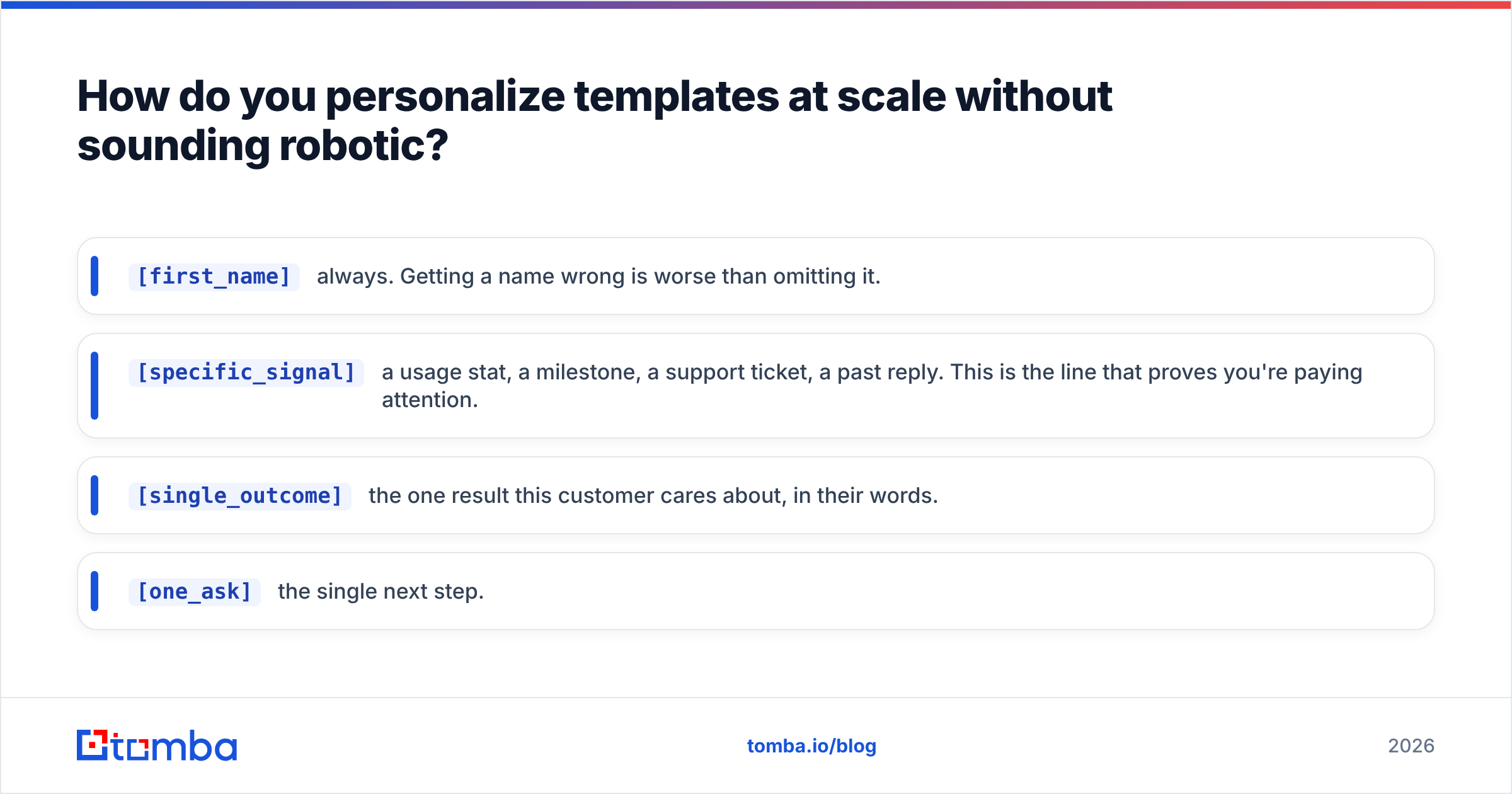
Build a personalization layer: a short, standardized set of variables you fill for every send, no matter which template you use.
[first_name]— always. Getting a name wrong is worse than omitting it.[specific_signal]— a usage stat, a milestone, a support ticket, a past reply. This is the line that proves you're paying attention.[single_outcome]— the one result this customer cares about, in their words.[one_ask]— the single next step.
The trap at scale is stale or wrong contact data—sending a renewal note to someone who left the company six months ago, or to an address that bounces. Keep your customer records current with contact enrichment, and when you're expanding into a new buyer or champion at an existing account, use an email finder to reach the right person instead of guessing the format. A great template sent to the wrong inbox is still a zero.
One more discipline: pick a house style and hold the line. Salesforce's own guidance on customer communication stresses consistency across every touchpoint—your onboarding email and your renewal email should feel like they came from the same company, because to the customer, they did.
Common mistakes to avoid#
- The
[first_name]leak. Test-send every template to yourself before it goes live. A visible bracket variable is an instant credibility killer. - Three asks in one email. Split them across sends.
- Calendar-only triggers. Behavior beats the calendar. Send when the customer does something, not just when a date arrives.
- Ignoring reply-ability. If your template can't be answered with one line, it's too complex.
- Skipping the data hygiene step. Bounces and role-account sends quietly tank your sender reputation, which then tanks the customers who would have opened.
Which Tomba tool helps you send customer emails that land?#
Start with reach and deliverability, because that's what your templates depend on. Tomba's Email Finder helps you find and confirm the right professional contact—by name, company, or domain—so your carefully written onboarding, renewal, and win-back emails reach a real, current inbox instead of a dead address. Pair it with the email verifier to keep your customer list clean and your sender reputation intact.
The Free plan gives you 25 searches a month to test it, and paid plans start at $49/mo when you're ready to scale across your whole customer base. Get the contact data right, drop in one of the 15 templates above, spend 30 seconds on the personalization layer, and you'll send customer emails that actually get answered.
Related guides#
Ready to find emails that actually work?
Join 150,000+ professionals who stopped guessing and started sending. Free credits on signup — no credit card required.
Get the Tomba newsletter
Practical outbound tactics and product updates — once every two weeks.
About the author