Customers.ai Pricing, Reviews, Pros and Cons (2026)
A neutral, numbers-first look at Customers.ai pricing, real reviews, and the honest pros and cons—plus who it fits and a cheaper way to source B2B leads.
This guide breaks down Customers.ai pricing, reviews, pros and cons in plain terms. Customers.ai (formerly MobileMonkey) sells one core promise: turn anonymous website visitors into contactable leads. It's a real capability. For some teams it pays for itself. But the pricing page raises more questions than it answers, and the reviews are split. Below is a neutral look at what you pay, what you get, and where it falls short.
TL;DR#
- Customers.ai is a website visitor identification + outreach platform — its headline feature is de-anonymizing traffic and matching visitors to emails.
- Pricing is credit-and-contact based, not flat. Public tiers start low but scale fast once you unlock identity resolution and higher contact volumes; expect real cost well above the sticker.
- Reviews are polarized: strong on visitor capture and ease of setup, weaker on data accuracy, deliverability, and billing surprises.
- Best fit: B2C/DTC and high-traffic ecommerce teams that want to retarget and email warm visitors at scale.
- Weak fit: lean B2B teams that mainly need accurate, verified emails for named prospects — a dedicated email finder covers that job for less.
What is Customers.ai and who is it for?#
Customers.ai is a lead-capture and outreach platform built around website visitor identification. You install a pixel. The platform then tries to match anonymous visitors to a real person and a contactable email. It feeds those contacts into email or ad-retargeting workflows. On top of that, it adds audience building, integrations, and some automation.
The product grew out of MobileMonkey (chatbots) and repositioned around visitor identity as that market cooled. That history matters. The DNA is marketing automation and volume outreach, not precise B2B contact sourcing. If you run a DTC store pushing thousands of sessions a day, that volume focus is a feature. If you're a 5-person B2B team chasing 300 named accounts, it's overkill in one direction and thin in another.
Two buyer profiles tend to look at Customers.ai:
- Ecommerce / DTC marketers who want to recover abandoned carts and email anonymous browsers.
- B2B growth teams hoping to identify which companies visited and reach a buyer there.
The first group is the intended audience. The second group is where most of the disappointed reviews come from. Matching a U.S. consumer email is a different problem than resolving a B2B decision-maker's verified work address.
How much does Customers.ai cost in 2026?#
Short answer: more than the entry price implies. Customers.ai uses a tiered model gated by contacts identified, pixel volume, and feature unlocks (identity resolution, integrations, advanced sending). The public "starting" number is just an on-ramp. The plans that actually resolve visitor identity at useful volume sit well above it. Annual commitments are pushed hard.
Because the vendor adjusts published tiers often, treat any specific figure as directional. Confirm it on the live Customers.ai pricing page before you buy. Here's the shape of the model versus a straightforward email-sourcing stack.
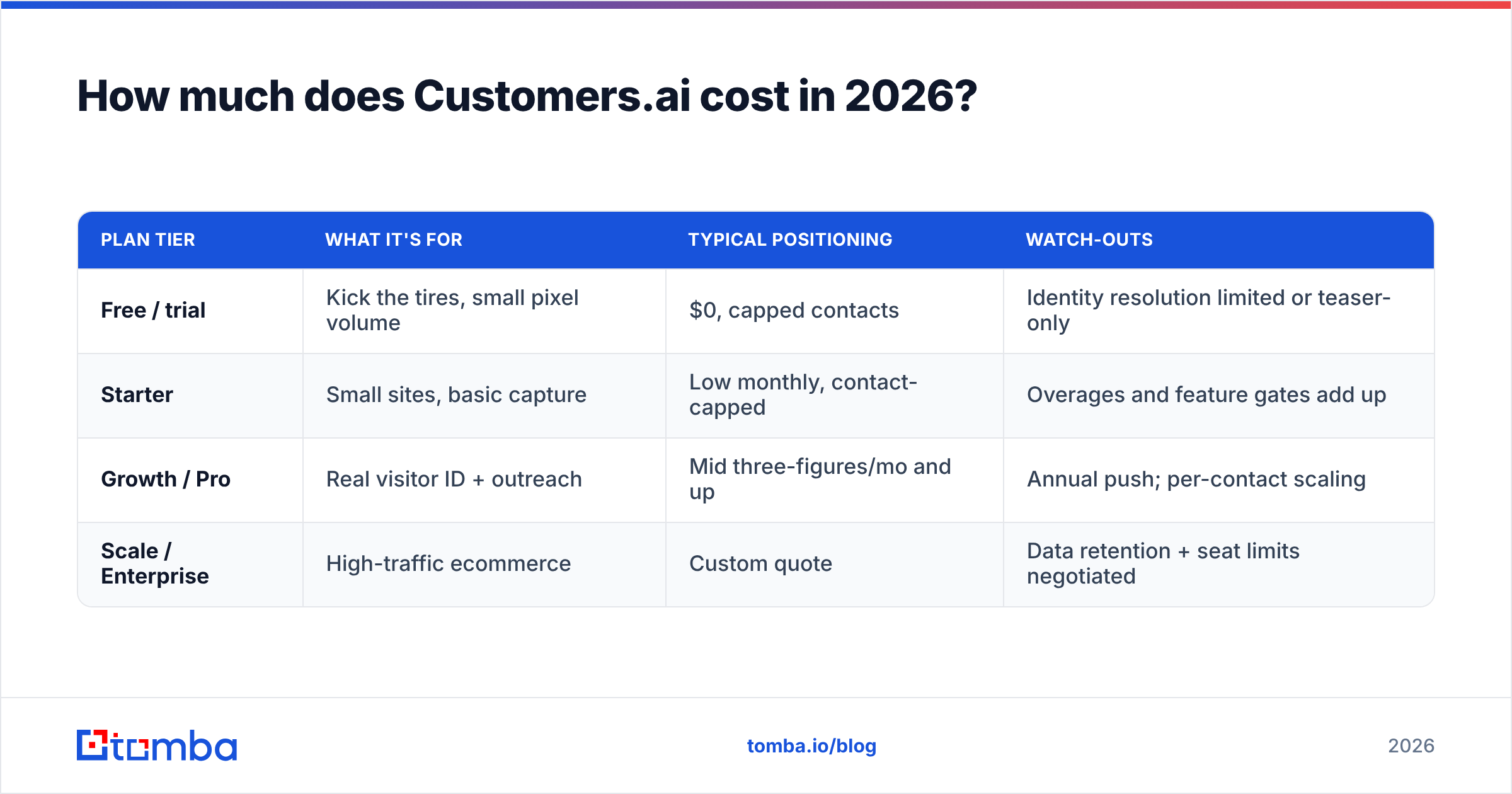
| Plan tier | What it's for | Typical positioning | Watch-outs |
|---|---|---|---|
| Free / trial | Kick the tires, small pixel volume | $0, capped contacts | Identity resolution limited or teaser-only |
| Starter | Small sites, basic capture | Low monthly, contact-capped | Overages and feature gates add up |
| Growth / Pro | Real visitor ID + outreach | Mid three-figures/mo and up | Annual push; per-contact scaling |
| Scale / Enterprise | High-traffic ecommerce | Custom quote | Data retention + seat limits negotiated |
The important mechanic: cost scales with identified contacts and sending volume. So a high-traffic month can spike your bill. That's normal for usage-based tools, but it's the number-one billing complaint in reviews. Contrast that with a fixed-seat email tool where you know the monthly ceiling. For reference, Tomba pricing is a flat ladder — Free (25 searches/mo), Starter $49/mo, Growth $99/mo, Pro $249/mo — so your cost doesn't move with traffic.
The real-cost checklist#
Before signing, price these line items, because the sticker rarely includes them:
- Identity resolution unlock — often a higher tier, not the entry plan.
- Contact overages — what happens when you exceed the monthly match cap.
- Sending/deliverability add-ons — warmup and volume sending may cost extra.
- Annual lock-in — monthly-billed rates are frequently much higher, so the "deal" assumes a year commitment.
- Integration limits — CRM sync and ad-audience push can be tier-gated.
What do Customers.ai reviews say?#
Reviews cluster into a clear pattern. On public directories like G2, sentiment is genuinely mixed rather than uniformly good or bad.
What reviewers praise:
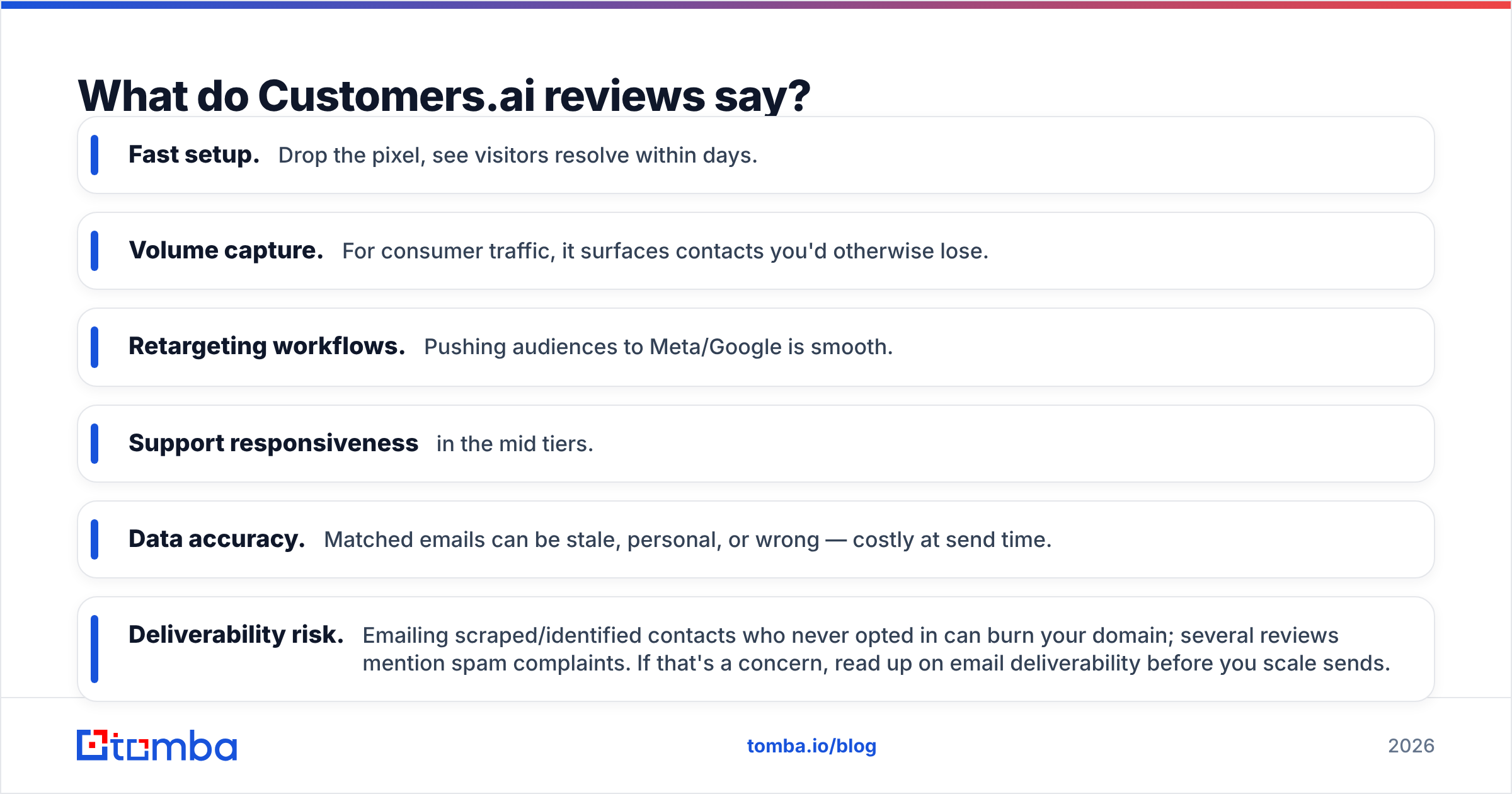
- Fast setup. Drop the pixel, see visitors resolve within days.
- Volume capture. For consumer traffic, it surfaces contacts you'd otherwise lose.
- Retargeting workflows. Pushing audiences to Meta/Google is smooth.
- Support responsiveness in the mid tiers.
What reviewers criticize:
- Data accuracy. Matched emails can be stale, personal, or wrong — costly at send time.
- Deliverability risk. Emailing scraped/identified contacts who never opted in can burn your domain; several reviews mention spam complaints. If that's a concern, read up on email deliverability before you scale sends.
- Billing surprises. Usage spikes and annual-vs-monthly gaps generate refund threads.
- B2B mismatch. Teams expecting verified work emails for named targets are the loudest critics.
The throughline: the tool does what it says for warm consumer traffic, and underdelivers when people expect a precise B2B contact database.
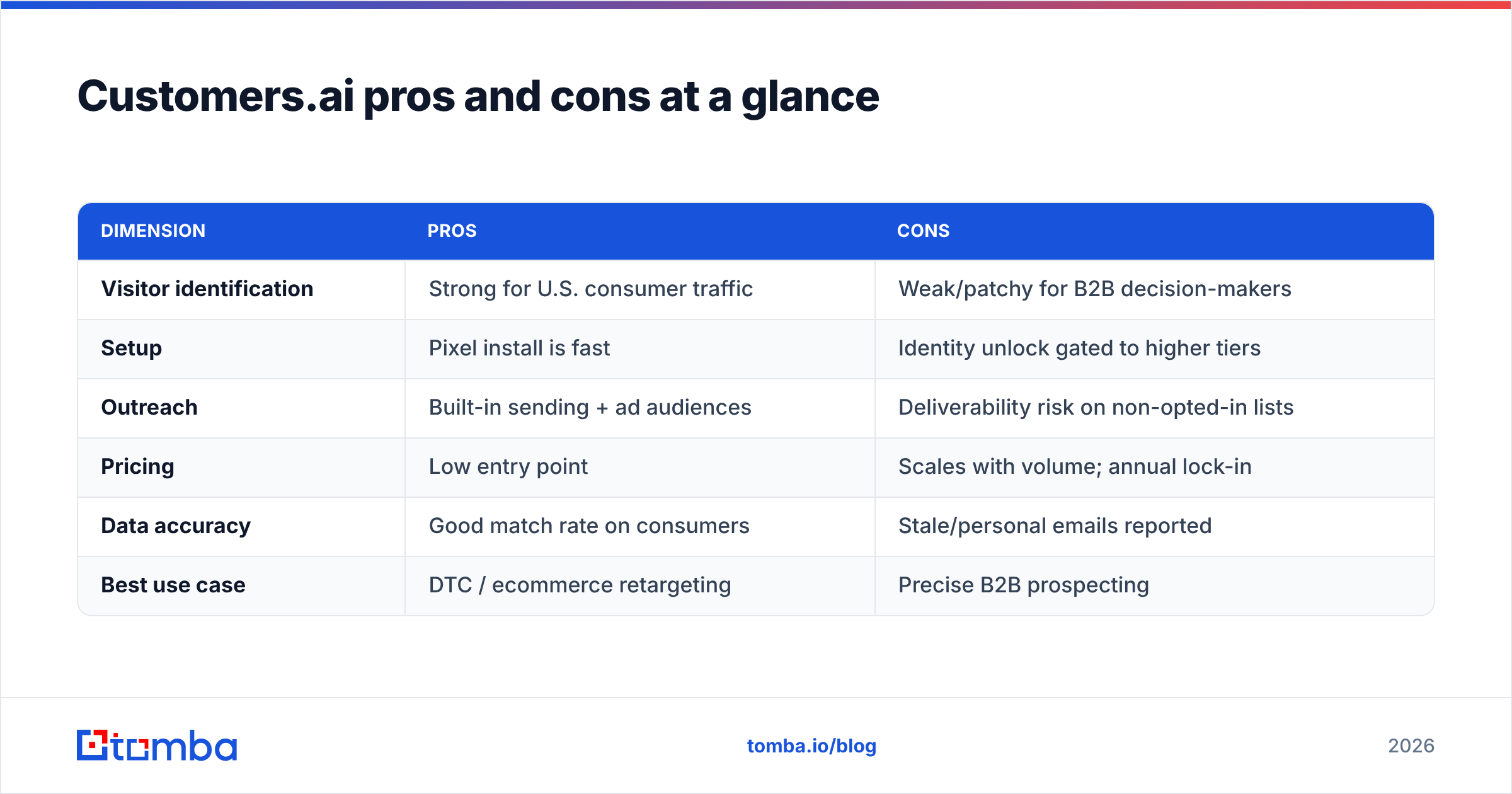
Customers.ai pricing, reviews, pros and cons at a glance#
| Dimension | Pros | Cons |
|---|---|---|
| Visitor identification | Strong for U.S. consumer traffic | Weak/patchy for B2B decision-makers |
| Setup | Pixel install is fast | Identity unlock gated to higher tiers |
| Outreach | Built-in sending + ad audiences | Deliverability risk on non-opted-in lists |
| Pricing | Low entry point | Scales with volume; annual lock-in |
| Data accuracy | Good match rate on consumers | Stale/personal emails reported |
| Best use case | DTC / ecommerce retargeting | Precise B2B prospecting |
The honest summary: Customers.ai is a good audience-recovery tool and a mediocre B2B contact-sourcing tool. Your ROI depends entirely on which job you're hiring it for.

Is Customers.ai worth it, or is there a cheaper alternative?#
It's worth it if you run high-traffic B2C/DTC and want to re-engage anonymous browsers through email and ads. The visitor-recovery use case is legitimate. If even a small share of recovered carts convert, the usage-based bill can pencil out.
It's not worth it if your real need is: "Give me the verified email of this specific person at this specific company." That's a prospecting problem, not a visitor-identification problem. It's cheaper and more accurate to solve with a purpose-built finder plus verifier.
If you do want the visitor-reveal capability specifically, note that it exists as a focused feature elsewhere too. Tomba's website visitor reveal identifies companies hitting your site without bundling you into a volume-sending platform you didn't ask for.
How the sourcing stack compares#
For the named-prospect job, here's Customers.ai versus a lean finder-first stack:
- Starting point — Customers.ai starts from traffic you already have; a finder starts from any company or person you choose to target. If your pipeline needs specific accounts, the finder wins.
- Accuracy model — Identity resolution guesses a match; a email verifier confirms an address is deliverable before you send, protecting your domain.
- Cost predictability — Flat seat pricing versus usage-based scaling. You know your ceiling.
- Compliance posture — Choosing and verifying business emails for named contacts is easier to defend than mass-emailing algorithmically matched consumer addresses.
- Coverage — Pair domain search to map a company's addresses with data enrichment to fill in titles and firmographics.
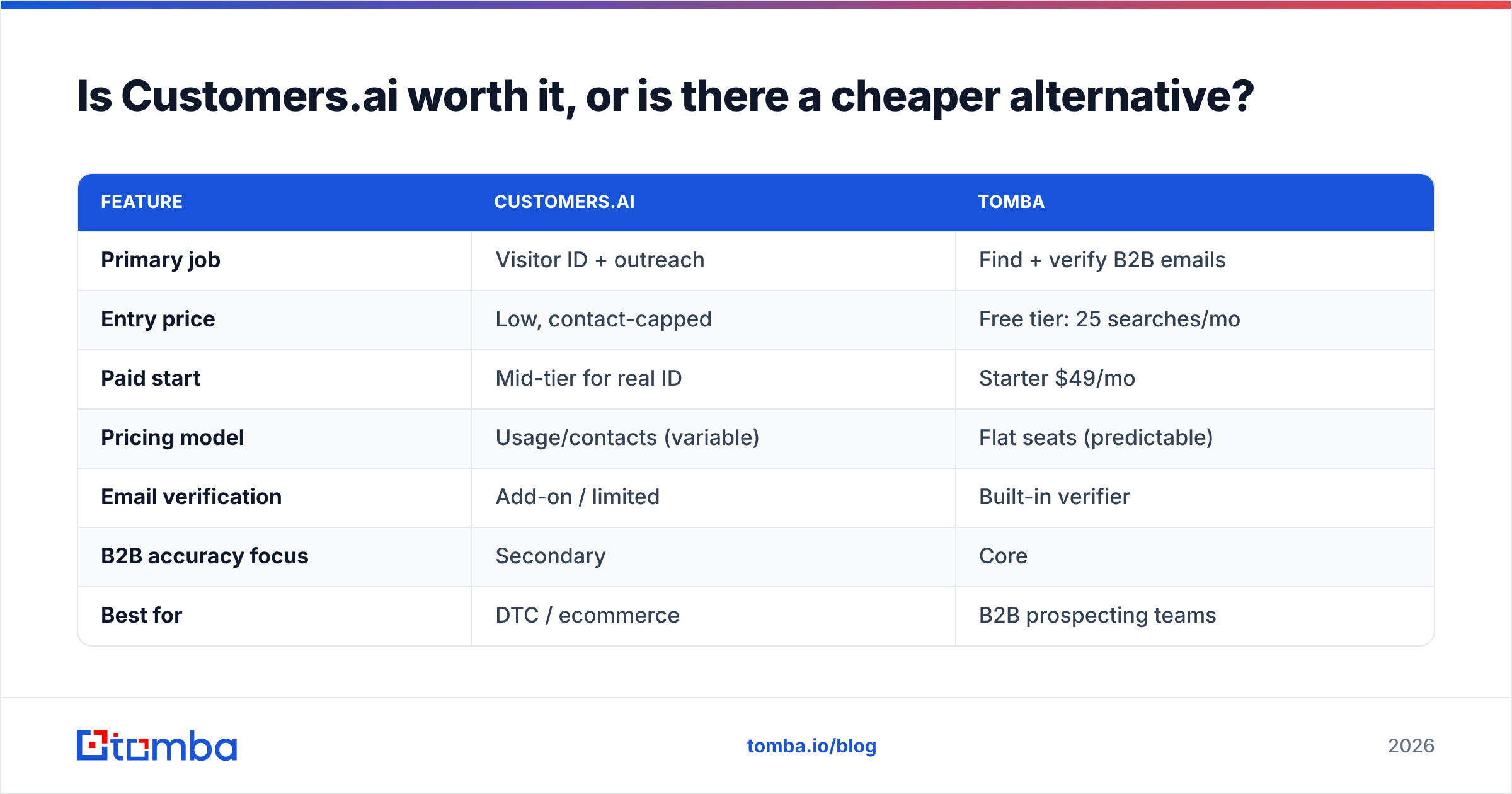
Here's the head-to-head on the numbers that matter:
| Feature | Customers.ai | Tomba |
|---|---|---|
| Primary job | Visitor ID + outreach | Find + verify B2B emails |
| Entry price | Low, contact-capped | Free tier: 25 searches/mo |
| Paid start | Mid-tier for real ID | Starter $49/mo |
| Pricing model | Usage/contacts (variable) | Flat seats (predictable) |
| Email verification | Add-on / limited | Built-in verifier |
| B2B accuracy focus | Secondary | Core |
| Best for | DTC / ecommerce | B2B prospecting teams |
The point isn't that one tool is universally better. They solve different problems. Buyers routinely purchase Customers.ai to solve a problem it wasn't built for — then write the negative review.
How should you decide?#
Answer three questions in order:
- Where do your leads come from? If it's inbound traffic you want to recover, Customers.ai's core use case fits. If it's outbound to named accounts, start with a finder.
- How predictable does the bill need to be? Usage-based pricing punishes traffic spikes. If finance needs a fixed number, flat pricing is safer.
- How much does deliverability matter? If your sending domain is a strategic asset, verify before you send and avoid mass-emailing non-opted-in matches. Model your ramp with a warmup calculator before scaling.
If you can't answer "yes, inbound recovery is my main job," you probably want a sourcing tool, not a visitor platform. And if you're weighing broader stacks, tools like HubSpot handle the CRM and nurture layer while a dedicated finder handles accurate contact data — a cleaner split than one platform trying to do everything.
The verdict on Customers.ai pricing, reviews, pros and cons#
Here's the bottom line on Customers.ai pricing, reviews, pros and cons. It's a capable, honestly-useful tool for the audience it was designed for: DTC and ecommerce teams recovering anonymous traffic. Its pricing is low at the door and higher in practice. Its reviews are strong on capture and weak on accuracy and billing clarity. Its biggest risk is being bought by B2B teams who needed a precise contact finder instead.
If your actual goal is sourcing verified, deliverable B2B emails for the exact people you want to reach — without a usage-based bill that moves with your traffic — start with the Tomba Email Finder. Find email addresses by domain, name, or company. Verify them before you send. Keep your cost on a flat, predictable ladder that starts free and tops out where you choose. It's the cheaper, more accurate half of what most people were trying to get from a visitor-ID platform in the first place.
Related guides#
Ready to find emails that actually work?
Join 150,000+ professionals who stopped guessing and started sending. Free credits on signup — no credit card required.
Get the Tomba newsletter
Practical outbound tactics and product updates — once every two weeks.
About the author