Datanyze Alternatives 2026: 9 Better Prospecting Tools
Datanyze's technographic data still works, but its email coverage and pricing haven't kept pace. Here are 9 alternatives compared on accuracy, credits, and cost.
TL;DR
- Datanyze is still a decent Chrome-extension scraper for technographics, but its email coverage is thin outside US mid-market SaaS, and the $39/mo tier caps you at 80 credits per month.
- If you mainly need verified work emails at volume, an email-finder-first tool (Tomba, Hunter, Findymail) beats Datanyze on cost per valid contact.
- If you need technographic filtering (who runs Shopify, HubSpot, Salesforce), BuiltWith and Wappalyzer are more complete data sources than Datanyze itself.
- If you need all-in-one prospecting + sequencing, Apollo or BookYourData cover more of the workflow, though at a higher monthly floor.
- The cheapest honest path for most teams in 2026: pair a dedicated email finder with a verifier, and buy technographics separately only if your ICP actually depends on tech stack.
What is Datanyze and what does it actually do?#
Datanyze started as a technographics company. Its original pitch was simple: tell you what software a company runs so you could sell against it. If you sold a Shopify app, you wanted a list of Shopify stores. If you sold a HubSpot competitor, you wanted HubSpot users.
After being acquired by ZoomInfo, Datanyze was repositioned as a lightweight, low-cost contact-data Chrome extension. Today it does three things:
- LinkedIn sidebar lookup — hover a profile, get a guessed email and sometimes a direct dial.
- Website tech detection — visit a site, see part of its stack.
- Small credit packs — free tier at 10 credits, then a low-cost paid tier with an 80-credit monthly cap.
That last point is where most people start hunting for Datanyze pricing alternatives. Eighty credits is roughly two days of real prospecting for one SDR. And the data behind those credits is not the full ZoomInfo database — it's a slimmed-down slice.

Why do teams look for Datanyze alternatives?#
Five recurring complaints show up across G2 and Capterra reviews, and they map cleanly to what a replacement needs to fix:
- Credit ceilings, not credit pricing. The problem isn't the price per credit — it's that you physically cannot buy more on the self-serve tier. You hit 80 and you wait until next month.
- Email accuracy on non-US and non-SaaS domains. Coverage falls off sharply for EU mid-market, manufacturing, healthcare, and anything below ~50 employees.
- No native verification step. You get an email; you don't get a confident verdict on whether it will bounce. That cost lands on your sending domain.
- Technographic staleness. Tech detection is a snapshot. Sites that migrated off a platform six months ago still show the old tag.
- No API on the low tier. If you want to enrich a CRM or a spreadsheet automatically, the extension-only workflow becomes a bottleneck fast.
Notice that these are two different jobs — contact data and technographic data — bundled into one tool. Most of the best Datanyze alternatives specialize in one of them and do it substantially better.
What should you compare Datanyze alternatives on?#
Before the table, here is the evaluation frame. Score every candidate on these six axes and the ranking usually resolves itself:
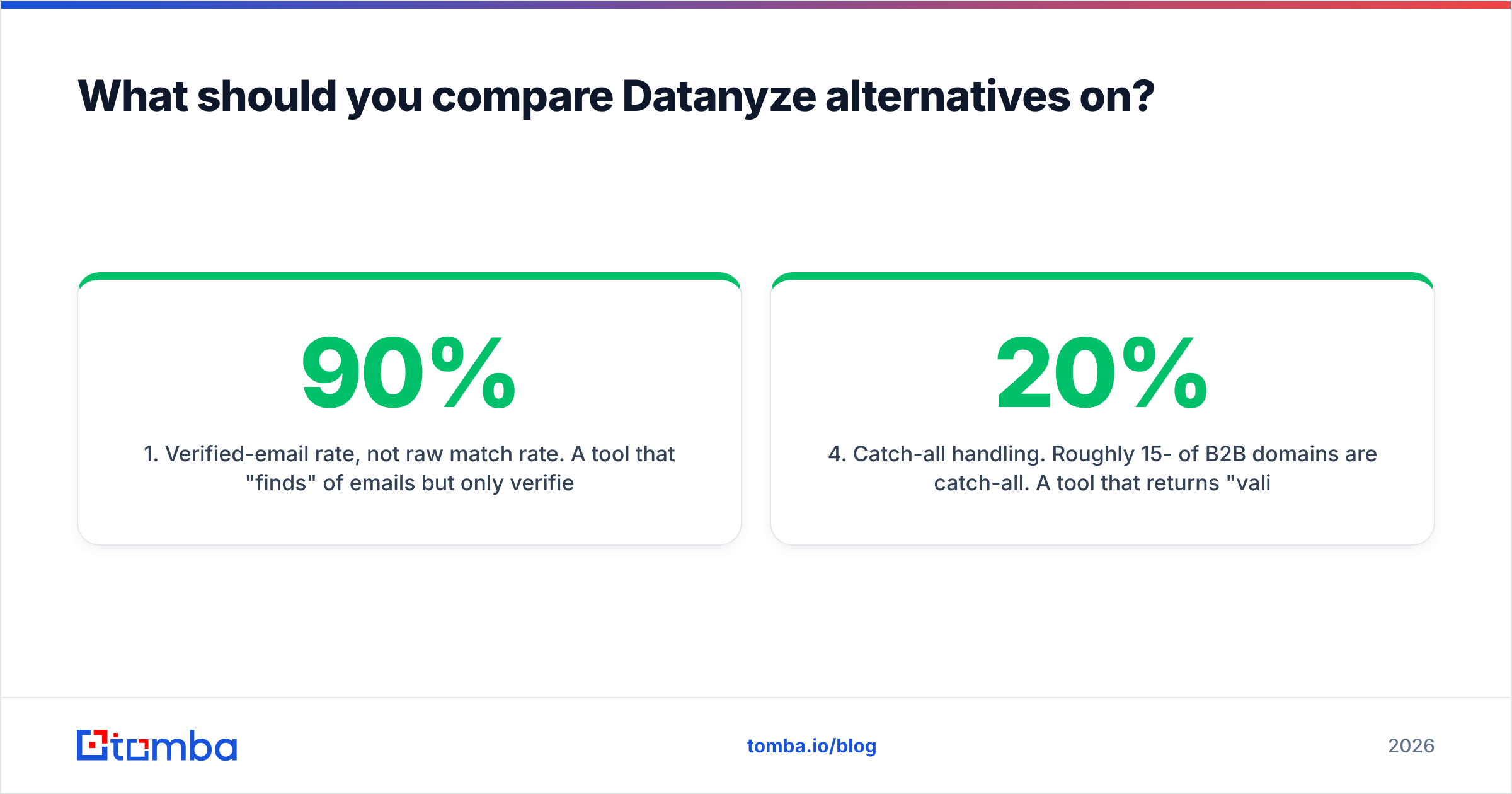
- Verified-email rate, not raw match rate. A tool that "finds" 90% of emails but only verifies 55% of them is worse than one that returns 65% verified. Ask for the deliverable number.
- Credit model and rollover. Does a failed lookup consume a credit? Do unused credits roll over? Can you buy overage mid-month, or are you hard-capped like Datanyze?
- Coverage geography and company size. Test the tool on your actual ICP — 25 domains from your pipeline, not the vendor's demo list.
- Catch-all handling. Roughly 15-20% of B2B domains are catch-all. A tool that returns "valid" for every catch-all address is lying to you; one that flags them honestly is doing its job.
- API and integration depth. Chrome extension only, or REST API, Sheets, Excel, HubSpot, Salesforce, Zapier?
- Compliance posture. GDPR/CCPA handling and documented data sources matter if you sell into the EU.

The accuracy gap between tools is real but smaller than vendors claim. Where the gap gets large is verified accuracy — the percentage of returned emails that survive an independent SMTP check. That number is what actually determines your bounce rate.
Which Datanyze alternatives are worth your money in 2026?#
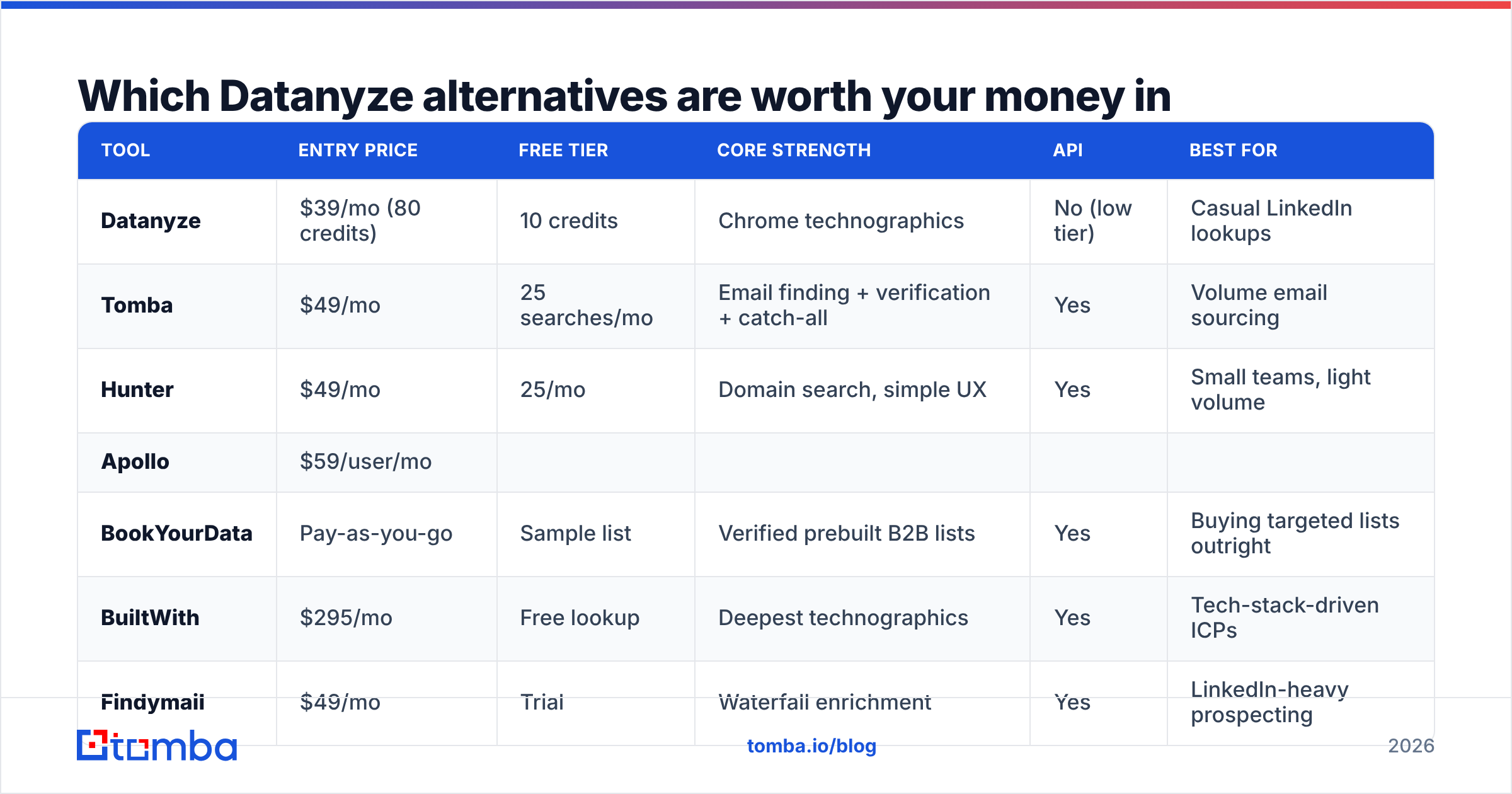
Here is the head-to-head. Prices are entry-level self-serve tiers as published by each vendor at time of writing; enterprise pricing is always negotiated.
| Tool | Entry price | Free tier | Core strength | API | Best for |
|---|---|---|---|---|---|
| Datanyze | $39/mo (80 credits) | 10 credits | Chrome technographics | No (low tier) | Casual LinkedIn lookups |
| Tomba | $49/mo | 25 searches/mo | Email finding + verification + catch-all | Yes | Volume email sourcing |
| Hunter | $49/mo | 25/mo | Domain search, simple UX | Yes | Small teams, light volume |
| Apollo | $59/user/mo | ||||
| Limited credits | All-in-one data + sequencing | Yes | Full-cycle SDR teams | ||
| BookYourData | Pay-as-you-go | Sample list | Verified prebuilt B2B lists | Yes | Buying targeted lists outright |
| --- | --- | --- | --- | --- | --- |
| BuiltWith | $295/mo | Free lookup | Deepest technographics | Yes | Tech-stack-driven ICPs |
| Findymail | $49/mo | Trial | Waterfall enrichment | Yes | LinkedIn-heavy prospecting |
| Wappalyzer | $149/mo | Free extension | Tech detection + lists | Yes | Lightweight technographics |
| RocketReach | $70/mo | 5 lookups | Personal + work emails | Yes | Recruiting, exec contacts |

Tomba — the closest like-for-like on contact data#
If your Datanyze usage is 80% "find me this person's work email," Tomba replaces it directly and removes the credit ceiling. The email finder works by domain, name, or company, and every result runs through the email verifier before it reaches you.
Pricing: Free (25 searches/mo), Starter $49/mo, Growth $99/mo, Pro $249/mo, Enterprise custom. See full Tomba pricing for credit allocations.
Where it genuinely differs from Datanyze:
- Catch-all domains get a real answer. The catch-all verifier distinguishes "domain accepts everything" from "this specific mailbox exists," which is the single most common source of unexplained bounces.
- Bulk and API-first. Bulk email finder for CSV uploads, plus a documented Tomba API so enrichment can run inside your own pipeline rather than a browser tab.
- Spreadsheet-native. Google Sheets and Excel add-ins mean an ops person can enrich a list without engineering help.
What it does not do: technographic filtering. If "companies running Klaviyo" is your list definition, Tomba won't build that list — pair it with BuiltWith or Wappalyzer instead.
Hunter — the safe, simple pick#
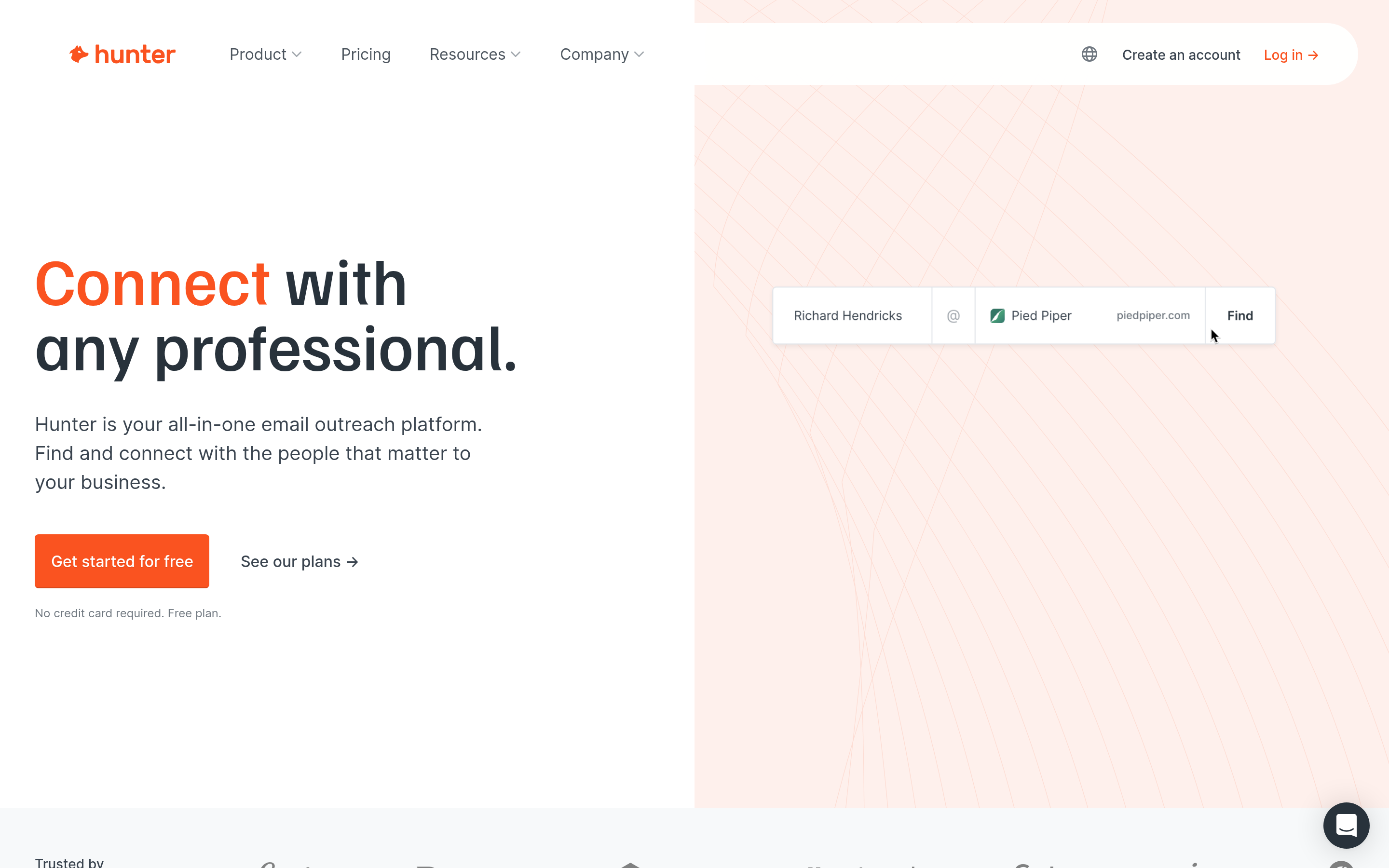
Hunter is the most similar tool to Tomba in scope and price. Its domain search is clean, the UX is unintimidating, and the free tier is usable. Coverage skews toward tech and media companies with public web footprints. If your list volume is under a few thousand contacts a month and you don't need catch-all resolution, it's a fine landing spot.
Apollo — if you also want sequencing#
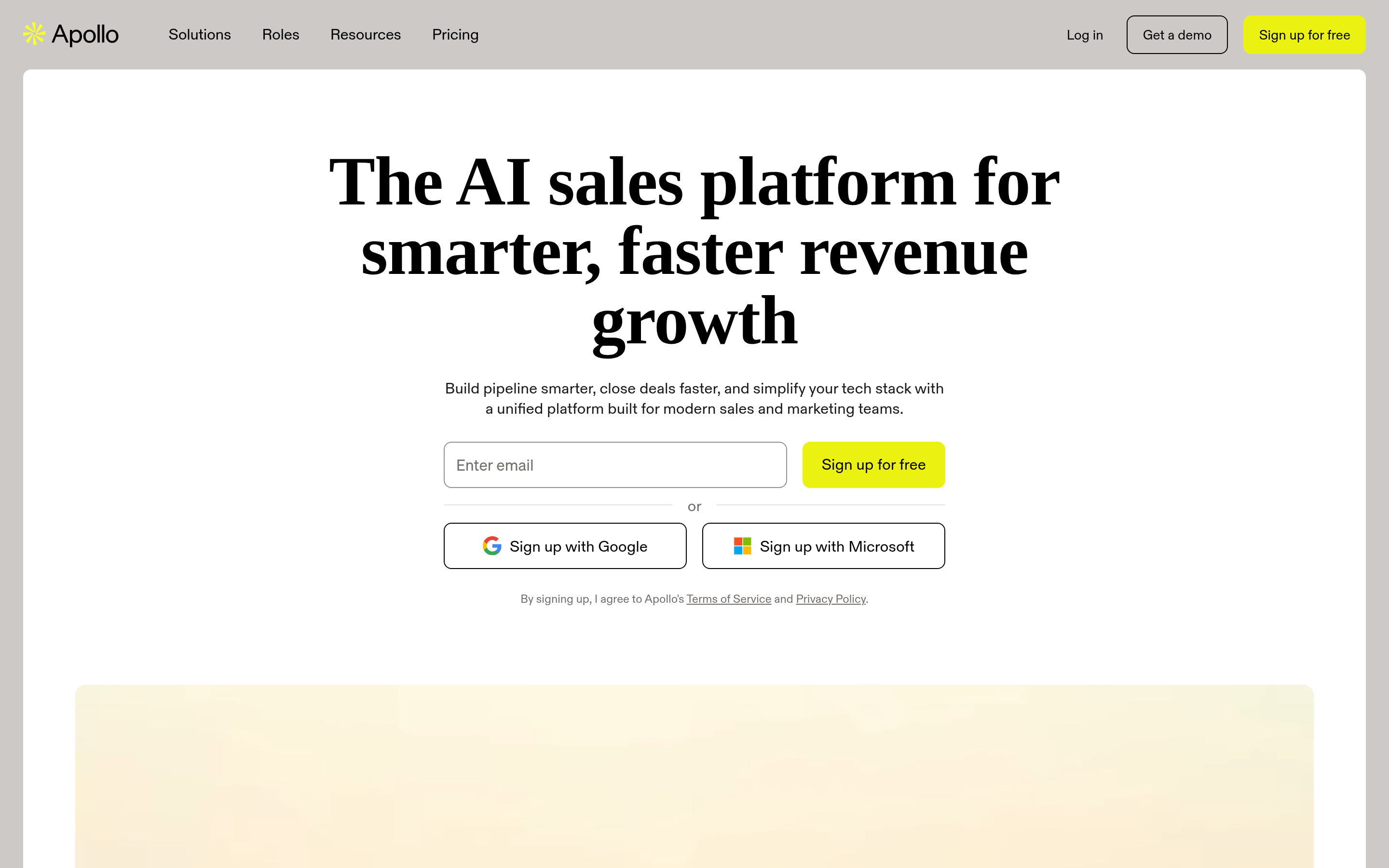
Apollo bundles a 200M+ contact database with email sequencing, dialer, and basic CRM. That bundling is the point: one seat replaces three tools. The trade-off is per-seat pricing that scales badly on a big team, plus a database where data freshness varies a lot by segment. If you already run Outreach or Salesloft for sequencing, you're paying twice. Teams evaluating this route often compare an Apollo alternative that keeps the data layer separate from the sending layer.
BookYourData — when you want the list, not the tool#
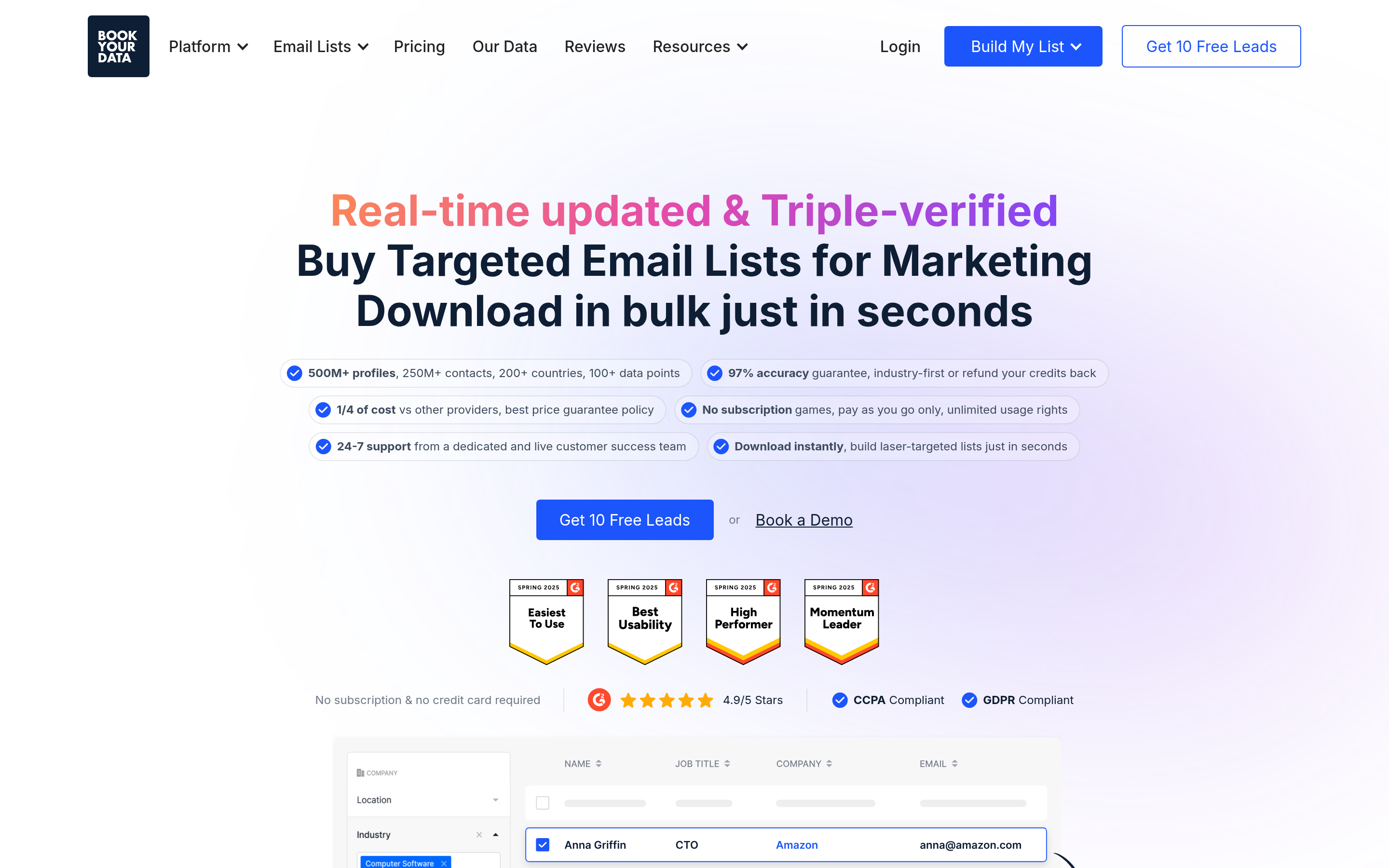
BookYourData takes a different approach: instead of subscribing to a lookup tool, you build a filtered list (industry, title, geography, company size) and buy it outright, pay-as-you-go, with a verified-email guarantee attached. That model fits teams running a small number of large, well-defined campaigns rather than continuous daily prospecting. It's a genuinely different purchase shape from Datanyze, and for a one-off ABM push it's often the faster route — no credits to ration, no extension to install.
BuiltWith and Wappalyzer — the technographics replacements#
If you chose Datanyze for the tech data, these are your upgrades. BuiltWith tracks tens of thousands of technologies across hundreds of millions of sites with historical records — you can see when a company switched platforms, which is a genuine buying signal. Wappalyzer is lighter and cheaper, with a good free extension.
Neither is a contact-data tool. You'll still need an email source on top, which is why the common 2026 stack is technographics vendor + email finder, not one tool trying to do both.
Findymail and RocketReach — the specialists#
Findymail runs waterfall enrichment across multiple providers and is popular with LinkedIn-first prospectors; it markets aggressively on bounce guarantees. RocketReach leans toward personal emails and phone numbers, which makes it strong for recruiting and executive outreach and weaker for pure B2B domain-based work.

How much does switching from Datanyze actually cost?#
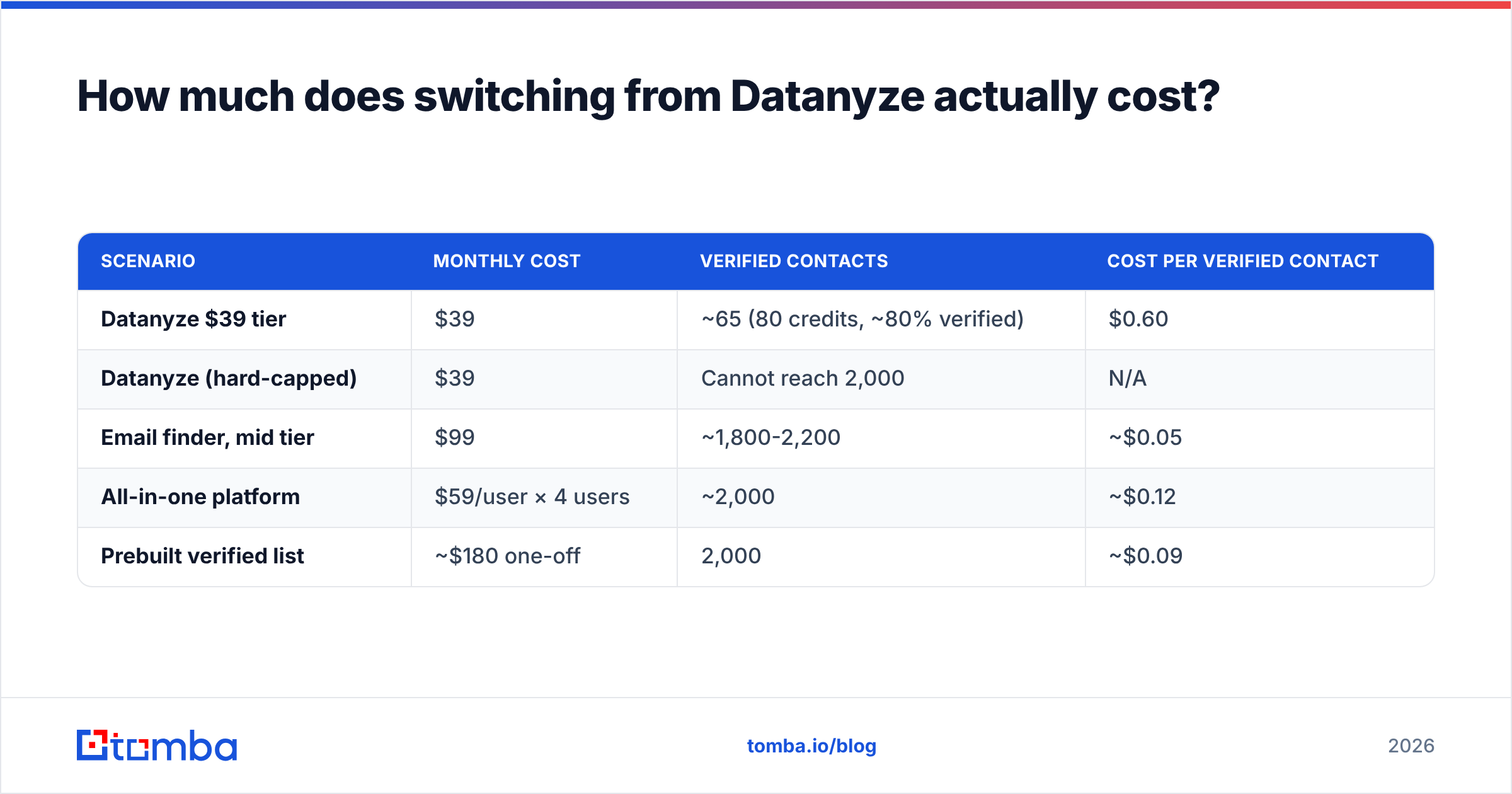
Do the math on cost per verified contact, not cost per credit. A worked example for a team that needs 2,000 usable emails a month:
| Scenario | Monthly cost | Verified contacts | Cost per verified contact |
|---|---|---|---|
| Datanyze $39 tier | $39 | ~65 (80 credits, ~80% verified) | $0.60 |
| Datanyze (hard-capped) | $39 | Cannot reach 2,000 | N/A |
| Email finder, mid tier | $99 | ~1,800-2,200 | ~$0.05 |
| All-in-one platform | $59/user × 4 users | ~2,000 | ~$0.12 |
| Prebuilt verified list | ~$180 one-off | 2,000 | ~$0.09 |
The headline price of Datanyze looks cheapest and is, in practice, the most expensive per usable contact — because the cap forces you to either stop prospecting or buy a second tool anyway.
Add one more line item people forget: bounce cost. A 6% bounce rate on 2,000 sends is 120 hard bounces, which is enough to visibly dent sender reputation on a young domain. Whatever you save on data, you pay back in email deliverability repair. Verification is not an upsell; it's insurance.
How do you migrate off Datanyze without losing pipeline?#
Run this as a two-week overlap, not a hard cutover:
- Export what you have. Pull your existing Datanyze contacts to CSV before your billing period ends. Extension-based tools rarely make historical data easy to retrieve after cancellation.
- Build a 100-row benchmark set. Take 100 contacts from your real ICP where you already know the correct email (closed-won accounts, existing customers, inbound leads). This is your ground truth.
- Run the same 100 through each finalist. Score match rate, verified rate, and false-positive rate. Vendors' published accuracy stats are marketing; your 100 rows are evidence.
- Re-verify your existing database. Old Datanyze exports decay at roughly 2-3% per month as people change jobs. Run the whole list through a verifier before you import it anywhere.
- Rebuild the enrichment path. If you were manually clicking an extension, this is the moment to automate — a HubSpot integration or Zapier flow removes the human step entirely.
- Keep technographics separate. If tech-stack filtering mattered, buy it as its own line item. Bundled technographics from a contact-data vendor are almost always the weaker version.
Step 2 is the one teams skip and regret. Every vendor on this list will look good in a demo built on their own strongest segment.
Is Datanyze still worth keeping for anything?#
Yes, in two narrow cases.
Case one: very low volume. If you look up fewer than 50 contacts a month and you already have the extension installed, the friction of switching isn't worth $39. Nothing is broken.
Case two: casual tech checks. If you occasionally want to know what a prospect's site runs and don't need a filtered list of every company running it, the free tier does that fine — as does Wappalyzer's free extension.
Outside those cases, the credit ceiling is a hard structural limit, not a pricing preference. No amount of workflow discipline gets you from 80 credits to a real outbound motion.
What's the right stack for most teams in 2026?#
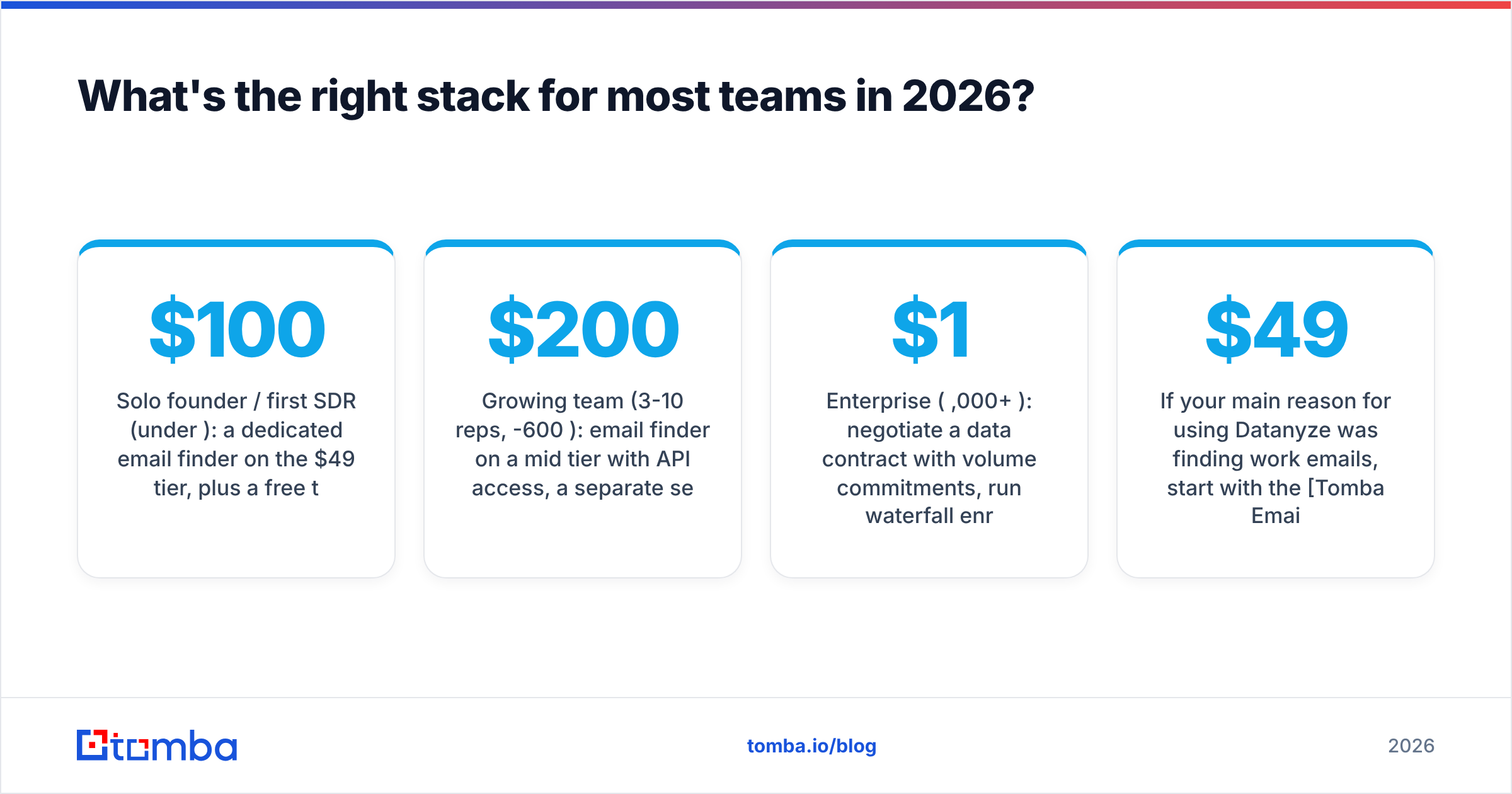
Three tiers, based on where you actually are:
Solo founder / first SDR (under $100/mo): a dedicated email finder on the $49 tier, plus a free technographics extension. Verify everything before sending. Skip the all-in-one platforms — you're paying for sequencing seats you won't use yet.
Growing team (3-10 reps, $200-600/mo): email finder on a mid tier with API access, a separate sequencing tool you actually like, and technographics only if your ICP is defined by tech stack. Route enrichment through your CRM automatically so reps never copy-paste.
Enterprise ($1,000+/mo): negotiate a data contract with volume commitments, run waterfall enrichment across two providers, and treat verification as a mandatory pipeline stage, not an optional check. At this scale the difference between 92% and 96% deliverable data is worth more than the entire tooling budget.
Whichever tier you're in, the principle is the same: buy contact data and technographic data separately, and never send to an unverified address. Datanyze's weakness was never that it was bad at one job — it's that the bundle made both jobs mediocre.
If your main reason for using Datanyze was finding work emails, start with the Tomba Email Finder. Free tier gives you 25 searches a month to run your own benchmark set — use the 100-row test from the migration section above and compare verified rates side by side before you pay anyone. Starter is $49/mo when you're ready to scale, with the API, bulk uploads, and catch-all verification included rather than gated behind an enterprise call.
Related guides#
Ready to find emails that actually work?
Join 150,000+ professionals who stopped guessing and started sending. Free credits on signup — no credit card required.
Get the Tomba newsletter
Practical outbound tactics and product updates — once every two weeks.
About the author