DiscoverOrg vs GetEmail.io: Which B2B Data Tool Wins in 2026?
One costs five figures a year and ships org charts. The other costs less than a team lunch and finds emails. Here's the honest DiscoverOrg vs GetEmail.io breakdown, plus where both fall short.
DiscoverOrg vs GetEmail.io is a common search, but it is an odd match-up. One tool is a large enterprise data platform. The other is a cheap email finder. Here is what each one does, what each one costs, and how to choose.
TL;DR
- DiscoverOrg no longer exists as a standalone product. It merged with ZoomInfo in 2019, and the brand was folded into the ZoomInfo platform. If a rep pitches you "DiscoverOrg," you are buying ZoomInfo — at ZoomInfo's annual contract prices.
- GetEmail.io is a single-purpose email finder. Give it a name and a company domain. It guesses and checks the work email. No org charts, no intent data, no phone tree.
- They are not real rivals. One is a five-figure enterprise data platform. The other is a sub-$100/month lookup tool. The real question is which category your team needs.
- The cost gap is roughly 20-40x. ZoomInfo (ex-DiscoverOrg) deals usually land between $15,000 and $40,000 a year, with seat minimums. GetEmail.io starts free and tops out in the low hundreds per month.
- Most teams over-buy. If your outbound motion is "find the person, verify the email, send the sequence," you are paying enterprise prices for features you never open.
What was DiscoverOrg, and does it still exist?#
DiscoverOrg was a B2B contact and company data provider, founded in 2007. It was known for human-verified org charts, IT installed-technology data, and deep coverage of mid-market and enterprise accounts. Its edge was research rigor. Real analysts called switchboards and confirmed reporting lines instead of scraping profiles.
In February 2019, DiscoverOrg acquired ZoomInfo and then took the ZoomInfo name. Today the ZoomInfo platform is what you actually buy. The DiscoverOrg heritage survives in the data, and the org-chart depth and technographic coverage are genuinely inherited. But you cannot buy a product called DiscoverOrg in 2026.
This matters for your evaluation. Any "DiscoverOrg pricing" page you find is either historical or SEO bait. You are negotiating a ZoomInfo contract. That means an annual commitment, credit caps, seat licensing, a demo, a security review, and a procurement call.

What is GetEmail.io and how does it work?#
GetEmail.io is an email-finding tool. You give it a first name, last name, and a company domain. It returns a best-guess work email with a confidence score. It also offers a Chrome extension for LinkedIn, a bulk CSV upload, and a REST API.
Tools in this class do three things:
- Pattern inference — work out whether a domain uses
first.last@,flast@,first@, or something stranger, based on known addresses at that domain. - Permutation generation — build candidate addresses from the name and the pattern.
- Validation — run SMTP and MX checks against the mail server, see which candidate resolves, then score it.
That is the whole product surface. It is not a database in the ZoomInfo sense. It is a lookup and verification engine. Some domains are catch-all, which means they accept every address whether or not a mailbox exists. On those domains, pattern-based tools return low-confidence guesses. That is where a dedicated catch-all verifier earns its keep.
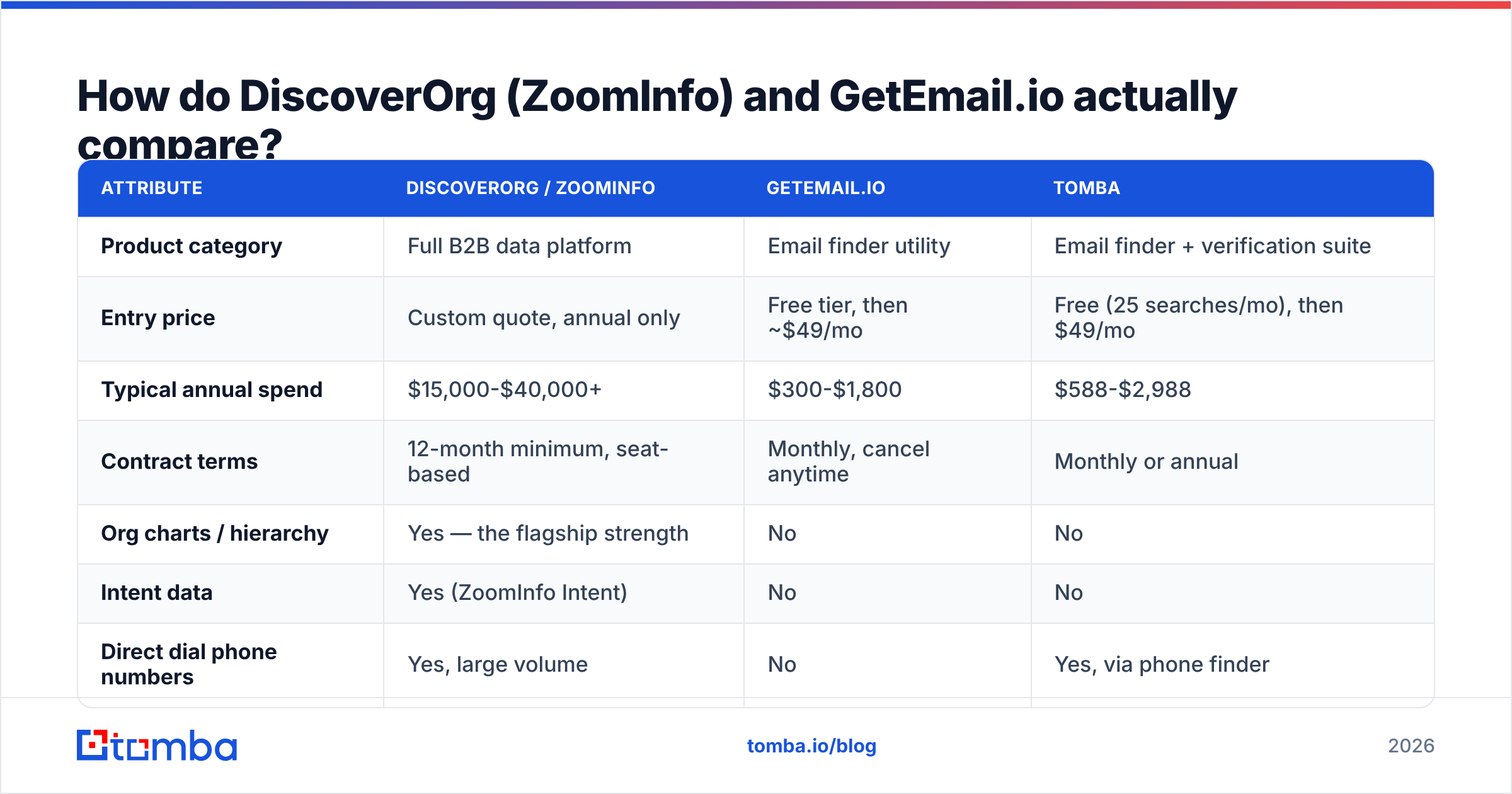
How do DiscoverOrg (ZoomInfo) and GetEmail.io actually compare?#
| Attribute | DiscoverOrg / ZoomInfo | GetEmail.io | Tomba |
|---|---|---|---|
| Product category | Full B2B data platform | Email finder utility | Email finder + verification suite |
| Entry price | Custom quote, annual only | Free tier, then ~$49/mo | Free (25 searches/mo), then $49/mo |
| Typical annual spend | $15,000-$40,000+ | $300-$1,800 | $588-$2,988 |
| Contract terms | 12-month minimum, seat-based | Monthly, cancel anytime | Monthly or annual |
| Org charts / hierarchy | Yes — the flagship strength | No | No |
| Intent data | Yes (ZoomInfo Intent) | No | No |
| Direct dial phone numbers | Yes, large volume | No | Yes, via phone finder |
| Domain-wide email search | Yes | Limited | Yes |
| Email verification | Bundled, opaque scoring | Basic SMTP check | Dedicated verifier with catch-all handling |
| Native API | Yes, enterprise-gated | Yes | Yes, on all paid plans |
| Time to first result | Days (demo → contract → onboarding) | Minutes | Minutes |
| Best for | Enterprise ABM, 20+ rep teams | Solo founders, light lookup | SMB to mid-market outbound teams |
The table makes the mismatch obvious. Comparing these two is like comparing a freight platform to a postage scale. Both touch shipping. Only one of them makes sense for a two-person team.
Which one gives you better data accuracy?#
Accuracy splits by data type. Each tool wins a different column.
ZoomInfo (ex-DiscoverOrg) wins on firmographics and hierarchy. Company size, revenue bands, tech stack, funding events, and who reports to whom are researched at a scale no lookup tool matches. Say your ideal buyer is "VP of Engineering at a 500-1,000 employee SaaS company running Snowflake." ZoomInfo answers that. GetEmail.io cannot.
Email accuracy is closer than the price gap suggests. User reviews on G2 often flag stale contact records in large aggregated databases. People change jobs every two to three years. A database of 100M+ contacts decays faster than it can be re-verified. A pattern tool checks a live mail server at query time, so it works with fresher signal — even if it has no idea who the person is.
The practical failure modes differ:
- ZoomInfo's failure mode is confident staleness. You get a real, well-formatted email for someone who left 14 months ago.
- GetEmail.io's failure mode is low confidence on hard domains: catch-all servers, Google Workspace tenants that accept everything, and odd naming patterns.
- Both fail on catch-all domains without a dedicated verification layer.
This is why good outbound teams verify every list, whatever the source. Run any list — an enterprise export or a scraped CSV — through an email verifier before it hits a sequence. It is the cheapest protection you can buy for your sender reputation.
What does each one actually cost?#
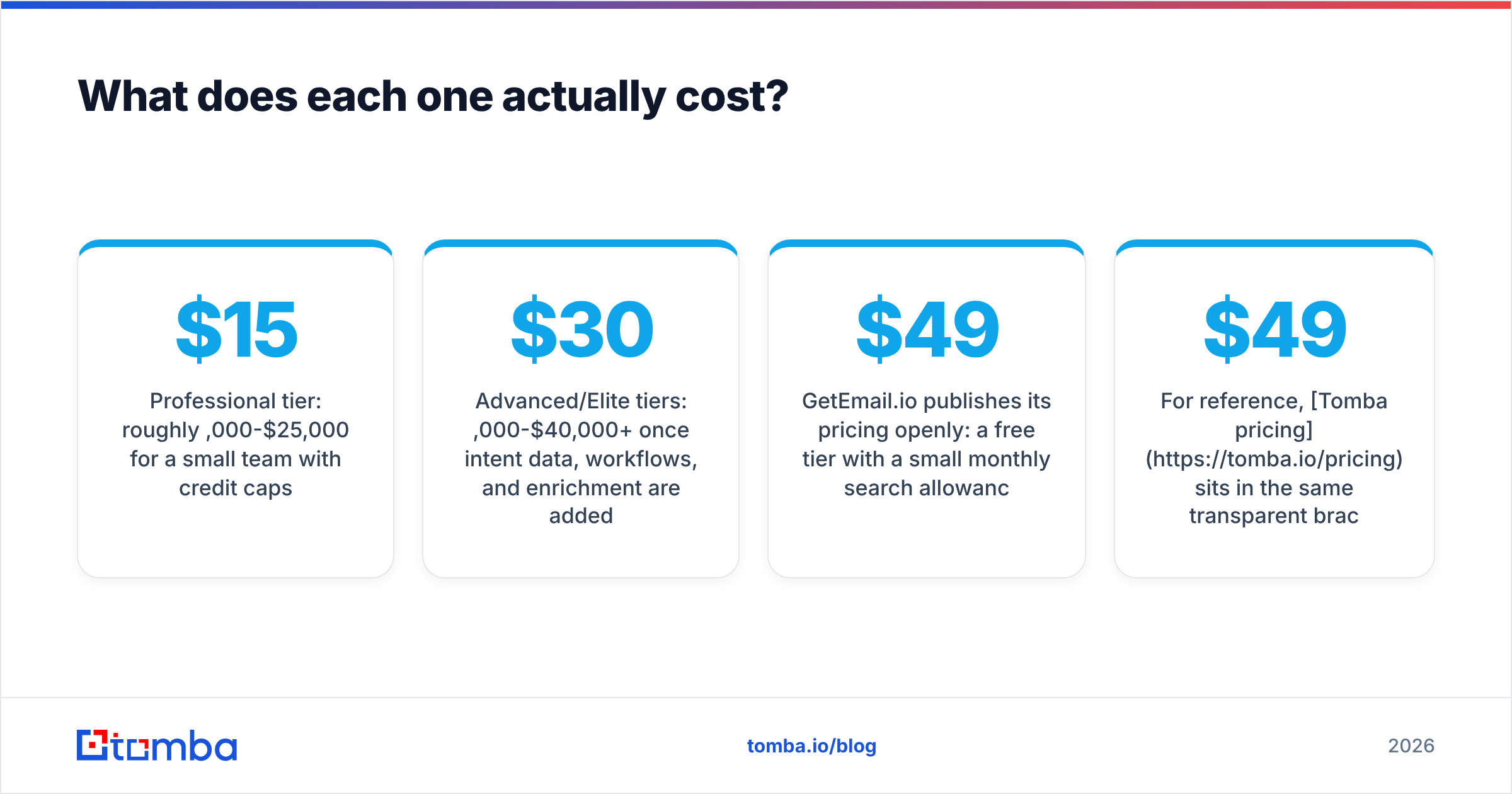
DiscoverOrg/ZoomInfo does not publish list pricing. Based on reported contracts and reseller commentary, expect:
- Professional tier: roughly $15,000-$25,000/year for a small team with credit caps
- Advanced/Elite tiers: $30,000-$40,000+/year once intent data, workflows, and enrichment are added
- Seat minimums: commonly three or more, with per-seat pricing on top of the platform fee
- Credits: exports are metered, so running out mid-quarter means an upsell conversation
- Auto-renewal: contracts often include renewal clauses with notice windows — read them
GetEmail.io publishes its pricing openly. There is a free tier with a small monthly search allowance. Paid tiers sit in the $49-$99/month band for one user, and higher credit volumes and API access cost more. No contract, no procurement.
For reference, Tomba pricing sits in the same open bracket: a free tier with 25 searches a month, Starter at $49/mo, Growth at $99/mo, Pro at $249/mo, and custom Enterprise plans. The difference from GetEmail.io is scope. Domain search, catch-all verification, phone lookup, and enrichment sit in one subscription rather than separate products.

Who should buy DiscoverOrg/ZoomInfo?#
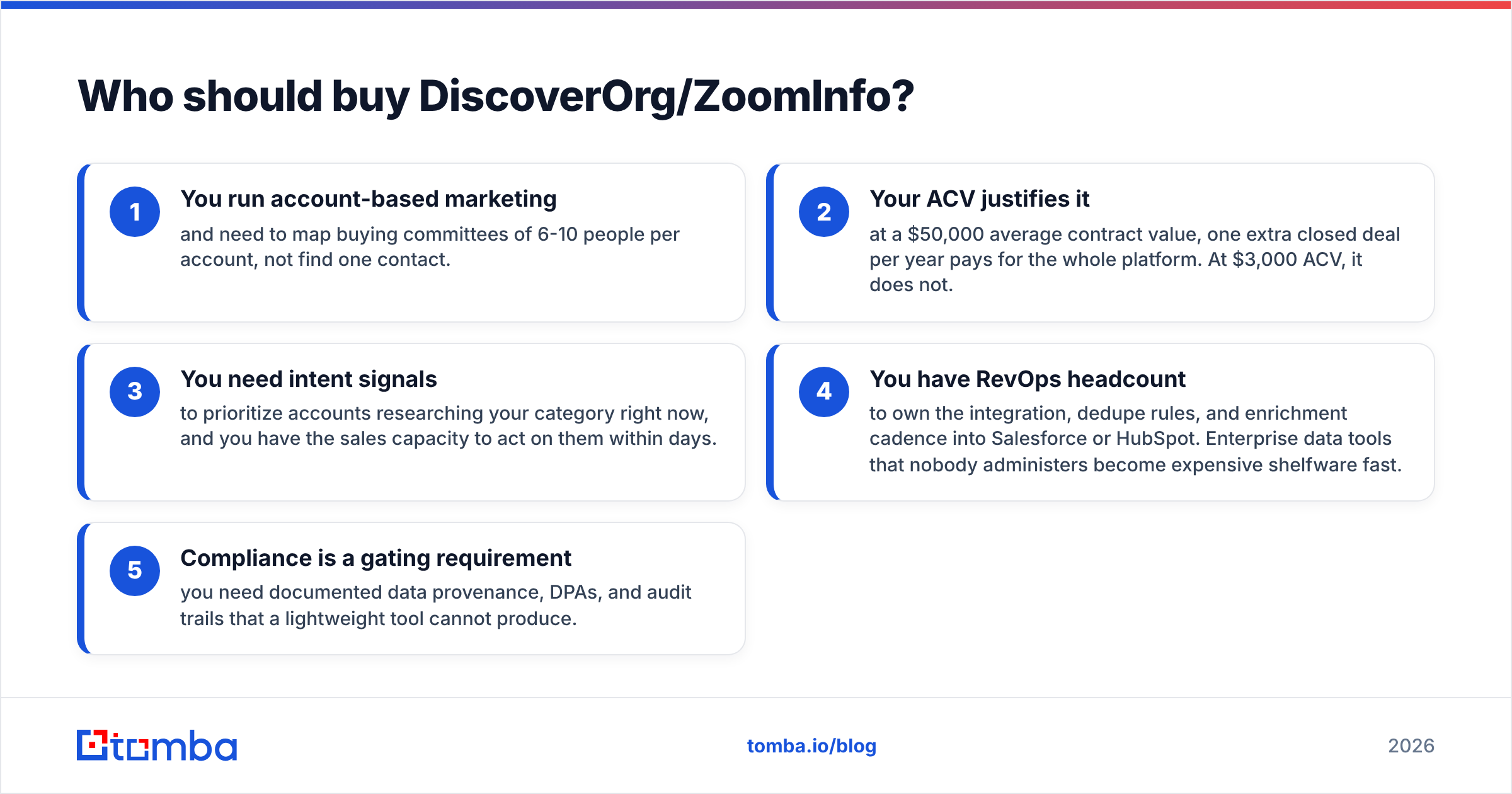
In the DiscoverOrg vs GetEmail.io decision, the enterprise platform only pays off when at least three of these are true:
- You run account-based marketing. You need to map buying committees of 6-10 people per account, not find one contact.
- Your deal size justifies it. At a $50,000 average contract value, one extra closed deal a year pays for the platform. At $3,000, it does not.
- You need intent signals to spot accounts researching your category now, and you have reps free to act within days.
- You have RevOps headcount to own the integration, dedupe rules, and enrichment cadence into Salesforce or HubSpot. Data tools that nobody administers become expensive shelfware.
- Compliance is a gating requirement. You need documented data provenance, DPAs, and audit trails that a light tool cannot produce.
If you checked one or two, you are almost certainly over-buying. Forrester and other analyst shops have found the same pattern across the sales-tech stack. Seat usage on enterprise data platforms often runs below half of what was purchased.
Who should buy GetEmail.io — and what are the alternatives?#
GetEmail.io fits a narrow, real profile. Think of a founder, solo consultant, recruiter, or small agency who needs a few hundred emails a month and does not want a platform. It is fast, cheap, and does one job.
Where it runs thin:
- No domain-wide discovery. You need a name before you can search. If you want "everyone in marketing at acme.com," you are stuck.
- Catch-all handling is basic. Low-confidence results come back with no clear way to resolve them.
- No phone or enrichment layer. Multichannel sequences need a second vendor.
- Bulk workflows are limited next to tools built around CSV pipelines.
That gap is where the middle of the market lives, and it is crowded. Worth checking alongside GetEmail.io:
- BookYourData — a pay-as-you-go B2B contact database with a 95%+ accuracy guarantee and no subscription lock-in. A strong fit if you want list-building volume without an annual contract.
- Hunter — the best-known domain search tool, similar price band, strong brand recognition.
- Tomba — email finder plus bulk email finder, catch-all verification, phone finder, and enrichment under one plan, with a documented Tomba API and native integrations for HubSpot, Salesforce, Pipedrive, Sheets, and Zapier.
What does a sane 2026 data stack look like?#
Most teams under 50 reps do not need one monolithic vendor. A layered stack costs less and breaks less:
- Discovery layer — find companies that match your ideal profile. LinkedIn Sales Navigator, an industry directory, or a job-post scraper covers this for a few hundred dollars a month.
- Contact layer — turn a company into named people with verified emails. This is where an email finder with domain search does the work.
- Verification layer — check everything before it enters a sequence. Non-negotiable if you care about email deliverability.
- Enrichment layer — append firmographics, tech stack, and phone numbers to the records that matter, not all of them. Contact enrichment on qualified accounts only is far cheaper than enriching a whole database.
- Execution layer — your sequencer and CRM. Budget should concentrate here, because it is where reps spend their day.
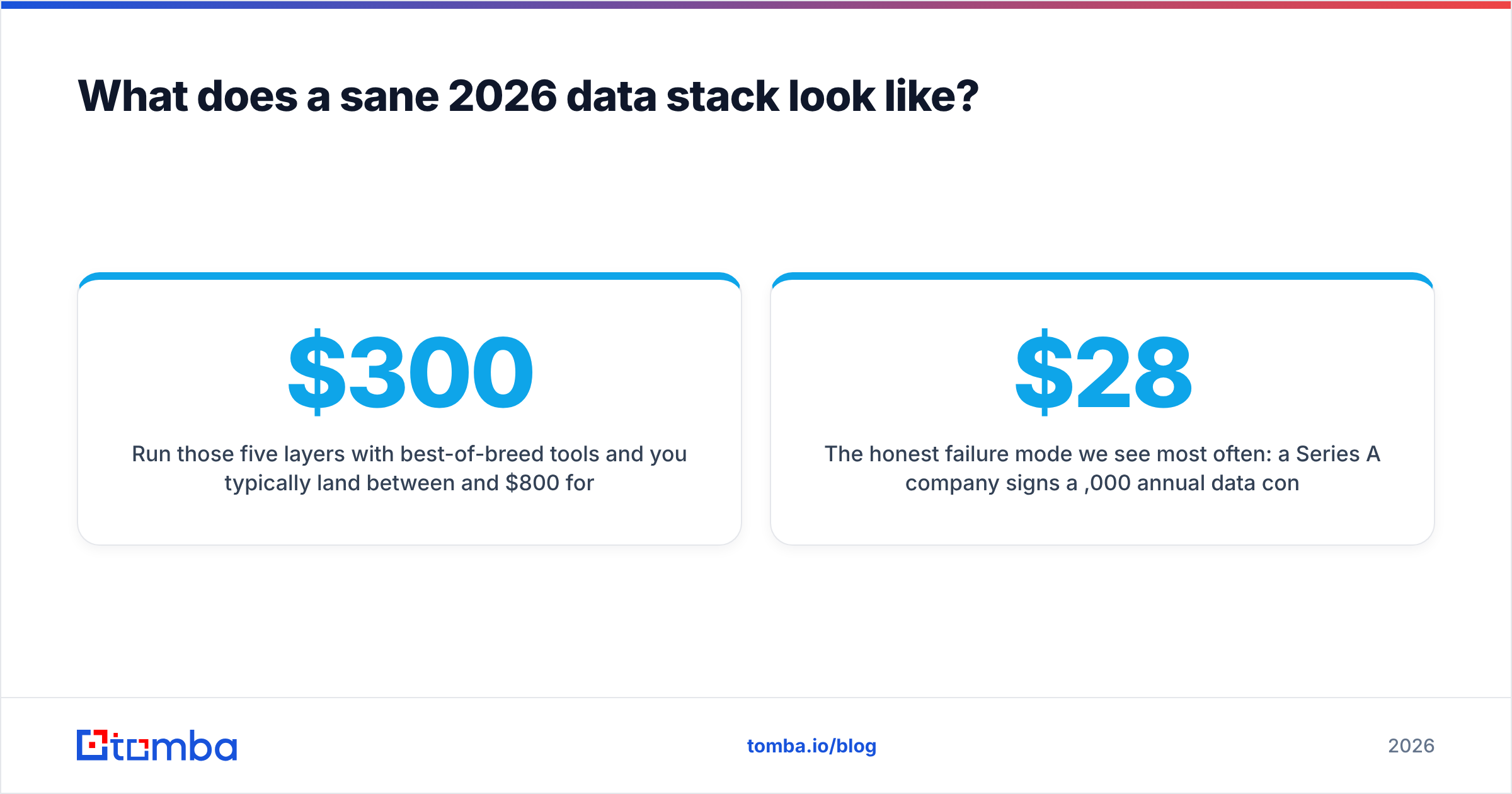
Run those five layers with best-of-breed tools and a small team usually lands between $300 and $800 a month. The enterprise platform replaces layers 1-4 with one line item at 5-10x the cost. Above a certain deal size and team scale, that trade is genuinely worth it. Below that line, it is not.
The failure mode we see most often runs like this. A Series A company signs a $28,000 annual data contract. It exports 40,000 contacts in month one. It blasts them without verification and torches its sending domain. Month three goes to email warmup recovery instead of pipeline. The data was never the bottleneck. Hygiene and targeting were.
DiscoverOrg vs GetEmail.io: so which one wins?#
Neither, because they are not in the same race. This is a category choice, not a head-to-head.
Choose ZoomInfo (the product formerly known as DiscoverOrg) if you sell six-figure deals into large accounts, need org charts and intent, and have the RevOps muscle to put the data to work. The org-chart depth it inherited is still a real differentiator, and no lookup tool replaces it.
Choose GetEmail.io if you need a handful of emails a month, hate contracts, and have no interest in a platform.
Choose something in between — which is where most of the market actually sits. You need domain-wide search, verification that handles catch-alls honestly, and an API you can wire into your own workflow. You should not have to sign a 12-month deal or lose a quarter to procurement to get it.
That middle is what Tomba is built for. Start with the free tier — 25 searches a month, no card — and run your own target list before you take a single enterprise demo. Use the Tomba Email Finder to test the exact accounts you would be paying $30,000 a year to reach. Then decide whether the enterprise contract buys you data or buys you features you will never open.
Related guides#
Ready to find emails that actually work?
Join 150,000+ professionals who stopped guessing and started sending. Free credits on signup — no credit card required.
Get the Tomba newsletter
Practical outbound tactics and product updates — once every two weeks.
About the author