DiscoverOrg vs SalesQL: B2B Contact Data Compared (2026)
DiscoverOrg (now ZoomInfo) and SalesQL sit at opposite ends of the B2B contact data market — one is a six-figure intelligence platform, the other a $39 LinkedIn extractor. Here's which one your team actually needs.
TL;DR
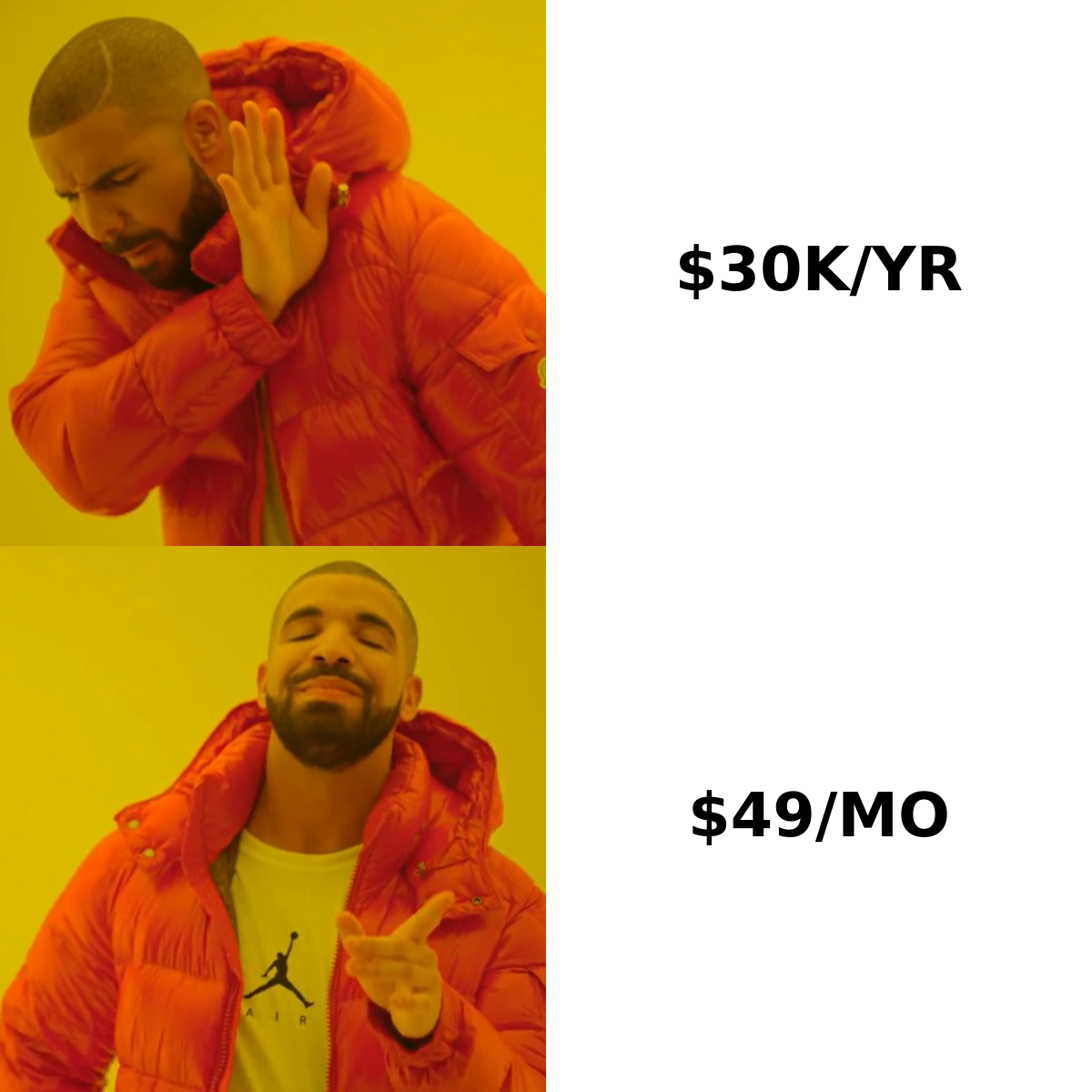
- DiscoverOrg is now ZoomInfo. The brand was folded into ZoomInfo after the 2019 merger, so buying "DiscoverOrg" in 2026 means buying a ZoomInfo contract — annual, seat-based, and typically $15,000–$40,000+ for a small team.
- SalesQL is a LinkedIn-first Chrome extension, priced from roughly $39/month, that pulls emails and phone numbers off profiles and search results. No org charts, no intent data, no contracts.
- These tools are not really competitors. One is a data platform; the other is a data scraper. Choosing between them is mostly a question of whether you need account intelligence or just contact details.
- Accuracy differs by channel. ZoomInfo/DiscoverOrg wins on direct dials and firmographics; SalesQL is competitive on personal emails but weaker on verified work emails at scale.
- If you mainly need verified work emails at a predictable price, a dedicated email finder plus a verification layer beats both on cost per usable contact.
Most "DiscoverOrg vs SalesQL" searches come from someone who just got a ZoomInfo quote and went looking for anything cheaper. That's a reasonable reaction — but it's also how teams end up with a $39 tool that can't do 80% of what they were buying the $30,000 tool for. Let's be precise about what each one actually is.
What happened to DiscoverOrg?#
DiscoverOrg no longer exists as a standalone product. DiscoverOrg acquired ZoomInfo in 2019, then adopted the ZoomInfo name for the combined company, which went public in 2020. If you land on discoverorg.com today you are redirected to zoominfo.com.
That matters for three reasons:
- Pricing changed. DiscoverOrg's legacy pricing model is gone. You're quoted on ZoomInfo's current packaging — credits, seats, and add-on modules like Intent, Engage, and Websights.
- The dataset merged. DiscoverOrg's differentiator was hand-verified org charts and technographics for IT and marketing buyers. That research layer still exists inside ZoomInfo, but it's now blended with ZoomInfo's much larger, more automated contributory dataset.
- The sales motion is enterprise. Annual contracts, minimum seat counts, procurement cycles. Reviews on G2 consistently praise the data and criticise the contract terms and auto-renewal clauses.
So when you compare "DiscoverOrg vs SalesQL," you're really comparing a full go-to-market intelligence suite against a browser extension. That's not an insult to SalesQL — it does its narrow job well — but the comparison only makes sense once you accept the categories are different.
What is SalesQL and who is it for?#
SalesQL is a Chrome extension that sits on top of LinkedIn. You open a profile, a company page, or a Sales Navigator search result list, click the SalesQL icon, and it returns email addresses and phone numbers for the people on screen. Results get saved into lists you can export to CSV or push into a CRM.
Its strengths are specific:
- It works where prospectors already work. If your ICP research happens inside LinkedIn Sales Navigator, SalesQL removes the copy-paste step entirely.
- Personal email coverage is decent. Because it draws heavily on profile-linked data, it often surfaces personal Gmail/Outlook addresses that pure work-email tools skip.
- Pricing is transparent and self-serve. Plans start around $39/month for a few hundred credits, and you can cancel without talking to anyone.
- Bulk extraction from search pages lets you build a 500-person list from a Sales Navigator query in a few minutes.
Its limits are equally specific. There is no account-level intelligence — no org charts, no funding events, no technology install data, no intent signals. There's no scoring, no territory management, no CRM data hygiene module. And because it depends on LinkedIn, coverage collapses for anyone with a thin or private profile, and you carry the usual platform-terms risk that comes with any browser-based LinkedIn extraction.
You can check what SalesQL claims on salesql.com directly — the feature list is short by design.
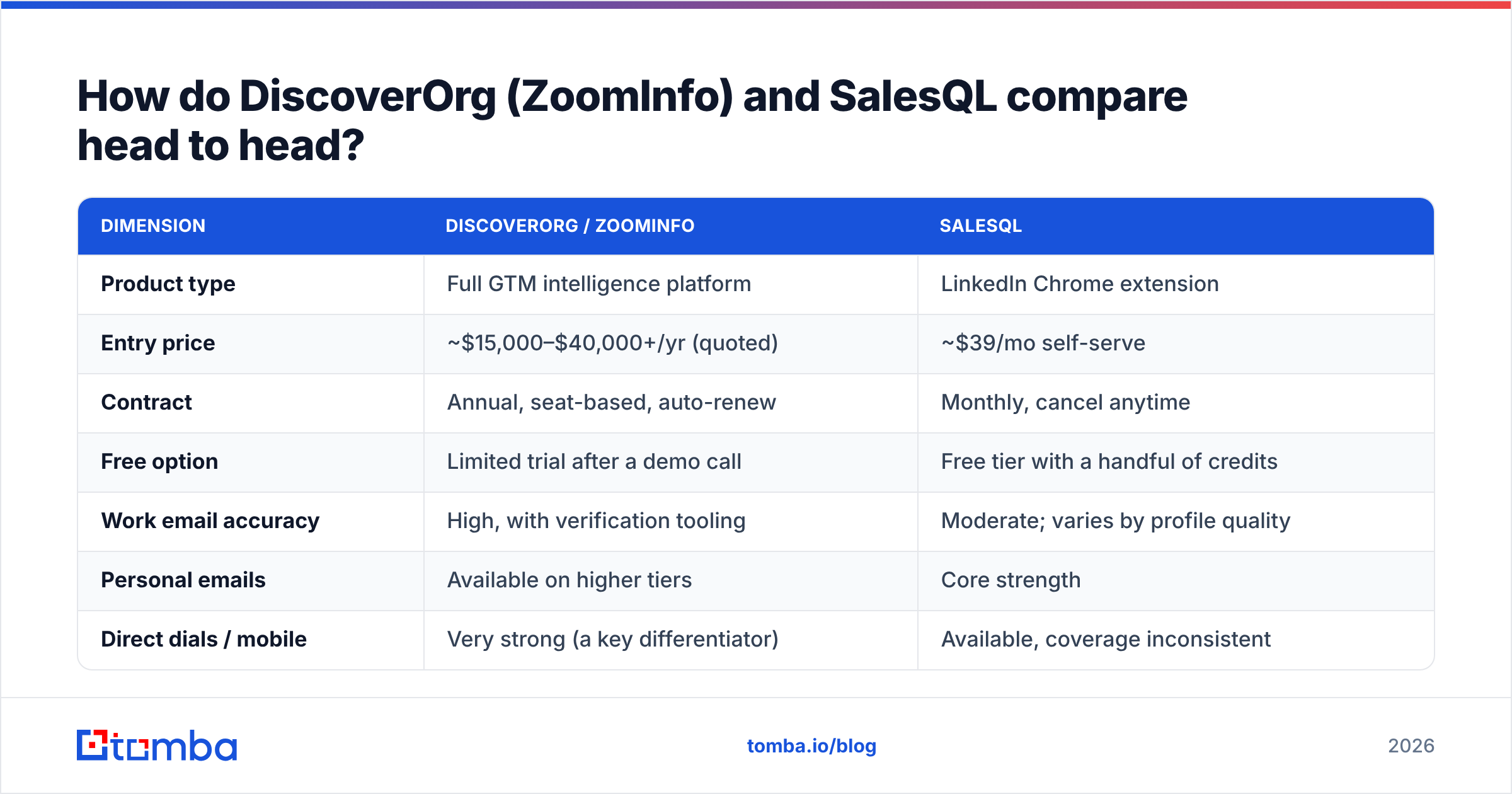
How do DiscoverOrg (ZoomInfo) and SalesQL compare head to head?#
| Dimension | DiscoverOrg / ZoomInfo | SalesQL |
|---|---|---|
| Product type | Full GTM intelligence platform | LinkedIn Chrome extension |
| Entry price | ~$15,000–$40,000+/yr (quoted) | ~$39/mo self-serve |
| Contract | Annual, seat-based, auto-renew | Monthly, cancel anytime |
| Free option | Limited trial after a demo call | Free tier with a handful of credits |
| Work email accuracy | High, with verification tooling | Moderate; varies by profile quality |
| Personal emails | Available on higher tiers | Core strength |
| Direct dials / mobile | Very strong (a key differentiator) | Available, coverage inconsistent |
| Org charts & hierarchy | Yes — legacy DiscoverOrg strength | No |
| Intent data | Yes (add-on module) | No |
| Technographics | Yes | No |
| API access | Yes, enterprise-tier | Limited |
| Bulk list building | Yes, native + integrations | Yes, from LinkedIn pages only |
| CRM integrations | Salesforce, HubSpot, Dynamics, more | CSV, Zapier, a few native |
| Best for | Enterprise ABM, RevOps, large SDR teams | Solo founders, small SDR teams, recruiters |
The pattern is obvious once it's laid out: you're paying ZoomInfo for context and SalesQL for contacts. If a rep's job is to know that a target account just closed a Series B, runs Snowflake, and has three people between the champion and the economic buyer, SalesQL will never get them there. If the job is "send 200 emails to VPs of Engineering this week," ZoomInfo is a very expensive way to do it.
Which one is more accurate?#
Accuracy is the wrong single question. Break it into three:
- Firmographic accuracy — is the company data (size, revenue, industry, tech stack) correct? ZoomInfo wins comfortably. This is where the DiscoverOrg research heritage still shows, and it's the hardest thing for a scraper to replicate.
- Direct dial accuracy — does the phone number reach the person? ZoomInfo again. Mobile coverage is one of the few areas where the price premium is genuinely defensible, though even here you should expect meaningful decay on numbers older than 12 months.
- Work email accuracy — does the email land in an inbox? This is the closest race, and it's the one most teams actually care about. Both tools return plenty of addresses; neither guarantees deliverability at the moment of send.
That third point is where budgets get burned. A contact record that was accurate when it was collected can be dead six months later — people change roles roughly every two to three years, and B2B databases decay somewhere in the range of 20–30% annually. Whichever tool you buy, you still need a verification step before the send, or your email deliverability takes the hit.
Run any exported list through an email verifier before it touches your sequencer. Catch-all domains deserve extra attention — a plain SMTP check returns "accept all" and tells you nothing, which is why a dedicated catch-all verifier exists as a separate step.
What does each one actually cost per usable contact?#
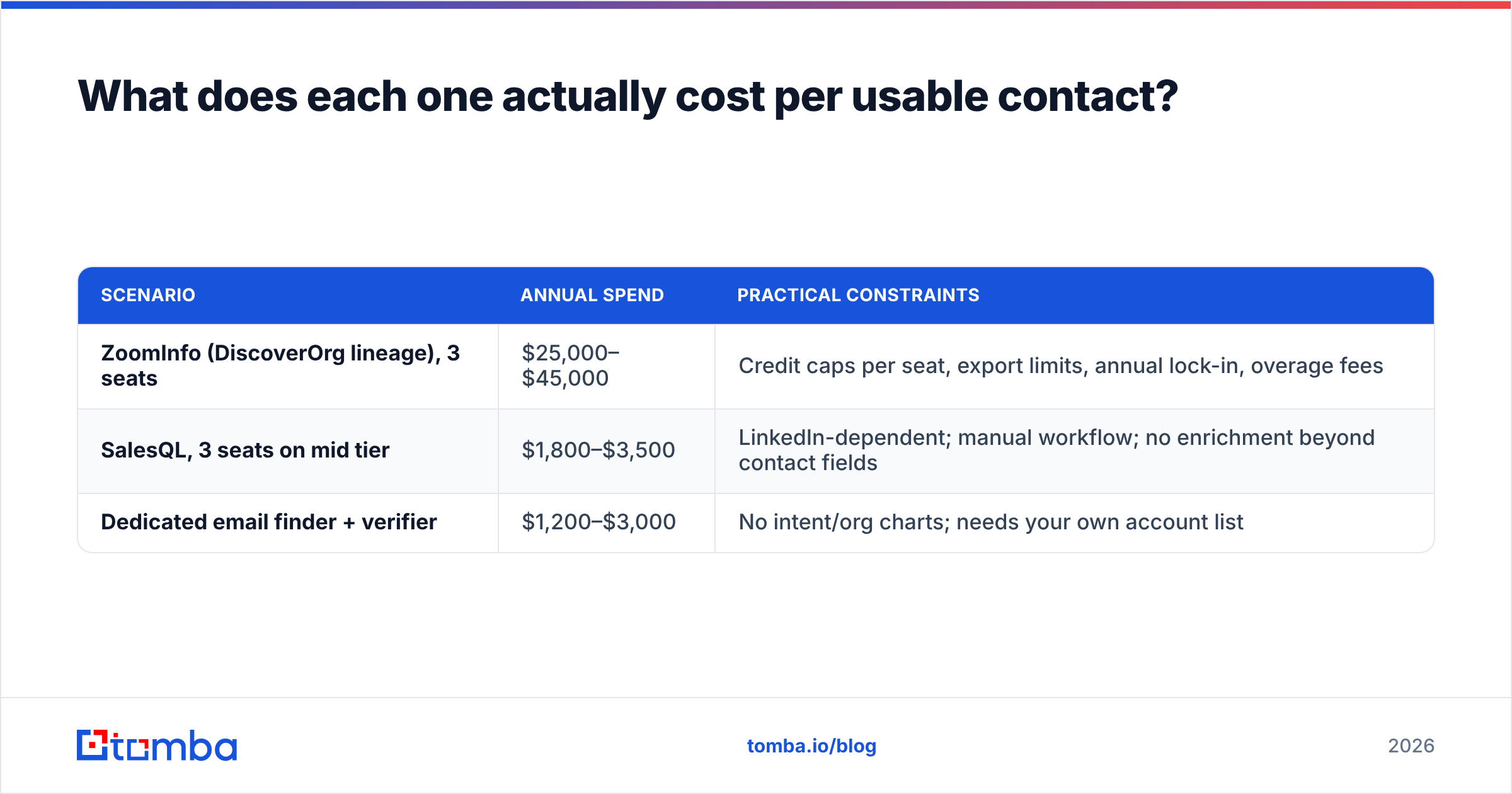
Sticker price is misleading in both directions. Here's a more honest framing for a hypothetical three-person outbound team needing 3,000 verified contacts per month.
| Scenario | Annual spend | Practical constraints |
|---|---|---|
| ZoomInfo (DiscoverOrg lineage), 3 seats | $25,000–$45,000 | Credit caps per seat, export limits, annual lock-in, overage fees |
| SalesQL, 3 seats on mid tier | $1,800–$3,500 | LinkedIn-dependent; manual workflow; no enrichment beyond contact fields |
| Dedicated email finder + verifier | $1,200–$3,000 | No intent/org charts; needs your own account list |
The middle and bottom rows look similar on price but differ in workflow. SalesQL requires a human in LinkedIn; a finder-and-verifier stack works from a domain list or CSV and runs unattended via API.
For teams that already know their target accounts — the common case for founder-led sales and niche B2B — the third row is usually the best cost-per-usable-contact. You supply domains, get patterns and verified addresses back, and skip the intelligence layer you weren't going to use. Tomba's domain search does exactly this at the account level, and Tomba pricing runs Free (25 searches/mo), Starter $49/mo, Growth $99/mo, and Pro $249/mo with no annual commitment.
Is there a middle ground between the two?#
Yes — and it's where most teams land after a year of using one or the other.
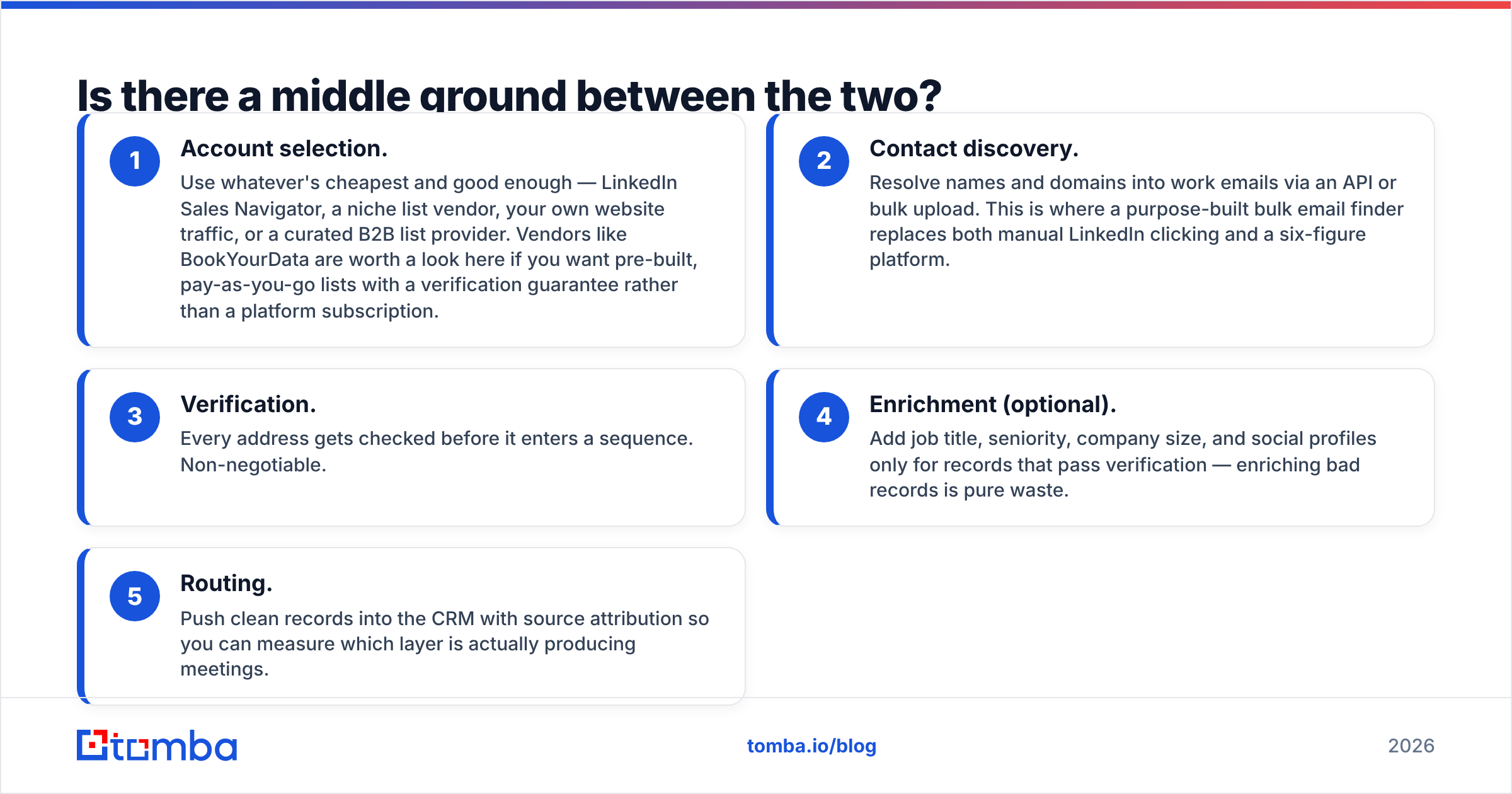
The middle ground is a modular stack: a source of account signals, a source of contact data, and a verification layer, bought separately so you can swap any one of them.
- Account selection. Use whatever's cheapest and good enough — LinkedIn Sales Navigator, a niche list vendor, your own website traffic, or a curated B2B list provider. Vendors like BookYourData are worth a look here if you want pre-built, pay-as-you-go lists with a verification guarantee rather than a platform subscription.
- Contact discovery. Resolve names and domains into work emails via an API or bulk upload. This is where a purpose-built bulk email finder replaces both manual LinkedIn clicking and a six-figure platform.
- Verification. Every address gets checked before it enters a sequence. Non-negotiable.
- Enrichment (optional). Add job title, seniority, company size, and social profiles only for records that pass verification — enriching bad records is pure waste.
- Routing. Push clean records into the CRM with source attribution so you can measure which layer is actually producing meetings.
This stack costs a fraction of an enterprise contract and survives a vendor swap. If SalesQL's LinkedIn coverage drops or ZoomInfo raises renewal 30%, you replace one component instead of re-platforming.
When should you actually buy ZoomInfo/DiscoverOrg?#
There are legitimate cases. Buy it when:
- You run account-based marketing at scale and need consistent firmographics across marketing, sales, and RevOps systems.
- Phone is a primary channel. If your team dials 100+ times a day, direct-dial coverage alone can justify the spend.
- You need intent signals and don't want to run a separate Bombora or 6sense contract.
- Compliance and procurement demand a single vendor with SOC 2, DPAs, and enterprise support.
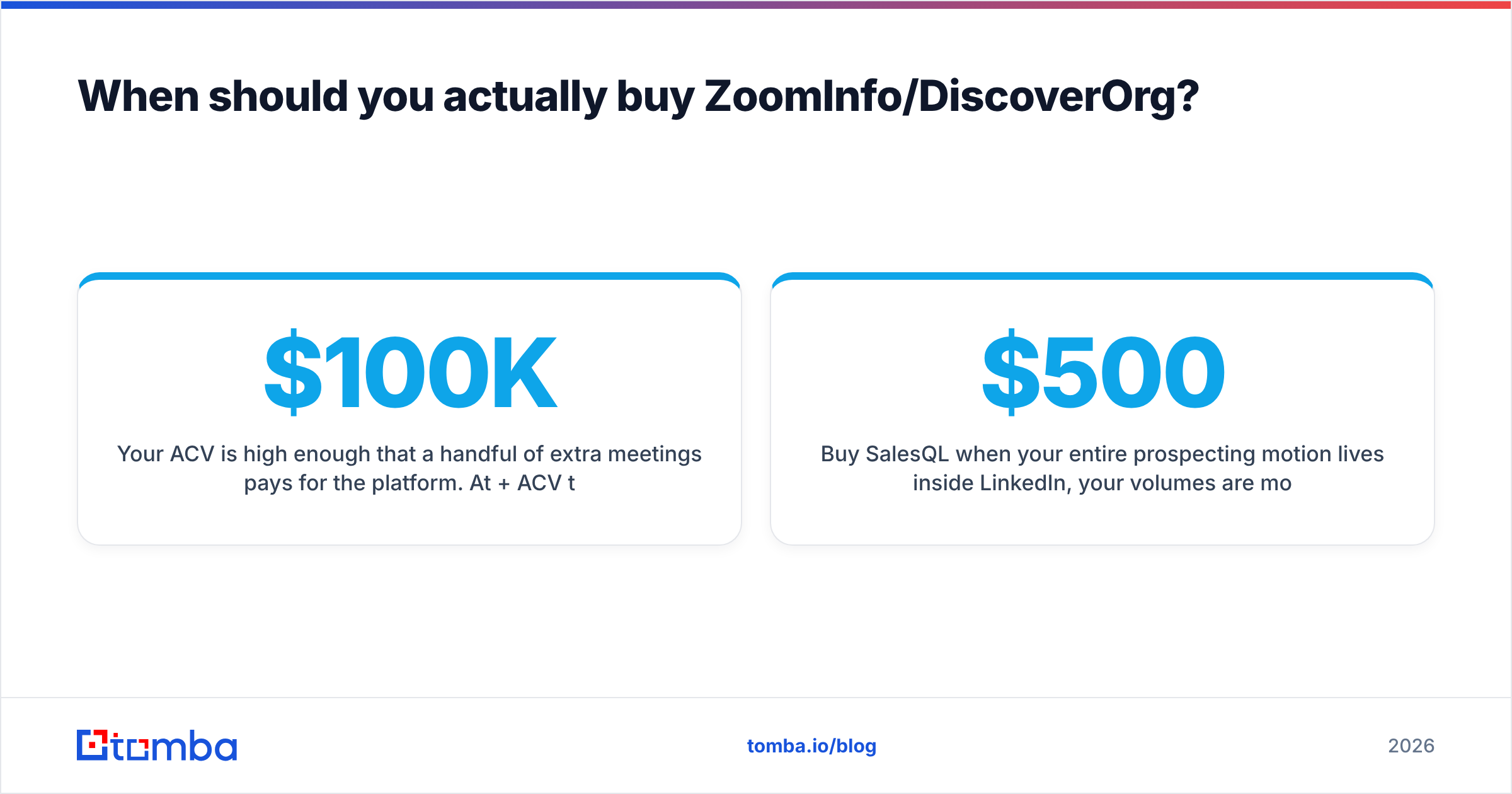
- Your ACV is high enough that a handful of extra meetings pays for the platform. At $100K+ ACV the math works quickly; at $500 ACV it almost never does.
Buy SalesQL when your entire prospecting motion lives inside LinkedIn, your volumes are modest, and you'd rather spend $500 a year than sit through a demo call. It's an honest tool with an honest price.
Buy neither when what you actually need is verified work emails from a list of companies you've already chosen. That's a different job, and paying for org charts or a browser extension to do it is a detour. The same logic applies if you're evaluating other platforms — our breakdowns of Apollo alternatives and RocketReach alternatives walk through the same trade-off.
What questions should you ask before signing?#
Before you commit to either side, get written answers to these:
- What exactly counts as a credit? A search, a view, an export, or a successful match? Vendors differ, and the difference can be 3x on effective cost.
- What happens to unused credits? Roll over, expire monthly, expire annually?
- What's the renewal uplift cap? Ask for it in writing. Uncapped renewals are the most common complaint in enterprise data contracts.
- What's the documented match rate for my ICP? Not the global number — ask them to run a sample of 100 of your target accounts.
- Can I export the data I paid for if I churn? Some contracts restrict retention of exported records after termination.
- What's the refresh cadence? Data collected two years ago and never re-verified is not "verified data."
Run a real pilot with your own list. Take 200 accounts you know well, run them through each tool, and count how many contacts you can actually reach — not how many rows came back. Row count is the vanity metric of this category; reply rate is the real one. For a sanity check on the underlying data question, our notes on data sources explain how coverage and verification interact.
The verdict#
DiscoverOrg (ZoomInfo) wins if you need intelligence. Org charts, intent, technographics, direct dials, and a single system of record across GTM teams — nothing in SalesQL's category touches that, and no stack of cheap tools fully replaces it.
SalesQL wins if you need contacts out of LinkedIn cheaply. It's fast, self-serve, and priced for a team that doesn't have a procurement department.
Neither wins if your real job is verified work emails at volume. That's a specialised task with a specialised answer: resolve the domain, find the pattern, verify the address, and move on. It costs less than either option here and produces a cleaner list than both.
If that last description matches your team, start with the Tomba Email Finder. Feed it a name and domain — or a whole company via domain search — and get verified work emails back with a confidence score, through the web app, the Tomba API, or the Chrome extension. The free tier gives you 25 searches a month to test coverage against your own ICP before you spend anything, and Starter runs $49/month with no annual contract to escape from. Test it against your ZoomInfo quote and your SalesQL export on the same 100 accounts, then let the reply rate decide.
Related guides#
Ready to find emails that actually work?
Join 150,000+ professionals who stopped guessing and started sending. Free credits on signup — no credit card required.
Get the Tomba newsletter
Practical outbound tactics and product updates — once every two weeks.
About the author