DiscoverOrg vs Tomba: Which B2B Data Tool Wins in 2026?
DiscoverOrg (now ZoomInfo) sells org charts and intent data at enterprise prices. Tomba sells verified emails at $49/mo. Here's the honest breakdown of who should buy which — and when paying 10x actually pays off.
TL;DR
- DiscoverOrg no longer exists as a standalone product — it merged with ZoomInfo in 2019 and its data now ships inside ZoomInfo SalesOS. If a rep is pitching you "DiscoverOrg," you're buying ZoomInfo.
- The two tools solve different problems. DiscoverOrg/ZoomInfo is an account-intelligence platform: org charts, technographics, intent signals, direct dials. Tomba is a precision email-finding and verification layer.
- Price gap is the headline. ZoomInfo contracts typically land in the $15,000–$40,000/year range with annual commitments and seat minimums. Tomba runs $49/mo Starter, $99/mo Growth, $249/mo Pro, with a free tier at 25 searches/mo.
- If your ICP is enterprise, you sell to committees, and you need to know who reports to whom before you write a line — pay for the platform. If you already know your accounts and just need deliverable addresses, the platform is 90% waste.
- Most teams under 20 reps overbuy. The realistic pattern in 2026 is a lean finder/verifier plus targeted account research, not a six-figure data stack.
What is DiscoverOrg, and does it still exist?#
DiscoverOrg was a B2B contact and account intelligence provider founded in 2007, known for human-verified org charts, IT department mapping, and direct dial phone numbers. Its differentiator was never raw volume — it was depth. Researchers called into companies, mapped reporting lines, and refreshed records on a cycle.
In February 2019, DiscoverOrg acquired ZoomInfo and then adopted the ZoomInfo name. Today the DiscoverOrg dataset is folded into ZoomInfo SalesOS. You cannot buy "DiscoverOrg" as a distinct SKU. That matters for this comparison, because pricing, contract terms, and support are ZoomInfo's — not the scrappier, research-heavy vendor some buyers remember.
What survived the merger is the thing DiscoverOrg was actually good at:
- Org charts with reporting lines. Not just titles, but who sits under whom, which is genuinely hard to buy elsewhere.
- Technographics. Which CRM, cloud, security stack, and marketing tools a company runs.
- Intent data. Signals that an account is researching a category right now, sourced from a publisher co-op.
- Direct dials and mobile numbers. Historically DiscoverOrg's strongest asset for outbound calling teams.
- Scoops and triggers. Editorial notes on budget cycles, projects, and personnel changes.
That's a research product. It is priced like one.
What is Tomba, and what does it actually do?#
Tomba is an email-finding and verification platform. You give it a domain, a name, or a company; it returns professional email addresses with a confidence score and verification status. Around the core email finder sit a domain search for pulling every discoverable address at a company, an email verifier, a catch-all verifier, a phone finder, and contact enrichment.
The scope is deliberately narrower. Tomba does not sell intent data. It does not build org charts. It does not tell you that Acme Corp is evaluating observability vendors this quarter. What it does is give you an address that lands, at a price that doesn't require a procurement cycle — plus a Tomba API if you want to wire finding and verification into your own systems rather than living in someone else's UI.
That difference — platform versus precision tool — is the whole comparison. Everything below is downstream of it.
Correction on the image above: it renders as a plain markdown image below.

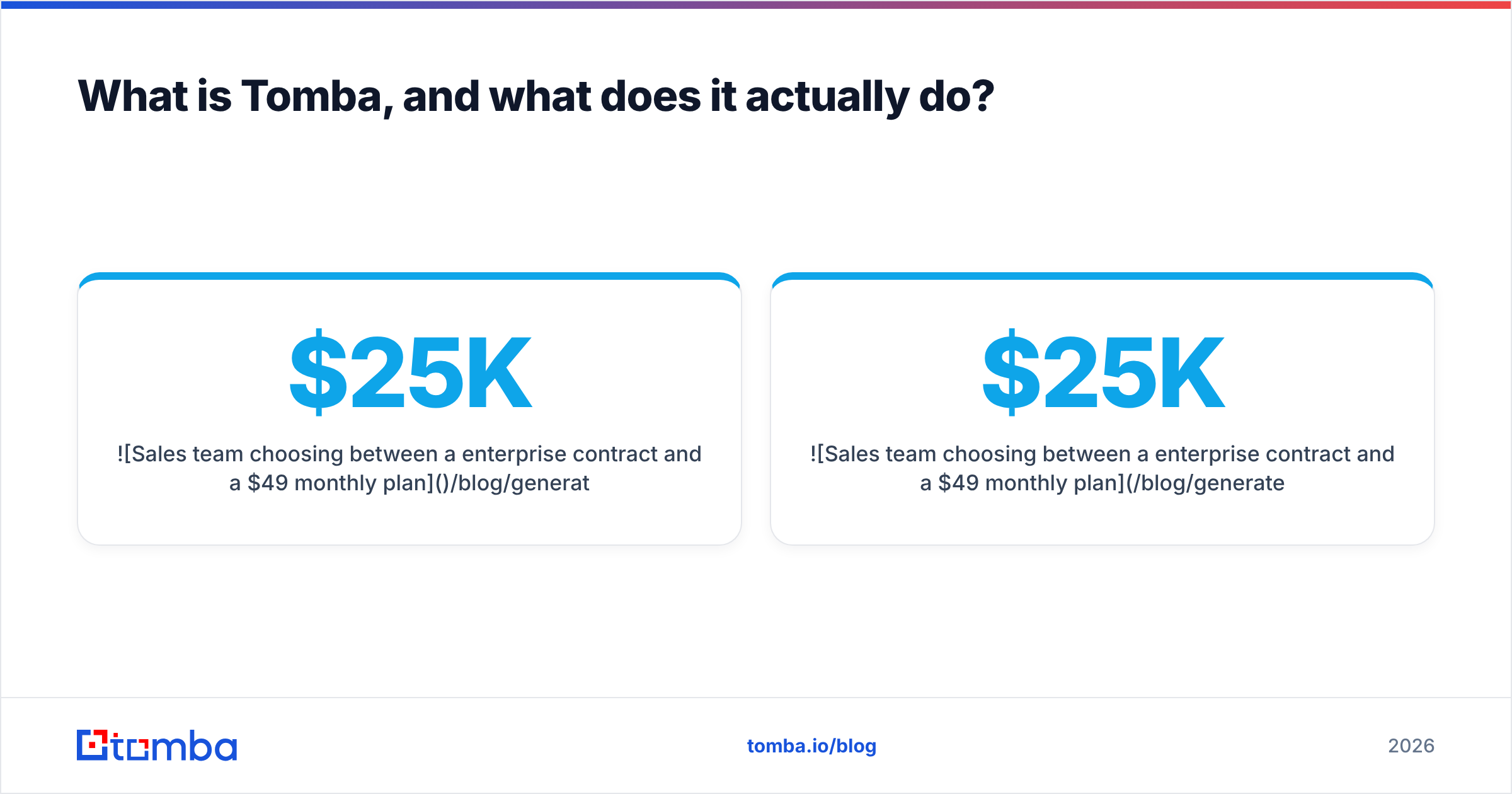
How do DiscoverOrg and Tomba compare head-to-head?#
| Factor | DiscoverOrg (ZoomInfo) | Tomba |
|---|---|---|
| Entry price | Custom quote; commonly $15K–$40K/yr | $49/mo Starter |
| Free option | Limited trial, sales-gated | Free tier, 25 searches/mo |
| Contract | Annual, seat minimums typical | Monthly, cancel anytime |
| Core strength | Org charts, intent, direct dials | Verified email discovery + verification |
| Org charts / reporting lines | Yes — best-in-class | No |
| Intent data | Yes | No |
| Technographics | Yes | Limited (enrichment fields) |
| Phone numbers | Extensive direct dials | Phone finder + validator |
| Email verification | Included, basic | Core product, with catch-all handling |
| API access | Yes, often an add-on cost | Yes, included across paid plans |
| Time to first value | Weeks (demo → contract → onboarding) | Minutes (self-serve signup) |
| Best for | Enterprise ABM, committee selling | SMB/mid-market outbound, agencies, devs |
Read that table as two different purchase decisions rather than two grades on the same test. Nobody buys ZoomInfo because they want cheap emails, and nobody buys Tomba because they want a technographic filter on Kubernetes adoption.
Which one has better data accuracy?#
Depends entirely on what you're measuring.
On org structure and phone numbers, DiscoverOrg's legacy data wins. Human-verified reporting lines are expensive to produce and nobody has meaningfully commoditized them. If you need to know that the VP of Infrastructure reports to the CTO and owns the budget line you're targeting, a $49/mo tool is not going to tell you that.
On email deliverability, the gap narrows sharply — and often flips. Large platforms optimize for coverage; they want a contact record for every person at every company, which means a meaningful slice of addresses are pattern-guessed and stale. Independent reviews on G2 repeatedly flag outdated contacts and bounce rates as the top ZoomInfo complaint, even from customers who otherwise rate the platform highly. A dedicated finder/verifier stack is built around a different objective: return fewer addresses, but return ones that pass SMTP checks.
The practical test is bounce rate on a real send. Take 200 contacts from each source, run them through the same email verifier, and compare how many come back deliverable. Most teams that run this exercise find the enterprise platform gives them more records and the specialist gives them more usable ones.

One more accuracy trap worth naming: catch-all domains. A large share of enterprise domains accept every address at the SMTP layer, so a naive verifier marks them "valid" and you find out the truth when the bounce arrives three days later. Handling those properly requires a catch-all verifier that uses secondary signals instead of trusting the mail server's answer. Ask any vendor — either vendor — how they score catch-alls. The answer tells you a lot.
What does each one actually cost?#
This is where the comparison stops being close.
Tomba pricing is published: Free (25 searches/mo), Starter $49/mo, Growth $99/mo, Pro $249/mo, Enterprise custom. You can see the full breakdown on the Tomba pricing page. You sign up, you pay by card, you cancel when you want.
ZoomInfo pricing is quote-only. Public reporting and buyer forums put typical SalesOS contracts in the mid-five-figures annually, with three common cost multipliers that don't show up in the initial quote:
- Seat minimums. You often can't buy three seats. Packages start higher.
- Credit caps. Bulk export and enrichment consume credits; heavy users buy more mid-term.
- Add-on modules. Intent, Engage, WebSights, and API access are frequently priced separately from the base platform.
- Annual lock-in. Monthly cancellation generally isn't on the table, so a bad fit costs you a full year.
None of that makes ZoomInfo a bad product. It makes it a bad default. The question isn't "is the data good" — it's "will we extract $25,000 of value from org charts and intent signals this year." For a 6-person outbound team hitting a well-defined ICP, the honest answer is usually no.
If you want a broader field, our roundups on Apollo alternatives and Clearbit alternatives cover the adjacent middle tier — tools that sit between a pure finder and a full intelligence platform. Worth noting too that specialist database vendors like BookYourData occupy a genuinely useful middle ground for teams that want pre-built, verified lists without a platform contract.

Who should buy DiscoverOrg/ZoomInfo?#
Buy the platform when at least three of these are true:
- You sell into enterprise. Deal sizes above ~$50K ACV, buying committees of five or more, 6+ month cycles.
- Org structure changes your message. You need to know the reporting line to decide whether you're pitching the practitioner or the budget owner.
- You run account-based marketing. Intent signals feed ad targeting and prioritization, not just email.
- Your reps call. Direct dials are still the strongest single argument for the platform, and phone-heavy teams get real lift.
- You have a RevOps function. Someone has to own the data hygiene, credit budget, and CRM sync, or the license quietly rots.
If you check those boxes, the cost is defensible. One extra enterprise deal pays for the year. The failure mode isn't the price — it's buying a research platform and using 8% of it as an email lookup.
Who should buy Tomba instead?#
Choose the specialist when your bottleneck is deliverable contact data, not account understanding:
- You already know your target accounts. You built the list from a directory, a conference roster, LinkedIn, or your own CRM — you just need addresses.
- You're SMB or mid-market focused. Buying committees are small, the CEO or a single VP is your buyer, and org charts add nothing.
- You're an agency or freelancer. Per-client budgets can't absorb an annual platform contract, and you need to spin lists up and down.
- You're building something. The email finder API and bulk endpoints matter more than any dashboard.
- Deliverability is your pain. Your reply rates are fine but your bounce rate is torching your sender reputation.
That last one deserves emphasis. In 2026, mailbox providers are stricter than they've ever been — Google and Yahoo's bulk sender requirements made bounce and complaint thresholds enforceable rather than advisory. A list with a 6% bounce rate doesn't just waste sends; it degrades every future campaign from that domain. Verification stopped being hygiene and became infrastructure.
Correction on the image above: it renders as a plain markdown image below.
Can you use both — and should you?#
Yes, and a lot of well-run teams do. The pattern looks like this:
Platform for research, specialist for execution. Use ZoomInfo to build the account map — who the players are, what stack they run, whether they're in-market. Then run the actual contact discovery and verification through a cheaper, more accurate layer before anything hits your sequencer. You stop burning platform credits on bulk export, and you stop sending to addresses the platform hasn't touched since 2023.
Or: specialist first, platform for the top 50 accounts. Cheaper inversion. Handle the long tail with a bulk email finder and reserve deep research for named strategic accounts, done manually or with a smaller seat count.
Either way, the rule is the same: don't pay enterprise per-record prices for records you could get for cents, and don't try to reverse-engineer an org chart from a list of email addresses. Match the tool to the job.
A third option people forget — enrich what you already own. Most CRMs are full of records with a name, a company, and a dead email. Running those through contact enrichment is almost always cheaper than buying net-new data from anyone, and the accounts are already warm.
What are the real trade-offs nobody mentions?#
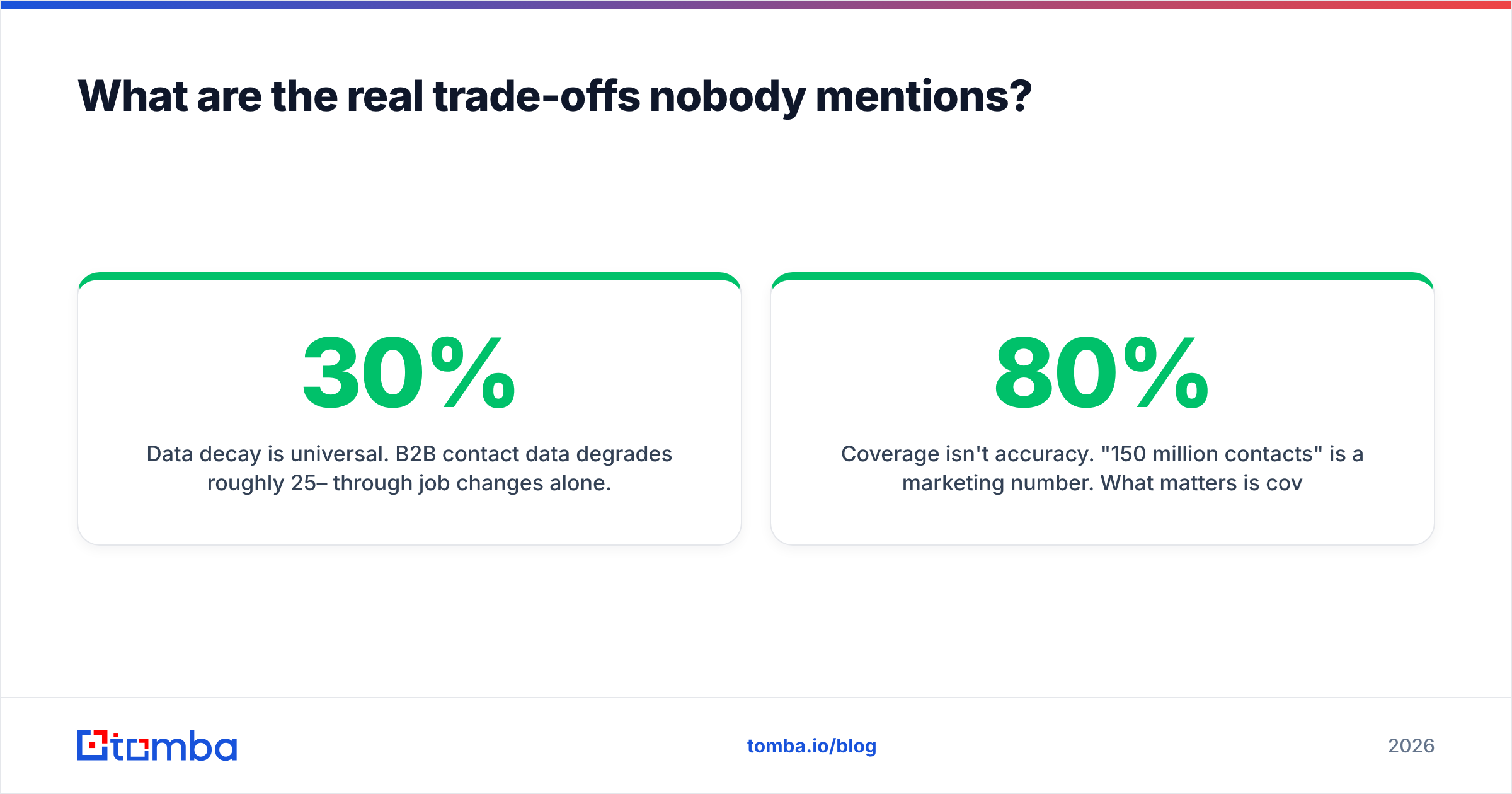
Data decay is universal. B2B contact data degrades roughly 25–30% per year through job changes alone. No vendor is immune, and any vendor telling you their database is 98% accurate is quoting a lab number, not your bounce rate. Verify at send time, not at purchase time.
Coverage isn't accuracy. "150 million contacts" is a marketing number. What matters is coverage of your ICP. A tool with 40M records that nails European mid-market SaaS beats a 200M-record database that's 80% US retail if you sell to European mid-market SaaS. Run a sample test on 50 of your real target accounts before signing anything.
Compliance is your problem, not the vendor's. GDPR and CCPA obligations attach to you as the data controller when you send. Both vendors publish compliance documentation; read it, and read the FTC's guidance on commercial email rather than assuming a purchased list is automatically safe to mail.
Switching costs are real on the platform side. Once ZoomInfo is wired into your CRM, your enrichment workflows, and your scoring model, leaving is a project. That's not a knock — it's how platforms work — but price the exit when you price the entry.
The verdict#
There's no universal winner here, and any post that declares one is selling you something.
DiscoverOrg — now ZoomInfo — is the right buy when account intelligence changes how you sell: enterprise deals, buying committees, phone-heavy outbound, and a RevOps team to keep it clean. It earns its five-figure price when org charts and intent signals shorten cycles. It wastes that money spectacularly when it's used as an expensive email lookup, which is exactly how most under-20-rep teams end up using it.
Tomba wins on the narrower question that most outbound teams actually face: can I get an accurate, deliverable address for this person, today, without a procurement cycle? At $49/mo with a free tier to test against your own list, the downside of being wrong is one month's spend instead of one year's.
Test both against the same 100 target accounts. Measure bounce rate, not record count. Whichever tool gets more messages into more inboxes for less money is the one you should be paying for — regardless of which logo is bigger.
Ready to see how the data holds up on your own list? Start with the Tomba Email Finder — the free tier gives you 25 searches a month, no card required, and you can run your existing target accounts through it before you commit to anything. If the addresses land, you just saved yourself an annual contract. If they don't, you've lost nothing but ten minutes.
Related guides#
Ready to find emails that actually work?
Join 150,000+ professionals who stopped guessing and started sending. Free credits on signup — no credit card required.
Get the Tomba newsletter
Practical outbound tactics and product updates — once every two weeks.
About the author