Ditlead Reviews 2026: Features, Pricing, and Honest Verdict
Ditlead bundles email sequencing, LinkedIn automation, warmup, and a unified inbox into one low-cost platform. Here is what it actually does well, where it strains, and who should skip it.

TL;DR
- Ditlead is an all-in-one sales engagement platform: multichannel sequences (email + LinkedIn + calls), unlimited-ish mailbox connections, built-in warmup, a unified inbox, and a light CRM — sold at a fraction of what Outreach or Salesloft charge.
- The strongest reviews come from agencies and lean outbound teams who need many sending accounts under one roof. The weakest come from teams expecting enterprise-grade reporting or native contact data.
- Ditlead does not replace a data provider. It sends; it does not reliably source or verify who you send to. Pair it with a dedicated finder and verifier or your bounce rate will decide your fate.
- Pricing sits far below the category average, which is the main reason people switch — and the main reason support and roadmap velocity get scrutinized.
- Verdict: good value for high-volume, multi-mailbox outbound. A poor fit if you need deep analytics, strict compliance workflows, or a single vendor for both data and sending.
What is Ditlead?#
Ditlead is a cold outreach and sales engagement platform built around one idea: run every sending channel from a single workspace instead of stitching together four subscriptions. You connect mailboxes (Google Workspace, Microsoft 365, or custom SMTP/IMAP), attach LinkedIn accounts, build a sequence with conditional steps, and let the platform rotate sends across your infrastructure while a shared inbox collects the replies.
The feature list reads like a checklist of everything the modern outbound stack demands:
- Multichannel sequences — email steps, LinkedIn connection requests and messages, manual call tasks, and wait/condition branches in one flow.
- Mailbox rotation — spread daily volume across dozens of connected accounts so no single domain carries the load.
- Built-in warmup — an automated peer network that sends and replies to seed traffic to build sender reputation before the real campaign starts.
- Unified inbox — every reply from every mailbox and LinkedIn account lands in one thread view with labels and sentiment tags.
- Lightweight CRM and pipeline — deals, stages, and notes so a small team can operate without a separate CRM licence.
- API and webhooks — push replies, opens, and status changes into your own systems.
That bundle is the pitch. The question every buyer actually asks is whether a low-priced all-in-one can do six things acceptably or whether it does all six at 70% quality. The honest answer, based on the pattern across public Ditlead reviews, is: sending and inbox management are genuinely strong, and everything downstream of a reply is serviceable but basic.
What do Ditlead reviews actually say?#
Strip out the affiliate roundups and a consistent picture emerges from user feedback on G2 and similar review sites.
What reviewers praise:
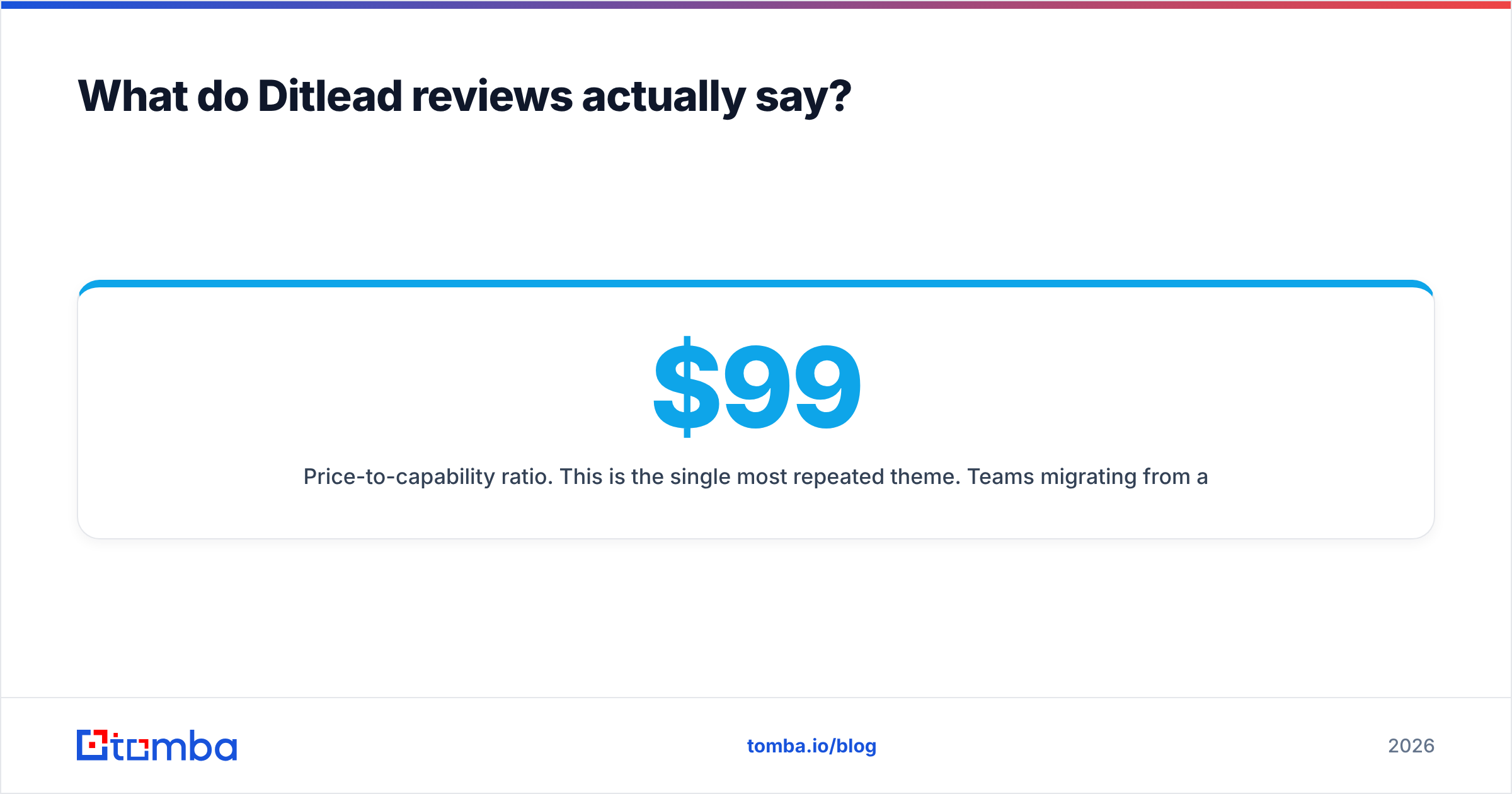
- Price-to-capability ratio. This is the single most repeated theme. Teams migrating from a $99–$300/month sequencer report cutting the line item by 50–70% without losing the workflow they depended on.
- Mailbox capacity. Agencies running outbound for ten clients across forty inboxes are the platform's happiest cohort. Per-mailbox pricing elsewhere makes that model expensive; Ditlead's structure makes it viable.
- The unified inbox. Reviewers consistently describe it as the feature that saved the most time — one place to answer everything instead of tab-hopping between client accounts.
- Setup speed. Most users report a working first campaign inside an afternoon, including DNS checks and warmup activation.
What reviewers criticize:
- Reporting depth. You get sent/open/click/reply/booked. You do not get cohort analysis, sequence-step attribution across long cycles, or the kind of revenue reporting a RevOps lead will ask for in month three.
- Support responsiveness. The most common negative theme. Response times are described as fine for routine questions and slow when something breaks mid-campaign. This is the predictable trade-off of aggressive pricing.
- UI density. Cramming six products into one navigation creates screens with a lot going on. Several reviewers mention a learning curve that is short but steep.
- Data quality. Any contact data surfaced inside the platform is treated by experienced users as a starting point, not a source of truth. More on this below, because it is the failure mode that costs the most money.

How does Ditlead compare to other outreach platforms?#
Here is the practical comparison most buyers are running. Pricing tiers move — check each vendor's current page before you commit — but the structural differences are stable.
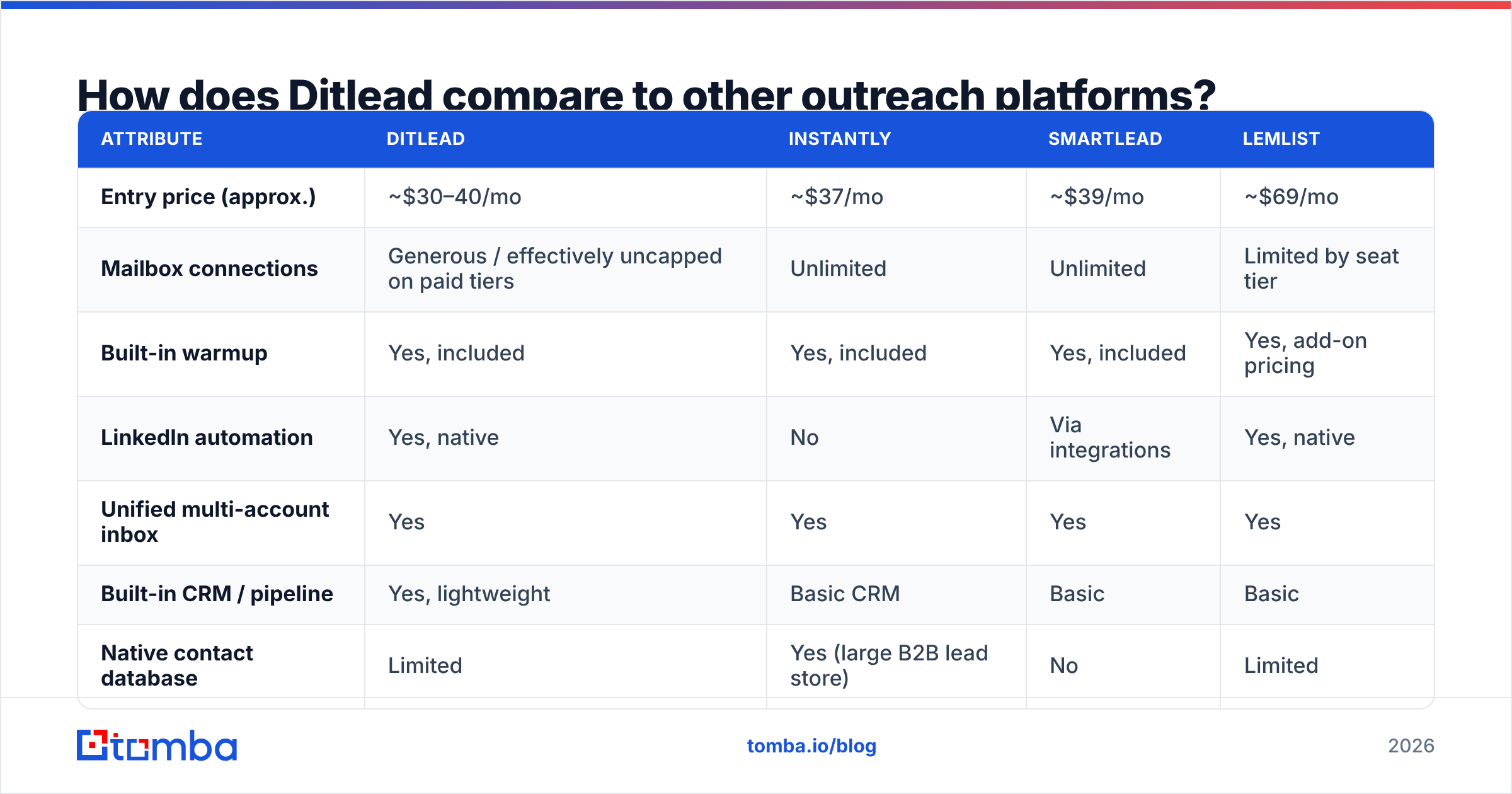
| Attribute | Ditlead | Instantly | Smartlead | Lemlist |
|---|---|---|---|---|
| Entry price (approx.) | ~$30–40/mo | ~$37/mo | ~$39/mo | ~$69/mo |
| Mailbox connections | Generous / effectively uncapped on paid tiers | Unlimited | Unlimited | Limited by seat tier |
| Built-in warmup | Yes, included | Yes, included | Yes, included | Yes, add-on pricing |
| LinkedIn automation | Yes, native | No | Via integrations | Yes, native |
| Unified multi-account inbox | Yes | Yes | Yes | Yes |
| Built-in CRM / pipeline | Yes, lightweight | Basic CRM | Basic | Basic |
| Native contact database | Limited | Yes (large B2B lead store) | No | Limited |
| Reporting depth | Basic | Moderate | Moderate | Moderate |
| Best fit | Agencies, multi-mailbox teams | Volume senders wanting data + sending | Deliverability-obsessed senders | Personalization-heavy, brand-led outbound |
Read that table as a positioning map, not a scoreboard. Instantly wins if you want lead data and sending on one invoice. Smartlead wins if deliverability engineering is your religion. Lemlist wins if creative personalization drives your reply rate. Ditlead wins on breadth per dollar — you get LinkedIn, email, warmup, inbox, and pipeline for roughly the price of a single-channel tool.
The failure case is predictable: teams choose Ditlead purely on price, skip the data layer, and then blame the platform when campaigns bounce. That is not a Ditlead defect. It is a stack design defect.
Is Ditlead good for deliverability?#
Partly, and the distinction matters.
Ditlead controls the sending side of deliverability well. Mailbox rotation, sending limits, randomized intervals, warmup, and per-domain throttling are all present and configurable. If you connect authenticated domains, run warmup for two to three weeks, and keep daily volume conservative per mailbox, the infrastructure will not be what sinks you.
What Ditlead cannot control is list quality — and list quality is where most cold email programs actually die. A 20% bounce rate tells every mailbox provider that you are guessing at addresses. No amount of rotation survives that signal. Google and Microsoft both weight invalid-recipient rates heavily, and Google's published bulk sender requirements make the expectation explicit: keep spam complaints under 0.3% and stop sending to addresses that do not exist.
The practical sequence that works:
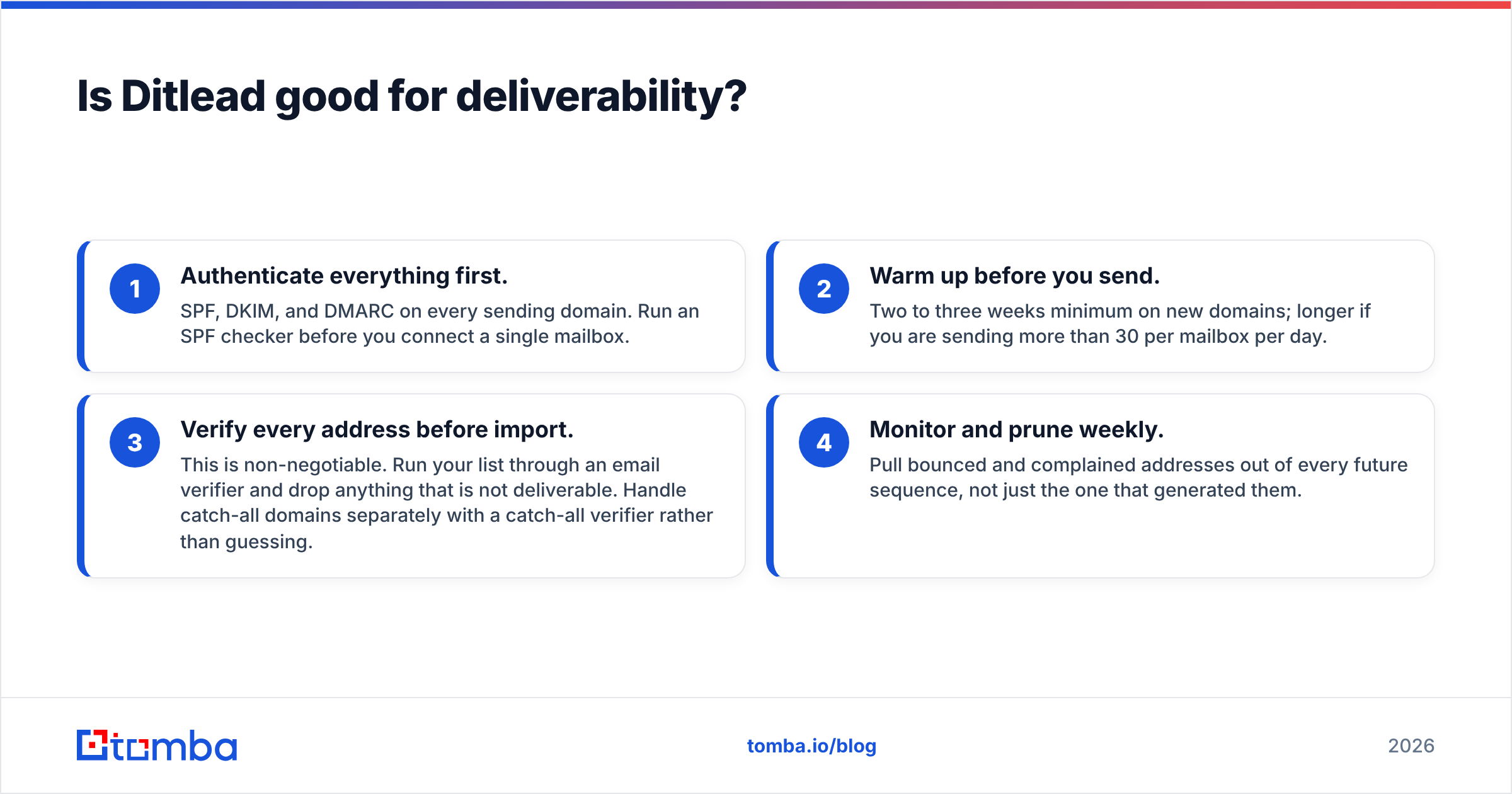
- Authenticate everything first. SPF, DKIM, and DMARC on every sending domain. Run an SPF checker before you connect a single mailbox.
- Warm up before you send. Two to three weeks minimum on new domains; longer if you are sending more than 30 per mailbox per day.
- Verify every address before import. This is non-negotiable. Run your list through an email verifier and drop anything that is not deliverable. Handle catch-all domains separately with a catch-all verifier rather than guessing.
- Monitor and prune weekly. Pull bounced and complained addresses out of every future sequence, not just the one that generated them.
Do all four and Ditlead's deliverability tooling performs as advertised. Skip step three and nothing else matters. If you want the underlying concepts, Tomba's glossary entry on email deliverability covers the mechanics in plain terms.
Where does Ditlead fall short?#
Four honest limitations, in the order they tend to surface.
1. Contact data is not the product. Ditlead is a sending engine with some data conveniences attached. If your workflow assumes the platform will hand you accurate, verified, decision-maker emails at scale, you will be disappointed. Sourcing belongs to a dedicated email finder that publishes its confidence scores and lets you verify before export.
2. Reporting stops where analysis starts. You can see that a sequence produced 40 replies. Reconstructing which step, which persona, and which variant drove them across a 90-day window requires exporting to a spreadsheet or piping data out through the API. For a two-person team that is fine. For a RevOps function reporting to a board, it is not.
3. Support scales with price, not with urgency. Users describe help as adequate for setup questions and frustrating during incidents. If your outbound program is revenue-critical and you need a named contact who answers in under an hour, budget for a platform that sells that as a line item.
4. Compliance workflows are thin. Suppression lists, opt-out handling, and regional consent rules exist but are basic. Teams selling into the EU under GDPR or into regulated verticals should audit the specifics against their own legal requirements before migrating. HubSpot's overview of GDPR compliance for sales and marketing is a reasonable baseline to check against.
None of these are dealbreakers for the target user. All of them are dealbreakers for someone who bought expecting an enterprise platform at a startup price.
Who should use Ditlead — and who should not?#
Strong fit:
- Lead gen agencies running campaigns for multiple clients across many domains and mailboxes. The economics here are hard to beat.
- Bootstrapped B2B startups doing founder-led outbound who need email plus LinkedIn without three subscriptions.
- Teams migrating off enterprise sequencers who realized they use 20% of a $150/seat tool and want the same workflow for less.
- Multichannel operators who genuinely run LinkedIn and email in a single cadence rather than treating LinkedIn as an afterthought.
Poor fit:
- Enterprise sales orgs with strict SSO, audit-log, and permissioning requirements.
- Teams that want one vendor for data and sending. Ditlead is a sender. Accept that and architect around it.
- Analytics-driven RevOps functions who need attribution modelling inside the tool rather than in a warehouse.
- Anyone unwilling to run a verification step. The platform will happily send to a garbage list and the consequences will land on your domain, not the vendor's.
What is the right stack around Ditlead?#
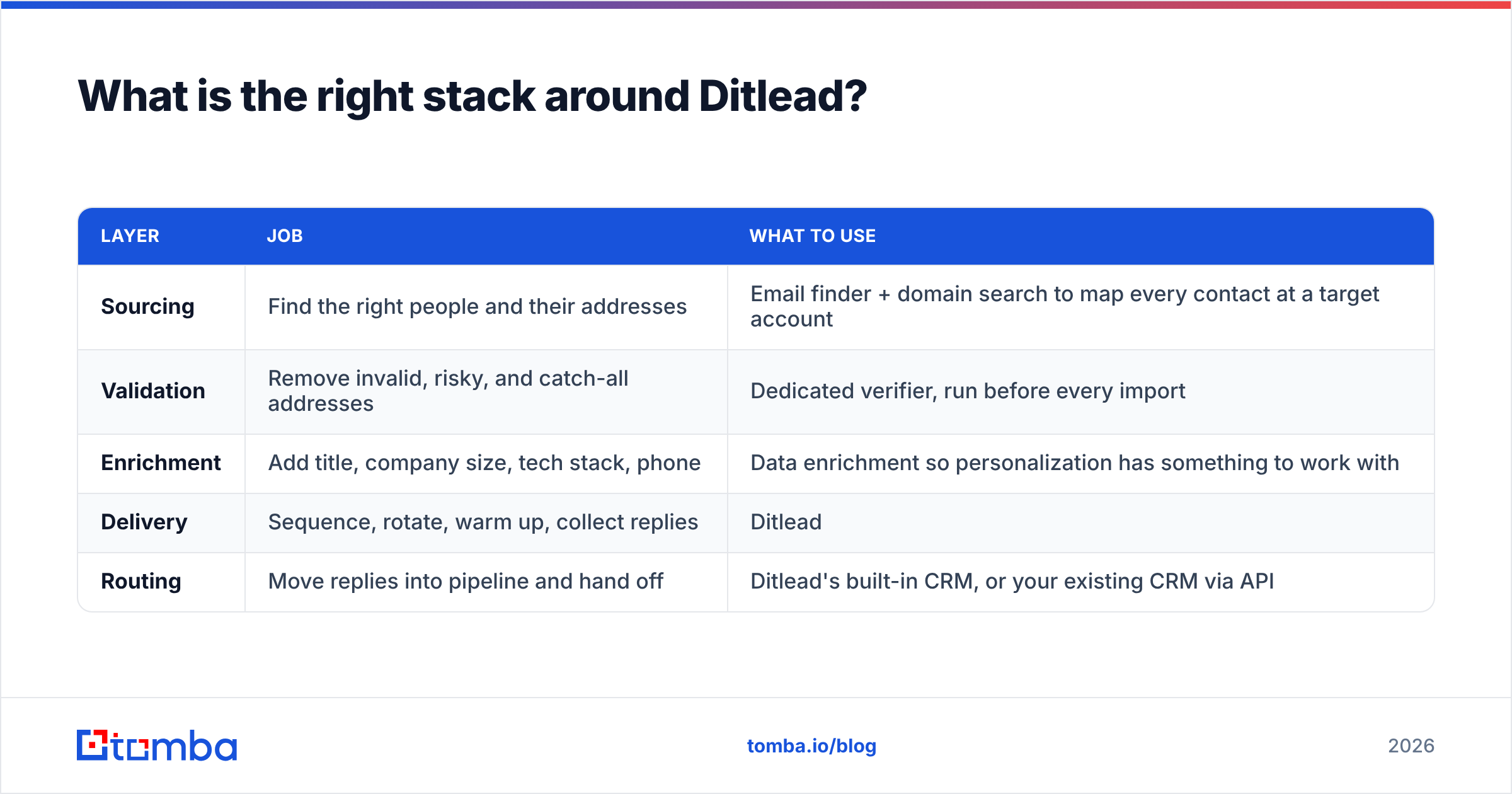
Treat Ditlead as the delivery layer of a three-part system. The layers are independent, which is a feature — you can replace any one of them without rebuilding the others.
| Layer | Job | What to use |
|---|---|---|
| Sourcing | Find the right people and their addresses | Email finder + domain search to map every contact at a target account |
| Validation | Remove invalid, risky, and catch-all addresses | Dedicated verifier, run before every import |
| Enrichment | Add title, company size, tech stack, phone | Data enrichment so personalization has something to work with |
| Delivery | Sequence, rotate, warm up, collect replies | Ditlead |
| Routing | Move replies into pipeline and hand off | Ditlead's built-in CRM, or your existing CRM via API |
For teams building lists at volume, the workflow that scales is: pull target domains, run bulk email finding to get contacts and patterns per company, verify the output, enrich the survivors, then import only verified rows into Ditlead. That import discipline is the difference between a 2% bounce rate and a 20% one — and it is entirely within your control.
If you prefer to keep the whole thing programmatic, both the sourcing and verification steps can run through an email finder API so the list is clean before it ever touches a sequencing tool.
Is Ditlead worth it in 2026?#
Yes, for the profile it was built for — and the profile is narrower than the marketing suggests.
Ditlead is the right call if you are running multichannel outbound across many mailboxes on a tight budget, you already own your data pipeline, and you value breadth over depth in any single feature. Under those conditions the value is genuinely hard to match, and the reviews reflect that.
It is the wrong call if you expected an all-in-one to also be a data provider, if your reporting requirements go beyond the basics, or if you need support with an SLA. Those buyers should look at the more expensive tier of the market and stop optimizing for the monthly line item.
The most useful reframe: sequencing platforms have largely commoditized. Instantly, Smartlead, Lemlist, and Ditlead all send email on a schedule and collect replies. What has not commoditized is knowing who to send to and whether that address exists. That is where campaign performance is actually won or lost, and it is the part no sequencer solves for you.
Frequently asked questions#
Does Ditlead include email verification? There are basic validity checks, but they are not a substitute for a dedicated verification pass. Run your list through a purpose-built verifier before import and treat anything ambiguous as a catch-all requiring separate handling.
Can Ditlead automate LinkedIn safely? It supports connection requests and messaging with rate controls. Stay well under LinkedIn's daily thresholds and avoid running a new account at full volume from day one. LinkedIn's terms restrict automation, so understand the account risk you are accepting.
How does Ditlead handle warmup? An included peer network exchanges seed messages to build reputation. Run it for two to three weeks on new domains before your first real send, and keep it running at a low level afterward.
Is there a free plan? Ditlead has offered free and trial access at various points. Check ditlead.com directly, since entry-tier terms in this category change frequently.
What is the biggest mistake new Ditlead users make? Importing an unverified list. Every other configuration choice is recoverable. A burned sending domain is not.
Build the list before you build the sequence#
Ditlead handles delivery well. It cannot tell you whether the address you are sending to is real, current, or attached to the person who signs the contract — and that is the variable with the largest effect on your reply rate.
Start with Tomba Email Finder. Search by domain, name, or company to get verified professional addresses with confidence scores attached, then export only what passes into whatever sequencer you choose. The free tier covers 25 searches a month so you can test accuracy against a list you already know, and paid plans start at $49/month with bulk processing, enrichment, and full API access included. Full details are on the Tomba pricing page.
Clean data first, sequence second. Every outbound program that works is built in that order.
Related guides#
Ready to find emails that actually work?
Join 150,000+ professionals who stopped guessing and started sending. Free credits on signup — no credit card required.
Get the Tomba newsletter
Practical outbound tactics and product updates — once every two weeks.
About the author