Domain Blacklist Check: How to Test, Fix and Stay Clean
Your open rates cratered overnight and nobody replied. Before you rewrite a single subject line, run a domain blacklist check — here's how to test all 100+ lists, read the results, and get delisted fast.
TL;DR
- A domain blacklist check tells you whether your sending domain (or its IP) sits on a DNSBL — a shared list mailbox providers consult before deciding whether your message lands in the inbox, the spam folder, or nowhere at all.
- Only a handful of the 100+ public lists actually move the needle. Spamhaus DBL, SURBL, and URIBL are the ones worth losing sleep over. The rest are mostly noise.
- Most domain listings are triggered by three things: sending to dead or scraped addresses, a compromised form/account blasting spam, or a shared link domain someone else burned.
- Delisting takes 24 hours to 2 weeks depending on the list. Fixing the cause first is non-negotiable — re-listing after a lazy delist request is faster and stickier.
- The durable fix is upstream: verify addresses before you send, keep bounce rates under 2%, and authenticate properly. Prevention beats delisting every time.
What is a domain blacklist check?#
A domain blacklist check queries the public DNS-based blocklists (DNSBLs) to see if your sending domain, sending IP, or the link domains inside your emails have been flagged as a spam source.
Think of it like a credit check for your email. When a bank sees a bad credit file, it doesn't read your loan application — it declines on the file alone. When Gmail or Microsoft sees your domain on Spamhaus DBL, it doesn't read your subject line either. The reputation lookup happens before content filtering, which is why a listed domain tanks your numbers overnight regardless of how good your copy is.
Technically, a DNSBL works over plain DNS. The receiving mail server takes your domain (say acme.com), reverses it into a query against the blocklist zone (acme.com.dbl.spamhaus.org), and looks for an A record response. A response in the 127.0.0.x range means "listed," and the last octet encodes why. No response means clean. It takes milliseconds, costs the receiver nothing, and that cheapness is exactly why every provider on earth does it.
There are three separate things people conflate under "blacklist":
- IP blacklists — your sending server's IP. Relevant if you run your own SMTP or sit on a shared IP pool with bad neighbors.
- Domain blacklists (DBLs) — your actual domain name. These follow you across every IP you ever send from, which makes them far more damaging.
- URI/link blacklists — the domains you link to inside the message body. Your sending domain can be spotless while a burned tracking domain gets you filtered.
Miss the distinction and you'll spend a week delisting an IP while the real problem is a link shortener in your footer.

Which blacklists actually matter in 2026?#
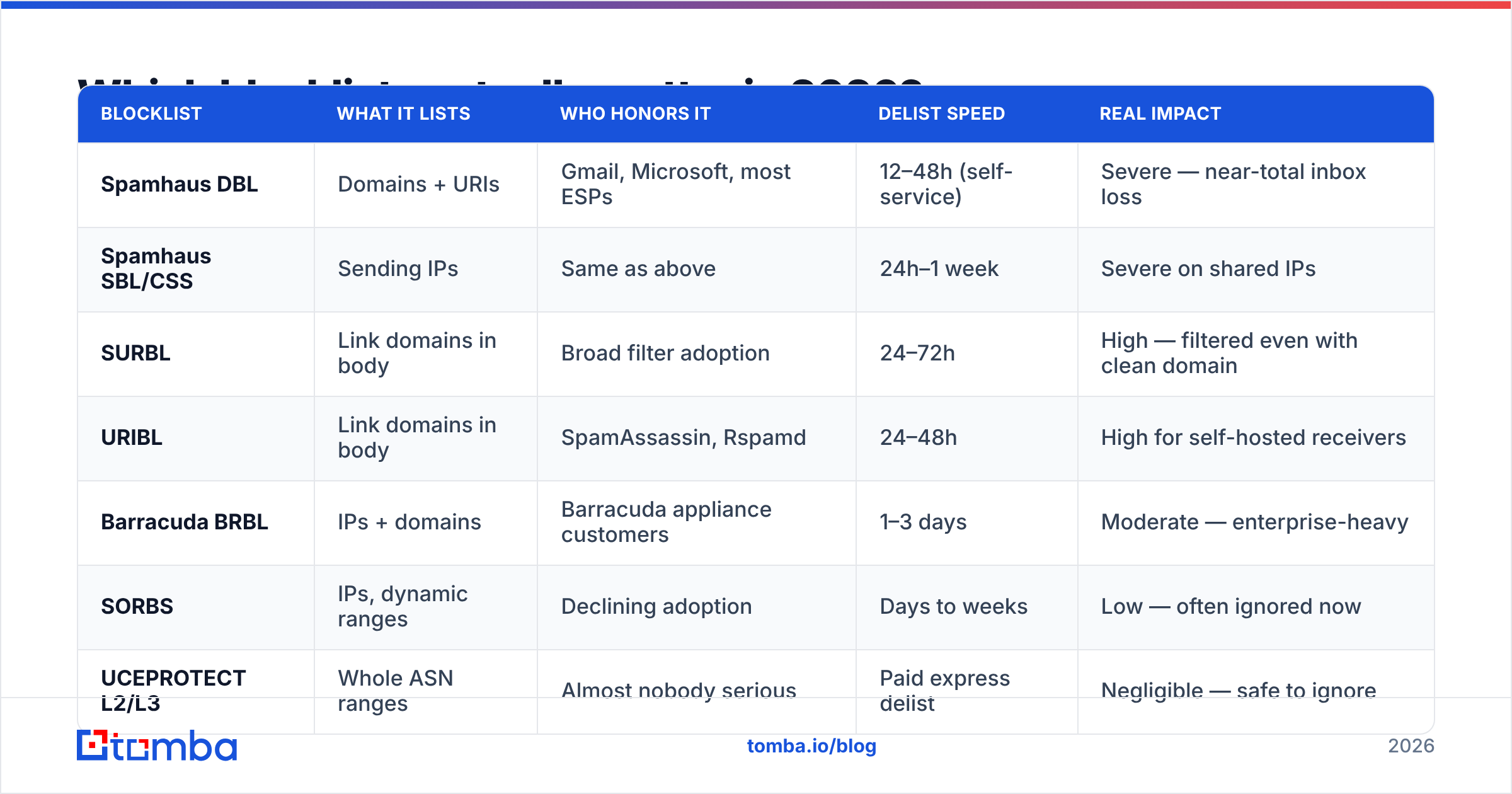
Roughly 100+ DNSBLs exist. Fewer than ten are consulted by mailbox providers with meaningful market share. Chasing the rest is busywork.
| Blocklist | What it lists | Who honors it | Delist speed | Real impact |
|---|---|---|---|---|
| Spamhaus DBL | Domains + URIs | Gmail, Microsoft, most ESPs | 12–48h (self-service) | Severe — near-total inbox loss |
| Spamhaus SBL/CSS | Sending IPs | Same as above | 24h–1 week | Severe on shared IPs |
| SURBL | Link domains in body | Broad filter adoption | 24–72h | High — filtered even with clean domain |
| URIBL | Link domains in body | SpamAssassin, Rspamd | 24–48h | High for self-hosted receivers |
| Barracuda BRBL | IPs + domains | Barracuda appliance customers | 1–3 days | Moderate — enterprise-heavy |
| SORBS | IPs, dynamic ranges | Declining adoption | Days to weeks | Low — often ignored now |
| UCEPROTECT L2/L3 | Whole ASN ranges | Almost nobody serious | Paid express delist | Negligible — safe to ignore |
| Invaluement | Domains + IPs | Some enterprise filters | 24–48h | Moderate |
The practical rule: if you're listed on Spamhaus, stop everything and fix it. If you're listed on UCEPROTECT Level 3, ignore it. UCEPROTECT L3 lists entire autonomous systems for the behavior of unrelated customers and charges for express removal — a business model most deliverability professionals treat as noise rather than signal.
Microsoft also runs an internal, non-public list you can't query. If Outlook/Hotmail rejects with an S3150 or 550 5.7.1 unsolicited-mail code while every public list says you're clean, you're on that one. The fix goes through their sender support form, not a DNSBL delist page.
How do you run a domain blacklist check properly?#
Run four checks in sequence, not one. Most people test their domain, see "clean," and stop — while the actual problem sits in a layer they never queried.
- Check the sending domain. Query your root domain against Spamhaus DBL, SURBL, and URIBL. This is the check that matters most because domain listings follow you everywhere.
- Check the sending IP. Get the IP from a message header (
Received:line) of a real sent email — not your office IP. If you're on a shared ESP pool, this may be out of your control, but you still need to know. - Check your link domains. Every tracking domain, link shortener, CDN host, and landing page domain in your template gets its own lookup. A shared
bit.ly-style shortener is a common silent killer. - Check authentication alignment. A perfectly clean domain with a broken SPF record still fails at the gate. Run an SPF checker alongside DKIM and DMARC validation, since alignment failures produce the same "everything went to spam" symptom as a listing.
For a fast first pass, use a blacklist checker that queries dozens of lists in one shot, then confirm anything it flags directly at the source list's own lookup page. Third-party aggregators occasionally serve cached results; the authoritative answer always comes from the list operator. Spamhaus runs its own public lookup, and it's the one to trust when the aggregators disagree.
A useful habit: run the check before a campaign, not after. Checking after your open rate collapsed means you've already burned a week of sends into the spam folder and made the listing worse.
Why did your domain get blacklisted?#
Listings are almost never random. Here are the causes ranked by how often they're the real culprit.
- High bounce rates from unverified lists. This is the number one cause and the easiest to prevent. Sending to a purchased or scraped list produces a wave of hard bounces and spam-trap hits. Recycled traps — old real addresses reactivated as traps — are especially brutal because they look legitimate in any list you bought. Anything over a 3% bounce rate is a flashing red light; over 5% and you should expect a listing.
- Spam traps in your data. Pristine traps (addresses never used by a human) mean your data came from scraping. Recycled traps mean your data is stale. Either way, a single hit on a Spamhaus-operated trap can list your domain.
- A compromised account or form. A hijacked mailbox, an unprotected contact form relaying mail, or a WordPress plugin vulnerability turns your domain into an actual spam source. Check your outbound volume graphs — an unexplained spike is the tell.
- Shared infrastructure damage. Cheap shared hosting, a shared ESP IP pool, or a public link shortener means someone else's behavior lands on your record. Dedicated sending domains and a branded tracking domain remove this risk entirely.
- Complaint rate above threshold. Gmail's Postmaster Tools flags anything over 0.3% as problematic. Sustained complaints eventually escalate from filtering to listing.
- Sudden volume ramps. Going from 50 emails/day to 5,000 on a cold domain reads as a botnet signature. Warm up gradually — an email warmup calculator gives you a sane daily ramp schedule.
The pattern across all six: the blacklist is a symptom. Treating the symptom without the cause gets you relisted, usually within two weeks, and repeat listings are progressively harder to clear.
How do you get delisted?#
Fix the cause first. Every delist form asks what you changed, and list operators are experienced at spotting a request submitted before anything was actually fixed.
Step 1 — Stop sending. Pause every campaign from the affected domain immediately. Continuing to send while listed compounds the reputation damage and can trigger additional listings.
Step 2 — Find and fix the root cause. Audit your recent sends. Pull the bounce logs. If your bounce rate spiked, the list is the problem — clean it before you touch anything else. If volume spiked without you scheduling it, you've been compromised: rotate credentials, patch the app, close the open relay.
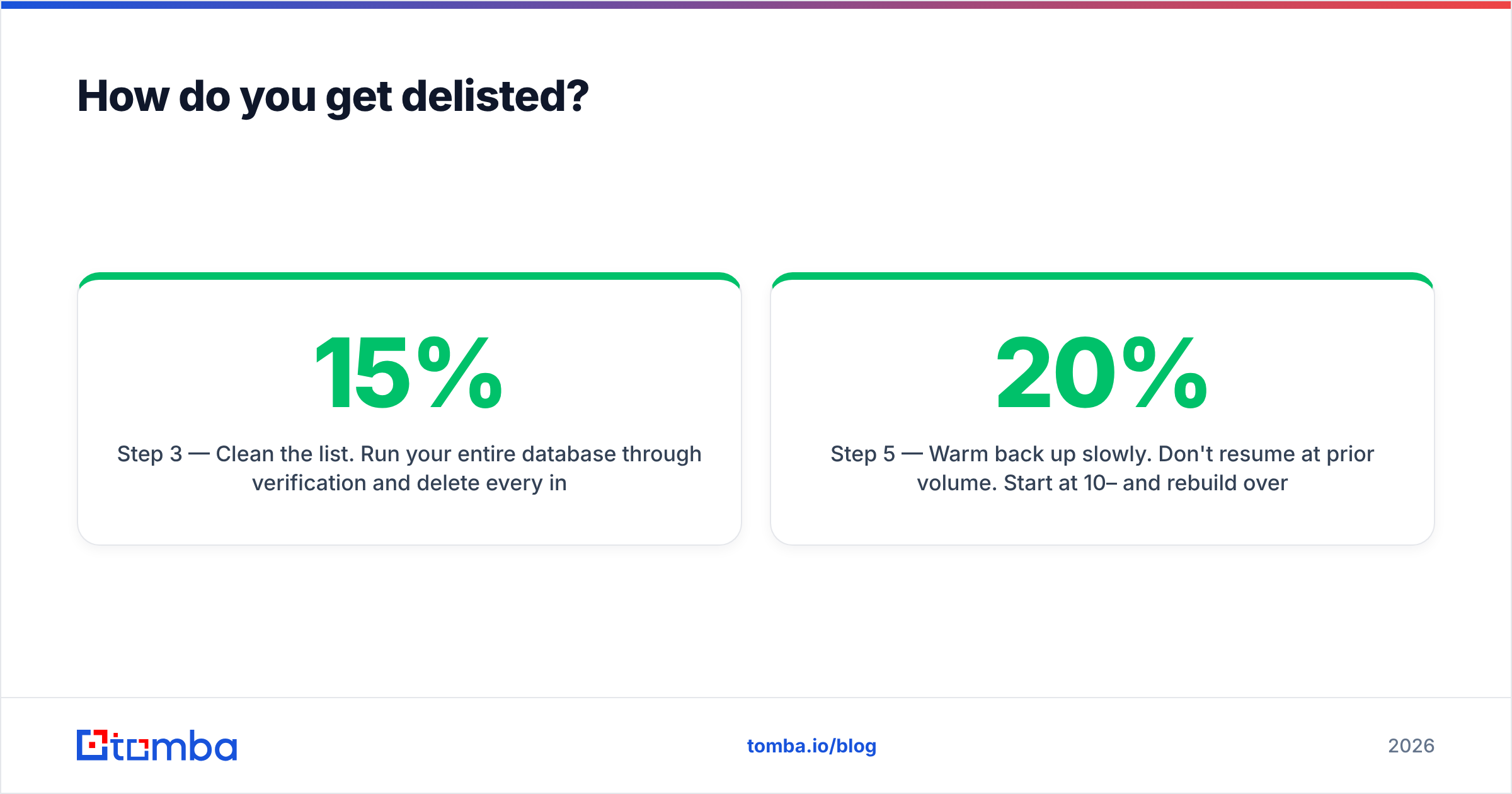
Step 3 — Clean the list. Run your entire database through verification and delete every invalid, catch-all-risky, and role-based address. This is where most recoveries actually happen. A bulk verify pass on a 50,000-record list typically removes 8–15% as undeliverable — that's the 8–15% that was generating your bounces.
Step 4 — Submit the delist request. Go to the list's own removal page (Spamhaus Blocklist Removal Center, SURBL removal form, etc.). Be specific about what you fixed. "We removed 6,400 unverified addresses and now verify at point of capture" beats "please remove us" by an enormous margin.
Step 5 — Warm back up slowly. Don't resume at prior volume. Start at 10–20% and rebuild over two to three weeks, watching Gmail Postmaster Tools and Microsoft SNDS for reputation recovery.

Typical timelines: Spamhaus DBL self-service removal clears in 12–48 hours if the cause is fixed. SURBL and URIBL run 24–72 hours. Barracuda takes a few business days. Anything requiring human review at a smaller list can stretch to two weeks. Repeat offenders get longer cooldowns and occasionally permanent listings.
What not to do: buying a fresh domain and starting over. It feels faster, and it's the single most common mistake. A brand-new domain has zero reputation, needs a full warmup cycle, and — crucially — will land on the same list within a month if the underlying data quality never changed. You've bought yourself three weeks and lost your domain history.
How do you prevent listings in the first place?#
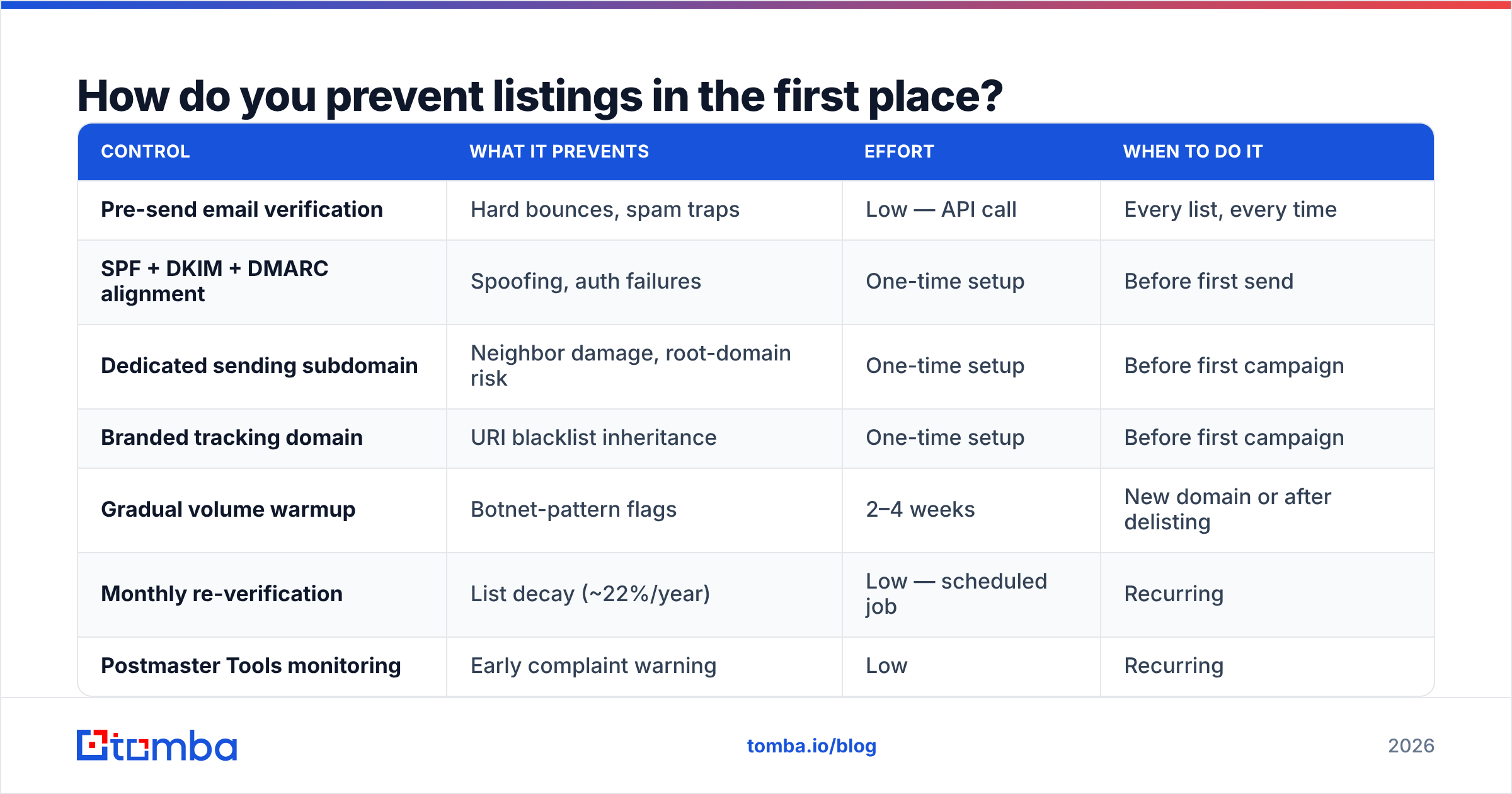
Prevention is cheap. Delisting is expensive in time and revenue. Here's the stack that keeps you off lists permanently.
| Control | What it prevents | Effort | When to do it |
|---|---|---|---|
| Pre-send email verification | Hard bounces, spam traps | Low — API call | Every list, every time |
| SPF + DKIM + DMARC alignment | Spoofing, auth failures | One-time setup | Before first send |
| Dedicated sending subdomain | Neighbor damage, root-domain risk | One-time setup | Before first campaign |
| Branded tracking domain | URI blacklist inheritance | One-time setup | Before first campaign |
| Gradual volume warmup | Botnet-pattern flags | 2–4 weeks | New domain or after delisting |
| Monthly re-verification | List decay (~22%/year) | Low — scheduled job | Recurring |
| Postmaster Tools monitoring | Early complaint warning | Low | Recurring |
Two of these deserve extra emphasis.
Verification at the point of capture is the highest-leverage control on the list. B2B contact data decays at roughly 22–30% per year as people change jobs, so a list you verified last January is meaningfully rotten by December. Running new contacts through an email verifier before they enter your sequence — not after they've bounced — is the difference between a 0.4% bounce rate and a 6% one. If you source contacts programmatically, wire it into the pipeline with the email verification API so nothing untested reaches your sender.
Catch-all domains are where verification gets genuinely hard. A catch-all server accepts every address at SMTP time, so a naive verifier marks everything "valid" and you find out the truth from your bounce log. Tools that handle catch-alls with a separate confidence model — a dedicated catch-all verifier rather than a blanket "accept-all: unknown" verdict — save you from the exact bounce pattern that gets domains listed.
On authentication, get DMARC to at least p=quarantine. Google and Yahoo's 2024 bulk-sender requirements made DMARC effectively mandatory for anyone sending over 5,000 messages a day, and enforcement has only tightened since. Google's own sender guidelines remain the authoritative reference; read them once a year because the thresholds move.
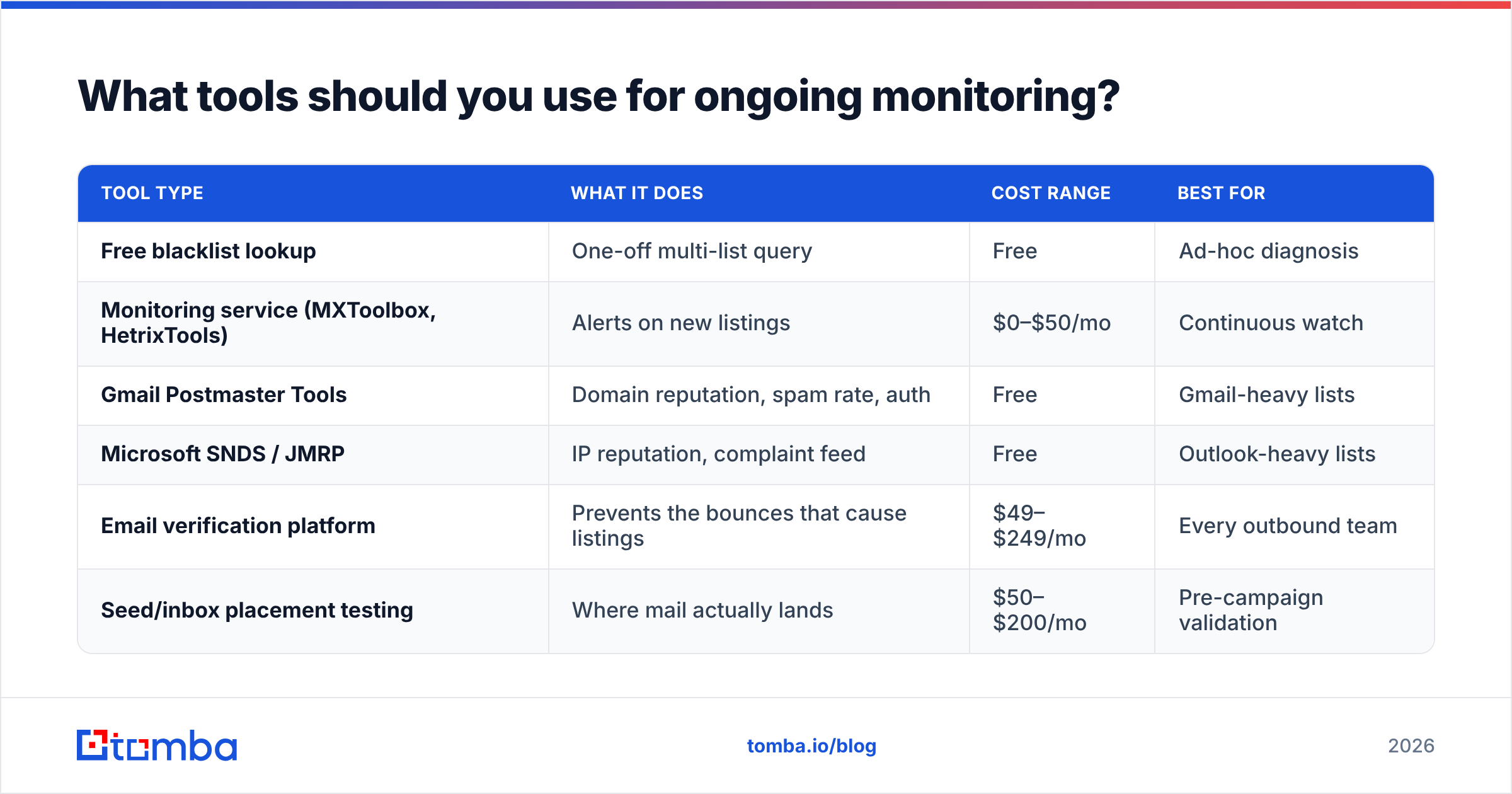
What tools should you use for ongoing monitoring?#
Blacklist status is not a one-time check. Set up monitoring so you learn about a listing from an alert, not from a sales rep asking why nobody's replying.
| Tool type | What it does | Cost range | Best for |
|---|---|---|---|
| Free blacklist lookup | One-off multi-list query | Free | Ad-hoc diagnosis |
| Monitoring service (MXToolbox, HetrixTools) | Alerts on new listings | $0–$50/mo | Continuous watch |
| Gmail Postmaster Tools | Domain reputation, spam rate, auth | Free | Gmail-heavy lists |
| Microsoft SNDS / JMRP | IP reputation, complaint feed | Free | Outlook-heavy lists |
| Email verification platform | Prevents the bounces that cause listings | $49–$249/mo | Every outbound team |
| Seed/inbox placement testing | Where mail actually lands | $50–$200/mo | Pre-campaign validation |
Free monitoring plus free postmaster dashboards covers most teams. The paid line item that genuinely earns its cost is verification, because it addresses the cause rather than reporting the effect.
For reference on how vendors compare on data quality and pricing, G2's email verification category has enough reviewer volume to be useful, though as always the accuracy claims in marketing copy run ahead of measured results. Test on your own list before committing.
On the sourcing side, if you're pulling contacts rather than collecting them, the quality of the source determines your bounce rate more than any downstream cleaning. Tools that find and verify in one pass — Tomba, Findymail, BookYourData, and similar — reduce the gap between "found" and "confirmed deliverable." BookYourData in particular takes a curated, verified-at-source approach that suits teams who want pre-cleaned lists over raw discovery volume; if you'd rather build lists dynamically from domains and names, a domain search workflow gives you more control over targeting.
What does a healthy sending profile look like?#
Benchmark yourself against these numbers monthly. Drift on any of them predicts a listing before it happens.
- Hard bounce rate: under 2%. Under 1% if your list is properly verified.
- Complaint rate: under 0.1%. Gmail flags at 0.3%; treat that as the fire alarm, not the target.
- Spam trap hits: zero. Any hit means unverified data entered your pipeline.
- Authentication pass rate: 99%+ on SPF, DKIM, and DMARC alignment.
- Domain reputation (Postmaster Tools): High or Medium. "Low" or "Bad" means you're already being filtered and a listing is likely next.
- Volume consistency: no day-over-day spikes above 2× your rolling 7-day average.
If all six are green, blacklist checks become a formality. If two or more are amber, you're not currently listed — you're pre-listed, and the check just hasn't caught up yet.
Run the check, then fix the cause#
A domain blacklist check takes ninety seconds. Interpreting it correctly takes knowing which lists matter, and fixing it takes addressing the data quality that put you there. Skip the last part and you'll be back on the same list within a month.
The single highest-return change most outbound teams can make is verifying contacts before they ever reach a sender. Tomba's email finder returns addresses with a confidence score and SMTP-level validation built in, so bad data never enters your sequence in the first place — which means the bounces that trigger listings never happen. The free tier gives you 25 searches a month to test it against your own list; paid plans start at $49/mo, with full Tomba pricing laid out if you need higher volume or API access. Clean data in, clean reputation out.
Related guides#
Ready to find emails that actually work?
Join 150,000+ professionals who stopped guessing and started sending. Free credits on signup — no credit card required.
Get the Tomba newsletter
Practical outbound tactics and product updates — once every two weeks.
About the author