Domain Reputation Monitoring: A Practical 2026 Guide
Your domain reputation decides whether cold email lands in the inbox or the spam folder. Here's how to monitor it with free tools, what thresholds actually matter, and how to recover when it drops.
TL;DR
- Domain reputation, not IP reputation, is the dominant signal for whether your cold email reaches the inbox in 2026. Mailbox providers score the sending domain and its subdomains across a rolling 30-day window.
- The cheapest monitoring stack is free: Google Postmaster Tools, Microsoft SNDS, a blacklist checker, and a seed-list test. Set them up once, check them weekly.
- Spam complaint rate above 0.30% and Gmail will throttle you. Above 0.10% you are already in trouble — that is the threshold Google publishes as the ceiling you should stay under.
- The single largest driver of reputation damage is sending to bad addresses. Bounce rate above 3% starts eroding your score; above 5% providers treat you as a list-buyer.
- Recovery from a burned domain takes 4–8 weeks of disciplined low-volume sending. Prevention costs a fraction of that.
What is domain reputation monitoring?#
Domain reputation monitoring is the practice of tracking how mailbox providers — Gmail, Outlook, Yahoo, and corporate spam filters — score your sending domain, and reacting before that score costs you inbox placement.
Think of it like a credit score for your domain. You do not see the number itself. You see proxies: bounce rates, complaint rates, Postmaster Tools' color-coded reputation bar, blacklist entries, and where seed-list tests land. Miss a payment (send to 500 dead addresses) and the score drops. Keep paying on time (steady volume, low complaints, engaged recipients) and it slowly climbs.
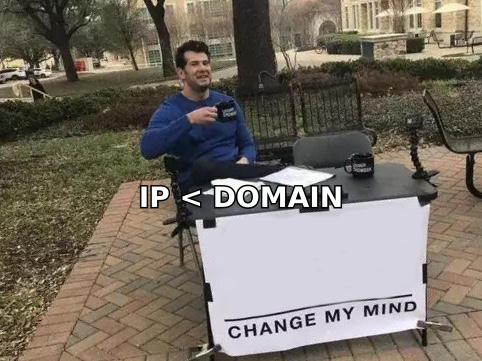
The distinction that trips people up: IP reputation and domain reputation are different things, and domain reputation now matters more. When you send through a shared pool at a provider like Google Workspace or a sequencer, you share IP reputation with thousands of other senders. Your domain is yours alone. Gmail's filters weight it accordingly.
Here is what each signal actually tells you:
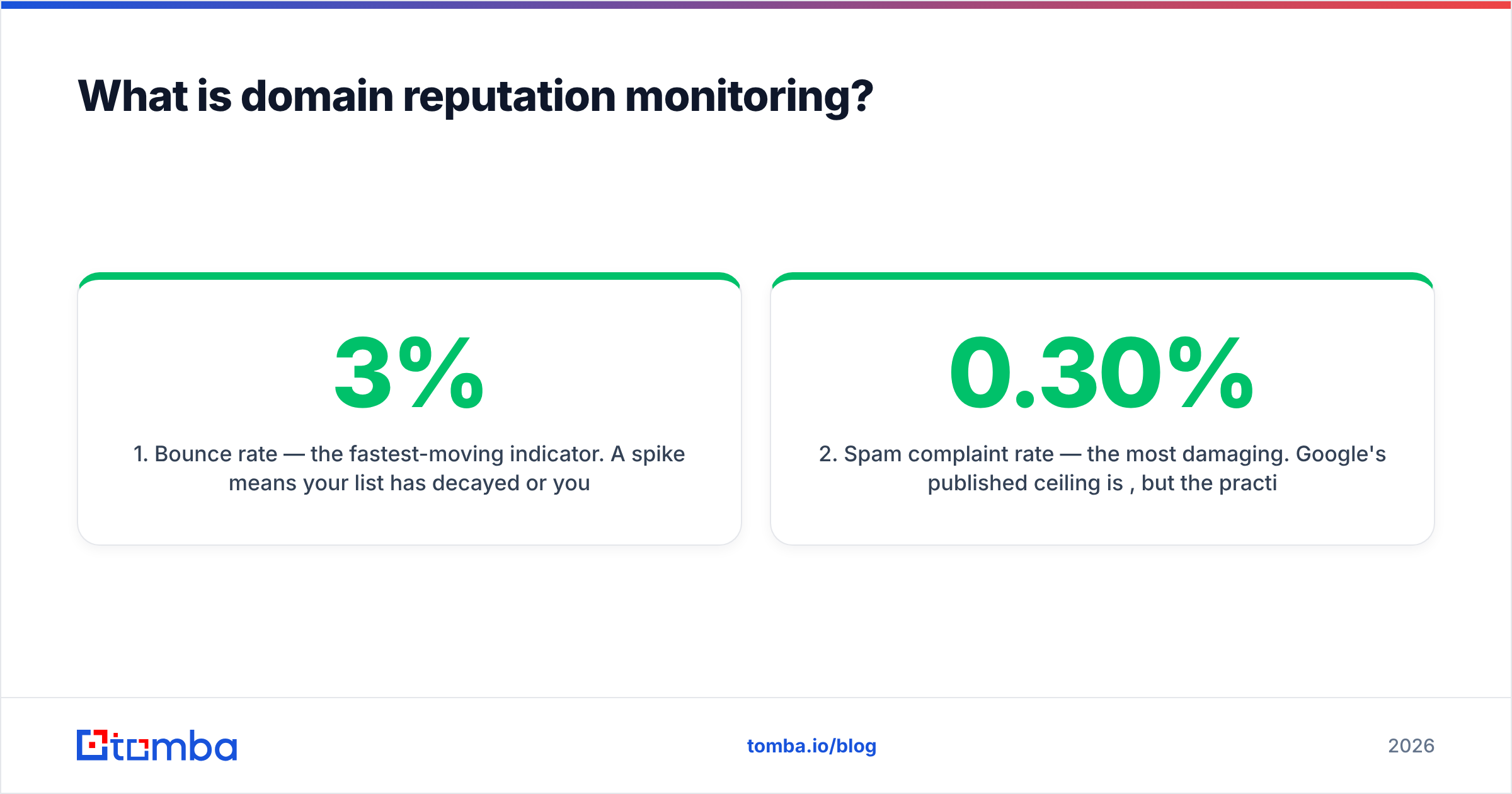
- Bounce rate — the fastest-moving indicator. A spike means your list has decayed or you skipped verification. Anything over 3% is a warning; over 5% is an emergency.
- Spam complaint rate — the most damaging. Google's published ceiling is 0.30%, but the practical target is under 0.10%. One bad campaign to a cold list can blow past both.
- Engagement signals — opens, replies, "not spam" clicks, and time-in-inbox. Positive engagement is the only thing that actively builds reputation rather than merely preserving it.
- Authentication pass rate — SPF, DKIM, and DMARC alignment. Since the 2024 bulk-sender rules, failing authentication is not a soft penalty; it is a hard filter.
- Blacklist status — Spamhaus, SURBL, and URIBL listings. Domain-level listings (DBL) are far more serious than IP listings because they follow you across every sending platform.
- Spam trap hits — invisible until the damage is done. Recycled traps come from old abandoned addresses; pristine traps are seeded addresses that only appear on scraped lists.
Why does domain reputation matter more in 2026 than it did three years ago?#
Because the bulk-sender requirements Google and Yahoo rolled out in February 2024 turned soft recommendations into enforced gates, and enforcement has only tightened since.
Three concrete changes reshaped the landscape:
Authentication became mandatory. SPF, DKIM, and a DMARC record are now table stakes for anyone sending more than 5,000 messages a day to Gmail addresses — and in practice, filters apply the same logic to smaller senders. You can check yours with a free SPF checker in under a minute. Google documents the full requirement set in its Email sender guidelines.
One-click unsubscribe became enforceable. List-Unsubscribe headers with a working POST endpoint are required. Senders who make unsubscribing hard now get complaints instead, and complaints are worth roughly 100x more damage than an unsubscribe.
The complaint threshold got a published number. Before 2024, "keep complaints low" was folklore. Now 0.30% is a documented line. That changed how deliverability teams operate — you can measure against a target instead of guessing.
The practical consequence: reputation problems that used to surface slowly, over months of declining open rates, now surface as a cliff. You send one campaign to an unverified list, complaints spike, and Gmail throttles you within 48 hours. Monitoring is what buys you the window to react.
Which domain reputation monitoring tools should you actually use?#
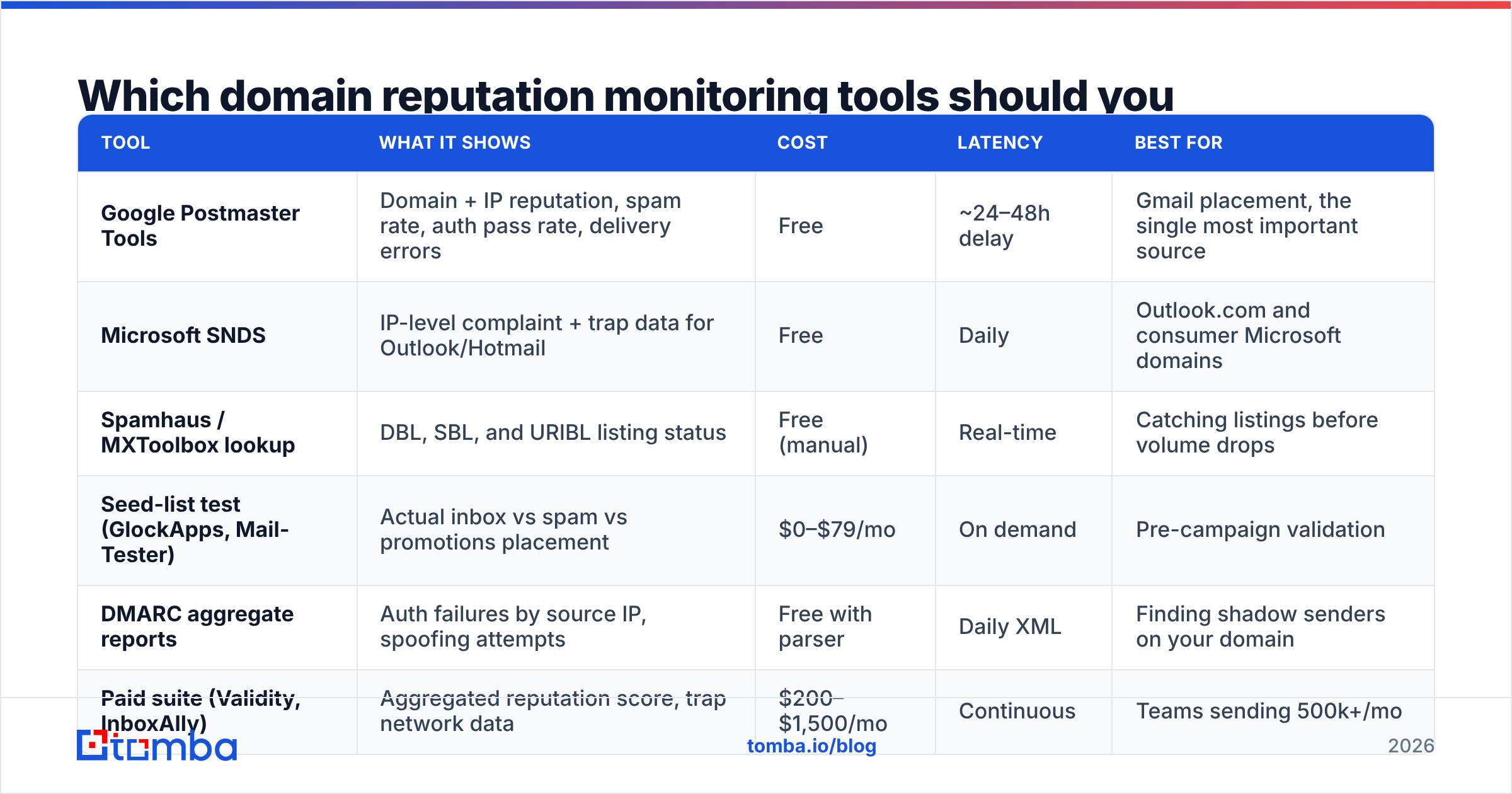
Start with the free ones. They cover 80% of what a paid deliverability suite tells you, and they read directly from the mailbox providers rather than inferring from seed lists.
| Tool | What it shows | Cost | Latency | Best for |
|---|---|---|---|---|
| Google Postmaster Tools | Domain + IP reputation, spam rate, auth pass rate, delivery errors | Free | ~24–48h delay | Gmail placement, the single most important source |
| Microsoft SNDS | IP-level complaint + trap data for Outlook/Hotmail | Free | Daily | Outlook.com and consumer Microsoft domains |
| Spamhaus / MXToolbox lookup | DBL, SBL, and URIBL listing status | Free (manual) | Real-time | Catching listings before volume drops |
| Seed-list test (GlockApps, Mail-Tester) | Actual inbox vs spam vs promotions placement | $0–$79/mo | On demand | Pre-campaign validation |
| DMARC aggregate reports | Auth failures by source IP, spoofing attempts | Free with parser | Daily XML | Finding shadow senders on your domain |
| Paid suite (Validity, InboxAlly) | Aggregated reputation score, trap network data | $200–$1,500/mo | Continuous | Teams sending 500k+/mo |
Google Postmaster Tools is non-negotiable. It is the only place Gmail tells you what it thinks of you. Verify your domain, wait for data to accumulate (you need roughly 100+ messages/day to Gmail addresses before the dashboards populate), and check the Domain Reputation tab weekly. The bar reads High / Medium / Low / Bad. Anything below High means you are already losing placement.
Microsoft SNDS covers the gap Postmaster leaves. It is IP-based rather than domain-based, which limits it if you send through a shared pool, but the complaint and trap-hit data is otherwise unavailable.
Blacklist checks belong in a weekly routine, not an emergency response. A blacklist checker run every Monday catches a listing before it costs you a week of pipeline. Spamhaus DBL listings in particular are domain-level and follow your domain to any sending platform you migrate to — switching ESPs does not clear them.
One honest caveat on paid suites: for most B2B teams sending under 100,000 emails a month, the $200+/mo tools mostly repackage data you can get free. They earn their price when you need trap-network intelligence, multi-domain rollups, or a vendor to escalate with on your behalf. Below that volume, the free stack plus disciplined list hygiene wins.
What metrics and thresholds should you monitor weekly?#
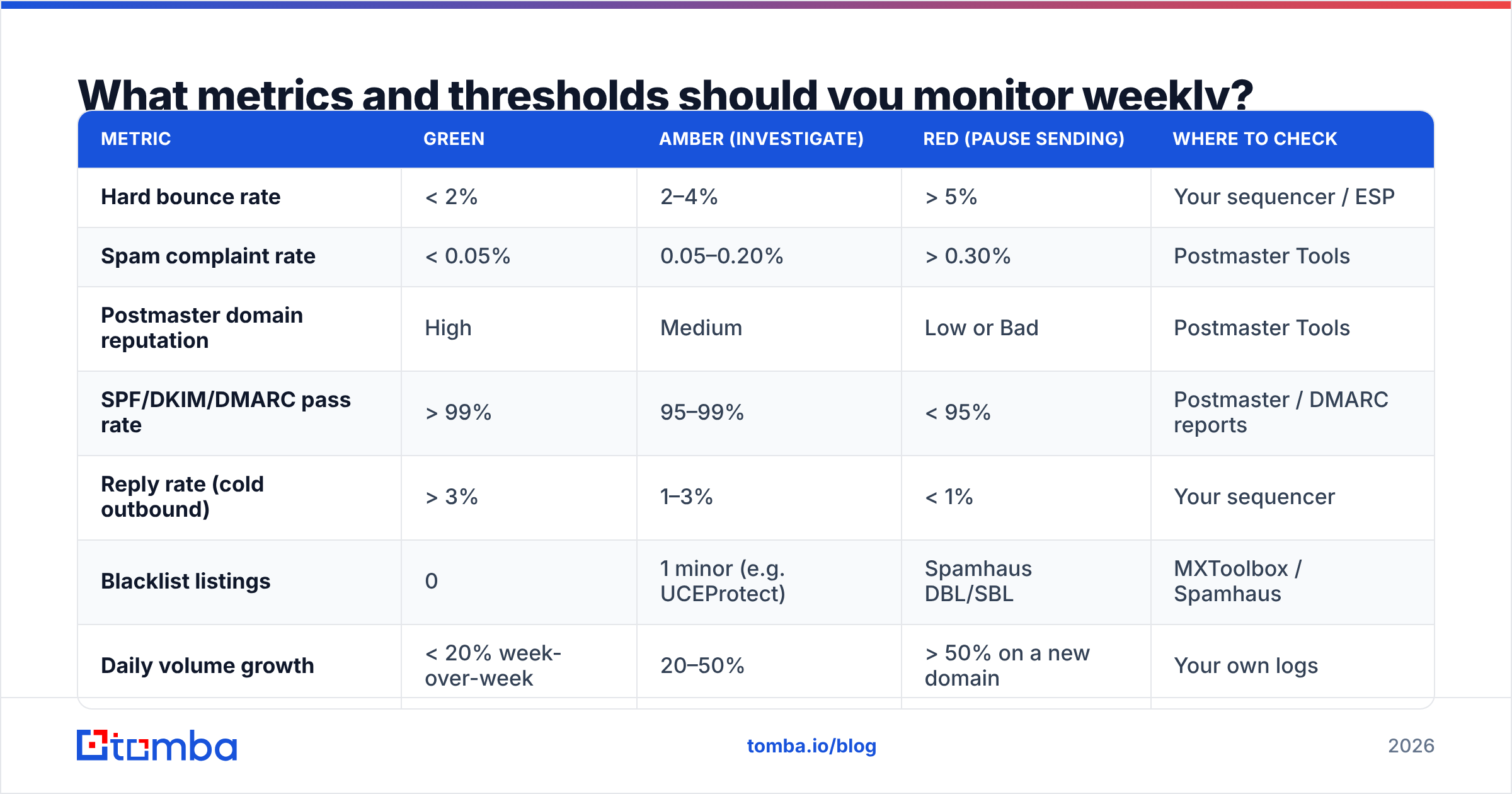
Use these numbers as tripwires. When a metric crosses the amber line, investigate that week. When it crosses red, pause sending on that domain.
| Metric | Green | Amber (investigate) | Red (pause sending) | Where to check |
|---|---|---|---|---|
| Hard bounce rate | < 2% | 2–4% | > 5% | Your sequencer / ESP |
| Spam complaint rate | < 0.05% | 0.05–0.20% | > 0.30% | Postmaster Tools |
| Postmaster domain reputation | High | Medium | Low or Bad | Postmaster Tools |
| SPF/DKIM/DMARC pass rate | > 99% | 95–99% | < 95% | Postmaster / DMARC reports |
| Reply rate (cold outbound) | > 3% | 1–3% | < 1% | Your sequencer |
| Blacklist listings | 0 | 1 minor (e.g. UCEProtect) | Spamhaus DBL/SBL | MXToolbox / Spamhaus |
| Daily volume growth | < 20% week-over-week | 20–50% | > 50% on a new domain | Your own logs |
Two of these deserve extra attention.
Reply rate is a reputation metric, not just a performance metric. Gmail weights conversational signals heavily. A campaign with a 0.4% reply rate tells the filter that recipients do not want your mail, even if nobody clicked "spam." This is why volume-first outbound eventually kills a domain regardless of how clean the list is.
Week-over-week volume growth matters more than absolute volume. A domain that has sent 200/day for six months can handle 250/day. A domain that sent 50 yesterday and 800 today looks exactly like a compromised account. Ramp with an email warmup calculator rather than guessing at the curve.
How do you prevent reputation damage before it happens?#
Prevention breaks into four habits, in order of impact.
1. Verify every address before it enters a sequence. This is the highest-leverage single action. Hard bounces are the fastest way to tank a domain, and they are almost entirely preventable. Run your list through an email verifier before import — not after the first bounce spike. For catch-all domains, which return "accept" for everything and hide invalid addresses behind a wall, a dedicated catch-all verifier is the difference between a 2% bounce rate and a 12% one.
The economics are lopsided: verification costs fractions of a cent per address. Recovering a burned domain costs six weeks of pipeline.

2. Separate your sending domains by function. Never send cold outbound from your primary corporate domain. Use a lookalike domain (getcompany.com, company-hq.com) with its own authentication, its own reputation, and its own blast radius. If it burns, your invoices and support replies still land. This is standard practice and mailbox providers do not penalize it as long as the domain is properly authenticated and not obviously disposable.
3. Fix the copy, not just the infrastructure. Spam filters read content. Link shorteners, attachment-heavy first touches, ALL-CAPS subject lines, and single-image emails all raise your spam score independent of reputation. Run drafts through a spam checker before a campaign goes live — it takes 30 seconds and catches the obvious content triggers.
4. Make unsubscribing trivially easy. A one-click unsubscribe that works costs you one contact. A complaint costs you a slice of your domain reputation that takes weeks to rebuild. Put the link in the footer, honor it within 48 hours, and never use "reply STOP to opt out" as your only mechanism.
For a deeper reference on the underlying mechanics, the email deliverability and sender reputation glossary entries cover the terminology filters actually use.
How do you recover a domain whose reputation has already dropped?#
Slowly, and with less volume than you think. Here is the sequence that works.
Week 1 — Stop and diagnose. Pause all outbound on the affected domain. Pull the last 30 days of bounce logs and complaint data. Identify the campaign or list that caused the spike; there is almost always a single culprit. Check every blacklist. If you are on Spamhaus DBL, file a delisting request only after you have fixed the underlying cause — a re-listing after a premature delist is much harder to clear.
Week 2 — Fix the foundation. Confirm SPF, DKIM, and DMARC all pass and align. Move DMARC to at least p=quarantine. Re-verify your entire remaining list and delete anything that does not return a confident valid result. Remove every contact who has not engaged in 90 days — engagement-based pruning is what shifts your aggregate signal fastest.
Weeks 3–5 — Warm up on engaged contacts only. Restart at roughly 10–20 messages/day to your most responsive segment: people who have replied, clicked, or booked before. You are manufacturing positive engagement signals. Increase volume by no more than 20% per week. Watch the Postmaster Tools domain reputation bar; it should move from Low toward Medium within two to three weeks if the underlying problem is fixed.
Weeks 6–8 — Resume normal volume. Only once reputation reads High and complaint rate sits under 0.05% for two consecutive weeks. Resist the temptation to jump straight back to prior volume — the ramp is the point.
If reputation does not improve by week 5 despite clean metrics, the domain may be carrying a persistent listing or a spam-trap association. At that point, retiring the domain and starting fresh on a new one is usually cheaper than continuing to fight. Budget 4–6 weeks to warm a replacement.
Which stack should you build if you are starting from zero?#
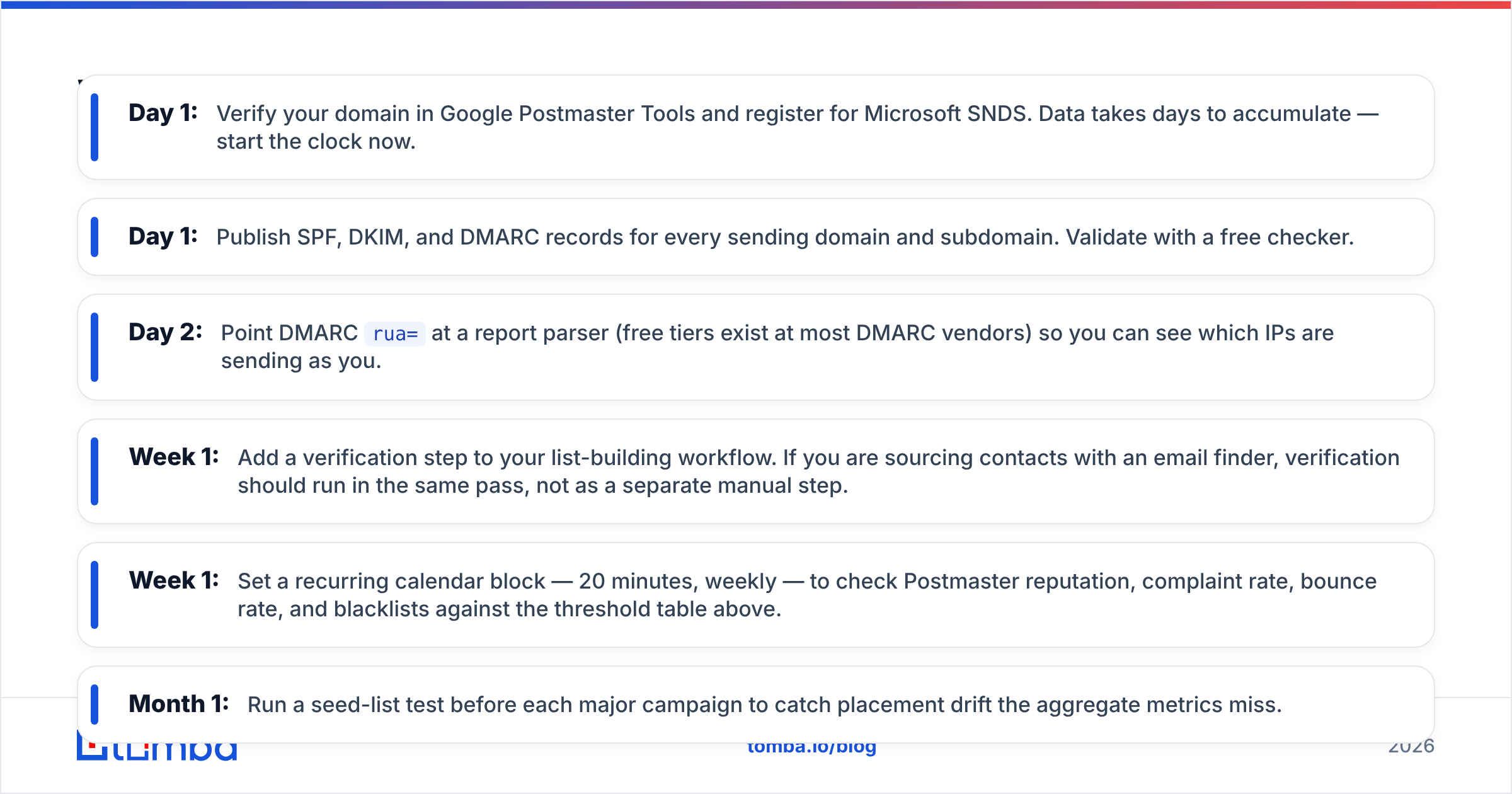
Here is a minimum viable monitoring setup, roughly in the order you should implement it:
- Day 1: Verify your domain in Google Postmaster Tools and register for Microsoft SNDS. Data takes days to accumulate — start the clock now.
- Day 1: Publish SPF, DKIM, and DMARC records for every sending domain and subdomain. Validate with a free checker.
- Day 2: Point DMARC
rua=at a report parser (free tiers exist at most DMARC vendors) so you can see which IPs are sending as you. - Week 1: Add a verification step to your list-building workflow. If you are sourcing contacts with an email finder, verification should run in the same pass, not as a separate manual step.
- Week 1: Set a recurring calendar block — 20 minutes, weekly — to check Postmaster reputation, complaint rate, bounce rate, and blacklists against the threshold table above.
- Month 1: Run a seed-list test before each major campaign to catch placement drift the aggregate metrics miss.
The whole free stack takes about two hours to set up and 20 minutes a week to maintain. Compared to a burned domain, that is the best-value work in outbound.
Is domain reputation monitoring worth it for small senders?#
Yes — arguably more so, because small senders have less margin for error.
A 50,000-email-per-month sender can absorb a bad campaign statistically; the complaint rate barely moves. A team sending 3,000 a month sending one bad batch of 400 unverified contacts can push complaint rate past 0.30% in a single day. Low volume means every campaign carries proportionally more weight in the rolling average.
The counterargument you will hear is that Postmaster Tools does not populate below ~100 messages/day to Gmail. That is true, and it is a real limitation. But the metrics you control directly — bounce rate, reply rate, authentication status, blacklist listings — are all visible at any volume. Those cover most of the risk. Postmaster Tools is the confirmation layer, not the whole system.
Where to start#
If you do one thing from this post, make it list verification. Bounce rate is the fastest-moving reputation signal, it is entirely within your control, and it is the root cause behind most domains that end up in recovery.
Tomba's Email Finder finds professional email addresses by domain, name, or company — and every result comes back with a verification status attached, so you are not shipping unverified contacts into a sequence and hoping. The free tier includes 25 searches a month to test the accuracy on your own target accounts; paid plans start at $49/mo on Starter with Growth at $99/mo, and full Tomba pricing is public. Pair it with the email verifier for lists you have sourced elsewhere, and your bounce rate stops being the thing that decides your domain's fate.
Related guides#
Ready to find emails that actually work?
Join 150,000+ professionals who stopped guessing and started sending. Free credits on signup — no credit card required.
Get the Tomba newsletter
Practical outbound tactics and product updates — once every two weeks.
About the author