Download Email Tracker: Best Tools and Setup Guide 2026
Open-rate tracking broke quietly after Apple Mail Privacy Protection. Here's what a downloaded email tracker still measures accurately in 2026, which tools are worth installing, and what to watch instead of opens.
TL;DR
- A "download email tracker" is almost always a browser extension (Chrome/Edge) or a sidebar add-in for Gmail and Outlook that injects a 1x1 tracking pixel and rewrites your links.
- Open tracking is no longer trustworthy on its own. Apple Mail Privacy Protection, Gmail's image proxy, and corporate security scanners pre-fetch images and inflate opens — sometimes past 100%.
- Click tracking, reply tracking, and thread-level activity survived the privacy shift. Build your reporting on those.
- Free tiers (Mailtrack, HubSpot Sales, Yesware Free) are enough for a solo seller. Team reporting, CRM sync, and sequences are what you actually pay for.
- Tracking a bad address measures nothing. Verify your list before you install anything — a bounce is not a "no open."
You want to know when your emails get read. Fair. But the tool you download in 2026 is measuring a noisier signal than the one that was measured in 2019, and most buying guides don't mention it. This guide covers what these trackers actually do, which ones are worth the install, where the numbers lie, and what to instrument instead.
What does "download email tracker" actually mean?#
Three different products hide behind that search phrase, and picking the wrong category is the most common mistake.
- Browser extension trackers — Mailtrack, Mailsuite, Streak, HubSpot Sales, Yesware. You install them in Chrome or Edge, they inject themselves into the Gmail compose window, and you get checkmarks or notifications. Lowest friction, lowest ceiling.
- Outlook add-ins — installed from AppSource rather than the Chrome Web Store, running inside desktop and web Outlook. Fewer options, and behavior differs between the "new Outlook" and classic clients.
- Sending platforms with tracking built in — Instantly, Saleshandy, Smartlead, Apollo, Lemlist. Nothing to download; tracking is a checkbox in the campaign settings. This is what you need if you're sending sequences, not one-offs.
If you send 5–30 personal emails a day from your own inbox, you want category 1 or 2. If you send 300 a day from rotating domains, an extension is the wrong tool entirely — you want a platform, and you want email deliverability hygiene more than you want checkmarks.
How does email tracking work under the hood?#
Every tracker on the market uses some combination of four mechanisms. Knowing which one produced a data point tells you how much to trust it.
| Mechanism | What it detects | Reliability in 2026 | Fails when |
|---|---|---|---|
| Tracking pixel (1x1 image) | Image loaded from tracker's server | Low to medium | Images blocked, Apple MPP pre-fetch, security scanners, plain-text clients |
| Link rewriting | Recipient clicked a URL | High | Link scanners pre-click, recipient copies the raw URL |
| Reply detection | A reply landed in the thread | Very high | Recipient replies from a different address |
| Read receipts (MDN) | Client confirms display | Low adoption | Recipient declines, most clients don't support it |
The pixel is the piece everyone means when they say "email tracking," and it's the piece that broke. Your tracker embeds an invisible image with a unique ID; when the recipient's mail client requests that image, the tracker logs an open. The logic assumed a human triggers the request. That assumption is dead.
Apple Mail Privacy Protection, on by default since iOS 15, routes images through Apple's proxy and pre-loads them whether or not the message is ever opened. Gmail has proxied and cached images since 2013, which is why the same tracker can register a second open when someone scrolls past a message. Enterprise security gateways from Proofpoint, Mimecast, and Microsoft Defender open and detonate mail before delivery. Add all three and a well-targeted B2B campaign can report an open rate that's mathematically impossible.

Which email tracker should you download in 2026?#
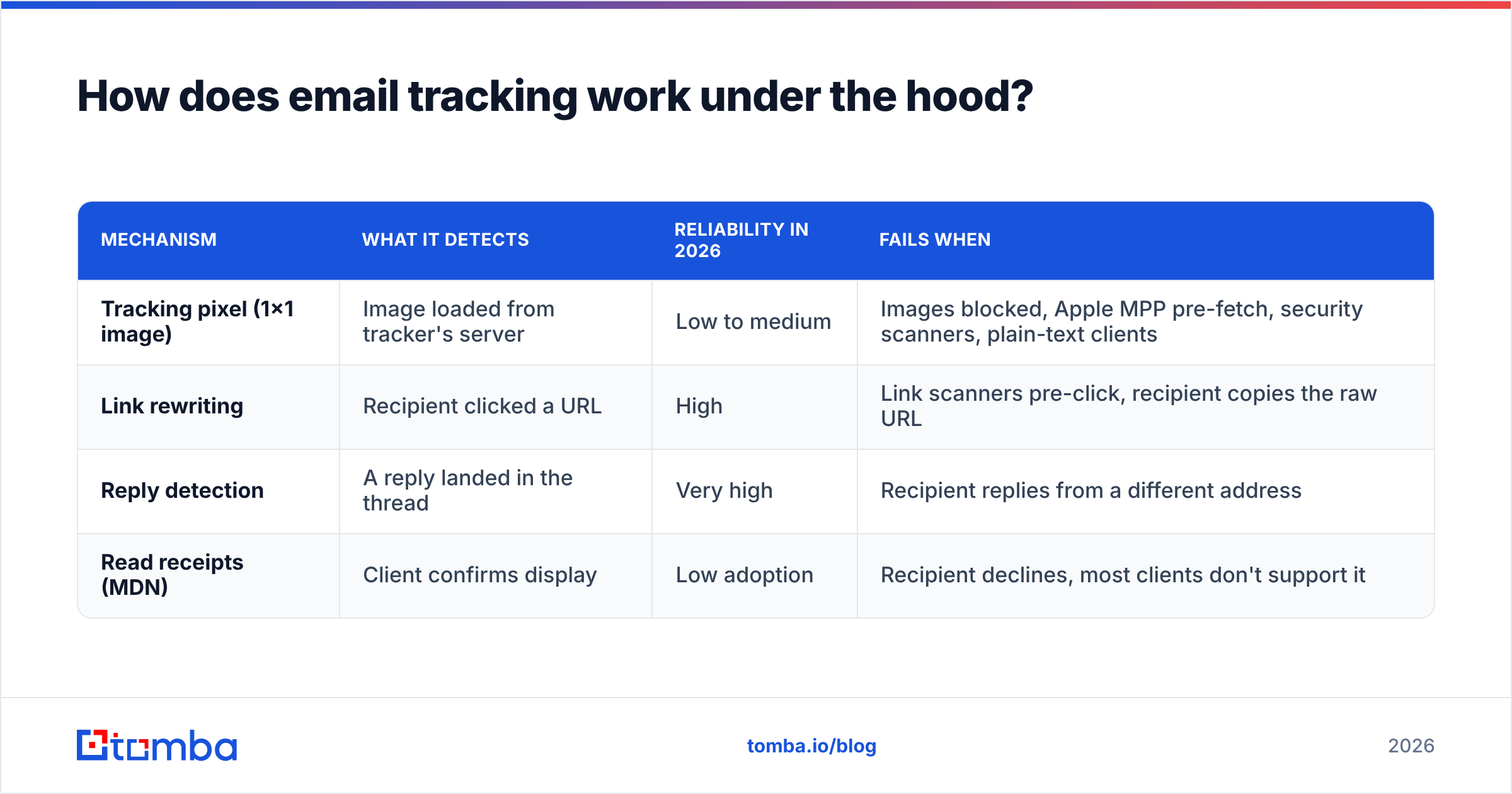
Here's the honest shortlist. Prices are entry-level list prices at the time of writing and move often — check the vendor page before you commit budget.
| Tool | Platform | Free tier | Paid entry | Tracks | Best for |
|---|---|---|---|---|---|
| Mailtrack | Gmail (Chrome/Edge) | Yes, unlimited tracked sends with signature | ~$5/user/mo | Opens, clicks, per-recipient | Solo sellers, freelancers, cheapest real option |
| HubSpot Sales | Gmail + Outlook | Yes, capped monthly notifications | ~$20/seat/mo (Sales Hub Starter) | Opens, clicks, templates, sequences on paid | Teams already on HubSpot CRM |
| Yesware | Gmail + Outlook | Yes, limited tracking events | ~$19/seat/mo | Opens, clicks, attachment views, campaigns | Outlook-heavy sales teams |
| Streak | Gmail only | Yes, basic CRM + tracking | ~$19–59/user/mo | Opens, pipeline stages, mail merge | Running a light CRM inside Gmail |
| Mixmax | Gmail | Yes, limited | ~$29–34/user/mo | Opens, clicks, polls, calendar embeds | Scheduling-heavy AE workflows |
| Saleshandy | Web platform (no install) | Trial only | ~$25/mo | Opens, clicks, sequences, warmup | Volume outbound, not one-offs |
Three practical notes on that table:
- Free tiers usually cost you branding. Mailtrack's free plan appends a "Sent with Mailtrack" line to every message. On a cold email to a VP, that line tells your prospect they are being tracked. Worth $5/month to remove.
- Extension count matters for deliverability and speed. Every Gmail extension injects scripts into your compose window. Three trackers plus a CRM sidebar plus a scheduler is how you end up with mangled HTML and broken signatures.
- Outlook support is not a checkbox. Microsoft's "new Outlook" rollout broke several classic add-ins. If you're on Outlook, verify the tool supports your exact build before you buy seats.
For a broader vendor list with verified-buyer reviews, the G2 email tracking category is a reasonable cross-check, and HubSpot's own email tracking page documents the free tier's limits clearly. Mailtrack publishes its plan differences without a sales call, which is rarer than it should be.
Are email open rates still reliable in 2026?#
No — not as an absolute number. They're usable only as a relative trend inside a single, unchanged segment.
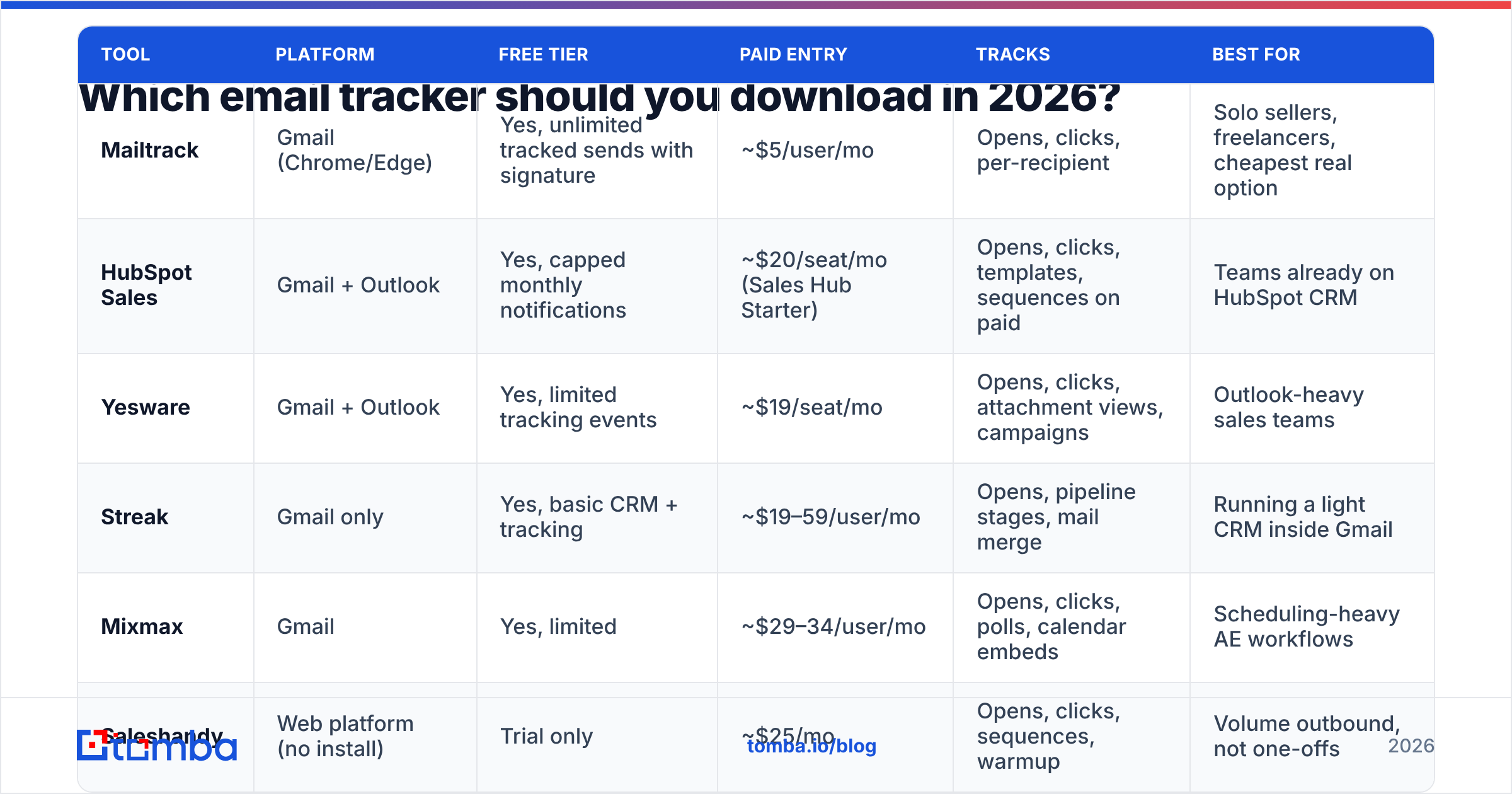
Here's the failure mode that trips up most teams. You run an A/B test on subject lines. Variant A shows a 61% open rate, variant B shows 38%. You declare A the winner and roll it out. But variant A happened to be sent to a list with more Apple device users and more enterprise domains behind scanning gateways. You optimized for proxy behavior, not human curiosity.
Three rules keep open data from actively misleading you:
- Never report open rate to leadership as a performance metric. Report replies, meetings booked, and pipeline created. Opens are a debugging tool, not a KPI.
- Use opens only for anomaly detection. A campaign that suddenly drops from 40% to 4% almost certainly has a delivery or sender reputation problem, not a copy problem. That's a genuinely useful alarm.
- Watch the click-to-open relationship, not either number alone. Machine-generated opens rarely click. If opens climb while clicks stay flat, you're measuring robots.
Does email tracking hurt deliverability?#
It can, and the mechanism is specific: link rewriting.
When a tracker rewrites yourcompany.com/demo into t.trackerdomain.com/abc123, the recipient's spam filter sees a redirect through a shared domain used by thousands of other senders — including spammers. If that shared tracking domain gets a poor reputation, your legitimate mail inherits it. This is why serious outbound platforms push you to set up a custom tracking domain on a subdomain you control.
The pixel itself is a smaller risk, but not zero. A message with an invisible remote image, one rewritten link, and thin text is a recognizable spam pattern. A plain-text-only follow-up with no tracking at all frequently lands better than the tracked version — which is a legitimate reason to send some of your sequence untracked on purpose.
Before you blame your tracker, rule out the boring causes. Confirm your authentication with an SPF checker, run the copy through a spam checker, and confirm your domain isn't listed with a blacklist checker. Most "tracking killed my deliverability" reports turn out to be a missing DMARC record and a cold domain.
Is email tracking legal?#
It depends on jurisdiction and context, and this isn't legal advice — but here's the practical landscape.
- GDPR (EU/UK). Tracking pixels are widely treated as requiring a lawful basis, and regulators have taken the position that consent is needed for marketing tracking. B2B legitimate interest arguments exist but are contested. Transparency in your privacy policy is the minimum.
- CAN-SPAM (US). Doesn't prohibit tracking pixels. It regulates deception, unsubscribe handling, and header accuracy.
- CCPA/CPRA (California). Tracking data can qualify as personal information; disclosure obligations apply.
- Company policy. Plenty of enterprises consider tracking pixels on inbound sales mail a security event. Some legal and procurement teams will hold it against you.
The defensible position: track transactional and relationship email lightly, disclose it, don't track individuals who've asked you not to, and never use tracking data to fake serendipity ("Hey, just thought of you!" thirty seconds after an open notification fires). Prospects notice, and it reads as surveillance.
How do you install a tracker without wrecking your data?#
A five-step sequence that avoids the usual mess:
- Clean the list first. Tracking data from an invalid address is noise. Run addresses through an email verifier before the send so bounces are excluded from your denominators.
- Install one tracker, not three. Remove competing Gmail extensions before you add a new one. Conflicting DOM injection is the top cause of broken formatting and phantom sends.
- Set up a custom tracking domain. Use a subdomain like
link.yourcompany.comrather than the vendor's shared domain. Every serious platform supports this; most make you find the setting. - Send yourself three test emails. One to Gmail web, one to an iPhone with Mail Privacy Protection on, one to an Outlook desktop client. Compare what your dashboard reports against what you actually did. You'll immediately see how much of your data is fiction.
- Define your real success metric before your first campaign. Write it down: replies per 100 delivered, or meetings per 100 delivered. Anything else is vanity.
What should you track instead of opens?#
The metrics that survived the privacy shift, in rough order of usefulness:
- Reply rate per 100 delivered. The only number that correlates reliably with pipeline. Also the hardest to fake.
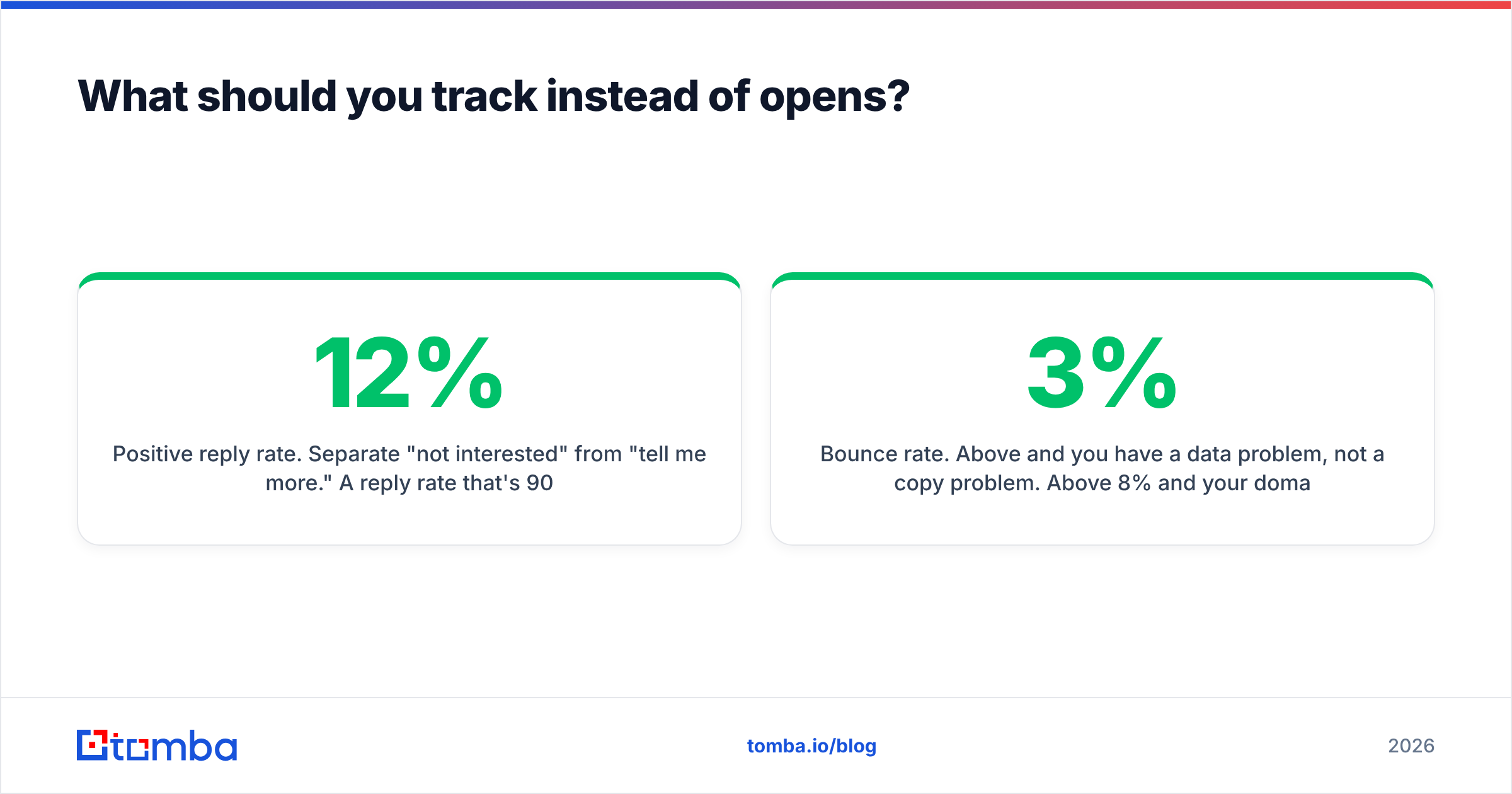
- Positive reply rate. Separate "not interested" from "tell me more." A 12% reply rate that's 90% rejections is worse than a 5% rate that's half interested.
- Click-through on a single, specific link. Human clicks still mean something, especially on a link that requires intent (pricing page, calendar, case study).
- Bounce rate. Above 3% and you have a data problem, not a copy problem. Above 8% and your domain reputation is actively burning.
- Delivered rate vs. sent. Your tracker can't tell you this; your sending platform and Google Postmaster Tools can.
- Meetings booked per 1,000 sent. The number your VP actually cares about. Everything upstream is diagnostics.
Notice what's missing: open rate appears nowhere on that list as a primary metric. Keep it on the dashboard as a smoke alarm. Don't let anyone set a target against it.
Where does data quality fit into all this?#
This is the part most tracking guides skip, and it's the part with the biggest effect size.
Suppose you download the best tracker on the market and send 500 emails. Ninety of those addresses are wrong — guessed patterns, stale contacts, people who left the company two years ago. Your tracker now reports 410 sends with zero opens for 90 of them, and you spend the next week rewriting subject lines to fix a problem that was never about subject lines.
A tracker measures the response to your message. It cannot tell you whether the message reached a real human. That's upstream work:
- Find the correct address with an email finder rather than guessing from a permutator.
- Confirm the mailbox exists with an email verifier before it enters your sequence.
- Handle catch-all domains explicitly with a catch-all verifier, since those return "accept all" and quietly poison your bounce math.
- Push clean records into your CRM through the available integrations so your tracking data and your pipeline data share one source of truth.
Get those four right and your open rate stops looking mysterious. It doesn't become accurate — pixel tracking is structurally broken now — but the variance you're left with is real signal instead of a mix of bad addresses, proxy pre-fetches, and security scanners.
What's the right stack for most teams?#
Concretely, for a small B2B team in 2026:
- 1–3 reps sending personal email: Mailtrack free or paid, plus verified data. Total cost under $10/user/month.
- A team on HubSpot: HubSpot Sales tracking, because CRM-native beats best-of-breed when the alternative is manual logging.
- Outbound at volume: a sending platform with a custom tracking domain, opens de-emphasized in reporting, replies as the north star.
- Every one of the above: verification in front of the send. Non-negotiable.
Start with data you can trust#
A tracker tells you what happened after you hit send. It can't fix who you sent to. If your open rates look inexplicable, your bounce rate is above 3%, or you're guessing addresses from name patterns, the tracking extension isn't your bottleneck — the list is.
Run your next batch through the Tomba Email Finder to get verified addresses by domain, name, or company, then verify them before they hit your sequence. The free tier covers 25 searches a month, Starter is $49/mo, and Growth is $99/mo — see Tomba pricing for the full breakdown. Track fewer emails, to better addresses, and the numbers on your dashboard finally start meaning something.
Related guides#
Ready to find emails that actually work?
Join 150,000+ professionals who stopped guessing and started sending. Free credits on signup — no credit card required.
Get the Tomba newsletter
Practical outbound tactics and product updates — once every two weeks.
About the author