Drip Campaign Definition: How Automated Email Sequences Work
A drip campaign is a pre-scheduled series of emails triggered by time or behavior. Here's the real definition, how drips differ from nurture and cold sequences, and the cadence that actually books meetings in 2026.
TL;DR
- A drip campaign is a pre-built series of emails sent automatically on a fixed schedule or triggered by a specific behavior — the content is written once and delivered to each contact on their own clock.
- "Drip" is not a synonym for "cold sequence" or "nurture flow." Drips are time-based and pre-written; nurture flows branch on behavior; cold sequences target people who never opted in. Mixing them up is why most campaigns underperform.
- The mechanics that matter: a trigger, a delay schedule, an exit condition, and a clean list. Skip the exit condition and you email people who already replied.
- Typical B2B drip length is 4–7 emails over 14–30 days. Beyond email 7, incremental reply rate collapses to under 0.5% in most datasets.
- List quality beats copy quality. A 12% bounce rate kills a drip before anyone reads email two — verify addresses before the first send.
What is the actual drip campaign definition?#
A drip campaign is an automated series of emails delivered to a contact on a predetermined schedule after a trigger fires.
That's it. Three components: a trigger, a schedule, and a set of pre-written messages. The word "drip" comes from drip irrigation — you don't flood the field once, you release small amounts steadily over time so the plant absorbs what it needs.
The critical part of the drip campaign definition is pre-written and scheduled. Each contact starts at email one on the day they enter, so contact A might get email three on Tuesday while contact B, who signed up nine days later, gets email one on the same Tuesday. Everyone experiences the same sequence, offset by their own entry date. That's what separates a drip from a broadcast, where 40,000 people all get the identical email at 9:00 a.m. Thursday.
Common triggers that start a drip:
- Form submission — someone downloads a guide, requests a demo, or subscribes.
- Account milestone — signup, first login, trial day 3, trial expiry in 48 hours.
- Behavioral event — visited the pricing page twice, abandoned a cart, watched 80% of a webinar.
- List import — you upload a prospect list and enroll it manually (this is the cold outbound flavor).
- CRM stage change — deal moves to "Proposal Sent," a follow-up drip starts automatically.
- Date-based — renewal 60 days out, contract anniversary, event registration closes in a week.
How is a drip campaign different from nurture and cold sequences?#
People use these three terms interchangeably and then wonder why their metrics don't match the benchmarks they read about. They're measuring different things.
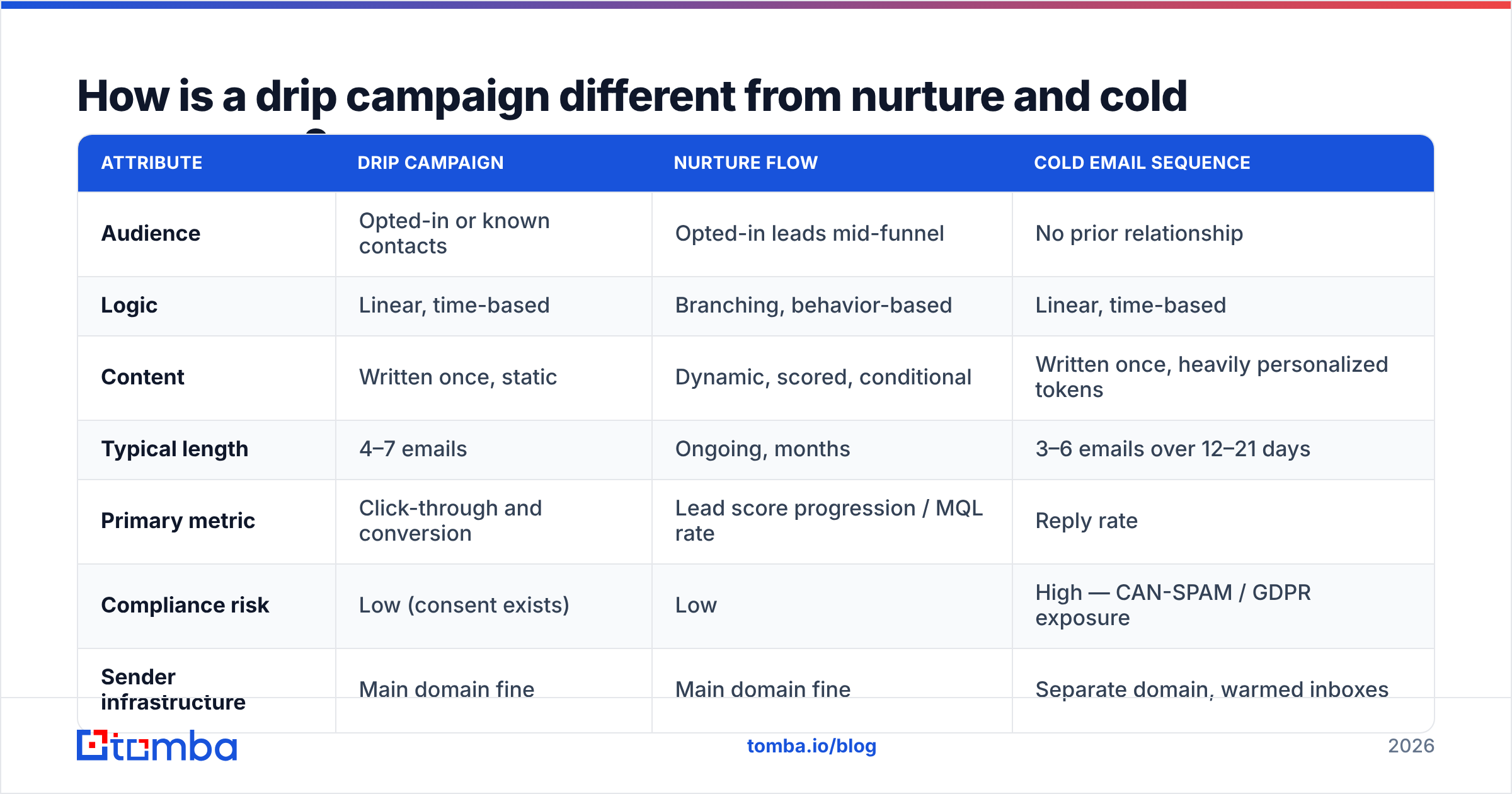
| Attribute | Drip campaign | Nurture flow | Cold email sequence |
|---|---|---|---|
| Audience | Opted-in or known contacts | Opted-in leads mid-funnel | No prior relationship |
| Logic | Linear, time-based | Branching, behavior-based | Linear, time-based |
| Content | Written once, static | Dynamic, scored, conditional | Written once, heavily personalized tokens |
| Typical length | 4–7 emails | Ongoing, months | 3–6 emails over 12–21 days |
| Primary metric | Click-through and conversion | Lead score progression / MQL rate | Reply rate |
| Compliance risk | Low (consent exists) | Low | High — CAN-SPAM / GDPR exposure |
| Sender infrastructure | Main domain fine | Main domain fine | Separate domain, warmed inboxes |
| Realistic benchmark | 2–5% CTR | 15–25% MQL conversion | 3–8% reply rate |
The practical takeaway: a drip campaign to opted-in contacts can run from your primary sending domain because those people asked to hear from you. A cold sequence dressed up as a "drip" cannot. Send cold volume from your main domain and you'll torch your sender reputation within two weeks.
Nurture flows are the most technically complex of the three because they branch. If a contact clicks the pricing link, they get the ROI case study; if they don't, they get the educational primer. A true drip doesn't branch — it just waits.

What does a drip campaign actually look like in practice?#
Here's a concrete post-demo drip for a B2B SaaS product. Trigger: demo completed, no deal closed within 48 hours.
Day 0 — Recap. Subject: "Your [Product] notes + the two things you asked about." Restate their stated problem in their words. Attach nothing. One link maximum.
Day 3 — Proof. A customer in their industry, with a specific number. Not "we help teams scale" — "Ramp cut onboarding from 11 days to 3." Ask a single question at the end.
Day 7 — Objection preempt. Address the thing they didn't say out loud. Usually price, migration effort, or internal buy-in. Give them the answer they'd need to forward to their boss.
Day 12 — Resource. A calculator, template, or benchmark report they can use whether or not they buy. This is the email that gets forwarded internally.
Day 18 — Direct ask. Two sentences. "Is this still a priority for Q3, or should I close the file?" The permission-to-close email consistently outperforms email four in reply rate.
Day 30 — Exit / long-term. Move them to a quarterly newsletter cadence or exit entirely.
Every one of those emails needs an exit condition attached: if reply received, stop the sequence. Sounds obvious. It is the single most common misconfiguration in drip tooling — a prospect replies "yes, let's talk Tuesday," and three days later your automation sends them "just following up, did you see my last note?"
Which metrics tell you whether the drip is working?#
Open rate is close to useless now. Apple Mail Privacy Protection pre-fetches images, which inflates opens for a meaningful share of your list, and every major deliverability team has been saying so since 2021. If your drip decisions run on open rate, you're steering with a broken gauge.
Track these instead:
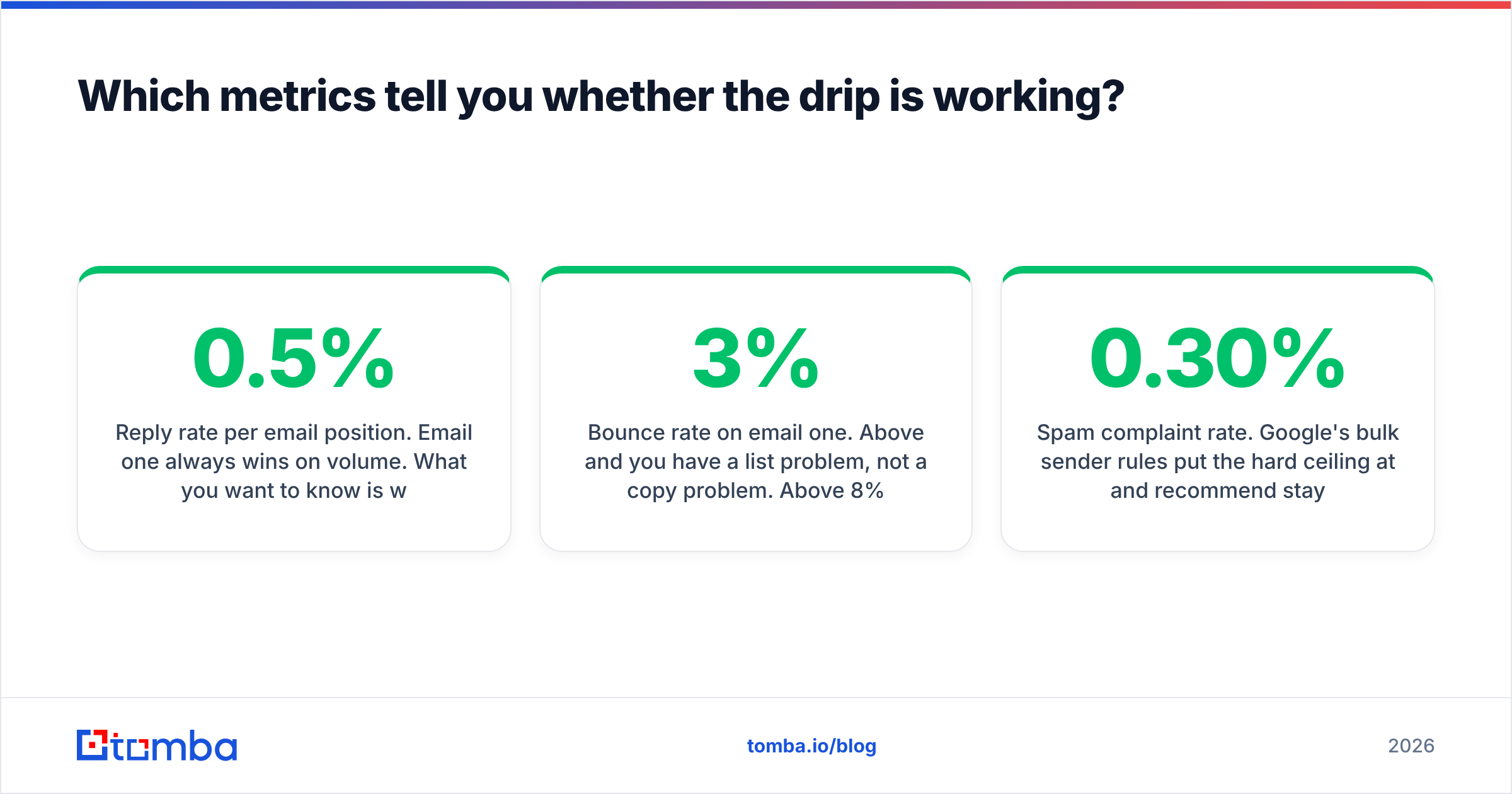
- Reply rate per email position. Email one always wins on volume. What you want to know is where the curve flattens. If email five and six each produce under 0.5%, cut them and reinvest the effort in list quality.
- Bounce rate on email one. Above 3% and you have a list problem, not a copy problem. Above 8% and mailbox providers are actively downgrading you. This is the number to fix first.
- Unsubscribe-to-reply ratio. More unsubs than replies means the targeting is wrong, not the copy.
- Meetings booked per 1,000 enrolled. The only number a revenue leader cares about. Everything above is diagnostic.
- Spam complaint rate. Google's bulk sender rules put the hard ceiling at 0.30% and recommend staying under 0.10%. Cross it and delivery degrades across your entire domain, not just that campaign. Google's own sender guidelines spell this out.
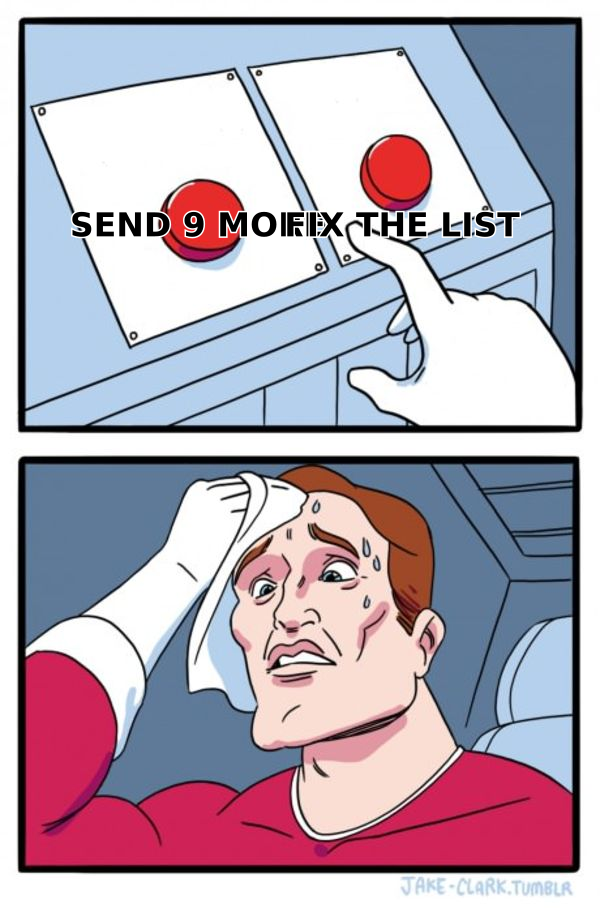
A drip that sends seven beautifully written emails to a list where a quarter of the addresses are dead will lose to a three-email drip sent to verified contacts. The list is the campaign.
How do you build the list a drip campaign runs on?#
Three inputs decide whether a drip has any chance: the addresses are real, the person is a plausible fit, and you have enough field data to personalize the first line.
For inbound drips this is easy — the contact typed their address into your form. For outbound drips you're constructing the list yourself, and this is where most of the work lives.
The workflow that holds up:
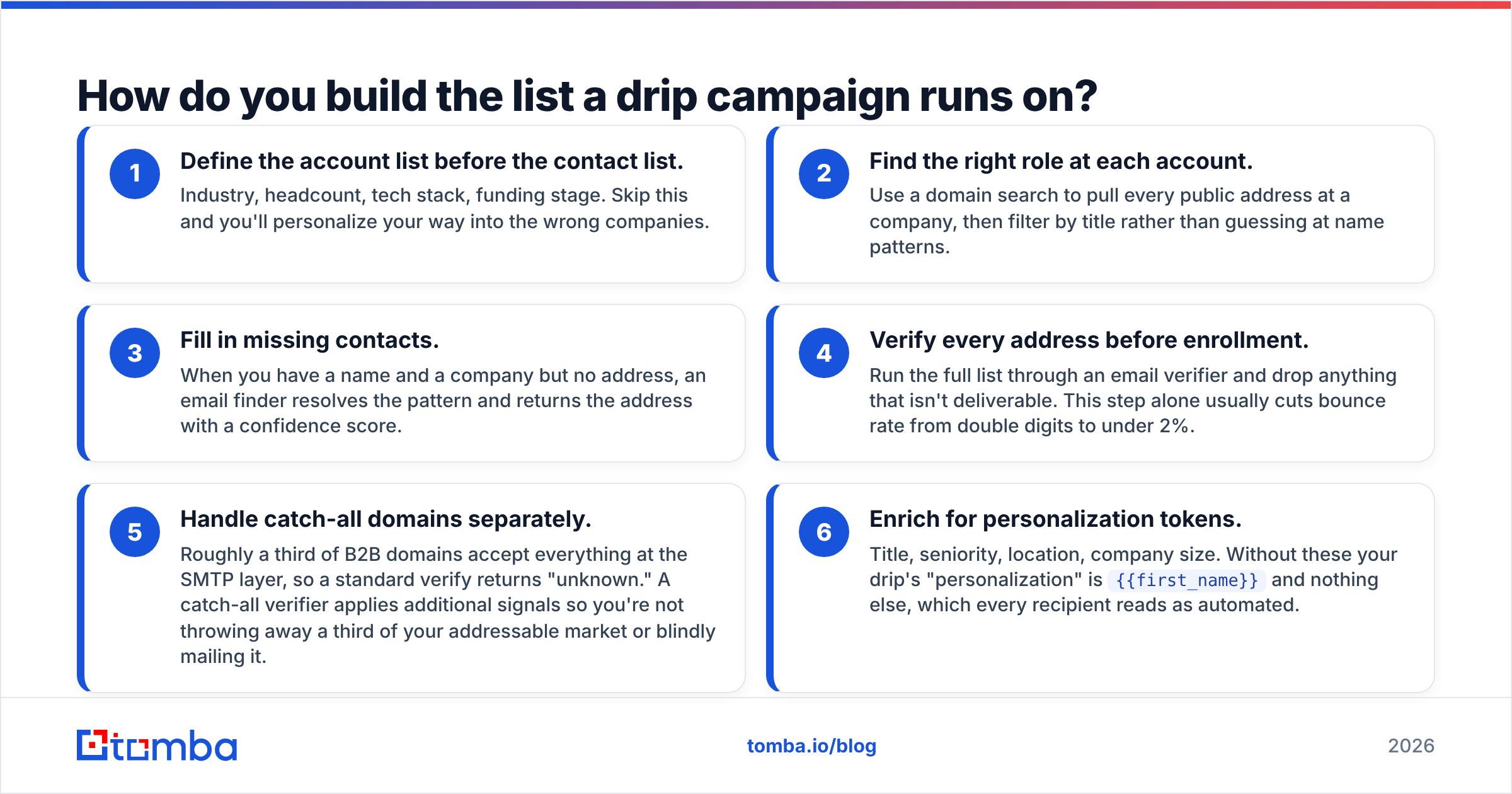
- Define the account list before the contact list. Industry, headcount, tech stack, funding stage. Skip this and you'll personalize your way into the wrong companies.
- Find the right role at each account. Use a domain search to pull every public address at a company, then filter by title rather than guessing at name patterns.
- Fill in missing contacts. When you have a name and a company but no address, an email finder resolves the pattern and returns the address with a confidence score.
- Verify every address before enrollment. Run the full list through an email verifier and drop anything that isn't deliverable. This step alone usually cuts bounce rate from double digits to under 2%.
- Handle catch-all domains separately. Roughly a third of B2B domains accept everything at the SMTP layer, so a standard verify returns "unknown." A catch-all verifier applies additional signals so you're not throwing away a third of your addressable market or blindly mailing it.
- Enrich for personalization tokens. Title, seniority, location, company size. Without these your drip's "personalization" is
{{first_name}}and nothing else, which every recipient reads as automated.
What tools do you need to run a drip campaign?#
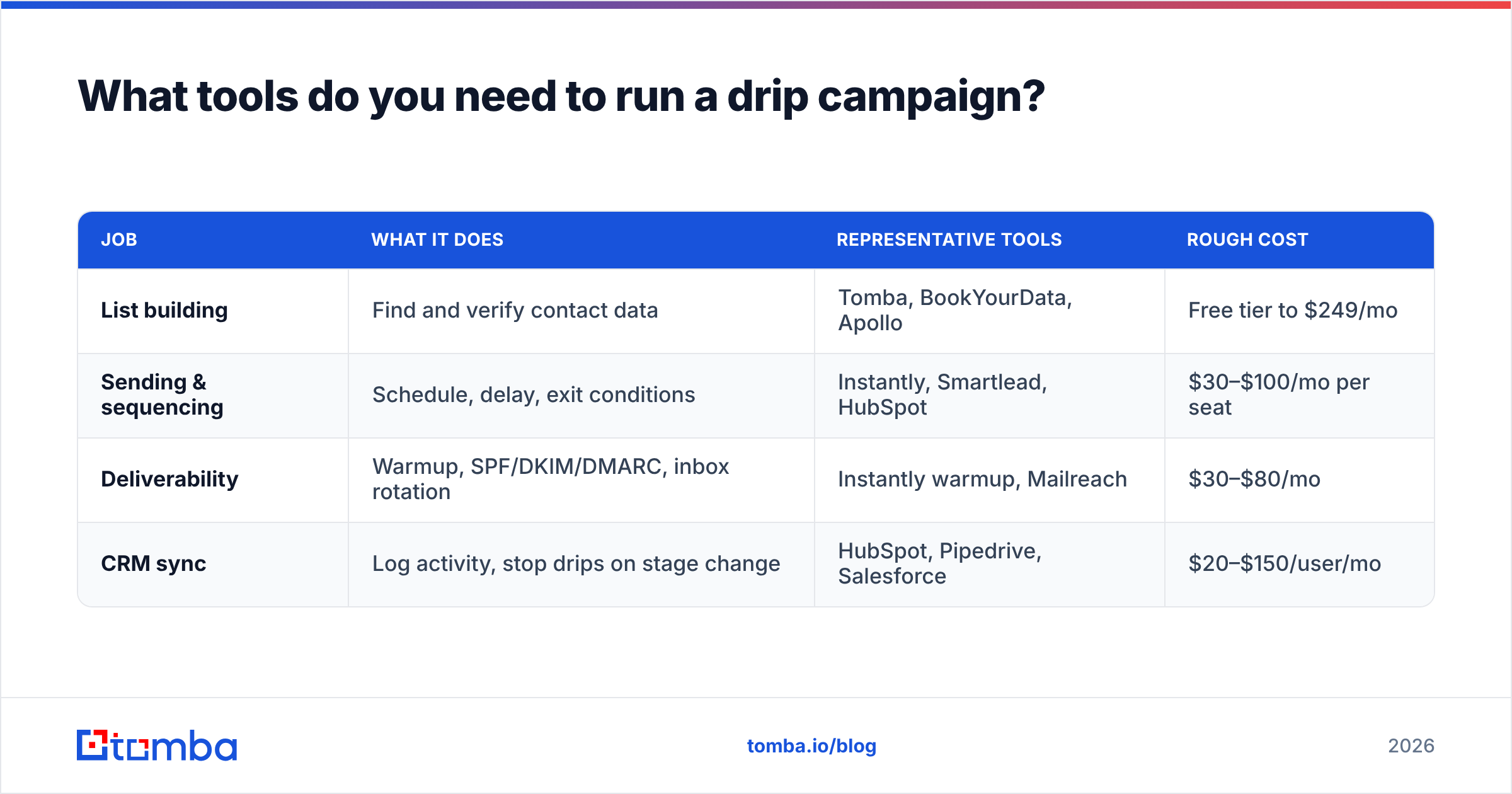
The stack splits into three jobs, and no single tool does all three well.
| Job | What it does | Representative tools | Rough cost |
|---|---|---|---|
| List building | Find and verify contact data | Tomba, BookYourData, Apollo | Free tier to $249/mo |
| Sending & sequencing | Schedule, delay, exit conditions | Instantly, Smartlead, HubSpot | $30–$100/mo per seat |
| Deliverability | Warmup, SPF/DKIM/DMARC, inbox rotation | Instantly warmup, Mailreach | $30–$80/mo |
| CRM sync | Log activity, stop drips on stage change | HubSpot, Pipedrive, Salesforce | $20–$150/user/mo |
A few honest notes on that table. If you're running inbound drips only, your marketing automation platform already covers sending, sequencing, and CRM sync — you don't need a separate cold email tool. HubSpot's workflow builder handles branching and exit conditions natively.
If you're running outbound drips, you need all four rows. Skipping deliverability is the classic mistake: teams buy a list, buy a sequencer, and send from an unwarmed domain on day one. Everything lands in spam and they conclude drip campaigns don't work.
On the data side, BookYourData is a solid option when you want a pre-built list you can filter and download in one session — pay-as-you-go, no subscription, strong coverage in North America. Tomba fits a different shape of the problem: you already know which companies you want, and you need to resolve and verify contacts at those specific domains, ideally via the API inside an existing workflow. Both are legitimate; the choice is about whether you're starting from a filter or from a target account list.
For pricing context, Tomba's plans run from a free tier at 25 searches per month, through Starter at $49/mo and Growth at $99/mo, up to Pro at $249/mo — with volume-based Enterprise pricing above that. Compare tool-to-tool review data on G2 before committing to an annual contract; the category churns fast.
How long should a drip campaign be?#
Four to seven emails over 14 to 30 days, for most B2B use cases. Here's the reasoning rather than the rule.
Each additional email has a declining marginal return and a rising marginal cost. The return is incremental replies. The cost is unsubscribes, spam complaints, and brand damage. Somewhere around email five for cold outbound and email seven for warm drips, those lines cross.
There are exceptions worth knowing:
- Onboarding drips can run 10–14 emails because the recipient is actively using the product and the emails are functionally useful, not promotional.
- Long-cycle enterprise deals justify a quarterly touch drip that runs for 12+ months — but that's a nurture cadence with drip mechanics, not a sales sequence.
- Event drips compress everything into 10 days pre-event and 3 emails post-event.
- Renewal drips work backward from a fixed date: 90, 60, 30, 14, and 3 days out.
Spacing matters as much as count. Days 0, 3, 7, 12, 18 works because the gaps widen. Sending on days 1, 2, 3, 4, 5 reads as pressure and generates complaints. Sending on days 0, 30, 60 loses the thread entirely — by email two they've forgotten who you are.
What breaks drip campaigns most often?#
Ranked by how often they show up in audits:
- Unverified lists. Bounces above 5% on the first send. Everything downstream is polluted. Run a bulk verify before enrollment, not after.
- Missing exit conditions. The sequence keeps firing after a reply, a booked meeting, or a closed deal. Instantly embarrassing and instantly fixable.
- No sending-domain separation. Cold volume from the domain that carries your invoices and password resets. When reputation drops, transactional email suffers too.
- Copy that ignores the trigger. Someone downloaded a security whitepaper and email two pitches your marketing analytics feature. The trigger told you what they care about — use it.
- Identical follow-ups. "Just bumping this up" three times running. If you can't add new information, don't send.
- No suppression list. Existing customers, active opportunities, and past unsubscribes get enrolled. This one causes real damage with sales teams and support.
- Ignoring authentication. Missing or misconfigured SPF, DKIM, and DMARC. Check your SPF record before you blame the copy — since 2024, bulk senders to Gmail and Yahoo need all three configured or messages get rejected outright.
Frequently asked questions about drip campaigns#
Is a drip campaign the same as an autoresponder? An autoresponder is usually a single automated reply (an out-of-office, a confirmation). A drip is a multi-message series. Autoresponders are a subset of drip mechanics.
Can drip campaigns be personalized?
Yes, through merge tokens and conditional content blocks — but the personalization is only as good as your data. Merge fields pulling from empty columns render as blank spaces or, worse, {{company}}. Enrich first, then personalize.
How many contacts do I need before a drip is worth building? Around 200 for outbound, because below that the sample size won't tell you whether email four is pulling its weight. For inbound drips, build them at any volume — the automation pays for itself on the first contact.
Do drip campaigns still work in 2026? Yes, but the margin for sloppiness is gone. Inbox filtering is stricter, recipients are more sensitive to obvious automation, and authentication requirements are enforced. Drips built on verified data with genuine relevance still convert. Drips built on scraped lists and generic copy don't reach the inbox at all.
Where to start#
Pick one trigger you're currently handling manually — post-demo follow-up, trial expiry, or inbound content download. Write five emails. Set a clean exit condition. Verify the list. Run it for 30 days and measure meetings booked per 1,000 enrolled, not opens.
If the list is where you're stuck, start there. The Tomba Email Finder resolves professional email addresses from a name and domain, returns a confidence score on each one, and connects to your CRM or sequencer directly so verified contacts flow into the drip without a CSV round trip. The free tier gives you 25 searches a month to test the accuracy on your own target accounts before you commit to a plan.
Related guides#
Ready to find emails that actually work?
Join 150,000+ professionals who stopped guessing and started sending. Free credits on signup — no credit card required.
Get the Tomba newsletter
Practical outbound tactics and product updates — once every two weeks.
About the author