Email Campaign Tool: How to Pick the Right One in 2026
Most teams pick an email campaign tool on price, then lose 30% of their sends to bounces and spam folders. Here's how the four tool categories actually differ, what they cost, and which one fits your motion.
TL;DR
- "Email campaign tool" covers four different product categories — marketing ESPs, cold outbound sequencers, sales engagement platforms, and all-in-one GTM suites. Buying the wrong category is the most expensive mistake you can make here.
- Sending to opted-in subscribers and sending cold to strangers are legally and technically different jobs. Do not run cold outbound through Mailchimp or HubSpot marketing email — you will get the domain flagged.
- Deliverability is decided before you write a subject line. A 4% bounce rate on your first send does more damage than a mediocre pitch.
- Real budget for a two-person outbound team in 2026: roughly $70–$250/month all-in, and about 40% of that is data, not the sending tool.
- Pick the sequencer for the sending motion, then feed it verified contacts from a separate data source. Bundled data is almost always the weakest part of a bundle.
What is an email campaign tool?#
An email campaign tool is software that sends a planned series of emails to a list of people, tracks what happens, and branches based on behavior. That's the whole definition — and it's why the category is so confusing. A tool that blasts a newsletter to 40,000 subscribers and a tool that sends 30 personalized cold emails a day from six inboxes both fit that sentence, and they are built on opposite assumptions.
Think of it like vehicles. A city bus and a delivery van both move things down a road. Nobody would use one for the other's job. Marketing ESPs are the bus: one message, huge audience, shared or pooled sending infrastructure, unsubscribe handling baked in. Cold outbound sequencers are the van: many small routes, dedicated domains, per-inbox throttling, replies routed to a human.
Technically, the difference shows up in three places: how the tool authenticates and rotates sending identities, whether it assumes consent, and what it optimizes for. Marketing platforms optimize for opens and clicks at scale. Outbound sequencers optimize for one reply per twenty sends without burning the domain.
What are the four types of email campaign tools?#
Sort every vendor you're evaluating into one of these buckets before you compare features. Cross-category comparisons are noise.
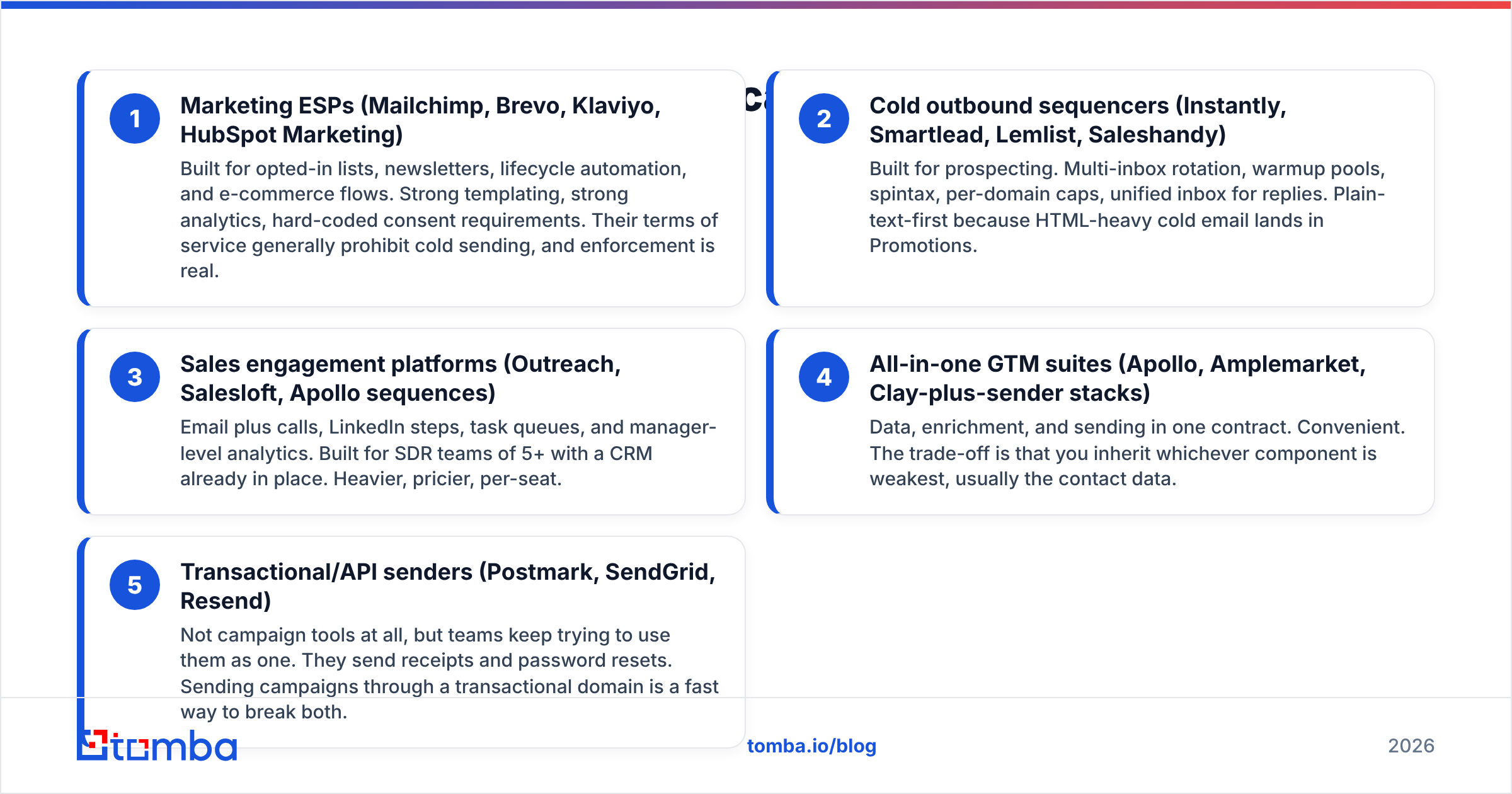
- Marketing ESPs (Mailchimp, Brevo, Klaviyo, HubSpot Marketing) — Built for opted-in lists, newsletters, lifecycle automation, and e-commerce flows. Strong templating, strong analytics, hard-coded consent requirements. Their terms of service generally prohibit cold sending, and enforcement is real.
- Cold outbound sequencers (Instantly, Smartlead, Lemlist, Saleshandy) — Built for prospecting. Multi-inbox rotation, warmup pools, spintax, per-domain caps, unified inbox for replies. Plain-text-first because HTML-heavy cold email lands in Promotions.
- Sales engagement platforms (Outreach, Salesloft, Apollo sequences) — Email plus calls, LinkedIn steps, task queues, and manager-level analytics. Built for SDR teams of 5+ with a CRM already in place. Heavier, pricier, per-seat.
- All-in-one GTM suites (Apollo, Amplemarket, Clay-plus-sender stacks) — Data, enrichment, and sending in one contract. Convenient. The trade-off is that you inherit whichever component is weakest, usually the contact data.
- Transactional/API senders (Postmark, SendGrid, Resend) — Not campaign tools at all, but teams keep trying to use them as one. They send receipts and password resets. Sending campaigns through a transactional domain is a fast way to break both.
If you're a two-person startup doing founder-led outbound, you want category 2 plus a separate data source. If you're a 40-rep org with a Salesforce admin, category 3. If you're sending a monthly newsletter to customers, category 1. Very few teams genuinely need category 4.

Which email campaign tool should you use in 2026?#
Here's how the practical options compare on the attributes that actually decide the purchase. Pricing moves — treat these as entry-tier signposts and confirm on each vendor's page before you sign.
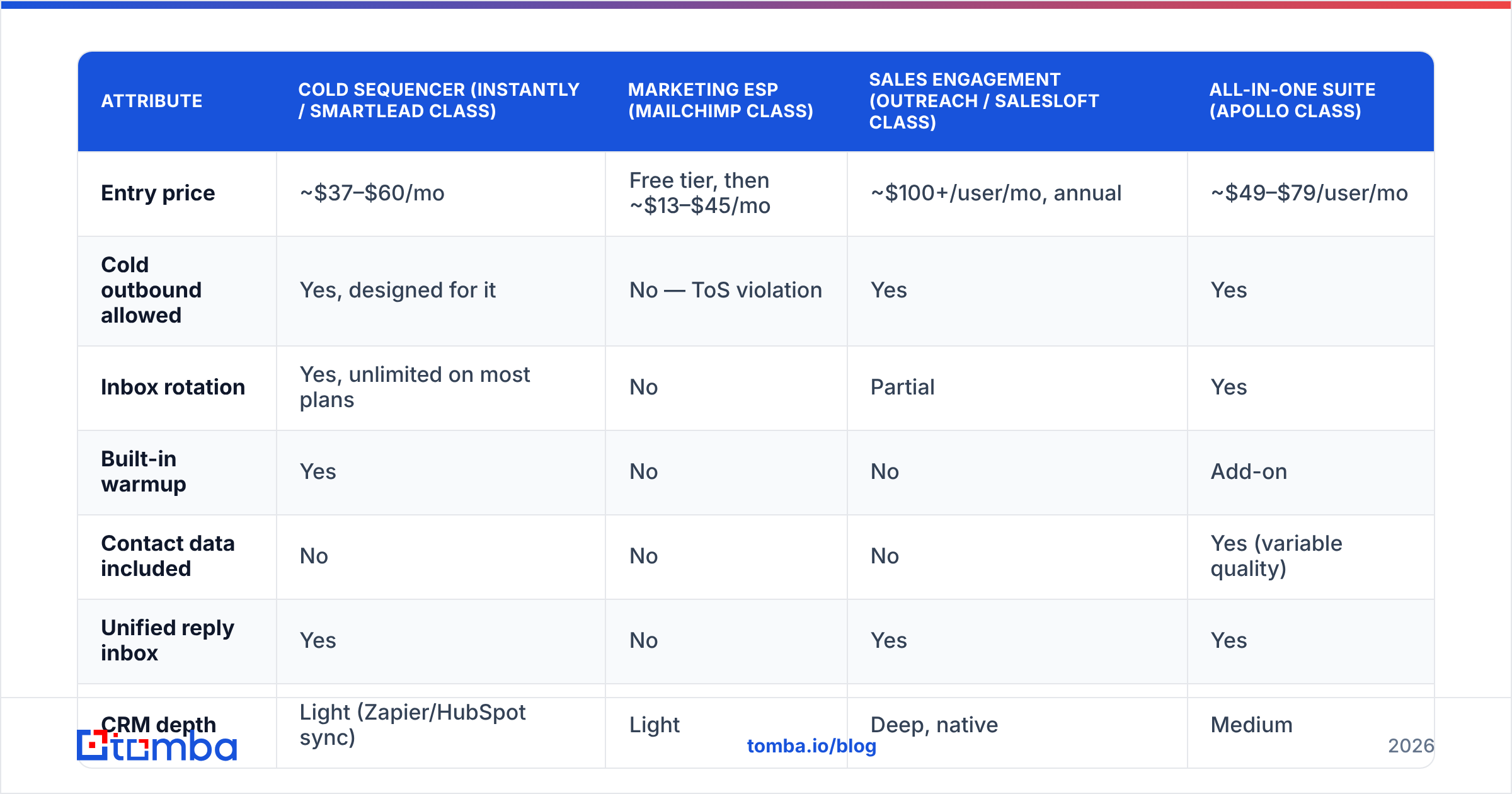
| Attribute | Cold sequencer (Instantly / Smartlead class) | Marketing ESP (Mailchimp class) | Sales engagement (Outreach / Salesloft class) | All-in-one suite (Apollo class) |
|---|---|---|---|---|
| Entry price | ~$37–$60/mo | Free tier, then ~$13–$45/mo | ~$100+/user/mo, annual | ~$49–$79/user/mo |
| Cold outbound allowed | Yes, designed for it | No — ToS violation | Yes | Yes |
| Inbox rotation | Yes, unlimited on most plans | No | Partial | Yes |
| Built-in warmup | Yes | No | No | Add-on |
| Contact data included | No | No | No | Yes (variable quality) |
| Unified reply inbox | Yes | No | Yes | Yes |
| CRM depth | Light (Zapier/HubSpot sync) | Light | Deep, native | Medium |
| Best for | Founder-led + small SDR teams | Newsletters, lifecycle | 5+ rep teams with RevOps | Teams wanting one invoice |
| Weakest point | No data layer | Illegal for cold | Cost and onboarding time | Data accuracy |
The pattern worth noticing: no sequencer includes contact data, and every suite that does includes it as the compromise component. That's not an accident. Sending infrastructure and data acquisition are genuinely different engineering problems, and vendors that do both well are rare.
The G2 email marketing category is useful for reading real deployment reviews, but filter aggressively by company size — a 3,000-employee reviewer's experience with Outreach tells you nothing about your five-person team.
Why do good campaigns fail on bad data?#
Because mailbox providers score you before they score your copy. Google and Microsoft evaluate sender reputation on bounce rate, spam complaint rate, and engagement — and bounce rate is the fastest signal to move.
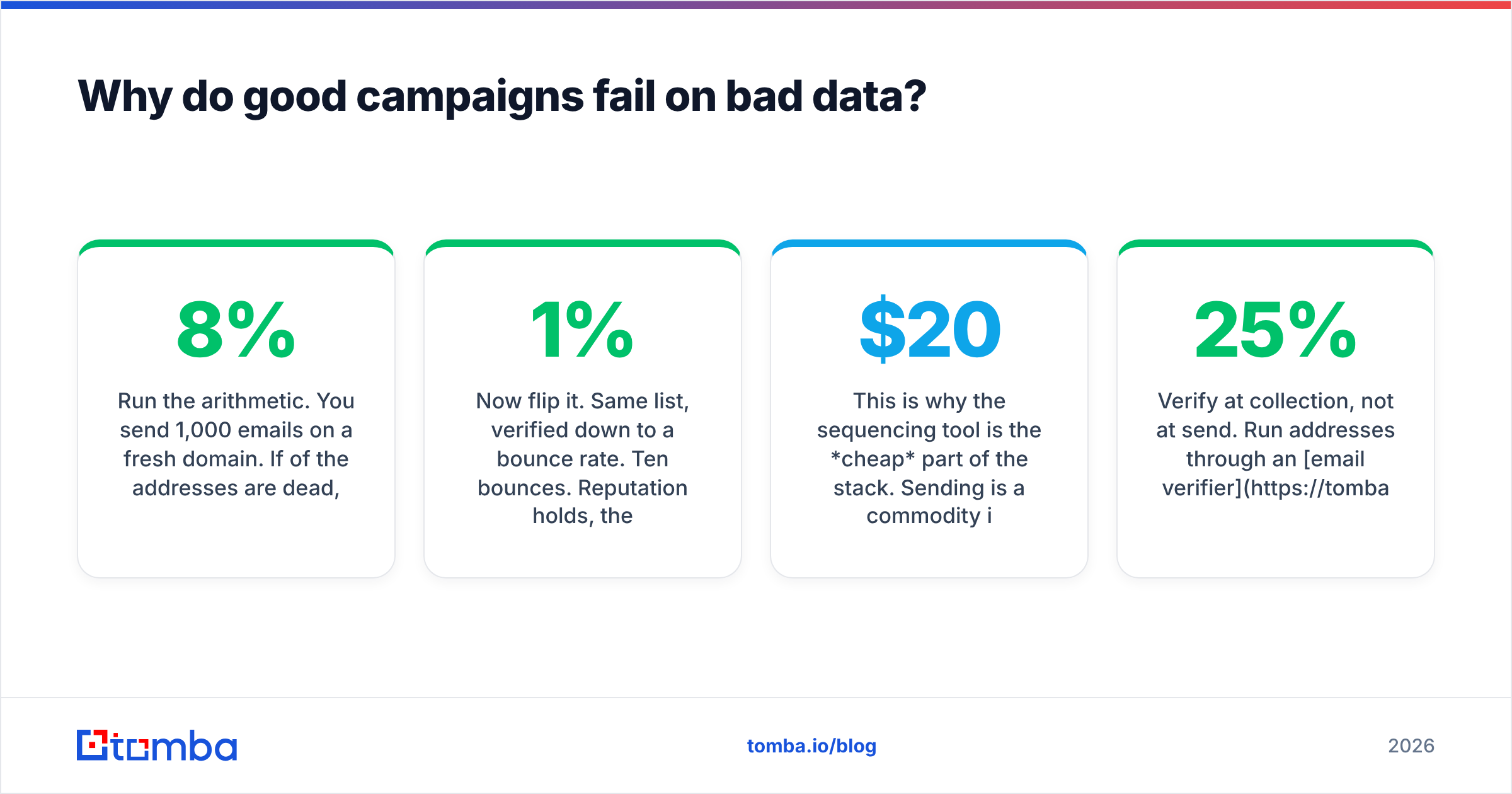
Run the arithmetic. You send 1,000 emails on a fresh domain. If 8% of the addresses are dead, that's 80 hard bounces. Gmail's threshold for treating a sender as suspicious sits well below that. Your next 1,000 sends land in spam regardless of how good the offer is, and repairing a burned domain takes weeks of throttled sending — assuming you don't just buy a new one.
Now flip it. Same list, verified down to a 1% bounce rate. Ten bounces. Reputation holds, the second send inherits the first send's goodwill, and your reply rate compounds instead of decaying. Same copy, same tool, different outcome — decided entirely upstream.
This is why the sequencing tool is the cheap part of the stack. Sending is a commodity in 2026; there are a dozen competent sequencers within $20/month of each other. Knowing that sarah.chen@acme.com is a live mailbox that a human checks is not a commodity.
Three data hygiene rules that matter more than any feature comparison:
- Verify at collection, not at send. Run addresses through an email verifier when they enter your system. A list verified nine months ago is about 25% wrong today — people change jobs.
- Handle catch-all domains explicitly. A catch-all accepts everything at SMTP, so standard verification returns "unknown." Use a catch-all verifier or segment those contacts into a lower-volume, higher-caution sequence.
- Never import a purchased list into a warm domain. If you must test bought data, test it on a throwaway domain with a small sample and watch the bounce rate before it touches your primary sender.
How much does an email campaign tool really cost?#
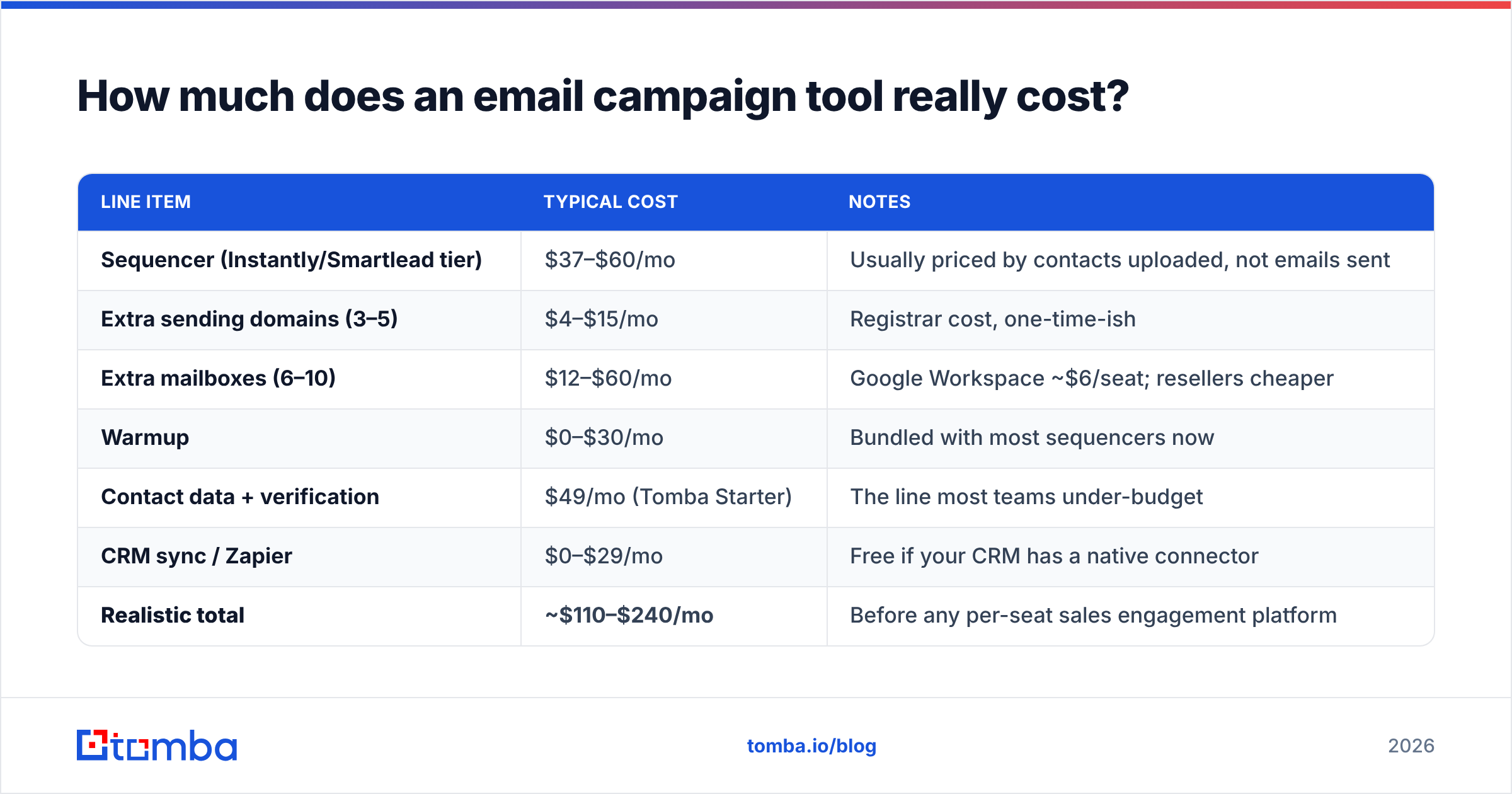
The sticker price is rarely the number you pay. Here's a realistic monthly build for a two-person outbound motion sending roughly 3,000 emails a month.
| Line item | Typical cost | Notes |
|---|---|---|
| Sequencer (Instantly/Smartlead tier) | $37–$60/mo | Usually priced by contacts uploaded, not emails sent |
| Extra sending domains (3–5) | $4–$15/mo | Registrar cost, one-time-ish |
| Extra mailboxes (6–10) | $12–$60/mo | Google Workspace ~$6/seat; resellers cheaper |
| Warmup | $0–$30/mo | Bundled with most sequencers now |
| Contact data + verification | $49/mo (Tomba Starter) | The line most teams under-budget |
| CRM sync / Zapier | $0–$29/mo | Free if your CRM has a native connector |
| Realistic total | ~$110–$240/mo | Before any per-seat sales engagement platform |
Two hidden costs to watch. First, contact-based pricing: several sequencers charge on total contacts stored, not emails sent, so a 50,000-row list you uploaded once keeps billing you. Prune quarterly. Second, annual lock-in: sales engagement platforms almost universally quote annual contracts with implementation fees that don't appear on the pricing page. Ask for the total first-year number in writing.
Tomba's own pricing sits on the data side of this table rather than the sending side: a free tier at 25 searches/month for testing, Starter at $49/mo, Growth at $99/mo, and Pro at $249/mo for teams running high-volume bulk email finder jobs. You still bring your own sequencer — which is the point.

How do you set up a campaign that lands in the inbox?#
Order matters here. Most failed campaigns did the right things in the wrong sequence.
- Buy secondary domains. Never send campaigns from your primary company domain. Register close variants (
get-acme.com,acme-hq.com), and keep the main domain clean for transactional and human mail. - Authenticate before anything else. SPF, DKIM, and DMARC on every sending domain. Check with an SPF checker — a syntax error here silently kills deliverability with no error message anywhere.
- Warm each mailbox for 2–3 weeks. Start at 5 sends/day, ramp to 30–40. Do not exceed 50/day per mailbox in 2026, whatever your tool's limit says. Google's bulk sender rules tightened again and volume-per-identity is the trigger.
- Verify the list, then segment it. Split by persona and trigger, not by industry alone. A 200-contact segment with a specific reason for the email beats 2,000 generic contacts every time.
- Write plain text, one ask, one link maximum. No images, no tracking pixel on the first touch if you can avoid it, no HTML signatures with three logos. Every embedded element is a spam signal on a cold send.
- Measure reply rate, not open rate. Apple Mail Privacy Protection has made open rates fiction since 2021. Reply rate and positive-reply rate are the only numbers that survive scrutiny.
If you're building the list from scratch, the workflow is usually: identify target accounts, use domain search to pull the people at each one, verify, then push into the sequencer via CSV or API. That takes about twenty minutes per hundred contacts once you've done it twice.
What should you look for in an email campaign tool in 2026?#
Four things have changed enough since 2024 to be worth re-evaluating.
Sending limit enforcement is stricter. Both Google and Microsoft now act on complaint rates above 0.3% much faster. Any tool that lets you send 200/day from one mailbox without a warning is selling you a way to burn a domain. Prefer tools with conservative default caps.
AI personalization is table stakes and mostly bad. Nearly every sequencer now offers an "AI writes your first line" feature. Most produce recognizable, low-signal openers that experienced buyers pattern-match instantly. Use AI for research summarization, not for the sentence the prospect reads first.
Bundled data quality has not improved much. Suites that promise contacts plus sending still hand you the same aging database everyone else has. If your bounce rate on suite-provided data exceeds 3%, that's your answer — swap the data layer, keep the sender.
Deliverability transparency matters more than feature count. Ask any vendor: what's my bounce rate this week, per domain, per mailbox? A tool that can't answer that at a glance is a tool you're flying blind with. Read the fundamentals on email deliverability before you sit through a demo, so you can ask harder questions than the sales engineer expects.
For teams already running HubSpot's marketing email for lifecycle campaigns, the right move is almost never to force cold outbound into it. Run the newsletter there, run prospecting in a dedicated sequencer, and sync replies back to the CRM. Two tools, two jobs, no ToS problem.
The bottom line#
The sequencer you choose matters less than the list you feed it. Sending infrastructure has commoditized — data quality hasn't. Pick a category-appropriate sender, keep it cheap, and spend the difference on making sure every address you send to belongs to a real person who still works there.
That's where Tomba fits. Use the Tomba Email Finder to build verified, current contact lists by domain, name, or company, then export straight into whichever campaign tool you've settled on. Start on the free tier at 25 searches a month, check your bounce rate on the first 500 sends, and compare it to whatever your current data source is producing. That single number will tell you more than any feature matrix.
Related guides#
Ready to find emails that actually work?
Join 150,000+ professionals who stopped guessing and started sending. Free credits on signup — no credit card required.
Get the Tomba newsletter
Practical outbound tactics and product updates — once every two weeks.
About the author