Email Campaign Tracking in 2026: A Complete Metrics Guide
Open rates stopped being trustworthy years ago, yet most teams still report them. Here's what email campaign tracking should measure in 2026, which tools capture it, and how to wire it up without wrecking deliverability.
TL;DR
- Open rate is no longer a measurement — it's an estimate, and a badly biased one. Apple Mail Privacy Protection and Gmail image proxying inflate it for some segments and flatten it for others.
- The four metrics that survive scrutiny are delivered rate, reply rate, qualified reply rate, and meetings booked per 1,000 contacts sent. Everything else is diagnostic.
- Tracking pixels and link-wrapping domains carry a real deliverability cost. Turn open tracking off for cold outbound; keep click tracking only on a subdomain you own and warm.
- Your tracking is only as honest as your list. A campaign with 12% bounces produces metrics that are wrong before a single pixel fires.
- Build the stack in layers: send-level data, engagement data, CRM attribution, and revenue. Most teams stop at layer two and then argue about numbers that can't answer their question.
What is email campaign tracking?#
Email campaign tracking is the practice of instrumenting an email send so you can tell what happened after you hit go: who received it, who engaged, who replied, and which of those replies turned into pipeline.
Think of it like a delivery service. The dispatch log tells you a package left the warehouse. The carrier scan tells you it reached the doorstep. Neither tells you whether the customer opened the box and liked what was inside. Most email tools sell you the dispatch log and the doorstep scan, then invite you to call that "performance."
The distinction matters more in 2026 than it did in 2020, because two of the three classic signals have degraded. Delivery reporting is still reliable — your ESP knows whether the receiving server accepted the message. Opens are now partially synthetic. Clicks are intact but suppressed by security scanners that click every link in an inbound message before the human sees it.
That leaves reply-based measurement as the sturdiest signal in B2B outbound, and revenue attribution as the only one an executive actually cares about.
Which email campaign metrics actually matter in 2026?#
Sort your metrics into three buckets: outcome, diagnostic, and decorative. Report the first, investigate with the second, and stop putting the third in board decks.
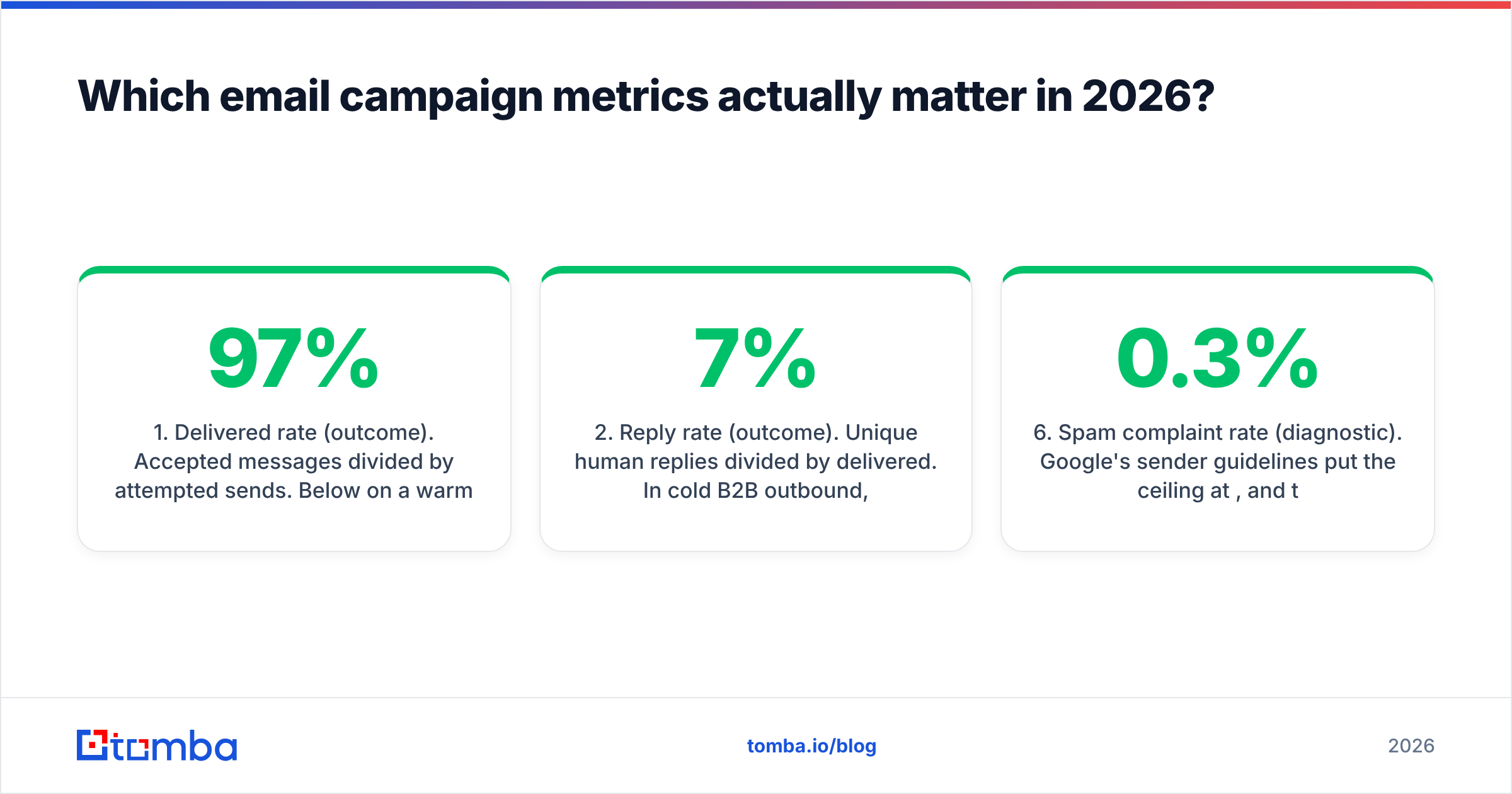
- Delivered rate (outcome). Accepted messages divided by attempted sends. Below 97% on a warm domain, something is structurally wrong — bad data, a blocklisting, or an authentication gap. This is the metric that gates every other metric.
- Reply rate (outcome). Unique human replies divided by delivered. In cold B2B outbound, 3–7% is a working campaign; above 10% usually means a narrow, well-researched list rather than a magic subject line.
- Qualified reply rate (outcome). Replies that express interest or a clear referral, divided by delivered. This is the number that separates a campaign generating noise from one generating pipeline. Expect roughly a quarter to a third of total replies.
- Meetings per 1,000 sent (outcome). The cleanest cross-campaign comparator, because it normalizes for list size. Track it per sequence and per segment, never as a blended average.
- Bounce rate and bounce type (diagnostic). Hard bounces point at list decay; soft bounces and deferrals point at reputation. They are different problems with different fixes.
- Spam complaint rate (diagnostic). Google's sender guidelines put the ceiling at 0.3%, and treat 0.1% as the practical target. Above that, nothing else in your reporting is trustworthy.
Open rate belongs in the decorative bucket for cold outbound and the diagnostic bucket for opt-in newsletters, where the audience composition is stable enough that a directional trend still means something.
Why did open rates break, exactly?#
Because opens were never measured directly. They were inferred from a 1x1 transparent image loading from your server, and mailbox providers stopped letting that inference work.
Apple Mail Privacy Protection, shipped in 2021 and on by default, pre-fetches remote images for Apple Mail users regardless of whether the human opened the message. Every one of those contacts registers as an open, immediately, at a proxy IP. Gmail caches images through its own proxy, which strips location and obscures device data. Corporate security gateways fetch every image and follow every link in inbound mail as a scanning step.
The result is not "open rate is 15% too high." The result is that open rate is distorted by an unknown amount that varies by segment. A list heavy in Apple Mail users looks fantastic. A list behind a strict corporate gateway looks fantastic for a different, equally wrong reason. And a list of Outlook users with images disabled looks dead when it isn't.
Two practical consequences:
- Never use opens as a branching condition. "Send follow-up if not opened" now routes real humans into the wrong sequence branch and skips people who genuinely read the message.
- Never report open-rate deltas below about five percentage points. The noise floor is higher than the effect you're claiming to have found.
If you want a proxy for message health, watch the delivered rate and the sender reputation trend in Google Postmaster Tools instead. Both are measured by the receiver, not inferred by you.
How do the main email campaign tracking tools compare?#
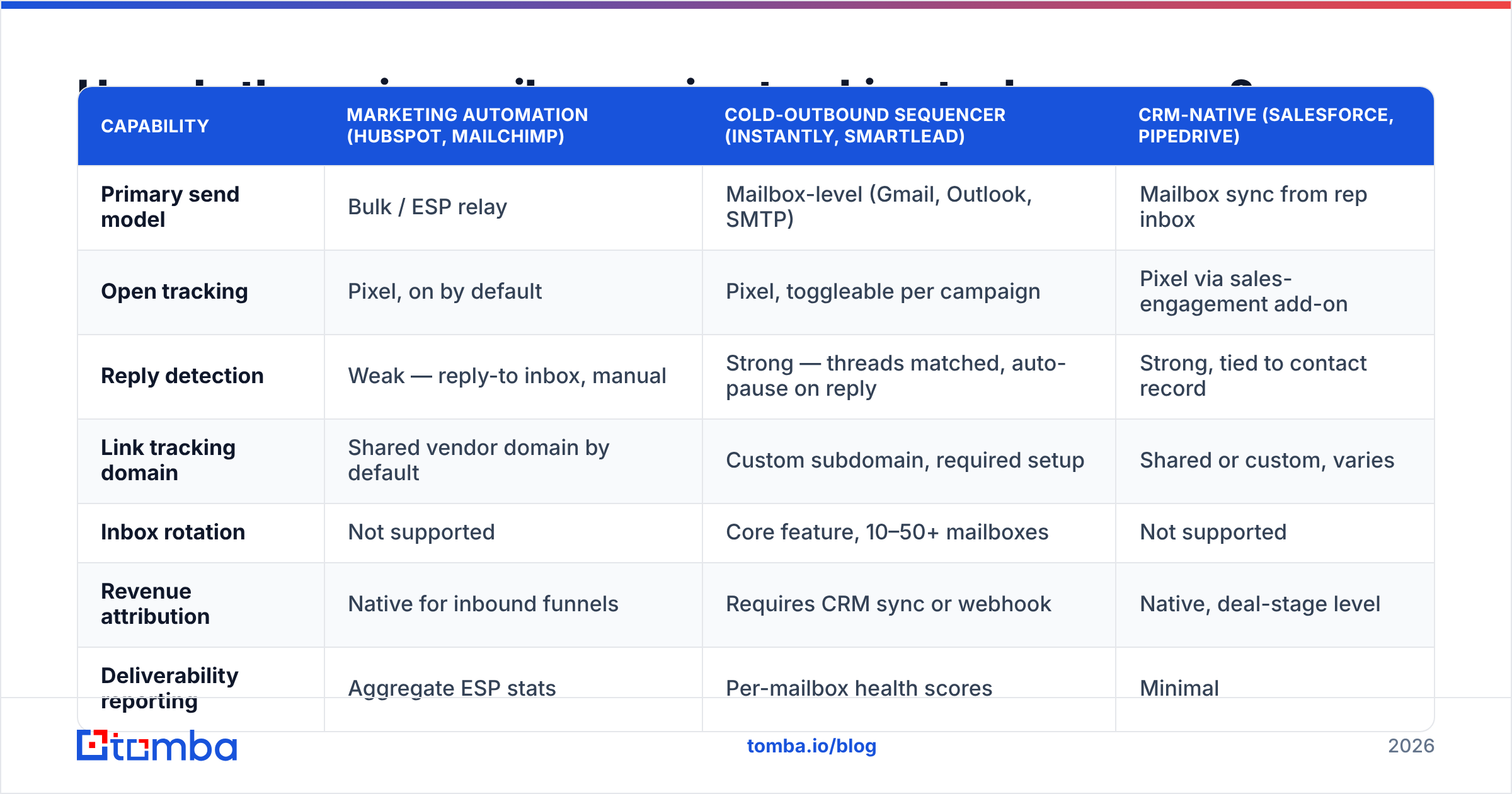
Tooling splits into three families: marketing automation platforms built for opt-in lists, cold-outbound sequencers built for one-to-one sending, and CRM-native tracking that lives where your revenue data already sits. They measure different things well.
| Capability | Marketing automation (HubSpot, Mailchimp) | Cold-outbound sequencer (Instantly, Smartlead) | CRM-native (Salesforce, Pipedrive) |
|---|---|---|---|
| Primary send model | Bulk / ESP relay | Mailbox-level (Gmail, Outlook, SMTP) | Mailbox sync from rep inbox |
| Open tracking | Pixel, on by default | Pixel, toggleable per campaign | Pixel via sales-engagement add-on |
| Reply detection | Weak — reply-to inbox, manual | Strong — threads matched, auto-pause on reply | Strong, tied to contact record |
| Link tracking domain | Shared vendor domain by default | Custom subdomain, required setup | Shared or custom, varies |
| Inbox rotation | Not supported | Core feature, 10–50+ mailboxes | Not supported |
| Revenue attribution | Native for inbound funnels | Requires CRM sync or webhook | Native, deal-stage level |
| Deliverability reporting | Aggregate ESP stats | Per-mailbox health scores | Minimal |
| Entry price (public list, verify before buying) | Free tier, paid from ~$20/mo | ~$30–$40/mo per seat | ~$25/user/mo + engagement add-on |
| Best for | Newsletters, nurture, lifecycle | Cold outbound at volume | Attribution and forecasting |
The honest reading of that table: no single tool covers all four layers. Teams running both motions typically use a sequencer for sending, the CRM as the system of record, and a warehouse or reporting layer to reconcile them. Trying to force cold outbound through a marketing automation platform is where most deliverability disasters begin — the shared IPs and shared link domains are tuned for consented lists, not prospecting.
Check current pricing on each vendor's own page before you commit; every one of these has restructured tiers in the past 18 months. Peer reviews on G2 are useful for spotting where a vendor's reporting quietly stops matching its marketing.
What should a complete tracking stack actually look like?#
Four layers, built in order. Skipping a layer doesn't save time — it just moves the argument downstream to a meeting where nobody can resolve it.
- Send layer. Which mailbox sent what, to whom, when. Includes authentication status (SPF, DKIM, DMARC alignment) and per-mailbox volume. Without this you cannot isolate which sending identity is causing a reputation problem. Run an SPF checker on every sending domain before launch, not after the first campaign underperforms.
- Engagement layer. Deliveries, bounces by type, replies classified by sentiment, unsubscribes, complaints. Clicks if — and only if — you're using a custom tracking subdomain.
- Attribution layer. Every reply and click mapped to a CRM contact and an opportunity, with campaign and sequence IDs carried through. This is where UTM parameters earn their keep; a consistent scheme (source, medium, campaign, content) makes downstream analysis possible. UTM parameters are trivial to add and impossible to retrofit.
- Revenue layer. Pipeline created, pipeline weighted, closed-won, and cost per meeting. The only layer that answers "should we do more of this."
A useful test: pick a closed-won deal from last quarter and trace it backwards through all four layers. If you lose the thread at any point, that's the layer to fix first.
How do you track campaigns without hurting deliverability?#
Every tracking mechanism adds something to your message that a filter can hold against you. The trade-off is real, and the right answer depends on the motion.
Turn open tracking off for cold outbound. A remote image in a plain-text-styled one-to-one email is a mismatch that spam filters notice. You're paying a deliverability tax for a metric you've already agreed not to trust.
Use your own link-tracking subdomain, and warm it. Shared tracking domains inherit the reputation of every other sender on them. A dedicated subdomain like go.yourdomain.com isolates you — but a brand-new subdomain with no history is its own risk, so introduce it gradually.
Keep link count low. One link in a first-touch cold email. Two at most in a follow-up. Filters weight link density, and security scanners inflate your click data by pre-fetching every URL anyway.
Authenticate properly, then monitor. SPF, DKIM, and a DMARC policy at least at p=none with reporting enabled. Google's sender guidelines codified requirements that used to be best practice; they are now enforcement thresholds for bulk senders.
Watch complaint rate daily, not monthly. Complaints are a lagging indicator that becomes a blocking indicator fast. Set an alert at 0.1%.
How does data quality distort your tracking numbers?#
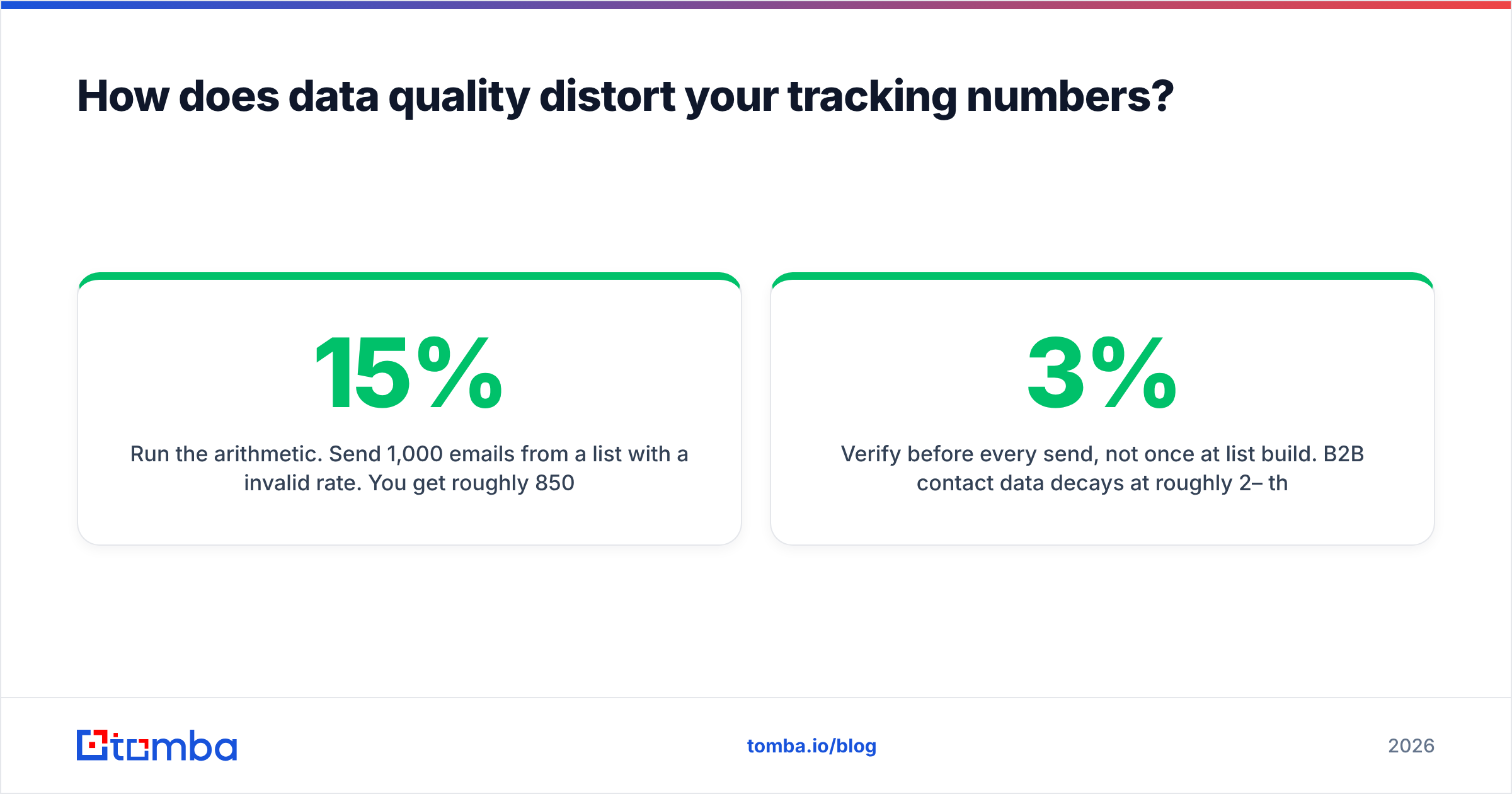
More than any tool choice. Bad contact data corrupts the denominator of every metric you report, and the corruption isn't random — it's biased toward making bad campaigns look mediocre and good campaigns look worse than they are.
Run the arithmetic. Send 1,000 emails from a list with a 15% invalid rate. You get roughly 850 deliveries, 42 replies. Reported against attempted sends, your reply rate is 4.2%. Against actual deliveries, it's 4.9%. That gap is the difference between "this segment is working" and "kill it." Meanwhile the 150 bounces are actively damaging the sender reputation that determines whether the next campaign lands at all.
Three habits fix most of it:
- Verify before every send, not once at list build. B2B contact data decays at roughly 2–3% per month through job changes alone. A list verified in January is measurably worse by April. Run it through an email verifier as a pre-send step in the workflow.
- Handle catch-all domains explicitly. A catch-all server accepts everything, so standard verification returns "unknown." Segment those contacts separately or run a catch-all verifier rather than letting them silently inflate your delivered rate.
- Report against delivered, always. Pick one denominator and enforce it across every dashboard. Half the disagreements about campaign performance are two people using different denominators and neither saying so.
The same logic applies at acquisition. Sourcing contacts through a verified email finder rather than scraping or buying an aged list means your tracking starts from a cleaner baseline, and your response rate reflects your messaging instead of your list rot.
What benchmarks should you compare against?#
Careful here — public benchmarks blend consented newsletters with cold outbound and produce averages that describe nobody. Aggregated marketing data such as HubSpot's statistics library is useful for direction, not for targets.
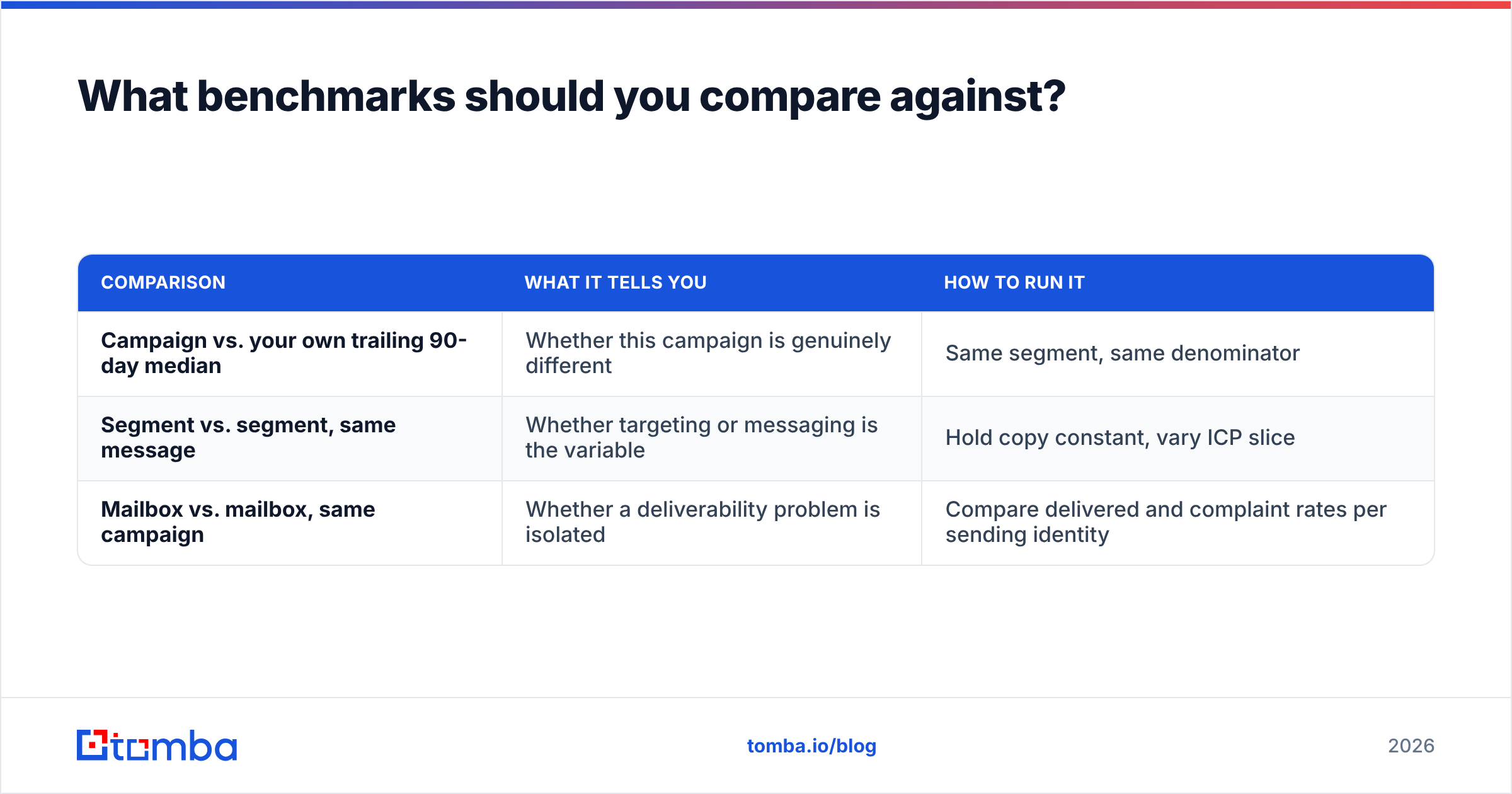
Better practice is internal benchmarking with three reference points:
| Comparison | What it tells you | How to run it |
|---|---|---|
| Campaign vs. your own trailing 90-day median | Whether this campaign is genuinely different | Same segment, same denominator |
| Segment vs. segment, same message | Whether targeting or messaging is the variable | Hold copy constant, vary ICP slice |
| Mailbox vs. mailbox, same campaign | Whether a deliverability problem is isolated | Compare delivered and complaint rates per sending identity |
That third comparison catches the failure mode most teams miss: one mailbox in a rotation quietly degrading while the blended average still looks acceptable.
Finally, set a minimum sample before you draw conclusions. At a 5% reply rate, a 200-contact campaign produces about ten replies. A swing of three replies moves your reported rate by 1.5 percentage points and means nothing. Wait for volume, or accept that you're reading tea leaves.
Where should you start?#
If you're rebuilding tracking from scratch, do it in this order: fix authentication, verify the list, turn off open tracking for cold sends, standardize on delivered as your denominator, then wire replies into the CRM. Dashboards last. A beautiful dashboard on top of a 15% bounce rate is an expensive way to be confidently wrong.
Accurate tracking starts before the send — with contacts that actually exist. The Tomba Email Finder sources verified professional emails by domain, name, or company, with real-time verification built into the lookup so invalid addresses never reach your sequencer. The free tier covers 25 searches a month, paid plans start at $49/mo, and full Tomba pricing scales through Growth at $99/mo and Pro at $249/mo. Clean the input, and the numbers on the other end finally mean something.
Related guides#
Ready to find emails that actually work?
Join 150,000+ professionals who stopped guessing and started sending. Free credits on signup — no credit card required.
Get the Tomba newsletter
Practical outbound tactics and product updates — once every two weeks.
About the author