Email Check Alternatives: 9 Better Verification Tools 2026
Free email checkers stall on catch-all domains and cap you at a handful of lookups. Here are 9 email check alternatives compared on accuracy, pricing, catch-all handling, and API access.
TL;DR
- Free "email check" widgets do syntax plus an MX record lookup. That catches typos, not dead mailboxes — which is where most of your bounce rate comes from.
- The real dividing line between tools is catch-all handling. Anything that returns "unknown" on a catch-all domain is handing the risk back to you.
- Nine alternatives worth testing in 2026: Tomba, ZeroBounce, NeverBounce, Bouncer, Debounce, Clearout, EmailListVerify, BookYourData, and Kickbox.
- Pricing splits into two models: pay-per-verification credits (good for one-off list cleaning) and subscriptions that bundle finding + verification (better if you prospect continuously).
- If you need to find addresses as well as check them, a combined finder/verifier saves a full tool and a full export/import cycle.
What does a basic email check actually do?#
A basic email checker runs three tests, in order, and stops as soon as one fails.
- Syntax validation — is
john..doe@companyshaped like a valid address per RFC 5322? This catches fat-finger typos and nothing else. - Domain and MX record lookup — does
company.comexist, and does it publish mail exchanger records? A domain with no MX record cannot receive mail, so this kills a real slice of bad data. - SMTP handshake — the checker opens a connection to the receiving mail server, issues
RCPT TO, and reads the response code. A250suggests the mailbox exists. A550says it does not.
That third step is where free tools quietly give up. Many mail servers — including the majority of Microsoft 365 tenants since the 2024 tightening of RCPT TO responses — return the same code for every address, real or fake. That is a catch-all (or accept-all) configuration, and it defeats a naive SMTP probe entirely.
So when a free checker tells you an address is "valid," you're often reading the output of steps 1 and 2 with step 3 inconclusive. You send. It bounces. Your sender reputation takes the hit.
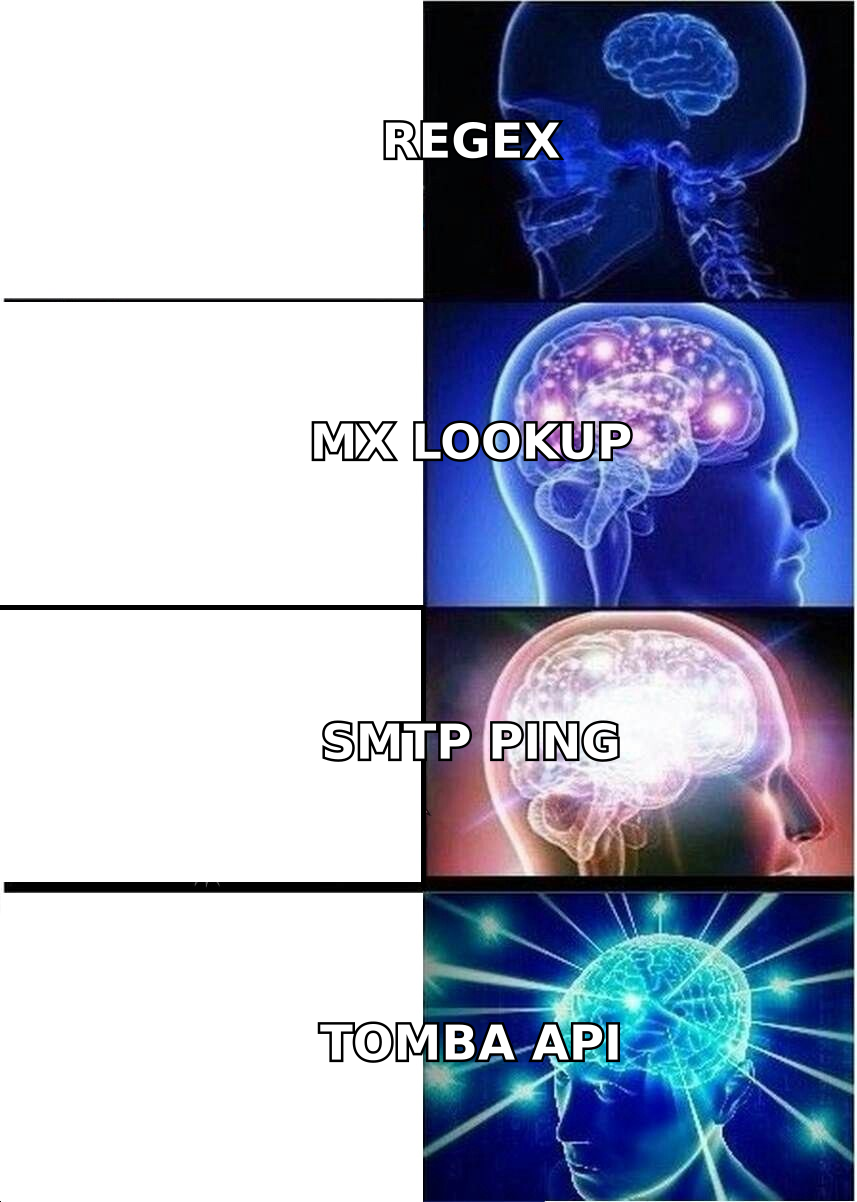
The tools below differ mostly in what they do when step 3 comes back ambiguous — and that difference is worth more than any feature list.
Why look for email check alternatives at all?#
Four reasons show up over and over when teams move off a free checker.
- Volume caps. Most free checkers give you 10–100 lookups, then a signup wall, then a paywall. Fine for verifying one address before a big outreach email. Useless for a 4,000-row list.
- No catch-all verdict. Free tools return "unknown" or "risky" and leave you to decide. On a list where 25–35% of B2B domains are catch-all, that's a third of your data in limbo.
- No API. If verification isn't wired into your CRM or enrichment flow, it becomes a manual monthly chore that nobody does.
- No finding, only checking. A checker validates an address you already have. It doesn't produce one. If your bottleneck is getting addresses, a verifier alone solves half your problem.
There's also a deliverability angle. Google and Yahoo's bulk sender requirements set a hard spam-complaint threshold of 0.3%, and mailbox providers weigh bounce rate heavily when scoring a new sending domain. Sending to a list you haven't properly verified is the fastest way to burn a domain you spent six weeks warming up.

Which email check alternatives are worth testing in 2026?#
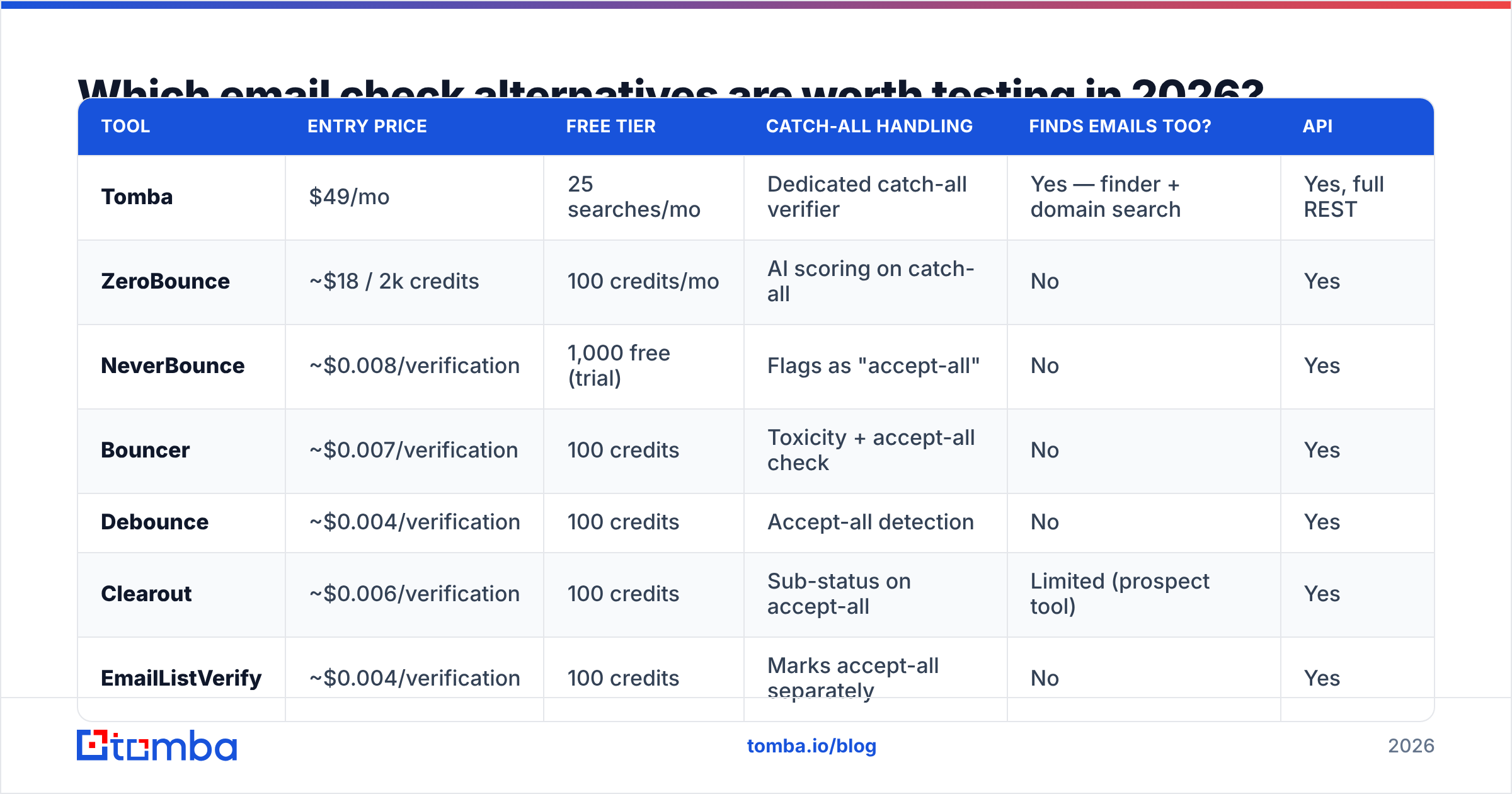
Here's the comparison. Prices are entry-level paid tiers as published by each vendor; verification accuracy figures are vendor-stated and should be treated as marketing claims until you run your own control list.
| Tool | Entry price | Free tier | Catch-all handling | Finds emails too? | API |
|---|---|---|---|---|---|
| Tomba | $49/mo | 25 searches/mo | Dedicated catch-all verifier | Yes — finder + domain search | Yes, full REST |
| ZeroBounce | ~$18 / 2k credits | 100 credits/mo | AI scoring on catch-all | No | Yes |
| NeverBounce | ~$0.008/verification | 1,000 free (trial) | Flags as "accept-all" | No | Yes |
| Bouncer | ~$0.007/verification | 100 credits | Toxicity + accept-all check | No | Yes |
| Debounce | ~$0.004/verification | 100 credits | Accept-all detection | No | Yes |
| Clearout | ~$0.006/verification | 100 credits | Sub-status on accept-all | Limited (prospect tool) | Yes |
| EmailListVerify | ~$0.004/verification | 100 credits | Marks accept-all separately | No | Yes |
| BookYourData | Pay-per-contact | Sample list | Verified-at-purchase model | Yes — prebuilt B2B lists | Yes |
| Kickbox | ~$0.008/verification | 100 credits | Sendex quality score | No | Yes |
Two things stand out from that table.
First, price-per-verification is not the metric to optimise. The spread between the cheapest and most expensive per-verification tool is roughly half a cent. On a 10,000-address list that's a $40 difference. A single burned sending domain costs you far more in lost pipeline and re-warmup time.
Second, most of these tools only verify. ZeroBounce, NeverBounce, Bouncer, Debounce, EmailListVerify, and Kickbox are pure verification engines — excellent at what they do, but they assume you already have a list. If you're building the list from scratch, you'll pair one of them with a separate finder and pay twice.

How should you choose between them?#
Match the tool to the job, not to the feature count. Four common situations:
- You have a purchased or scraped list and want it clean once. Buy credits from a pure verifier — Debounce or EmailListVerify are the cheapest per unit, and one-off credit packs don't expire on most plans. No subscription needed.
- You verify continuously as part of outbound. You want an API and a subscription. Look at whether the tool also finds addresses; if it does, you collapse two vendors into one. Tomba's email verification API and finder share the same credit pool, which removes the "we ran out of verify credits but have finder credits left" problem.
- Your lists are heavy on catch-all domains (enterprise, .edu, most of Microsoft 365). Prioritise the tool with a dedicated catch-all path. A generic "risky" label is not a verdict. Tomba ships a separate catch-all verifier precisely because the standard SMTP probe can't answer the question.
- You don't have a list at all. Verification is the wrong starting point. Start with domain search to pull every published address at a target company, or a prebuilt B2B list from a provider like BookYourData if you'd rather buy than build. Then verify what comes out.
The mistake most teams make is buying a verifier in situation 4. You end up with an excellent tool for cleaning a list you don't have yet.
Is a free email checker ever good enough?#
Yes — for exactly two jobs.
Checking a single address before an important send. You found a CEO's address on a conference page and want to sanity-check it before a personalised email. A free email checker does this in three seconds and costs nothing. Fine.
Sanity-checking a format hypothesis. You believe a company uses first.last@. Generate the permutations, check a couple, confirm the pattern. Tools like an email permutator plus a free checker cover this workflow well.
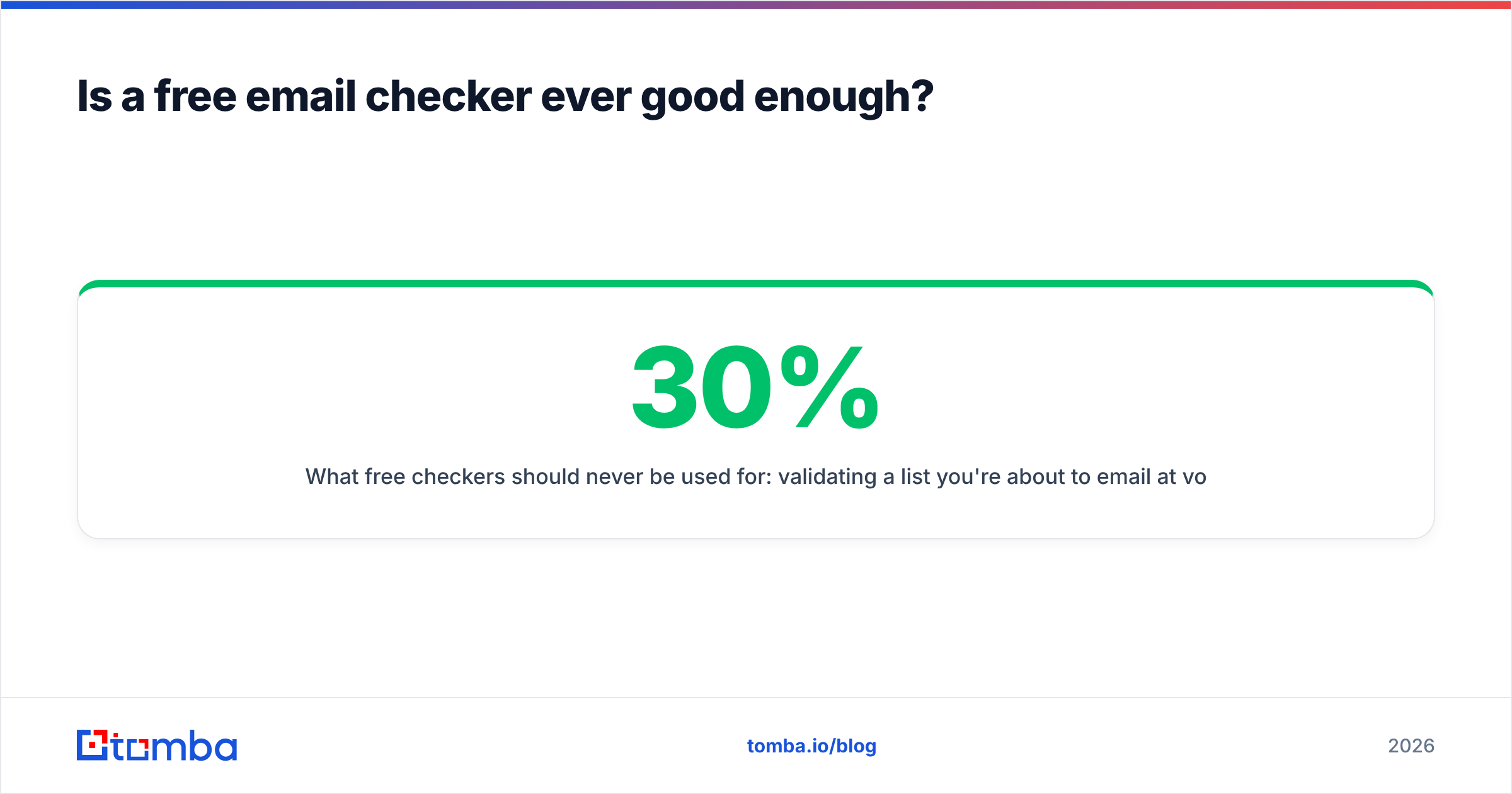
What free checkers should never be used for: validating a list you're about to email at volume. The math is simple. If a free tool passes catch-all addresses as valid and 30% of your list is catch-all, you could be sending into a 15%+ bounce rate. Mailbox providers start throttling around 2–3%.

What separates good verification from cheap verification?#
Five signals worth checking before you commit to any vendor, free or paid.
- Does it distinguish "catch-all" from "unknown"? These are different states. Catch-all means the server accepts everything; unknown means the check failed to complete. A tool that merges them into one bucket is losing information you need.
- Does it detect role accounts and spam traps?
info@,sales@,abuse@— these are low-value at best and reputation-destroying at worst. Any serious verifier flags them separately. - Is there a documented accuracy methodology? "99% accurate" with no explanation of the test set means nothing. Ask what list it was measured on and whether catch-all addresses were included or excluded from the denominator. Most vendors exclude them, which inflates the number.
- What happens on greylisting? Some servers deliberately defer the first connection. A verifier that treats a temporary
4xxas a hard fail will throw away good addresses. Retry logic matters. - Can you audit the data source? Where a provider gets its addresses affects both legality and freshness. Tomba publishes its data sources, which is the minimum bar in a post-GDPR market.
You can cross-check vendor claims against user reviews on G2 — filter by company size, because a tool that works at 500 verifications/month often behaves differently at 500,000.
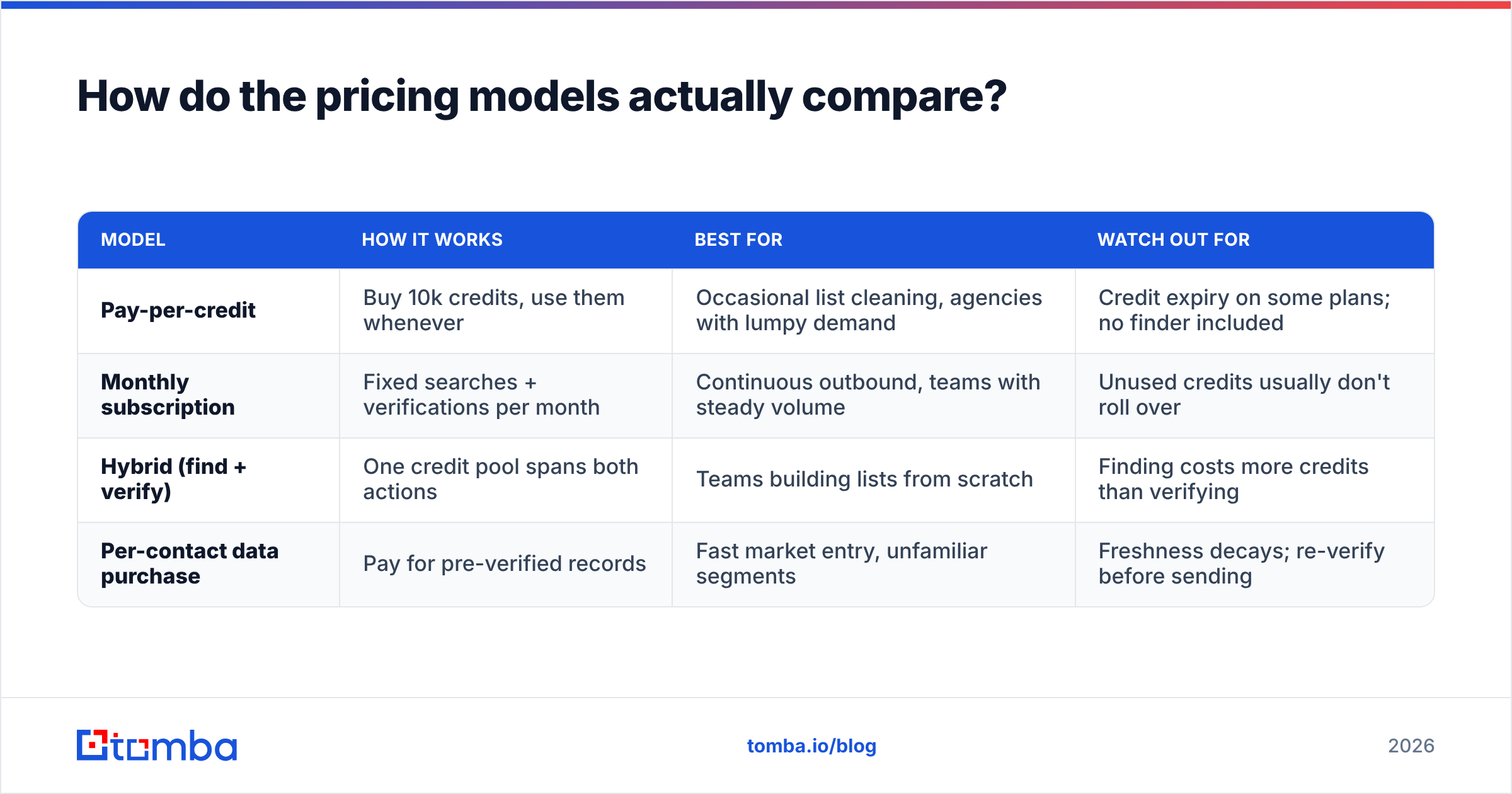
How do the pricing models actually compare?#
Two models, and the crossover point matters more than the headline number.
| Model | How it works | Best for | Watch out for |
|---|---|---|---|
| Pay-per-credit | Buy 10k credits, use them whenever | Occasional list cleaning, agencies with lumpy demand | Credit expiry on some plans; no finder included |
| Monthly subscription | Fixed searches + verifications per month | Continuous outbound, teams with steady volume | Unused credits usually don't roll over |
| Hybrid (find + verify) | One credit pool spans both actions | Teams building lists from scratch | Finding costs more credits than verifying |
| Per-contact data purchase | Pay for pre-verified records | Fast market entry, unfamiliar segments | Freshness decays; re-verify before sending |
For reference, Tomba pricing runs Free (25 searches/mo), Starter at $49/mo, Growth at $99/mo, Pro at $249/mo, and custom Enterprise. That's the hybrid model — the same plan covers finding, verifying, domain search, and enrichment, so you're not reconciling two vendor bills.
The crossover: if you verify fewer than ~5,000 addresses a year and never need to find any, credits win on raw cost. Above that, or the moment you need finding as well, a subscription is cheaper and considerably less annoying to administer.
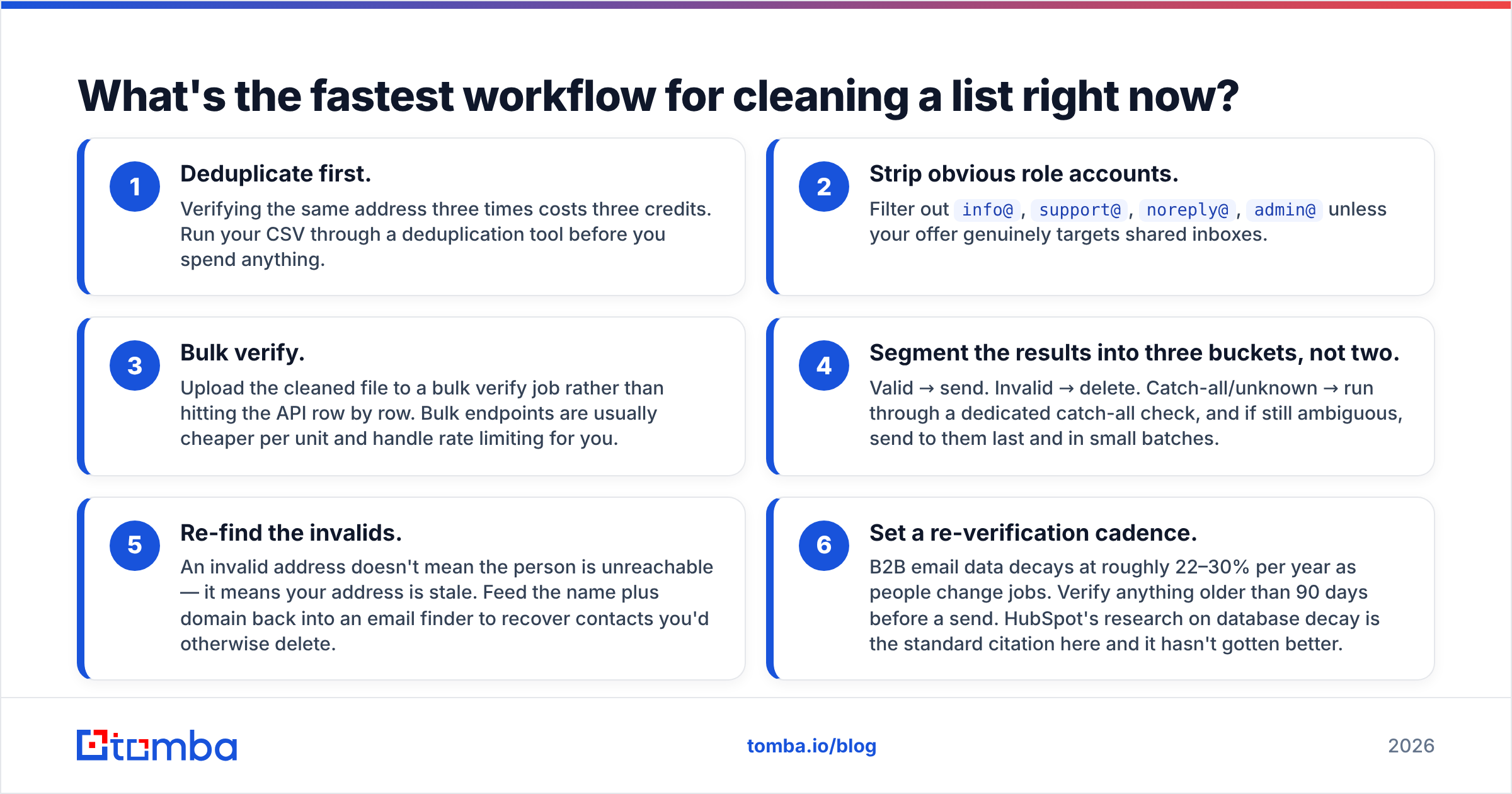
What's the fastest workflow for cleaning a list right now?#
Six steps, roughly 20 minutes for a 5,000-row list.
- Deduplicate first. Verifying the same address three times costs three credits. Run your CSV through a deduplication tool before you spend anything.
- Strip obvious role accounts. Filter out
info@,support@,noreply@,admin@unless your offer genuinely targets shared inboxes. - Bulk verify. Upload the cleaned file to a bulk verify job rather than hitting the API row by row. Bulk endpoints are usually cheaper per unit and handle rate limiting for you.
- Segment the results into three buckets, not two. Valid → send. Invalid → delete. Catch-all/unknown → run through a dedicated catch-all check, and if still ambiguous, send to them last and in small batches.
- Re-find the invalids. An invalid address doesn't mean the person is unreachable — it means your address is stale. Feed the name plus domain back into an email finder to recover contacts you'd otherwise delete.
- Set a re-verification cadence. B2B email data decays at roughly 22–30% per year as people change jobs. Verify anything older than 90 days before a send. HubSpot's research on database decay is the standard citation here and it hasn't gotten better.
Step 5 is the one most teams skip, and it's the one with the best ROI. On a typical B2B list, 8–12% of "invalid" addresses belong to people who are still at the company under a new email format.
Which alternative should you pick?#
Short version:
- Cleaning a list once, on a budget: Debounce or EmailListVerify. Cheapest per verification, no subscription.
- Enterprise lists full of catch-all domains: a tool with an explicit catch-all path. Generic "risky" flags won't cut it.
- Buying pre-verified contacts instead of building: BookYourData, then re-verify before your first send.
- Building lists and verifying continuously: a combined finder/verifier so you're not paying two vendors and exporting CSVs between them.
That last case is where most outbound teams actually live, and it's the case pure verifiers don't serve. If that's you, start with the Tomba Email Finder — find addresses by domain, name, or company, verify them in the same workflow, and push the clean result straight into your CRM through the API or the native HubSpot integration. The free tier gives you 25 searches a month to test it against a control list of addresses you already know are good, which is the only benchmark that means anything.
Related guides#
Ready to find emails that actually work?
Join 150,000+ professionals who stopped guessing and started sending. Free credits on signup — no credit card required.
Get the Tomba newsletter
Practical outbound tactics and product updates — once every two weeks.
About the author