Email Checker Software in 2026: How to Pick the Right Tool
Most email checker software claims 98% accuracy. Here is what that number actually measures, where every tool quietly fails, and how to compare pricing, catch-all handling, and API limits before you buy.
TL;DR
- Email checker software runs syntax, DNS/MX, mailbox, and risk checks on an address before you send to it. The good ones tell you why an address is risky, not just "valid" or "invalid."
- Vendor-published accuracy numbers (97–99%) are mostly measured on clean, deliverable corporate mailboxes. Your real-world result depends on how many catch-all, role-based, and free-provider addresses sit in your list.
- Catch-all domains are the whole ballgame. Roughly 15–25% of B2B domains accept everything at the SMTP layer, so any tool that returns "valid" for all of them is guessing.
- Price per 1,000 checks ranges from about $2 to $10 depending on plan size and whether verification is bundled with finding. Bundled tools usually win on total cost.
- Pick on four things: catch-all logic, API/bulk limits, credit rollover, and whether the tool also finds addresses so you are not paying two vendors for one workflow.
What is email checker software?#
Email checker software is a validation layer that sits between your list and your sending tool. You give it an address; it tells you whether a message sent there will land, bounce, or land you in trouble.
Think of it like a bouncer at the door of your sending reputation. Every hard bounce is a strike against your domain with Google and Microsoft. The checker's job is to catch the fake IDs before they get in — because once the bounce happens, the damage is already recorded on your side, not theirs.
Practically, "email checker" covers three overlapping product categories that buyers constantly confuse:
- Single-address checkers — paste one email, get a verdict. Useful for spot checks on a high-value prospect before a hand-written email. Most vendors, including Tomba's free email checker, offer this at no cost as a lead magnet.
- Bulk list cleaners — upload a CSV of 10k–5M rows, get a scored file back. This is where ZeroBounce, NeverBounce, and Bouncer built their businesses, and where per-credit pricing matters most.
- Real-time verification APIs — a call in your signup form, CRM enrichment job, or outbound sequence. Latency and uptime matter more than raw price here, because a 4-second verification call breaks a signup flow.
A fourth category — finder-plus-verifier platforms — merges discovery and validation. Tomba, Hunter, and Apollo sit here. You search a domain, get addresses, and every result arrives with a confidence score already attached.
How does an email checker actually verify an address?#
Understanding the pipeline tells you exactly where each vendor's marketing claims break down. Every serious checker runs some version of these five stages:
- Syntax and RFC validation — Does the string parse as a legal address? Catches typos like
john@gmail..comand malformed local parts. Free, instant, and roughly 3% of a typical scraped list dies here. - Domain and MX record lookup — Does the domain resolve, and does it publish mail exchanger records? A domain with no MX record cannot receive mail, period. This kills parked domains and dead companies.
- Provider and disposable detection — Is this Gmail, Outlook, a corporate Google Workspace tenant, or a burner from a throwaway service? Providers behave differently at the SMTP layer, so the tool needs to know which playbook to run.
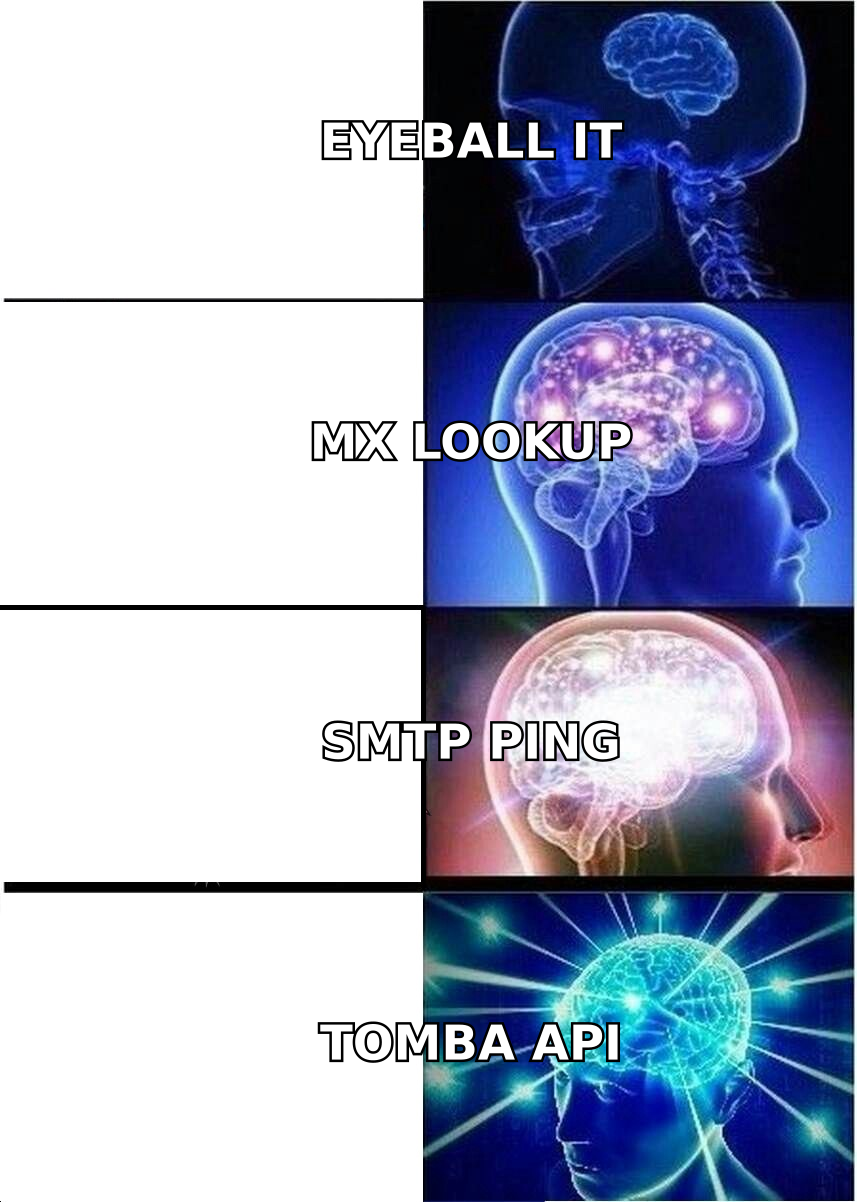
- SMTP mailbox probe — The checker opens a conversation with the receiving server, effectively asking "would you accept mail for this person?" without delivering anything. This is the step that produces the real signal. It is also the step that gets rate-limited, throttled, and greylisted, which is why bulk jobs take minutes rather than milliseconds. If you want the protocol detail, the SMTP specification explains the RCPT TO handshake that makes this possible.
- Risk scoring — Role-based (
info@,sales@), spam traps, known complainers, and catch-all domains get flagged rather than deleted. Good software hands you a category; weak software collapses everything into a binary.
The gap between a $2-per-1,000 tool and a $10-per-1,000 tool is almost never steps 1–3. Everyone does those correctly. The gap is step 4 infrastructure (IP diversity, retry logic, provider-specific handling) and step 5 judgment.
What does accuracy actually mean in email verification?#
Accuracy claims are the most abused number in this category, so read them like a lawyer.
When a vendor says "99% accuracy," they usually mean: of the addresses we labeled valid, 99% did not hard bounce on a test send. That definition quietly excludes every address the tool marked "unknown" or "risky" — which is exactly where the hard cases live. A tool can hit 99% by simply refusing to commit on 30% of your list.
The three metrics that actually matter:
- Precision on valid — of addresses marked valid, what share deliver? This is the number vendors publish.
- Coverage — what share of your list gets a definitive verdict at all? A tool with 99% precision and 60% coverage is worse than one with 96% precision and 92% coverage, because you still have to guess on the rest.
- False-invalid rate — how many deliverable addresses get killed? Nobody publishes this, and it is the expensive one. Every good lead you delete is revenue you never see.

Run your own test before committing. Take 500 addresses you know are live — your own CRM's replied-to contacts — plus 200 you know are dead. Push both sets through the trial tier of two or three vendors. You will get a truer read in an afternoon than any G2 grid gives you, and the email verification category on G2 is still useful for spotting support and billing complaints that never make it into a feature comparison.
Which email checker software should you compare in 2026?#
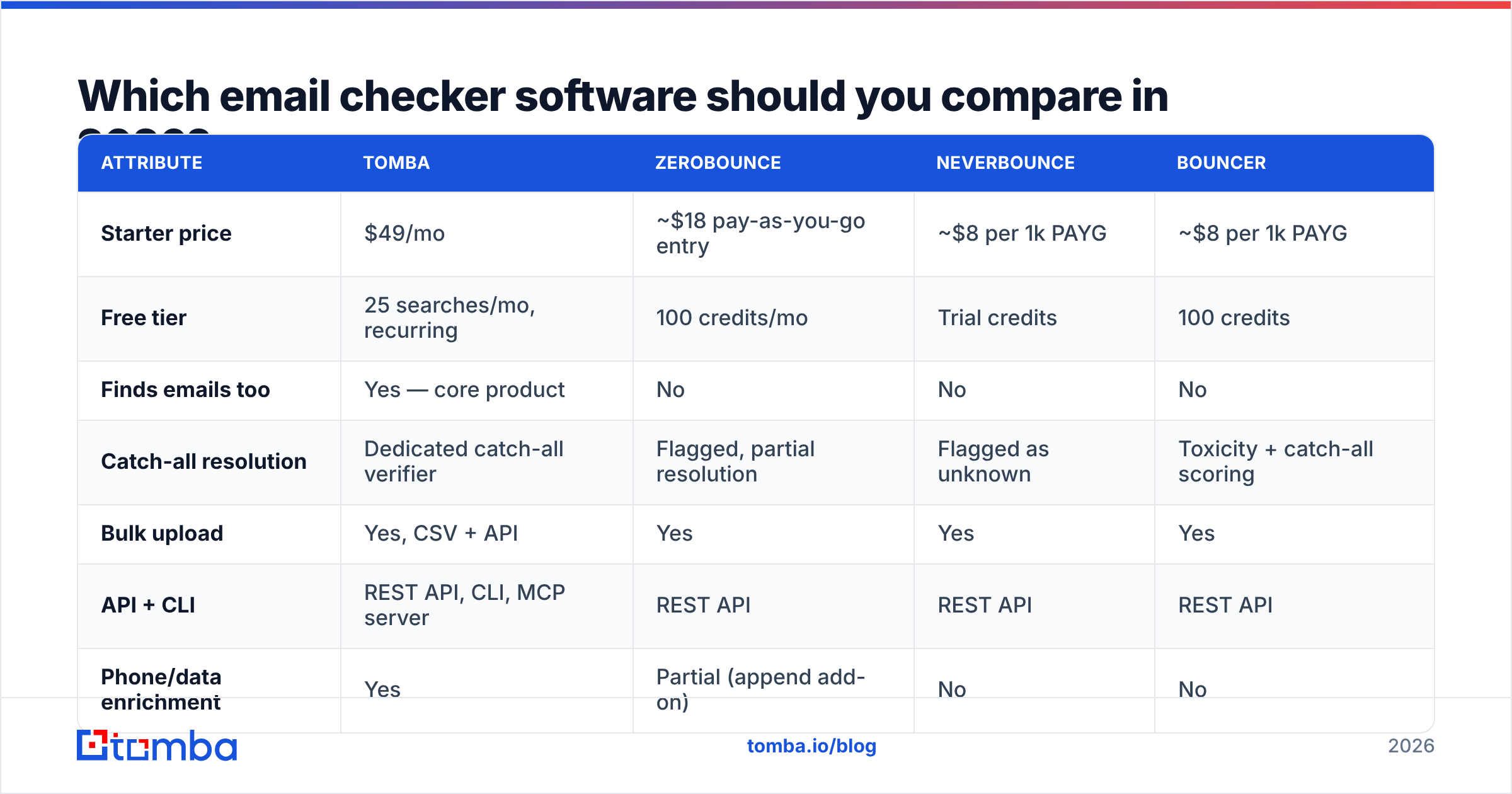
Here is how the main options line up on the attributes that change your bill and your bounce rate. Treat pricing as directional — every vendor in this space repriced at least once in the last 18 months, so confirm on their page before you buy.
| Attribute | Tomba | ZeroBounce | NeverBounce | Bouncer |
|---|---|---|---|---|
| Starter price | $49/mo | ~$18 pay-as-you-go entry | ~$8 per 1k PAYG | ~$8 per 1k PAYG |
| Free tier | 25 searches/mo, recurring | 100 credits/mo | Trial credits | 100 credits |
| Finds emails too | Yes — core product | No | No | No |
| Catch-all resolution | Dedicated catch-all verifier | Flagged, partial resolution | Flagged as unknown | Toxicity + catch-all scoring |
| Bulk upload | Yes, CSV + API | Yes | Yes | Yes |
| API + CLI | REST API, CLI, MCP server | REST API | REST API | REST API |
| Phone/data enrichment | Yes | Partial (append add-on) | No | No |
| Best fit | Teams that find and verify | Large marketing list hygiene | Simple one-off cleans | EU-focused list cleaning |

Two honest caveats on that table.
First, dedicated verifiers earn their keep on volume. If your job is cleaning a 400,000-row marketing database twice a year and you never need to find an address, a pure pay-as-you-go verifier is cheaper than any subscription. That is a real use case and the specialists serve it well.
Second, if your problem is that you have no list at all, verification is the wrong purchase. You need sourcing first — either a domain search workflow against target accounts, or a licensed dataset. BookYourData, for example, sells pre-verified B2B contact lists with a bounce guarantee, which is a legitimately faster path than scraping and then cleaning if your ICP is well defined and you want data you can send to this week. Verification then becomes a freshness check rather than a rescue operation.
What about catch-all domains?#
This is where most buyers get burned, so it deserves its own section.
A catch-all domain is configured to accept mail for every address at that domain, whether the mailbox exists or not. anything@example.com returns a 250 OK. The SMTP probe — step 4 above — tells you nothing, because the server says yes to everything.
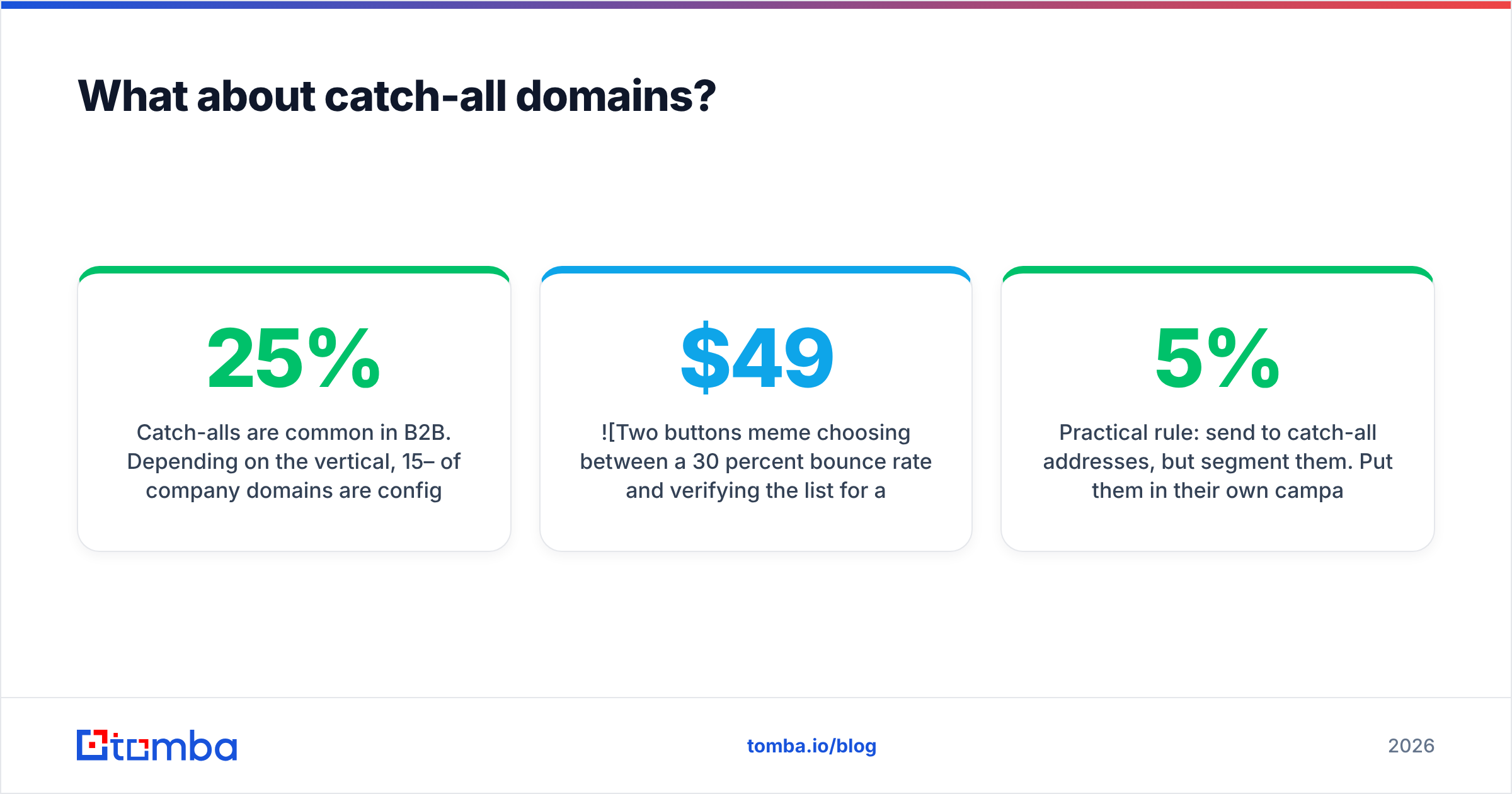
Catch-alls are common in B2B. Depending on the vertical, 15–25% of company domains are configured this way, and it skews higher among enterprises and agencies. So when a tool returns "valid" for a catch-all address, it is either lying or being sloppy. When it returns "unknown," it is being honest but useless.
The credible approaches:
- Pattern inference — if you know 40 confirmed addresses at
acme.comall followfirst.last@, thenjane.doe@acme.comis a strong bet even on a catch-all. This is why finder-first tools have an advantage: they hold the pattern data already. - Cross-source corroboration — the address appears in a public commit, a conference speaker list, a press release, or a signature. Multiple independent sightings beat any single SMTP probe.
- Engagement history — the address has opened or replied somewhere in the vendor's network, so the mailbox provably exists.
Tools that combine all three, like Tomba's catch-all verifier, can hand back a graded confidence rather than a shrug. Anything that gives you a flat "accept-all" label and stops is leaving the decision entirely to you.
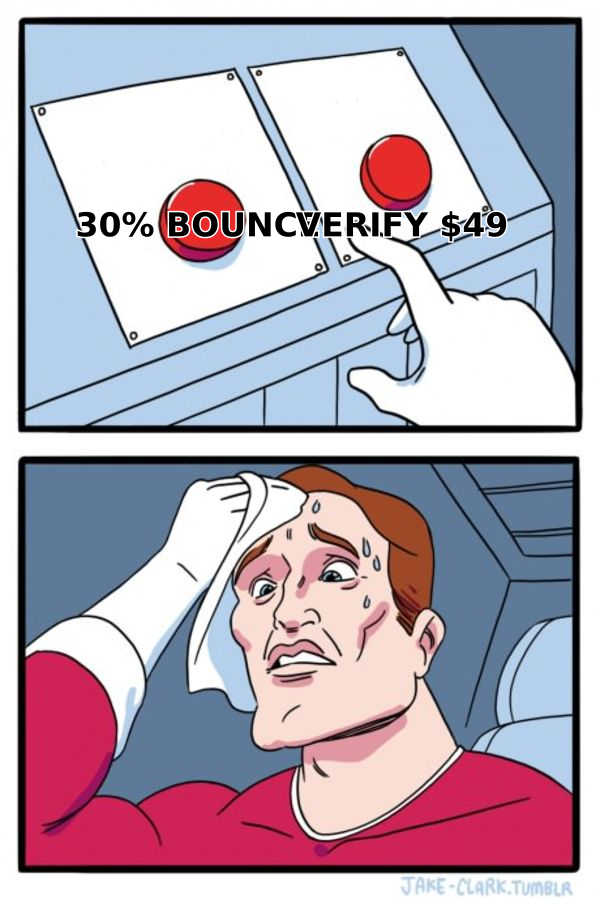
Practical rule: send to catch-all addresses, but segment them. Put them in their own campaign, on your best-warmed sending domain, with a lower daily volume. If that segment bounces above 5%, cut it. You keep the upside without letting it poison your main domain's sender reputation.
How much should you pay for email checker software?#
Stop comparing monthly subscription prices and start comparing cost per usable contact. That reframing usually flips the answer.
Work it out like this:
- Count your real monthly volume. Not your database size — the number of addresses you will actually verify this month. Most teams overbuy by 3x here.
- Add the finder cost. If you also pay a separate tool to discover addresses, add it. Two vendors at $39 and $49 is a $88 stack, not a $39 one.
- Check credit rollover. Subscription credits that expire monthly are effectively a use-it-or-lose-it tax. Pay-as-you-go credits that never expire are worth a premium if your volume is lumpy.
- Read the API rate limits, not the credit count. A plan with 50,000 credits and 10 requests per second is useless for a real-time signup form at scale.
- Price the failure case. One blacklisting event costs you weeks of pipeline. Against that, the delta between a cheap and a good verifier is noise.
For reference, Tomba pricing runs a free tier at 25 searches per month, Starter at $49/mo, Growth at $99/mo, and Pro at $249/mo, with finding, verification, bulk processing, and enrichment in the same account. Pure verifiers price lower per credit but only solve half the job. Neither is universally correct — it depends on whether you already have the list.
Which email checker fits your workflow?#
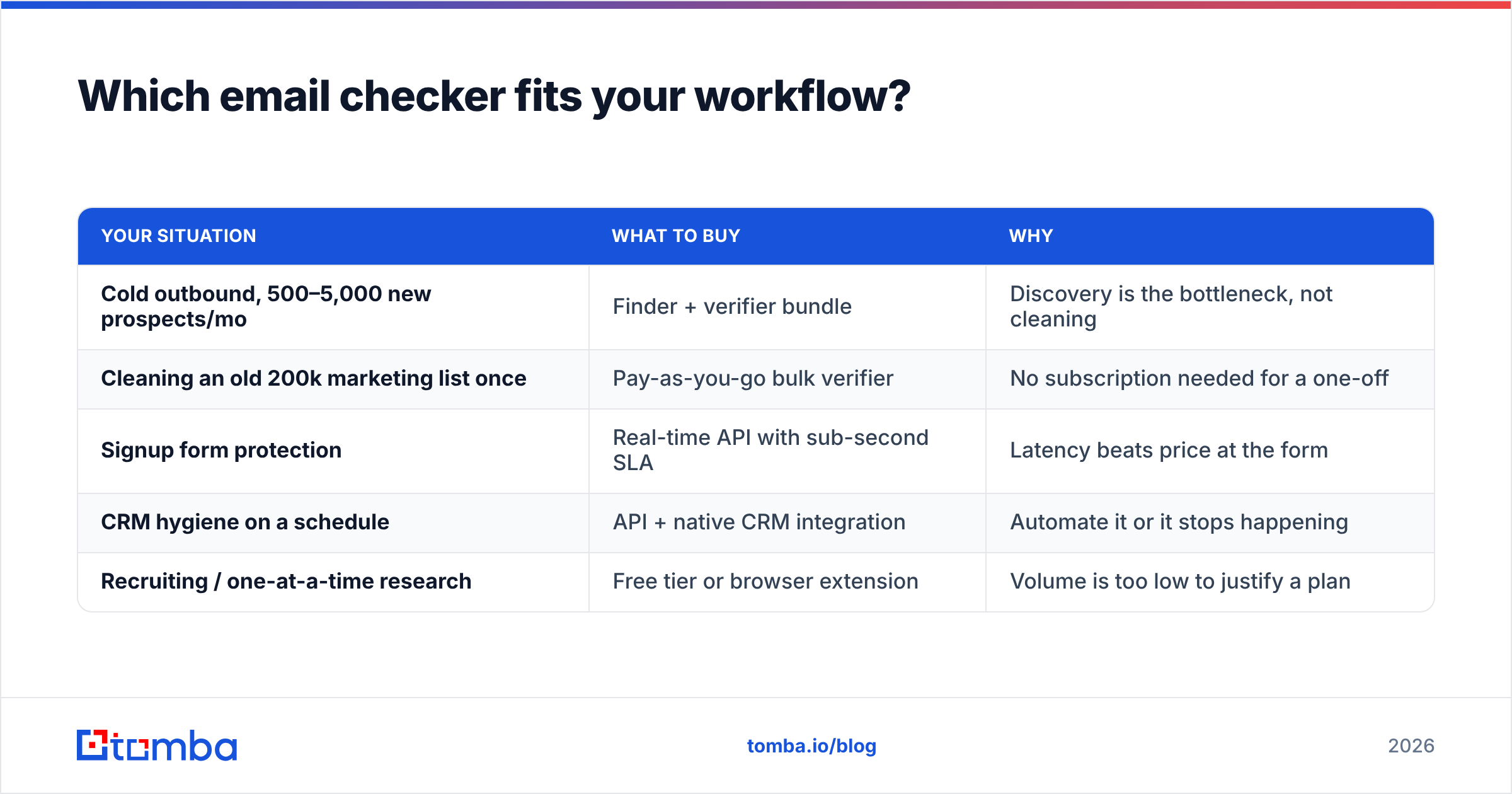
| Your situation | What to buy | Why |
|---|---|---|
| Cold outbound, 500–5,000 new prospects/mo | Finder + verifier bundle | Discovery is the bottleneck, not cleaning |
| Cleaning an old 200k marketing list once | Pay-as-you-go bulk verifier | No subscription needed for a one-off |
| Signup form protection | Real-time API with sub-second SLA | Latency beats price at the form |
| CRM hygiene on a schedule | API + native CRM integration | Automate it or it stops happening |
| Recruiting / one-at-a-time research | Free tier or browser extension | Volume is too low to justify a plan |
If your workflow lives in a CRM, check the integration list before the feature list. A verifier that writes results straight back to HubSpot or Salesforce saves more analyst hours than a two-point accuracy improvement ever will — HubSpot's own data quality documentation is a good sanity check on what fields you actually need populated for scoring to work.
What email checker software cannot fix#
Verification protects you from bounces. It does nothing for the other three ways cold email dies:
- Authentication gaps. No SPF, DKIM, or DMARC means spam folder regardless of list quality. Run an SPF checker before your first send, not after your open rate collapses.
- Cold domains. A brand-new domain sending 200 emails on day one gets filtered even with a perfect list. Warm up over 3–4 weeks.
- Bad copy. A verified address that gets a 400-word pitch still ignores you. Verification buys you the chance to be read; it does not buy the read.
Teams that blame their verifier for a 1% reply rate are usually looking at a copy problem or a targeting problem wearing a data costume.
Ready to stop guessing at your list?#
If you need one tool that finds the address and tells you whether it will land, start with the Tomba Email Finder. Search by domain, name, or company, get a confidence score on every result, verify in bulk or through the API, and resolve catch-all domains with pattern and source corroboration instead of a shrug. The free tier gives you 25 searches a month to test it against a list you already know the answers to — which, as covered above, is the only benchmark that actually means anything.
Related guides#
Ready to find emails that actually work?
Join 150,000+ professionals who stopped guessing and started sending. Free credits on signup — no credit card required.
Get the Tomba newsletter
Practical outbound tactics and product updates — once every two weeks.
About the author