Email Domain Check: How to Verify Any Company Domain in 2026
Most bounced campaigns die at the domain level, not the address level. Here's how to run a proper email domain check — MX, SPF, DMARC, catch-all, and pattern detection — before you spend a single credit.
TL;DR
- An email domain check validates the destination — MX records, SPF/DMARC posture, catch-all behaviour, and the company's address pattern — before you validate any individual mailbox.
- Roughly 20–30% of the domains in a scraped B2B list fail at this layer: parked domains, dead MX, defunct companies, or free-mail-only shops. Checking domains first is the cheapest filter you own.
- Catch-all domains are the hard case. They accept every address at SMTP time, so a standard verifier returns "unknown" and you have to decide with pattern confidence instead.
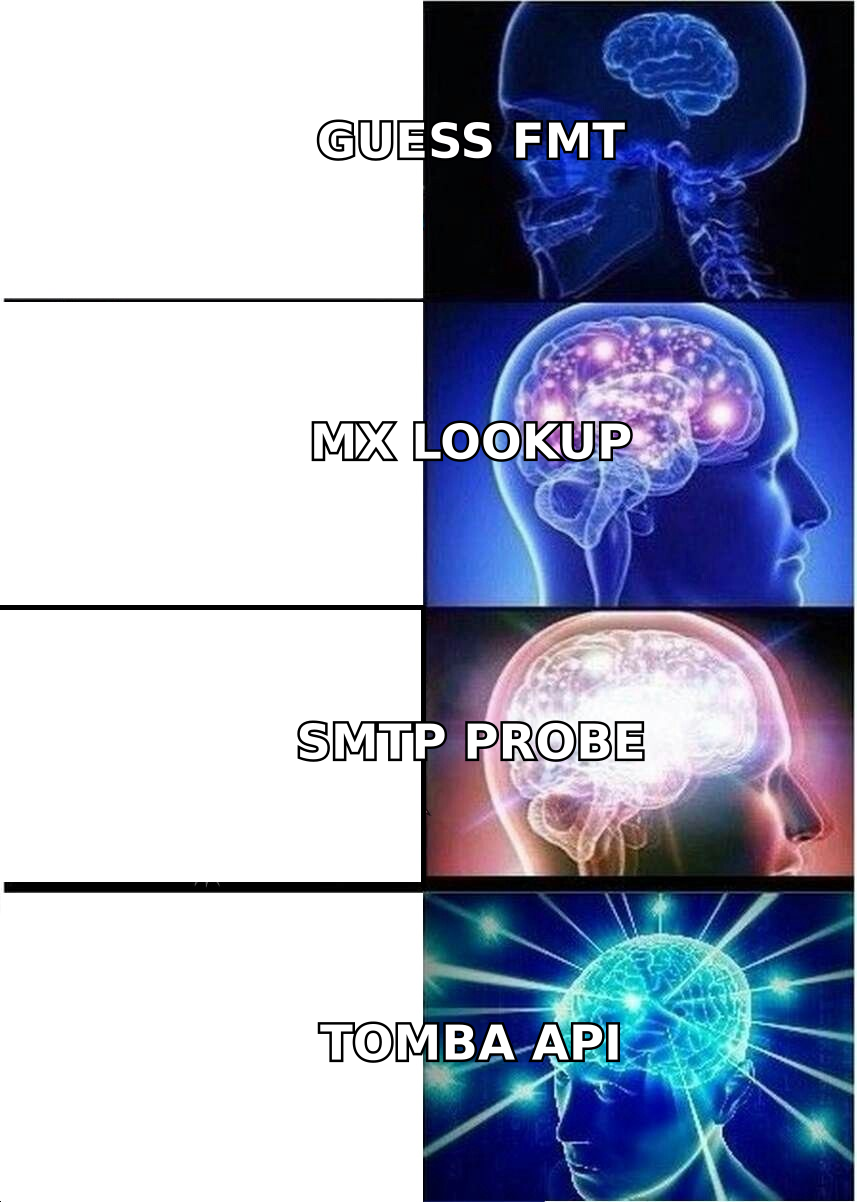
- A practical stack: DNS lookup → MX/provider detection → catch-all probe → pattern discovery → per-address verification. Most teams skip steps 1–4 and wonder why bounce rates sit at 8%.
- Budget reality: dedicated verifiers charge per address; domain-level tools charge per domain. Running the domain check first can cut per-address spend by a third on cold lists.
What is an email domain check?#
An email domain check answers one question: can this domain receive mail at all, and what shape do its addresses take?
Think of it like calling a building's front desk before couriering a package. You are not asking whether "Sarah in accounting" exists yet. You are asking whether the building has a mailroom, whether it is still occupied, and whether packages get signed for or dumped in a bin. If the building is condemned, the recipient's name never matters.
That is the difference between domain-level and address-level validation. A per-address email verifier tells you whether sarah@acme.com resolves. A domain check tells you whether acme.com is worth spending verification credits on in the first place.
The check itself has five distinct layers, and most tools only cover two or three:
- DNS resolution — does the domain exist and resolve to anything? Expired and parked domains fail here immediately.
- MX records — does it publish mail exchanger records, and where do they point? No MX means no inbound mail. RFC 5321 permits fallback to the A record, but in practice a domain without MX in 2026 is not running business email. See the MX record overview on Wikipedia for the mechanics.
- Provider fingerprinting — Google Workspace, Microsoft 365, Zoho, Proofpoint, Mimecast, or self-hosted. The provider determines how aggressively the domain rate-limits SMTP probes and how much you can trust a verification result.
- Authentication posture — SPF, DKIM, DMARC. This tells you less about deliverability to the domain and more about how sophisticated their IT is, which correlates with spam filtering strictness.
- Catch-all detection and pattern discovery — does the server accept anything, and what format do real employees use?
Why does the domain layer matter more than the address layer?#
Because bounces are not distributed evenly. They cluster.
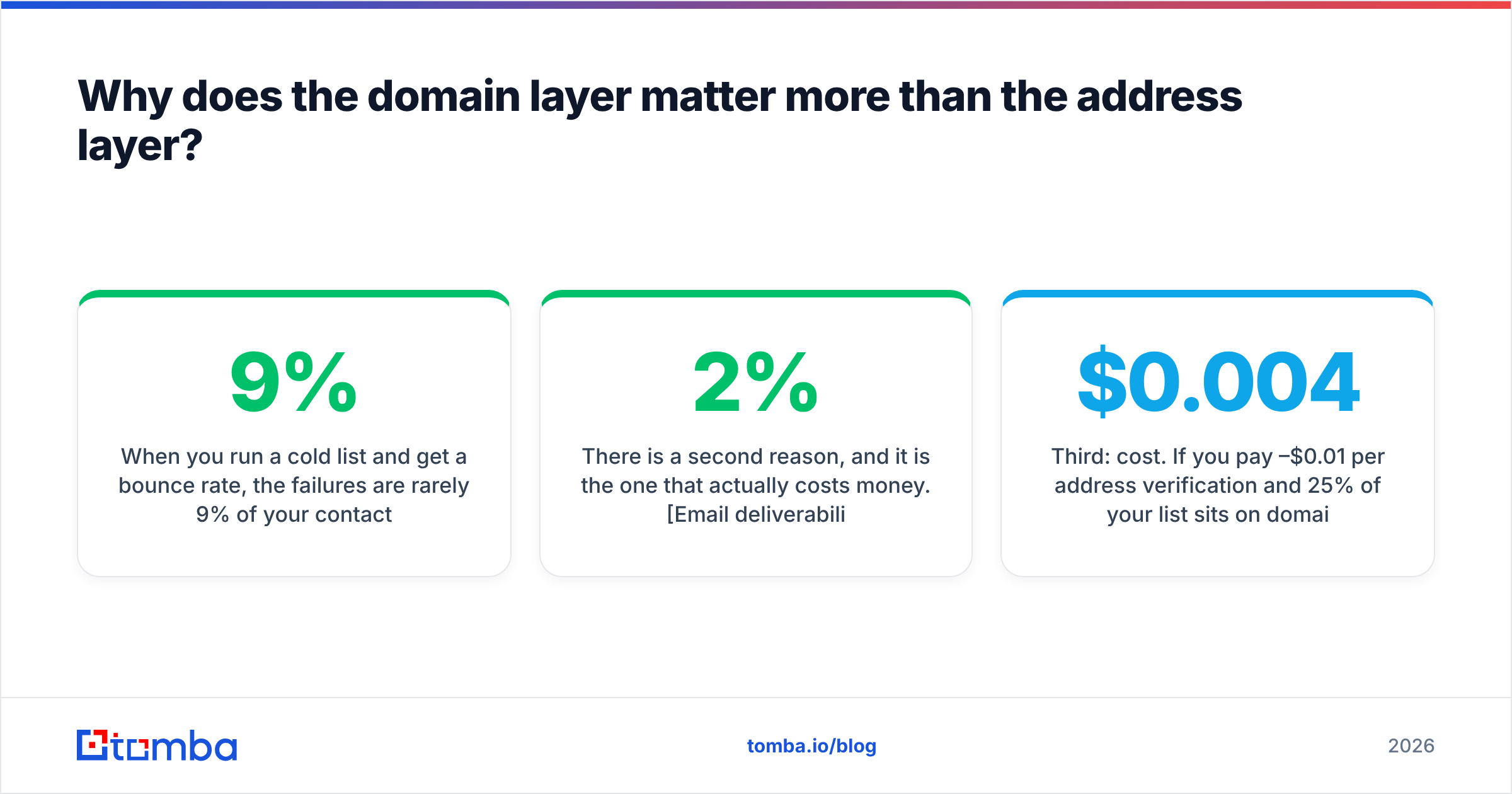
When you run a cold list and get a 9% bounce rate, the failures are rarely 9% of your contacts spread across 9% of your accounts. They are usually 90% of the contacts at 10% of the accounts — companies that folded, rebranded, migrated domains, or never had corporate email to begin with. One dead domain with 14 contacts on it produces 14 bounces from a single root cause.
That clustering is why domain checking is disproportionately efficient. Fixing one domain-level problem removes an entire block of bad sends.
There is a second reason, and it is the one that actually costs money. Email deliverability is reputation-driven. Mailbox providers watch your hard-bounce ratio as a spam signal. Google's own guidance for bulk senders puts the practical ceiling well under 2%, and sustained breaches of that get your sending domain throttled — not just for the campaign that caused it, but for everything after. A domain check is the cheapest insurance policy against a reputation problem that takes weeks to repair.
Third: cost. If you pay $0.004–$0.01 per address verification and 25% of your list sits on domains that will never accept mail, you are burning a quarter of your verification budget confirming that dead things are dead.
How do you actually run an email domain check?#
Here is the sequence that holds up in production. Run it in order — each step cuts the volume entering the next, more expensive step.
Step 1 — Normalise and deduplicate the domain list. Strip www., resolve obvious redirects (acme.co → acme.com), and collapse subsidiaries that share a mail domain. A 12,000-row contact list usually compresses to 2,000–3,000 unique domains. You now run 3,000 checks instead of 12,000.
Step 2 — DNS and MX lookup. Bulk-resolve every domain. Bucket the results into: no A record (dead), A record but no MX (no mail), MX pointing to a free provider, MX pointing to Google/Microsoft, MX pointing to a security gateway. Drop bucket one entirely.
Step 3 — Check the authentication records. Pull SPF, DKIM selectors, and DMARC policy. A domain publishing p=reject DMARC with a tight SPF is running a mature mail stack — expect stricter inbound filtering and be conservative with links in your first email. Run the domain through an SPF checker if you want the record parsed rather than raw.
Step 4 — Catch-all probe. Send an SMTP RCPT TO for a deliberately nonsensical address (zx8q7wv-test@domain.com). If the server accepts it, the domain is catch-all and per-address verification will return "accept-all" or "unknown" for everything. Around 15–20% of B2B domains behave this way, and the share is rising as more companies sit behind Mimecast and Proofpoint gateways.
Step 5 — Pattern discovery. For every surviving domain, determine the address format from known-good samples: first.last@, flast@, first@, firstl@. This is where a domain search earns its keep — it returns the emails a company has publicly exposed plus the dominant pattern and a confidence score, so you can construct addresses for people who were never scraped.
Step 6 — Per-address verification, but only now. With dead domains removed and patterns known, you verify a much smaller, much higher-quality set.
What does an email domain check actually return?#
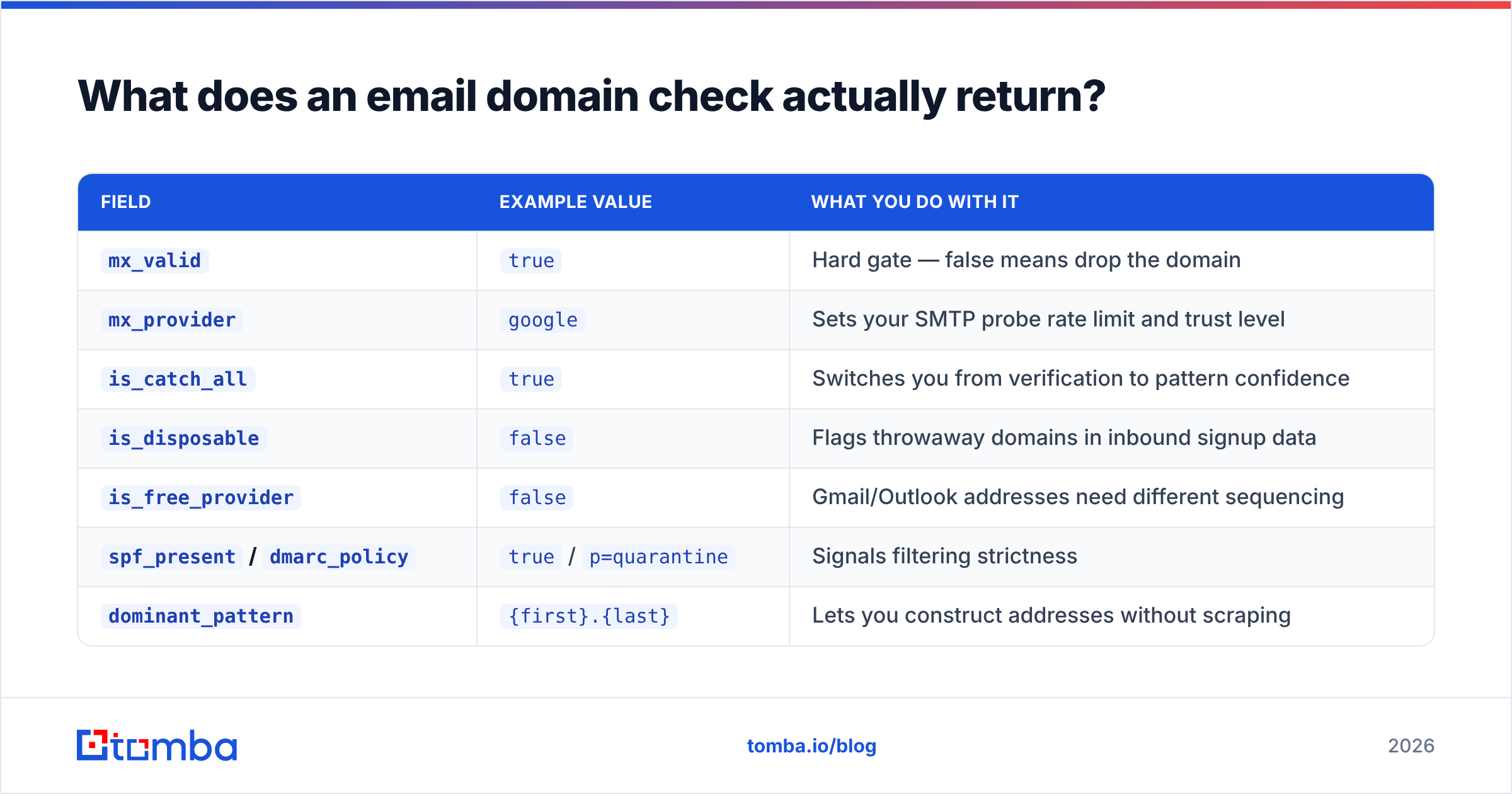
The output should be structured data you can filter on, not a green tick. A usable domain record looks like this:
| Field | Example value | What you do with it |
|---|---|---|
mx_valid |
true |
Hard gate — false means drop the domain |
mx_provider |
google |
Sets your SMTP probe rate limit and trust level |
is_catch_all |
true |
Switches you from verification to pattern confidence |
is_disposable |
false |
Flags throwaway domains in inbound signup data |
is_free_provider |
false |
Gmail/Outlook addresses need different sequencing |
spf_present / dmarc_policy |
true / p=quarantine |
Signals filtering strictness |
dominant_pattern |
{first}.{last} |
Lets you construct addresses without scraping |
pattern_confidence |
0.91 |
Your send/no-send threshold on catch-all domains |
known_addresses |
47 |
Sample size behind the pattern — under 3 is a guess |
The last three fields are what separate a genuinely useful domain check from a DNS lookup wrapped in a UI. Anyone can query MX records; the value is in the pattern intelligence layered on top.
Is a free email domain check good enough?#
For one-off manual research, yes. For anything at volume, no — and the reason is not accuracy, it is throughput and catch-all handling.
Free tools do DNS and MX perfectly well. dig MX acme.com is free and correct. Where free options fall apart:
- No pattern data. DNS tells you the domain accepts mail. It cannot tell you the company writes addresses as
j.smith@. - No catch-all resolution. A free checker reports "accept-all" and stops. That is the exact point where you needed help.
- Rate limits. Running 3,000 SMTP probes from one IP gets you blocked by Google within minutes and greylisted by everyone else. Commercial tools rotate infrastructure specifically to survive this.
- No bulk or API access. Manual lookups do not scale past about 50 domains before someone on your team quietly gives up.
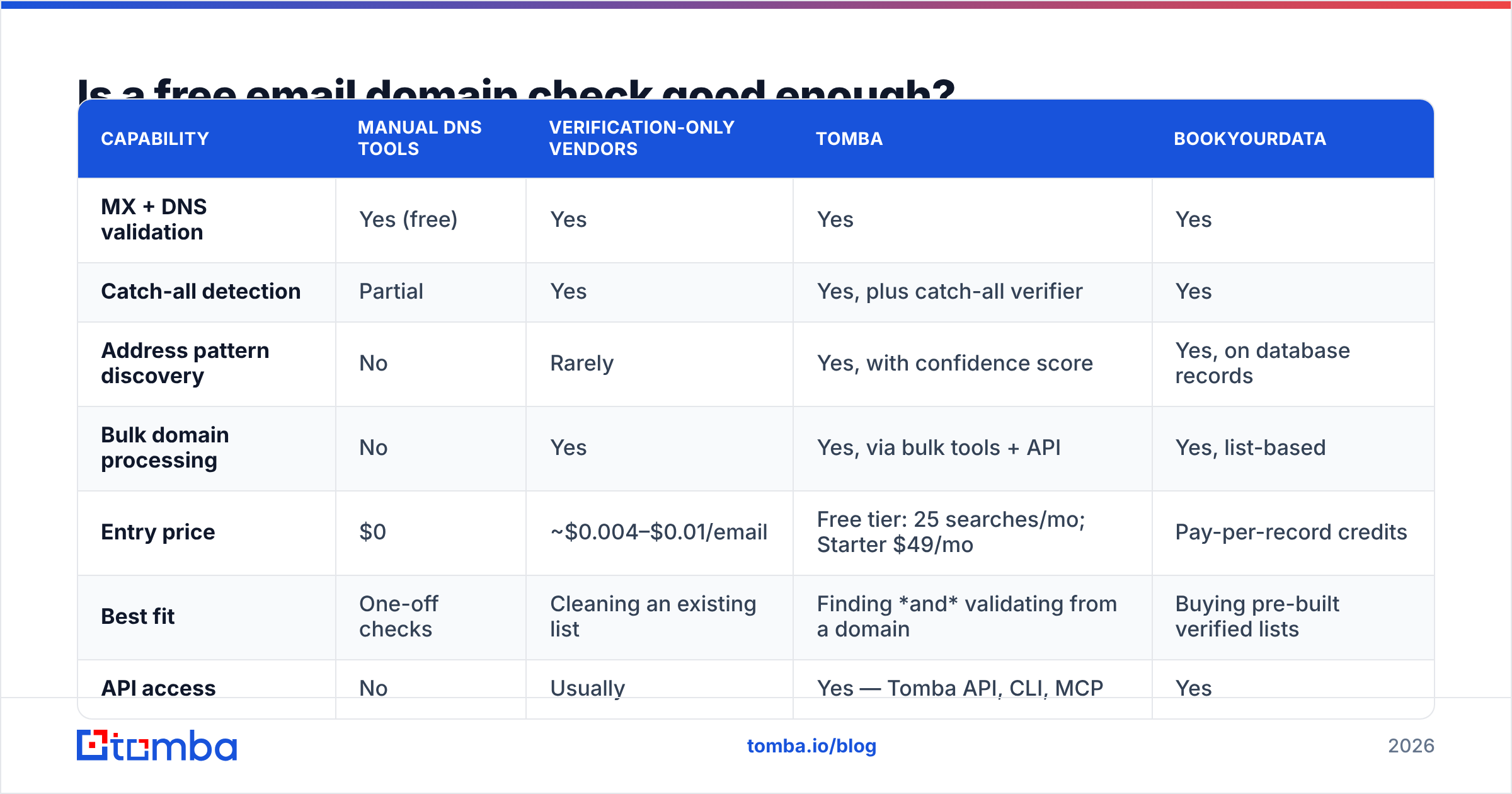
Here is how the practical options compare for a team checking a few thousand domains a month:
| Capability | Manual DNS tools | Verification-only vendors | Tomba | BookYourData |
|---|---|---|---|---|
| MX + DNS validation | Yes (free) | Yes | Yes | Yes |
| Catch-all detection | Partial | Yes | Yes, plus catch-all verifier | Yes |
| Address pattern discovery | No | Rarely | Yes, with confidence score | Yes, on database records |
| Bulk domain processing | No | Yes | Yes, via bulk tools + API | Yes, list-based |
| Entry price | $0 | ~$0.004–$0.01/email | Free tier: 25 searches/mo; Starter $49/mo | Pay-per-record credits |
| Best fit | One-off checks | Cleaning an existing list | Finding and validating from a domain | Buying pre-built verified lists |
| API access | No | Usually | Yes — Tomba API, CLI, MCP | Yes |
BookYourData is a reasonable choice when you want a pre-verified list handed to you rather than built from your own account research — different job, same end goal. Tomba's angle is the opposite direction: you start from a domain or a company name and derive the contacts. Verification-only vendors like ZeroBounce or Bouncer are strong when you already have addresses and just need them scrubbed. Most mature teams end up running two of these three, not one.

How do you handle catch-all domains?#
This is the part everyone gets wrong, so it deserves its own answer.
A catch-all domain accepts anything@company.com at the SMTP handshake and sorts it out later — usually by silently discarding it or dumping it into an unmonitored inbox. Verification returns "accept-all", which is not a pass and not a fail. It is an absence of information.
You have three options, in increasing order of quality:
- Drop them. Safe, but you are throwing away 15–20% of your addressable market, and catch-all correlates with larger companies running security gateways. You are dropping your best accounts.
- Send anyway and watch. Reckless on a cold domain. If the pattern is wrong, the mail vanishes into a black hole and you never learn — worse than a bounce, because you get no signal.
- Resolve with pattern confidence. Determine the company's dominant format from known-good addresses, then construct the target address and score it. If 47 verified addresses at the domain use
{first}.{last}and none use anything else,jane.doe@company.comis a high-confidence construction even though SMTP will not confirm it.
Option three is what a proper catch-all finder does — it substitutes statistical confidence for a protocol answer the server refuses to give. The threshold you set is a business decision: a 0.85 confidence floor is aggressive, 0.95 is conservative. Segment catch-all sends into their own campaign so their performance never contaminates your primary domain's reputation.
One operational note: warm up separately. Route catch-all constructions through a secondary sending domain for the first few weeks until you have real reply data confirming the pattern holds.
What should you do with the results?#
Turn the domain check into routing rules, not just a filter.
- MX-dead domains → remove from the CRM entirely, or flag the account as "needs research". Do not re-import them next quarter.
- Free-provider domains (Gmail, Outlook, Yahoo on a B2B list) → usually founders, consultants, or bad data entry. Route to a different sequence with a different tone; corporate-voice outreach reads badly in a personal inbox.
- Strict DMARC + security gateway → strip tracking pixels and shorten link counts. Gateways like Proofpoint penalise redirect chains hard. The DMARC overview at dmarc.org is worth reading if you are setting your own policy too.
- Catch-all with high pattern confidence → send, but on a segmented domain with its own reputation.
- Catch-all with low confidence → hold for manual research or a LinkedIn-first touch.
- Clean, verified, non-catch-all → your primary sequence. This is the segment your benchmarks should be measured on.
And re-check on a schedule. Domain data decays fast — companies get acquired, migrate from self-hosted to Microsoft 365, or let a domain lapse. A quarterly re-run of the domain layer across your CRM catches the churn before your next campaign does. B2B contact data decays somewhere around 25–30% annually by most industry estimates from firms like Gartner and HubSpot; the domain layer decays slower than the person layer, but it does decay.
Where does this fit in a real prospecting workflow?#
Domain checking sits between list building and sending, and it should be automated rather than manual.
A workable pipeline: pull target accounts from your ICP filters → resolve each to a canonical domain → run the domain check in bulk → for surviving domains, run domain search to pull known addresses and the pattern → construct addresses for named targets who were not found → verify constructed addresses → push clean records to the CRM with the confidence score attached as a custom field.
That last detail matters more than it sounds. Storing pattern_confidence alongside the email means six months later, when a rep asks why a contact bounced, the answer is in the record instead of in someone's memory. It also lets you build a feedback loop: compare actual bounce outcomes against stored confidence scores and recalibrate your threshold with real data instead of vibes.
If you are running this at any volume, do it through an API rather than a UI. Manual domain checks are fine for 20 accounts and untenable for 2,000. Full Tomba pricing runs from a free tier at 25 searches a month through Starter at $49/mo and Growth at $99/mo, with Pro at $249/mo for teams pushing serious volume — the API is available across paid plans, so the automation path does not require an enterprise contract.
Start with the domain, not the address#
The pattern to internalise is simple: validate the destination before you validate the recipient. Dead domains, catch-all servers, and unknown address formats account for the large majority of preventable bounces, and every one of them is visible at the domain layer for a fraction of the cost of per-address verification.
If you want the whole sequence in one place — MX validation, catch-all detection, pattern discovery, and address construction — the Tomba Email Finder runs it from a domain or company name and returns addresses with a confidence score attached, not just a raw list. Start on the free tier, run it against 25 domains you already know the answers for, and see how the pattern confidence lines up with reality before you commit a campaign to it.
Related guides#
Ready to find emails that actually work?
Join 150,000+ professionals who stopped guessing and started sending. Free credits on signup — no credit card required.
Get the Tomba newsletter
Practical outbound tactics and product updates — once every two weeks.
About the author