Email Finder Guide 2026: How to Find Verified B2B Emails
Email finders promise verified addresses in seconds — but accuracy, catch-all handling, and credit math vary wildly. Here's how the tools actually work and how to pick one that won't burn your domain.
TL;DR
- An email finder maps a name plus a domain to a deliverable work address using crawled sources, pattern inference, and SMTP-level validation — not a magic database lookup.
- Headline "98% accuracy" numbers are marketing. What matters is coverage on your target list, the bounce rate after verification, and how the tool handles catch-all domains.
- Credit models differ more than sticker prices. Some vendors charge for failed lookups; others only bill on a confirmed result.
- Catch-all domains are where most tools quietly fail — they return "accepted" for every address, so an unverified catch-all hit is a coin flip.
- For most teams, the right stack is a finder with a real confidence score plus a separate verification pass before anything enters a sending tool.
What is an email finder?#
An email finder is a lookup service that takes what you already know — a person's name and their company domain, a LinkedIn profile, or just the domain itself — and returns the professional email address associated with it, along with a confidence score.
Think of it like a phone book that rebuilds itself every night. There's no single authoritative directory of work emails, so the tool assembles one from fragments: bylines on blog posts, press releases, GitHub commits, conference speaker lists, public filings, WHOIS records, job boards, and pages the company publishes itself. Every fragment that pairs a human name with an address at a domain teaches the system that company's naming pattern.
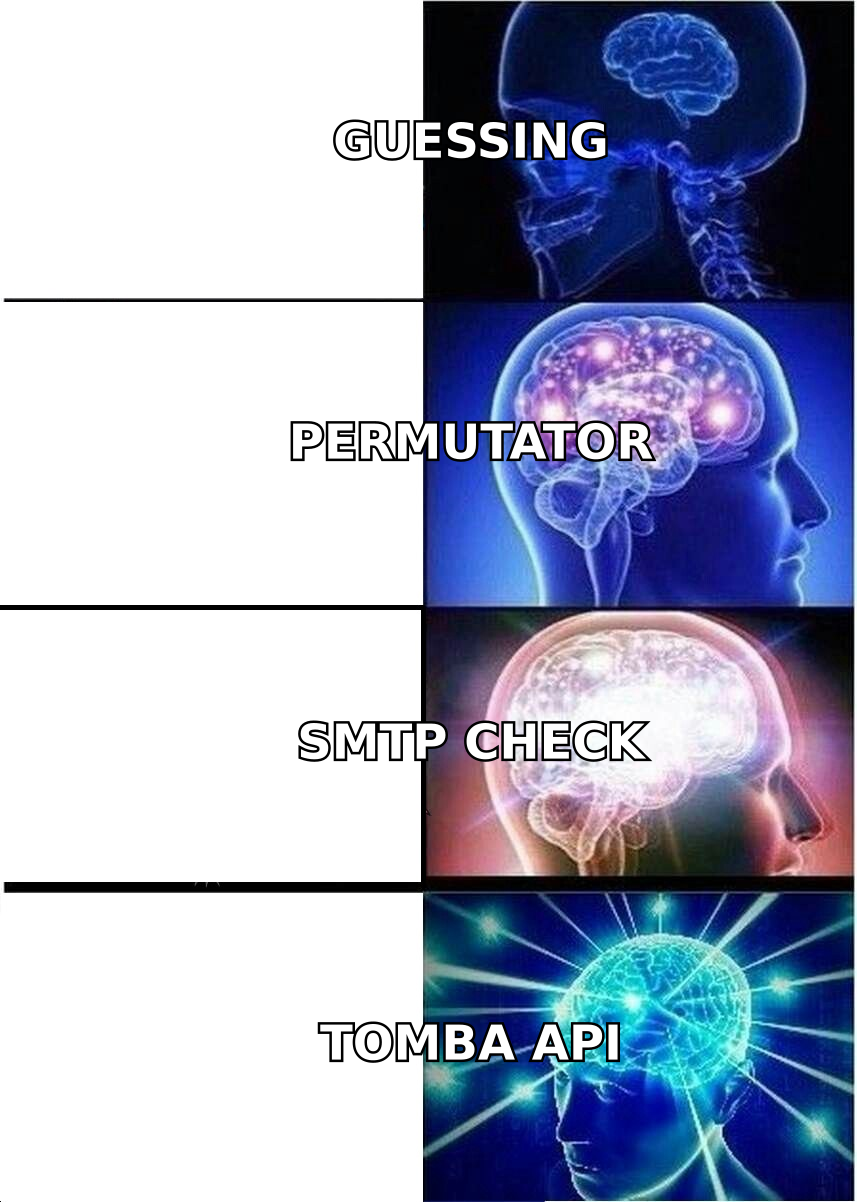
Once the pattern is known — first.last@, flast@, first@ — the tool can infer addresses for people it has never directly seen, then test those guesses against the receiving mail server before handing them to you.
That two-step structure is the whole game. Step one is discovery (what pattern does this company use, and do I have direct evidence for this person?). Step two is validation (does this mailbox actually accept mail?). Tools that are strong at one and weak at the other produce lists that look great in a spreadsheet and bounce in production.
How does an email finder actually work under the hood?#
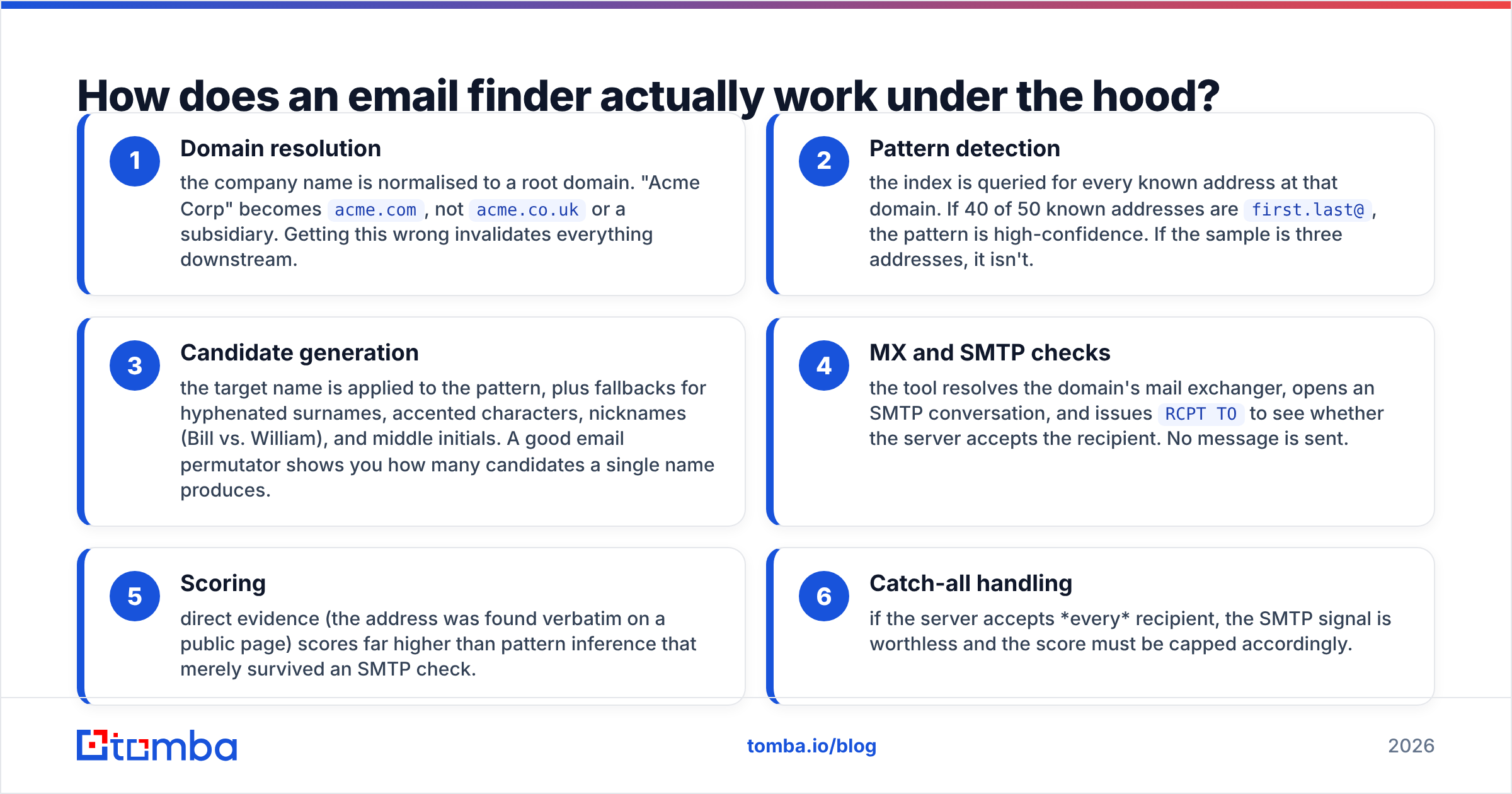
Here's the pipeline most credible vendors run, in order:
- Domain resolution — the company name is normalised to a root domain. "Acme Corp" becomes
acme.com, notacme.co.ukor a subsidiary. Getting this wrong invalidates everything downstream. - Pattern detection — the index is queried for every known address at that domain. If 40 of 50 known addresses are
first.last@, the pattern is high-confidence. If the sample is three addresses, it isn't. - Candidate generation — the target name is applied to the pattern, plus fallbacks for hyphenated surnames, accented characters, nicknames (Bill vs. William), and middle initials. A good email permutator shows you how many candidates a single name produces.
- MX and SMTP checks — the tool resolves the domain's mail exchanger, opens an SMTP conversation, and issues
RCPT TOto see whether the server accepts the recipient. No message is sent. - Scoring — direct evidence (the address was found verbatim on a public page) scores far higher than pattern inference that merely survived an SMTP check.
- Catch-all handling — if the server accepts every recipient, the SMTP signal is worthless and the score must be capped accordingly.
Steps 4 and 6 are where the tools diverge most. Many providers treat "SMTP accepted" as "valid" and report a 95%+ score. On a catch-all domain that claim is meaningless, and roughly a fifth of mid-market and enterprise domains are catch-all.

Why are "accuracy" claims so misleading?#
Because nobody publishes the denominator.
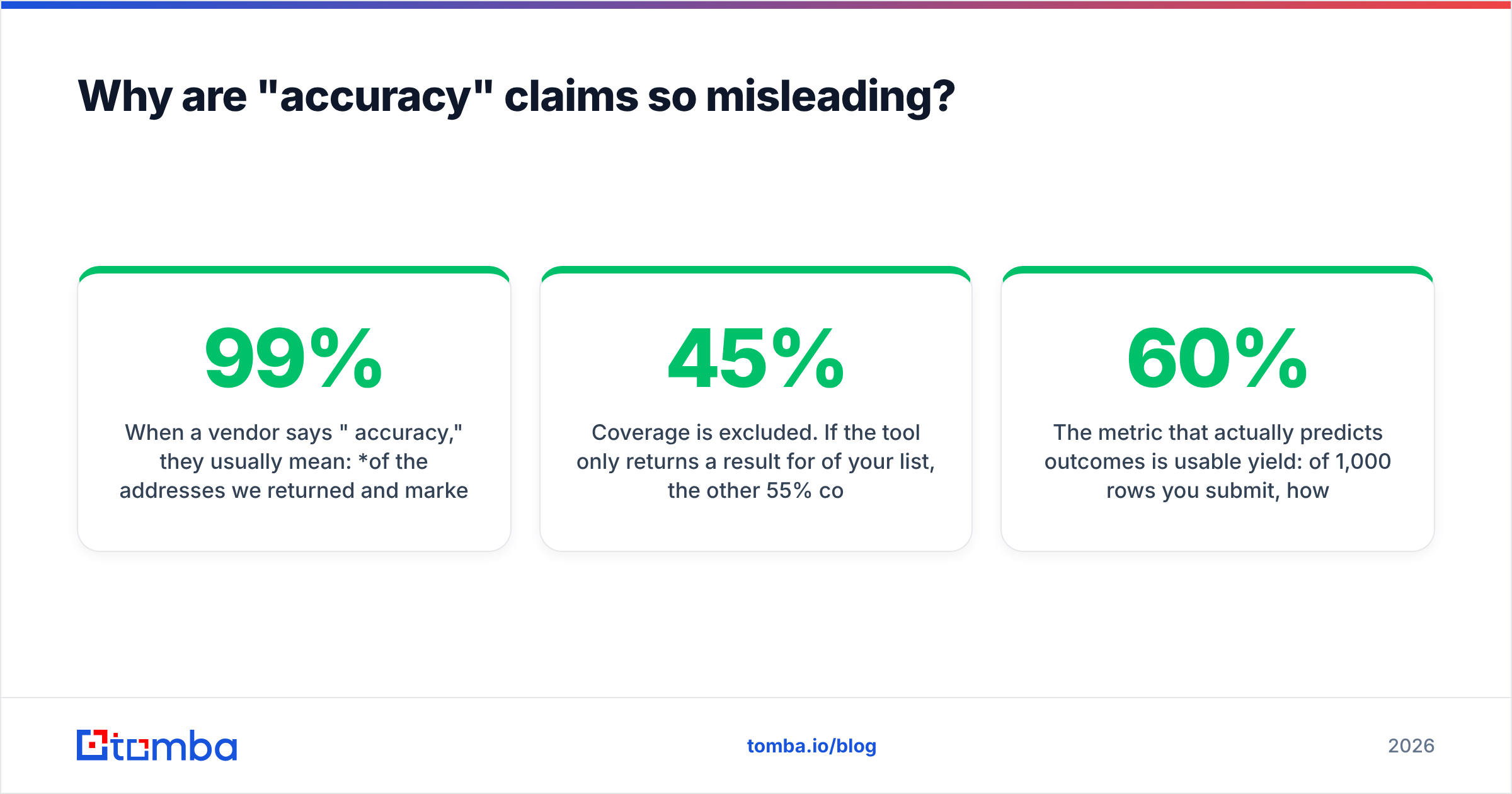
When a vendor says "99% accuracy," they usually mean: of the addresses we returned and marked valid, 99% did not hard-bounce in our internal test. That sentence hides three things:
- Coverage is excluded. If the tool only returns a result for 45% of your list, the other 55% costs you nothing in "accuracy" and everything in pipeline.
- The test list is theirs. Vendor benchmarks skew toward large, well-indexed US tech companies. Your list of 300-person German manufacturers will behave differently.
- Catch-alls are often dropped. Excluding the hardest cases from the sample inflates the number by several points.
The metric that actually predicts outcomes is usable yield: of 1,000 rows you submit, how many produce an address that lands in an inbox? A tool with 60% coverage and a 3% bounce rate beats one with 40% coverage and a 1% bounce rate, and neither number alone tells you that.
Test it yourself. Take 100 contacts you can independently confirm — customers, past employers, people who've emailed you — strip the addresses, run them through each finder's free tier, and score the results. Every vendor on this list has a free tier large enough for that test, so the experiment costs you an afternoon and nothing else.
How do the major email finders compare in 2026?#
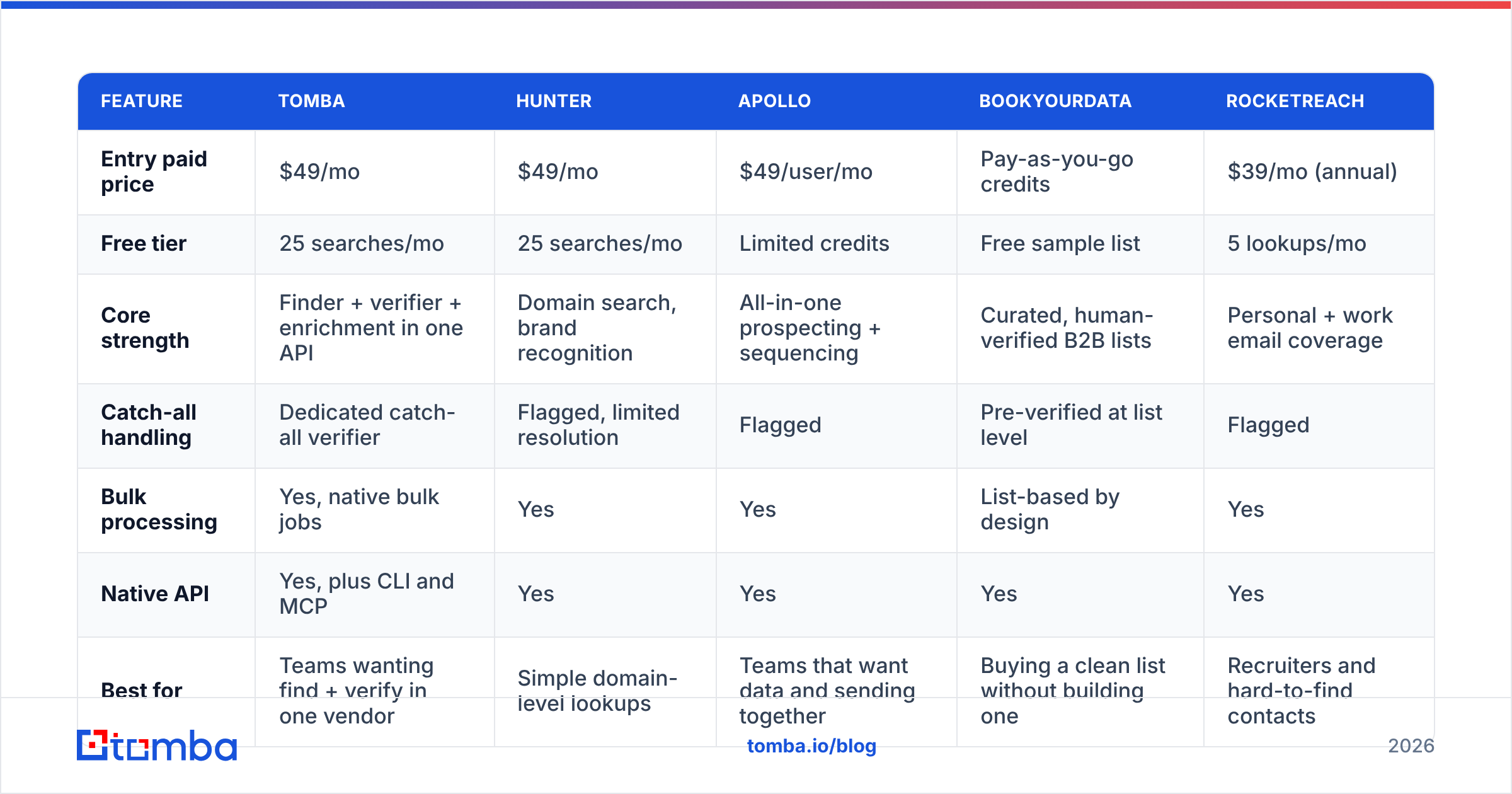
| Feature | Tomba | Hunter | Apollo | BookYourData | RocketReach |
|---|---|---|---|---|---|
| Entry paid price | $49/mo | $49/mo | $49/user/mo | Pay-as-you-go credits | $39/mo (annual) |
| Free tier | 25 searches/mo | 25 searches/mo | Limited credits | Free sample list | 5 lookups/mo |
| Core strength | Finder + verifier + enrichment in one API | Domain search, brand recognition | All-in-one prospecting + sequencing | Curated, human-verified B2B lists | Personal + work email coverage |
| Catch-all handling | Dedicated catch-all verifier | Flagged, limited resolution | Flagged | Pre-verified at list level | Flagged |
| Bulk processing | Yes, native bulk jobs | Yes | Yes | List-based by design | Yes |
| Native API | Yes, plus CLI and MCP | Yes | Yes | Yes | Yes |
| Best for | Teams wanting find + verify in one vendor | Simple domain-level lookups | Teams that want data and sending together | Buying a clean list without building one | Recruiters and hard-to-find contacts |
A few honest notes on that table:
Apollo bundles the database with a sequencer, which is genuinely convenient if you want one bill. The trade-off is that per-seat pricing scales badly for a five-person team that only needs data, and export limits on lower tiers frustrate people who want to own their records. If that's the blocker, the Apollo alternative comparison covers the migration path.
BookYourData works differently from the rest — it sells curated, pre-verified lists rather than a lookup API you query row by row. For teams that want a clean ICP-matched list delivered without building a pipeline, that model is a legitimately better fit, and their verification standard is strict. It's a different purchase, not a worse one.
Hunter remains the most recognised name and is excellent at domain-level discovery. Verification depth is where teams tend to add a second vendor.
RocketReach indexes personal emails and phone numbers more aggressively, which recruiters value and B2B sellers often don't need.
Tomba covers email finder, email verifier, domain search, and data enrichment under one key, with a dedicated catch-all verifier — the piece most single-purpose finders skip.

What does an email finder cost, really?#
Sticker price is the smallest variable. Three things move your real cost per usable contact:
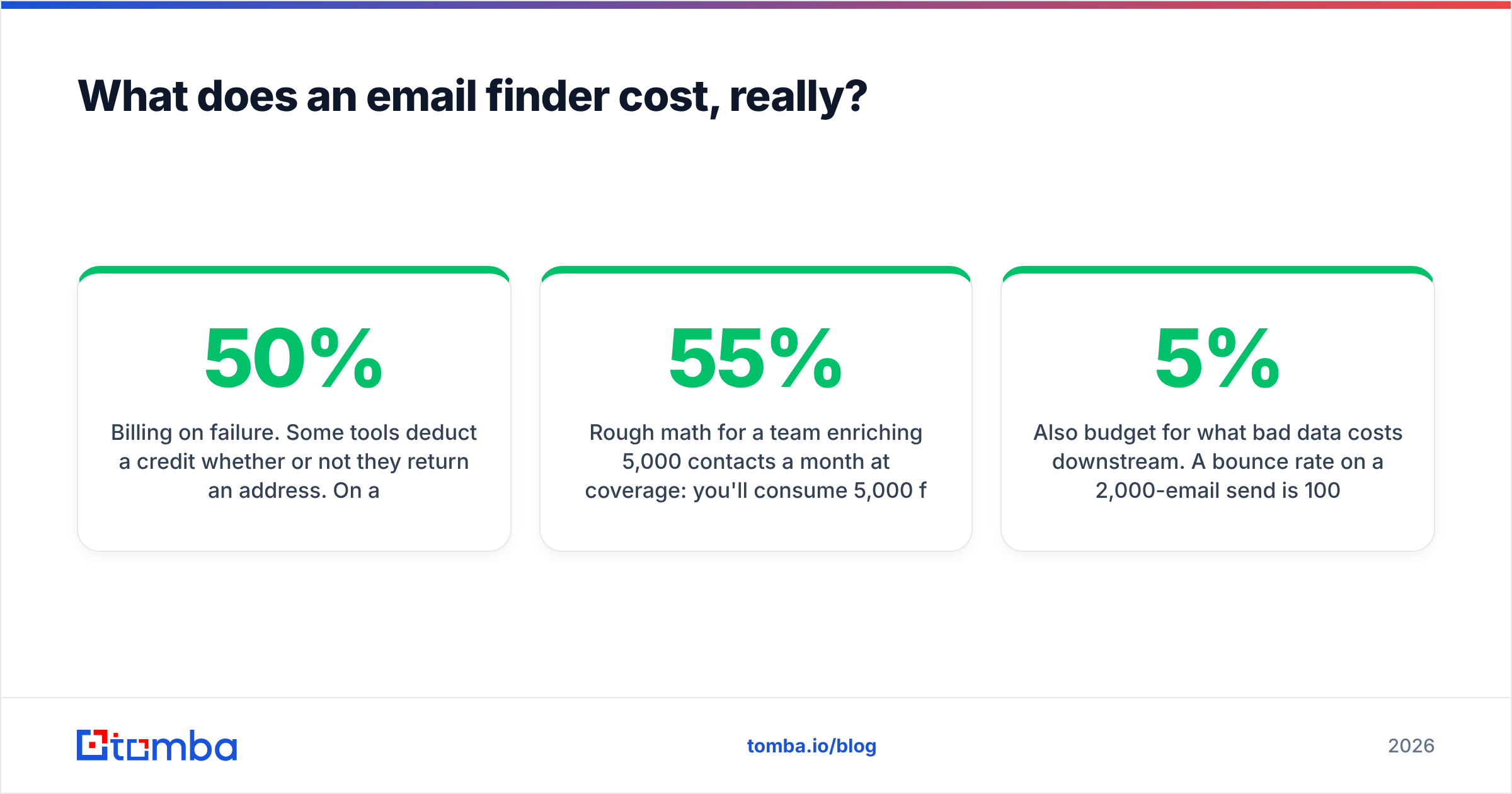
- Billing on failure. Some tools deduct a credit whether or not they return an address. On a list with 50% coverage, that doubles your effective price. Check the Tomba pricing page and every competitor's terms for the phrase "successful results only."
- Verification double-charging. If finding costs one credit and verifying the same address costs another, budget for two. Vendors that bundle verification into the find are cheaper than they look.
- Seat multiplication. Per-user pricing means a team of six pays six times over for a shared dataset. Credit-pooled plans don't.
Rough math for a team enriching 5,000 contacts a month at 55% coverage: you'll consume 5,000 find operations and about 2,750 verifications. On a bundled $99/mo plan that's fully covered. On a per-seat tool with separate verification credits, the same work often lands north of $300.
Also budget for what bad data costs downstream. A 5% bounce rate on a 2,000-email send is 100 hard bounces, and Google and Microsoft both treat sustained bounce rates above roughly 2% as a spam signal. The verification pass isn't a nice-to-have line item; it's cheaper than rebuilding sender reputation.
Is finding an email the same as verifying it?#
No, and conflating the two is the single most expensive mistake in outbound.
Finding answers: what is this person's likely address? Verifying answers: will mail sent to this address be accepted right now?
An address can be found correctly and still be dead — the person left six months ago, the alias was retired, the mailbox is full, or the domain now routes to a spam trap. Verification catches all of those. It runs a syntax check, an MX lookup, a disposable-domain check, a role-account check (info@, sales@, support@), and an SMTP handshake.
Four rules that hold across every tool:
- Verify at send time, not at find time. A list verified in January is stale by April. B2B email churn runs roughly 2–3% per month as people change jobs.
- Treat catch-all results as unconfirmed. They aren't invalid — they're unknown. Either resolve them with a catch-all finder or send to them in a separate, isolated segment.
- Drop role accounts from cold outbound. They route to shared inboxes, get flagged aggressively, and rarely convert.
- Never send to an address with a low confidence score. Cheap in credits, expensive in email deliverability.
If you want to sanity-check a single address before committing, run it through a free email checker first.
When should you not use an email finder?#
Three situations where a finder is the wrong tool:
You need volume more than precision. If your ICP is "any SaaS company in DACH with 50–200 employees," you want a database export or a curated list vendor, not row-by-row lookups. Start from a B2B database and filter down.
Your targets are consumer contacts. Email finders index professional addresses tied to company domains. They perform poorly on personal Gmail accounts, and using them that way raises consent problems under GDPR and CAN-SPAM.
You already have the person's email in your CRM. Deduplicate before enriching. Teams routinely burn 15–20% of their credits re-finding records they already own. A remove duplicates pass before every batch pays for itself immediately.
What should you look for when choosing one?#
Score candidates on these six, in this order:
- Coverage on your actual list — run the 100-contact test above. Nothing else substitutes for it.
- A meaningful confidence score — one that distinguishes "found on a public page" from "pattern-inferred and SMTP-accepted." A single 0–100 number with no explanation is decoration.
- Catch-all transparency — the tool should say "this is a catch-all domain, treat with caution," not silently return 95%.
- Billing on success only — check the terms, not the marketing page.
- API and workflow fit — a REST email finder API, a Chrome extension, or a Google Sheets add-on, depending on how your team actually works. Reviews on G2 are useful for spotting workflow complaints that vendor pages hide.
- Compliance posture — GDPR data-processing terms, a documented lawful basis, and a working suppression/opt-out mechanism. HubSpot's GDPR guidance is a reasonable baseline for what your process should cover, and the Wikipedia entry on email verification is a decent primer on why SMTP checks are probabilistic rather than definitive.
What does a good workflow look like end to end?#
- Build the target account list from firmographic filters, not from a scraped blob.
- Deduplicate against your CRM before spending a single credit.
- Run domain search on each account to learn the naming pattern and surface known contacts.
- Run the finder on named targets you don't already have.
- Verify everything returned, regardless of score.
- Split output into three segments: high-confidence verified, catch-all/unknown, and rejected. Send only to the first at full volume; test the second at low volume from a secondary domain; discard the third.
- Re-verify anything older than 60 days before it goes into a new sequence.
That sequence takes an hour to set up and is the difference between a 1% bounce rate and a blocked domain.
The bottom line#
An email finder is infrastructure, not a growth hack. The good ones are honest about what they don't know — flagging catch-alls, scoring inference differently from evidence, and billing only when they deliver. The bad ones return a number that makes you feel confident right up until your bounce rate spikes.
Pick based on coverage against your own list, verification depth, and whether the credit model punishes you for misses. Then verify before every send, no exceptions.
If you want find, verify, and catch-all handling from one vendor and one API key, start with the Tomba Email Finder. The free tier gives you 25 searches a month — enough to run the 100-contact accuracy test across a few vendors before you commit a budget to any of them.
Related guides#
Ready to find emails that actually work?
Join 150,000+ professionals who stopped guessing and started sending. Free credits on signup — no credit card required.
Get the Tomba newsletter
Practical outbound tactics and product updates — once every two weeks.
About the author