Email Format Checker Online: How to Validate Any Address
Syntax checks catch typos. They don't catch dead mailboxes. Here's what an email format checker online actually validates, where it stops, and what you need after it.
TL;DR
- An email format checker online validates syntax — that an address is structurally legal under RFC 5322. It does not prove a mailbox exists.
- Roughly 2–5% of typed addresses fail on format alone (missing @, double dots, trailing spaces). Format checking catches those in milliseconds and for free.
- The bigger problem — dead mailboxes, role accounts, spam traps, catch-all domains — needs MX lookups and SMTP-level verification, which no regex can do.
- Use a format checker at the point of input (signup forms, CSV imports) and a verifier before you send. They are different jobs.
- Tomba's free email checker runs syntax plus MX and mailbox checks in one pass, so you don't have to stitch two tools together.
What Is an Email Format Checker Online?#
An email format checker online is a tool that reads an email address as a string and answers one question: is this shaped like a valid email address?
Think of it like a bouncer checking that your ID has a photo, a name, and an expiry date. It doesn't call the DMV. It just confirms the card looks like an ID. A format checker confirms sarah.chen@acme.com follows the rules — a local part, an @, a domain with a valid TLD — without ever asking Acme whether Sarah still works there.
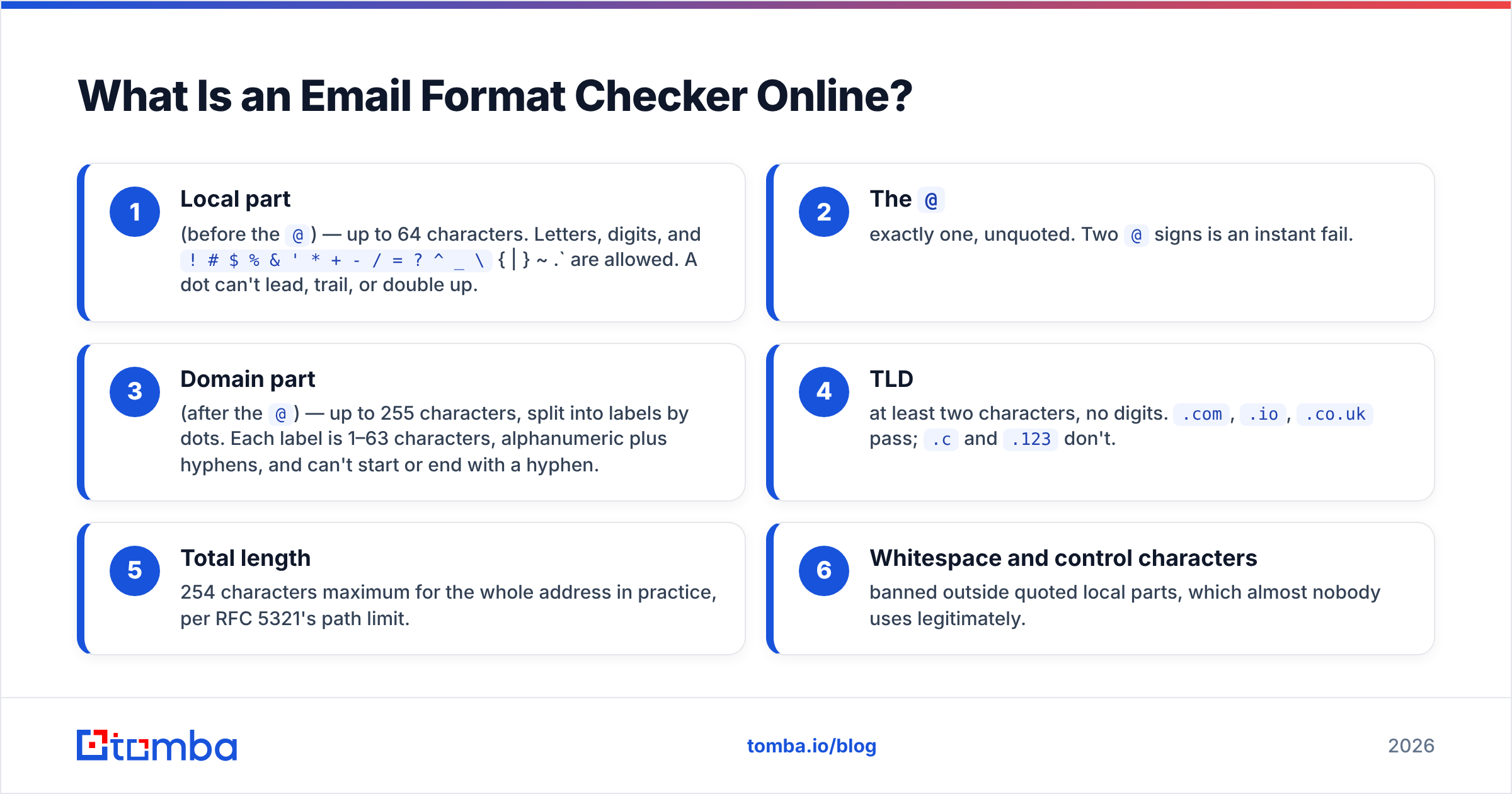
The rules come from RFC 5322 and its relatives. The short version:
- Local part (before the
@) — up to 64 characters. Letters, digits, and! # $ % & ' * + - / = ? ^ _ \{ | } ~ .` are allowed. A dot can't lead, trail, or double up. - The
@— exactly one, unquoted. Two@signs is an instant fail. - Domain part (after the
@) — up to 255 characters, split into labels by dots. Each label is 1–63 characters, alphanumeric plus hyphens, and can't start or end with a hyphen. - TLD — at least two characters, no digits.
.com,.io,.co.ukpass;.cand.123don't. - Total length — 254 characters maximum for the whole address in practice, per RFC 5321's path limit.
- Whitespace and control characters — banned outside quoted local parts, which almost nobody uses legitimately.
That's it. That's the entire scope. Everything else you might want to know about an address lives outside the format layer.
Wait — that image needs the real syntax:
Why Does Format Validation Fail So Often on Real Lists?#
Because humans type, and typing is lossy.
When we look at what actually breaks in imported B2B lists, the failure modes cluster tightly:
- Trailing or leading whitespace — copy-paste from a PDF or spreadsheet cell. Invisible, and it breaks the send.
- Missing TLD —
john@acmeinstead ofjohn@acme.com. Common when someone abbreviates internally. - Double dots —
john..smith@acme.com. Usually a permutation script gone wrong. - Concatenated addresses —
john@acme.comjane@acme.com, the classic result of a bad CSV parse. - Display name leakage —
John Smith <john@acme.com>pasted straight from an email client. - Unicode lookalikes — a Cyrillic
аin place of a Latina. Renders identically, resolves to nothing.
None of these require a network call to catch. That's the appeal of a format checker: zero latency, zero cost, and it removes the garbage before it pollutes anything downstream. If you're building a signup form, running format validation client-side is table stakes — Mailchimp and HubSpot both do it inline, before the submit button is even active.
The mistake is stopping there.
Is a Format Checker the Same as an Email Verifier?#
No, and conflating the two is how bounce rates get to 12%.
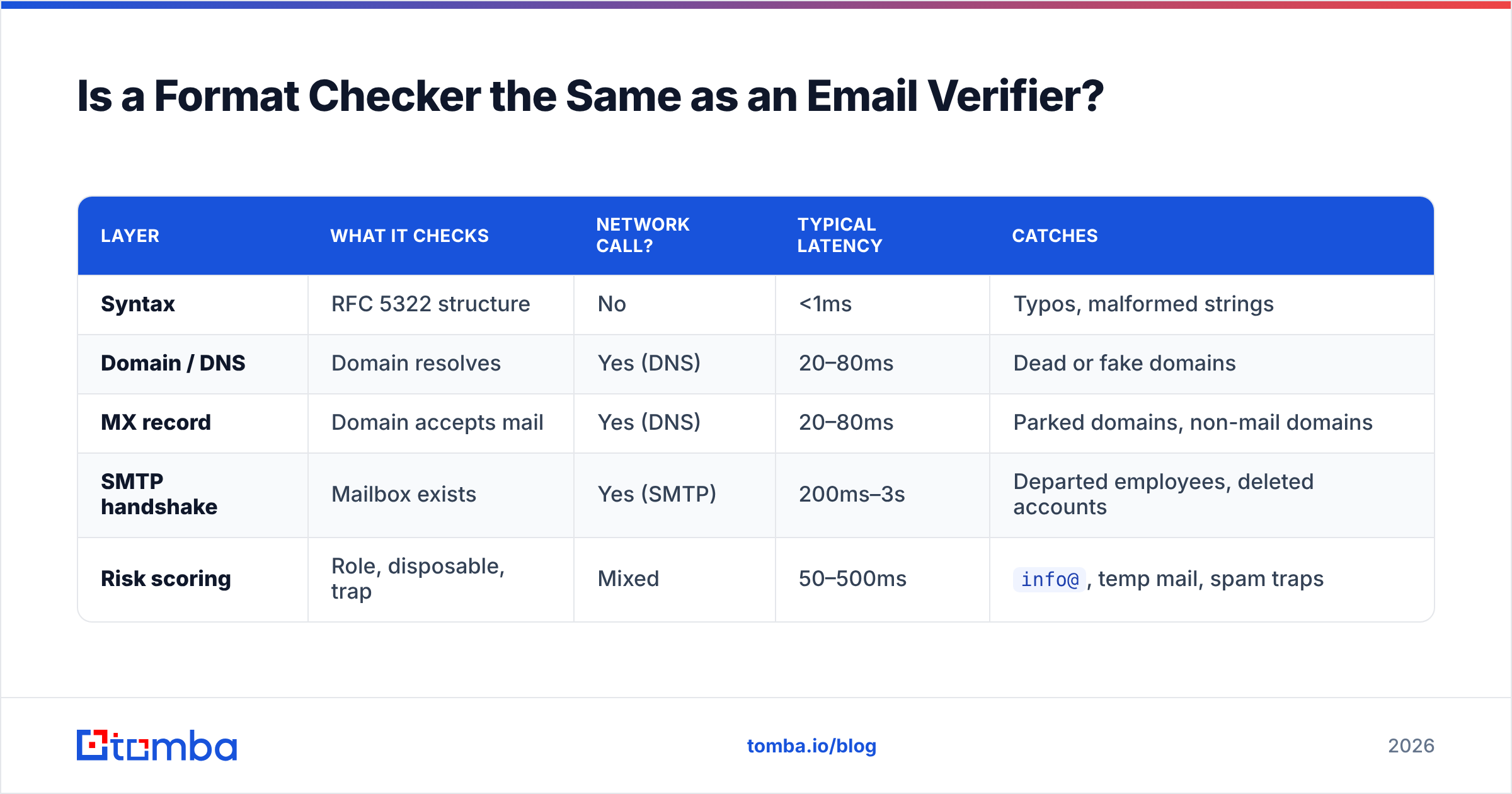
A format checker is a string operation. A verifier is a network operation. Here's the layered breakdown:
| Layer | What it checks | Network call? | Typical latency | Catches |
|---|---|---|---|---|
| Syntax | RFC 5322 structure | No | <1ms | Typos, malformed strings |
| Domain / DNS | Domain resolves | Yes (DNS) | 20–80ms | Dead or fake domains |
| MX record | Domain accepts mail | Yes (DNS) | 20–80ms | Parked domains, non-mail domains |
| SMTP handshake | Mailbox exists | Yes (SMTP) | 200ms–3s | Departed employees, deleted accounts |
| Risk scoring | Role, disposable, trap | Mixed | 50–500ms | info@, temp mail, spam traps |
A format checker only touches row one. Everything from row two down requires infrastructure — DNS resolvers, SMTP connection pools, IP rotation to avoid rate limits, and a maintained database of disposable domains and known traps.
That's the honest reason free format checkers are free and verifiers cost money. One is if (regex.test(str)). The other is a distributed system.
Where the money actually leaks#
Say you import 10,000 leads. Format checking flags 300 (3%) as malformed. You feel good, you clean them, you send.
Then reality: another 1,800 of the remaining 9,700 are format-perfect but dead — the person left, the mailbox was deleted, the domain was acquired and consolidated. That's an 18.5% hard bounce rate. Google and Microsoft's 2024 bulk-sender rules put the acceptable threshold at under 0.3% spam complaints, and mailbox providers treat sustained hard bounces above ~2% as a sender-reputation problem. You've just torched your domain to save $49.
This is why email deliverability practitioners treat format validation as step zero, not step one.
What Does a Good Email Format Checker Online Do Beyond Regex?#
The better tools in this category add checks that are still local-ish but far more useful than raw pattern matching.
Normalization. Strip whitespace, lowercase the domain (the local part is technically case-sensitive but virtually no provider enforces it), remove display-name wrappers, and decode common HTML entities. A checker that returns "invalid" for john@acme.com instead of quietly trimming it is creating work.
Gmail alias handling. john.smith+leads@gmail.com, johnsmith@gmail.com, and john.smith@gmail.com are the same inbox. If you're deduping, you need canonicalization, not just syntax. Our Gmail alias checker exists specifically for this.
Homoglyph detection. Flagging mixed-script domains catches the Cyrillic-а class of problem that regex passes cleanly.
Role-account flagging. info@, support@, sales@, admin@, noreply@ are syntactically perfect and terrible outreach targets. Most have low engagement, and some are monitored by abuse desks. A checker that labels them saves you from yourself.
Disposable-domain lookup. Mailinator, Guerrilla Mail, 10minutemail, and roughly 4,000 rotating others. This needs a maintained list, which is where "pure format checker" starts blurring into "verifier."
Pattern inference. If you know firstname.lastname@acme.com is the house format, a checker can tell you whether a candidate address conforms. Tomba's company email pattern tool does exactly this — it reports the dominant format for a domain so you can sanity-check guesses before verifying them.
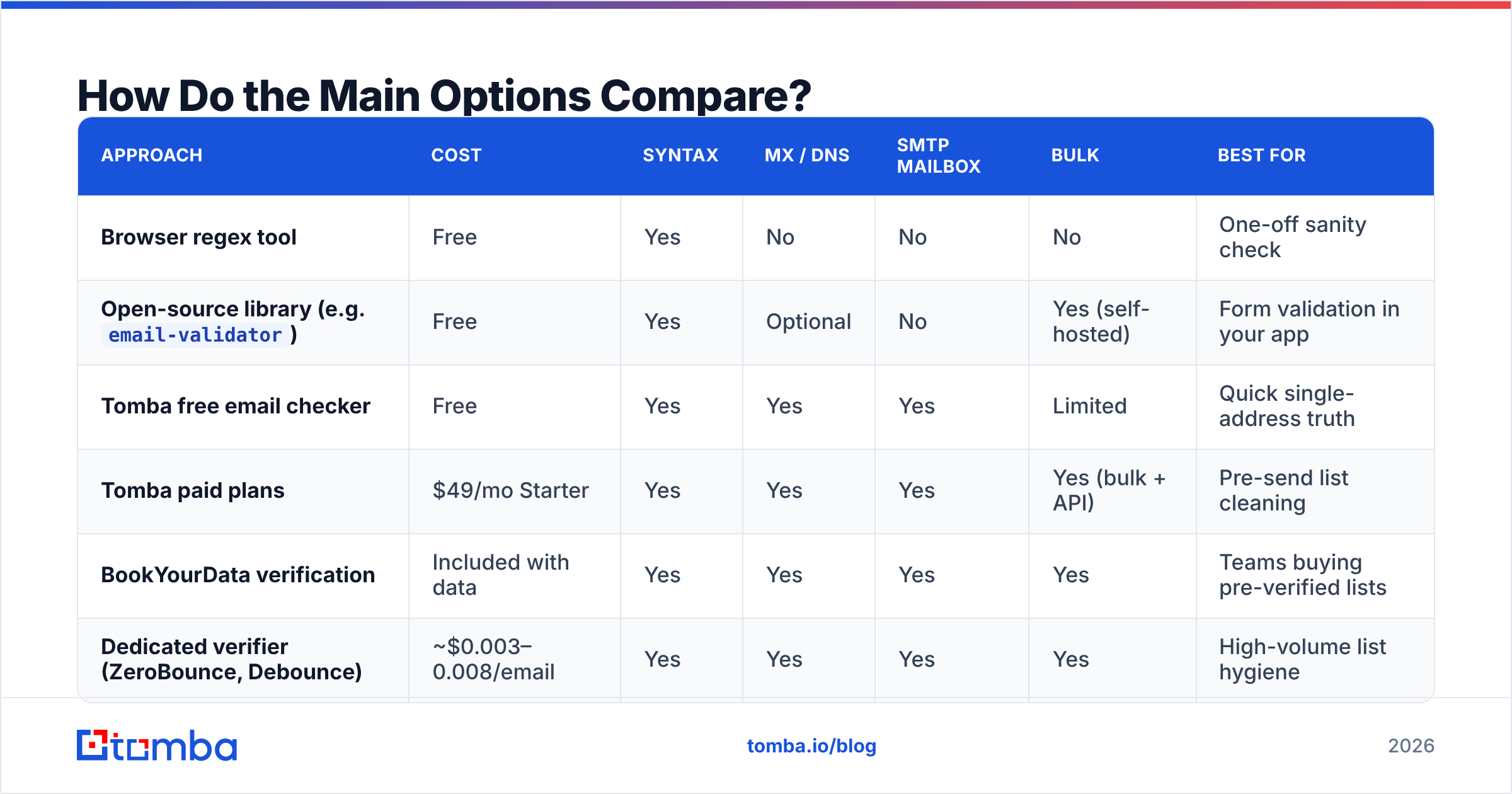
How Do the Main Options Compare?#
Below is how the common approaches stack up. "Free tool" means a browser-based single-address checker; "library" means something you embed in code; "API verifier" means a paid service with network-level checks.
| Approach | Cost | Syntax | MX / DNS | SMTP mailbox | Bulk | Best for |
|---|---|---|---|---|---|---|
| Browser regex tool | Free | Yes | No | No | No | One-off sanity check |
Open-source library (e.g. email-validator) |
Free | Yes | Optional | No | Yes (self-hosted) | Form validation in your app |
| Tomba free email checker | Free | Yes | Yes | Yes | Limited | Quick single-address truth |
| Tomba paid plans | $49/mo Starter | Yes | Yes | Yes | Yes (bulk + API) | Pre-send list cleaning |
| BookYourData verification | Included with data | Yes | Yes | Yes | Yes | Teams buying pre-verified lists |
| Dedicated verifier (ZeroBounce, Debounce) | ~$0.003–0.008/email | Yes | Yes | Yes | Yes | High-volume list hygiene |
A few notes on reading that table honestly.
If all you need is "does this one address look right," a free browser tool is genuinely sufficient and you should not pay for anything. The paid tier only earns its keep when you're sending at volume and a bounce costs you reputation.
BookYourData takes a different angle worth knowing about: rather than verifying a list you already have, they sell contact data that's verified at the point of purchase, with a bounce guarantee attached. If your problem is "I don't have a list yet," that's a cleaner path than sourcing then scrubbing. If your problem is "I have 40,000 rows of unknown quality from three CRMs," you want a verifier.
For teams already sourcing addresses, the format check and the verification collapse into one step — Tomba's email verifier returns syntax, MX, SMTP, role, disposable, and catch-all status in a single response, so there's no reason to run a separate format pass first.
When Should You Run Each Check?#
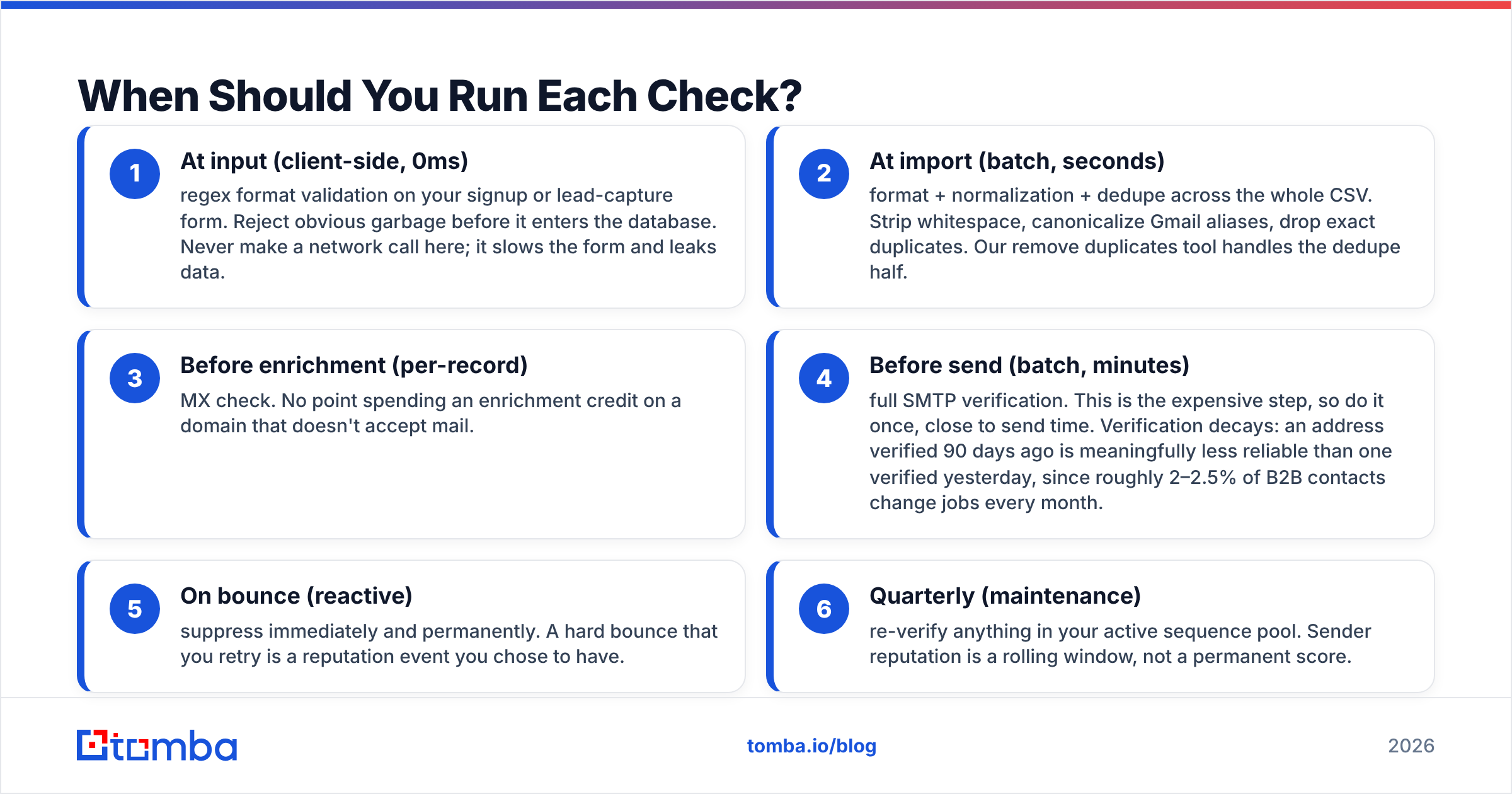
Sequence matters more than tool choice. Run the cheap checks early and the expensive ones late.
- At input (client-side, 0ms) — regex format validation on your signup or lead-capture form. Reject obvious garbage before it enters the database. Never make a network call here; it slows the form and leaks data.
- At import (batch, seconds) — format + normalization + dedupe across the whole CSV. Strip whitespace, canonicalize Gmail aliases, drop exact duplicates. Our remove duplicates tool handles the dedupe half.
- Before enrichment (per-record) — MX check. No point spending an enrichment credit on a domain that doesn't accept mail.
- Before send (batch, minutes) — full SMTP verification. This is the expensive step, so do it once, close to send time. Verification decays: an address verified 90 days ago is meaningfully less reliable than one verified yesterday, since roughly 2–2.5% of B2B contacts change jobs every month.
- On bounce (reactive) — suppress immediately and permanently. A hard bounce that you retry is a reputation event you chose to have.
- Quarterly (maintenance) — re-verify anything in your active sequence pool. Sender reputation is a rolling window, not a permanent score.
What About Catch-All Domains?#
This is where format checking and even standard SMTP verification both hit a wall, and it's worth understanding because catch-alls are 15–20% of B2B domains.
A catch-all (or "accept-all") domain is configured to accept mail for any local part. Send to asdfghjkl@theirdomain.com and the server says "sure, 250 OK." Which means an SMTP probe tells you nothing — every address at that domain returns valid, including the ones that will silently vanish into a black hole or trigger an abuse complaint.
Standard verifiers mark these as "risky" or "unknown" and hand the decision back to you. That's honest but not helpful when 18% of your list sits in that bucket.
The workarounds:
- Pattern confidence. If you've confirmed the domain uses
first.last@, and your candidate isfirst.last@, your odds are decent even without a definitive SMTP answer. - Cross-source corroboration. An address that appears in a public source (a conference speaker page, a git commit, a press release) is more likely live than one generated by permutation.
- Deeper probing. Some providers, including Tomba's catch-all verifier, run additional heuristics against catch-all domains to separate probable-real from probable-invented, rather than blanket-labeling everything "risky."
- Segment and throttle. Send catch-all addresses in a separate, smaller batch on a secondary domain. If they bounce, your primary sending domain never sees it.
Don't just delete every catch-all contact. Some of the best accounts run catch-all configurations, and deleting the segment means deleting your enterprise pipeline.
How Accurate Are These Tools, Really?#
Be skeptical of any accuracy claim without a stated methodology.
For format checking, accuracy is near-deterministic — the RFC is the RFC. The only variance is strictness. Some validators reject "very.unusual.@.unusual.com"@example.com, which is technically legal under RFC 5322 but which no real mail system will handle gracefully. Over-strict is usually the right call for B2B outreach; you'll never encounter a legitimate quoted local part in a sales context.
For mailbox verification, published accuracy numbers across the category typically land in the 95–99% range on non-catch-all domains, and drop sharply on catch-alls. Independent scoring on G2 is a better signal than vendor self-reports, since it reflects what users experienced on their own lists rather than on a curated benchmark set.
The variable nobody controls for: list age. A verifier tested against fresh, recently-sourced addresses will always outperform one tested against a three-year-old CRM export. When you compare vendors, run the same 1,000-address sample through both and compare on your data. Most providers, Tomba included, give you enough free credits to do exactly that — the free tier includes 25 searches per month, and paid plans start at $49/mo on Tomba pricing if you need volume.
What Should You Actually Do Tomorrow?#
Concrete, in order:
- Add client-side format validation to every form that collects an email. Ten lines of code. Prevents the whitespace and missing-TLD class of problem permanently.
- Stop treating your CRM as verified. Export it, run it through a verifier, and look at the bounce-risk percentage before you build a campaign on top of it.
- Separate your catch-all segment rather than deleting it or blindly sending to it.
- Set a re-verification cadence. Ninety days for active sequence lists, at minimum.
- Check the source, not just the address. An address you found via a maintained domain search starts from a better baseline than one you generated with a permutator and hoped for.
Format checking is the cheapest insurance in outbound. It's also the thinnest. Treat it as the first filter in a stack, and the rest of your deliverability work gets easier.
Start with real addresses, not guesses. If you're spending time cleaning malformed emails, the upstream problem is usually how the addresses were sourced. Tomba's Email Finder returns addresses that are already format-valid, MX-checked, and confidence-scored at the moment you find them — 25 free searches a month to test it against your own target accounts, and $49/mo when you're ready for volume. Fewer bounces, less scrubbing, and a sender reputation you don't have to rebuild.
Related guides#
Ready to find emails that actually work?
Join 150,000+ professionals who stopped guessing and started sending. Free credits on signup — no credit card required.
Get the Tomba newsletter
Practical outbound tactics and product updates — once every two weeks.
About the author