Email Hunter 2026: How to Find and Verify B2B Emails
An email hunter can hand you 500 addresses in a minute — and 200 of them can be wrong. Here's how these tools actually work in 2026, what accuracy claims really mean, and how the main options compare on price and coverage.
TL;DR
- An "email hunter" is any tool that takes a name, domain, or LinkedIn profile and returns a work email address. The category name comes from Hunter.io, but it now covers a dozen serious vendors.
- Finding is the easy part. Verification is where tools separate: pattern-guessing without SMTP validation is how you end up with a 30–40% bounce rate.
- Accuracy claims of "95%+" are usually measured on easy domains — mid-market SaaS in the US. Test on your ICP before you commit to an annual plan.
- Credit models differ more than sticker prices. A $49/mo plan that charges credits for failed searches can cost more than a $99/mo plan that doesn't.
- Match the tool to the workflow: bulk CSV enrichment, browser-extension prospecting, and API-driven enrichment are three different jobs.
What is an email hunter?#
An email hunter is a tool that resolves a person plus a company into a deliverable business email address. You give it something you already have — "Sarah Chen, stripe.com" or a LinkedIn URL — and it gives you sarah.chen@stripe.com with a confidence score attached.
The term is generic now, the way "xerox" became generic for photocopying. It was originally shorthand for Hunter.io, one of the first tools to make domain-level email discovery mainstream. Today it describes a category: email finders, domain search tools, LinkedIn email extractors, and enrichment APIs that all solve the same core problem.
That problem is bigger than it looks. Company email formats aren't standardized. Some firms use first.last@, some use flast@, some use first@, and plenty of enterprises run two or three formats simultaneously after acquisitions. A tool that assumes one pattern per domain will be confidently wrong on a predictable slice of your list.
The useful mental model: an email hunter is a librarian, not an oracle. It doesn't know Sarah's address. It searches everything it has indexed, infers the most probable format, then tries to confirm the guess against the receiving mail server. The quality of a tool is the quality of those three steps.
How does an email hunter actually find an address?#
Every credible tool runs some version of this pipeline. Understanding it tells you where a given vendor is likely to fail.
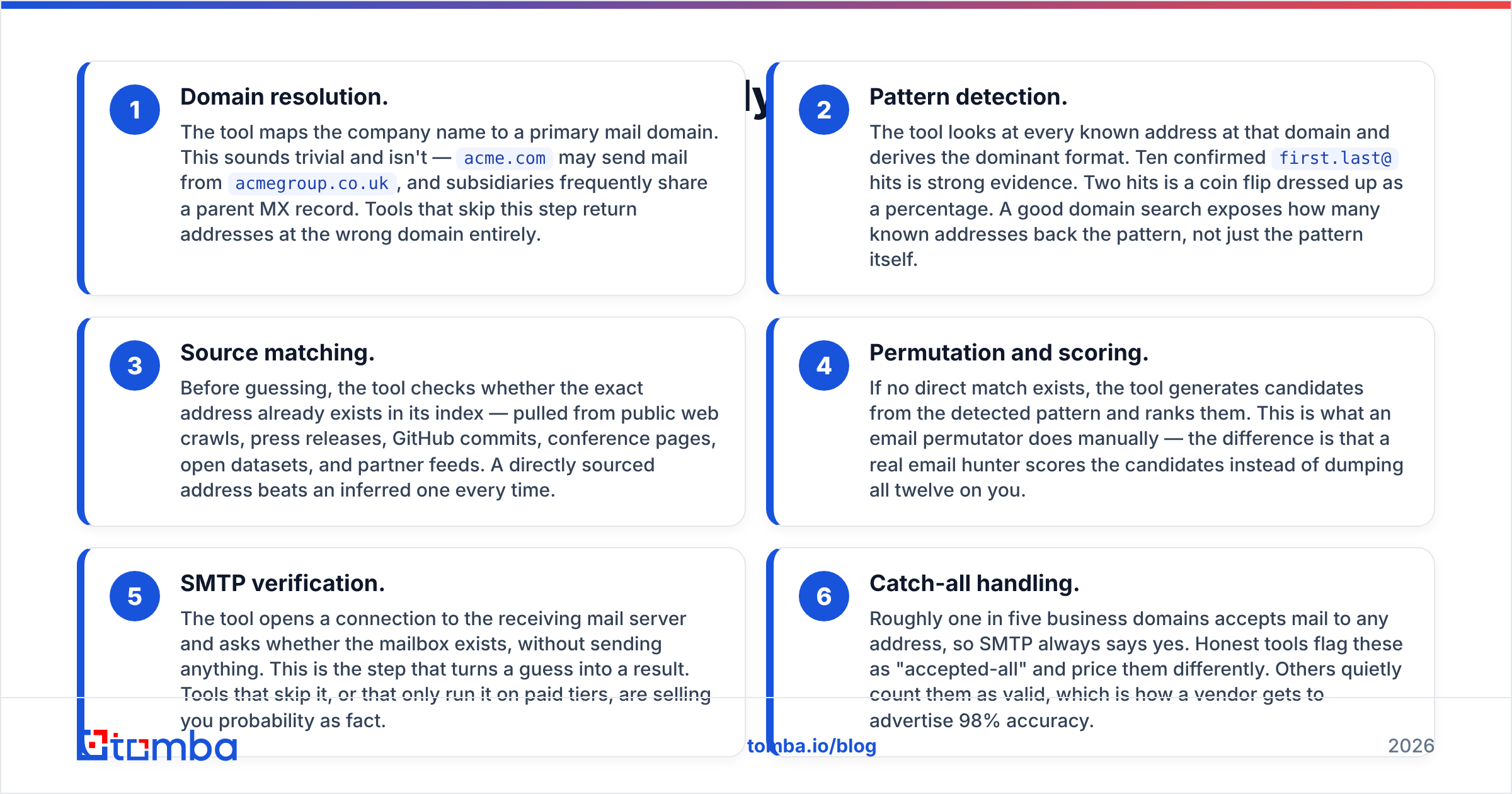
- Domain resolution. The tool maps the company name to a primary mail domain. This sounds trivial and isn't —
acme.commay send mail fromacmegroup.co.uk, and subsidiaries frequently share a parent MX record. Tools that skip this step return addresses at the wrong domain entirely. - Pattern detection. The tool looks at every known address at that domain and derives the dominant format. Ten confirmed
first.last@hits is strong evidence. Two hits is a coin flip dressed up as a percentage. A good domain search exposes how many known addresses back the pattern, not just the pattern itself. - Source matching. Before guessing, the tool checks whether the exact address already exists in its index — pulled from public web crawls, press releases, GitHub commits, conference pages, open datasets, and partner feeds. A directly sourced address beats an inferred one every time.
- Permutation and scoring. If no direct match exists, the tool generates candidates from the detected pattern and ranks them. This is what an email permutator does manually — the difference is that a real email hunter scores the candidates instead of dumping all twelve on you.
- SMTP verification. The tool opens a connection to the receiving mail server and asks whether the mailbox exists, without sending anything. This is the step that turns a guess into a result. Tools that skip it, or that only run it on paid tiers, are selling you probability as fact.
- Catch-all handling. Roughly one in five business domains accepts mail to any address, so SMTP always says yes. Honest tools flag these as "accepted-all" and price them differently. Others quietly count them as valid, which is how a vendor gets to advertise 98% accuracy.

Why do email hunter accuracy claims vary so much?#
Because nobody agrees on what "accurate" means, and the vendors know it.
Three definitions circulate, and they produce wildly different numbers on the same dataset:
- Hit rate — what percentage of your input rows got any email back. High hit rates are easy to fake by returning low-confidence guesses.
- Deliverability rate — what percentage of returned emails didn't hard-bounce. This is the only number that affects your sender reputation.
- Correctness — what percentage reached the actual person you targeted. An address that delivers to a shared
info@inbox counts as deliverable and is still a failure.
A vendor quoting 98% is almost always quoting deliverability on a filtered set, after removing catch-alls and rows it couldn't resolve. Recalculate against your full input list and the honest number for a good tool in 2026 lands somewhere in the 85–96% range, depending on your target segment.

Segment matters more than brand. Coverage drops sharply for:
- Companies under 20 employees — thin public footprint, fewer confirmed addresses to derive a pattern from.
- Non-US and non-EU domains — index depth follows crawl volume, and crawl volume follows English-language web presence.
- Regulated industries — healthcare, defense, and finance actively suppress directory data.
- Recent job-changers — the address existed six months ago and the index hasn't caught up.
Run a 100-row pilot on your real ICP with two or three tools before you sign anything. Vendor benchmarks are marketing; your bounce log is data.
What should you compare before picking an email hunter?#
Price per credit is the wrong first question. Start with whether the tool charges for failures, whether verification is bundled, and whether it exposes an API you can wire into your stack.
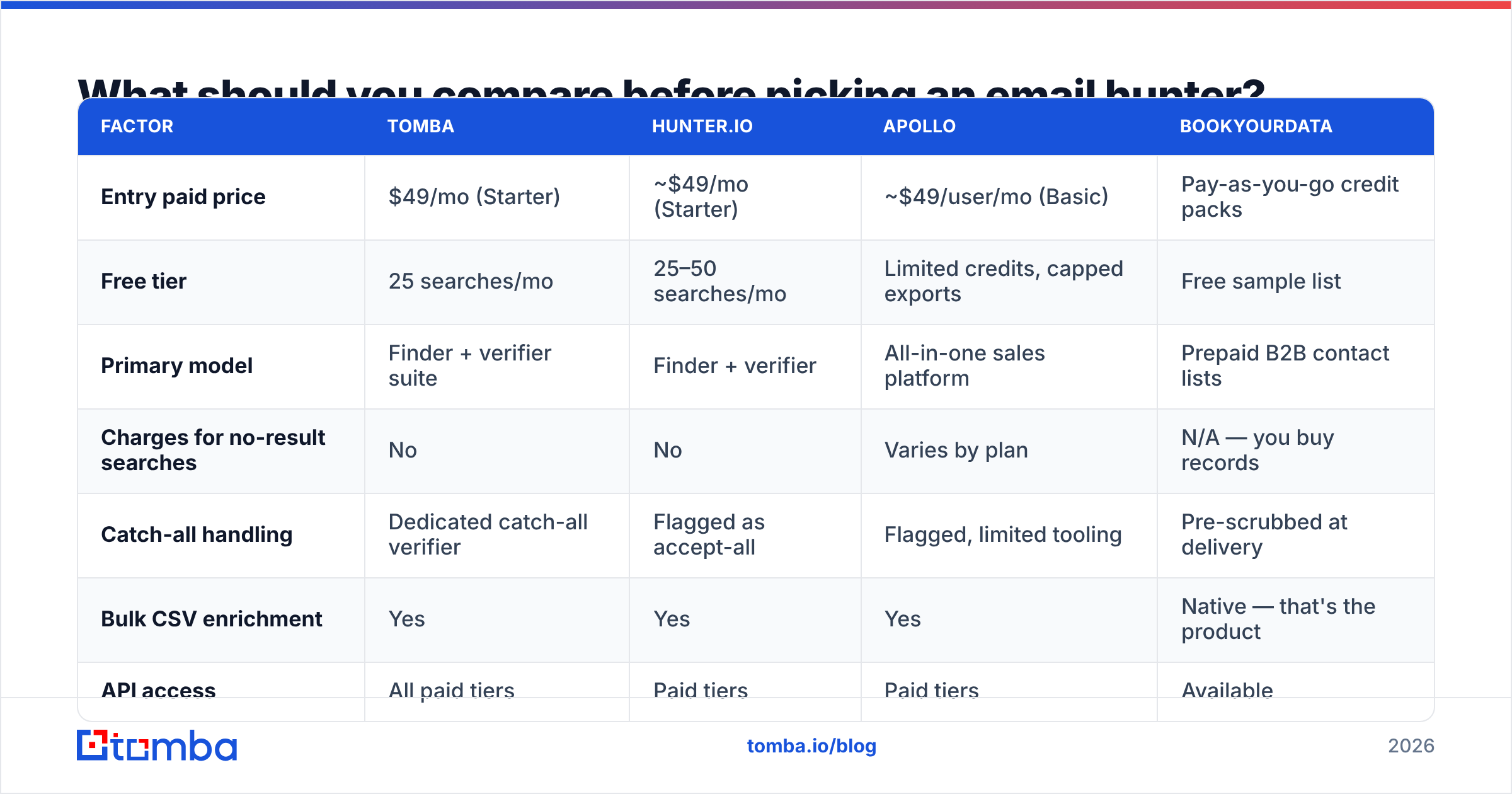
| Factor | Tomba | Hunter.io | Apollo | BookYourData |
|---|---|---|---|---|
| Entry paid price | $49/mo (Starter) | ~$49/mo (Starter) | ~$49/user/mo (Basic) | Pay-as-you-go credit packs |
| Free tier | 25 searches/mo | 25–50 searches/mo | Limited credits, capped exports | Free sample list |
| Primary model | Finder + verifier suite | Finder + verifier | All-in-one sales platform | Prepaid B2B contact lists |
| Charges for no-result searches | No | No | Varies by plan | N/A — you buy records |
| Catch-all handling | Dedicated catch-all verifier | Flagged as accept-all | Flagged, limited tooling | Pre-scrubbed at delivery |
| Bulk CSV enrichment | Yes | Yes | Yes | Native — that's the product |
| API access | All paid tiers | Paid tiers | Paid tiers | Available |
| Best fit | Teams needing find + verify + enrich in one API | Simple domain-level discovery | Teams wanting sequencing in the same tool | Buying a curated list outright |
Two honest notes on that table. Apollo bundles sequencing, dialer, and CRM sync, so comparing it purely on per-email cost undersells it — if you want one platform, the math changes. And BookYourData solves a different problem than the rest: it's a purchased-list model with pre-verified records, which suits teams who'd rather buy 5,000 clean contacts once than run continuous enrichment. Neither is a worse tool; they're answers to different questions.

For most outbound teams, the deciding factor ends up being whether verification is a separate line item. A finder that hands you unverified addresses forces you to buy a second product, and the combined cost usually exceeds a bundled plan. Check Tomba pricing against your monthly volume with verification included, not excluded.
Is a free email hunter good enough?#
For fewer than about 25 lookups a month, yes. Beyond that, free tiers stop being a discount and start being a bottleneck.
Free plans across the category converge on the same limits: 25–50 searches monthly, no API, no bulk upload, and often no CSV export — which means manual copy-paste into your CRM. That's fine for a founder emailing ten prospects a week. It breaks the moment you need 300 contacts for a campaign.
Where free tools genuinely earn their place is validation. A free email checker will tell you whether a single address you found elsewhere is syntactically valid and has a live MX record, at zero cost. That's a real check worth running before you add anything to a sequence.
What you should be skeptical of are the "unlimited free email finder" sites. They're usually running the same permutation logic as a free email generator with no SMTP step behind it. You get twelve plausible addresses and no way to tell which one exists. Sending to all twelve is the single fastest way to get a domain flagged.
How do you use an email hunter without wrecking your deliverability?#
The tool finds addresses. Protecting your domain is your job, and the two most common failures are entirely preventable.
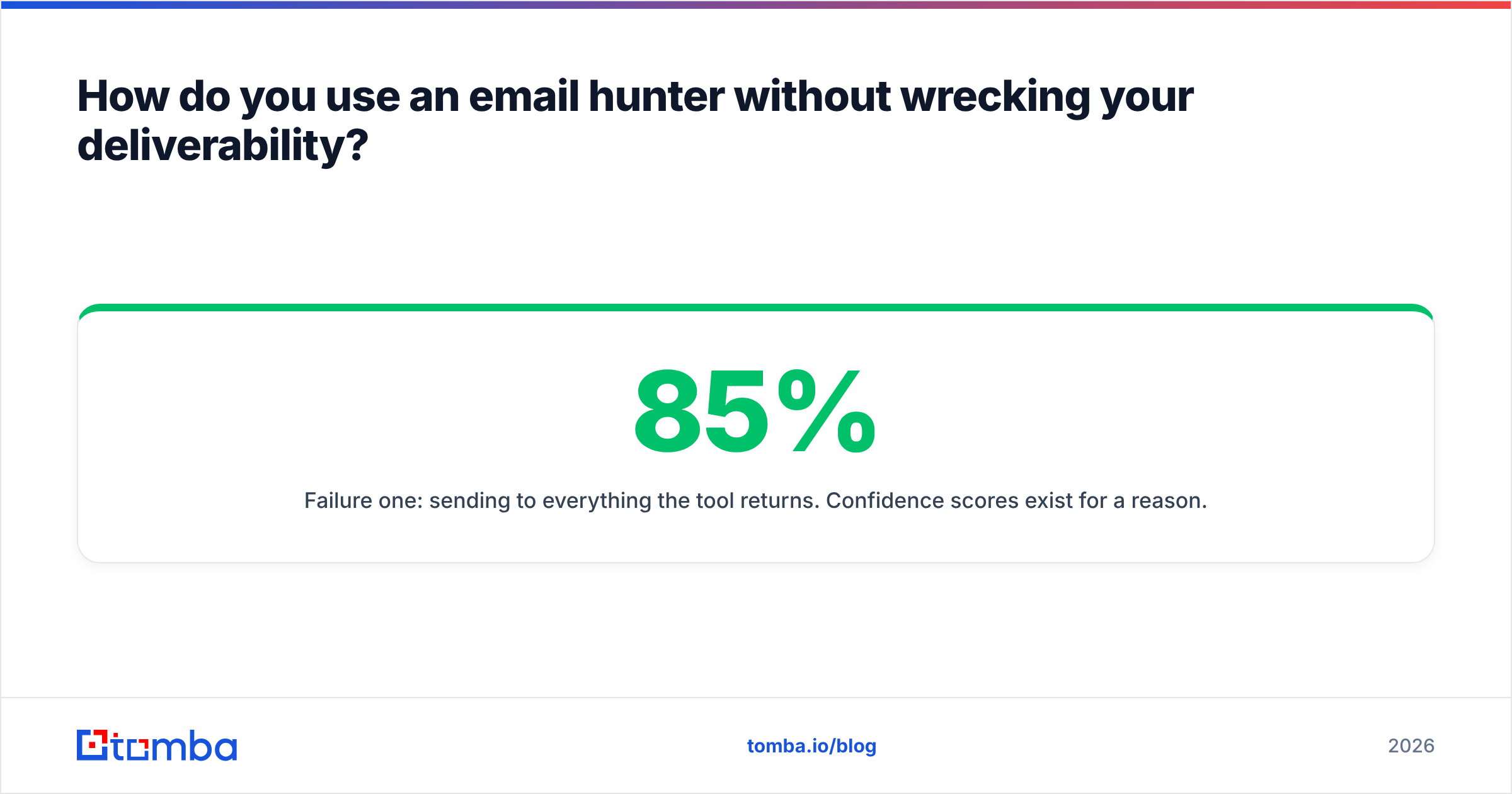
Failure one: sending to everything the tool returns. Confidence scores exist for a reason. Anything below roughly 85% belongs in a separate list you either discard or route through additional verification. A 5% bounce rate is the threshold where mailbox providers start throttling; hitting 15% on a cold domain can cost you weeks of recovery.
Failure two: treating catch-all domains as verified. Catch-all servers accept everything, so SMTP verification returns "valid" for asdfgh@theirdomain.com too. Run those through a dedicated catch-all verifier that uses secondary signals, or segment them into a lower-volume, higher-personalization track where a bounce hurts less.
A workable sequence for any list over a few hundred rows:
- Enrich with the email hunter, keeping the confidence score as a column.
- Split into high-confidence, catch-all, and low-confidence buckets.
- Re-verify the catch-all bucket separately before it touches a sending tool.
- Warm your sending domain to match the volume — the email warmup calculator will tell you how long a ramp to 200/day actually takes.
- Monitor bounce rate per batch, not per campaign. Per-campaign averages hide a single toxic segment.
Anything that damages sender reputation compounds. One bad send week affects deliverability for months, which is a far more expensive mistake than paying for verification credits.
What does an email hunter actually cost in 2026?#
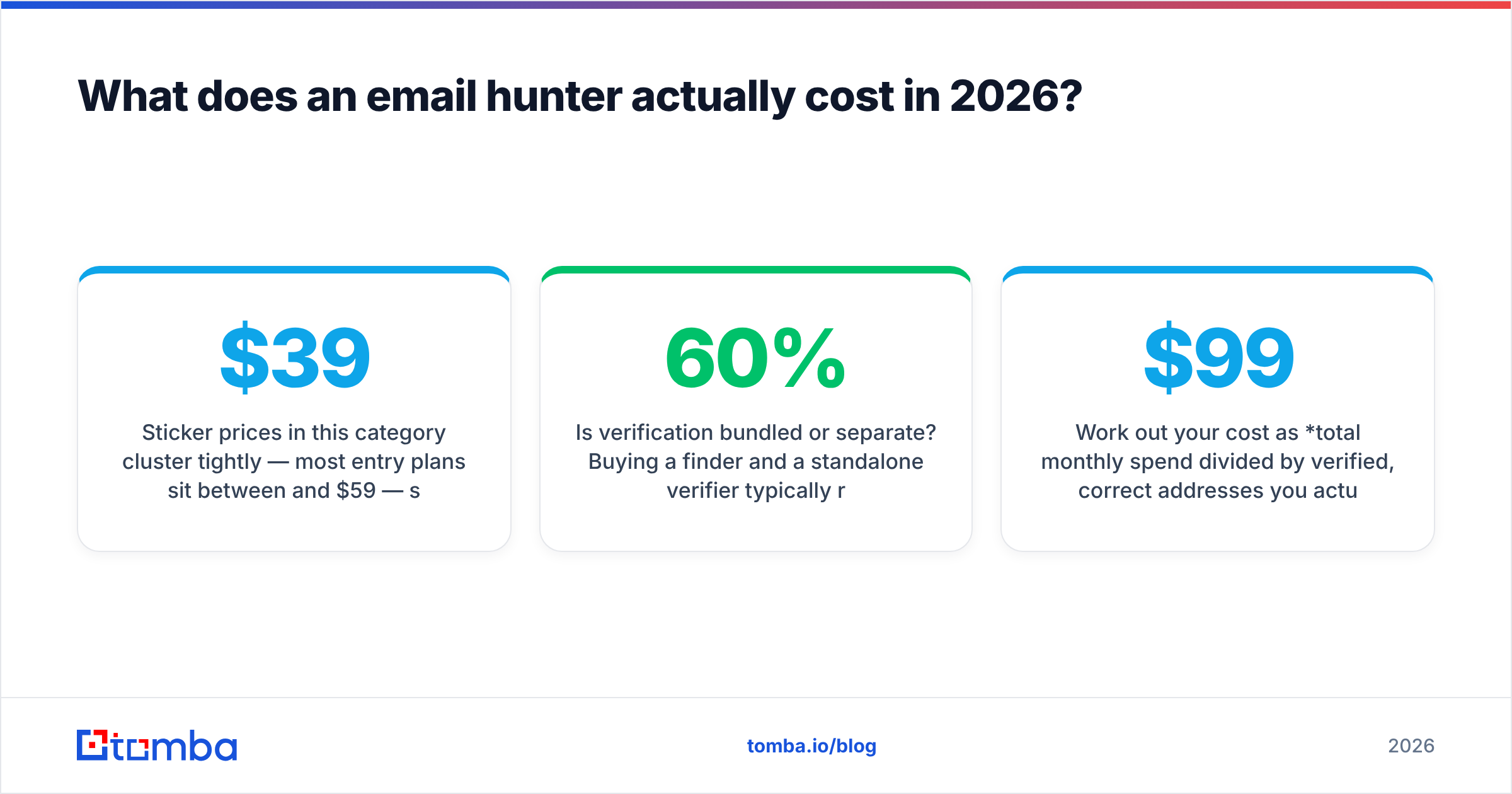
Sticker prices in this category cluster tightly — most entry plans sit between $39 and $59 — so the real cost differences hide in the credit mechanics.
Four questions determine your true cost per usable contact:
- Do failed searches consume credits? Some vendors bill for a lookup that returns nothing. If a third of your list is small non-US companies, that's a third of your budget spent on empty rows.
- Is verification bundled or separate? Buying a finder and a standalone verifier typically runs 40–60% more than a bundled plan at the same volume.
- What happens at overage? Per-credit overage rates can be several times the effective in-plan rate. This is where the surprise invoice comes from.
- Are credits per-seat or per-account? Per-seat pooling matters the moment a second rep joins.
Work out your cost as total monthly spend divided by verified, correct addresses you actually sent to. On that basis a $99/mo plan returning 2,000 clean contacts beats a $49/mo plan returning 600, and the cheaper-looking option is the expensive one.
For teams doing this at scale, the Tomba API matters more than the dashboard: enrichment that runs automatically when a lead enters your CRM eliminates the batch-export-reimport cycle entirely. Check the G2 lead intelligence category for current user reviews across vendors before you decide — buyer reviews surface credit-model complaints that pricing pages never mention.
What are the most common email hunter mistakes?#
- Skipping the pilot. Vendor accuracy stats don't describe your ICP. A hundred rows costs nothing to test and saves an annual contract.
- Ignoring the confidence score. It's the most valuable field in the response and the one most teams strip out during CSV import.
- Hunting the wrong person. A perfectly verified address for someone with no budget authority is a wasted send. Enrich for title and seniority alongside the email.
- Never re-verifying. B2B data decays at roughly 2–3% per month as people change jobs. A list you built in January is meaningfully stale by summer.
- Confusing verification with permission. Under GDPR and similar regimes, a technically valid address doesn't grant a legal basis for contact. Understand the rules for your target geography — the basics of email deliverability are separate from the basics of compliance.
Start with a clean list#
The tool you pick matters less than the discipline you build around it: pilot on your real ICP, keep the confidence score, verify catch-alls separately, and re-check the list every quarter.
If you want find and verify in the same workflow instead of stitching two vendors together, the Tomba Email Finder does domain search, pattern detection, SMTP verification, and catch-all handling behind one API. The free tier gives you 25 searches a month — enough to run the pilot described above before you spend anything.
Related guides#
Ready to find emails that actually work?
Join 150,000+ professionals who stopped guessing and started sending. Free credits on signup — no credit card required.
Get the Tomba newsletter
Practical outbound tactics and product updates — once every two weeks.
About the author