Email Locater: How to Find Anyone's Work Email in 2026
An email locater turns a name and a company domain into a verified work address. Here's how the technology actually works, what accuracy claims really mean, and how the main tools compare on price and bounce rate.
TL;DR
- An "email locater" (usually spelled locator) is software that turns a person's name plus a company domain into a deliverable work email address. It does not read anyone's inbox and it does not buy scraped personal data.
- The two things that matter are coverage (does it find the person at all?) and accuracy (is the address actually deliverable?). Vendors love to quote one and hide the other.
- A 95%+ "accuracy" claim usually means of the emails we returned, not of the contacts you searched. Always test on your own list before you commit budget.
- Pattern-guessing tools are free and fast, and they will torch your sender reputation. Verified locaters cost money and protect it.
- Practical stack for most teams in 2026: a locater with a real verification layer, a catch-all handling strategy, and a bulk/API path so you're not doing this one contact at a time.
What is an email locater?#
An email locater is a lookup engine. You give it two inputs — a person's name and a company domain (or a LinkedIn URL) — and it returns the most likely work email address for that person, along with a confidence score and a verification status.
Think of it like a phone directory that got rebuilt for the internet age. The old white pages worked because every household published its number in one central book. Business email has no such book, so locaters reconstruct the directory from thousands of scattered public signals: company websites, press releases, GitHub commits, conference speaker pages, job postings, WHOIS records, public filings, and open web crawls.
Two words get used interchangeably and shouldn't be:
- Email locater / finder — discovers an address that you didn't have.
- Email verifier — checks an address you already have.
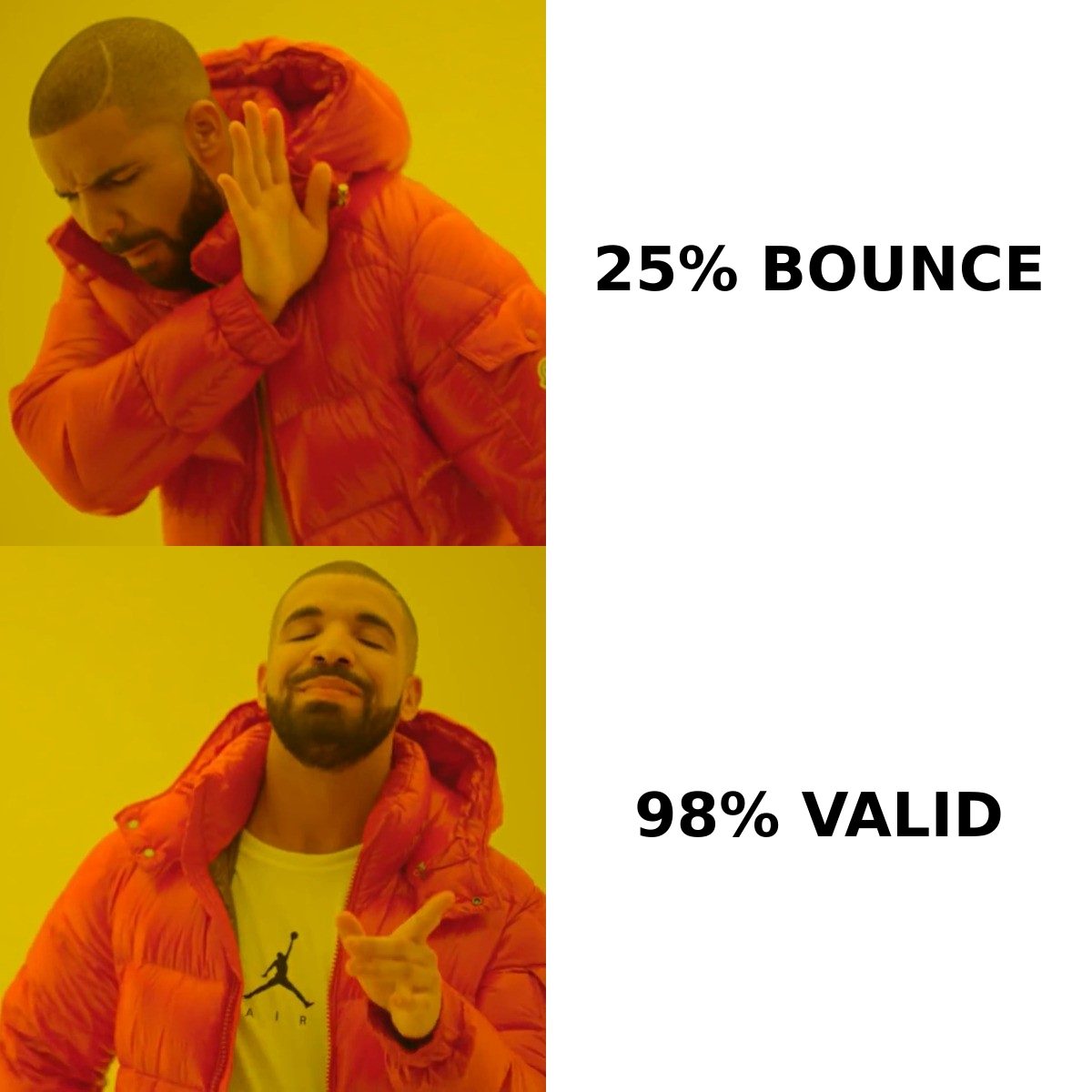
Good tools do both in one pass. Weak tools do only the first and let you find out about the second when your bounce rate hits 12% and your Google Workspace domain starts getting throttled.
How does an email locater actually work?#
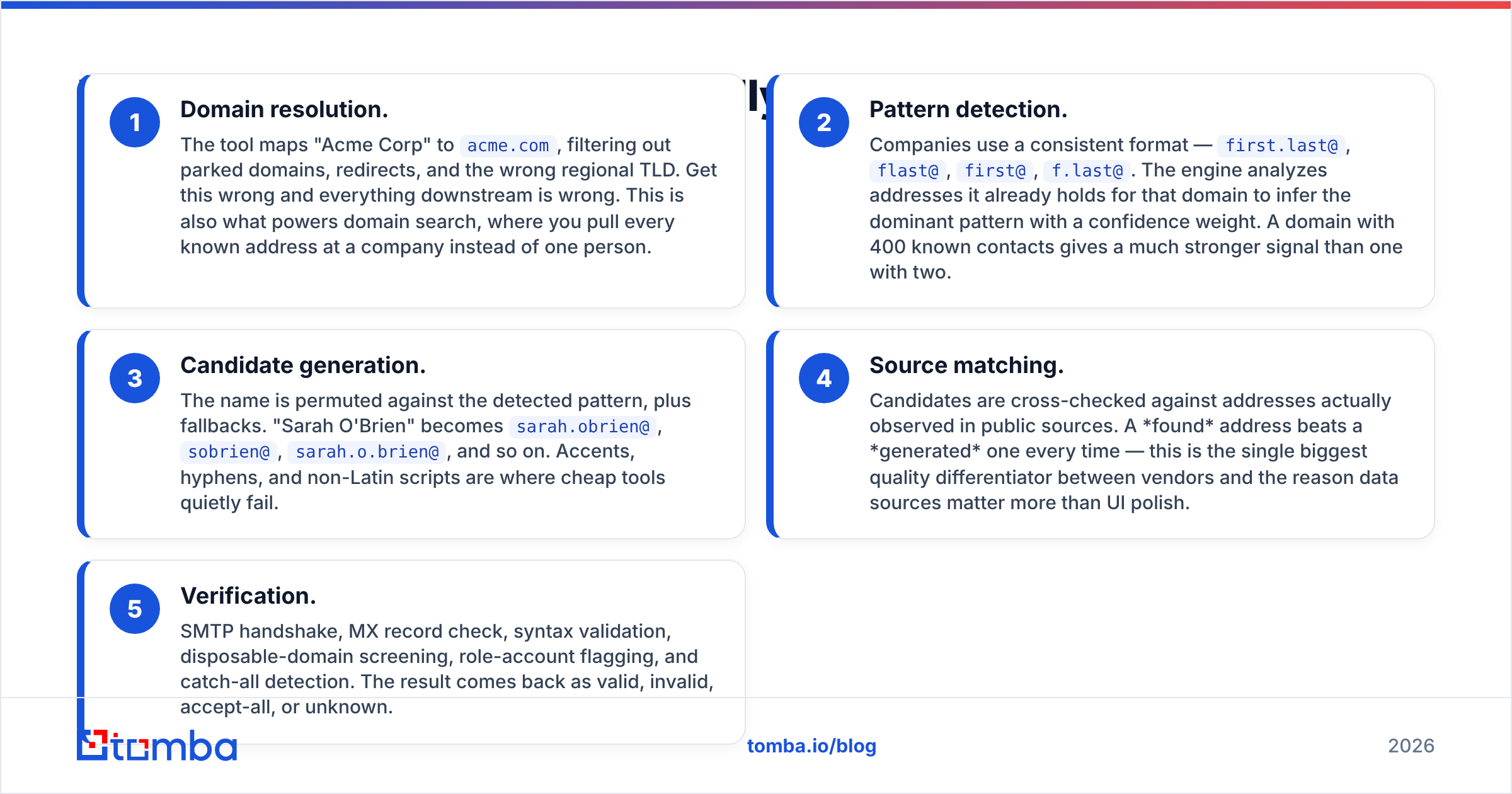
Under the hood, almost every locater runs the same five-stage sequence. Understanding it tells you exactly where each vendor's quality comes from — and where it breaks.
- Domain resolution. The tool maps "Acme Corp" to
acme.com, filtering out parked domains, redirects, and the wrong regional TLD. Get this wrong and everything downstream is wrong. This is also what powers domain search, where you pull every known address at a company instead of one person. - Pattern detection. Companies use a consistent format —
first.last@,flast@,first@,f.last@. The engine analyzes addresses it already holds for that domain to infer the dominant pattern with a confidence weight. A domain with 400 known contacts gives a much stronger signal than one with two. - Candidate generation. The name is permuted against the detected pattern, plus fallbacks. "Sarah O'Brien" becomes
sarah.obrien@,sobrien@,sarah.o.brien@, and so on. Accents, hyphens, and non-Latin scripts are where cheap tools quietly fail. - Source matching. Candidates are cross-checked against addresses actually observed in public sources. A found address beats a generated one every time — this is the single biggest quality differentiator between vendors and the reason data sources matter more than UI polish.
- Verification. SMTP handshake, MX record check, syntax validation, disposable-domain screening, role-account flagging, and catch-all detection. The result comes back as valid, invalid, accept-all, or unknown.
Stage 5 is where most "free email finder" tools stop existing. They hand you stage 3 output — a guess — and call it a result.
Is a free email locater good enough?#
For a handful of lookups a month, yes. For anything resembling a pipeline, no — and the math is not close.
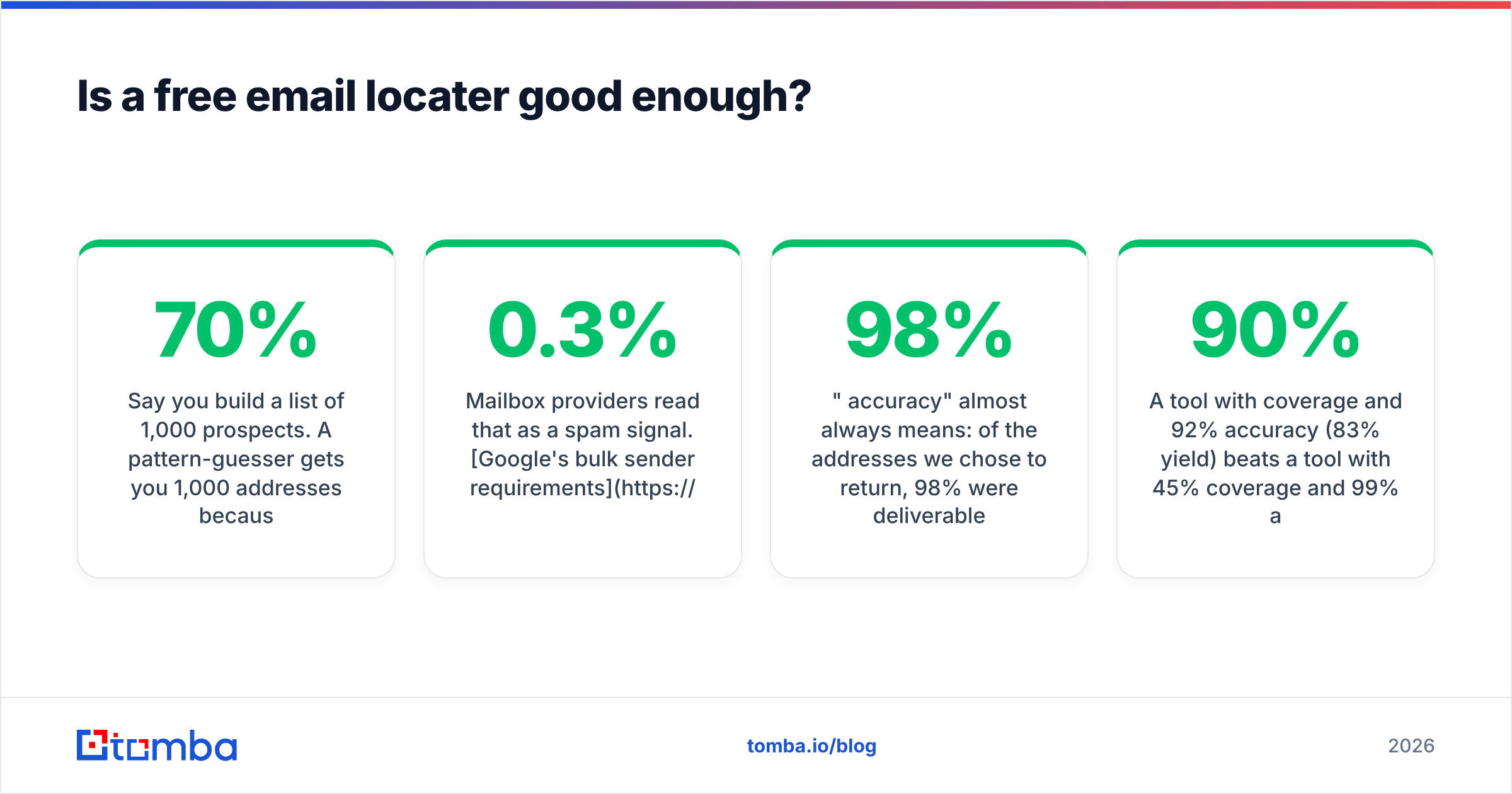
Say you build a list of 1,000 prospects. A pattern-guesser gets you 1,000 addresses because it always returns something. Realistically 55–70% of those land. That means roughly 300–450 hard bounces in one send.
Mailbox providers read that as a spam signal. Google's bulk sender requirements put the spam-complaint threshold at 0.3%, and while there's no published bounce ceiling, sustained double-digit bounce rates are one of the fastest ways to damage sender reputation on a new domain. Recovery takes weeks. The $49 you saved cost you a sending domain.

What do accuracy claims actually mean?#
Read every accuracy number as a fraction, and ask what's in the denominator.
- "98% accuracy" almost always means: of the addresses we chose to return, 98% were deliverable. If the tool only returned 40% of your list, that's 39 usable contacts per 100 searched.
- Hit rate / coverage means: of the contacts you searched, what percentage got any answer at all.
- Effective yield — the only number that matters — is coverage × accuracy.
A tool with 90% coverage and 92% accuracy (83% yield) beats a tool with 45% coverage and 99% accuracy (45% yield) for almost every outbound use case. Vendors who lead with accuracy alone are usually hiding coverage, and vice versa.
The honest way to settle it: take 100 contacts you already have verified addresses for, strip the emails, run the list through each tool's free tier, and score both dimensions yourself. Every credible vendor offers enough free credits to make this possible. If one doesn't, that tells you something.
Which email locater tools compare best in 2026?#
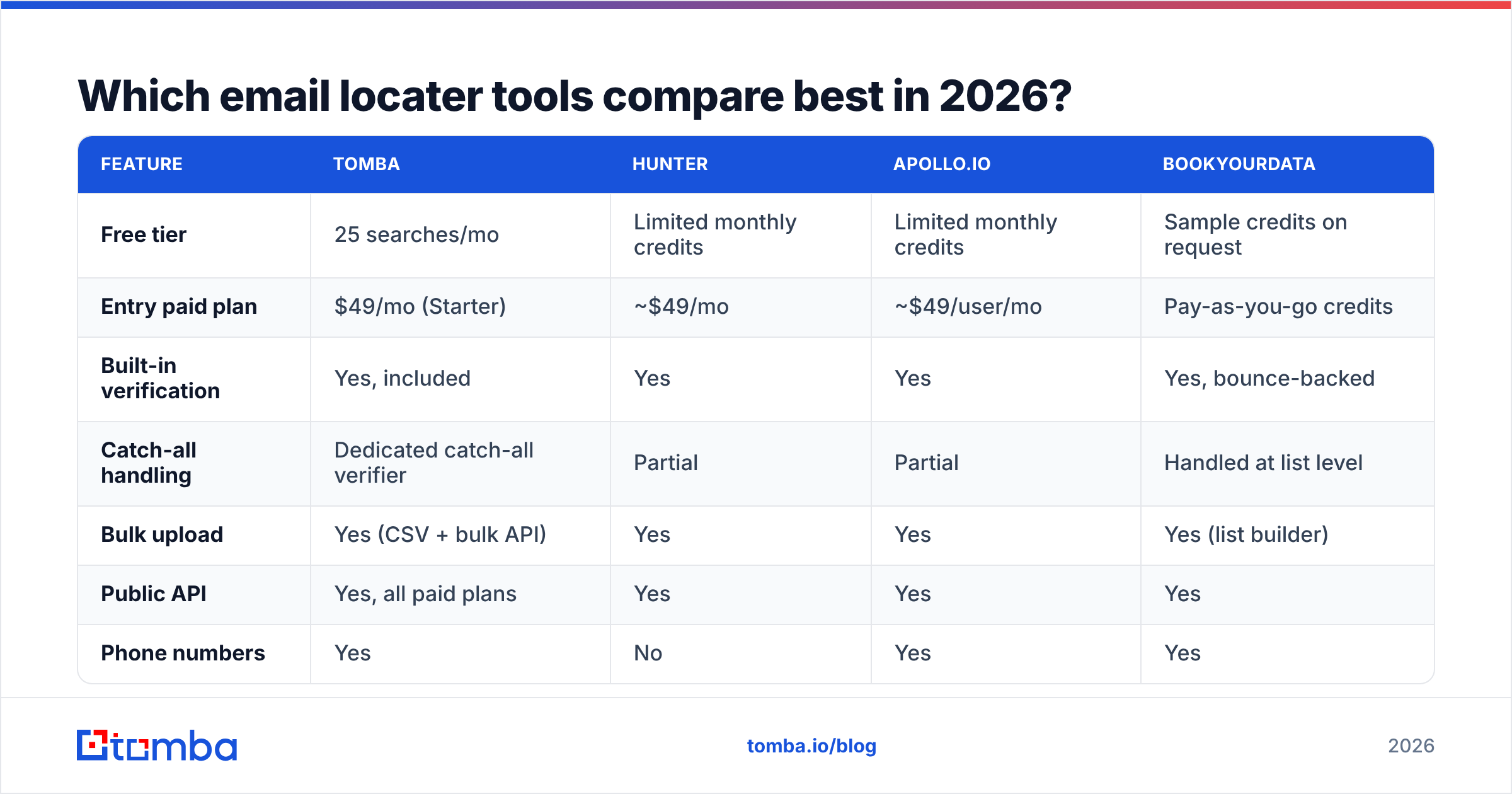
Here's how the main options stack up. Pricing moves — treat these as entry-tier reference points as of early 2026 and confirm on each vendor's page before you buy.

| Feature | Tomba | Hunter | Apollo.io | BookYourData |
|---|---|---|---|---|
| Free tier | 25 searches/mo | Limited monthly credits | Limited monthly credits | Sample credits on request |
| Entry paid plan | $49/mo (Starter) | ~$49/mo | ~$49/user/mo | Pay-as-you-go credits |
| Built-in verification | Yes, included | Yes | Yes | Yes, bounce-backed |
| Catch-all handling | Dedicated catch-all verifier | Partial | Partial | Handled at list level |
| Bulk upload | Yes (CSV + bulk API) | Yes | Yes | Yes (list builder) |
| Public API | Yes, all paid plans | Yes | Yes | Yes |
| Phone numbers | Yes | No | Yes | Yes |
| Sheets / Excel add-ons | Yes, both | Sheets | Limited | Export-based |
| Best for | Verified email discovery at volume | Domain-first prospecting | All-in-one sales engagement | Prebuilt, bounce-guaranteed lists |
A few honest notes on that table:
Tomba is built email-first. The email finder, verifier, domain search, and catch-all verifier are one product rather than an add-on to a sequencer, and verification is included in the search credit rather than billed separately. See Tomba pricing for the full tier breakdown.
Hunter is the category's most recognizable name and remains strong on domain-level discovery. If your workflow is "give me everyone at this company," it's a legitimate choice — check the current plan details on hunter.io.
Apollo.io is a sales engagement platform that includes a database. If you want sequencing, dialing, and contact data in one seat, that bundling is the point. If you only need addresses, you're paying for a lot of surface area you won't touch. Teams who want the data without the platform often look at an Apollo alternative.
BookYourData takes a different and genuinely useful angle: prebuilt, filterable B2B lists with a bounce guarantee, sold on credits rather than seats. If your motion is "buy a clean list of 5,000 marketing directors in DACH" rather than "look up these 200 specific people," it's often the faster path. Different job, both valid.
None of these is universally best. Sort by your actual motion: named-account lookup (locater), broad segment purchase (list vendor), or full engagement stack (platform).
What about catch-all domains?#
This is the question that separates people who've run cold email from people who've read about it.
A catch-all (or accept-all) domain accepts mail to any address at that domain — ceo@, asdfgh@, all of it — and sorts it out internally. SMTP verification returns "accepted," which tells you nothing. Roughly a third of business domains are configured this way, and the share is higher among enterprises using Microsoft 365 with aggressive anti-harvesting settings.
Your options:
- Skip them. Safest, and you drop a third of your addressable market.
- Send anyway. Highest coverage, unknown bounce risk, and the bounces land after the damage is done.
- Use a catch-all resolver. Tools like the catch-all finder infer likely validity from pattern confidence, source evidence, and historical engagement signals instead of relying on the SMTP response alone.
If a vendor's demo never mentions catch-alls, ask directly. The answer tells you how seriously they take deliverability.
How do you use an email locater without getting flagged?#
Finding the address is the easy half. The workflow around it decides whether the campaign works.
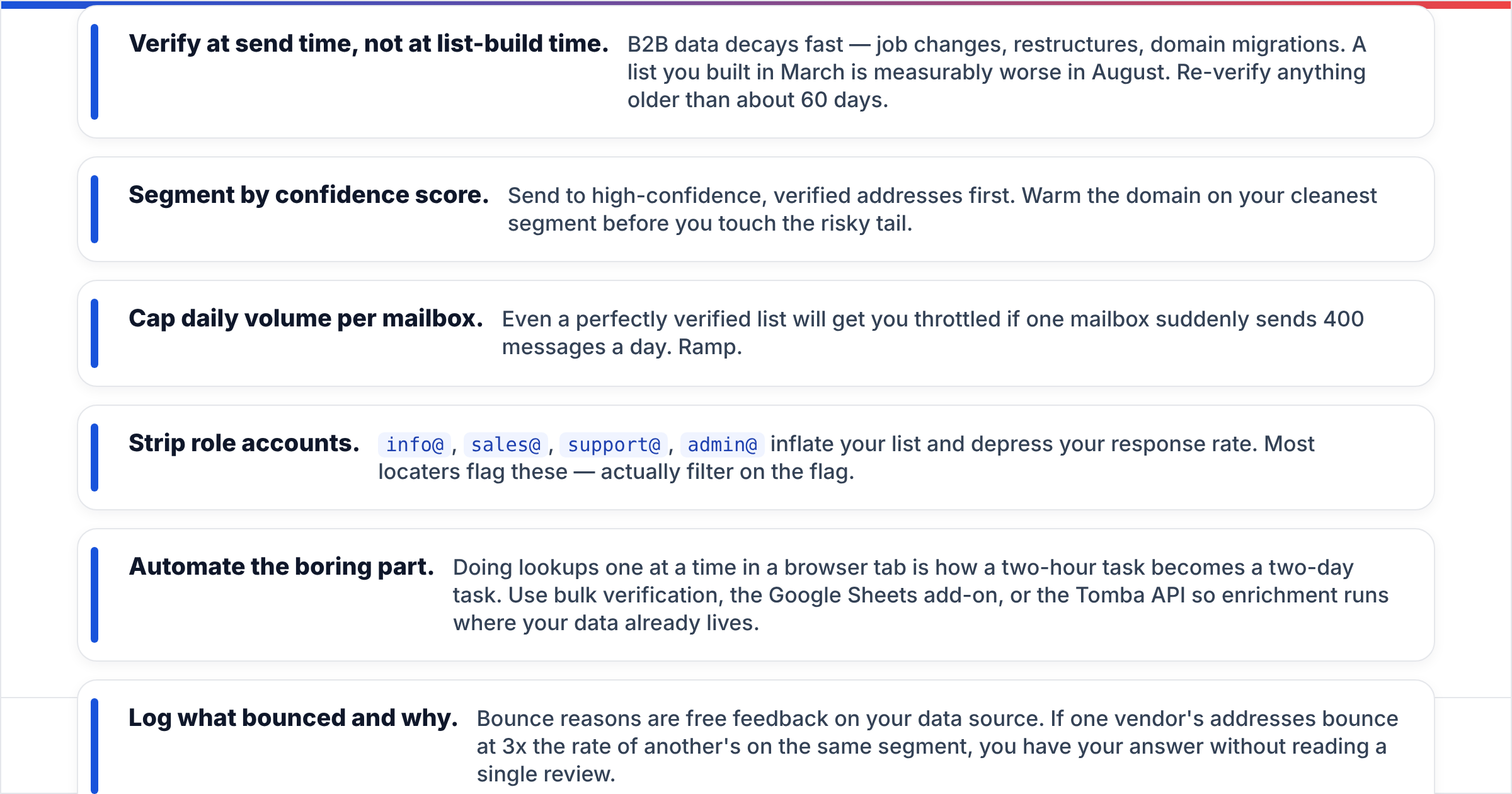
- Verify at send time, not at list-build time. B2B data decays fast — job changes, restructures, domain migrations. A list you built in March is measurably worse in August. Re-verify anything older than about 60 days.
- Segment by confidence score. Send to high-confidence, verified addresses first. Warm the domain on your cleanest segment before you touch the risky tail.
- Cap daily volume per mailbox. Even a perfectly verified list will get you throttled if one mailbox suddenly sends 400 messages a day. Ramp.
- Strip role accounts.
info@,sales@,support@,admin@inflate your list and depress your response rate. Most locaters flag these — actually filter on the flag. - Automate the boring part. Doing lookups one at a time in a browser tab is how a two-hour task becomes a two-day task. Use bulk verification, the Google Sheets add-on, or the Tomba API so enrichment runs where your data already lives.
- Log what bounced and why. Bounce reasons are free feedback on your data source. If one vendor's addresses bounce at 3x the rate of another's on the same segment, you have your answer without reading a single review.
For a broader view of how buyers rate these tools in practice, the lead intelligence category on G2 is a reasonable sanity check — weight recent reviews from companies your size far more heavily than the aggregate star rating.
Is an email locater legal to use?#
Short answer: yes, when used for legitimate business-to-business communication, with caveats that vary by jurisdiction.
Work email addresses at a company domain are generally treated as business contact information, and the format of an email address is public specification, not private data. That said:
- GDPR (EU/UK) treats a named person's work email as personal data. You need a lawful basis — legitimate interest is commonly relied on for B2B outreach — plus transparency and a working opt-out.
- CAN-SPAM (US) requires accurate headers, a physical address, and honored unsubscribes. It does not require prior consent.
- CASL (Canada) is stricter and generally requires express or implied consent.
Practical rules that keep you clean nearly everywhere: only contact people in a professional capacity about something plausibly relevant to their job, include a real unsubscribe, honor it immediately, and never use a locater to pursue personal Gmail or Yahoo addresses. Reputable vendors publish their data sourcing and honor deletion requests — check that before you check the price.
Which email locater should you pick?#
Match the tool to the motion, not to the review score:
- Named-account outbound (you know who you want to reach): a verification-first locater. Coverage on specific people is what you're buying.
- Broad segment lists (you know the profile, not the names): a list vendor with a bounce guarantee. Faster and usually cheaper per contact at volume.
- Full-stack sales team that also needs sequencing and dialing: an all-in-one platform, accepting that its data layer is a component rather than the core product.
- Developers embedding lookups in an app or workflow: API pricing, rate limits, and response latency matter more than the dashboard. Check those specs before anything else.
- Occasional, low-volume research: stay on free tiers and rotate. There's no shame in it.
Whatever you choose, run the 100-contact benchmark first. It takes an hour, costs nothing, and it's the only evidence that reflects your market, your company sizes, and your regions — which is the only comparison that predicts your results.
Ready to test it on your own list? Tomba's Email Finder returns verified work addresses with a confidence score and verification status on every result, includes catch-all handling, and starts with 25 free searches a month — no card required. Run your hardest 25 contacts through it, compare against whatever you're using now, and let the bounce rate decide.
Related guides#
Ready to find emails that actually work?
Join 150,000+ professionals who stopped guessing and started sending. Free credits on signup — no credit card required.
Get the Tomba newsletter
Practical outbound tactics and product updates — once every two weeks.
About the author