Email Lookup Tools in 2026: 9 Options Tested and Compared
Most email lookup tools quote 95%+ accuracy. Very few hit it on a real prospect list. Here is how the major options compare on hit rate, verification depth, pricing, and the use cases each one actually wins.
TL;DR
- "Email lookup tools" covers three different products: pattern-based finders, database lookups, and enrichment APIs. Buying the wrong category is the most common and most expensive mistake.
- Vendor accuracy numbers are measured on emails the tool chose to return. Coverage — the percentage of your list it returns anything for — is the number that actually decides your cost per meeting.
- On mid-market SaaS and agency lists, expect 60–80% real coverage from the best tools. Anything advertised above 95% is measuring something narrower than your list.
- Price per verified email matters more than price per credit. A $39 plan that returns 40% coverage is more expensive than a $49 plan that returns 75%.
- Pick by workflow: bulk CSV enrichment, LinkedIn-first prospecting, and API-driven signup enrichment are three different buying decisions.
What are email lookup tools, exactly?#
An email lookup tool takes something you already know about a person — a name plus a company domain, a LinkedIn URL, a company website, or an existing email — and returns a business email address you can send to.
Think of it like a phone book that got rebuilt every night by crawlers instead of printed once a year. The core mechanic is simple. The reason there are forty vendors is that each one rebuilds that book differently, and those differences show up hard on your bounce rate.
Three product categories hide under the same search term:
- Pattern-and-verify finders. They learn the email format a company uses (
first.last@,flast@,first@), generate the candidate, then verify it against the mail server before returning it. Best coverage on companies with any web footprint. Tomba, Hunter, and Findymail sit here. - Static contact databases. A pre-scraped repository of contacts you filter by title, industry, headcount, and geography. Fast for building a list from nothing, weaker for looking up one specific person who happens not to be in the index. Apollo, Cognism, and BookYourData sit here.
- Enrichment APIs. Built to fire on an event — a form fill, a signup, a CRM record created — and return a full profile rather than one field. Clearbit (now inside HubSpot Breeze) and Tomba's data enrichment endpoints work this way.
Most teams need two of the three. Almost nobody needs all three, and paying for a seat-based database when you actually needed 3,000 API lookups a month is how RevOps budgets quietly leak.
How do email lookup tools actually find an address?#
Under the hood, nearly every tool runs some subset of the same five steps. Knowing them tells you exactly why results differ between vendors on the same contact.
- Domain resolution. The tool maps "Acme Corp" to
acme.com, notacmecorp.ioor a parked redirect. Mistakes here silently kill the whole lookup, and it's where cheap tools fail first on companies with rebrands or regional domains. - Pattern detection. It scrapes public sources — press pages, GitHub commits, changelogs, WHOIS records, published PDFs — to learn how that specific company builds addresses. A tool with 20 known emails at a domain infers the pattern with high confidence. One with zero is guessing.
- Candidate generation. Name plus pattern produces one to eight candidates. This is what a plain email permutator does on its own, and why a permutator alone is not a lookup tool — it stops here.
- SMTP and MX validation. The tool opens a conversation with the receiving mail server and asks whether the mailbox exists, without sending anything. This is where most guessed candidates die.
- Confidence scoring. The surviving candidate gets a score built from source count, pattern strength, and validation result. Tools that only return results above a threshold report gorgeous accuracy numbers and mediocre coverage. Tools that return everything report the opposite.

Step 4 is also where catch-all domains break the model. A catch-all server accepts mail for every address at the domain, so SMTP validation returns "valid" for asdfgh@company.com. Roughly 15–20% of B2B domains are configured this way, and how a tool handles them is the single biggest hidden quality difference between vendors. Some flag catch-alls honestly and let you decide. Some quietly ship them as verified and let your bounce rate absorb the cost. A dedicated catch-all verifier is the only reliable way to resolve those domains rather than gamble on them.
What does "98% accuracy" really mean?#
It means something, but not what the landing page implies.
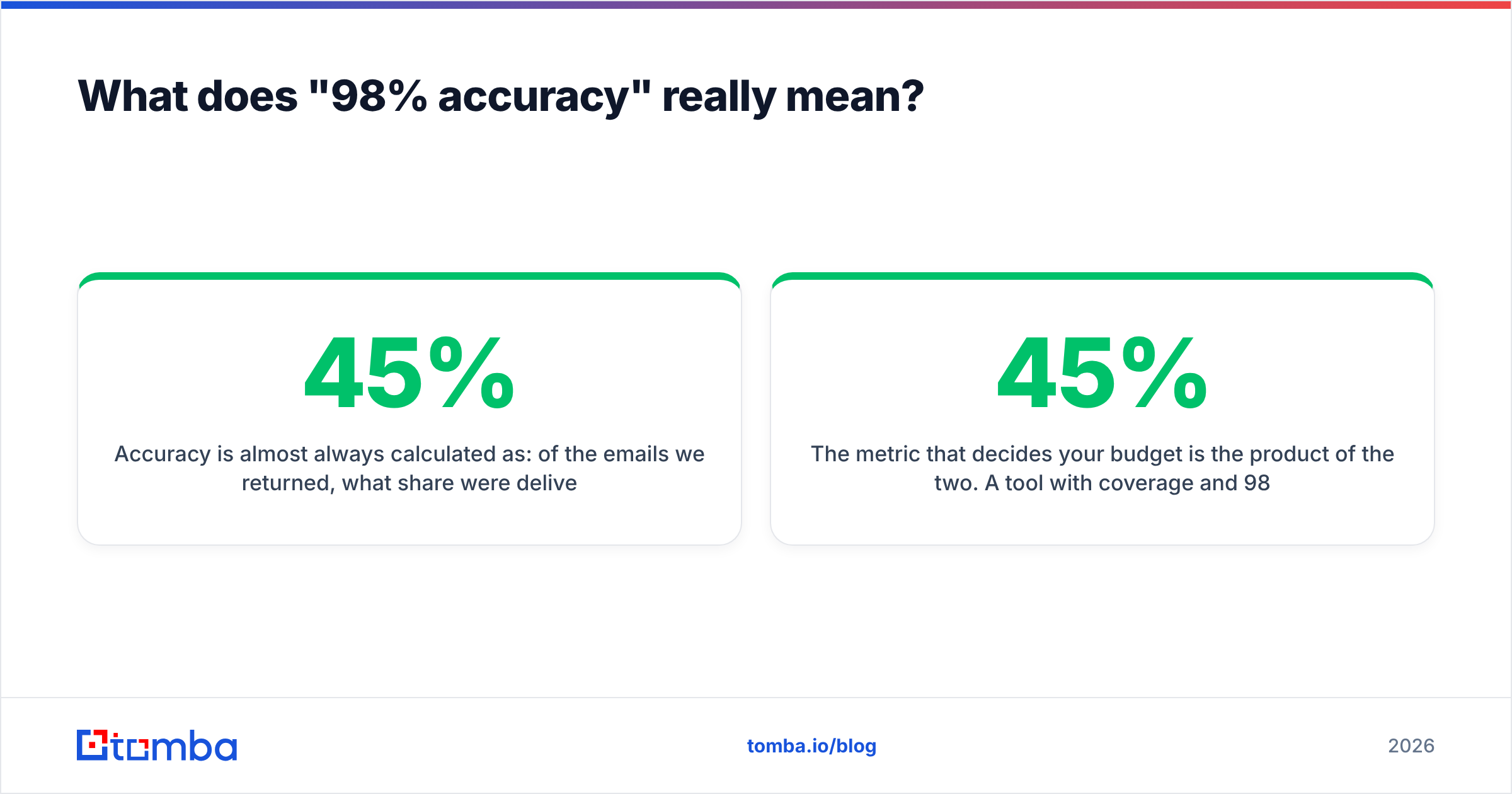
Accuracy is almost always calculated as: of the emails we returned, what share were deliverable. If a tool returns an address for only 45% of your list, that 98% applies to the 45% and says nothing about the rest. Two numbers matter and vendors publish one:
- Coverage (hit rate): rows where the tool returned any address ÷ total rows.
- Accuracy (validity rate): returned addresses that were deliverable ÷ returned addresses.
The metric that decides your budget is the product of the two. A tool with 45% coverage and 98% accuracy gives you 44 usable contacts per 100 rows. A tool with 78% coverage and 93% accuracy gives you 73. The second tool loses the accuracy marketing battle and wins the actual campaign by 66%.

Coverage is also list-dependent in a way no vendor benchmark captures. Every tool performs well on VP-and-above titles at 200+ employee US tech companies, because that data is scraped constantly. Coverage falls off a cliff on:
- Companies under 20 employees with no press coverage
- Non-English domains, especially DACH and Japan
- Individual contributors in non-technical functions
- Anyone who joined in the last 60 days
- Regulated industries where directories are thin
Run your own 200-row test on your actual ICP before committing to an annual plan. Every serious vendor on this list offers a free tier large enough to do it, and the results will not match the marketing page in either direction.
Which email lookup tools are worth testing in 2026?#
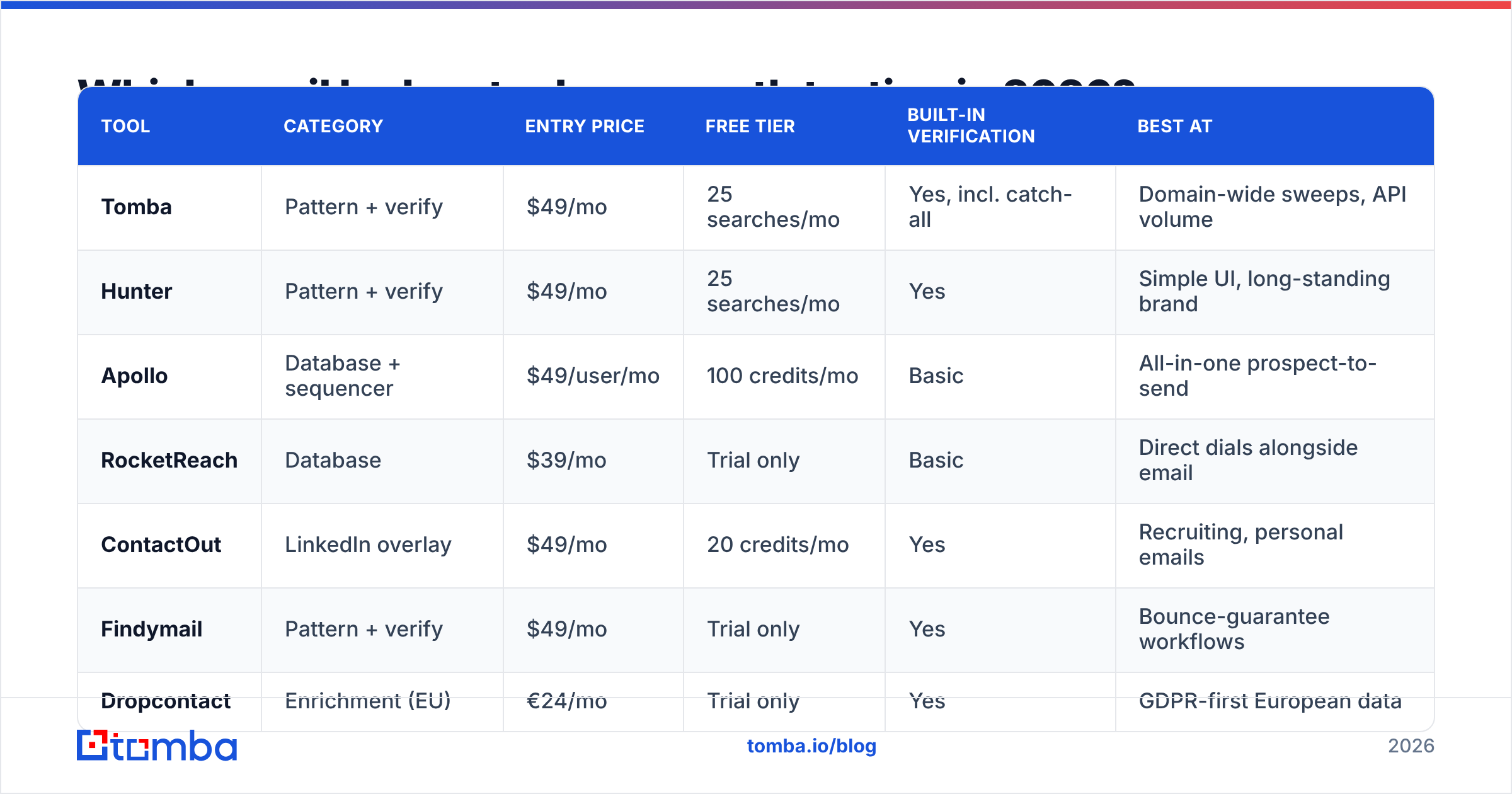
Here's how the main options compare across the attributes that change your workflow, not just your invoice. Prices reflect published entry-level monthly plans as of early 2026 — confirm on the vendor's own pricing page before you buy, since credit definitions shift often.
| Tool | Category | Entry price | Free tier | Built-in verification | Best at |
|---|---|---|---|---|---|
| Tomba | Pattern + verify | $49/mo | 25 searches/mo | Yes, incl. catch-all | Domain-wide sweeps, API volume |
| Hunter | Pattern + verify | $49/mo | 25 searches/mo | Yes | Simple UI, long-standing brand |
| Apollo | Database + sequencer | $49/user/mo | 100 credits/mo | Basic | All-in-one prospect-to-send |
| RocketReach | Database | $39/mo | Trial only | Basic | Direct dials alongside email |
| ContactOut | LinkedIn overlay | $49/mo | 20 credits/mo | Yes | Recruiting, personal emails |
| Findymail | Pattern + verify | $49/mo | Trial only | Yes | Bounce-guarantee workflows |
| Dropcontact | Enrichment (EU) | €24/mo | Trial only | Yes | GDPR-first European data |
| BookYourData | Prepaid database | Pay-as-you-go | 10 free credits | Yes, 95% guarantee | One-off list purchases, no subscription |
| HubSpot Breeze (Clearbit) | Enrichment API | Bundled | Via HubSpot free | N/A | Inbound form and signup enrichment |
A few notes the table can't carry:
Apollo bundles the database, the sequencer, and a dialer. That's genuinely convenient for a two-person team and genuinely constraining once you have a real sending infrastructure, since you end up paying for a sequencer you've replaced. Teams that outgrow it usually look for an Apollo alternative that keeps the data and drops the rest.
ContactOut is built around the LinkedIn sidebar and skews toward personal Gmail addresses, which is right for recruiting and wrong for most B2B sales motions where you want the work address. If LinkedIn is your primary surface, compare it against a dedicated LinkedIn finder workflow that returns corporate addresses.
BookYourData takes a different shape from the rest: prepaid credits that never expire, no monthly commitment, and a stated 95% deliverability guarantee with credit refunds on bounces. If you buy one 5,000-contact list per quarter rather than running continuous enrichment, that model is genuinely cheaper than any subscription here, and the guarantee is a real risk transfer rather than a marketing line.
Dropcontact does not store personal data between lookups, which makes GDPR review dramatically shorter at European enterprises. It also means no database to filter — you bring the names.

How should you compare pricing across email lookup tools?#
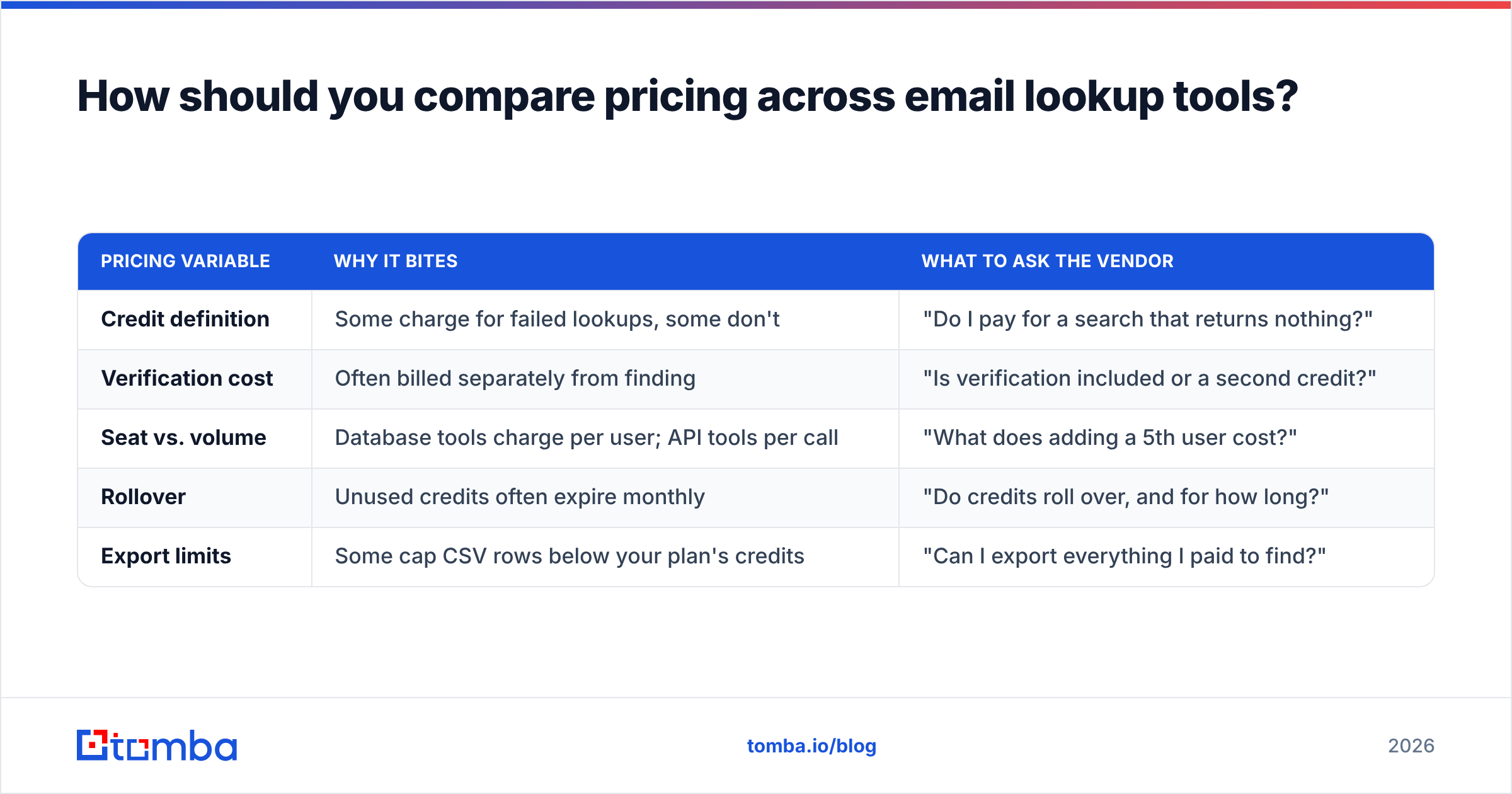
Ignore the headline number. Three variables decide what you actually pay.
| Pricing variable | Why it bites | What to ask the vendor |
|---|---|---|
| Credit definition | Some charge for failed lookups, some don't | "Do I pay for a search that returns nothing?" |
| Verification cost | Often billed separately from finding | "Is verification included or a second credit?" |
| Seat vs. volume | Database tools charge per user; API tools per call | "What does adding a 5th user cost?" |
| Rollover | Unused credits often expire monthly | "Do credits roll over, and for how long?" |
| Export limits | Some cap CSV rows below your plan's credits | "Can I export everything I paid to find?" |
Run this calculation instead: (monthly price) ÷ (credits × your measured coverage × your measured validity) = real cost per usable contact. On a list where Tool A gets 75% coverage and Tool B gets 45%, a $49 plan beats a $39 plan by a wide margin even before you count the reputation damage from the extra bounces.
For reference, Tomba pricing runs a free tier at 25 searches per month, Starter at $49/mo, Growth at $99/mo, and Pro at $249/mo, with verification included rather than billed as a separate credit — which is the variable most people forget to check until the second invoice.

Which email lookup tool fits which use case?#
- You enrich CSVs in batches. You want a bulk email finder with generous export limits and per-row verification. Tomba, Findymail, and Dropcontact all handle this cleanly. Apollo's export caps make it the wrong shape for high-volume batch work.
- You prospect one company at a time. Domain search is the primitive you need — give it
stripe.com, get back every discoverable address with role and confidence. Faster than looking up 30 people individually and usually cheaper per contact. - You live inside LinkedIn Sales Navigator. A browser extension beats any dashboard. ContactOut, Wiza, and Surfe compete here; Tomba's extension covers the same surface while returning work addresses rather than personal ones.
- You enrich signups in real time. This is an API decision, not a UI one. Latency, uptime SLA, and rate limits matter more than the dashboard. Check the docs and response-time guarantees before you check the price.
- You buy lists occasionally, not continuously. Prepaid credit models like BookYourData avoid paying a subscription for months you don't prospect.
- You have a compliance review to pass. Ask where the data comes from before anything else. Vendors that publish their data sources make procurement short; vendors that describe it as "proprietary" make it long.
Are free email lookup tools good enough?#
For low volume, yes — with a hard ceiling.
Free tiers typically give 20–50 lookups a month, which covers a founder doing manual outreach to 10 accounts a week. Where they break down is verification depth: most free tiers skip catch-all resolution and role-account flagging, so you get an address without knowing whether it's a real mailbox or a info@ shared inbox that never converts.
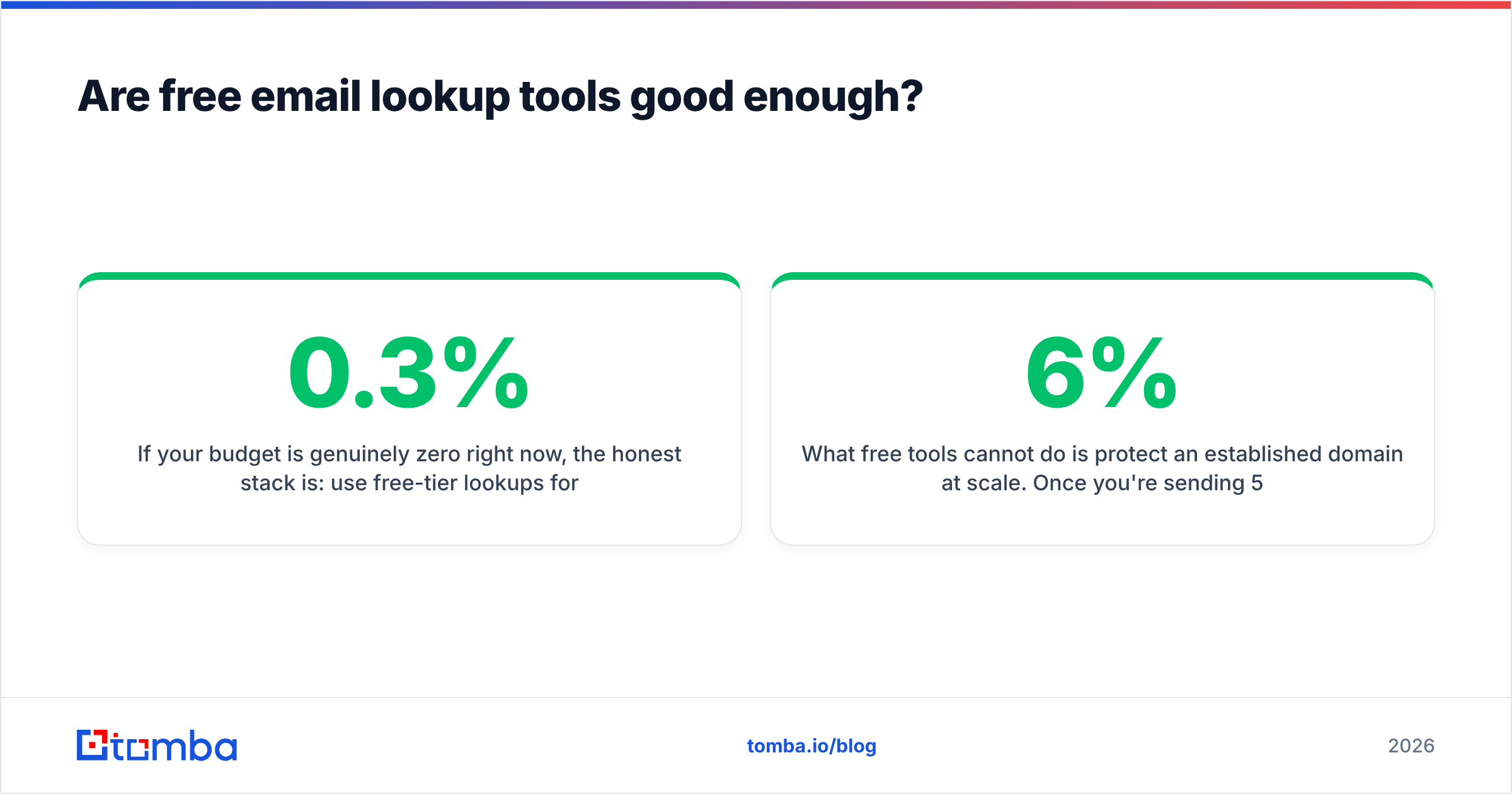
If your budget is genuinely zero right now, the honest stack is: use free-tier lookups for finding, run everything through a free email checker before importing, and keep daily send volume under 40 per mailbox. That combination keeps bounce rate low enough not to poison a new sending domain. Google's own Postmaster Tools will confirm whether it's working — if your reported spam rate climbs above 0.3%, your list quality is the problem, not your copy.
What free tools cannot do is protect an established domain at scale. Once you're sending 500+ cold emails a week, a 6% bounce rate compounds into deliverability damage that costs far more than $49/mo to repair. That's the point where paid verification stops being optional.
How do you keep bounce rates under 3%?#
Bounce rate is the scoreboard for everything above. Four habits do most of the work:
- Verify at send time, not at find time. A verified address decays about 2–2.5% per month as people change jobs. Anything found more than 90 days ago needs a re-check through an email verifier before it enters a sequence.
- Treat catch-all separately. Don't blend catch-all addresses into your main sends. Isolate them into their own low-volume segment so the risk stays contained.
- Drop role accounts.
sales@,info@,support@inflate your contact count and depress your reply rate. Filter them out at import. - Suppress on the first hard bounce. Never retry a hard bounce, on any campaign, ever. Mailbox providers read repeats as a list-hygiene signal, and it's the fastest way to lose a warmed domain.
Independent review data on G2 is worth a scan before you buy, but weight recent reviews heavily — data quality at these vendors changes faster than their category ratings do.
Ready to test coverage on your own list?#
Pick two tools, run the same 200 rows of your real ICP through both, and compare coverage and bounce rate rather than accuracy claims. The winner is usually not the one with the loudest number on its homepage.
If you want a starting point, the Tomba Email Finder gives you 25 free searches a month with verification and catch-all detection included — enough to run a proper head-to-head before you commit a dollar. Load your hardest 25 contacts, not your easiest, and see what comes back.
Related guides#
Ready to find emails that actually work?
Join 150,000+ professionals who stopped guessing and started sending. Free credits on signup — no credit card required.
Get the Tomba newsletter
Practical outbound tactics and product updates — once every two weeks.
About the author