Email Outreach Tips: 14 Tactics That Actually Get Replies
Most email outreach advice is recycled from 2018 and quietly ignores the inbox rules that now decide whether you land or bounce. Here are 14 tactics that survive contact with real send volume in 2026.
TL;DR
- List quality beats copy quality. A verified list at 97%+ deliverable will out-perform brilliant writing sent to a scraped CSV, every time.
- Volume per mailbox is the new constraint. Keep it under ~40 sends/day/inbox and spread across multiple domains rather than pushing one inbox harder.
- The first line decides everything. If it could be pasted into any other prospect's email unchanged, rewrite it.
- Three to four follow-ups captures most of the reply volume; the fifth onward mostly generates complaints.
- Track reply rate and positive reply rate. Open rate has been noise since Apple Mail Privacy Protection, and it got worse in 2026.
What actually counts as email outreach in 2026?#
Email outreach is any one-to-few email sent to someone who did not ask to hear from you, with the goal of starting a conversation. That covers cold sales prospecting, link building, partnership pitches, recruiting, and PR — the mechanics barely differ.
What changed is the enforcement layer. Google and Yahoo's bulk-sender requirements, rolled out in 2024 and tightened since, made SPF, DKIM, DMARC, one-click unsubscribe, and a sub-0.3% complaint rate non-negotiable rather than best-practice. You can read the current thresholds in Google's sender guidelines. The practical effect: outreach shifted from a volume game to a precision game. Sending 5,000 emails a week to a mediocre list now actively damages your domain instead of just wasting time.
So the useful email outreach tips split into three buckets: who you contact, what you send, and how you send it. Most people obsess over the middle one and lose on the other two.
Why do most email outreach campaigns fail before the first send?#
Because the list was built wrong. In practice, four failure modes account for the majority of dead campaigns:
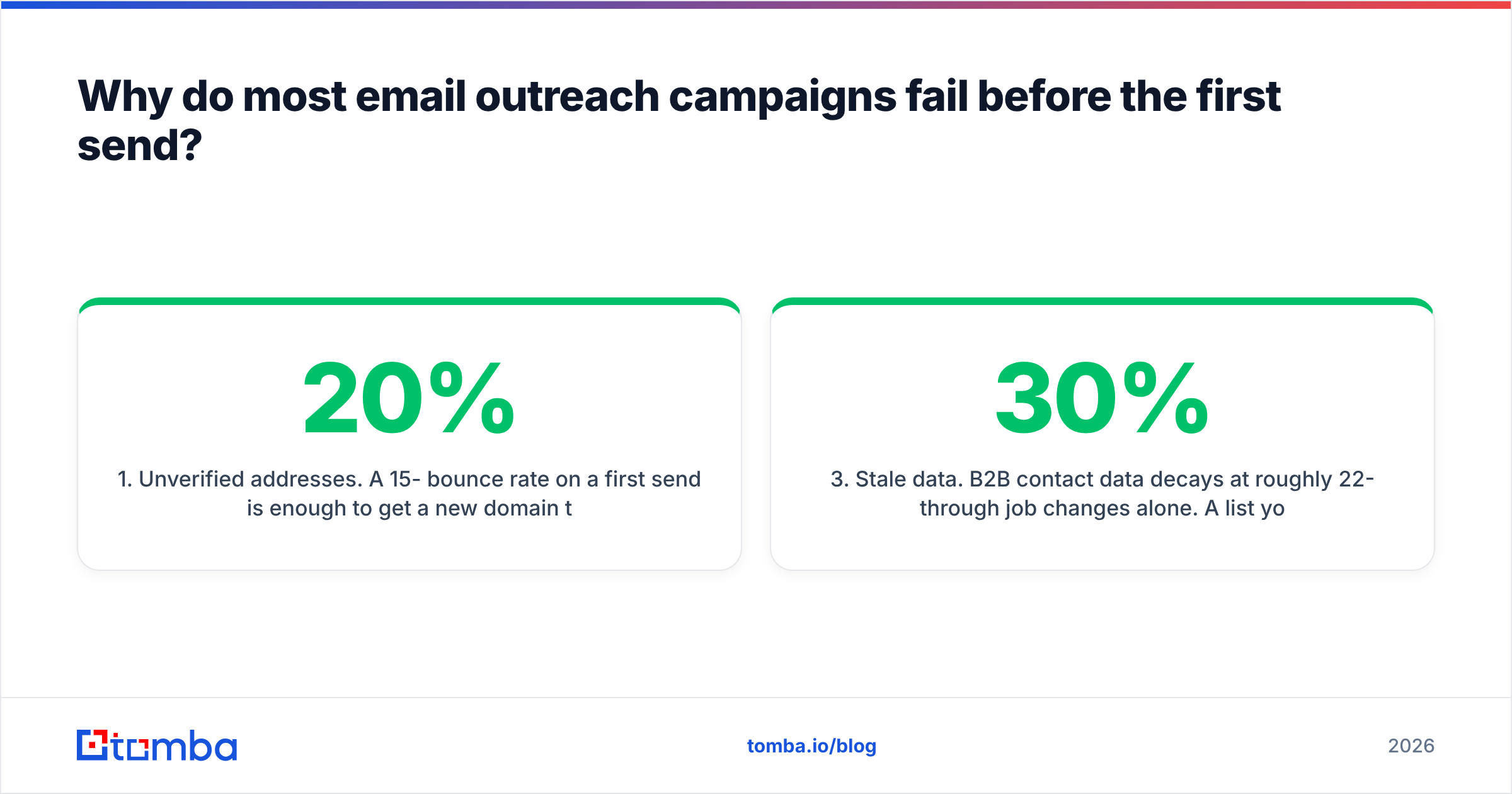
- Unverified addresses. A 15-20% bounce rate on a first send is enough to get a new domain throttled inside a week. Anything above 3% is a warning sign; above 5% and mailbox providers start treating your sends as low-quality by default.
- Wrong-role targeting. You found a valid email at the right company, for a person who has no budget and no pain. The email lands, gets read, and gets ignored — which is worse than bouncing because it teaches you nothing.
- Stale data. B2B contact data decays at roughly 22-30% per year through job changes alone. A list you bought or built in 2024 is now substantially fiction.
- Catch-all confusion. Catch-all domains accept everything at the SMTP layer, so naive verifiers mark them "valid." They aren't. Sending blind into catch-alls is how you quietly build a bounce problem you can't see in your ESP dashboard.
Fixing the list is unglamorous, and it's also the single highest-leverage thing on this page. Run every address through an email verifier before it enters a sequence, and treat catch-all domains as a separate risk tier using a catch-all verifier rather than lumping them in with confirmed-valid contacts.
Which email outreach tips actually move reply rates?#
Here are the fourteen that hold up under real send volume. They're ordered by leverage, not by how fun they are to implement.
- Verify before you send, not after you bounce. Non-negotiable. Bounce rate is the fastest way to torch a domain, and it's fully preventable.
- Cap sends at 30-40 per mailbox per day. Sending 200/day from one inbox is a 2019 tactic. Buy more mailboxes on secondary domains instead.
- Warm up new domains for 3-4 weeks minimum. Ramp from ~5 sends/day. Use a warmup calculator to plan the curve rather than guessing.
- Never send outreach from your primary domain. Use
getyourcompany.comoryourcompany-mail.com. If reputation collapses, your invoices and support email survive. - Write a subject line under 5 words, lowercase, no punctuation. "quick question about onboarding" beats "Transform Your Onboarding Experience Today!" by a wide margin, mostly because it looks like a human wrote it in a hurry.
- Make the first sentence unusable elsewhere. Reference a specific hire, a product change, a job posting, a podcast quote. If it fits any of your other 200 prospects, delete it.
- One ask, one link, one paragraph of context. Every additional decision you hand the reader costs you replies.
- Keep the body under 120 words. Past that, reply rates fall off a cliff on mobile, where the majority of B2B email is first opened.
- Ask a question that costs nothing to answer. "Is this something your team owns, or is it Ops?" gets more replies than "Do you have 15 minutes Thursday?"
- Send Tuesday-Thursday, 7-10am in the recipient's timezone. Marginal, but free.
- Skip images, tracking pixels, and HTML signatures. Plain text sends look like real mail and dodge a whole class of spam heuristics. Turn open tracking off entirely — it inflates spam scores and the data is unreliable anyway.
- Follow up in-thread, three to four times, over 12-18 days. More on cadence below.
- Segment by trigger, not by title. "Companies that posted a RevOps role in the last 30 days" is a campaign. "VPs of Sales" is a spreadsheet.
- Kill campaigns at 300 sends if reply rate is under 2%. Don't "give it more volume." Volume amplifies a bad message; it doesn't fix one.
How should you build the list — scrape, buy, or find?#
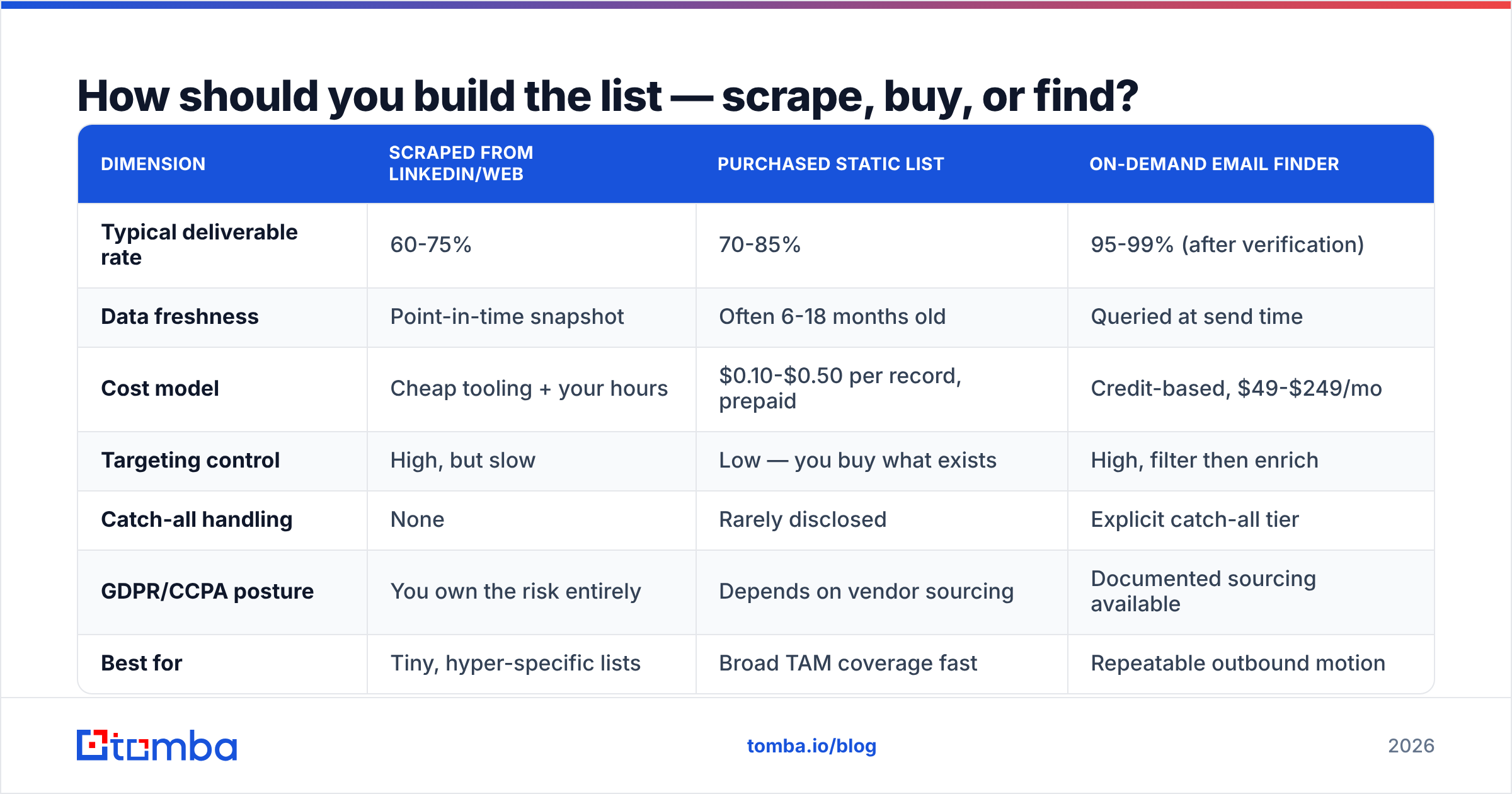
The three common approaches trade off differently. Here's how they compare on the dimensions that actually matter when you're the one answering for bounce rates:
| Dimension | Scraped from LinkedIn/web | Purchased static list | On-demand email finder |
|---|---|---|---|
| Typical deliverable rate | 60-75% | 70-85% | 95-99% (after verification) |
| Data freshness | Point-in-time snapshot | Often 6-18 months old | Queried at send time |
| Cost model | Cheap tooling + your hours | $0.10-$0.50 per record, prepaid | Credit-based, $49-$249/mo |
| Targeting control | High, but slow | Low — you buy what exists | High, filter then enrich |
| Catch-all handling | None | Rarely disclosed | Explicit catch-all tier |
| GDPR/CCPA posture | You own the risk entirely | Depends on vendor sourcing | Documented sourcing available |
| Best for | Tiny, hyper-specific lists | Broad TAM coverage fast | Repeatable outbound motion |
None of these is universally right. Purchased data from a reputable provider — BookYourData is a solid example in the pay-as-you-go category — makes sense when you need broad coverage of a defined segment immediately and don't want to run enrichment infrastructure. On-demand finding wins when your ICP is narrow and you're building lists continuously rather than once a quarter.
If you're doing the latter, domain search is usually the fastest entry point: give it a company domain, get back the verified addresses and the org's email pattern, then filter to the roles you care about. Pattern data matters more than people expect — once you know a company uses first.last@, you can construct and verify the rest of the org cheaply.
What does a good outreach email look like, line by line?#
Here's a 78-word example with the structure annotated:
Subject: notion → hubspot sync
Hey Priya — saw the Ops Engineer role you posted last week, the one that mentions cleaning up the Notion/HubSpot handoff.
We built the sync layer for two other Series B teams with the same split. Took about a day to set up, killed roughly 6 hours/week of manual re-entry.
Is that handoff something your team owns, or does it sit with RevOps?
— Marc
The anatomy:
- Line 1 (trigger): a specific, recent, verifiable observation. This is the only line that earns the rest.
- Line 2 (proof): who else had this problem and what changed, in numbers. No adjectives.
- Line 3 (ask): a routing question, not a calendar request. It's answerable in four words.
- Signature: name only. No logo, no banner, no "Sent from my iPhone" theatrics.
Notice what's absent: no "I hope this email finds you well," no company boilerplate paragraph, no three bullets of feature list, no PDF attachment. HubSpot's ongoing sales email research points the same direction — brevity and specificity consistently outperform polish.

How many follow-ups, and how far apart?#
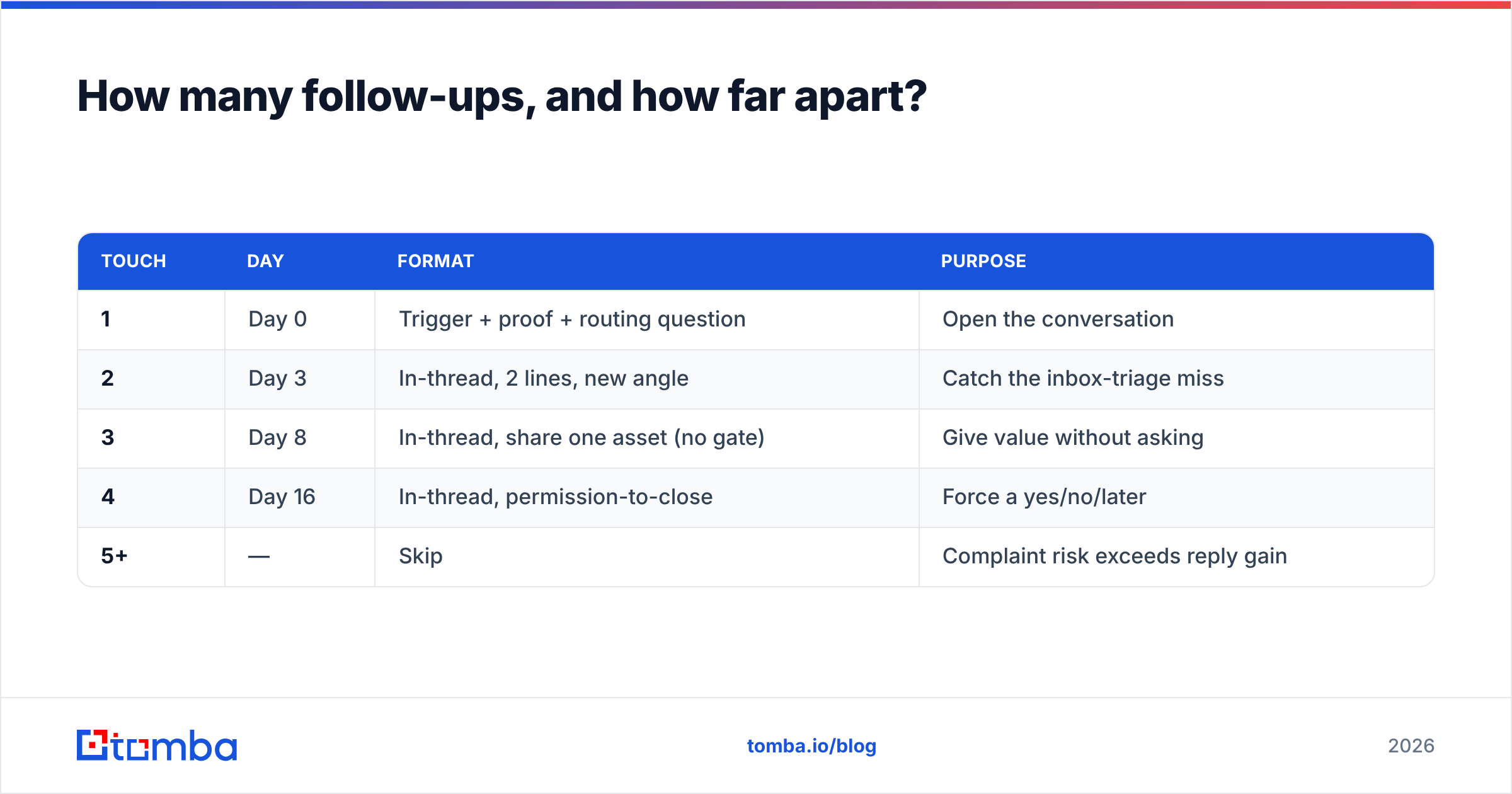
Four total touches over about two and a half weeks captures most of the available reply volume. Here's a cadence that works across most B2B segments:
| Touch | Day | Format | Purpose |
|---|---|---|---|
| 1 | Day 0 | Trigger + proof + routing question | Open the conversation |
| 2 | Day 3 | In-thread, 2 lines, new angle | Catch the inbox-triage miss |
| 3 | Day 8 | In-thread, share one asset (no gate) | Give value without asking |
| 4 | Day 16 | In-thread, permission-to-close | Force a yes/no/later |
| 5+ | — | Skip | Complaint risk exceeds reply gain |
Two rules govern the whole sequence. First, always reply in-thread — a new thread reads as a new stranger. Second, each follow-up must add something. "Just bumping this to the top of your inbox" is not information; it's a request for free attention, and it's the most common reason people mark outreach as spam.
The permission-to-close email is the highest-converting of the four in most accounts I've seen: "Sounds like this isn't a priority right now — want me to close the loop, or check back in Q4?" It converts non-answers into routable answers, which is the actual point of outreach.
Which metrics should you track, and which should you ignore?#
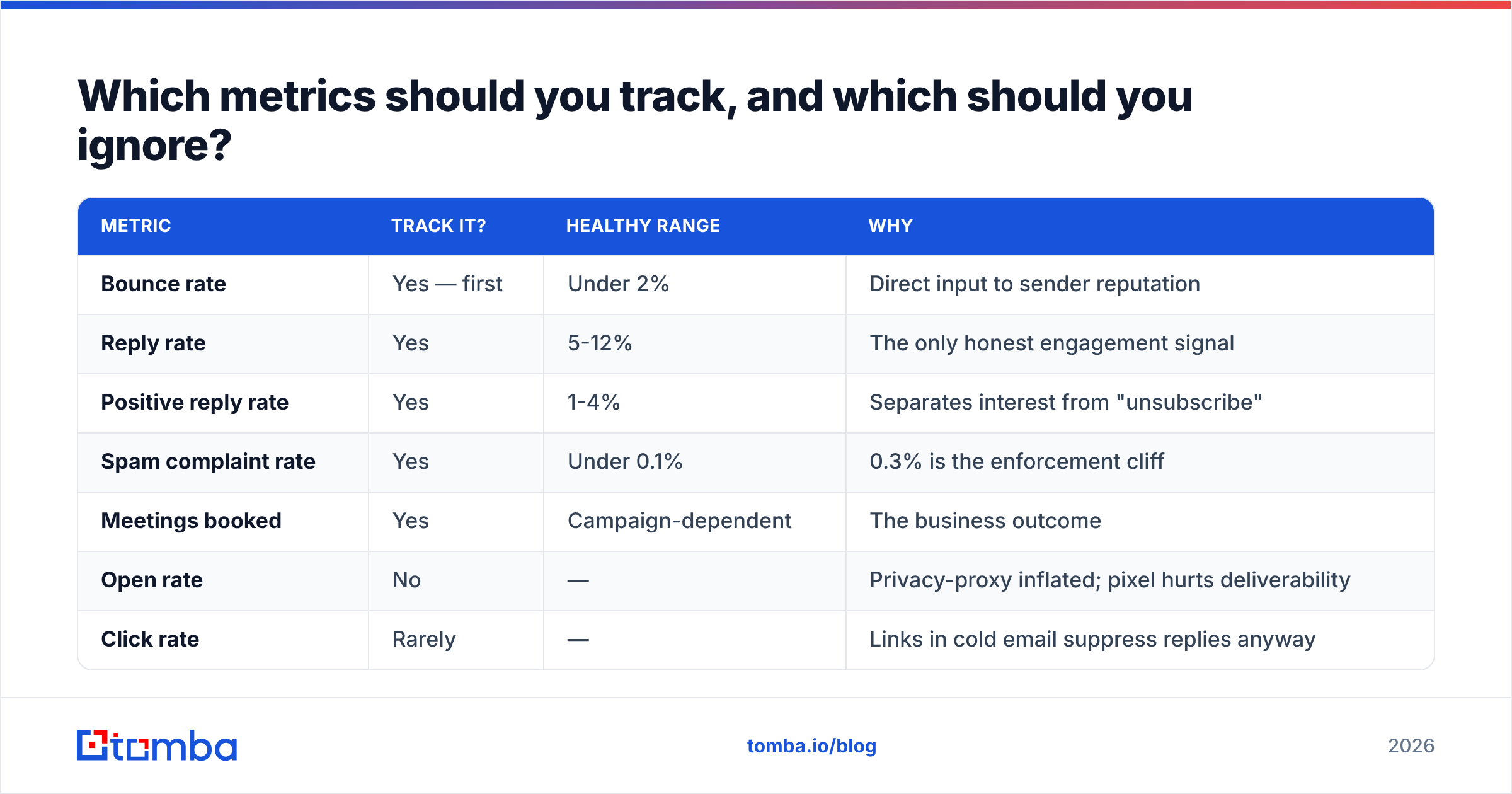
| Metric | Track it? | Healthy range | Why |
|---|---|---|---|
| Bounce rate | Yes — first | Under 2% | Direct input to sender reputation |
| Reply rate | Yes | 5-12% | The only honest engagement signal |
| Positive reply rate | Yes | 1-4% | Separates interest from "unsubscribe" |
| Spam complaint rate | Yes | Under 0.1% | 0.3% is the enforcement cliff |
| Meetings booked | Yes | Campaign-dependent | The business outcome |
| Open rate | No | — | Privacy-proxy inflated; pixel hurts deliverability |
| Click rate | Rarely | — | Links in cold email suppress replies anyway |
If you're going to instrument one thing, instrument positive reply rate by segment. It tells you whether the message-to-market fit is real, and it's the number that justifies scaling a campaign rather than restarting it.
What are the mistakes that quietly kill good campaigns?#
- Merge-tag failures in production.
Hi {{first_name}},shipping to 400 people is a brand event, not a typo. Always send a 10-person test batch first. - One domain, all campaigns. When it burns, everything burns simultaneously.
- Enriching once and never again. Re-verify any list older than 90 days before reusing it. Job-change churn alone justifies it.
- Personalizing the wrong layer. Mentioning that you liked their website is not personalization. Mentioning the specific integration gap in their job posting is.
- Ignoring the unsubscribe path. One-click unsubscribe is a requirement for bulk senders now, and a plain-text "reply STOP and I'll remove you" line at the bottom costs nothing and reduces complaints measurably.
- Treating catch-alls as valid. They're a maybe. Route them into a lower-volume, separate sending pool so their real bounce behavior doesn't contaminate your main domains.
Do you need a full sales engagement platform, or just a finder and a sender?#
Depends on team size. Under five reps, a verified data source plus a lightweight sequencer is enough, and it costs a fraction of an enterprise platform. Above that, you'll want CRM-native sequencing and shared reporting, which is where Outreach, Salesloft, and Apollo earn their price — you can sanity-check current buyer sentiment on G2's sales engagement category.
What doesn't change with scale is the data layer. Whether you're sending 200 emails a month or 20,000, the deliverable rate of your list sets the ceiling on everything downstream. It's also the cheapest part of the stack to get right: Tomba pricing starts free at 25 searches per month, with the Starter plan at $49/mo and Growth at $99/mo — meaningfully less than the cost of one burned sending domain.
Where should you start this week?#
Pick one segment, build a list of 100 genuinely well-matched contacts, verify every address, write one email you'd be comfortable receiving, and send four touches over sixteen days. That's it. If reply rate clears 5%, scale the segment. If it doesn't, the problem is targeting or offer — not send volume, and not the subject line.
When you're ready to build that list, start with the Tomba Email Finder. Give it a name and a domain, or a domain on its own, and you get verified professional addresses with a confidence score and the source behind each one — so the first thing your campaign runs on is data you can actually defend. The free tier is enough to test a full 25-contact segment before you commit to anything.
Related guides#
Ready to find emails that actually work?
Join 150,000+ professionals who stopped guessing and started sending. Free credits on signup — no credit card required.
Get the Tomba newsletter
Practical outbound tactics and product updates — once every two weeks.
About the author