Email Search: How to Find Any Professional Email in 2026
Every email search tool claims 95%+ accuracy, and almost none measure it the same way. Here's how email search actually works, what those numbers hide, and which tool fits the list you're building.
TL;DR
- Email search means resolving a person plus a company into a deliverable business address — it is a two-step job: find, then verify. Tools that only do step one inflate their numbers.
- Published accuracy rates are not comparable. A vendor that skips catch-all domains and unusual name formats can report 98% on a sample that excludes everything hard.
- Pattern guessing gets you roughly 60-75% coverage on mid-size companies. SMTP validation plus multi-source confirmation is what pushes it past 90%.
- Cost per verified contact matters more than cost per credit. A cheap plan that charges for unverified guesses is more expensive in practice.
- For most teams, the right stack is one finder with a solid API, a verifier that handles catch-alls honestly, and a hard rule: nothing enters your sequencer unverified.
What is email search?#
Email search is the process of taking what you already know about a person — usually a first name, last name, and a company domain — and returning the professional email address that actually reaches them.
Think of it like a phone book that nobody prints anymore. The information exists, scattered across company websites, press releases, GitHub commits, conference agendas, job listings, and mail server responses. Email search tools crawl those fragments, reassemble them into candidate addresses, and then test which candidate is real.
That last part is what separates email search from email guessing. Anyone can generate john.smith@acme.com, jsmith@acme.com, and john@acme.com from a name and a domain — a free email permutator does it in a second. Knowing which of those twelve permutations exists is the entire product.
Three terms get used interchangeably and shouldn't be:
- Email search / email finding — resolve a known person to an address. Input: name + domain. Output: one address plus a confidence score.
- Domain search — enumerate every address a tool knows at a company. Input: domain. Output: a list of people, roles, and addresses. Useful when you don't have names yet.
- Email verification — confirm an address you already hold is deliverable. Input: address. Output: valid / invalid / catch-all / risky.
Most real prospecting workflows use all three in sequence, which is why the tools bundle them.
How does email search actually work?#
Under the hood, there are four techniques, and every serious vendor runs some blend of them.
1. Pattern inference. The tool has already seen confirmed addresses at acme.com. If 40 of them follow first.last@, it infers the same pattern for a new name. Cheap, fast, and wrong whenever a company runs mixed patterns after an acquisition — which is more common than vendors admit. You can inspect this yourself with a company email pattern lookup before trusting a bulk run.
2. Web crawling and source citation. The address is scraped from a real page — an author byline, a mailto: link, a PDF, a conference speaker list. This is the strongest signal because it comes with a URL you can audit. Tools that show you where an address came from are giving you something checkable; tools that just show a percentage are asking for faith.
3. SMTP validation. The tool opens a conversation with the recipient's mail server and asks, in effect, "would you accept mail for this address?" without sending anything. This is a standard part of how SMTP works, and when the server answers honestly it is close to definitive.
4. Cross-source corroboration. The same address appears in three independent datasets with consistent metadata. Weak alone, strong in combination.

The problem is that technique 3 — the definitive one — is getting less reliable every year. Google Workspace, Microsoft 365, and most enterprise gateways now respond ambiguously to verification probes, either accepting everything (catch-all) or rate-limiting aggressive checkers. So the industry has drifted back toward corroboration and crawling, which is exactly why accuracy claims have gotten fuzzier.
Why do email search accuracy claims disagree so much?#
Because "accuracy" has at least four definitions in circulation, and vendors pick the flattering one.

Here is what the different definitions actually measure:
- Hit rate — of the contacts you submitted, what percentage got any address back. Says nothing about whether those addresses work.
- Precision on returned results — of the addresses returned, what percentage were deliverable. This is the number most vendors publish, and it can be inflated simply by returning fewer, safer results.
- Bounce rate in production — what your sending platform actually recorded. The only number that costs you money when it's wrong.
- Coverage on hard segments — catch-all domains, non-Latin names, sub-500-employee companies, EU contacts under GDPR constraints. Almost nobody publishes this, and it's where tools diverge most.
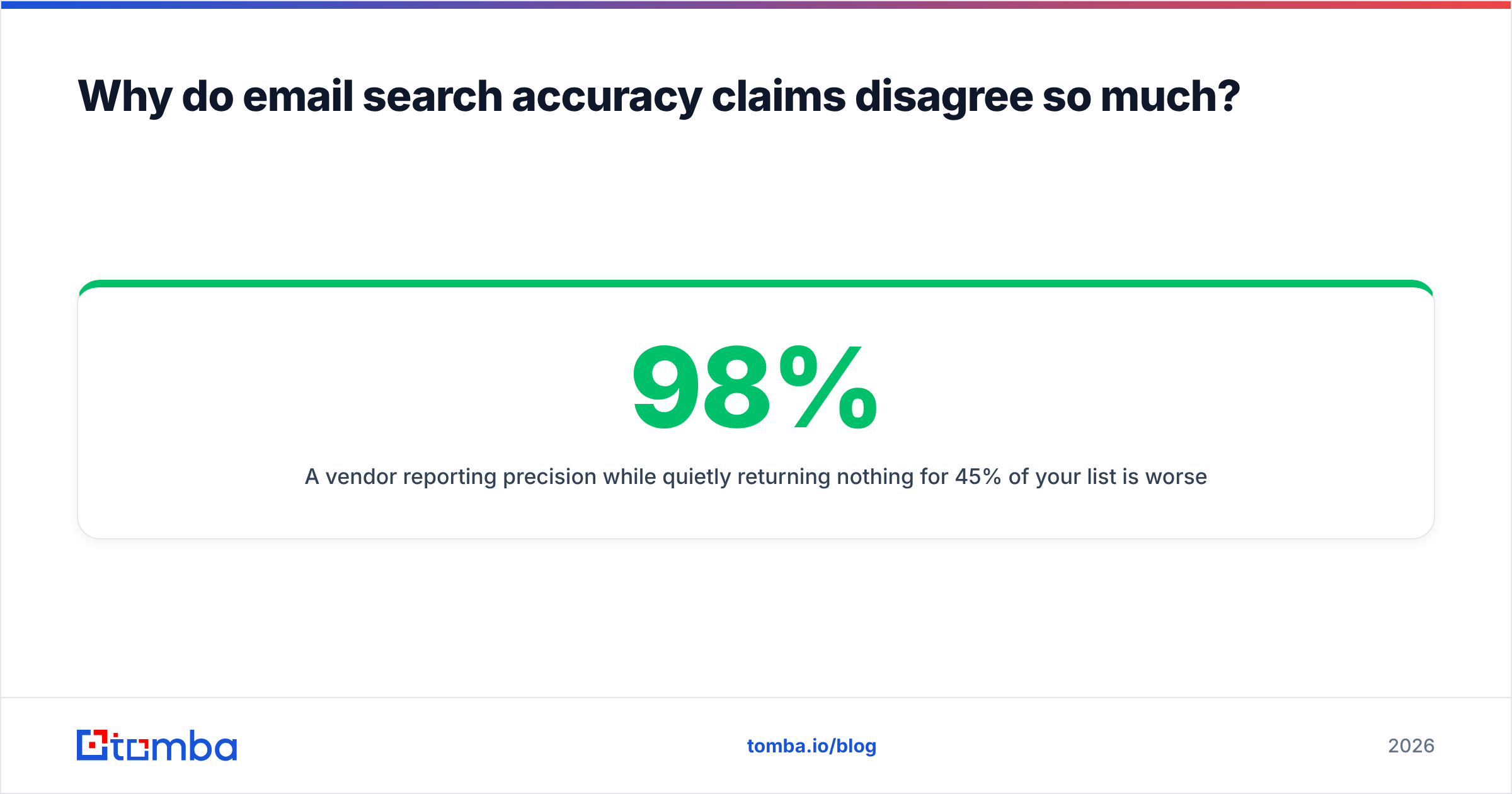
A vendor reporting 98% precision while quietly returning nothing for 45% of your list is worse for you than one reporting 92% precision at 80% coverage. Always compute the honest metric yourself: verified deliverable addresses ÷ contacts submitted. Run both tools on the same 500-row sample and compare that single ratio.
The other thing that skews benchmarks: sample composition. A test list built from Fortune 500 marketing directors is easy. A list of operations managers at 40-person manufacturers in three countries is the real job. Ask any vendor what their sample looked like, and treat "we tested on 10,000 contacts" without composition detail as no answer at all.
Which email search tools are worth comparing in 2026?#
The category has consolidated into a few recognizable shapes: pure finders, finder-plus-database platforms, verification specialists, and static contact databases. They solve different problems and pricing them against each other directly is a mistake people make constantly.

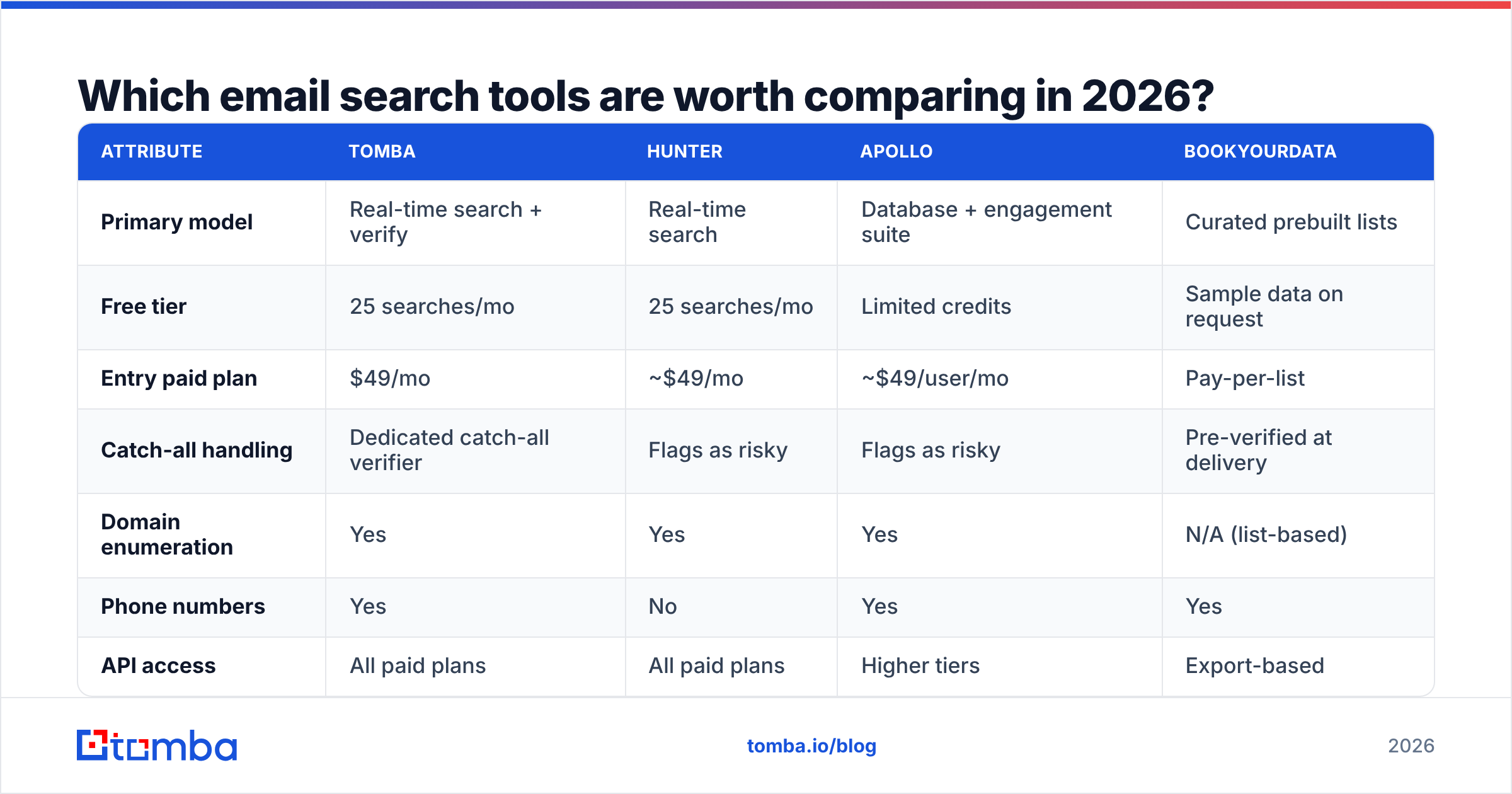
| Attribute | Tomba | Hunter | Apollo | BookYourData |
|---|---|---|---|---|
| Primary model | Real-time search + verify | Real-time search | Database + engagement suite | Curated prebuilt lists |
| Free tier | 25 searches/mo | 25 searches/mo | Limited credits | Sample data on request |
| Entry paid plan | $49/mo | ~$49/mo | ~$49/user/mo | Pay-per-list |
| Catch-all handling | Dedicated catch-all verifier | Flags as risky | Flags as risky | Pre-verified at delivery |
| Domain enumeration | Yes | Yes | Yes | N/A (list-based) |
| Phone numbers | Yes | No | Yes | Yes |
| API access | All paid plans | All paid plans | Higher tiers | Export-based |
| Best for | Precision + API workflows | Simple one-off lookups | All-in-one outbound teams | Instant vetted list purchase |
A few honest reads on that table.
Apollo is not really an email search tool — it's an outbound platform where search is one module. If you want sequencing, dialing, and intent signals in one subscription, that bundle is genuinely convenient, and the per-seat pricing reflects it. If you only need addresses, you're paying for nine features to use one. Teams in that position usually look at an Apollo alternative built around the finder itself.
BookYourData solves a different problem well: you don't want to run a search pipeline at all, you want a vetted list delivered with a bounce guarantee. For one-time campaigns into a defined segment — say, dental practices in three states — buying a curated, pre-verified list is often faster and cheaper than building the same list through API calls. It's a legitimately different purchase, not a worse version of the same one.
Hunter and Tomba occupy the same shape: real-time lookup with an API, priced per search. The distinctions come down to catch-all treatment, phone coverage, and how the data sources are disclosed.
Tomba sits in the precision-first corner. The email finder returns sources alongside the address, the email verifier runs as a separate step so you can gate what enters your sequencer, and pricing runs Free (25 searches/mo), Starter $49/mo, Growth $99/mo, Pro $249/mo, Enterprise custom. Full Tomba pricing is per-search rather than per-seat, which matters if five people share one workflow.
What should you do about catch-all domains?#
This is where most email search projects quietly leak money.
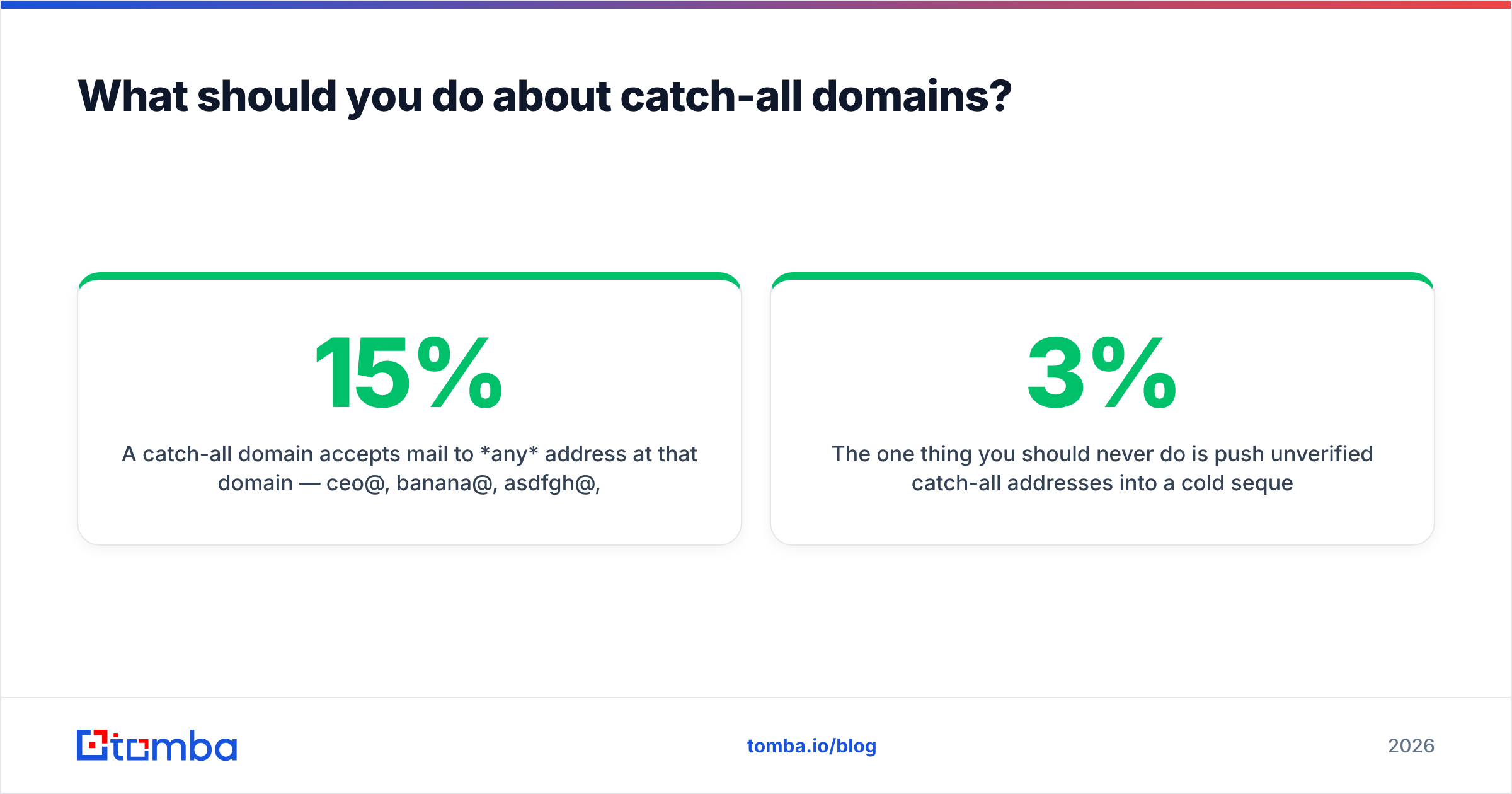
A catch-all domain accepts mail to any address at that domain — ceo@, banana@, asdfgh@, all accepted at the gateway. SMTP validation returns "yes" for every one of them, so a verifier that relies solely on SMTP will mark garbage as valid. Somewhere between 15% and 25% of B2B domains behave this way, and the rate is higher among companies running Microsoft 365 with a security gateway in front.
Your options, ranked:
- Use a dedicated catch-all check. Tools like Tomba's catch-all verifier probe differently — testing a deliberately fake address first to detect the catch-all behavior, then scoring the real candidate against pattern and source evidence rather than the server response. Not perfect, but far better than a binary valid/invalid.
- Require two independent sources. If the address appears on a crawled page and matches the dominant company pattern, ship it. One signal alone, hold it.
- Segment your sending. Route catch-all contacts to a separate, warmed sending domain at low volume. If they bounce, the damage is contained.
- Accept the loss. For high-volume, low-value campaigns, dropping catch-alls entirely is a defensible call. For six-figure ABM targets, it obviously isn't.

The one thing you should never do is push unverified catch-all addresses into a cold sequence at volume. Bounce rates above 3% start pulling down sender reputation, and reputation damage takes weeks to repair while costing you deliverability on the contacts that were good.
How do you run email search at scale without wrecking your data?#
Four rules that survive contact with real lists.
Search from a domain, not a company name. "Acme Corp" resolves to a dozen entities. acme.com resolves to one. If you only have company names, run them through a website-resolution step first, then use domain search to enumerate contacts. Every downstream error rate improves.
Enrich before you search, not after. Job titles and seniority change who you should target. Pulling that in first means you search for the right person once instead of the wrong person three times.
Automate through the API, not the UI. Manual lookups are fine at 20 contacts a week. At 2,000, you want the Tomba API (or any equivalent) wired into your CRM so enrichment happens on record creation and stays current. Batch endpoints also cost less per contact than interactive ones on most platforms.
Re-verify on a schedule. B2B email data decays at roughly 2-3% per month through job changes alone — a figure that shows up consistently in G2's lead intelligence category reviews and vendor decay studies alike. A list you verified in January is meaningfully wrong by June. Quarterly re-verification of your active outreach segment is the minimum; monthly is better if your sequences run continuously.
What are the most common email search mistakes?#
- Optimizing for credits instead of verified contacts. A plan offering 10,000 credits at $99 that returns 4,000 deliverable addresses is more expensive than 5,000 credits at $99 returning 4,400.
- Trusting a single confidence score. Scores are vendor-internal and not comparable across tools. Ask what evidence produced the score.
- Skipping verification because the finder "already verified it." Finding and verifying are different operations with different failure modes. Run both.
- Sending to role addresses.
info@,sales@,support@are technically valid and functionally useless for personalized outreach. Filter them out before they distort your reply-rate math. - Ignoring regional compliance. Email search is legal in most jurisdictions, but sending rules differ sharply between the US, EU, and Canada. Sales teams working multiple regions should read up on the specifics — HubSpot's sales resources cover the practical side reasonably well.
- Running one giant bulk job with no sample first. Test on 200 rows, measure your honest ratio, then commit the budget.
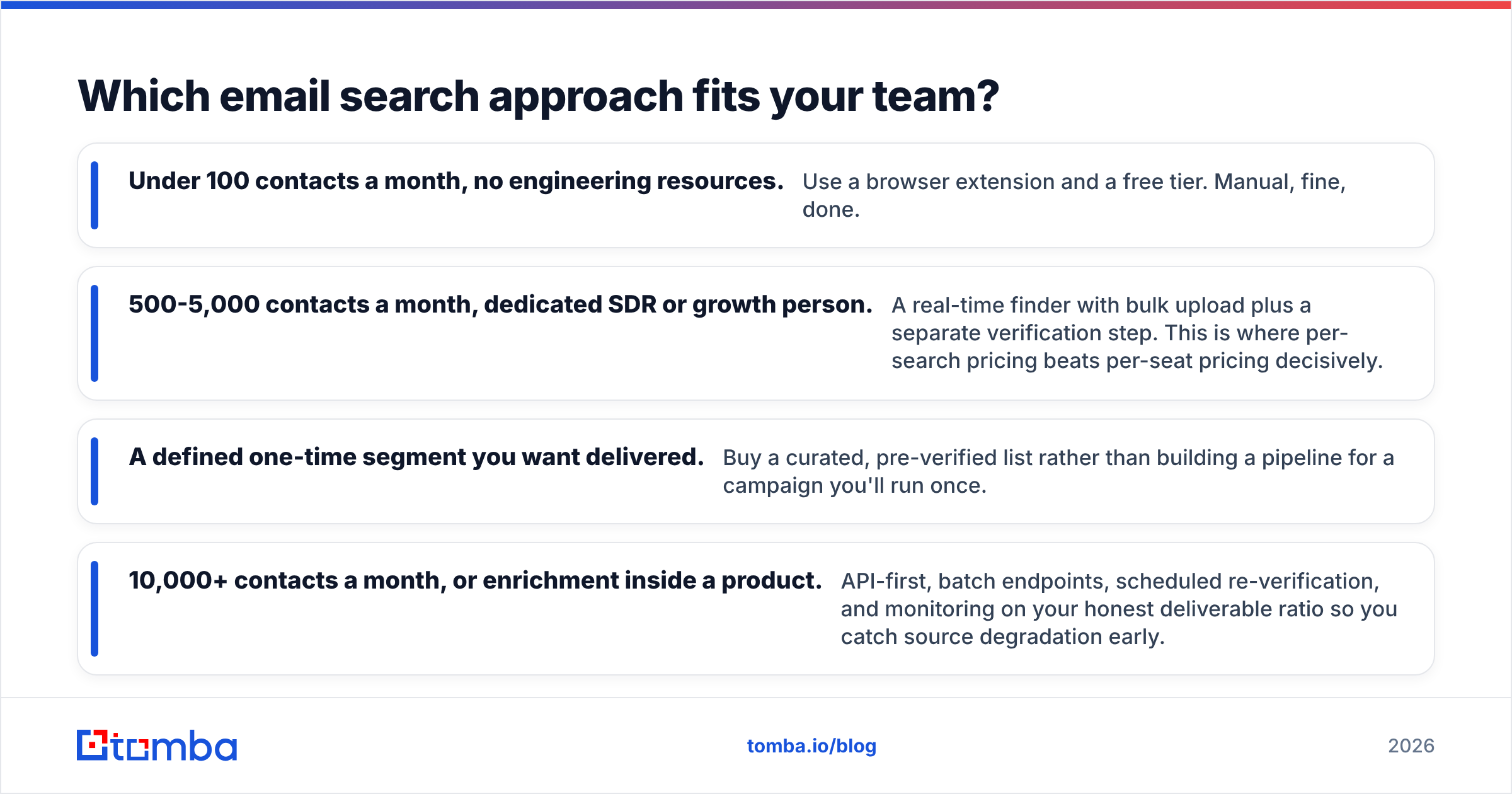
Which email search approach fits your team?#
- Under 100 contacts a month, no engineering resources. Use a browser extension and a free tier. Manual, fine, done.
- 500-5,000 contacts a month, dedicated SDR or growth person. A real-time finder with bulk upload plus a separate verification step. This is where per-search pricing beats per-seat pricing decisively.
- A defined one-time segment you want delivered. Buy a curated, pre-verified list rather than building a pipeline for a campaign you'll run once.
- 10,000+ contacts a month, or enrichment inside a product. API-first, batch endpoints, scheduled re-verification, and monitoring on your honest deliverable ratio so you catch source degradation early.
The failure mode across all four is the same: treating email search as a one-time data purchase rather than a maintained pipeline. Addresses rot. Companies migrate mail providers. People change jobs. The teams with clean lists aren't buying better data — they're re-running the same verification loop on a schedule.
Start with a sample, measure verified-deliverable-per-contact-submitted, and pick the tool that wins on that number for your segment rather than the vendor's.
Ready to test it on your own list? The Tomba Email Finder returns the source URL behind every address it finds, flags catch-all domains explicitly instead of hiding them behind a confidence score, and runs on per-search pricing starting at $49/mo — with a free tier of 25 searches so you can benchmark it against whatever you're using now before paying anything. Run both on the same 200 rows and let the honest ratio decide.
Related guides#
Ready to find emails that actually work?
Join 150,000+ professionals who stopped guessing and started sending. Free credits on signup — no credit card required.
Get the Tomba newsletter
Practical outbound tactics and product updates — once every two weeks.
About the author