What Is an Email Searcher? How to Find B2B Emails in 2026
An email searcher turns a name and a domain into a deliverable address — or into a bounce. Here is how the tech actually works, what accuracy numbers really mean, and how the main tools compare on price and coverage in 2026.
TL;DR
- An email searcher takes a person's name plus a company domain and returns the most likely working address — then verifies it before you send.
- The find step is pattern inference plus crawled and licensed data. The value is almost entirely in the verify step; a searcher that skips verification is a guess machine.
- Headline accuracy numbers ("98% accurate!") are marketing until you know the denominator. Ask what happens to catch-all domains and what counts as a "found" email.
- Price per usable email matters more than price per credit. A $39 tool with 40% coverage costs more than a $49 tool with 75% coverage.
- Free tiers are real and useful for testing: Tomba gives 25 searches/month, most competitors give 25–50.
What is an email searcher?#
An email searcher is a tool that converts identity signals — a full name, a company domain, a LinkedIn profile, sometimes just a website URL — into a professional email address you can actually send to.
Think of it like a phone book that had to be reconstructed from scratch after someone burned the original. Nobody publishes a master list of corporate emails. So the tool rebuilds the entry from fragments: a press release footer here, a GitHub commit there, a WHOIS record, a conference speaker page, a support ticket signature. Then it checks whether the reconstructed address actually accepts mail.
The category goes by a lot of names — email finder, email lookup, email locator, contact discovery. They describe the same job. What separates a serious email finder from a toy is not the search step. It's what happens after the candidate address is generated.
Three jobs sit inside one product:
- Discovery — locate a real, observed address for this person at this domain.
- Inference — when no observed address exists, predict it from the company's known pattern (
first.last@,flast@,first@). - Verification — prove the address exists on the receiving mail server before it touches your sequence.
Most bad outcomes trace back to a tool doing step 2 and calling it step 1.
How does an email searcher actually find an address?#
Here's the pipeline that runs when you type "Sarah Chen" + "acme.com":
- Domain resolution. The tool confirms
acme.comis the mail-handling domain, not a redirect, a parked page, or a brand site whose email lives onacmecorp.com. This step alone kills a surprising share of failed lookups. - Pattern detection. It queries its store of known addresses at that domain and derives the dominant format. If it has seen
john.smith@acme.comandmaria.lopez@acme.com, the pattern isfirst.last. You can inspect this yourself with a company email pattern check before running a whole list. - Candidate generation. Name variations get applied to the pattern — nicknames, hyphenated surnames, accented characters normalized, middle initials. "Sarah Chen" may yield six to twelve candidates.
- Source matching. Candidates get cross-checked against observed data: crawled public pages, licensed datasets, contributed data, and public code repositories. A candidate that matches an observed address gets promoted from "guess" to "found."
- SMTP and MX validation. The verifier opens a conversation with the receiving mail server and asks whether the mailbox exists — without delivering a message. Syntax, DNS, MX records, disposable-domain checks, and role-account detection all run here.
- Confidence scoring. The output is a percentage or a status label. Anything below your threshold should never enter a send list.

The step people underrate is 5. An address generated by pattern inference and never validated has maybe a 55–70% chance of landing, depending on how well-documented the company is. Run it through an email verifier and you either promote it to a send or discard it before it costs you sender reputation.
How accurate are email searchers in 2026?#
Short answer: accuracy claims are meaningless without a denominator.
Vendors report accuracy in at least three incompatible ways:
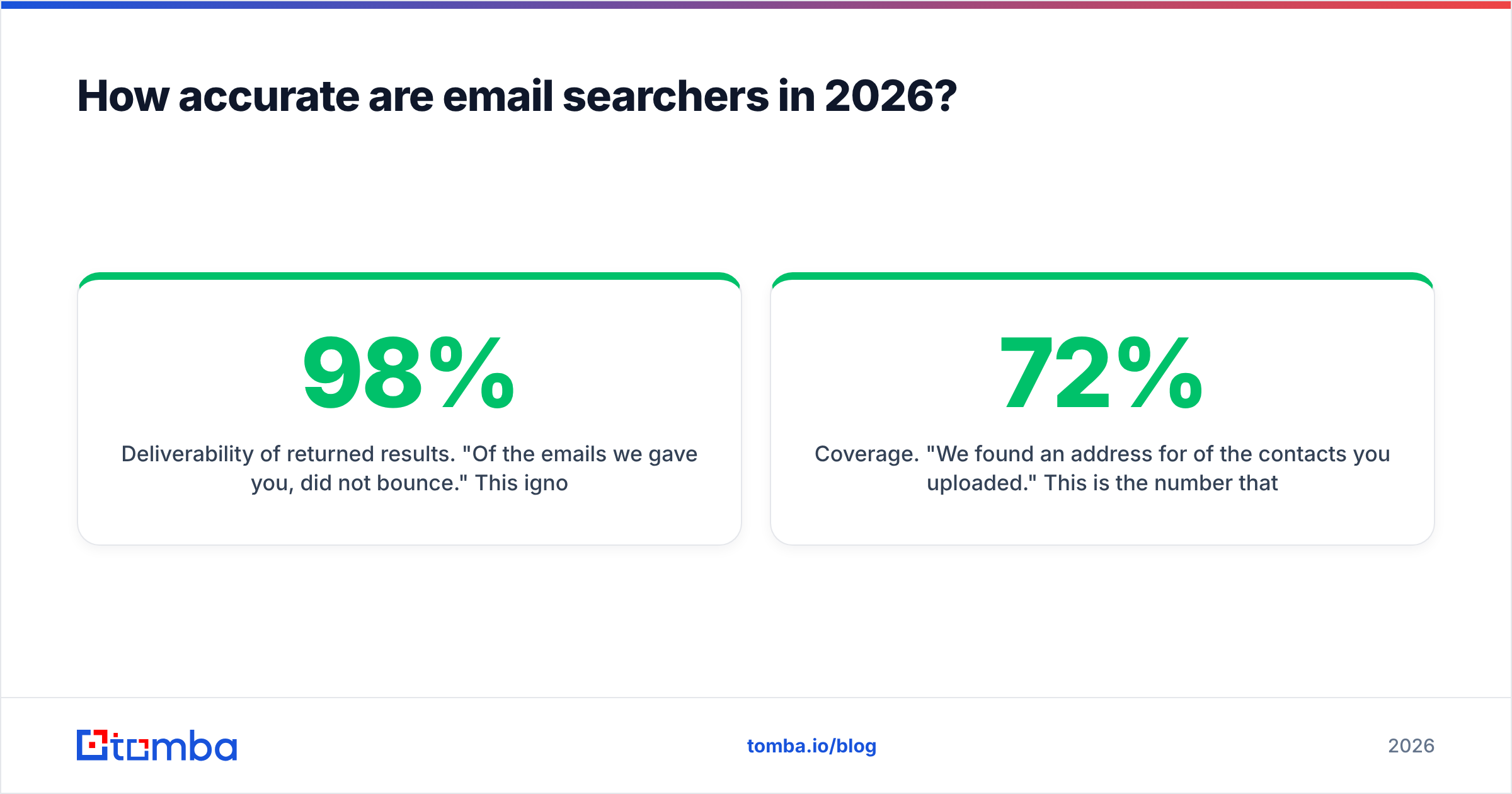
- Deliverability of returned results. "Of the emails we gave you, 98% did not bounce." This ignores everything the tool failed to find. A tool that returns one email out of a hundred lookups can honestly claim 99% accuracy.
- Coverage. "We found an address for 72% of the contacts you uploaded." This is the number that decides whether your list is usable, and it's the number vendors bury.
- Blended net. Coverage multiplied by deliverability — the only figure that predicts your real outcome.
Ask any vendor for a blended number on your list, not their benchmark set. Most independent testing pools — including buyer reviews on G2 — show meaningful spread between vendors depending on region and company size. European mid-market domains behave very differently from US enterprise ones.

Two structural factors move the number more than vendor quality does:
Catch-all domains. Roughly one in five corporate domains accepts mail to any address at the domain, valid or not. SMTP verification can't distinguish sarah.chen@ from asdfgh@ there. Honest tools flag these as "accepted-all" and let you decide. Dishonest tools mark them valid and inflate their accuracy stat. If catch-alls are a large slice of your target market, a dedicated catch-all verifier is not optional.
Company size. A 12-person agency leaves fewer public traces than a 5,000-person software company. Coverage on SMB lists routinely runs 20–30 points below enterprise lists at the same vendor. If your ICP is small businesses, benchmark on small businesses.
Which email searcher should you use in 2026?#
The market splits into three shapes, and picking the wrong shape is more expensive than picking the wrong vendor inside the right shape.
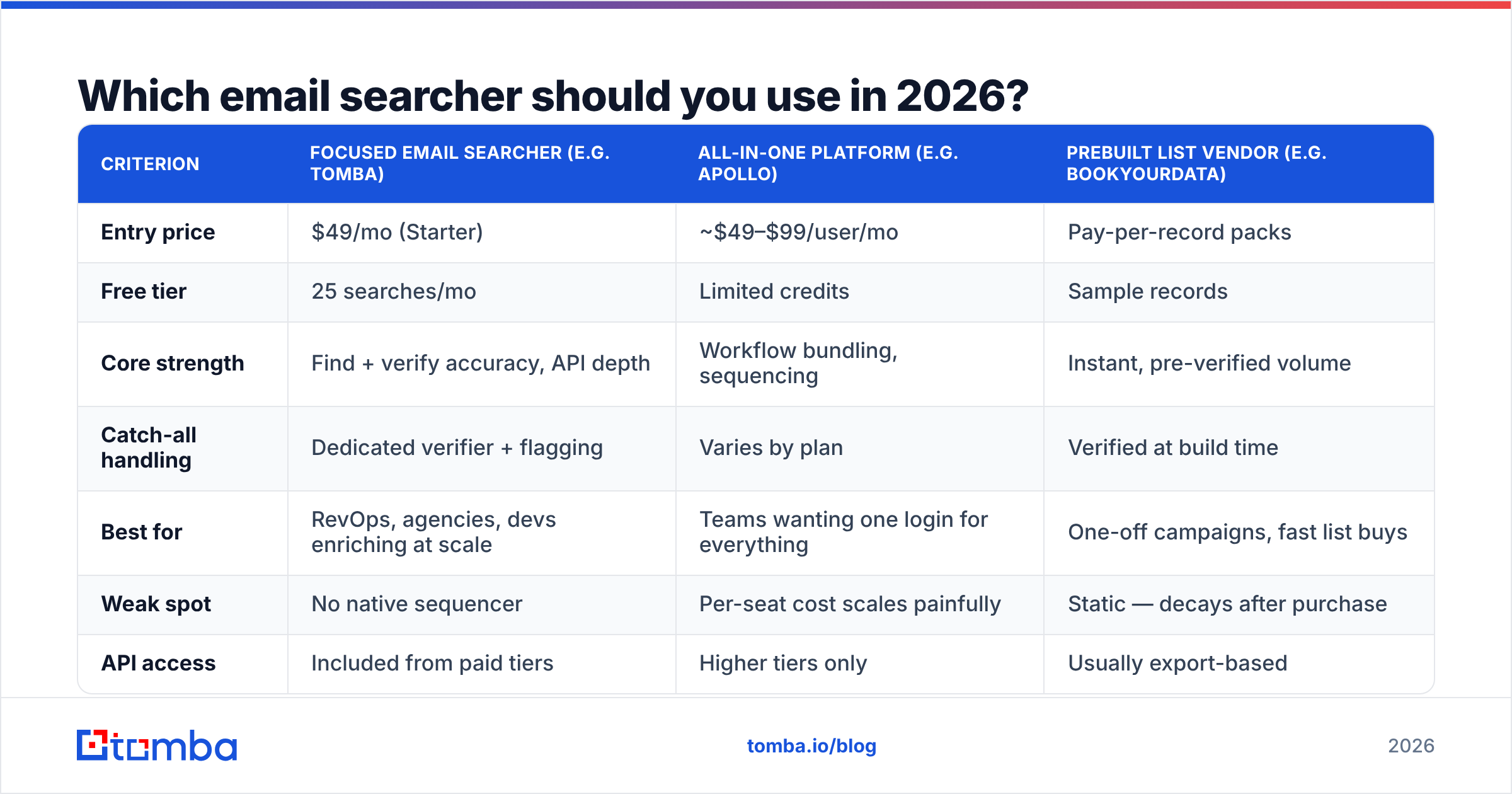
Focused finders do discovery and verification, expose a clean API, and charge per credit. All-in-one sales platforms bundle a contact database with sequencing, dialers, and a CRM layer. Prebuilt list vendors sell you a static, pre-verified dataset instead of a lookup engine.
| Criterion | Focused email searcher (e.g. Tomba) | All-in-one platform (e.g. Apollo) | Prebuilt list vendor (e.g. BookYourData) |
|---|---|---|---|
| Entry price | $49/mo (Starter) | ~$49–$99/user/mo | Pay-per-record packs |
| Free tier | 25 searches/mo | Limited credits | Sample records |
| Core strength | Find + verify accuracy, API depth | Workflow bundling, sequencing | Instant, pre-verified volume |
| Catch-all handling | Dedicated verifier + flagging | Varies by plan | Verified at build time |
| Best for | RevOps, agencies, devs enriching at scale | Teams wanting one login for everything | One-off campaigns, fast list buys |
| Weak spot | No native sequencer | Per-seat cost scales painfully | Static — decays after purchase |
| API access | Included from paid tiers | Higher tiers only | Usually export-based |
BookYourData is worth a genuine look if you want records now with no lookup workflow — it's a different purchase, not a worse one. The trap is buying a static list when your motion requires fresh lookups every week, or paying per seat for a sequencer when you only needed enrichment.

If you're currently on a bundled platform and only using the data layer, an Apollo alternative built around lookups usually cuts the bill by more than half, because you stop paying for seats that don't sequence.
What should an email searcher cost?#
Ignore the sticker price. Compute cost per usable email:
cost per usable email = (monthly price ÷ credits) ÷ (coverage % × deliverability %)A plan at $99 for 5,000 credits with 70% coverage and 96% deliverability gives you 3,360 usable addresses — about $0.029 each. A cheaper plan at $59 for 5,000 credits with 40% coverage and 90% deliverability gives 1,800 usable — $0.033 each, and you burn twice the manual review time.
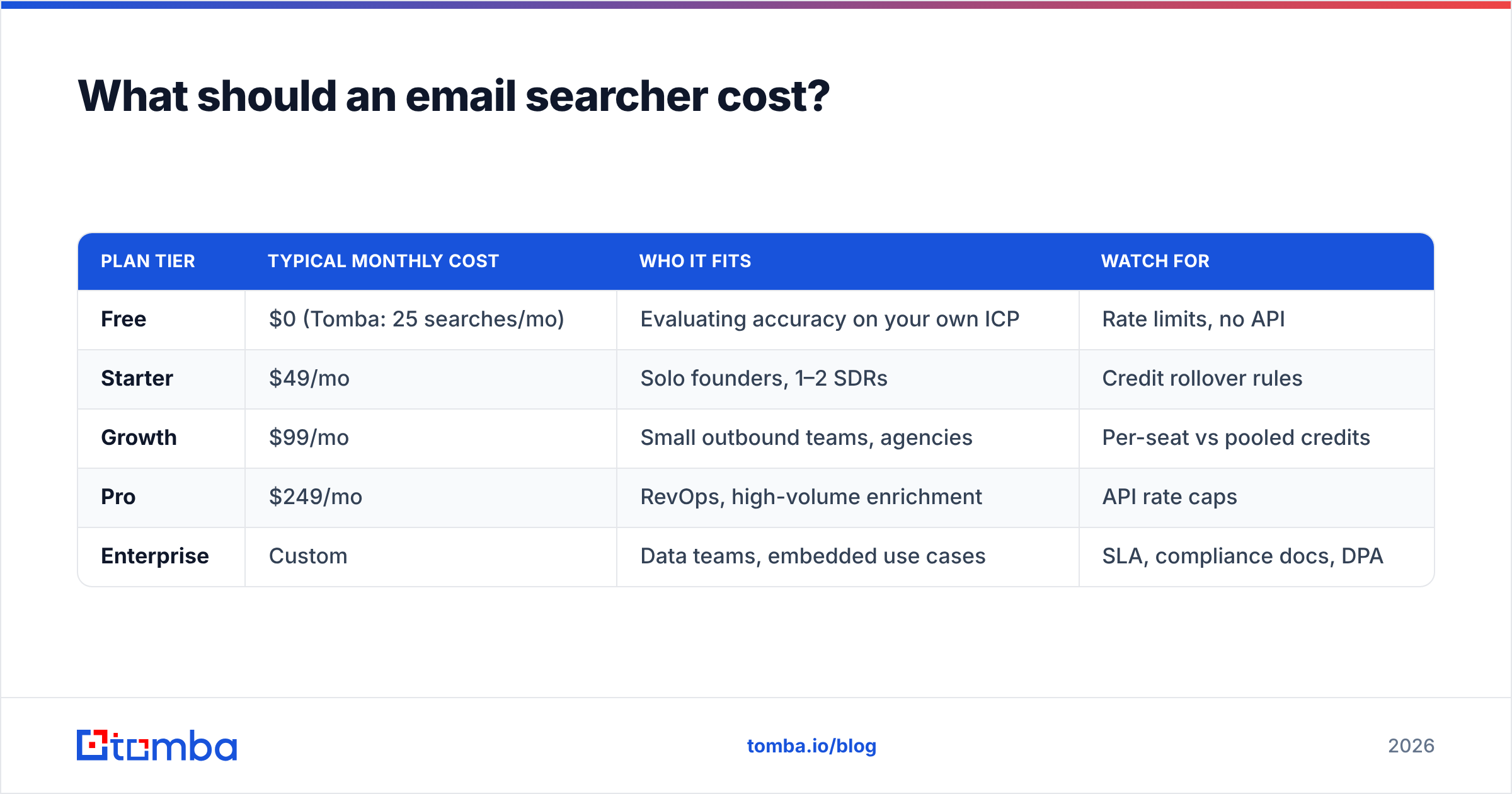
| Plan tier | Typical monthly cost | Who it fits | Watch for |
|---|---|---|---|
| Free | $0 (Tomba: 25 searches/mo) | Evaluating accuracy on your own ICP | Rate limits, no API |
| Starter | $49/mo | Solo founders, 1–2 SDRs | Credit rollover rules |
| Growth | $99/mo | Small outbound teams, agencies | Per-seat vs pooled credits |
| Pro | $249/mo | RevOps, high-volume enrichment | API rate caps |
| Enterprise | Custom | Data teams, embedded use cases | SLA, compliance docs, DPA |
Two clauses decide whether the advertised price is the real price. Do failed lookups consume a credit? If yes, low-coverage vendors quietly charge you for their misses. Do unused credits roll over? Outbound is lumpy; a hard monthly reset costs real money. Full Tomba pricing is public, and it's fair to ask any competitor to put both answers in writing.
Is a free email searcher good enough?#
For evaluation, yes. For production, almost never — and the reason isn't the credit cap.
Free tiers typically strip the parts that determine outcomes: no API, no bulk upload, no catch-all handling, and often no verification status beyond a binary guess. You get the find step without the trust step.
Where free genuinely works:
- Testing coverage on your own ICP. Pull 25 target accounts you already have verified emails for and score the tool against ground truth. This takes twenty minutes and prevents a bad annual contract.
- Occasional one-off lookups. A single partnership contact, a journalist, a hiring manager. An email extractor or a free email checker covers this without a subscription.
- Sanity-checking a purchased list. Spot-verify 25 random records before you trust 5,000.
Where free breaks: anything recurring. If you run outbound weekly, the manual copy-paste tax exceeds the subscription cost within a month.
How do you use an email searcher without wrecking deliverability?#
Finding the address is half the job. The other half is not getting your domain flagged for the effort.
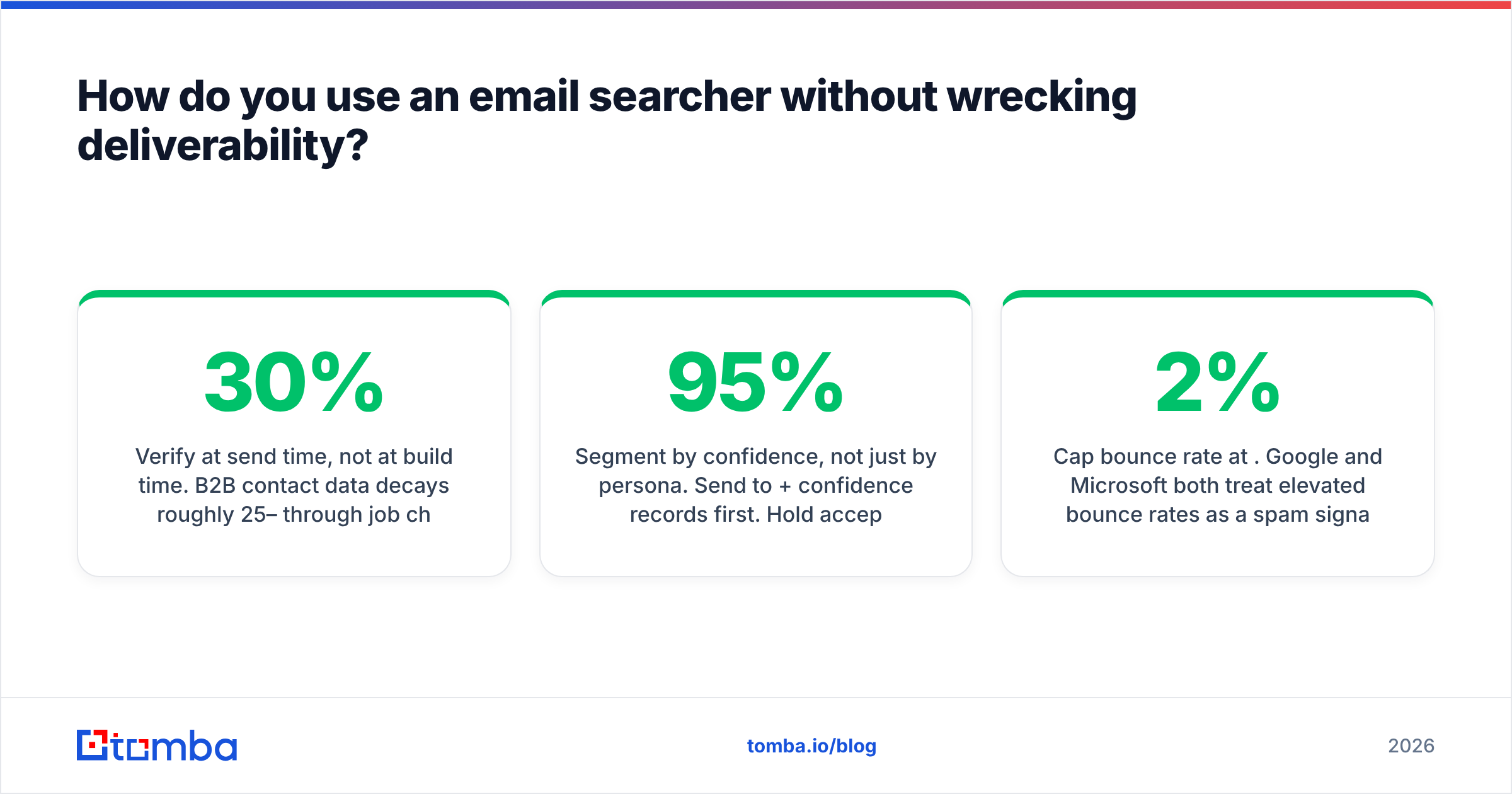
- Verify at send time, not at build time. B2B contact data decays roughly 25–30% per year through job changes alone. A list verified in January is materially stale by June. Re-verify before every campaign.
- Segment by confidence, not just by persona. Send to 95%+ confidence records first. Hold accepted-all and low-confidence records for a separate, smaller-volume send you can monitor.
- Cap bounce rate at 2%. Google and Microsoft both treat elevated bounce rates as a spam signal. Above 3%, your sender reputation starts taking damage that outlasts the campaign.
- Drop role accounts from cold sequences.
info@,sales@,support@verify clean and convert at near zero, while raising complaint risk. Most searchers flag them — respect the flag. - Authenticate before you scale. SPF, DKIM, and DMARC are table stakes; Google's bulk sender requirements have made them enforcement conditions, not best practices.
- Warm new domains gradually. A brand-new sending domain hitting 500 verified addresses on day one behaves exactly like a spammer, regardless of data quality.
The pattern that fails most often: a team buys accurate data, skips verification because "the vendor already verified it," sends 2,000 emails from a cold domain, and concludes the data was bad. The data was fine. The sending was.
What about API and workflow integration?#
If you're enriching more than a few hundred records a month, the interface matters more than the UI.
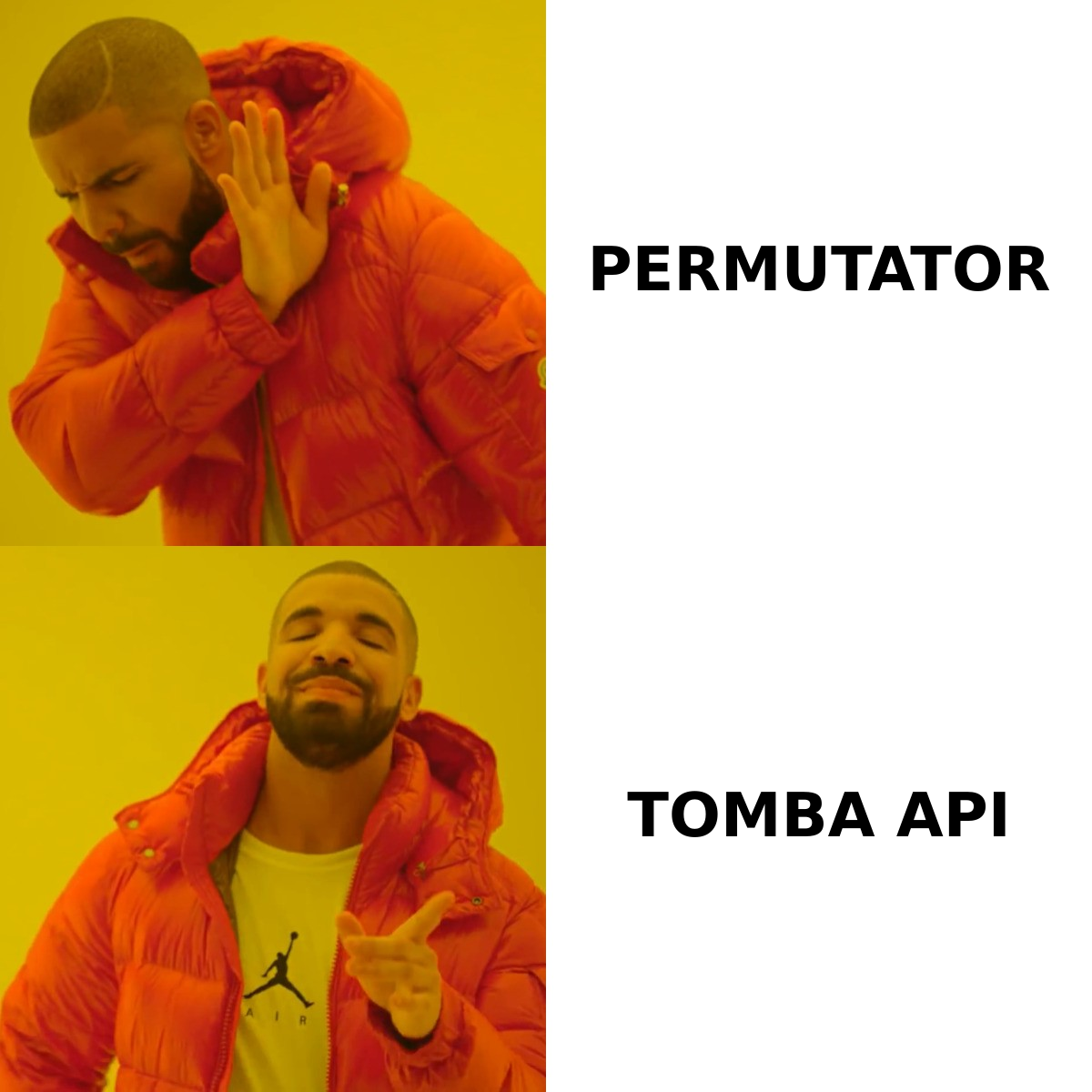
A production-grade email finder API should give you predictable rate limits, a documented confidence score in the response body (not just a label), bulk endpoints so you aren't looping single requests, and webhook callbacks for long-running jobs. Anything less and your engineering team will build a queue around it anyway.
For non-engineering workflows, the practical integration points are a spreadsheet add-on, a CRM sync, and a browser extension. Enriching directly inside Google Sheets or pushing verified contacts into your CRM removes the CSV round-trip where most data quality quietly dies.
Bottom line#
An email searcher is only worth what its verified output is worth. Judge tools on blended coverage against your own ICP, on how honestly they handle catch-all domains, and on cost per usable email — not on credit counts or headline accuracy claims.
Run the twenty-minute test: take 25 contacts you already have confirmed addresses for, run them through two or three candidates, and score the results yourself. The winner is usually not the one with the loudest number on its homepage.
If you want to run that test now, Tomba's Email Finder includes 25 free searches per month with no card, catch-all flagging built in, and the same verification layer that powers its paid tiers — enough to benchmark honestly before you spend anything.
Related guides#
Ready to find emails that actually work?
Join 150,000+ professionals who stopped guessing and started sending. Free credits on signup — no credit card required.
Get the Tomba newsletter
Practical outbound tactics and product updates — once every two weeks.
About the author