Email Verification Process: How It Works Step by Step
Most teams treat email verification as a checkbox. It's actually a five-stage pipeline, and skipping any stage is how a 4% bounce rate becomes a blocked domain. Here's the full process.
TL;DR
- The email verification process is five stages: syntax, domain/MX, mailbox (SMTP), risk classification, and list hygiene. Vendors that only do the first three sell you a false sense of safety.
- Target under 2% hard bounce. Google and Microsoft both treat sustained bounce and spam-complaint rates as reputation signals, and Google's bulk-sender rules put the complaint ceiling at 0.3%.
- Catch-all domains break SMTP verification entirely — roughly 15-20% of B2B domains accept everything. These need pattern confidence scoring, not a ping.
- Verification decays. A list verified 90 days ago is roughly 8-12% stale because people change jobs. Re-verify before every major send.
- Verify at the point of capture (API/webhook) and again pre-send. One-time cleanup is a bandage, not a process.
What is the email verification process?#
The email verification process is the sequence of checks that decides whether an email address will actually accept mail before you send to it. Think of it like a bouncer working a guest list: first they check the name is spelled like a name at all, then that the venue exists, then that this specific person is on the list, then whether letting them in is risky.
Most people collapse all of that into "we ran the list through a tool." That's the mistake. Verification is not one API call returning valid/invalid — it's a layered pipeline where each stage answers a different question and each has its own failure mode.
Here's the stack, in order:
- Syntax validation — Does the string conform to RFC 5322? Catches typos, missing @ signs, illegal characters, trailing spaces from a bad CSV paste. Cheap, instant, catches maybe 2-3% of a dirty list.
- Domain and MX record check — Does the domain resolve, and does it publish mail exchange records? A domain with no MX record cannot receive mail, period. This kills dead companies, parked domains, and typo'd domains like
gmial.com. - Mailbox verification (SMTP handshake) — Open a connection to the receiving mail server, issue
RCPT TO, read the response code before sending anything. A 250 means the mailbox exists. A 550 means it doesn't. This is the core of the process and also the flakiest part. - Risk classification — Is this a role account (
info@,sales@), a disposable address, a spam trap, or a catch-all domain? All of these can return "valid" from stage 3 while still torching your sender reputation. - Hygiene and decay management — Deduplication, suppression-list matching, and re-verification scheduling. Verification has a shelf life.
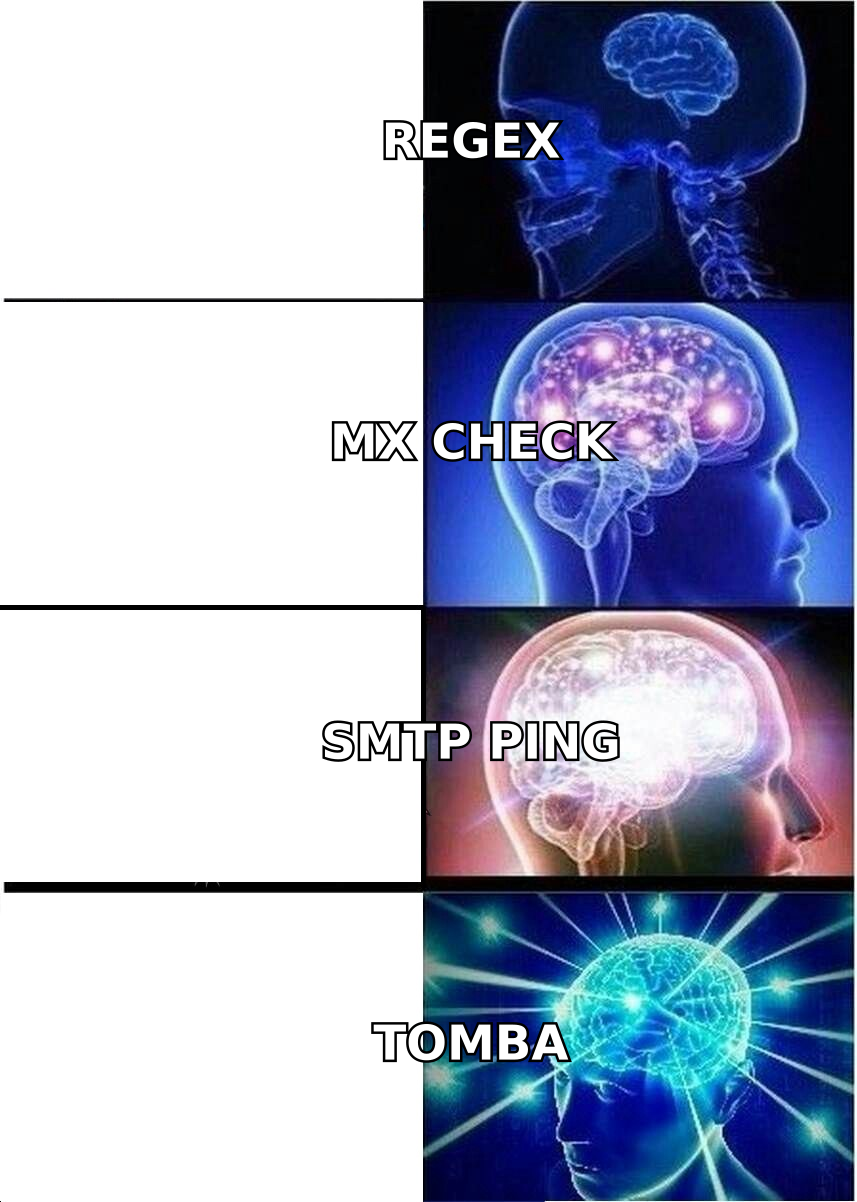
Stages 1-3 are commodity. Every vendor does them and they mostly agree. Stages 4 and 5 are where tools actually differ, and where your bounce rate is really decided.
Why does the SMTP check fail so often?#
Because mail servers lie, and increasingly they lie on purpose.
The SMTP handshake works by asking the receiving server "would you accept mail for this address?" without actually sending anything. In 2010 that worked almost universally. In 2026, three things break it:
Catch-all configuration. The domain is set to accept mail for every possible address and sort it out later. RCPT TO returns 250 for ceo@company.com and also for asdkjhasd@company.com. Roughly 15-20% of B2B domains behave this way, and it skews higher among companies using Microsoft 365 with a default accepted-domain policy. A catch-all "valid" result is not a valid result — it's an unknown wearing a valid costume.
Greylisting and rate limiting. Many servers deliberately return a temporary 4xx failure to unknown senders on first contact, expecting a legitimate mailer to retry. A verification tool that treats a 451 as "invalid" throws away good addresses. A tool that treats it as "valid" is guessing.
Verification-hostile providers. Yahoo and several large providers now return uniform responses regardless of mailbox existence, specifically to stop list-scrubbing reconnaissance. Any vendor claiming 99% accuracy across every provider is either testing on a friendly sample or rounding aggressively.
This is the reason good verifiers return more than two states. You want at minimum: valid, invalid, catch-all/accept-all, role, disposable, unknown. If a tool only gives you a binary, it's compressing genuine uncertainty into a confident-looking answer, and you're the one who eats the bounce.
For catch-all domains specifically, the workaround is pattern confidence rather than server response — inferring first.last@ vs flast@ from known-good addresses at that domain and scoring the probability. Tomba's catch-all verifier and catch-all finder exist precisely because the SMTP layer has nothing useful to say here.
How do the major verification tools compare?#
The real differences show up in catch-all handling, credit rollover, and whether the API is a first-class product or an afterthought. Prices below are list prices for entry-level paid tiers as published by each vendor.
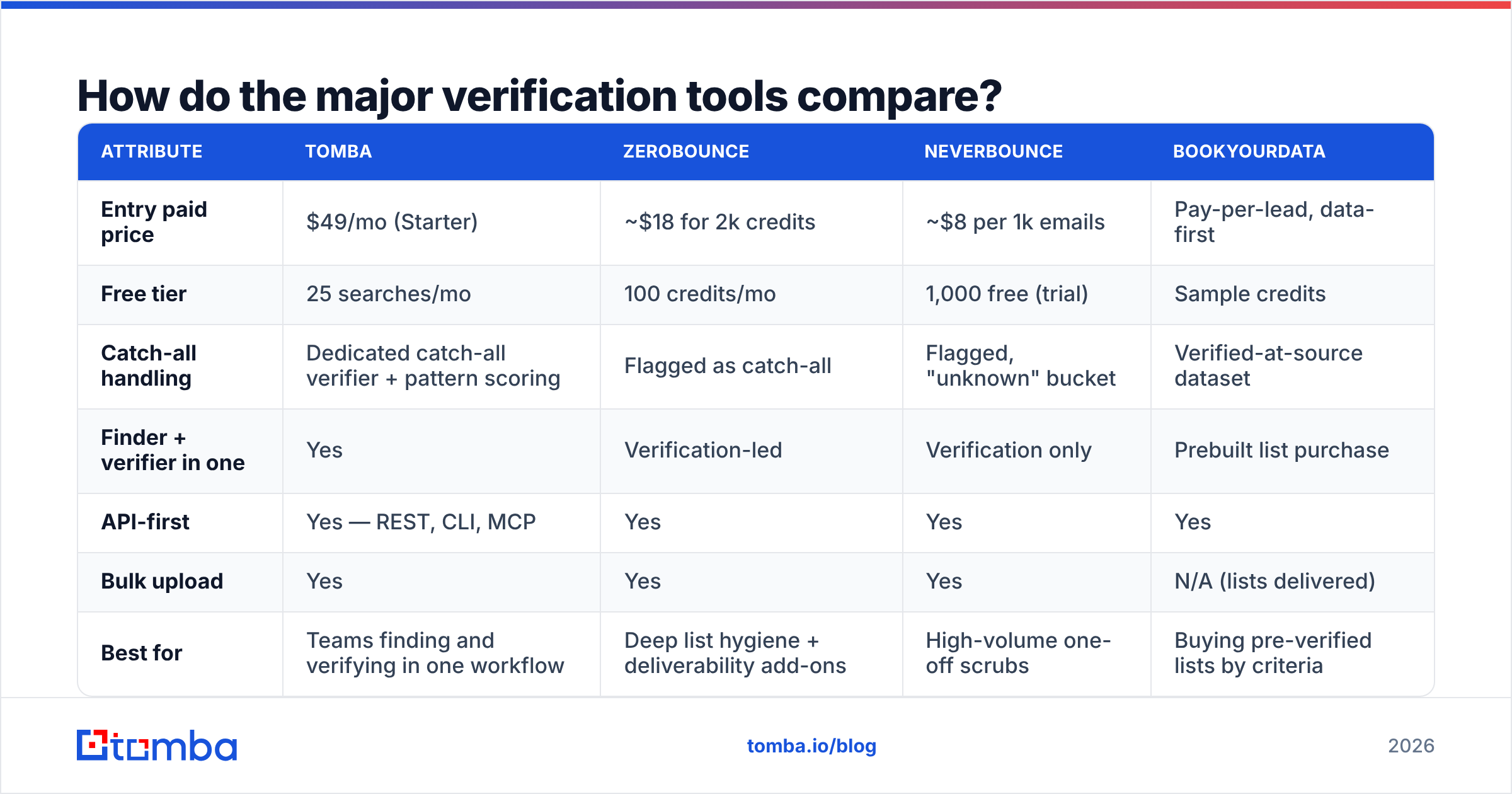
| Attribute | Tomba | ZeroBounce | NeverBounce | BookYourData |
|---|---|---|---|---|
| Entry paid price | $49/mo (Starter) | ~$18 for 2k credits | ~$8 per 1k emails | Pay-per-lead, data-first |
| Free tier | 25 searches/mo | 100 credits/mo | 1,000 free (trial) | Sample credits |
| Catch-all handling | Dedicated catch-all verifier + pattern scoring | Flagged as catch-all | Flagged, "unknown" bucket | Verified-at-source dataset |
| Finder + verifier in one | Yes | Verification-led | Verification only | Prebuilt list purchase |
| API-first | Yes — REST, CLI, MCP | Yes | Yes | Yes |
| Bulk upload | Yes | Yes | Yes | N/A (lists delivered) |
| Best for | Teams finding and verifying in one workflow | Deep list hygiene + deliverability add-ons | High-volume one-off scrubs | Buying pre-verified lists by criteria |
The honest read: if all you have is a 200,000-row list to scrub once, a pure verification vendor priced per-credit is the cheapest path. If you're continuously building lists — finding addresses, verifying them, pushing them to a CRM — a combined email finder and email verifier removes an entire integration and a whole class of sync bugs. And if you'd rather skip discovery entirely and buy contacts filtered by title and geography, BookYourData's pre-verified dataset is a legitimately different shape of solution rather than a worse one.
Compare full Tomba pricing against per-credit vendors on your actual monthly volume, not on headline price. Per-credit looks cheap until you're re-verifying quarterly.
What bounce rate should you actually target?#
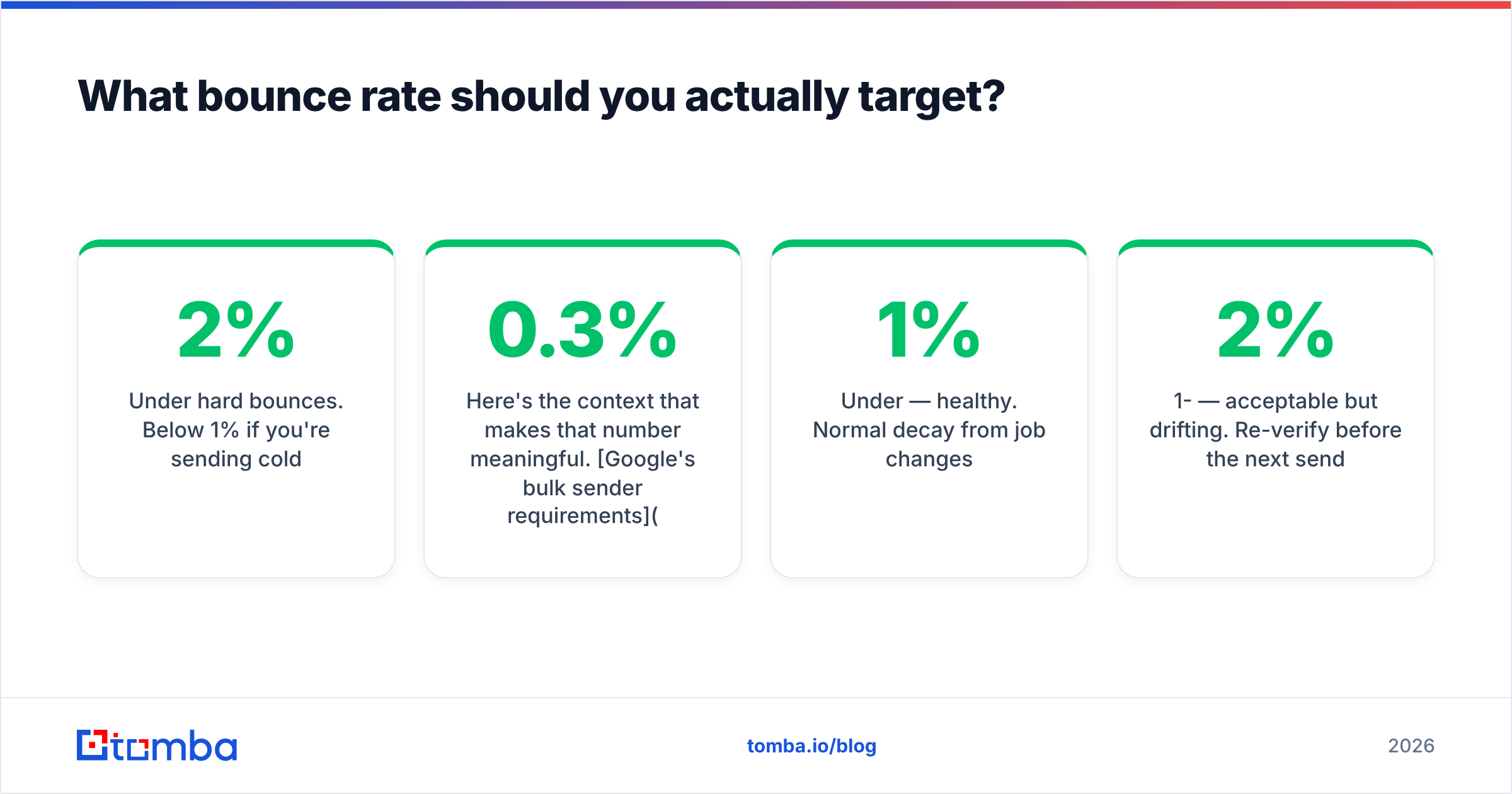
Under 2% hard bounces. Below 1% if you're sending cold.
Here's the context that makes that number meaningful. Google's bulk sender requirements set a hard spam-complaint ceiling of 0.3%, with 0.1% as the recommended operating target, and require authenticated mail with one-click unsubscribe for senders above 5,000 messages per day. Microsoft rolled out comparable requirements for Outlook.com. Neither publishes an explicit bounce threshold, but both use bounce behavior as an input to reputation — a sender generating high invalid-recipient rates looks exactly like someone mailing a purchased list, because usually they are.
The practical thresholds:
- Under 1% — healthy. Normal decay from job changes.
- 1-2% — acceptable but drifting. Re-verify before the next send.
- 2-5% — your list is stale or your sourcing is bad. Stop sending, verify everything.
- Over 5% — you're actively damaging sender reputation. Pause the domain, fix the process, warm back up.
The trap is thinking bounce rate is only about deliverability math. It isn't. Bounces are a behavioral signal to the mailbox provider that you don't know who you're mailing. Fix the input, not the symptom.
What does a production verification workflow look like?#
Verification is not a task you complete. It's a control you run at three points.
At capture. Every form submission, every scraped address, every CSV import hits the verifier before it's written to the database. Real-time API call, sub-second, reject or flag inline. This is where you stop garbage from ever entering the system — far cheaper than cleaning it later. A email verification API call at the form-submit handler costs you one credit and saves a permanent bad row.
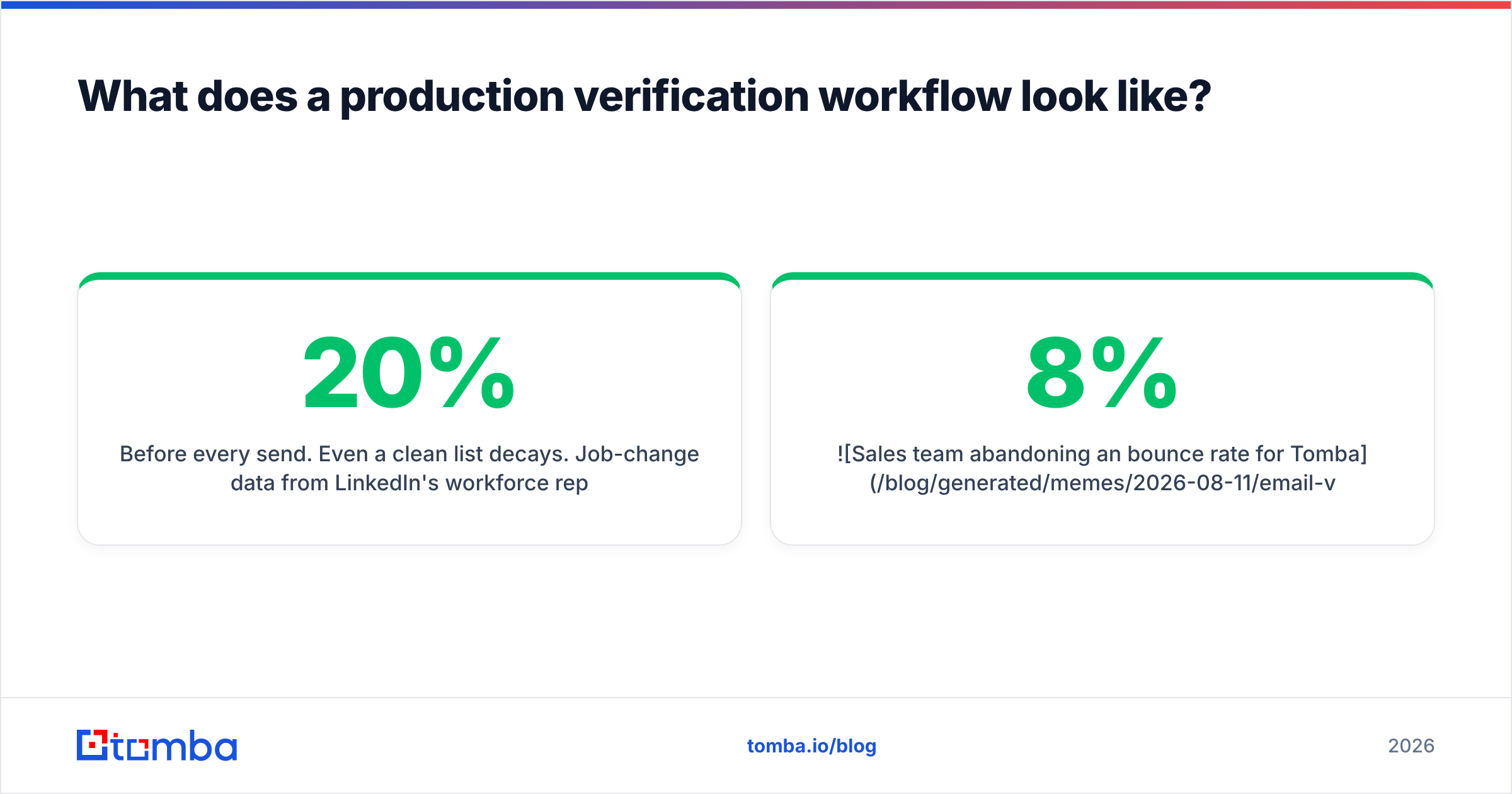
Before every send. Even a clean list decays. Job-change data from LinkedIn's workforce reports consistently puts annual B2B role turnover in the 15-20% range, which works out to roughly 1-2% of your list going dead per month. A list verified in January and sent to in June is meaningfully different from the one you verified. Batch re-verify anything older than 60-90 days.
On bounce feedback. Your ESP tells you what actually bounced. Feed that back — suppress hard bounces permanently, and treat a cluster of bounces at one domain as a signal that the domain changed its mail setup, not that those specific people left.
The operational pattern that works:
- Enrich and find — Use domain search to pull the addresses at a target account, which returns pattern confidence alongside each result.
- Verify in bulk — Push the batch through bulk verify rather than one-off calls. Cheaper, faster, and you get a single scored output file.
- Segment by status — Valid goes to the main sequence. Catch-all goes to a separate, lower-volume sequence sent from a secondary domain. Unknown and role accounts get held back or handled manually.
- Suppress and log — Anything invalid goes to a permanent suppression list keyed on the normalized address, not just deleted from this campaign.
- Schedule re-verification — A cron job that re-checks anything older than 60 days is a 20-line script and it prevents most bounce incidents.
That step 3 is where most teams leave money on the table. Catch-all addresses aren't unusable — they're higher-risk. Sending them from an isolated domain at low volume lets you harvest the real ones without exposing your primary sending domain to the downside.

Is real-time verification worth the extra cost?#
Yes, at the capture point. Usually no, in the middle of a send.
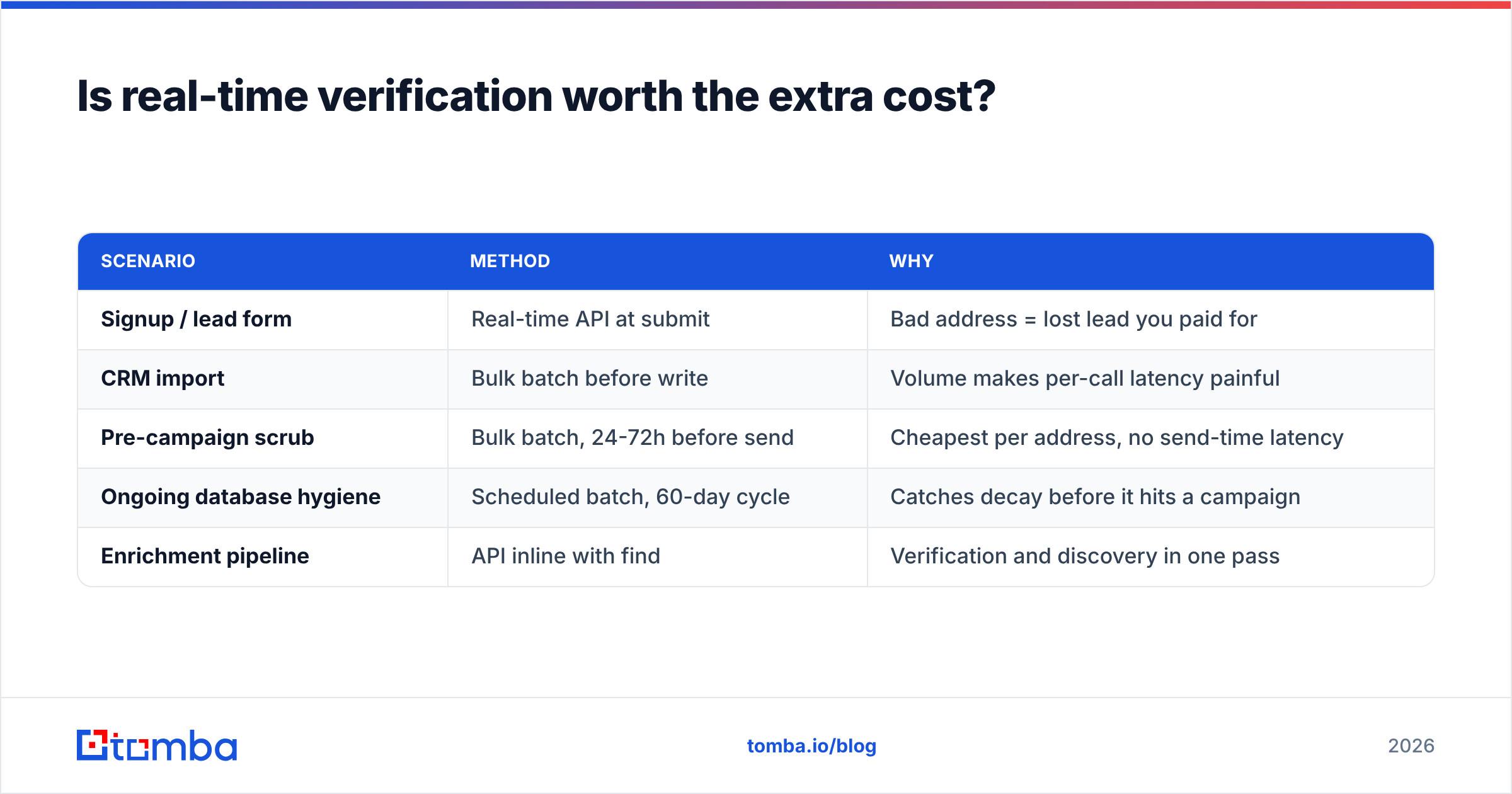
Real-time verification via API costs more per address than bulk batch processing, and adds latency to whatever flow it sits in. The calculation is straightforward: what does one bad address cost you downstream?
For a lead form, a bad address means a lead you paid to acquire that you can never contact. That's worth a credit. For a signup flow, a bad address means a user who never receives their confirmation email and churns silently before activation. Definitely worth a credit.
For a 50,000-row cold list, real-time verification during the send is worse than useless — it slows the send, and by the time you're sending you've already committed to the list. Verify it as a batch beforehand.
| Scenario | Method | Why |
|---|---|---|
| Signup / lead form | Real-time API at submit | Bad address = lost lead you paid for |
| CRM import | Bulk batch before write | Volume makes per-call latency painful |
| Pre-campaign scrub | Bulk batch, 24-72h before send | Cheapest per address, no send-time latency |
| Ongoing database hygiene | Scheduled batch, 60-day cycle | Catches decay before it hits a campaign |
| Enrichment pipeline | API inline with find | Verification and discovery in one pass |
One more consideration: check whether your vendor charges for "unknown" results. Some do. If 12% of your list comes back unknown and you paid full price for every one, your effective cost per usable verification is materially higher than the sticker price suggests. Read the credit policy on the pricing page before committing to volume, and do the same for whatever alternative you're evaluating.
What breaks the process most often?#
Five failure modes, roughly in order of how often they show up:
- Treating catch-all as valid. The single most common cause of a "we verified it and still bounced" incident. Catch-all means the server refused to tell you. Segment it separately.
- Verifying once and calling it done. Decay is continuous. A verification timestamp column in your database is not optional — you need to know how old each result is.
- Ignoring role accounts.
info@,support@, andsales@addresses often accept mail fine, so they pass verification. They also get forwarded to shared inboxes where cold outreach reliably gets marked as spam. High complaint risk, low reply rate. - No suppression list. Deleting a bounced address from one campaign means it comes back the next time someone imports a similar list. Suppression must be permanent and global.
- Verification without authentication. Clean lists still land in spam if SPF, DKIM, and DMARC aren't configured. Run an SPF checker and confirm alignment before blaming your list. Verification and email deliverability are separate problems that get conflated constantly.
That last one deserves emphasis. Verification controls bounces. Authentication, content, sending volume, and engagement control inbox placement. A perfectly verified list sent from an unauthenticated domain with a spammy subject line will still fail. Fixing verification does not fix deliverability — it removes one of several ways to fail.
How do you audit your current process?#
Run this on your last completed campaign:
- Pull the bounce report from your ESP and separate hard from soft bounces.
- Calculate the hard bounce rate against delivered volume. Over 2%? Your verification stage is either missing or too old.
- Sample 50 bounced addresses and check the domains. Concentrated at a few domains means those companies changed mail setup. Spread evenly means general list decay.
- Check the verification timestamp on the bounced records. If most are over 90 days old, your problem is scheduling, not tooling.
- Check what percentage of your list is role accounts. Over 15% suggests your sourcing method is scraping generic contact pages rather than finding individuals.
Steps 3 and 5 are the diagnostic ones. They tell you whether to fix your tool, your schedule, or your sourcing — and those are three different projects with three different budgets.
If step 5 comes back high, the fix isn't a better verifier. It's better discovery. Verification can only tell you whether the address you already have is real. It can't tell you that info@acme.com was the wrong address to collect in the first place. Independent review sites like G2's email verification category are useful for shortlisting tools, but they won't tell you which stage of your own pipeline is broken — only your bounce report does that.
Where should you start?#
Start with the audit above, then fix in this order: sourcing quality, verification coverage at capture, re-verification schedule, then tooling. Most teams reach for a new vendor first and skip the three cheaper fixes that would have solved it.
If your problem is that you're verifying addresses you never should have collected, the fix is upstream. Tomba's Email Finder returns individual addresses with confidence scores and sources attached, so verification becomes a confirmation step rather than a rescue mission — and the free tier gives you 25 searches a month to test it against a domain you already know the answer for. Run it on ten contacts you can independently confirm, compare the results to whatever you're using now, and let the accuracy delta make the decision instead of the pricing page.
Related guides#
Ready to find emails that actually work?
Join 150,000+ professionals who stopped guessing and started sending. Free credits on signup — no credit card required.
Get the Tomba newsletter
Practical outbound tactics and product updates — once every two weeks.
About the author