Email Warm Up API: How Automated Warmup Works in 2026
Warmup APIs promise hands-off inbox placement for every new sending domain you spin up. Here is what they actually automate, what they cost, and where a 40-line cron job does the same job for free.
TL;DR
- An email warm up API lets you create, schedule, and monitor warmup activity for sending mailboxes programmatically instead of clicking through a dashboard. It matters when you manage 20+ inboxes or provision domains for clients.
- Most warmup vendors sell a dashboard first and an API second. Only a handful expose real endpoints for
create mailbox,start warmup,get reputation, andpause on spam spike. - Warmup does not fix bad data. If 18% of your list bounces, no warmup schedule saves you — verification does.
- Expect roughly $15–$30 per inbox per month for managed warmup, or near-zero if you build a peer-exchange script yourself and already run your own SMTP.
- The honest verdict: buy the API if warmup is operational plumbing you never want to think about; build it if you need custom ramp curves tied to your own sending data.
What is an email warm up API?#
An email warm up API is an HTTP interface that controls automated warmup for a mailbox: connect the account, define a ramp schedule, send and reply to messages inside a peer network, and report inbox-versus-spam placement back to you as JSON.
Think of it like a treadmill program at the gym. Manual warmup is you deciding each morning how far to run. A warmup dashboard is a trainer setting the plan for you. An API is the gym handing you the machine's control panel so your own software can adjust the incline mid-run based on your heart rate.
That last part is why teams want the API. Warmup is not really a one-time onboarding chore anymore. If you run outbound at any scale in 2026, you are constantly provisioning new domains, rotating burnt ones, and pausing inboxes that start landing in Promotions. Every one of those events is a state change your system already knows about. An API lets warmup react to it without a human logging in.
The core loop a warmup service automates:
- Authenticate the mailbox — OAuth for Google Workspace and Microsoft 365, or app password / SMTP+IMAP credentials for everything else.
- Send into a peer network — your mailbox emails other real mailboxes in the vendor's pool, using innocuous conversational copy.
- Force positive engagement — recipients open, reply, mark as important, and pull messages out of spam. That is the signal mailbox providers actually weigh.
- Ramp volume on a curve — typically 2–5 messages on day one, climbing 20–40% per day toward a plateau of 30–50 warmup sends.
- Measure placement — track what percentage landed in Primary versus Promotions versus Spam, per provider.
- Throttle or halt — if spam rate climbs, cut volume rather than pushing through it.

Do you actually need warmup, or is that vendor folklore?#
You need a ramp. Whether you need a paid warmup network is a separate question, and the honest answer is "less than the category's marketing implies."
Here is what is verifiable. Google's bulk sender requirements put a hard ceiling on spam complaint rate (stay under 0.3%, target under 0.1%) and require authenticated mail with SPF, DKIM, and DMARC. Nothing in that documentation says "send fake conversational emails to strangers." What it does say is that reputation accrues per-domain and per-IP over time, and that sudden volume from an unknown sender is a risk signal.
So the mechanism is real: a domain with no sending history that blasts 300 cold emails on day one looks exactly like a compromised account. A gradual ramp with genuine replies looks like a human. Warmup networks manufacture the second pattern.
The critique is also real: peer-exchange warmup traffic is synthetic engagement, and filtering models have gotten better at spotting closed-loop networks where the same few thousand mailboxes email each other forever. Treat warmup as one input, not a cheat code. Before you spend a dollar on it, confirm your SPF record resolves, DKIM signs correctly, and DMARC is at least p=none with reporting on. Run a free SPF checker and a blacklist checker first — those catch more real problems than any warmup schedule fixes.
Which warmup tools expose a usable API in 2026?#
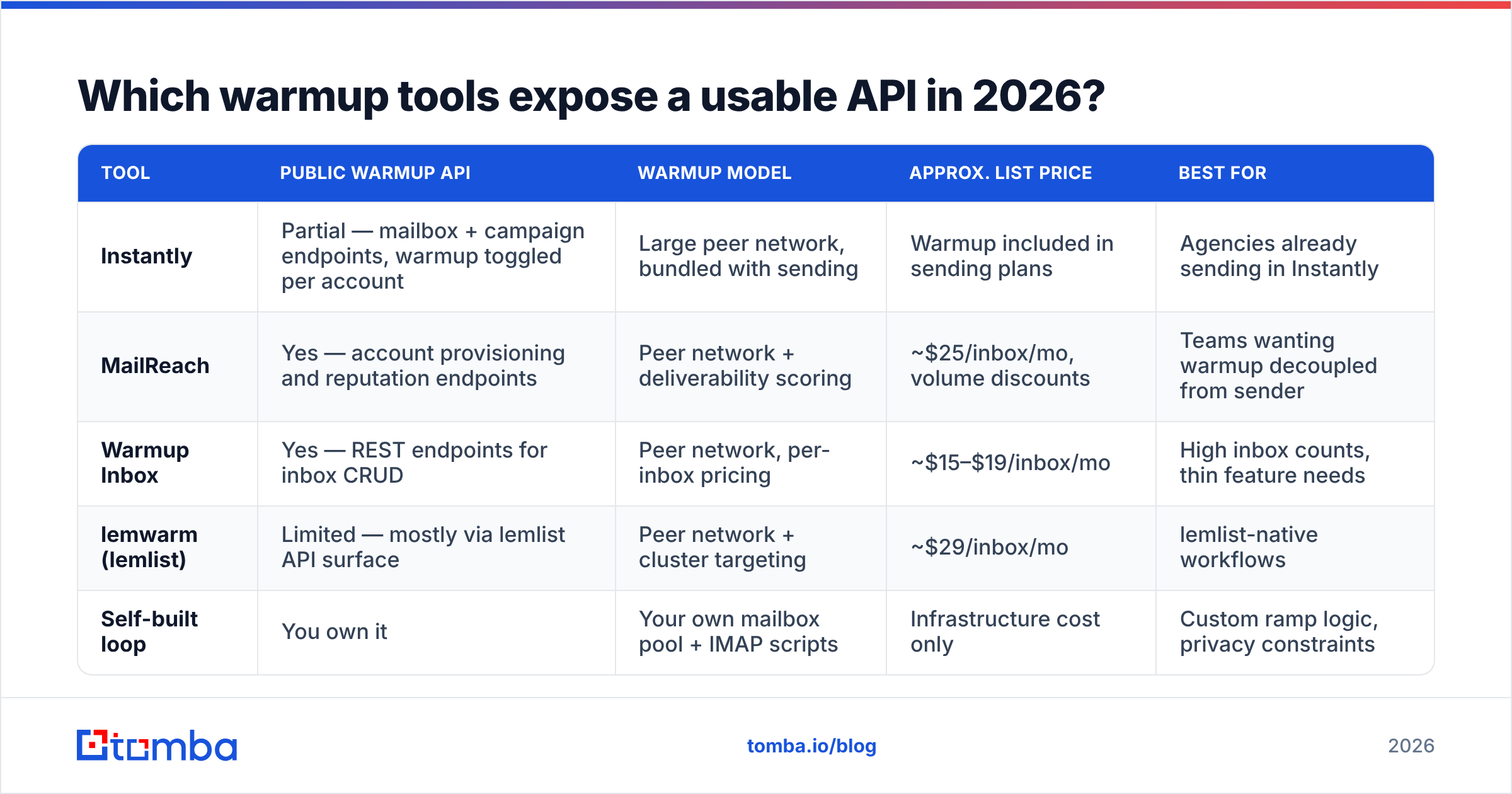
This is where the category thins out fast. Plenty of tools warm your inbox; far fewer let your code drive it. Pricing below reflects publicly listed rates at the time of writing and should be verified with each vendor — warmup pricing changes often and is frequently bundled into sending seats.
| Tool | Public warmup API | Warmup model | Approx. list price | Best for |
|---|---|---|---|---|
| Instantly | Partial — mailbox + campaign endpoints, warmup toggled per account | Large peer network, bundled with sending | Warmup included in sending plans | Agencies already sending in Instantly |
| MailReach | Yes — account provisioning and reputation endpoints | Peer network + deliverability scoring | ~$25/inbox/mo, volume discounts | Teams wanting warmup decoupled from sender |
| Warmup Inbox | Yes — REST endpoints for inbox CRUD | Peer network, per-inbox pricing | ~$15–$19/inbox/mo | High inbox counts, thin feature needs |
| lemwarm (lemlist) | Limited — mostly via lemlist API surface | Peer network + cluster targeting | ~$29/inbox/mo | lemlist-native workflows |
| Self-built loop | You own it | Your own mailbox pool + IMAP scripts | Infrastructure cost only | Custom ramp logic, privacy constraints |
Two things to check before you sign anything. First, ask whether the API can create a mailbox connection or only read status — a read-only API does not solve the provisioning problem, which is the whole reason you wanted automation. Second, ask for placement data granularity. "Reputation score: 87" is a vanity metric. "Primary 71% / Promotions 22% / Spam 7%, Gmail only" is something you can act on. Vendor comparisons on G2 are useful for support-quality signals but rarely surface API depth, so ask directly.
How do you wire a warmup API into your own stack?#
The integration pattern is boringly consistent across vendors, which is good news — you can swap providers without rewriting your orchestration.
- Provision on domain creation. When your system registers a new sending domain and creates mailboxes, fire a
POST /mailboxesto the warmup API in the same transaction. Store the returned warmup ID next to your mailbox record. - Gate campaign eligibility on warmup age. Do not let a mailbox enter a live campaign until it has 14+ days of warmup and a placement score above your threshold. Enforce this in code, not in a Notion doc someone forgets to read.
- Poll placement daily, not hourly. Warmup metrics move slowly. A daily cron that pulls
GET /mailboxes/{id}/statsand writes to your warehouse is plenty. Hourly polling burns rate limit for noise. - Auto-pause on spam-rate breach. If spam placement crosses ~5% for two consecutive days, pause the mailbox's live sending automatically and let warmup keep running alone. This single rule prevents most domain burns.
- Keep warmup running during live sending. Warmup is not a phase you graduate from. Most teams that get burned drop warmup the week they scale volume — exactly the week the extra positive signal matters most.
- Log everything to one table. Mailbox ID, provider, warmup start date, daily placement, live send volume, reply rate. When deliverability drops in month four, this table is how you find out whether it was warmup, copy, or list quality.
If you are sizing the ramp itself, a warmup calculator gives you a defensible day-by-day schedule instead of a number someone guessed on a podcast.
Is an API actually better than a warmup dashboard?#
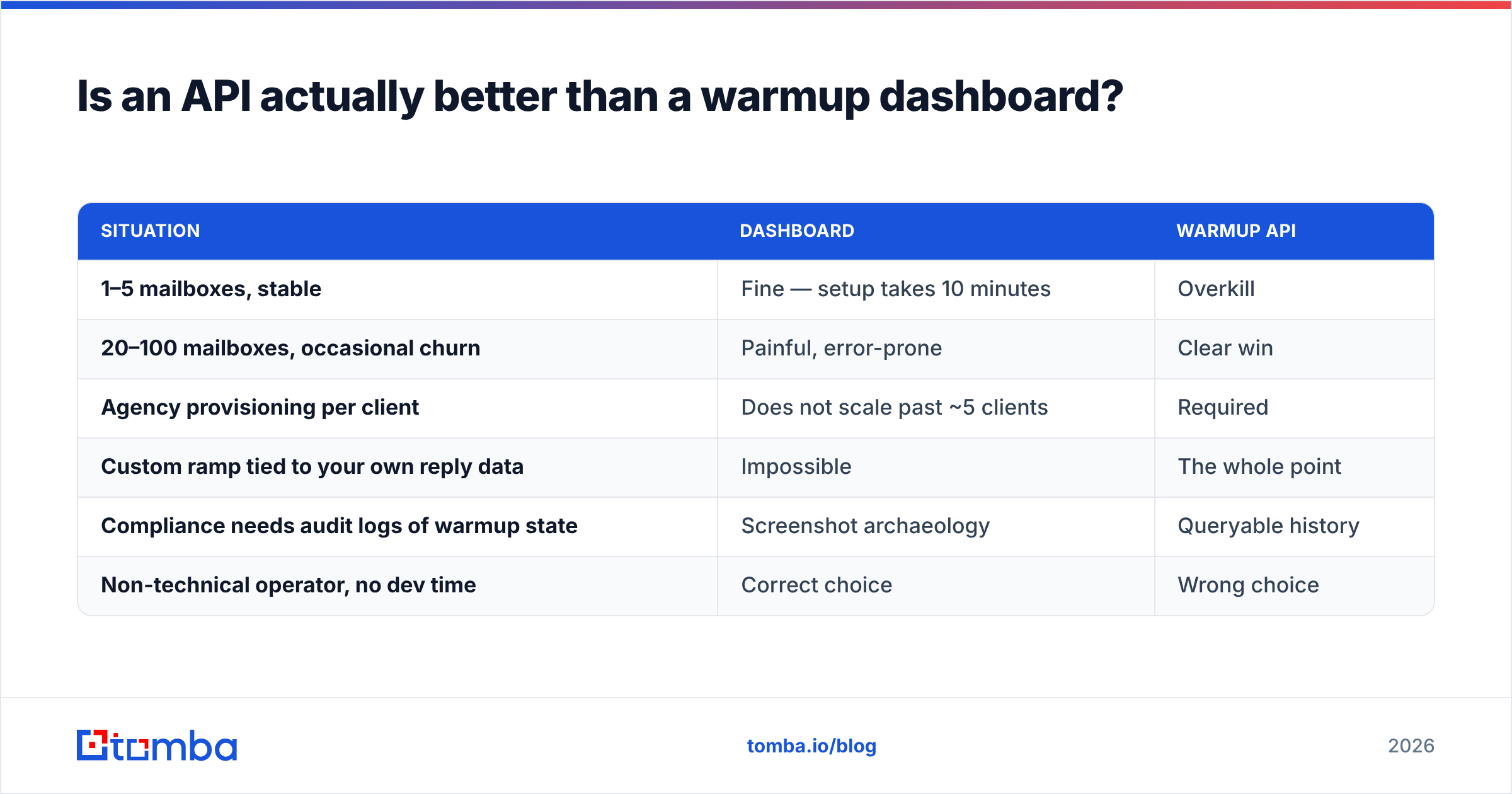
Only past a certain scale. Below it, the API is engineering cost you do not need.
| Situation | Dashboard | Warmup API |
|---|---|---|
| 1–5 mailboxes, stable | Fine — setup takes 10 minutes | Overkill |
| 20–100 mailboxes, occasional churn | Painful, error-prone | Clear win |
| Agency provisioning per client | Does not scale past ~5 clients | Required |
| Custom ramp tied to your own reply data | Impossible | The whole point |
| Compliance needs audit logs of warmup state | Screenshot archaeology | Queryable history |
| Non-technical operator, no dev time | Correct choice | Wrong choice |
The break-even in practice sits around 20 mailboxes or the moment a second person needs to know a mailbox's warmup state without asking you. Under that, use the dashboard and spend the engineering hours on list quality instead — which brings us to the part warmup vendors are least motivated to explain.
What can a warm up API never fix?#
Bad addresses. This is the single most common reason a perfectly warmed inbox still tanks.
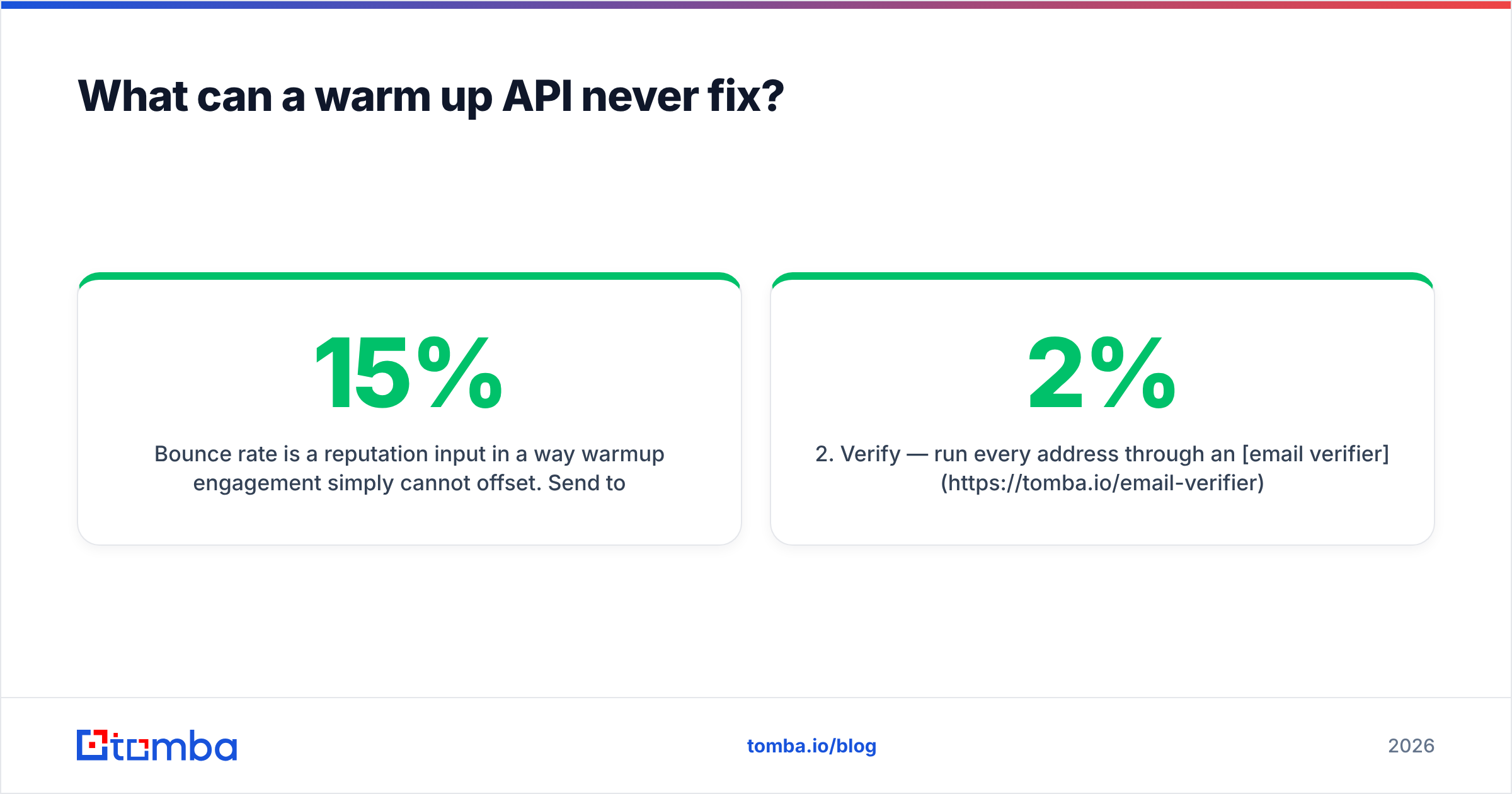
Bounce rate is a reputation input in a way warmup engagement simply cannot offset. Send to a list with a 15% invalid rate and mailbox providers register that you do not know who you are emailing — the classic signature of scraped or purchased data. Warmup adds positive signal at maybe 30 messages a day. A 500-send campaign with 75 hard bounces adds negative signal at 75. The math does not work.

The fix order is unglamorous and never changes:
- Authenticate — SPF, DKIM, DMARC live and aligned. Non-negotiable, free.
- Verify — run every address through an email verifier before it enters a sequence. Target under 2% bounce, and treat anything above 5% as an incident.
- Handle catch-alls deliberately — catch-all domains accept everything at SMTP time and tell you nothing. A dedicated catch-all verifier scores them on pattern confidence rather than letting them silently inflate your bounce rate.
- Warm — now the ramp actually compounds, because your engagement signal is not being cancelled out.
- Monitor — Google Postmaster Tools for domain reputation and spam rate, plus your ESP's own placement data.
Steps 1–3 cost less than warmup and move email deliverability more. Teams reliably do them in the wrong order because warmup is the thing with the nice dashboard.
Should you just build your own warmup loop?#
Build it if two things are true: you already run mailboxes you control on both ends of the exchange, and you want ramp logic that reacts to your live campaign data rather than a vendor's fixed curve.
A minimal self-built loop is about 200 lines. You need a pool of mailboxes with IMAP access, a scheduler, a small library of plain conversational message bodies, a reply handler that responds to inbound warmup mail with realistic delay, and a spam-folder sweeper that moves misfiled messages back to Primary and marks them important. Rotate subjects, vary send times, and never let the same pair of mailboxes talk on a fixed cadence.
The costs people underestimate: you need a genuinely diverse mailbox pool across Google, Microsoft, and at least one non-major provider, or your closed loop is trivially detectable. You need to keep OAuth tokens alive. And you own the failure mode where a bug turns your warmup pool into an actual spam incident.
The honest split: buy the API if warmup is infrastructure you want to stop thinking about. Build if warmup is a differentiator in your product — for example if you resell sending infrastructure and the ramp curve is part of what customers pay for.
If you go the build route, the Tomba API fits the adjacent half of the pipeline: resolve and validate addresses programmatically before they ever hit a warmed mailbox, so your ramp is not undermined by data you never checked. Rate limits and endpoint details are documented, and the free tier covers 25 searches a month for prototyping, with paid plans starting at $49/mo — see Tomba pricing for the full breakdown.
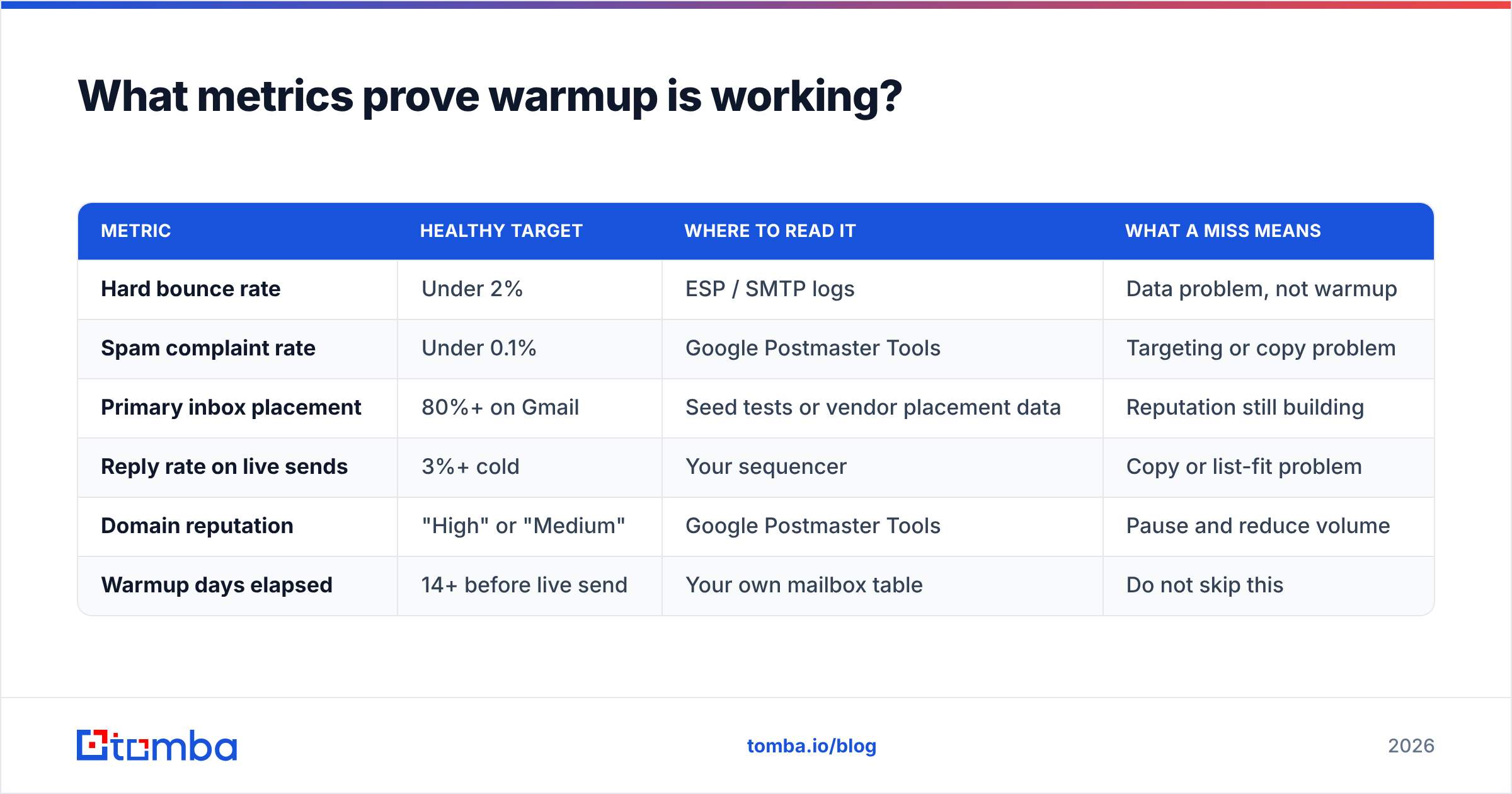
What metrics prove warmup is working?#
Ignore composite "reputation scores." Track these instead, per provider, weekly:
| Metric | Healthy target | Where to read it | What a miss means |
|---|---|---|---|
| Hard bounce rate | Under 2% | ESP / SMTP logs | Data problem, not warmup |
| Spam complaint rate | Under 0.1% | Google Postmaster Tools | Targeting or copy problem |
| Primary inbox placement | 80%+ on Gmail | Seed tests or vendor placement data | Reputation still building |
| Reply rate on live sends | 3%+ cold | Your sequencer | Copy or list-fit problem |
| Domain reputation | "High" or "Medium" | Google Postmaster Tools | Pause and reduce volume |
| Warmup days elapsed | 14+ before live send | Your own mailbox table | Do not skip this |
Note which of those a warmup API influences: placement and domain reputation, and only over weeks. Bounce rate, complaint rate, and reply rate are decided by your data and your copy. That ratio is the fairest summary of what warmup is worth — real, meaningful, and roughly one-third of the deliverability problem.
Where to start this week#
Pick the smallest fix with the largest effect. If your domain is new, start a ramp today — vendor or DIY, both beat sending cold at volume on day one. If your domain is established but placement is sliding, the culprit is almost never the ramp; pull a sample of your last 1,000 sends and check what percentage bounced.
That second check is where most teams find their actual problem. Run your list through the Tomba Email Finder to source verified, pattern-confirmed addresses in the first place, and your warmup schedule — bought or built — finally gets to do the job it was designed for instead of fighting your data. Start on the free tier, verify a single campaign's worth of contacts, and compare the bounce rate against your last send. The delta usually settles the argument.
Related guides#
Ready to find emails that actually work?
Join 150,000+ professionals who stopped guessing and started sending. Free credits on signup — no credit card required.
Get the Tomba newsletter
Practical outbound tactics and product updates — once every two weeks.
About the author