9 Best Emailchaser Alternatives for Cold Email in 2026
Emailchaser bundles email finding and sending into one cheap plan, but the finder database and reporting hit a ceiling fast. Here are 9 alternatives, priced and scored.
TL;DR
- Emailchaser is an all-in-one cold email tool: it finds addresses, sends sequences, and tracks replies on one cheap plan. The tradeoff is depth — the finder database is smaller than dedicated providers, and reporting stays basic.
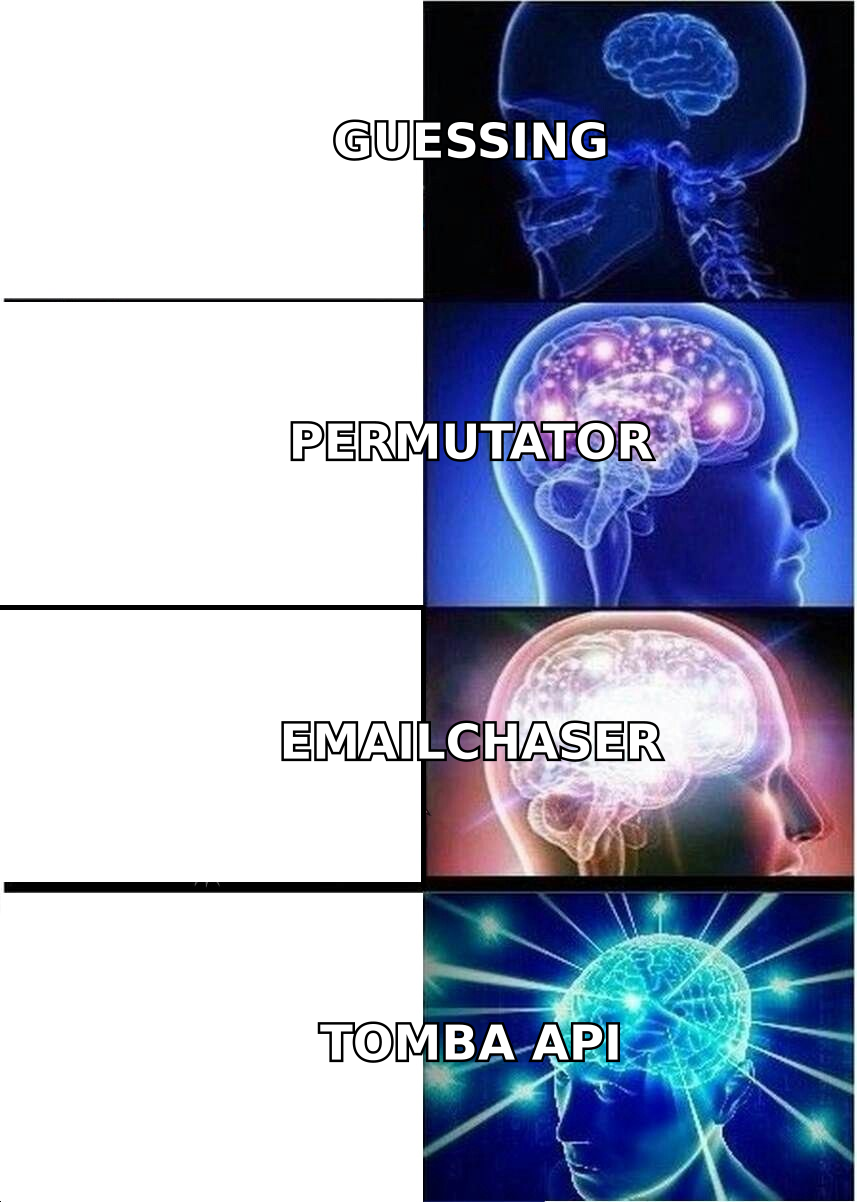
- If your bottleneck is data quality, replace the finder half: Tomba, Findymail, or Prospeo feed a sender you already have.
- If your bottleneck is sending volume or inbox rotation, replace the sender half: Instantly, Smartlead, or Saleshandy.
- If you want one bill instead of two, Saleshandy and Reply.io are the closest like-for-like swaps with more mature analytics.
- Budget check: a split stack (Tomba Starter $49/mo + a sender at ~$37/mo) lands near $86/mo — competitive with mid-tier all-in-ones, with materially better data.
Emailchaser built a real niche: small teams who want to find an email and send to it without stitching two subscriptions together. That's a legitimate design choice, and for a solo founder sending 200 emails a month it works. The problem shows up at scale — when your bounce rate creeps past 4%, when you need catch-all handling, when you want to know which sequence step actually drove the meeting.
This guide covers nine Emailchaser alternatives, what each one is actually good at, and how the pricing shakes out when you do the math honestly.
What is Emailchaser and where does it hit a ceiling?#
Emailchaser is a cold email platform aimed at small B2B teams. It combines three jobs that most stacks split across separate vendors:
- Email finding — look up a prospect's address from a name and domain.
- Sequencing — multi-step campaigns with automatic follow-ups and reply detection.
- Inbox connection — send from your own Google Workspace or Microsoft 365 mailbox.
The pitch is simplicity and a low entry price. You get one login, one bill, and no CSV shuffling between a finder and a sender.
Three ceilings tend to push teams to look elsewhere:
- Finder coverage. Bundled finders draw from smaller datasets than specialists whose entire business is data. On common domains you'll barely notice. On non-US companies, sub-100-person startups, or engineering-heavy orgs, hit rates diverge sharply.
- Verification depth. Finding an address and proving it accepts mail are different problems. Catch-all domains — where the server accepts everything at SMTP time — need a separate probabilistic scoring layer that most bundled tools skip.
- Deliverability tooling. Inbox rotation, per-domain warmup ramps, spintax, and bounce-triggered auto-pause are table stakes at dedicated senders and often thin or absent in all-in-ones.
None of that makes Emailchaser a bad tool. It makes it a starter tool. The question is which direction you outgrow it in.
Which Emailchaser alternatives should you actually consider?#
Here's the full comparison. Prices are entry-paid tiers as published by each vendor in 2026; annual billing usually shaves 15-25%.
| Tool | Category | Entry price | Free tier | Best for |
|---|---|---|---|---|
| Tomba | Email finder + verifier | $49/mo (Starter) | 25 searches/mo | Data accuracy, API-first workflows |
| Instantly | Sender + warmup | $37/mo | 14-day trial | Unlimited inbox rotation at volume |
| Smartlead | Sender + warmup | $39/mo | 14-day trial | Agencies running many client domains |
| Saleshandy | All-in-one | $36/mo | 7-day trial | Closest like-for-like Emailchaser swap |
| Findymail | Email finder | $49/mo | 10 credits | Sales Navigator list exports |
| Apollo.io | Database + sender | $49/user/mo | 10k credits/yr | Buying intent + contact DB in one |
| Reply.io | Multichannel sender | $59/user/mo | 14-day trial | Email + LinkedIn + calls in one flow |
| Hunter | Finder + light sender | $34/mo | 25 searches/mo | Simple domain-level prospecting |
| BookYourData | Prepaid B2B lists | Pay-as-you-go | Sample credits | Buying verified lists outright, no subscription |
A few notes that the table can't hold:
- Tomba and Findymail are not senders. Pair them with a sending tool. That's a feature, not a gap — decoupling data from delivery means you can swap either side without migrating the other.
- Apollo.io gives you a database and a sequencer, but per-seat pricing scales badly for a 5-person team, and credit limits on lower tiers bite quickly.
- BookYourData works on a prepaid, no-subscription model. If you need 5,000 verified contacts once a quarter rather than a recurring search allowance, that model is genuinely cheaper than any seat-based plan, and their verification guarantee is strong.
- Hunter is the closest philosophical cousin to Emailchaser — finder plus a lightweight campaign tool — so it's a lateral move unless you specifically want Hunter's domain-level UX.
How accurate are these email finders in practice?#
Accuracy is where the money is. A 6% bounce rate doesn't just waste sends — it degrades your sender reputation, and once Google and Microsoft start filing you in spam, your good addresses stop landing too.

Two metrics matter and people constantly conflate them:
- Hit rate — of 1,000 prospects you searched, how many returned any address? Higher is better, but a tool can inflate this by returning guesses.
- Bounce rate — of the addresses returned, how many failed on send? This is the honest metric. A tool with a 55% hit rate and a 1% bounce beats one with an 80% hit rate and a 9% bounce, because the second one is quietly torching your domain.
Run your own test before you commit. Take 100 prospects you already have confirmed addresses for, strip the emails, and feed the names and domains to each tool's free tier. Compare returned addresses against your known-good list. It costs an hour and settles the argument permanently.
Whatever finder you pick, verify before sending. Tomba's email verifier runs syntax, MX, disposable-domain, and SMTP checks, and the catch-all verifier scores accept-all domains that binary checkers just mark "unknown" and hand back to you. That "unknown" bucket is where most teams' bounce rate actually lives.
Should you split your stack or keep one tool?#
Conclusion first: split it once you're sending more than ~1,000 emails a month, or the moment data quality becomes the constraint.
The split-stack argument:
- Specialists ship faster. A finder vendor's whole roadmap is coverage and accuracy. A bundled tool splits engineering attention across finding, sending, warmup, and analytics.
- You can swap one half without a migration. Sender getting throttled? Change it, keep your data pipeline. Finder coverage weak in DACH? Change it, keep your sequences.
- API access is usually better. If you enrich inside a CRM or a workflow tool, a dedicated email finder API with clear rate limits and webhooks beats scraping a UI.
The all-in-one argument:
- One bill, one vendor, one support thread. Real value when you're a team of two.
- No CSV round-trips. Find and send in the same session.
- Lower floor price. Under a few hundred sends a month, one cheap plan wins on cost.
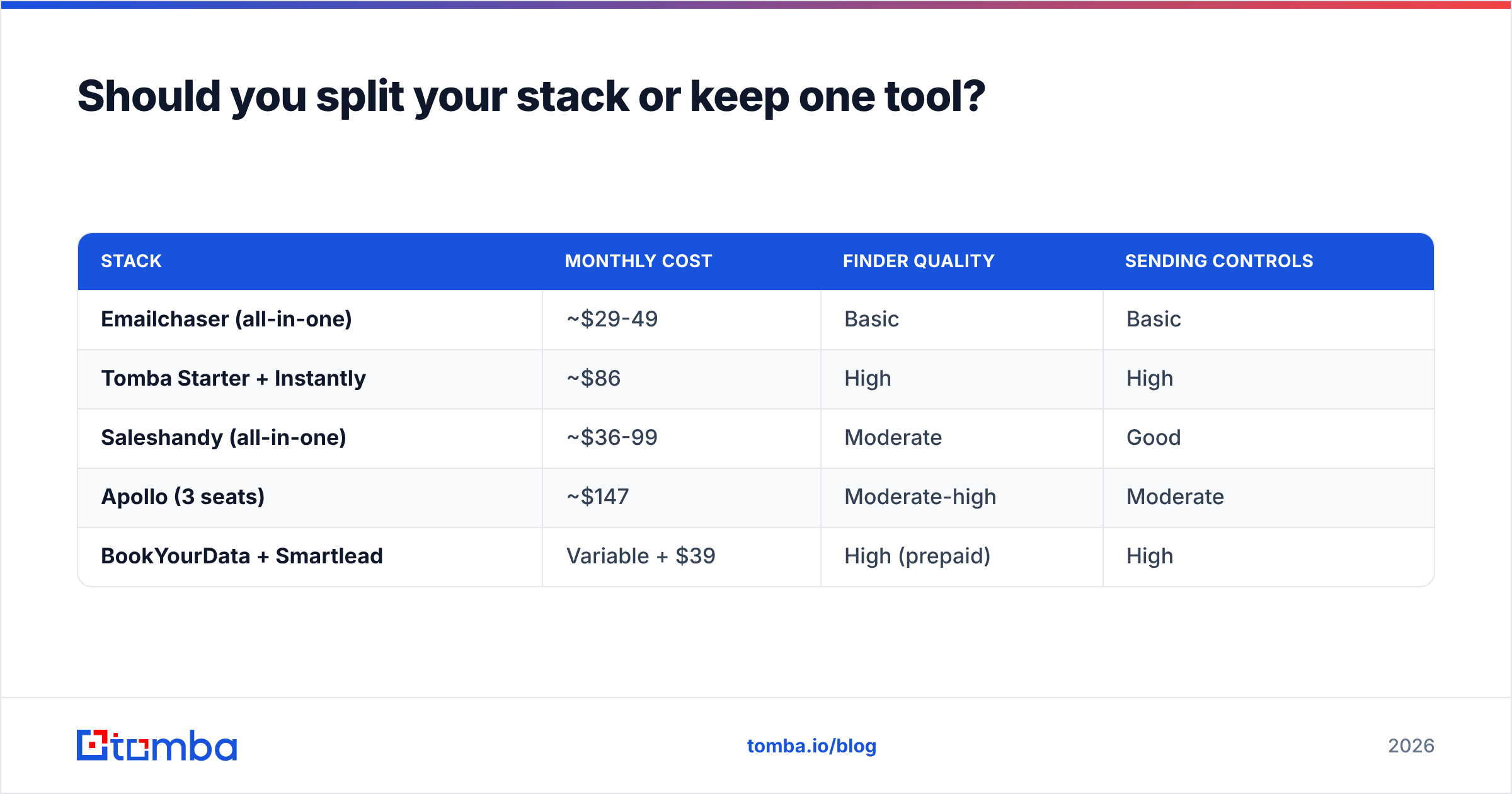
Cost comparison at roughly 2,500 searches and 5,000 sends per month:
| Stack | Monthly cost | Finder quality | Sending controls |
|---|---|---|---|
| Emailchaser (all-in-one) | ~$29-49 | Basic | Basic |
| Tomba Starter + Instantly | ~$86 | High | High |
| Saleshandy (all-in-one) | ~$36-99 | Moderate | Good |
| Apollo (3 seats) | ~$147 | Moderate-high | Moderate |
| BookYourData + Smartlead | Variable + $39 | High (prepaid) | High |
The split stack costs more per month and returns more per email sent. At 5,000 sends, moving your bounce rate from 6% to 1.5% recovers roughly 225 deliverable contacts — and protects the domain that makes the other 4,775 land at all. Full Tomba pricing is public if you want to model your own volume.
What should you look for when replacing Emailchaser?#
Score candidates against these six, in this order:
- Verified-address guarantee. Does the vendor charge you for addresses that bounce, or credit them back? Findymail and BookYourData both refund bad data. That policy tells you how confident they are.
- Catch-all handling. Ask directly: what happens on an accept-all domain? "We return unknown" means you inherit the problem. Real scoring — pattern confidence, historical send data, alternate-source corroboration — means they solved it.
- API and integration depth. Native HubSpot integration, Zapier, Google Sheets, and a documented REST API. If enrichment can't run where your data already lives, someone on your team becomes a CSV operator.
- Bulk throughput. Uploading 10,000 rows should take minutes, not a queue you check tomorrow. Check the bulk email finder limits on the plan you're actually buying, not the enterprise tier in the marketing table.
- Compliance posture. GDPR and CCPA aren't optional for EU or California outreach. Look for a published data-sourcing page, a DPA on request, and a working opt-out process.
- Real free tier, not a demo. You cannot evaluate data quality from a landing page. You need to run your own 100-contact test — which means a free tier that returns actual addresses.

How do the sending-side alternatives compare?#
If Emailchaser's finder is fine for your market and the sending is what's limiting you, these three are the mainstream picks:
Instantly — Built for volume. Unlimited email accounts on paid plans, a large warmup network, and inbox rotation that spreads sends across dozens of mailboxes so no single domain absorbs the load. Analytics are readable rather than deep. See the Instantly alternative breakdown if you want the full teardown.
Smartlead — The agency choice. Client-level workspaces, white-labeled reporting, a solid API, and per-client sub-sequences. More configuration surface than Instantly, which is either a feature or a Tuesday afternoon depending on your team.
Saleshandy — The closest structural match to Emailchaser: finding and sending under one roof, but with a more mature sequencer, better A/B testing, and clearer reporting. If you like Emailchaser's shape and just want more of it, start here.
All three assume you bring your own data. None of them will save a list built from guessed addresses — which loops back to the finder question. Before any of them, run your list through a free email checker or a bulk verification pass.
What does the migration actually look like?#
Switching costs are lower than people fear. Budget an afternoon.
- Export everything from Emailchaser. Contacts, sequences, reply history. Sequences rarely import cleanly anywhere — plan to rebuild copy manually, and treat it as a chance to cut the steps that never got replies.
- Re-verify the whole contact list. Data decays 22-30% a year as people change jobs. Contacts you found 8 months ago are meaningfully stale. Run them through verification before they touch a new sender.
- Warm the new domains first. If you're changing sending infrastructure, give new domains 2-3 weeks of warmup before real volume. The email warmup calculator will size the ramp for your target send rate.
- Check authentication. SPF, DKIM, and DMARC records must be correct on every sending domain. Google's bulk sender requirements have been enforced since 2024, and a missing DMARC record now means straight-to-spam, not a warning.
- Run both in parallel for two weeks. Keep Emailchaser live on a small segment while the new stack handles the rest. Compare reply rates on comparable segments before you cancel anything.
Independent review data on all of these tools lives on G2 and Capterra — worth 20 minutes of filtering by company size before you buy, since a tool that's excellent for a 200-person sales org can be miserable for three people.
Which alternative fits your situation?#
- Solo founder, under 500 sends/month, price is the constraint — stay on Emailchaser or move laterally to Hunter. A split stack is overkill at this volume.
- Small team, bounce rate is the constraint — keep your sender, add a dedicated finder plus verifier. This is the single highest-ROI change on the list.
- Agency running multiple clients — Smartlead for sending, a finder with a real API for data. Client isolation matters more than raw features.
- Sales team of 5+ with a CRM — Apollo if you want intent data bundled and can absorb per-seat pricing; otherwise a finder with native CRM enrichment plus a sequencer.
- You need a list once, not a subscription — BookYourData's prepaid model. No monthly commitment, verified contacts, and you own the data outright.
- Developer-led, enrichment inside your own product — a finder API with clean docs and predictable rate limits. This is where bundled tools fall down hardest.
The fastest fix for most teams#
If you only change one thing, change the data. Most cold email problems that get diagnosed as "deliverability issues" or "bad copy" are actually list-quality problems wearing a costume — you're sending to addresses that never existed, and the mailbox providers are responding accordingly.
Start with the Tomba Email Finder. The free tier gives you 25 searches a month, which is enough to run the 100-contact accuracy test in two sittings and see hit rates against your own market rather than a vendor's benchmark deck. Starter is $49/mo when you're ready to scale, with the verifier, domain search, and catch-all scoring included rather than sold as add-ons. Keep whichever sender you like — the point is to stop guessing at the addresses feeding it.
Related guides#
Ready to find emails that actually work?
Join 150,000+ professionals who stopped guessing and started sending. Free credits on signup — no credit card required.
Get the Tomba newsletter
Practical outbound tactics and product updates — once every two weeks.
About the author