Emailchaser vs Finalscout: Which Email Finder Wins in 2026?
Emailchaser bundles cold email sending with lookups. FinalScout lives inside LinkedIn. We compare accuracy, pricing, and credit math to show which one actually fits your outbound stack.
TL;DR
- Emailchaser is a cold email sending platform with an email finder attached. You buy it for sequences; the lookup is a convenience feature, not the core engine.
- FinalScout is a LinkedIn-first contact extractor. It shines when your prospect list already lives in Sales Navigator and collapses when it doesn't.
- Neither tool is built as a standalone, API-first finder. If you need programmatic lookups, bulk domain sweeps, or catch-all resolution, both will frustrate you.
- Credit math matters more than headline price: FinalScout burns credits on every export attempt, Emailchaser bundles finder credits into a sending seat you may not need.
- Pick Emailchaser if you want one bill for finding + sending. Pick FinalScout if LinkedIn is your only source. Pick a dedicated finder like Tomba if data quality and API access drive your pipeline.
What are Emailchaser and FinalScout, actually?#
Two tools that both promise "find the email," built for completely different jobs.
Emailchaser (emailchaser.com) is a cold email outreach platform. Its pitch is simplicity: connect a mailbox, load a list, write a sequence, send. The built-in email finder exists so you don't have to leave the app between building a list and mailing it. Think of it like a hotel that also has a restaurant — the food is fine, but nobody books the room for the food.
FinalScout (finalscout.com) is a Chrome extension plus web app that pulls contact data out of LinkedIn profiles and Sales Navigator searches. You run a search, select profiles, and export names, titles, companies, and email addresses. It also bolts on AI-written email drafts. Think of it like a specialized fishing net — extremely effective in one lake, useless on land.
The confusion comes from the fact that both surface an email address at the end. But the path they take to get there — and how reliable that path is — differs enormously.
How do Emailchaser and FinalScout compare head to head?#
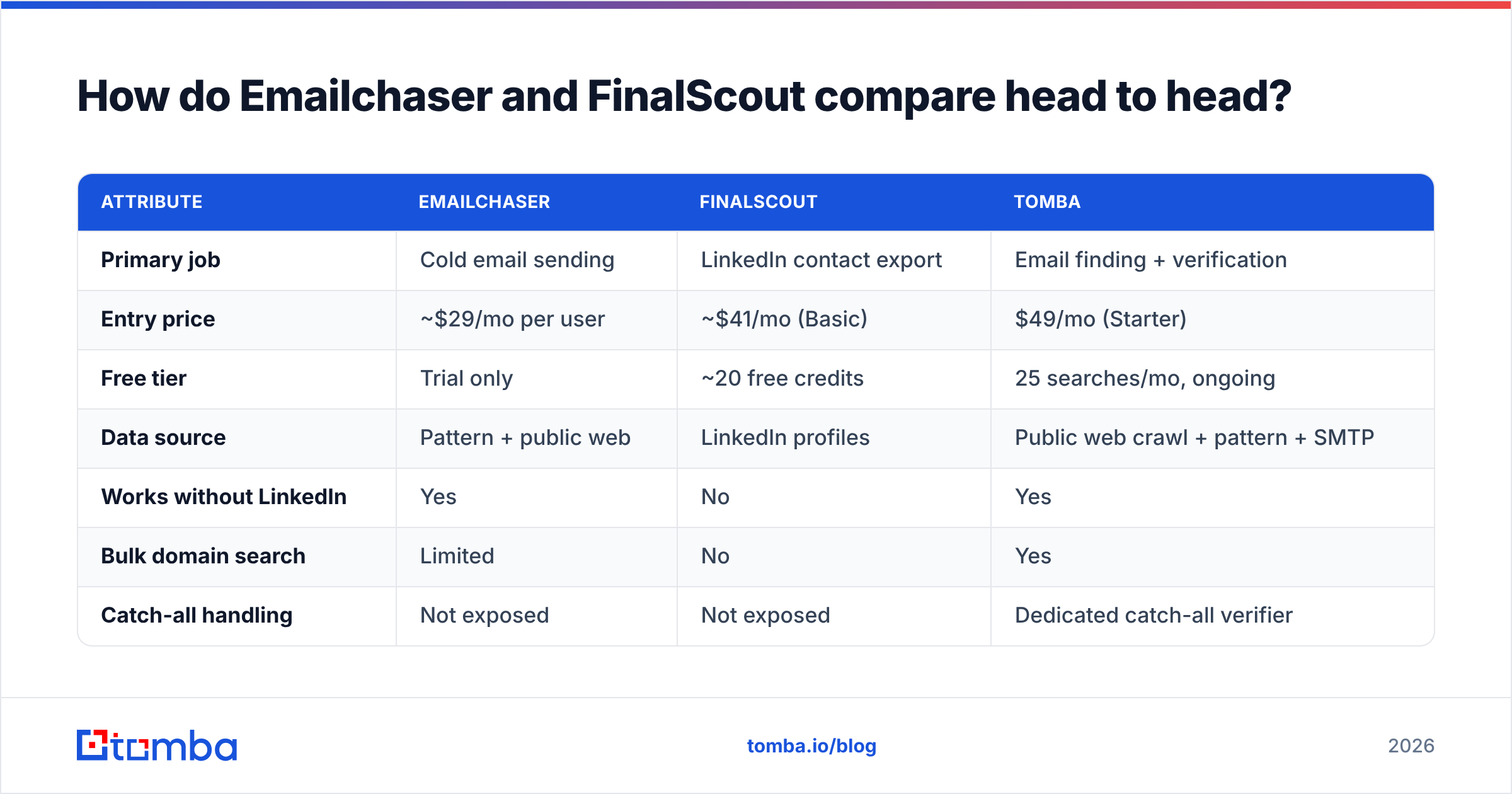
Here's the practical breakdown. Prices reflect publicly listed entry tiers as of early 2026; always confirm on the vendor's own pricing page before you buy.
| Attribute | Emailchaser | FinalScout | Tomba |
|---|---|---|---|
| Primary job | Cold email sending | LinkedIn contact export | Email finding + verification |
| Entry price | ~$29/mo per user | ~$41/mo (Basic) | $49/mo (Starter) |
| Free tier | Trial only | ~20 free credits | 25 searches/mo, ongoing |
| Data source | Pattern + public web | LinkedIn profiles | Public web crawl + pattern + SMTP |
| Works without LinkedIn | Yes | No | Yes |
| Bulk domain search | Limited | No | Yes |
| Catch-all handling | Not exposed | Not exposed | Dedicated catch-all verifier |
| Public API | No | Limited | Full REST API |
| Built-in sequencing | Yes (core feature) | AI drafts only | No (integrations instead) |
| Verification depth | Basic syntax/MX | Claimed 98% deliverable | Multi-step SMTP + catch-all |
| Best for | Solo founders sending 500/mo | LinkedIn-native SDRs | Data teams, agencies, developers |
The pattern in that table is the whole story: Emailchaser wins on workflow consolidation, FinalScout wins on LinkedIn depth, and neither is optimized for the thing a dedicated finder does — resolving an unknown email from a name and a domain, at scale, with a confidence score you can act on.

Which one finds more valid emails?#
Neither publishes an independently audited accuracy number, so treat vendor claims as marketing until you test them.
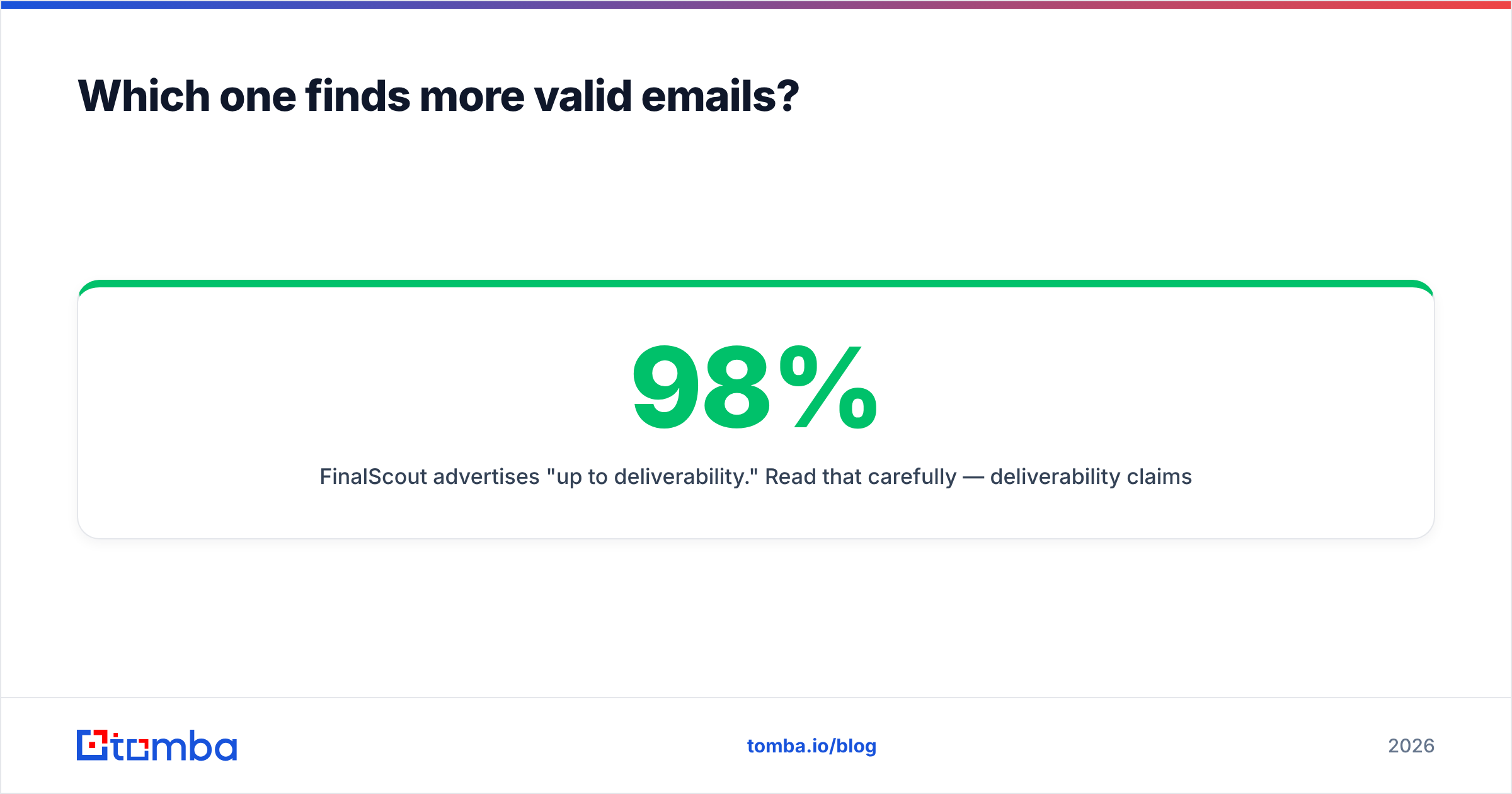
FinalScout advertises "up to 98% deliverability." Read that carefully — deliverability claims usually describe the subset of addresses the tool chose to return, not the hit rate across your full input list. A tool that returns an address for 40% of profiles and gets 98% of those right has a real coverage rate near 39%. That's the number that matters for your pipeline.
Emailchaser doesn't publish an accuracy figure at all. In practice, its finder leans on pattern inference: it identifies the dominant format at a company (first.last@, flast@, first@) and constructs the address. Pattern inference is genuinely useful — most companies do use one dominant format — but it fails predictably on:
- Companies with mixed formats after a merger or acquisition, where two conventions coexist on one domain.
- Catch-all domains that accept every address at SMTP level, making verification meaningless without a specialized catch-all verifier.
- Personal aliases — the VP who uses
mike@while everyone else ismichael.torres@. - Small companies with fewer than ten known addresses, where there isn't enough signal to infer a pattern at all.
- Recently rebranded domains where the crawl data still points to the old MX records.
The honest test is your own. Take 100 contacts you already have confirmed emails for, strip the emails, and run the list through each tool. Measure coverage (how many returned anything) and precision (how many matched the truth). That two-number result beats any comparison article, including this one.

What does each tool actually cost per usable email?#
Headline pricing hides the real number. Run the math on cost per verified, usable email instead.
Say you need 1,000 confirmed contacts a month.
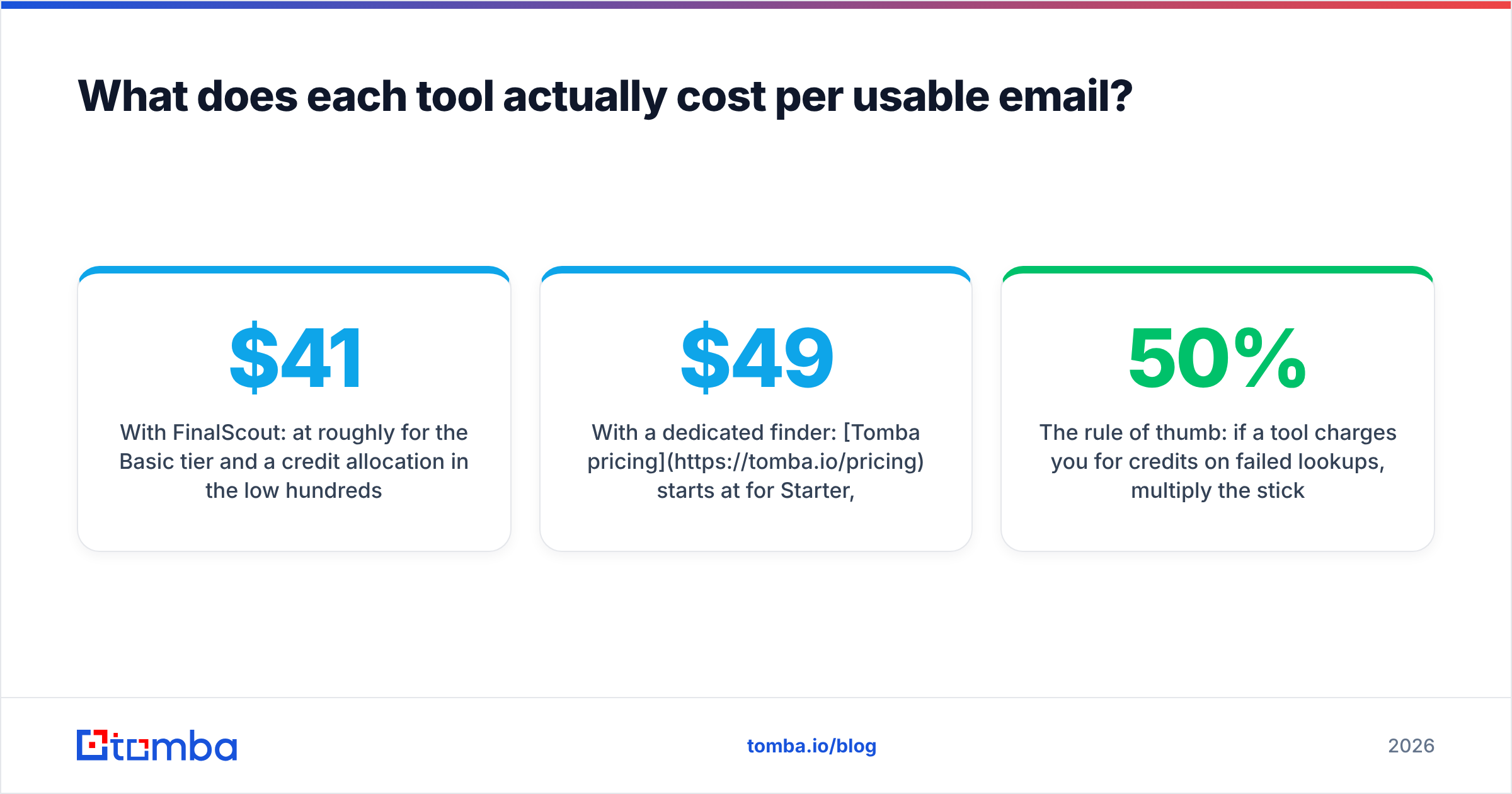
With FinalScout: at roughly $41/mo for the Basic tier and a credit allocation in the low hundreds, you'll be on a mid or higher plan well before you hit 1,000. Credits are consumed on export attempts — including attempts that return nothing usable. If 45% of your exports come back empty or with a personal Gmail address you can't use for B2B outreach, your effective cost per usable contact roughly doubles.
With Emailchaser: the finder credits ride along with a sending seat. If you're already paying for the sending platform, the marginal cost of lookups feels like zero. But if you use a different sequencer — Instantly, Smartlead, Lemlist, whatever your team already standardized on — you're paying for a sending product you'll never open. That's not a bargain, it's a bundle tax.
With a dedicated finder: Tomba pricing starts at $49/mo for Starter, $99/mo Growth, $249/mo Pro, with a permanent free tier of 25 searches a month for testing. There's no sending seat baked in, and no LinkedIn dependency. You attach it to whatever sequencer you already run.
The rule of thumb: if a tool charges you for credits on failed lookups, multiply the sticker price by 1/(your coverage rate) to get the honest cost. At 50% coverage, a $41 plan is really an $82 plan.
Is FinalScout's LinkedIn dependency a risk?#
Yes — and it's the single biggest structural difference between these two tools.
FinalScout reads data from LinkedIn pages your browser has loaded. That model has three failure points you don't control:
- Rate limits. LinkedIn caps how many profiles an account can view. Heavy scraping triggers throttling, then warnings, then restrictions.
- Account risk. LinkedIn's user agreement prohibits automated data collection. Extension-based scrapers operate in a gray zone. Your account is the collateral.
- UI changes. When LinkedIn ships a layout change, extension-based scrapers break until the vendor patches. That's a support ticket during your prospecting sprint.
Emailchaser has none of these exposures because it doesn't depend on LinkedIn at all. Neither does a crawl-based finder — Tomba's data sources come from public web pages, published contact directories, and pattern inference against verified samples, so there's no third-party platform holding a kill switch over your pipeline.
That said, don't overcorrect. LinkedIn is where the fresh job-change signal lives. If your ICP is defined by title and company size, Sales Navigator is genuinely the best starting filter available. The smart play is to use LinkedIn for targeting and a crawl-based finder for resolution — export names and companies, then resolve emails through a tool with its own data. Tomba's LinkedIn finder does exactly that handoff without an extension sitting inside your LinkedIn session.

Who should pick Emailchaser?#
Pick Emailchaser if all of these are true:
- You're a solo operator or a two-person team. One bill, one login, one place to look when something breaks.
- You send under 1,000 emails a month. Volume is where consolidated tools show their limits — deliverability controls, inbox rotation, and warmup depth are thinner than in dedicated senders.
- Your prospects are at companies with clean, public email patterns. Agencies, SaaS companies, and mid-market firms with an active website tend to resolve well.
- You don't need an API. If your workflow is "upload CSV, click send," the lack of programmatic access costs you nothing.
Skip it if you already pay for a sequencer. Paying twice for sending capacity to get a mediocre finder is the wrong trade.
Who should pick FinalScout?#
Pick FinalScout if:
- Sales Navigator is your list-building home. If you build every list with LinkedIn filters, an extension that exports directly from that view removes a real step.
- You prospect in bursts. Credit-based pricing suits campaign-style work better than continuous enrichment.
- You need profile context, not just an email. Title, company, headline, and recent activity all come along with the export, which helps personalization.
- Your volume stays modest. Under a few hundred exports a month, you stay well clear of LinkedIn's throttling thresholds.
Skip it if your ICP includes companies with weak LinkedIn presence — local services, trades, manufacturing, most of the mid-market outside tech — or if you need repeatable, automated enrichment.
When is a dedicated email finder the better answer?#
When the email address itself is the bottleneck, not the sending or the sourcing.
Three signals that you've outgrown both tools:
- You want to enrich by domain, not by person. "Give me every reachable contact at these 400 companies" is a domain search job. Neither Emailchaser nor FinalScout is built for it.
- You need lookups inside your own systems. A CRM enrichment workflow, a signup-form enrichment step, or a nightly batch job all need a real email finder API. Extension-based and sender-bundled tools generally don't offer one.
- Bounce rate is hurting your sender reputation. Once you're sending at volume, a 6% bounce rate isn't a data problem — it's a sender reputation problem that suppresses every campaign you run afterward. That's where a real email verifier with catch-all handling earns its cost back in one month.
For a broader view of how the finder category stacks up on accuracy and price, G2's email-finder category aggregates verified user reviews across dozens of vendors — useful for checking whether the pattern you see in your own test matches what other buyers report.

What about the tools nobody put on the shortlist?#
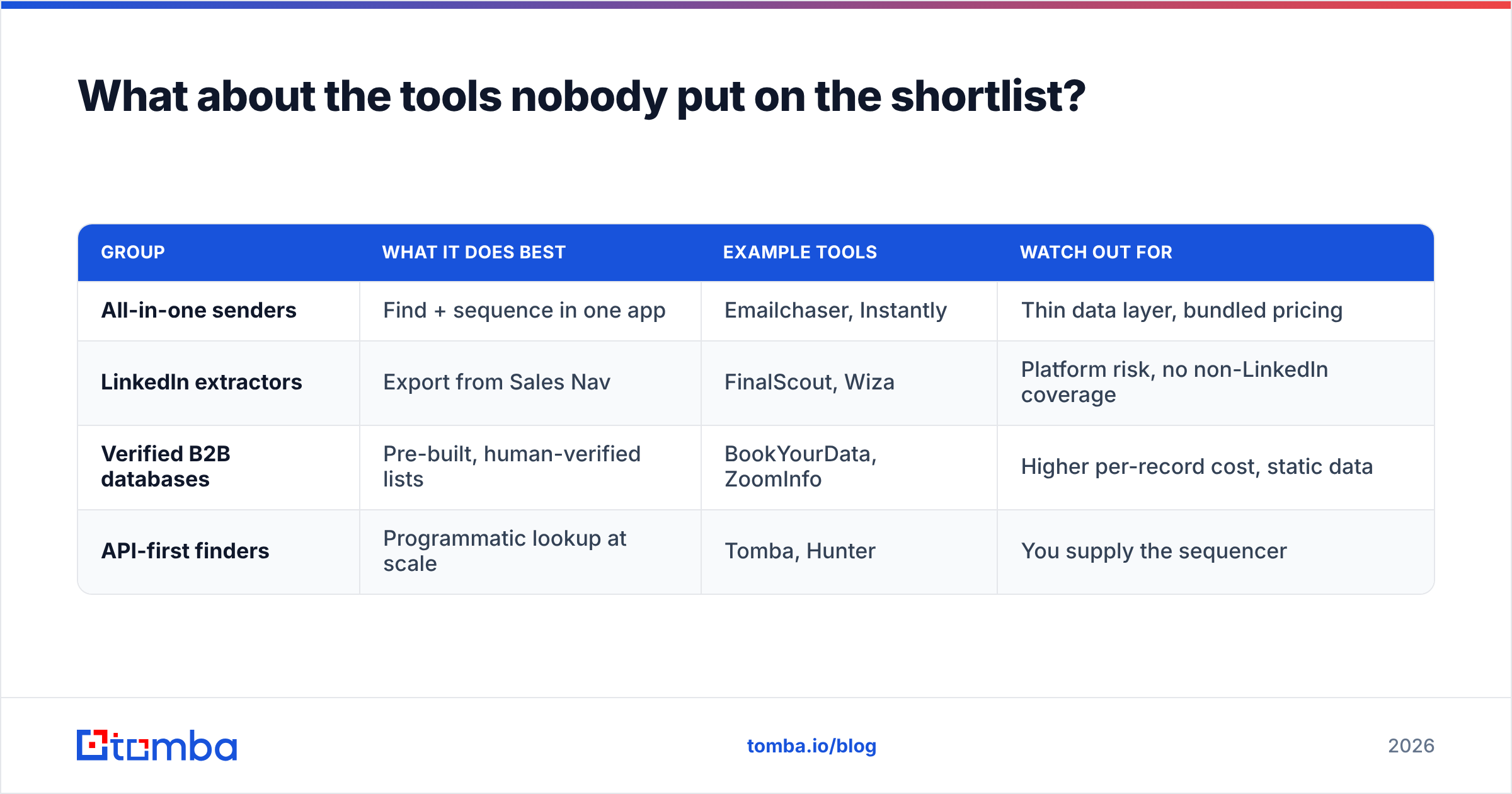
The Emailchaser-vs-FinalScout framing is narrower than most buyers realize. The category splits into four groups, and picking the wrong group is a bigger mistake than picking the wrong vendor within it.
| Group | What it does best | Example tools | Watch out for |
|---|---|---|---|
| All-in-one senders | Find + sequence in one app | Emailchaser, Instantly | Thin data layer, bundled pricing |
| LinkedIn extractors | Export from Sales Nav | FinalScout, Wiza | Platform risk, no non-LinkedIn coverage |
| Verified B2B databases | Pre-built, human-verified lists | BookYourData, ZoomInfo | Higher per-record cost, static data |
| API-first finders | Programmatic lookup at scale | Tomba, Hunter | You supply the sequencer |
BookYourData deserves a specific mention here because it solves a different problem well: if you'd rather buy a pre-verified list than resolve addresses yourself, a curated database saves you the lookup step entirely. Different economics, different workflow — it's a complement to a finder, not a substitute.
The mistake is buying an all-in-one because it's cheapest per month, then discovering six months later that your data layer is the reason your reply rate never moved. Cold email performance is roughly 50% list quality, 30% offer, 20% copy. Tooling that optimizes the last 20% while degrading the first 50% is a bad trade, regardless of price.
How should you actually run the evaluation?#
Don't read reviews. Run a bake-off. It takes an afternoon.
- Build a 100-row truth set. Pull contacts from your CRM where you have a confirmed, replied-to email address. Strip the email column.
- Run the same list through each tool's free tier. Emailchaser trial, FinalScout's free credits, Tomba's 25 free monthly searches. Use identical inputs.
- Score two numbers per tool. Coverage = returned an address / 100. Precision = matched the truth / returned an address. Multiply them for effective yield.
- Add the credit burn. Note how many credits each tool consumed, including on misses. This is where cost-per-usable-email gets real.
- Test one edge case deliberately. Include five contacts at catch-all domains and five at companies with under 20 employees. That's where the gap between tools opens up.
Whatever result you get, it's specific to your ICP — which is exactly why it beats any generic benchmark. A tool that scores 70% on tech SaaS may score 30% on regional manufacturing.
For validating your sending setup after the data decision, run your domain through a free email checker and an SPF checker before you send a single sequence. Data quality and authentication are the two levers that decide whether your campaign lands; both are cheap to fix before launch and expensive to fix after.
Final verdict: Emailchaser or FinalScout?#
Emailchaser if you want one tool and one bill, you send modest volume, and you're not already paying for a sequencer. The finder is adequate, the workflow is genuinely simpler, and simplicity has real value for a one-person GTM motion.
FinalScout if LinkedIn is where your prospects live and you accept the platform dependency that comes with it. The profile context that ships alongside each email is a real personalization advantage.
Neither if you're building a repeatable outbound engine. At that point the finder stops being a feature and becomes infrastructure — it needs an API, bulk processing, catch-all resolution, and accuracy you can measure rather than take on faith.
If that's where you are, start with the Tomba Email Finder. Twenty-five free searches a month, no credit card, no extension in your LinkedIn session — enough to run the bake-off above against your own list and see the coverage numbers for yourself. Plans start at $49/mo when you're ready to scale, with a full REST API on every tier so the data flows into whatever sequencer and CRM you've already committed to.
Related guides#
Ready to find emails that actually work?
Join 150,000+ professionals who stopped guessing and started sending. Free credits on signup — no credit card required.
Get the Tomba newsletter
Practical outbound tactics and product updates — once every two weeks.
About the author