Emailchaser vs FindThatLead: Which Email Finder Wins in 2026?
Emailchaser bundles sending with finding. FindThatLead bundles finding with a lead database. Here is how the two actually compare on accuracy, credits, and cost per verified email in 2026.
TL;DR
- Emailchaser is a cold email sending platform with an email finder attached. You buy it for sequences, inbox rotation, and reply detection — the finder is a convenience feature, not the main event.
- FindThatLead is a prospecting platform with a lead database, a Chrome extension, and a lightweight sender. You buy it for list building at scale, especially LinkedIn and domain-based scraping.
- Neither tool wins on verification depth. Both surface "valid" addresses that a dedicated verifier flags as risky, which is where your bounce rate comes from.
- On cost per verified email, a stack of a specialist finder plus a specialist sender usually beats either all-in-one — Tomba's Starter plan at $49/mo lands cheaper per usable contact than FindThatLead's mid tier once you subtract bounces.
- Pick Emailchaser if you send under 5,000 emails/month and want one login. Pick FindThatLead if list volume matters more than sequencing. Pick neither if accuracy is your bottleneck.
What are Emailchaser and FindThatLead, exactly?#
They are not the same category of product, which is why head-to-head reviews of them tend to be confusing.
Emailchaser (emailchaser.com) is a cold email outreach tool built around simplicity. Connect a Gmail or Outlook mailbox, load a list, write a sequence, and it handles the sending, throttling, and follow-up stops on reply. It ships an email finder and a Chrome extension so you can build a list without leaving the app. The pitch is "cheaper and simpler than Instantly or Lemlist."
FindThatLead (findthatlead.com) started as a pure email finder in 2015 and grew outward. Today it offers domain search, a Prospector that filters a B2B database by role, industry, and geography, a LinkedIn/social scraper, an email verifier, and a basic sender called Scrab.in-adjacent Campaigns. The pitch is "find leads, then email them, in one place."
So the real question is not "which tool is better" but "which end of the workflow do you want the tool to own?"
How do Emailchaser and FindThatLead compare on features and price?#
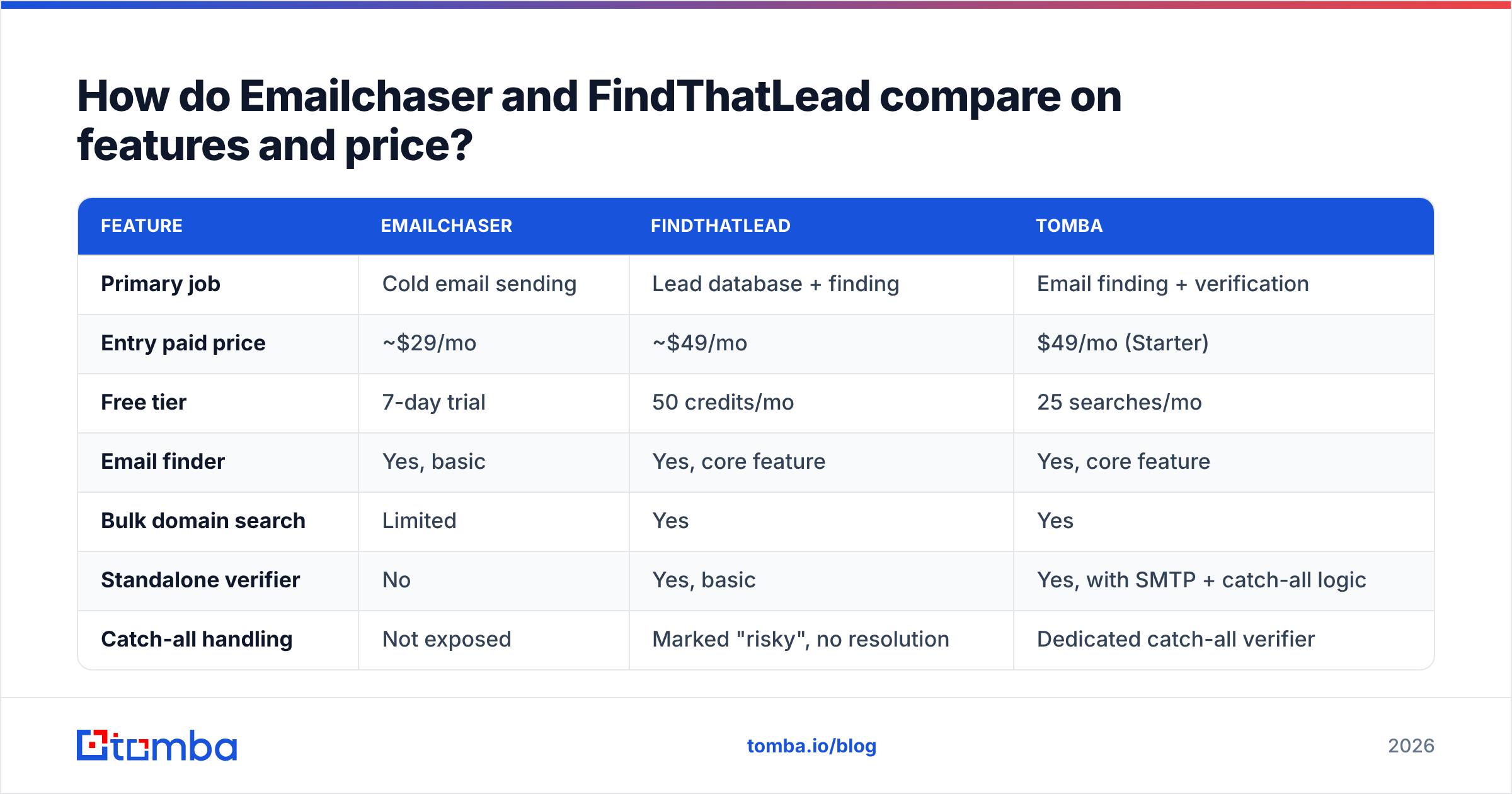
Here is the practical breakdown. Prices reflect publicly listed 2026 plans and change often — check each vendor before you buy.
| Feature | Emailchaser | FindThatLead | Tomba |
|---|---|---|---|
| Primary job | Cold email sending | Lead database + finding | Email finding + verification |
| Entry paid price | ~$29/mo | ~$49/mo | $49/mo (Starter) |
| Free tier | 7-day trial | 50 credits/mo | 25 searches/mo |
| Email finder | Yes, basic | Yes, core feature | Yes, core feature |
| Bulk domain search | Limited | Yes | Yes |
| Standalone verifier | No | Yes, basic | Yes, with SMTP + catch-all logic |
| Catch-all handling | Not exposed | Marked "risky", no resolution | Dedicated catch-all verifier |
| Sending / sequences | Yes, core feature | Yes, basic | No — integrates instead |
| Inbox rotation | Yes | No | N/A |
| Public API | Limited | Yes | Yes, full REST + SDKs |
| Chrome extension | Yes | Yes | Yes |
| Credit rollover | No | No | No |
| Best for | Solo founders, small teams | Agencies building volume lists | Accuracy-first teams and developers |
The pattern is visible immediately: Emailchaser is deep on sending and shallow on data. FindThatLead is deep on data volume and shallow on data quality. Neither one is deep on verification, and verification is what determines whether your campaign lands.
Which one finds more accurate emails?#
FindThatLead finds more addresses. Emailchaser finds fewer but leans on pattern inference, which produces confident-looking guesses.
That distinction matters more than raw hit rate. An email finder has three ways to return a result:
- Verified match — the address exists in a crawled or sourced record and passed an SMTP handshake. This is the only category you should send to without a second thought.
- Pattern guess — the tool knows
firstname.lastname@company.comis the domain pattern and constructs the address. Accuracy depends entirely on whether the person actually follows the pattern and still works there. - Catch-all — the mail server accepts everything, so SMTP verification returns "valid" for any address you test. Most tools mark these green. They are not green.
Category 3 is where most teams silently burn their sender reputation. A catch-all domain will accept asdfgh@company.com just as happily as your prospect's real address, then bounce it internally or route it to a black hole. If your tool counts that as a delivered valid email, your reported bounce rate looks fine while your actual reply rate collapses.
FindThatLead labels catch-alls as risky and stops there. Emailchaser generally does not surface the distinction at all. If you send to a list where 20–30% of B2B domains are catch-all — a normal proportion for mid-market and enterprise targets — that gap is your problem, not the vendor's.
This is where a dedicated catch-all verifier changes the math. Instead of flagging and skipping, it applies domain-level heuristics and secondary signals to decide whether a specific mailbox on a catch-all domain is real. You recover contacts your competitors discard.
What does each tool actually cost per usable lead?#
List price is the wrong number. Cost per verified, deliverable email is the right one.
Work an example. You need 1,000 contacts at target accounts this month.
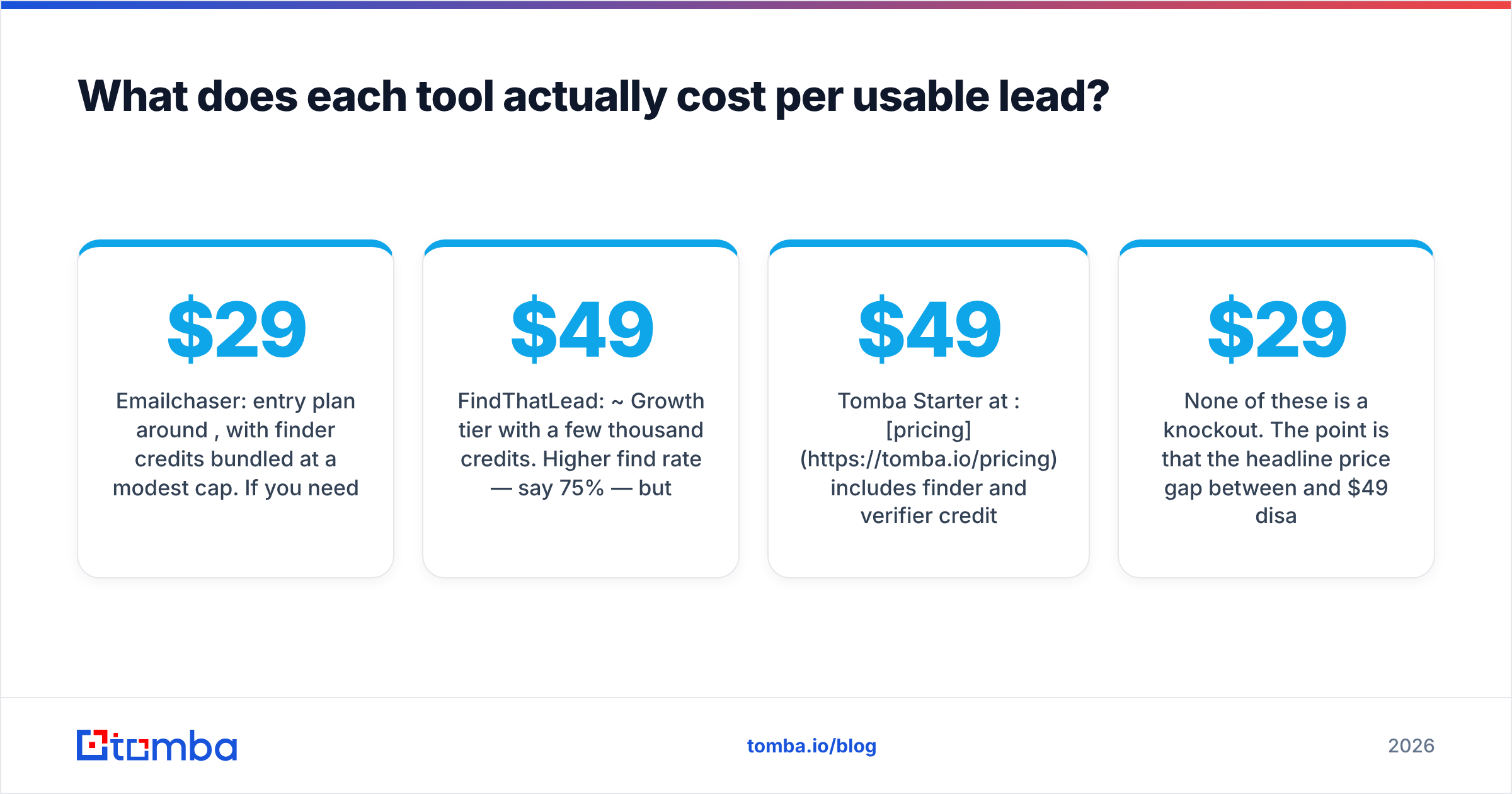
- Emailchaser: entry plan around $29/mo, with finder credits bundled at a modest cap. If you need 1,000 lookups, you are on a higher tier — call it $69/mo. Assume a 65% find rate and no catch-all resolution, so ~650 addresses, of which maybe 550 are actually deliverable. That's roughly $0.125 per usable contact, and you are still paying for the sending layer you wanted anyway.
- FindThatLead: ~$49/mo Growth tier with a few thousand credits. Higher find rate — say 75% — but credits are consumed on searches that return nothing usable, and risky results still count. ~750 found, ~600 deliverable after you run them through a real verifier. Roughly $0.082 per usable contact, plus whatever the verifier costs.
- Tomba Starter at $49/mo: pricing includes finder and verifier credits in the same bucket, and the email verifier runs SMTP plus catch-all logic before the credit is spent. Find rate in that range, but the deliverable share is higher because risky addresses are resolved rather than guessed. You still need a sender.
None of these is a knockout. The point is that the headline price gap between $29 and $49 disappears the moment you count bounces, and inverts when catch-all resolution is in play.

Is an all-in-one tool better than a specialist stack?#
Depends on volume. Below roughly 3,000 emails a month, all-in-one wins on operational overhead. Above that, the specialist stack wins on outcomes.
Here is the honest trade-off:
- All-in-one saves setup time. One login, one billing line, one support thread. If you are a solo founder sending 500 emails a month, this is worth real money in hours saved.
- All-in-one caps your ceiling. Every bundled component is someone's third priority. Emailchaser's finder will never be as good as a company whose entire business is finding emails, because it doesn't have to be.
- Specialist stacks let you swap parts. If your finder degrades, you change the finder — not your whole sequencing setup, your warmed domains, and your reporting history.
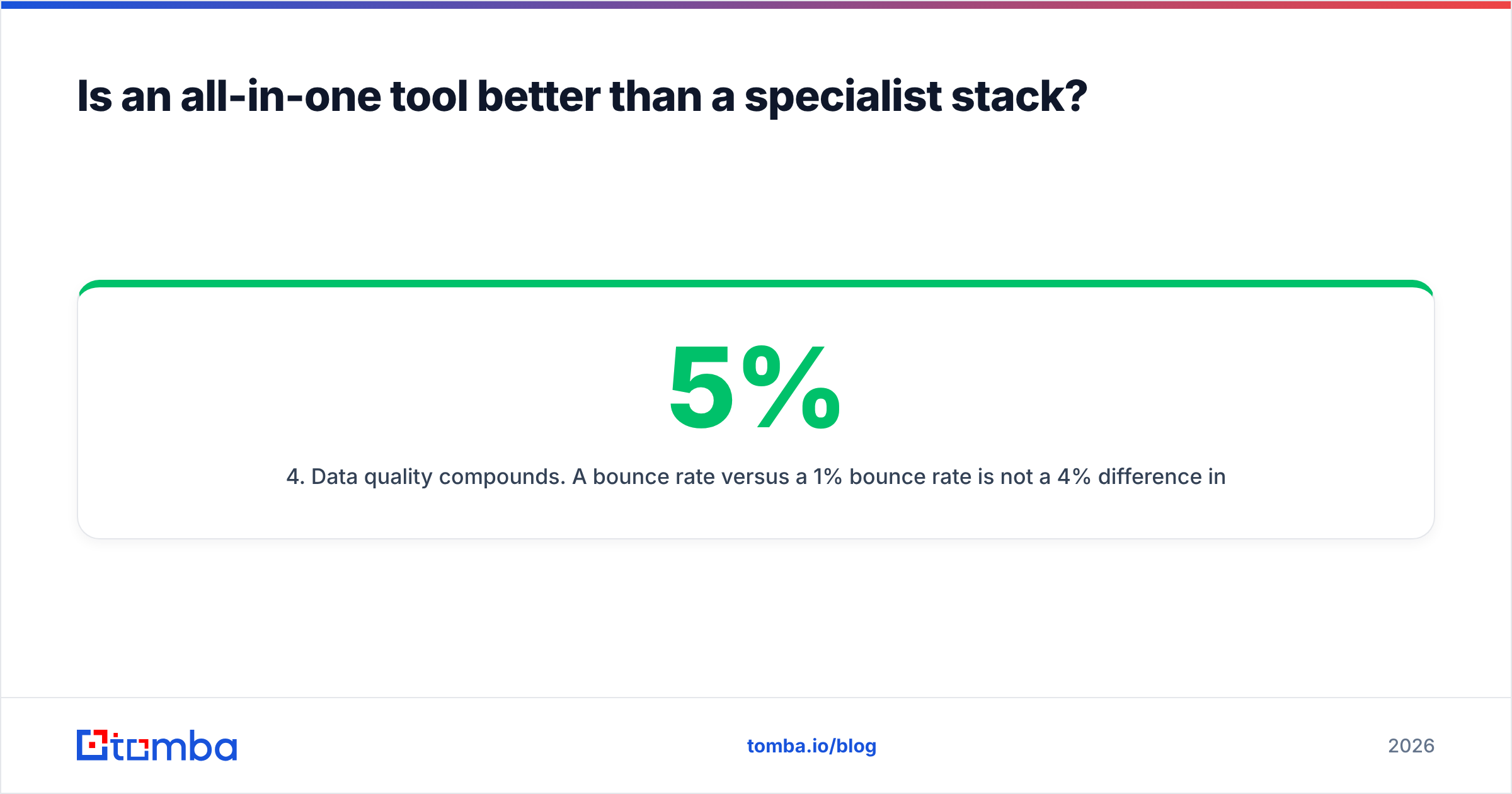
- Data quality compounds. A 5% bounce rate versus a 1% bounce rate is not a 4% difference in outcome. Over three months of sustained sending, it's the difference between a healthy sending domain and one that gets throttled by Google and Microsoft.
- APIs matter earlier than you think. The moment you want to enrich on form-fill, or auto-append emails to CRM records, a bundled finder without a real email finder API becomes a manual CSV job forever.
Which tool should you pick for your use case?#
Match the tool to the constraint you actually have.
Choose Emailchaser if:
- Sending is your bottleneck, not finding. You already have lists.
- You want inbox rotation and reply detection without an Instantly-tier price.
- Volume is under ~5,000 emails/month and your lists come from a partner, event, or existing CRM.
- You'll accept a lower-quality finder as a convenience feature.
Choose FindThatLead if:
- You need volume list-building from scratch, especially by industry and geography filters.
- You run an agency and build lists for multiple clients from the same seat.
- You're already running a separate verifier and sender, and just want the database layer.
- LinkedIn-sourced prospecting is a big part of your motion.
Choose neither — build a stack — if:
- Your bounce rate is above 3% and you can't figure out why.
- You're sending to enterprise domains where catch-all rates are high.
- You need programmatic enrichment (API, webhook, CRM sync) rather than CSV exports.
- Multiple people or systems consume the same contact data.
For that third case, the pattern most teams land on is: a dedicated finder + verifier for data, a dedicated sender for delivery, and a CRM as the system of record. Tomba's domain search handles the "give me everyone at this company" motion, the verifier gates the list, and the sender of your choice — Instantly, Smartlead, Lemlist, or Emailchaser itself — does what it's good at.
What about the other alternatives worth checking?#
Neither of these tools is the only option, and pretending otherwise would be dishonest.
- Hunter.io — the most recognized name in domain-based email finding. Strong free tier, good UI, higher price at scale.
- BookYourData — a solid choice when you want a pre-built, human-verified B2B list rather than a search-and-find workflow. Pay-as-you-go pricing suits teams with bursty list needs, and its bounce guarantee is genuinely one of the stronger commitments in the category.
- Apollo.io — the database-plus-sequencer heavyweight. Enormous contact volume, but data freshness varies by segment. See our take on Apollo alternatives if you're evaluating it.
- Clearbit / HubSpot Breeze Intelligence — enrichment-first rather than search-first. Best when you already have the domain and need firmographics. HubSpot's own prospecting guidance is a useful neutral framework here regardless of vendor.
- Findymail — accuracy-focused, popular with agencies running Clay workflows.
Independent review sites are worth a look before you commit. G2's email-finder category aggregates real user reviews with segment filters, which is more useful than any single vendor's own accuracy claim — including ours.
How do you actually test these tools before buying?#
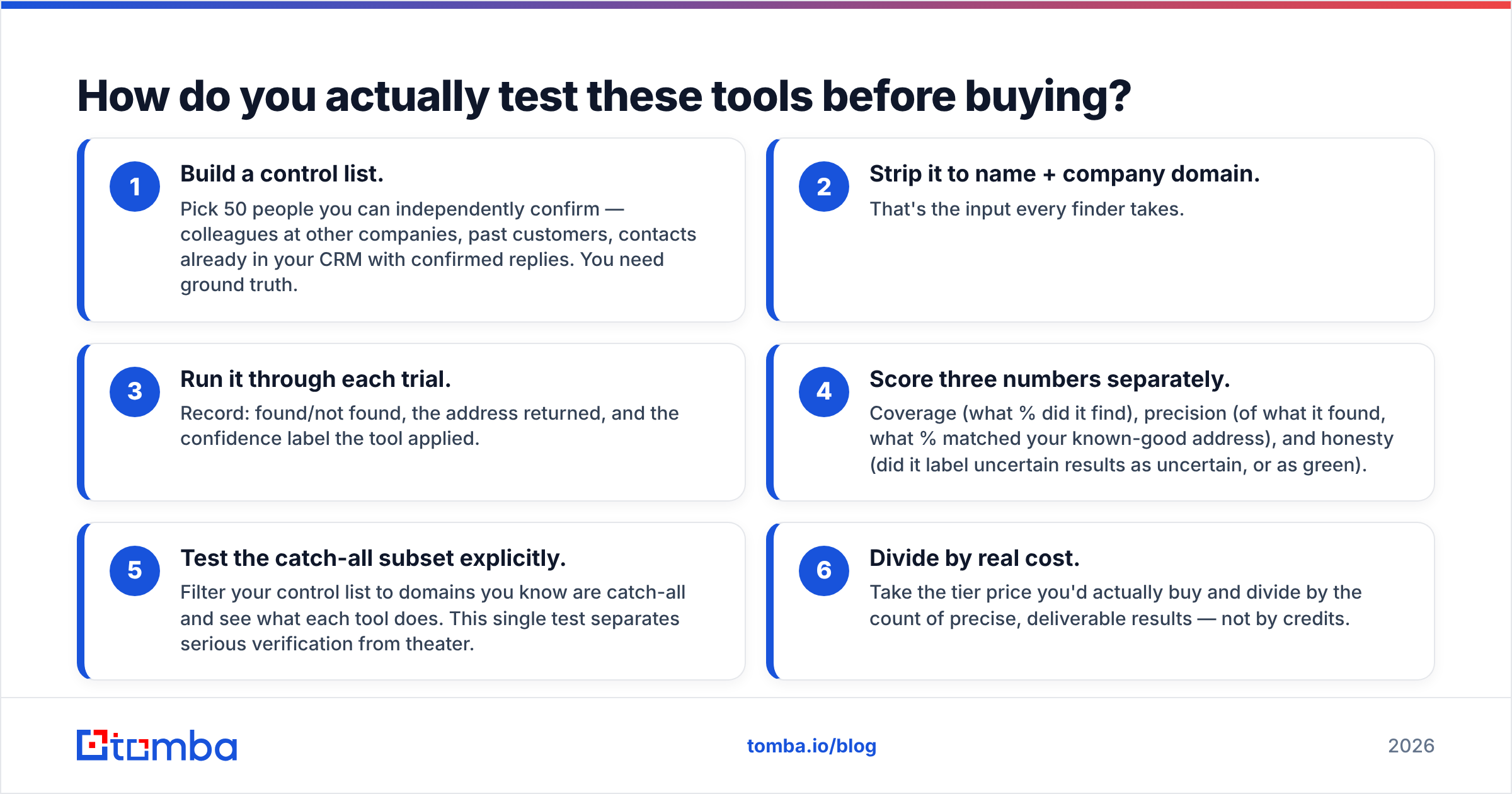
Run the same 50-contact benchmark against every tool on your shortlist. This takes an hour and saves you a year of a bad subscription.
- Build a control list. Pick 50 people you can independently confirm — colleagues at other companies, past customers, contacts already in your CRM with confirmed replies. You need ground truth.
- Strip it to name + company domain. That's the input every finder takes.
- Run it through each trial. Record: found/not found, the address returned, and the confidence label the tool applied.
- Score three numbers separately. Coverage (what % did it find), precision (of what it found, what % matched your known-good address), and honesty (did it label uncertain results as uncertain, or as green).
- Test the catch-all subset explicitly. Filter your control list to domains you know are catch-all and see what each tool does. This single test separates serious verification from theater.
- Divide by real cost. Take the tier price you'd actually buy and divide by the count of precise, deliverable results — not by credits.
Most teams skip step 5 and step 6, which is exactly why so many outbound programs plateau at a 40% open rate and blame the copy.
The bottom line#
Emailchaser and FindThatLead solve adjacent problems and both compromise on the same thing: verification depth.
If you need one tool and your volume is small, Emailchaser is the cleaner sending experience and FindThatLead is the better data layer. If you're building an outbound engine that has to hold up past a few thousand sends a month, neither bundled finder is where you want your list quality to come from.
Start with a control test on your own contacts. Let the numbers pick the tool rather than the pricing page.
Ready to fix the data half of the problem? The Tomba Email Finder returns addresses with a real confidence score, resolves catch-all domains instead of shrugging at them, and exposes everything through a REST API so your CRM and sequencer stay in sync automatically. Start on the free tier with 25 searches a month, run your own 50-contact benchmark, and upgrade to Starter at $49/mo only if the numbers hold up. They usually do.
Related guides#
Ready to find emails that actually work?
Join 150,000+ professionals who stopped guessing and started sending. Free credits on signup — no credit card required.
Get the Tomba newsletter
Practical outbound tactics and product updates — once every two weeks.
About the author