Emailchaser vs Instantly (2026): Which Cold Email Tool Wins?
Emailchaser keeps cold email simple and cheap. Instantly runs at scale with inbox rotation and a lead database. Here's the honest breakdown of pricing, deliverability, and which one fits your team.
TL;DR
- Emailchaser is a lightweight cold email sender built around Gmail/Google Workspace, with simple per-user pricing and a short learning curve. Best for solo founders, agencies with one or two sending accounts, and anyone who wants sequences without a sales-engagement platform.
- Instantly is a scale-first platform: unlimited email account connections on most plans, built-in inbox rotation, a warmup network, a deliverability suite, and an optional B2B lead database. Best for outbound teams sending thousands of emails a week across many domains.
- Price shape differs, not just price level. Emailchaser charges per user/seat; Instantly charges per plan tier with separate add-ons for leads and deliverability tooling. A 3-person team gets a very different bill from each.
- Neither tool finds or verifies your emails well enough on its own. Both assume you arrive with a clean list. Bounce rate is decided before you touch either product.
- Pick by sending volume and domain count. Under ~5,000 emails/month from 1-3 inboxes, Emailchaser wins on simplicity. Above that, or across 10+ inboxes, Instantly's rotation and warmup infrastructure is hard to replicate manually.
Cold email tooling has split into two camps. One camp keeps the product close to your existing inbox and charges you like a SaaS seat. The other camp treats sending as infrastructure — dozens of domains, hundreds of mailboxes, rotation logic, warmup pools, and a reporting layer on top. Emailchaser sits in the first camp. Instantly sits squarely in the second.
This comparison walks through what each one actually does, where the pricing models diverge, how they handle deliverability, and which situations make one clearly better than the other.
What is Emailchaser and who is it for?#
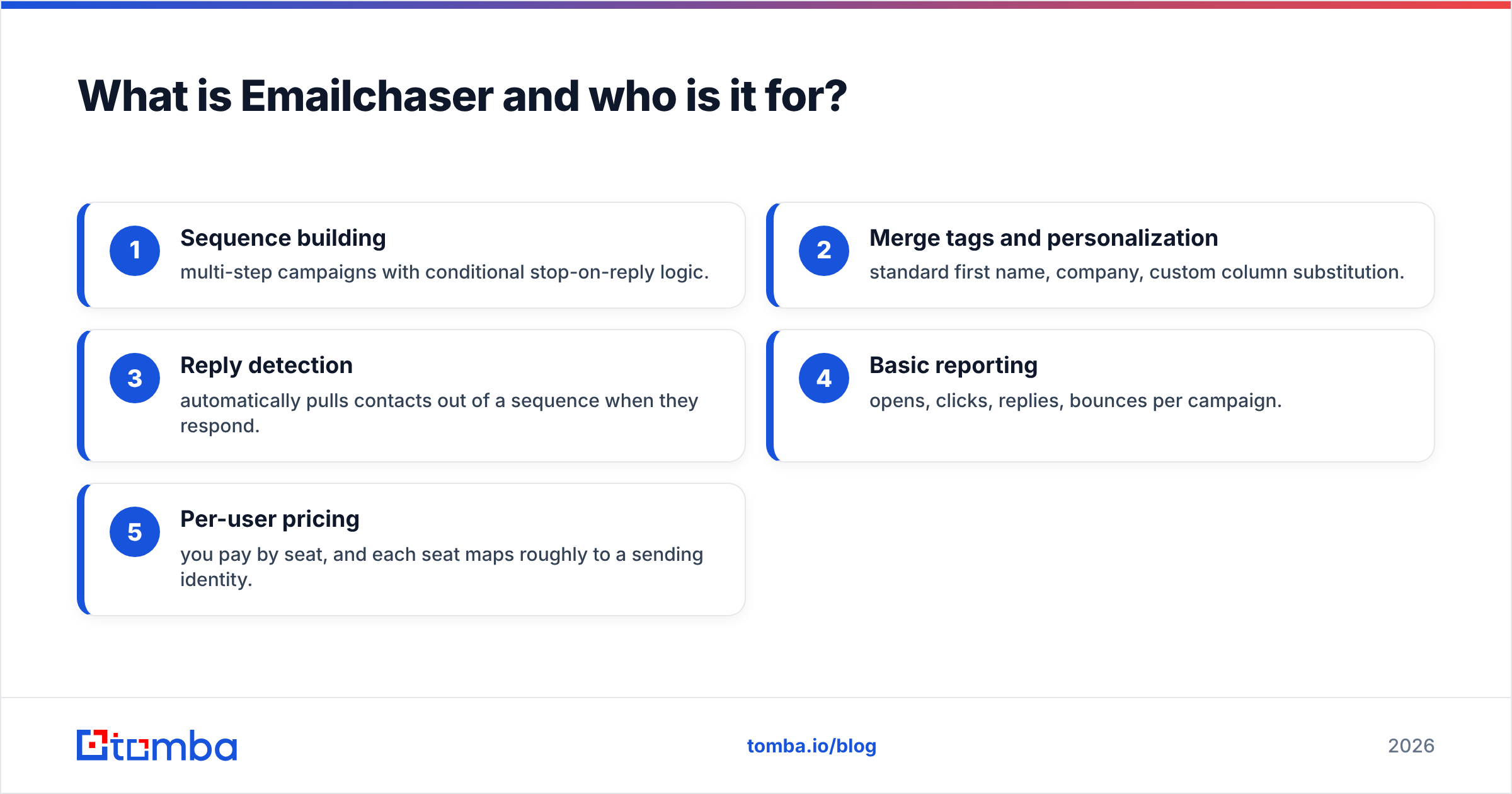
Emailchaser is a cold email outreach tool built primarily around Gmail and Google Workspace sending. You connect your mailbox, import a list, build a sequence with follow-ups, and it sends on your behalf — with the sending happening through your own account rather than a third-party relay.
The design philosophy is minimalism. There is no lead database, no AI persona builder, no unified inbox spanning fifty accounts. You get:
- Sequence building — multi-step campaigns with conditional stop-on-reply logic.
- Merge tags and personalization — standard first name, company, custom column substitution.
- Reply detection — automatically pulls contacts out of a sequence when they respond.
- Basic reporting — opens, clicks, replies, bounces per campaign.
- Per-user pricing — you pay by seat, and each seat maps roughly to a sending identity.
That last point matters more than it sounds. Emailchaser's cost model assumes a small number of real humans sending real email from real mailboxes. That's a defensible way to do outbound in 2026 — Google and Microsoft have both tightened bulk-sender enforcement, and a single well-warmed mailbox sending 40 personalized emails a day outperforms a sloppy 500/day spray.
The trade-off: when you need to scale beyond a handful of mailboxes, per-seat pricing and manual account management start to hurt.
What is Instantly and who is it for?#
Instantly (instantly.ai) is a cold email platform designed for agencies and outbound teams running high volume across many sending domains. Its defining features:
- Unlimited email account connections on most paid tiers — you can attach dozens or hundreds of mailboxes without a per-mailbox fee.
- Inbox rotation — a single campaign distributes its sends across every connected mailbox, keeping per-mailbox volume low while total volume climbs.
- Warmup network — connected accounts exchange automated conversations with other accounts on the network to build sending history and rescue messages from spam folders.
- Deliverability suite — DNS record checks, spam-word analysis, placement testing, and (on higher tiers) a private warmup pool.
- Unibox — one merged inbox for replies across all connected accounts, so a rep isn't tab-hopping between twenty Gmail windows.
- Lead Finder database — an optional B2B contact database sold as a separate credit-based product.
Instantly is unambiguously the more capable platform. It's also the more complex one, and complexity has a cost: onboarding takes longer, and the number of settings that can quietly wreck your deliverability is much higher.

How do Emailchaser and Instantly compare feature by feature?#
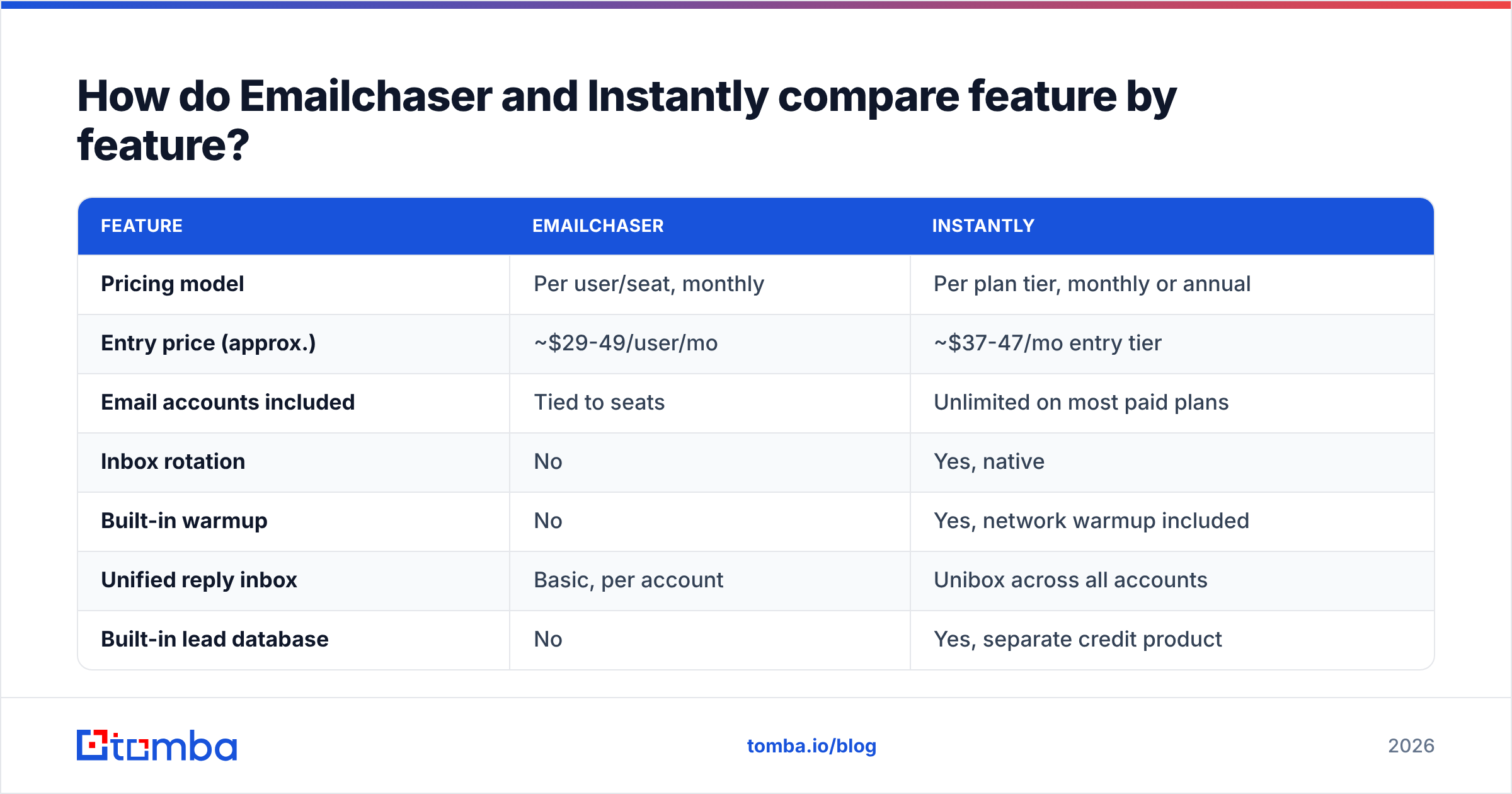
| Feature | Emailchaser | Instantly |
|---|---|---|
| Pricing model | Per user/seat, monthly | Per plan tier, monthly or annual |
| Entry price (approx.) | ~$29-49/user/mo | ~$37-47/mo entry tier |
| Email accounts included | Tied to seats | Unlimited on most paid plans |
| Inbox rotation | No | Yes, native |
| Built-in warmup | No | Yes, network warmup included |
| Unified reply inbox | Basic, per account | Unibox across all accounts |
| Built-in lead database | No | Yes, separate credit product |
| Email verification | Minimal | Bulk verification as paid credits |
| A/B testing | Basic variants | Multi-variant with auto-optimization |
| API access | Limited | Yes, on higher tiers |
| CRM integrations | Zapier-led | Native + Zapier + webhooks |
| Learning curve | Low — usable in an hour | Moderate — a day to configure properly |
| Best fit | 1-3 senders, low volume | 10+ mailboxes, high volume |
Prices move; check both vendors' current pages before you commit. The shape of the difference is what's stable: Emailchaser scales cost with people, Instantly scales cost with platform tier and add-on credits.
Is Instantly better than Emailchaser for deliverability?#
For raw infrastructure, yes — but that's a narrower claim than it sounds.
Instantly gives you three things Emailchaser doesn't: rotation across mailboxes, an automated warmup network, and placement testing. If you're sending 10,000 emails a month, those aren't luxuries. Spreading 10,000 sends across 25 mailboxes at ~13/day each keeps every individual account inside normal human-behavior ranges. Doing the same from two mailboxes means 165 emails/day each, which is well into the range where Google's filters start paying attention.
But infrastructure only addresses one half of email deliverability. The other half is list quality, and neither tool solves it for you.
Here's what actually determines whether your campaign lands:
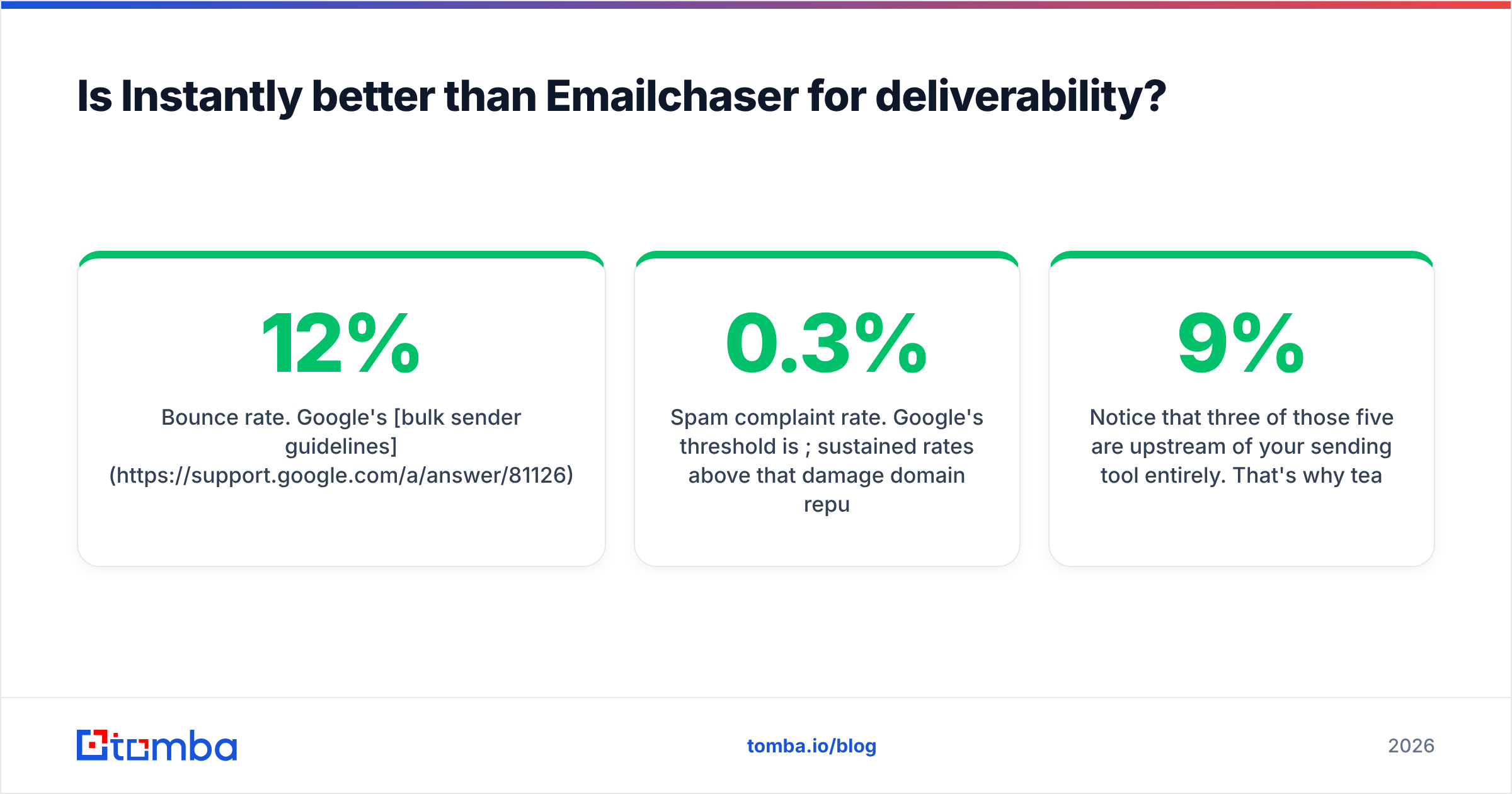
- Bounce rate. Google's bulk sender guidelines and Microsoft's equivalent both treat high bounce rates as a spam signal. A list with 12% invalid addresses will get you filtered regardless of which platform sends it.
- Spam complaint rate. Google's threshold is 0.3%; sustained rates above that damage domain reputation on any platform.
- Authentication. SPF, DKIM, and DMARC must be correct on every sending domain. Instantly checks these for you; with Emailchaser you check them yourself with an SPF checker.
- Content. Link-heavy, image-heavy, or template-obvious emails get filtered no matter how well the mailbox is warmed.
- Engagement. Replies and opens on early sends build sender reputation; ignored sends erode it.
Notice that three of those five are upstream of your sending tool entirely. That's why teams who switch from Emailchaser to Instantly and see no improvement are usually looking in the wrong place — their problem was a 9% bounce rate, not a lack of rotation.
Run your list through an email verifier before it touches either platform. Instantly sells verification credits, and Emailchaser leaves it to you — but in both cases you're better off verifying at source, before import, than paying per-record inside a sending tool.

What does each one cost in practice?#
The sticker price is misleading in both directions. Model your actual scenario:
Scenario A — Solo founder, 1 mailbox, 800 emails/month. Emailchaser: one seat, roughly $29-49/mo, done. Instantly: entry tier around $37/mo, plus you'd want verification credits, plus warmup is included. Roughly a wash, with Emailchaser slightly simpler. Neither is wrong.
Scenario B — 3-person agency, 15 mailboxes, 12,000 emails/month. Emailchaser: three seats, but 15 mailboxes doesn't fit the seat model cleanly, and you have no rotation — you'd be managing sending caps manually. Instantly: a mid-tier plan covers all 15 accounts with rotation and warmup. Instantly wins clearly.
Scenario C — Enterprise SDR team, 60 mailboxes, 50,000 emails/month. Emailchaser isn't a serious candidate. Instantly handles it, but budget for hypergrowth-tier pricing plus lead credits plus verification credits — the real monthly number lands well above the advertised entry price. Also budget for someone whose actual job is deliverability.
Scenario D — Low-volume, high-value ABM, 200 emails/month to named accounts. Emailchaser, or honestly just your inbox plus a good data source. Rotation infrastructure for 200 emails is over-engineering. Spend the budget on data quality instead.
The pattern: Instantly's cost advantage appears exactly when mailbox count exceeds headcount. Below that line, per-seat pricing is usually cheaper and always simpler.
What do both tools leave you to solve yourself?#
Data. Specifically:
1. Finding the addresses. Emailchaser has no database at all. Instantly's Lead Finder exists but is a credit-based add-on with the usual database trade-offs — broad coverage, uneven freshness, and mediocre results in non-US markets or in industries with high job mobility. If you're building targeted lists rather than filtering a static database, you need a dedicated email finder that resolves a name plus a domain into a verified address on demand.
2. Verifying before import. A sending platform that verifies at import time is charging you twice: once for the credit, once for the deliverability damage done by whatever slipped through. Verify upstream.
3. Catch-all domains. A large share of B2B domains accept every address at the SMTP layer, which makes standard verification return "unknown." Most sending tools treat unknown as sendable, which is how bounce rates creep up. A dedicated catch-all verifier resolves a meaningful chunk of those before you import.
4. Enrichment. Personalization tokens are only as good as the fields behind them. If your CSV has name and email but no title, industry, or headcount, your "personalized" opener is just a first-name merge tag — which reads as automated to anyone who's received one. Contact enrichment fills those fields so the sequence has something to say.
5. Segmentation discipline. Neither tool stops you from blasting one sequence to 5,000 mixed contacts. That's a process problem, and it's the single biggest driver of bad response rate numbers in cold email.
If you want a fuller picture of how these products are positioned by real users rather than by their own marketing, G2's outbound category and Capterra's email marketing listings both carry volume review data for Instantly. Emailchaser has a much thinner review footprint — worth knowing before you assume feature parity from a landing page.
Which alternatives should you consider before choosing either?#
The Emailchaser-vs-Instantly framing assumes the sender is the bottleneck. Often it isn't. Before committing:
- If your problem is list quality, a sending tool won't fix it. Fix the data layer first — Tomba, Findymail, or a similar finder plus verifier stack — then pick whichever sender is cheapest.
- If you need LinkedIn plus email, neither tool covers multichannel natively. Look at Instantly alternatives that bundle LinkedIn touches, or run a separate LinkedIn tool.
- If you need a purchased contact list rather than a finder, providers like BookYourData sell verified B2B contacts by filter, which is a genuinely different workflow from name-plus-domain resolution — useful when you're building broad ICP lists rather than targeting named accounts.
- If you need a real CRM behind the outbound, both tools are thin. HubSpot's sales hub documentation is a reasonable reference for what a full pipeline layer actually includes; neither Emailchaser nor Instantly replaces it.
- If deliverability is already broken, no tool switch fixes a burned domain. Warm a fresh domain, fix authentication, cut volume, and rebuild.
Emailchaser vs Instantly: what's the verdict?#
Choose Emailchaser if you send from one to three mailboxes, your volume is under roughly 5,000 emails/month, you value a tool you can configure in an afternoon, and you'd rather not manage sending infrastructure at all. The per-seat model is honest and the product doesn't pretend to be more than it is.
Choose Instantly if you run outbound across many domains and mailboxes, you need rotation and warmup as a managed service, you want one inbox for all replies, and you have someone who will actually configure the deliverability settings properly. Above ~10 mailboxes, it's not really a contest.
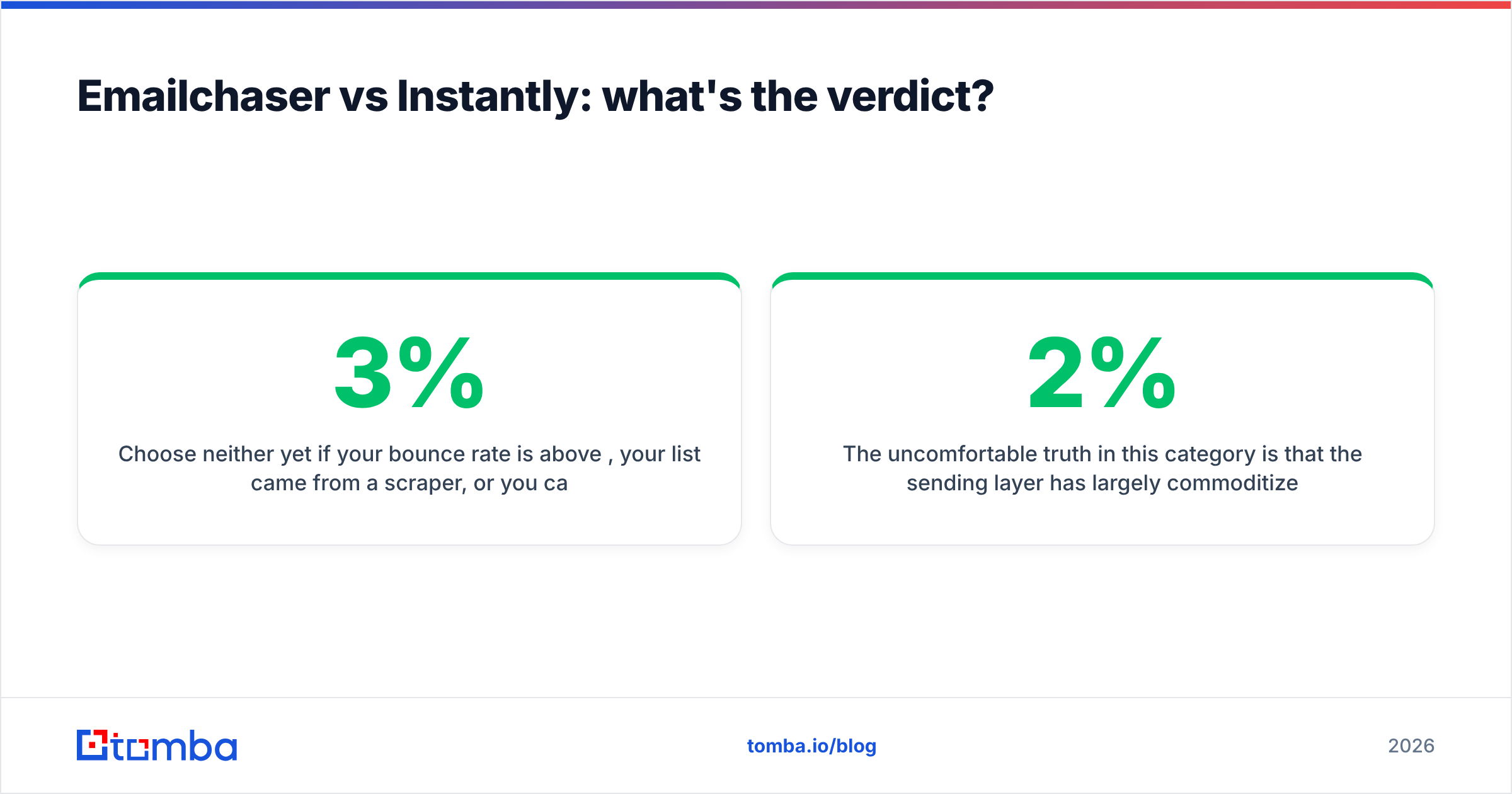
Choose neither yet if your bounce rate is above 3%, your list came from a scraper, or you can't name the specific trigger that makes each contact relevant this month. Fix that first — the sender you pick afterward will matter far less than you think.
The uncomfortable truth in this category is that the sending layer has largely commoditized. Rotation, warmup, and reply detection are table stakes now. What still separates a 2% reply rate from a 9% one is whether you're emailing the right person at a valid address with a reason that holds up.
Ready to fix the input side of your outbound?#
Whichever sender you land on, the campaign is decided by the list. Tomba's Email Finder resolves a name and domain into a verified professional address, with a confidence score and the sources behind it — so what lands in Emailchaser or Instantly is a list that actually delivers. Start on the free tier at 25 searches/month, or move to Starter at $49/mo when you're ready to build lists at volume; full Tomba pricing is public, and the Tomba API plugs the same data into whatever sequencer you end up choosing.
Related guides#
Ready to find emails that actually work?
Join 150,000+ professionals who stopped guessing and started sending. Free credits on signup — no credit card required.
Get the Tomba newsletter
Practical outbound tactics and product updates — once every two weeks.
About the author