EmailVerify.io vs LeadIQ: Which One Does Your Pipeline Need?
One cleans lists, the other builds them. We break down EmailVerify.io vs LeadIQ on accuracy, pricing model, workflow fit, and what happens when you try to use either one alone.
TL;DR — EmailVerify.io vs LeadIQ in five lines
- EmailVerify.io vs LeadIQ is not a fair fight, because the two tools are not really competitors. EmailVerify.io validates email addresses you already have. LeadIQ finds contacts and pushes them into your CRM and sequencer.
- If your problem is a 12% bounce rate on a list you bought or scraped, you want a verifier. If your problem is an empty list, you want a prospecting platform.
- LeadIQ is priced per seat with annual commitments. It is built around a Chrome extension over LinkedIn Sales Navigator. EmailVerify.io is priced per credit with no seat math.
- Buying both means two contracts, two credit pools, and two places where data goes stale. A single find-plus-verify platform usually costs less than the pair.
- Whichever you pick, verify at the moment of send, not at the moment of purchase. Data decays roughly 2-3% per month.
EmailVerify.io vs LeadIQ: what does each tool do?#
Start here, because the whole comparison hinges on it. These two tools sit at opposite ends of the outbound data pipeline.
EmailVerify.io (emailverify.io) is a bulk email validation service. You upload a CSV or hit an API with an address. It returns a status: valid, invalid, catch-all/accept-all, role-based, disposable, or unknown. It runs syntax checks, MX record lookups, and SMTP handshakes. Where it can, it also flags spam traps and known complainers. It does not find anyone. It has no opinion about who you should contact.
LeadIQ (leadiq.com) is a B2B contact data and sales prospecting platform. Its core workflow is a browser extension. You run a LinkedIn Sales Navigator search, click "capture," and LeadIQ pulls work emails and mobile numbers into a list. It then syncs them to Salesforce, HubSpot, Outreach, or Salesloft. It also ships tracking signals (job changes, funding) and an AI email-writing assistant called Scribe.
So the honest framing of EmailVerify.io vs LeadIQ is not "which is better." It's "which half of the problem are you solving this quarter, and are you about to pay twice for one pipeline?"

EmailVerify.io vs LeadIQ: how do they compare head to head?#
Here is the side-by-side on the attributes that actually change your decision.
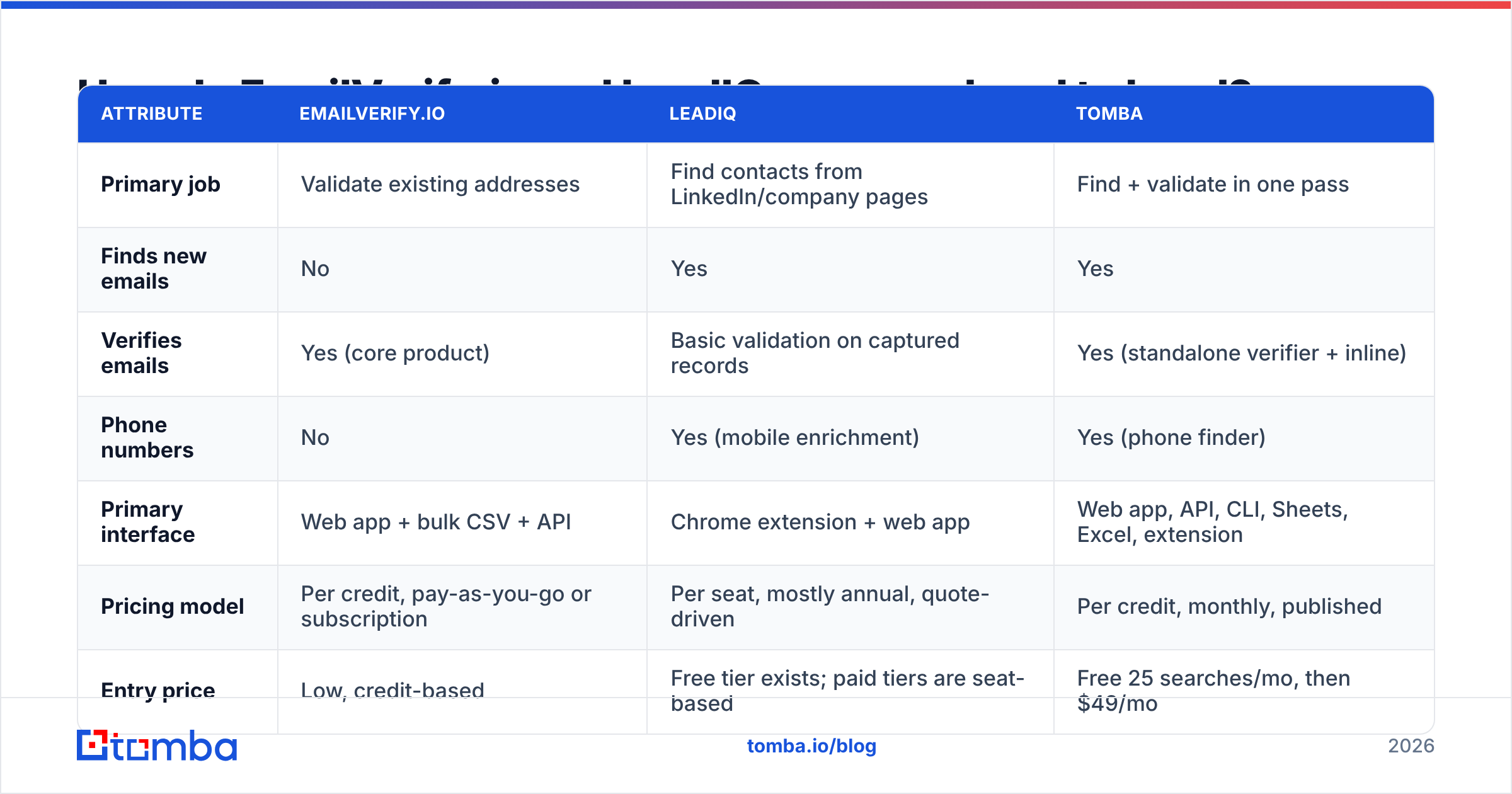
| Attribute | EmailVerify.io | LeadIQ | Tomba |
|---|---|---|---|
| Primary job | Validate existing addresses | Find contacts from LinkedIn/company pages | Find + validate in one pass |
| Finds new emails | No | Yes | Yes |
| Verifies emails | Yes (core product) | Basic validation on captured records | Yes (standalone verifier + inline) |
| Phone numbers | No | Yes (mobile enrichment) | Yes (phone finder) |
| Primary interface | Web app + bulk CSV + API | Chrome extension + web app | Web app, API, CLI, Sheets, Excel, extension |
| Pricing model | Per credit, pay-as-you-go or subscription | Per seat, mostly annual, quote-driven | Per credit, monthly, published |
| Entry price | Low, credit-based | Free tier exists; paid tiers are seat-based | Free 25 searches/mo, then $49/mo |
| CRM sync | Via API/export | Native (Salesforce, HubSpot, Outreach, Salesloft) | Via native integrations + Zapier/Make |
| Best for | Cleaning lists you already own | SDR teams living inside Sales Navigator | Teams that need both halves without two vendors |
The pattern is obvious once it's laid out. EmailVerify.io and LeadIQ overlap on almost nothing. The only shared column is "does something with an email address."
Which problem are you actually trying to solve?#
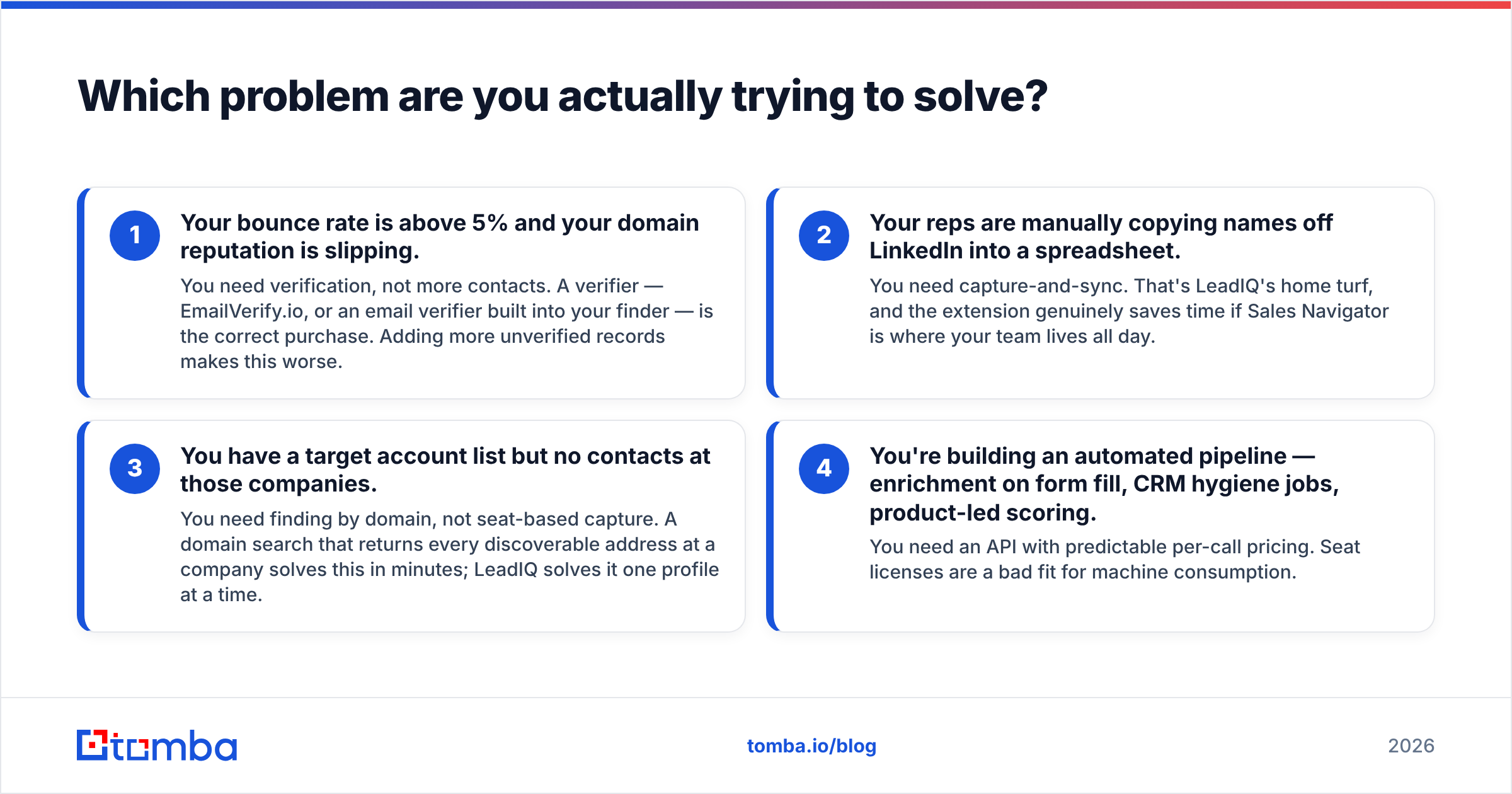
Diagnose before you buy. Four scenarios cover most teams. The first two are the ones people spot on their own:
- Your bounce rate is above 5% and your domain reputation is slipping. You need verification, not more contacts. A verifier — EmailVerify.io, or an email verifier built into your finder — is the correct purchase. Adding more unverified records makes this worse.
- Your reps are manually copying names off LinkedIn into a spreadsheet. You need capture-and-sync. That's LeadIQ's home turf, and the extension genuinely saves time if Sales Navigator is where your team lives all day.
The other two get missed far more often:
- You have a target account list but no contacts at those companies. You need finding by domain, not seat-based capture. A domain search that returns every discoverable address at a company solves this in minutes. LeadIQ solves it one profile at a time.
- You're building an automated pipeline — enrichment on form fill, CRM hygiene jobs, product-led scoring. You need an API with predictable per-call pricing. Seat licenses are a bad fit for machine consumption.
Most teams that end up shopping "EmailVerify.io vs LeadIQ" are actually in scenario 3 or 4, and have misdiagnosed themselves into scenario 1 or 2.
How accurate is each one, and how would you know?#
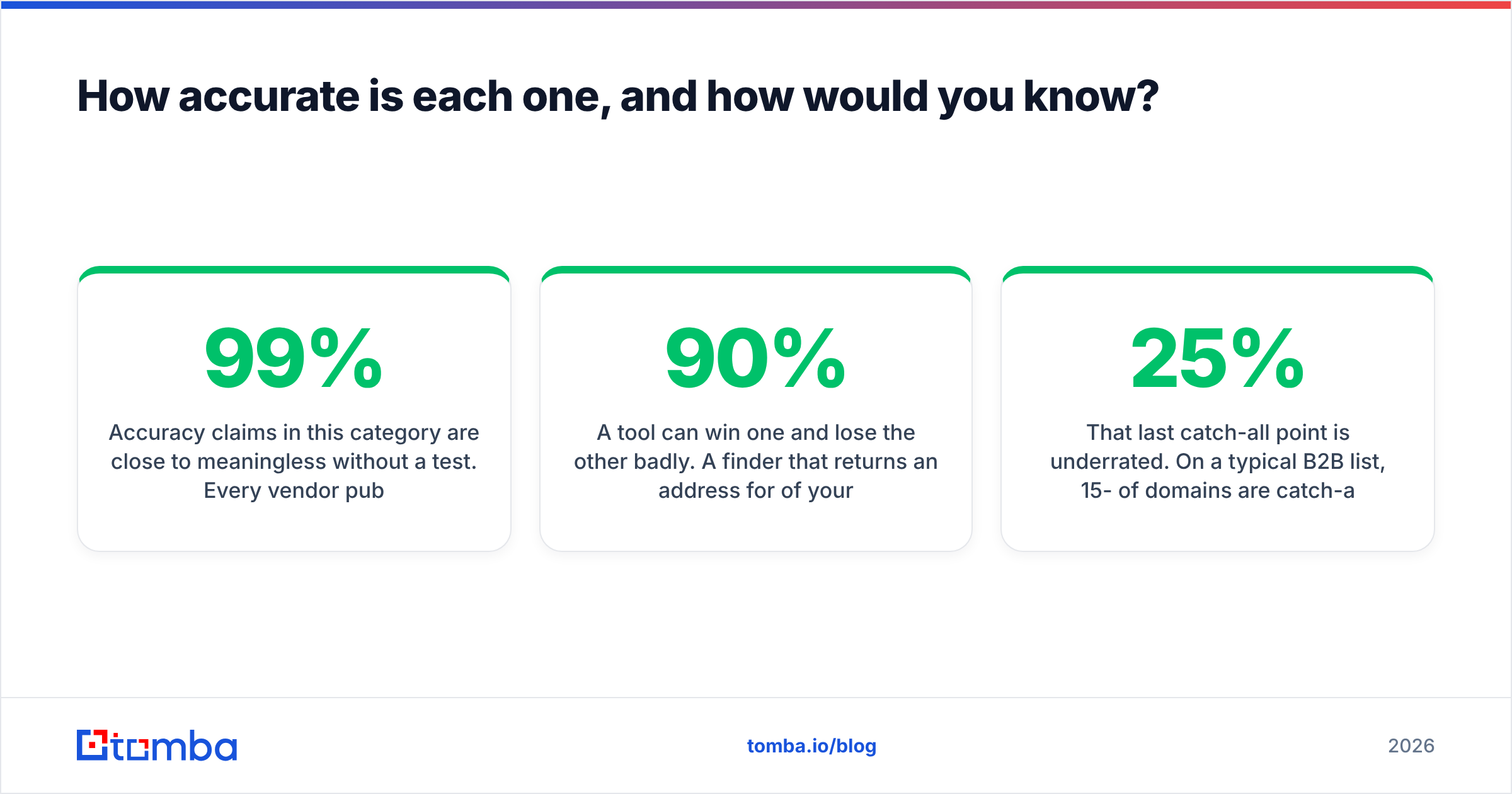
Accuracy is where EmailVerify.io vs LeadIQ stops being a like-for-like test. Claims in this category mean little without a test of your own. Every vendor publishes a number in the 95-99% range, and every number is measured on a sample the vendor chose.

Two different metrics get conflated. Separate them before you compare anything:
- Coverage (or hit rate) — of 1,000 people you asked about, how many did the tool return an address for? Finders compete here. LeadIQ's coverage is strongest in North American tech. It thins out in EMEA mid-market and in non-tech verticals.
- Accuracy (or deliverability) — of the addresses returned, how many actually accept mail? Verifiers compete here. EmailVerify.io's job is to raise this number by deleting the bad ones.
A tool can win one and lose the other badly. Say a finder returns an address for 90% of your list but is wrong a third of the time. That is worse than one returning 60% at 98% accuracy, because the second one doesn't burn your sending domain.
Run this test before you sign anything.
Test the finder:
- Take 200 contacts you already know are valid (past customers, event attendees, opted-in newsletter subscribers).
- Strip the email column. Feed names + domains to the finder. Measure coverage and match rate against ground truth.
Test the verifier:
- Feed it a known-dirty list — an old export, 6+ months untouched. Compare its "invalid" flags to what your ESP reports after a small real send.
- Pay attention to the catch-all bucket. Catch-all domains accept everything at the SMTP layer, so a plain verifier returns "unknown" and leaves you guessing. This is where verification tools separate: some just shrug, others run a catch-all verifier with pattern-plus-signal inference to give you a usable confidence score.
Then check the paperwork:
- Check GDPR/CCPA posture in writing if you sell into the EU. Contact-data vendors differ sharply on lawful basis and opt-out handling.
That last catch-all point is underrated. On a typical B2B list, 15-25% of domains are catch-all. If a verifier dumps a quarter of your list into "unknown," you've paid for credits and still have to make a judgment call.
What does each one cost in practice?#
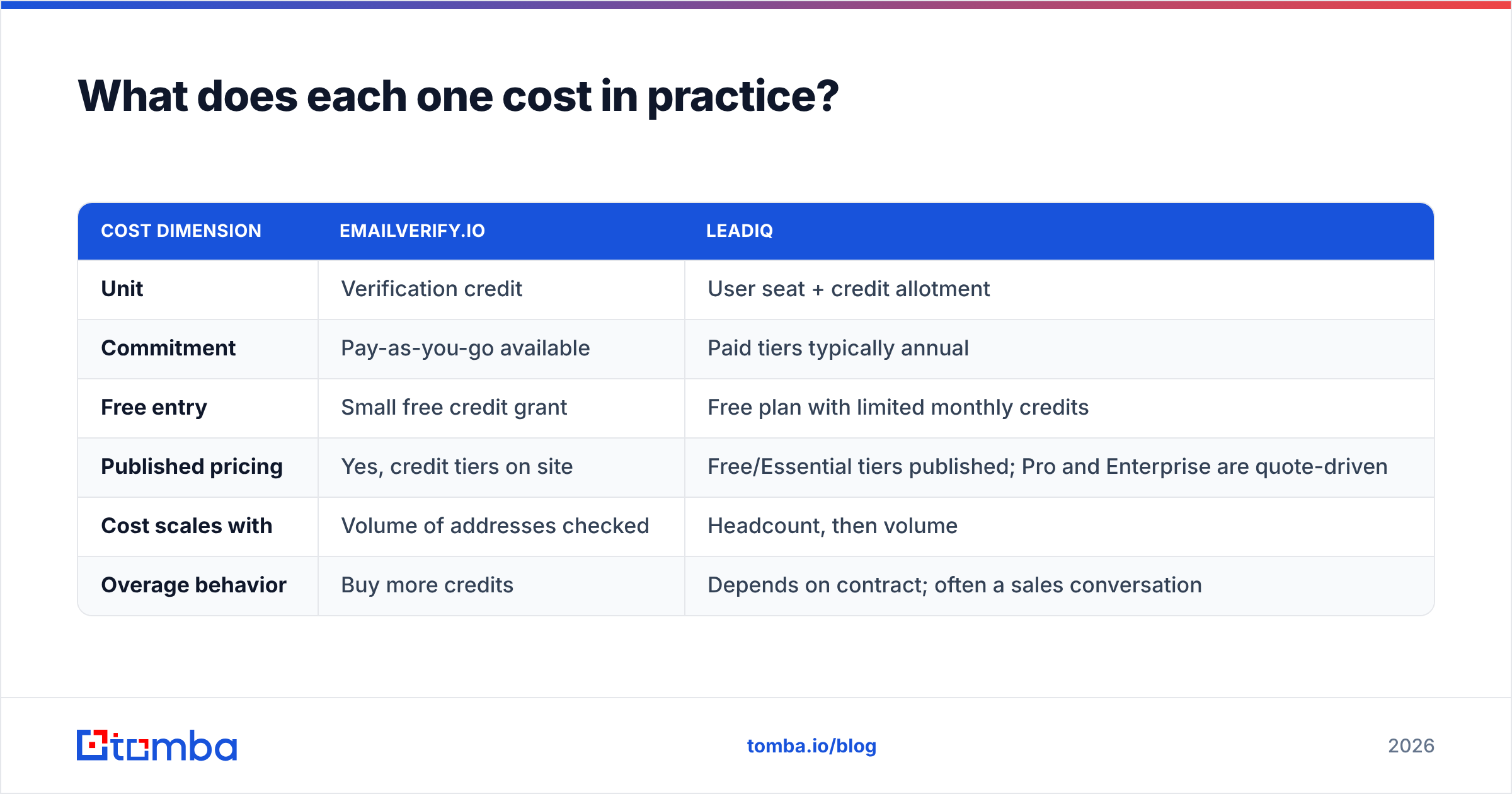
EmailVerify.io vs LeadIQ pricing is hard to compare, because the two vendors don't price on the same axis.
| Cost dimension | EmailVerify.io | LeadIQ |
|---|---|---|
| Unit | Verification credit | User seat + credit allotment |
| Commitment | Pay-as-you-go available | Paid tiers typically annual |
| Free entry | Small free credit grant | Free plan with limited monthly credits |
| Published pricing | Yes, credit tiers on site | Free/Essential tiers published; Pro and Enterprise are quote-driven |
| Cost scales with | Volume of addresses checked | Headcount, then volume |
| Overage behavior | Buy more credits | Depends on contract; often a sales conversation |
Vendor pricing moves, so check both current pages directly rather than trusting any blog's numbers — including this one. What doesn't move is the shape of the cost.
Seat-based pricing punishes you for two things: growing the team, and using the tool programmatically. Say you want RevOps to run nightly enrichment on inbound leads. Seats are the wrong unit there, because you're paying for a human license to feed a machine. Credit-based pricing punishes you for a different thing: sloppy list hygiene, since every wasted lookup is a real cost.
For comparison, Tomba pricing runs Free (25 searches/mo), Starter at $49/mo, Growth at $99/mo, Pro at $249/mo, and Enterprise custom. Finding and verification draw from the same pool. That matters for the two-vendor math below.
Do you need both — and what does that cost?#
Here's the EmailVerify.io vs LeadIQ scenario nobody prices out before they buy.
You license LeadIQ so your four SDRs can capture from Sales Navigator. Three months in, your bounce rate creeps up. Captured records age, people change jobs, and some addresses were pattern-guesses to begin with. So you add EmailVerify.io to clean the output before it hits your sequencer.
Now you have:
- Two contracts with different renewal dates and different procurement conversations.
- Two credit pools that don't transfer. Unused verification credits don't become capture credits.
- A manual seam in the middle — export from LeadIQ, verify, re-import, reconcile duplicates. Someone owns that job every week, and that someone is expensive.
- Two support queues when a record is wrong, each of which will point at the other vendor.
The seam is the real cost. Every export-verify-reimport cycle adds lag, and lag is exactly what kills data quality. A contact captured Monday, verified Thursday, and sequenced the following Tuesday has had nine days to change jobs.
The alternative is a platform where finding and verification are the same API call. The address is validated before it's ever returned to you. That's the architecture behind the email finder approach: you never hold an unverified record long enough for it to rot. If you'd rather keep the tools separate but automate the seam, a bulk email finder with API access at least removes the human from the loop.

Which alternatives should be on your shortlist?#
If you're evaluating EmailVerify.io vs LeadIQ, you're implicitly evaluating a category. A few honest notes on the neighbors.

Prospecting platforms, in LeadIQ's lane:
- Apollo — biggest all-in-one database plus sequencer. Great breadth, and the sequencing is competent. Coverage quality varies by region, and data staleness is a common complaint at scale. See Apollo alternatives for the trade-offs.
- ZoomInfo — the enterprise default. Deep firmographics, deep price, long contracts. Overkill unless you have a large team and a real ABM motion.
- BookYourData — pay-as-you-go prebuilt B2B lists with an accuracy guarantee. A solid fit when you want a static list handed to you rather than a search tool, and the credit model means no seat commitment.
Verifiers, in EmailVerify.io's lane:
- ZeroBounce / Bouncer — pure-play verifiers in the same lane as EmailVerify.io. If verification is genuinely all you need, price-compare all four on catch-all handling, not on headline accuracy. Start with the ZeroBounce alternative breakdown.
Both halves in one tool:
- Tomba — finder, verifier, domain search, catch-all handling, and data enrichment under one credit pool, with an API, CLI, Sheets add-on, and Chrome extension. It is relevant here because it collapses the two-vendor problem into one line item. The LeadIQ alternative page has the feature-by-feature detail.
Whatever you shortlist, cross-check the vendor's own claims against third-party review data on G2 or Capterra. Filter to reviews from companies your size, and read the 3-star ones. That's where the coverage gaps and support complaints live.
What's the practical recommendation?#
The practical EmailVerify.io vs LeadIQ answer: match the tool to the failure mode you actually have.
| Your situation | Pick |
|---|---|
| Big existing list, high bounce rate, no need for new contacts | A dedicated verifier (EmailVerify.io or a peer) |
| SDR team living in Sales Navigator, needs CRM sync + phones | LeadIQ |
| Target account list, need every contact at 500 domains | Domain-search-first finder (Tomba, Apollo) |
| Automated enrichment via API, no per-seat humans | Credit-priced API platform |
| Both problems, one budget line, small team | Combined find + verify platform |
And three rules that hold regardless of vendor:
- Verify at send time, not at purchase time. Contact data decays 2-3% per month. A list verified in January is measurably worse in April.
- Never trust a headline accuracy number. Run the 200-contact test. It costs one afternoon and saves a year of contract regret.
- Count the seams, not just the licenses. The most expensive part of a two-vendor stack is the human who reconciles it every week.
Ready to stop paying for two halves of one job?#
Right now your stack may use one tool to find contacts and another to check whether they're real. That means you pay twice for a single outcome: a deliverable address at the right account. Tomba Email Finder returns addresses that are already validated, including a real confidence call on catch-all domains. It draws from the same credit pool that powers domain search, phone lookup, and enrichment. Start on the free tier with 25 searches a month. Run your own accuracy test against a list you already know the answers to. Upgrade to the $49/mo Starter plan only once the numbers hold up. That's the right order to buy in.
Related guides#
Ready to find emails that actually work?
Join 150,000+ professionals who stopped guessing and started sending. Free credits on signup — no credit card required.
Get the Tomba newsletter
Practical outbound tactics and product updates — once every two weeks.
About the author