Enginy Reviews 2026: Features, Pricing, and Real Limits
Enginy promises clean B2B contact data without an enterprise contract. Here's what it does well, where credits quietly leak, and how it stacks up against Tomba and the big suites in 2026.
TL;DR
- Enginy sells itself as a lighter-weight B2B contact and lead-data tool for teams that don't want a ZoomInfo-sized contract. That positioning is real, and for small European-focused teams it holds up.
- The single biggest variable in any Enginy review is verified deliverability, not raw match rate. A 70% "found" rate with unverified results is worse than a 55% rate that's SMTP-confirmed.
- Pricing transparency is the weakest part of the buying experience. Budget for credit burn on failed lookups and catch-all domains, and ask about it in writing before you sign.
- If you need a raw, API-first email finder with published prices and a free tier to test on, Tomba ($49/mo Starter, 25 free searches) is the cheaper way to validate the same accounts.
- Run the same 100-row test list through every tool you shortlist. It settles the argument in an afternoon and costs almost nothing.
What is Enginy, and who is it actually for?#
Enginy is a B2B lead-data tool: you give it companies or people, and it returns business contact details you can push into a sequencer or CRM. It sits in the middle of the market — more structured than a scraper you rent by the hour, less sprawling (and less expensive) than a full sales-intelligence platform with intent data, org charts, and a mandatory annual commitment.
That middle slot is crowded, which is exactly why buyers search for Enginy reviews instead of just signing up. The question isn't "does it find emails." Almost everything in this category finds emails. The question is what percentage of what it finds actually lands in an inbox, and what you pay per contact that survives.
Enginy tends to be a fit if you:
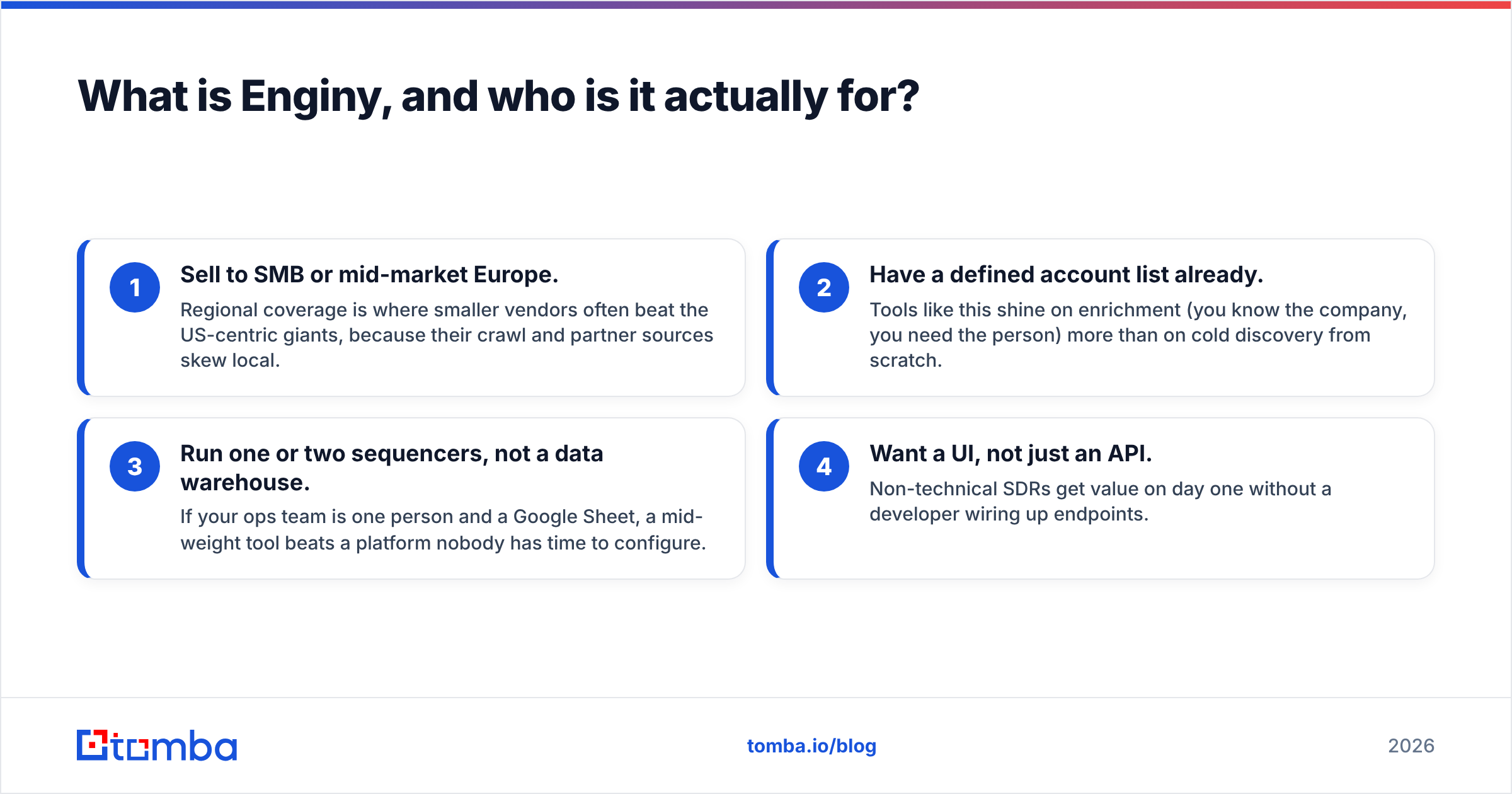
- Sell to SMB or mid-market Europe. Regional coverage is where smaller vendors often beat the US-centric giants, because their crawl and partner sources skew local.
- Have a defined account list already. Tools like this shine on enrichment (you know the company, you need the person) more than on cold discovery from scratch.
- Run one or two sequencers, not a data warehouse. If your ops team is one person and a Google Sheet, a mid-weight tool beats a platform nobody has time to configure.
- Want a UI, not just an API. Non-technical SDRs get value on day one without a developer wiring up endpoints.
It's a poor fit if you're doing high-volume programmatic enrichment, need North American mobile numbers at scale, or have a procurement process that requires published, auditable pricing.
What do Enginy reviews say about data accuracy?#
Accuracy is where every review in this category either earns trust or loses it, so be specific about what's being measured. Three different numbers get conflated constantly:
- Match rate — the percentage of your input rows that came back with any email. Vendors love this number because it's the highest one.
- Verified rate — the percentage that passed a real mailbox check (SMTP handshake, no catch-all guessing). This is the number that predicts your bounce rate.
- Bounce rate in production — what your ESP actually reports after you send. This is the only number that costs you money.
Public review sites give you sentiment, not measurement. Scanning G2 and Capterra for this category, the recurring pattern across mid-weight data tools is that satisfaction tracks support responsiveness and refund policy far more than it tracks raw coverage. People forgive a miss. They don't forgive being charged for a miss.

The technical reason accuracy varies so much between vendors comes down to how each one handles the SMTP verification step. Some tools pattern-guess (first.last@domain.com) and label the guess "found." Others do a full mailbox-level check and only return confirmed addresses. Both can advertise "95% accuracy" — one is measuring its guessing engine against itself, the other is measuring reality.
Ask any vendor, Enginy included, one question: does your published accuracy figure include pattern-generated addresses that were never verified? The answer tells you more than a hundred reviews.

How does Enginy compare to other email finders in 2026?#
Here's the honest shape of the market. Prices move, so treat the Enginy column as "confirm at purchase" — the opacity is itself part of the evaluation.
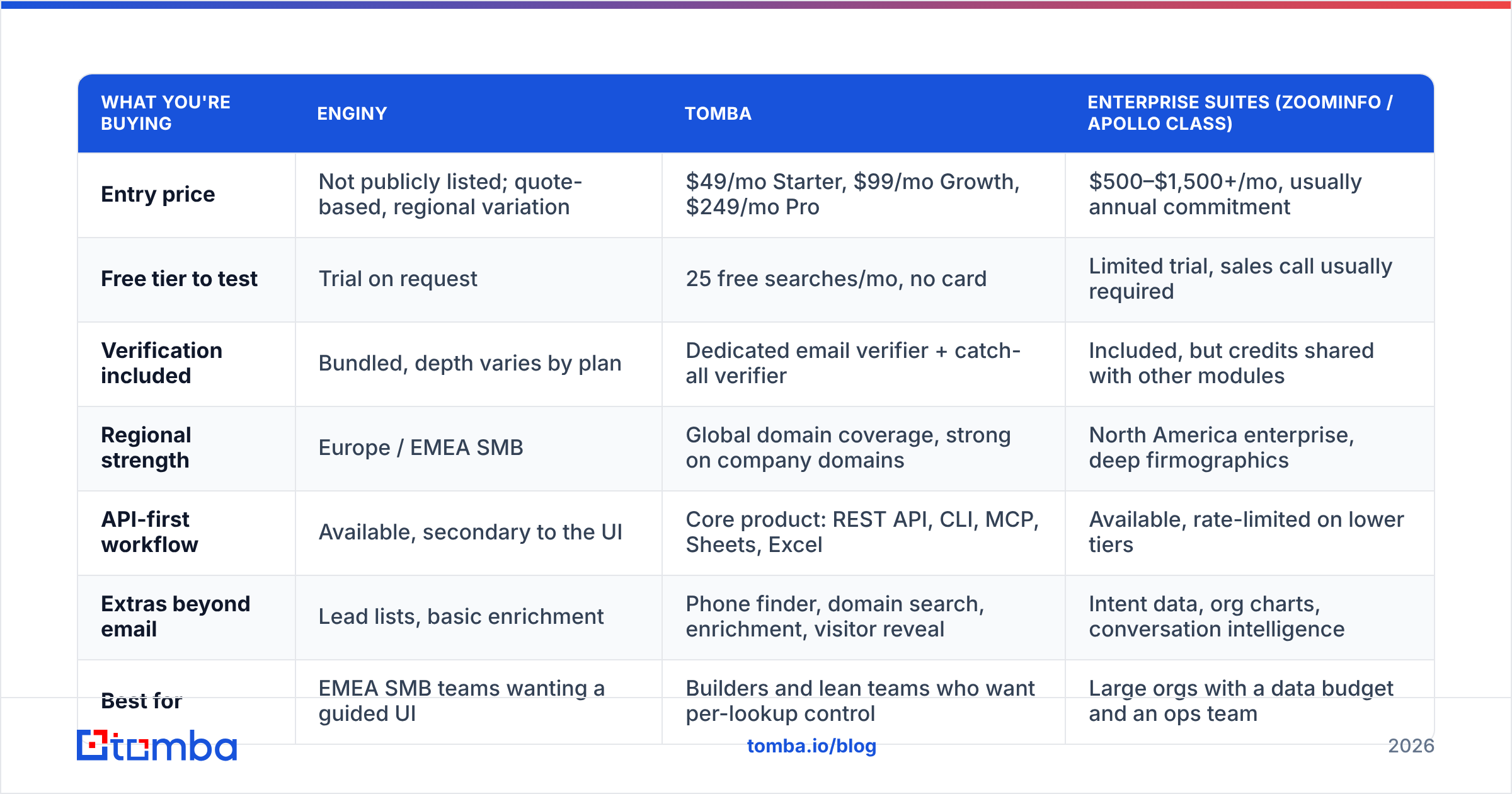
| What you're buying | Enginy | Tomba | Enterprise suites (ZoomInfo / Apollo class) |
|---|---|---|---|
| Entry price | Not publicly listed; quote-based, regional variation | $49/mo Starter, $99/mo Growth, $249/mo Pro | $500–$1,500+/mo, usually annual commitment |
| Free tier to test | Trial on request | 25 free searches/mo, no card | Limited trial, sales call usually required |
| Verification included | Bundled, depth varies by plan | Dedicated email verifier + catch-all verifier | Included, but credits shared with other modules |
| Regional strength | Europe / EMEA SMB | Global domain coverage, strong on company domains | North America enterprise, deep firmographics |
| API-first workflow | Available, secondary to the UI | Core product: REST API, CLI, MCP, Sheets, Excel | Available, rate-limited on lower tiers |
| Extras beyond email | Lead lists, basic enrichment | Phone finder, domain search, enrichment, visitor reveal | Intent data, org charts, conversation intelligence |
| Best for | EMEA SMB teams wanting a guided UI | Builders and lean teams who want per-lookup control | Large orgs with a data budget and an ops team |

Two takeaways from that table matter more than the rest.
First, published pricing is a feature. When a vendor lists tiers publicly, you can model cost per verified contact before you talk to anyone. When pricing is quote-only, your cost depends on how good you are at negotiating — which is fine for a $50k enterprise deal and absurd for a five-seat SDR team. Compare Tomba pricing against whatever quote you get and you'll have a floor to negotiate from.
Second, bundled verification is not the same as good verification. Almost every tool now claims it. The differentiator in 2026 is catch-all handling: domains configured to accept everything, where a naive SMTP check returns "valid" for asdfgh@company.com. If a tool can't tell you how it treats catch-alls, assume it marks them valid and inflates its own accuracy score. A dedicated catch-all verifier exists precisely because generic checks fail here.
Where does credit spend actually leak?#
This is the part most Enginy reviews skip, and it applies to every vendor in the category. Your effective cost per usable contact is almost never the sticker price divided by the credit count.
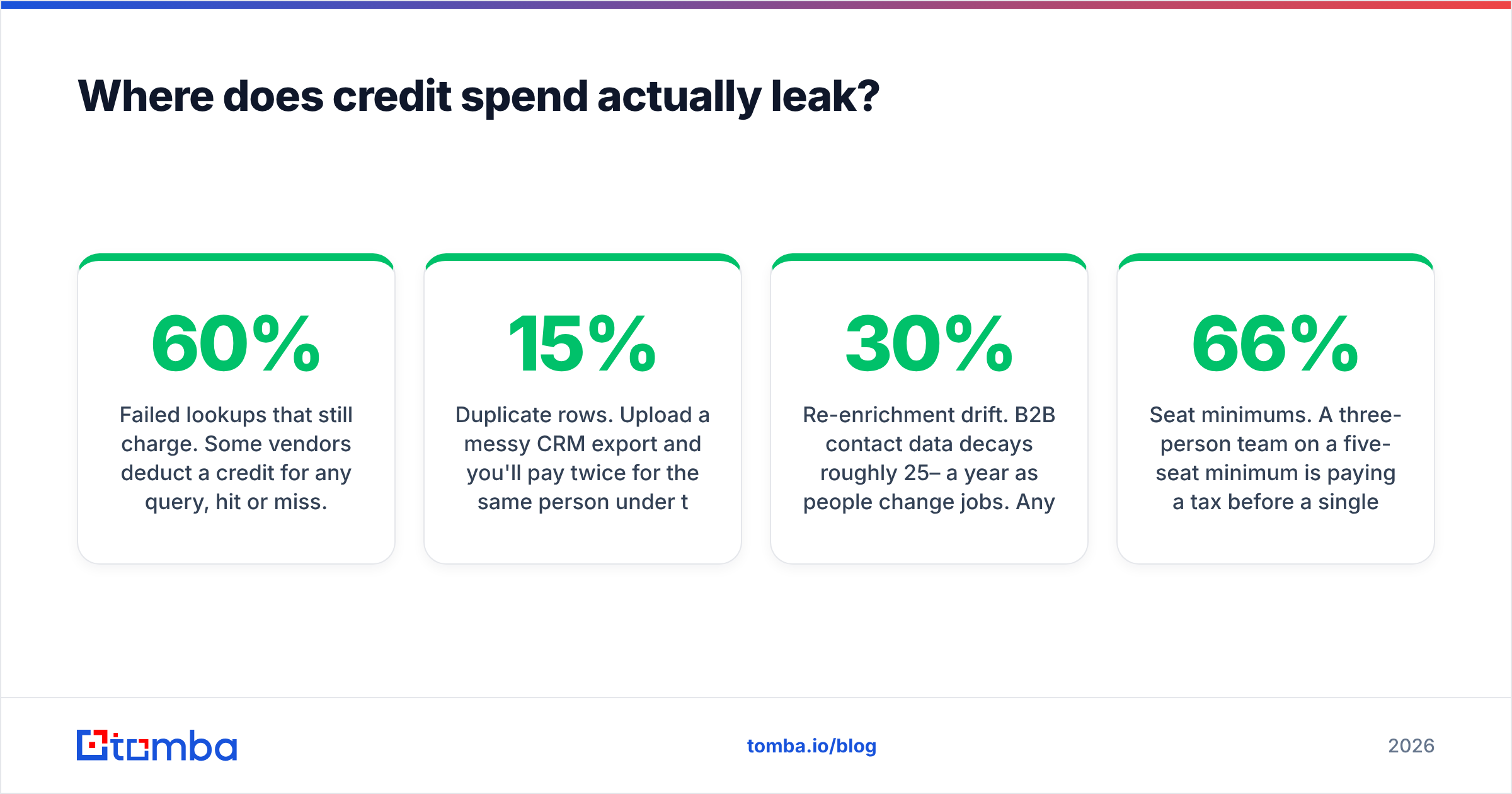
- Failed lookups that still charge. Some vendors deduct a credit for any query, hit or miss. Over a 10,000-row list with a 60% match rate, that's 4,000 credits for nothing.
- Catch-all results counted as wins. You paid for a "valid" address that's statistically a coin flip. You'll pay again in bounce damage.
- Duplicate rows. Upload a messy CRM export and you'll pay twice for the same person under two spellings. Deduplicate first — a remove duplicates pass costs nothing and routinely trims 8–15% off a list.
- Re-enrichment drift. B2B contact data decays roughly 25–30% a year as people change jobs. Any tool you buy today needs a refresh budget for next year, and that refresh is usually full price.
- Seat minimums. A three-person team on a five-seat minimum is paying a 66% tax before a single lookup runs.
Model your real number this way: (monthly cost) ÷ (contacts that passed verification and did not bounce). Run it for each shortlisted vendor. The ranking that comes out of that formula rarely matches the ranking that comes out of the feature grid.

What are the real limitations to plan around?#
No tool in this class is magic, and the failure modes are predictable:
Personal and role-based addresses. Generic inboxes (info@, sales@, hello@) are easy to find and nearly worthless for outbound. Check what share of your results are role accounts — if it's above 20%, your usable yield is much lower than the match rate suggests.
Small-company coverage. Sub-20-employee companies are the hardest segment for everyone. Crawlable footprints are thin, and pattern inference has fewer examples to learn from. If your ICP is micro-businesses, test that segment specifically rather than trusting an aggregate number.
Phone data. Mobile numbers are a different sourcing problem from email entirely, and mid-weight tools usually license them from a third party. Coverage and legality both vary by country. If phones matter, evaluate them as a separate purchase — a dedicated phone finder plus a validator often beats a bundled afterthought.
Compliance posture under GDPR. If you're prospecting into the EU, you need to know where the data came from and what the legitimate-interest basis is. Any vendor should be able to answer that in a document, not a sales call. Tomba publishes its data sources for exactly this reason, and you should expect the same disclosure from anyone else on your list.
Support latency. For a tool you use daily, a 48-hour support SLA is a real cost. This is consistently the loudest theme in negative reviews across the whole category — not accuracy, but response time when something breaks mid-campaign.
Is Enginy worth it in 2026?#
The verdict depends entirely on which of three buyers you are.
Buy it if: you're an EMEA-focused SMB or mid-market team, you want a guided interface your SDRs can use without training, your list volumes are moderate (a few thousand contacts a month), and you're willing to do a quote conversation to get a price. In that profile, Enginy is a reasonable pick and the regional coverage may genuinely beat the US-centric giants on your accounts.
Skip it if: you need published pricing for procurement, you're building programmatic enrichment against an API, your ICP is North American, or you want to test properly before you talk to a salesperson. The friction is real and there are lower-friction options.
Consider a split stack if: you're between those poles. Plenty of teams run one tool for discovery and a second, cheaper one for verification and API-driven top-ups. It sounds inelegant, and it usually costs less than the all-in-one alternative. Running finished lists through a separate email verifier before send is the single highest-ROI habit in outbound, regardless of which finder you use.
How should you test Enginy before you commit?#
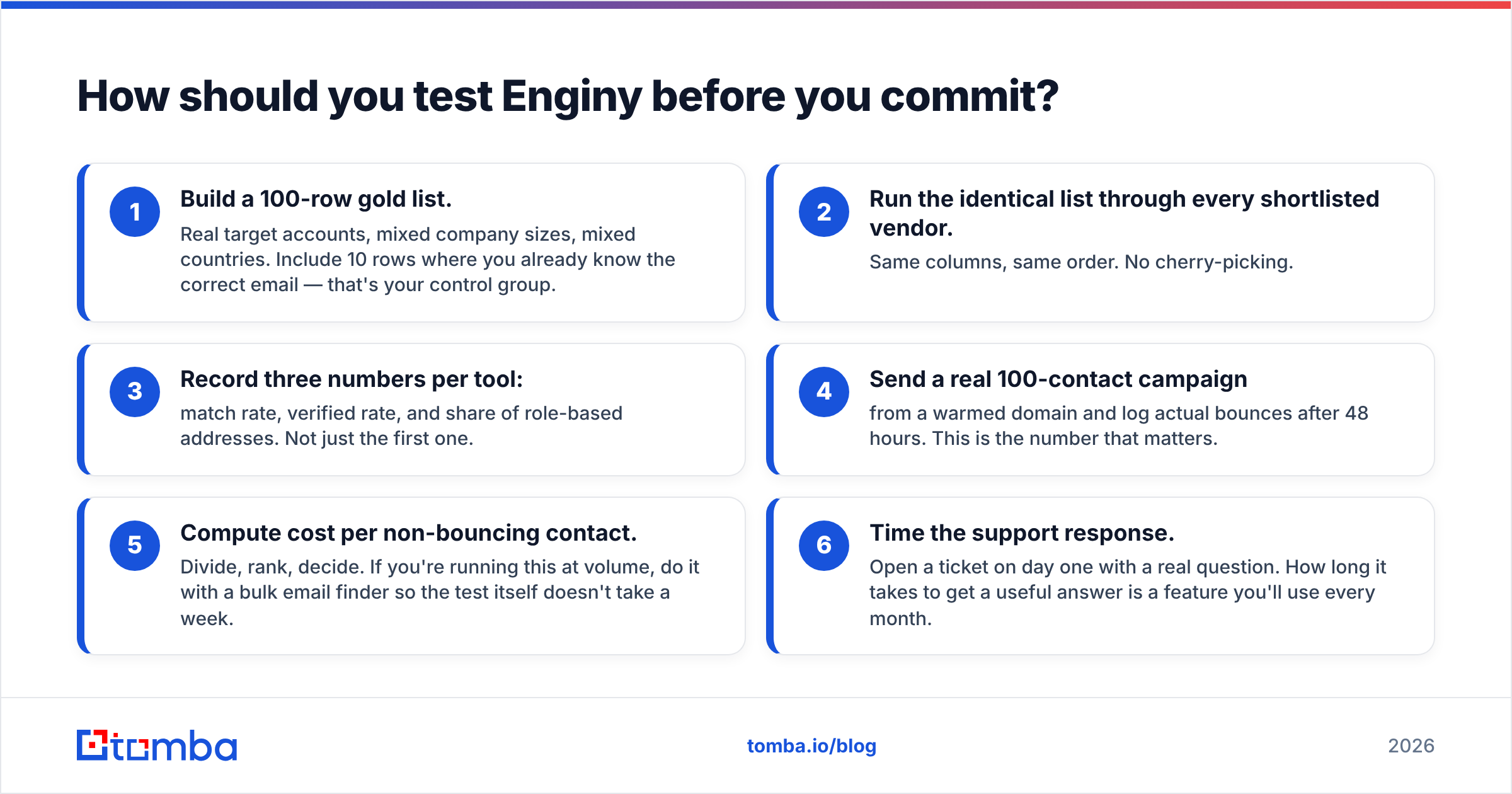
Run this in one afternoon. It beats every review you'll read, including this one.
- Build a 100-row gold list. Real target accounts, mixed company sizes, mixed countries. Include 10 rows where you already know the correct email — that's your control group.
- Run the identical list through every shortlisted vendor. Same columns, same order. No cherry-picking.
- Record three numbers per tool: match rate, verified rate, and share of role-based addresses. Not just the first one.
- Send a real 100-contact campaign from a warmed domain and log actual bounces after 48 hours. This is the number that matters.
- Compute cost per non-bouncing contact. Divide, rank, decide. If you're running this at volume, do it with a bulk email finder so the test itself doesn't take a week.
- Time the support response. Open a ticket on day one with a real question. How long it takes to get a useful answer is a feature you'll use every month.
Teams that run this test almost always end up somewhere different from where they started — usually cheaper, and usually with a verification step they hadn't budgeted for.
The bottom line#
Enginy is a credible mid-weight option with a genuine regional advantage and one real friction point: you can't evaluate the price without a conversation. That's a fine trade for some teams and a dealbreaker for others. Nothing about the product is disqualifying; the buying process just filters out people who want to test first and talk later.
If you're in the "test first" camp, start with the free tier and prove the accuracy on your own accounts before anyone quotes you anything. The Tomba Email Finder gives you 25 free searches a month with no card, published pricing from $49/mo, and an API, CLI, and Sheets add-on if you'd rather script the whole thing than click through a dashboard. Run your 100-row gold list through it this afternoon, compare the verified rate against whatever quote lands in your inbox, and let the numbers pick the winner.
Related guides#
Ready to find emails that actually work?
Join 150,000+ professionals who stopped guessing and started sending. Free credits on signup — no credit card required.
Get the Tomba newsletter
Practical outbound tactics and product updates — once every two weeks.
About the author