Enrichley vs UpLead 2026: Which B2B Data Tool Wins?
Enrichley and UpLead both sell verified B2B contacts, but they charge for accuracy in very different ways. Here is the honest breakdown of pricing, match rates, and which one fits your outbound motion.
Enrichley vs UpLead comes down to one question: do you need to find new contacts, or fill in the ones you already have? UpLead is a database you search. Enrichley is an API that completes records you own. This guide compares both on price, match rate, and API access — then shows a cheaper third path if all you really need is verified work emails.
TL;DR
- UpLead is a database-first tool: you browse ~160M contacts with 50+ filters, verify at export, and pay per credit. Strong for building lists from scratch when you don't yet know who to target.
- Enrichley is enrichment-first: you bring a list of names, domains, or LinkedIn URLs and it fills in the missing emails, phones, and firmographics. Strong when you already have the accounts.
- Pricing splits along the same line — UpLead starts around $99/mo for 170 credits; Enrichley-style enrichment tools typically price per successful match, which makes budgeting easier but caps how much you can browse.
Two more things worth knowing before you pick:
- Neither is a full replacement for a dedicated finder + verifier stack. If your bottleneck is email accuracy per domain, a focused tool like Tomba Email Finder at $49/mo covers the same job for less.
- Pick UpLead if you need discovery. Pick Enrichley if you need fill-in. Pick a finder/verifier if you need throughput and API access.
What are Enrichley and UpLead, actually?#
They solve two adjacent problems that people constantly confuse.
UpLead is a B2B contact database. You log in, apply filters (industry, headcount, tech stack, revenue, job title, location), get a list of matching people, and spend credits to reveal their contact details. Every reveal runs a real-time email verification before it charges you, which is the company's headline promise — you can read their claims on the official UpLead site. It's built for the SDR who starts the week with an empty spreadsheet.
Enrichley is a data-enrichment layer. You hand it a partial record — a company domain, a first/last name, a LinkedIn profile — and it returns the missing fields: work email, direct dial, title, company size, funding stage. It's built for the RevOps person who has 4,000 rows in HubSpot with a name and nothing else.
The distinction matters more than any feature table. A discovery tool charges you for finding people you didn't know existed. An enrichment tool charges you for completing records you already own. Buying the wrong category is the single most common mistake in this space, and no amount of feature parity fixes it.

Enrichley vs UpLead: how do price and features compare?#
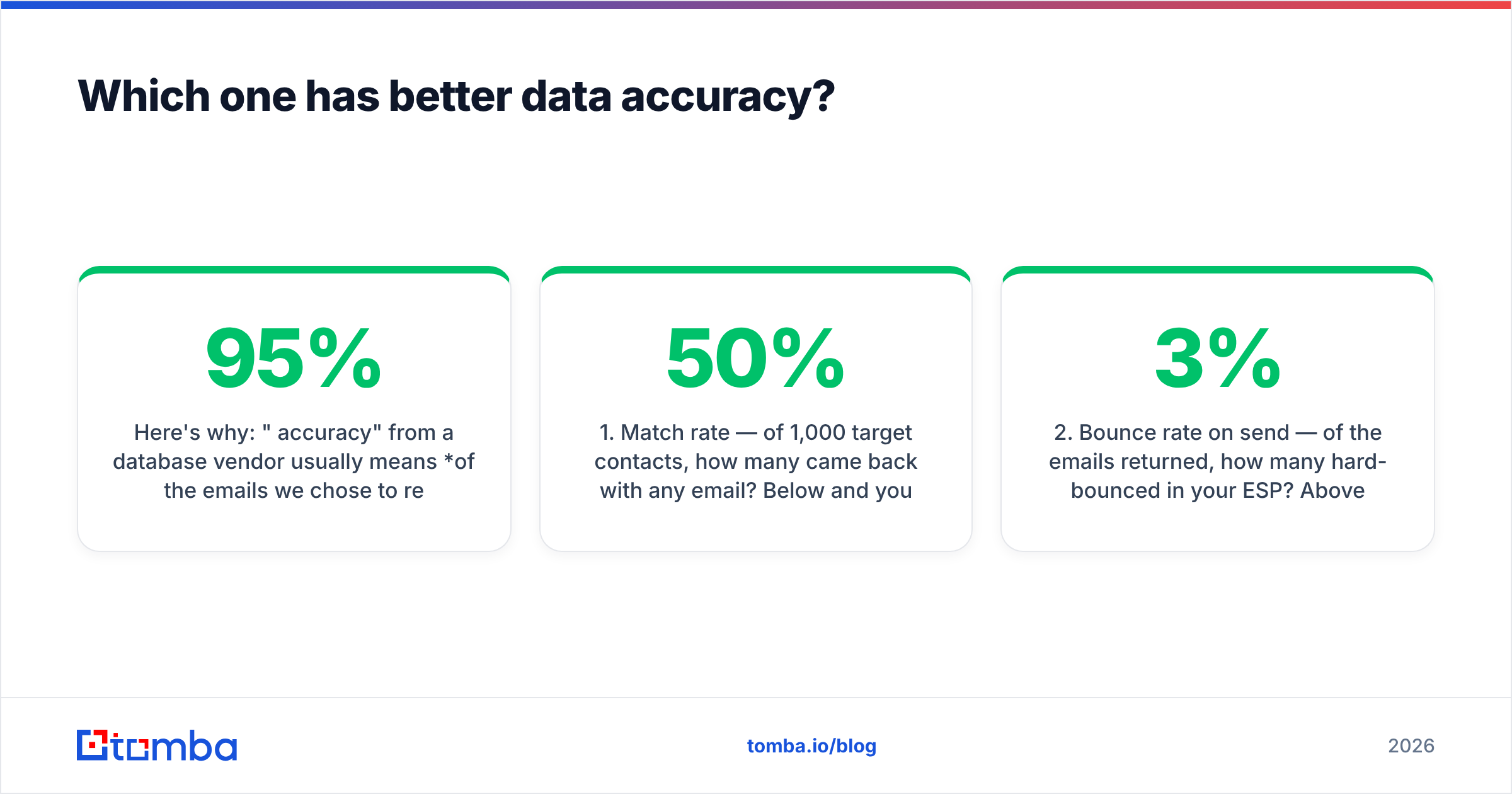
Here is the side-by-side, with a focused finder/verifier stack as a third column so you can see where each model breaks down.
| Dimension | UpLead | Enrichley | Tomba (finder + verifier) |
|---|---|---|---|
| Primary model | Database search | List enrichment | Search + verify by domain/name |
| Entry price | ~$99/mo (170 credits) | Per-match / usage-based tiers | $49/mo Starter |
| Free tier | 5 trial credits | Limited trial credits | 25 searches/mo, no card |
| Contact volume | ~160M contacts, 200+ countries | Depends on source coverage | 200M+ indexed records |
| Real-time verification | Yes, at reveal | Yes, on returned matches | Yes, separate email verifier |
| Phone numbers | Direct dials on higher tiers | Yes, where sourced | Yes via phone finder |
| Catch-all handling | Flags but limited resolution | Varies | Dedicated catch-all verifier |
| API access | Available on paid plans | Core to the product | Full Tomba API on every paid tier |
| Bulk CSV upload | Yes | Yes, primary workflow | Yes via bulk email finder |
| Credit rollover | Annual plans only | Varies by tier | Monthly reset |
| Best for | Building lists cold | Filling gaps in owned data | High-volume, per-domain accuracy |
Two things jump out.
First, the entry price gap. UpLead's ~$99 starting point buys roughly 170 credits. That is under six credits per dollar — before you count the ones you burn on bad-fit contacts your filters let through. That's fine when each contact is worth $500 in pipeline. It's painful when you're testing a new segment and 60% of your list turns out to be wrong.
Second, the API question. If your enrichment needs to happen inside a workflow — a new lead hits your CRM, gets enriched, gets routed — you need a programmatic endpoint on the plan you can actually afford. Enrichley is API-native by design. UpLead gates API access behind higher tiers. That single line item decides the winner for a lot of RevOps teams before anything else gets evaluated.
Which one has better data accuracy?#
Neither publishes an audited number you should take at face value, and you should be suspicious of anyone who does.
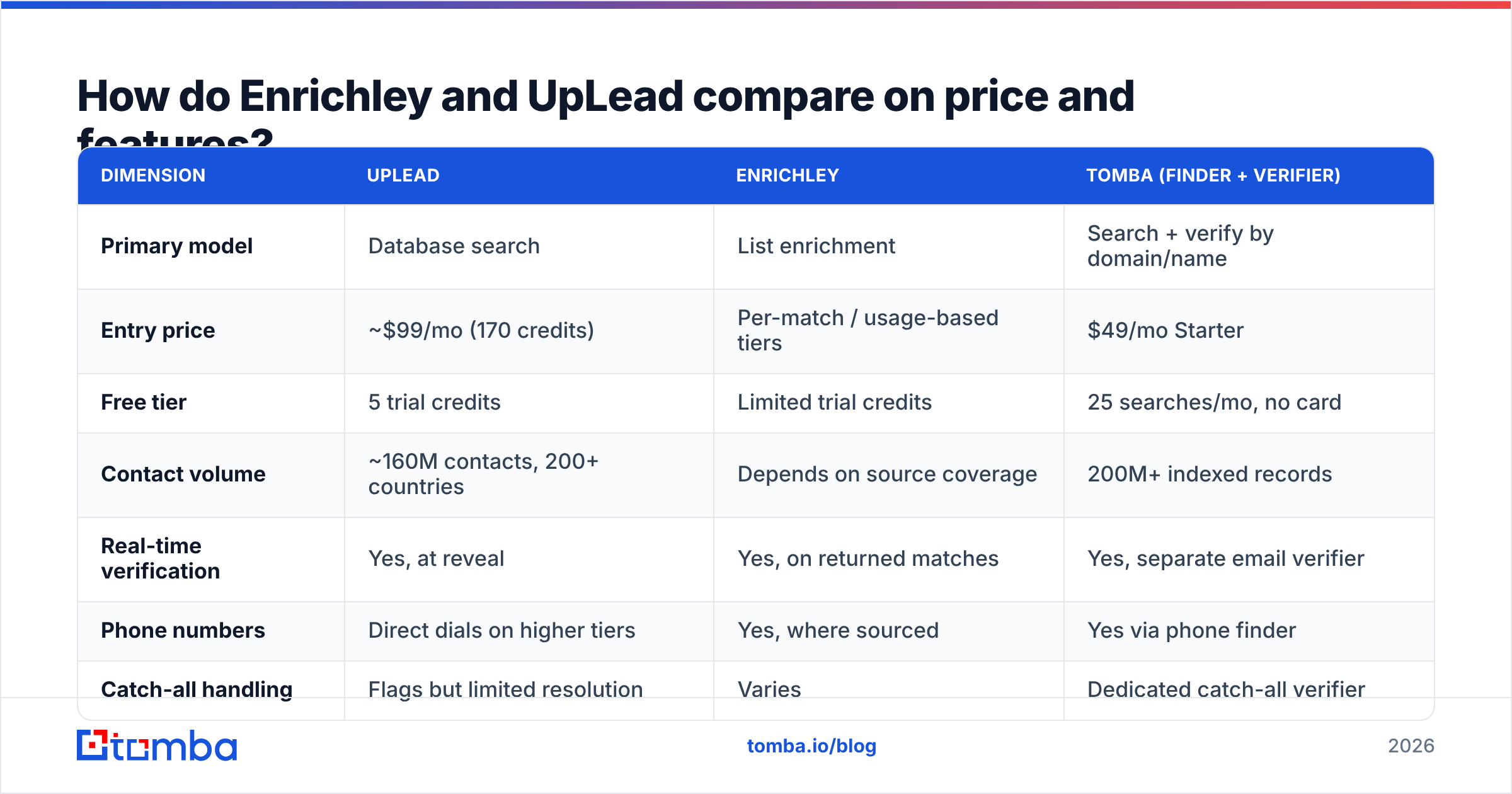
Here's why: "95% accuracy" from a database vendor usually means of the emails we chose to return, 95% passed SMTP validation. It says nothing about coverage — the percentage of your target list they could return anything for at all. A tool that only returns emails when it's 99% confident will post a beautiful accuracy number and a terrible 40% match rate. A tool that guesses aggressively posts 80% coverage and burns your domain.
The two numbers you actually need:
- Match rate — of 1,000 target contacts, how many came back with any email? Below 50% and you're paying for a list you'll have to rebuild elsewhere.
- Bounce rate on send — of the emails returned, how many hard-bounced in your ESP? Above 3% and you're damaging sender reputation faster than the tool is helping you.
UpLead's real-time verification model means you generally see fewer hard bounces, because the verification runs before the credit is spent. The tradeoff is coverage: a contact that fails verification simply doesn't appear as available, so your match rate silently drops without you seeing the misses.
Enrichment-first tools tend to have the opposite profile — better coverage on accounts you specify, weaker on discovery, and more dependence on whether your input data was clean. Feed an enrichment API a misspelled company name and you get garbage back with full confidence.
Run this test before you buy either one:
- Pull 200 known-good contacts from your closed-won accounts — people whose real email you already have in your CRM.
- Strip the email column and feed the names + domains into each trial.
- Score match rate — how many rows came back populated?
- Score exact-match accuracy — of those, how many match the email you already had?
- Send a 50-address seed test through your actual ESP and record hard bounces.
- Divide the cost of the trial credits by the number of correct, deliverable emails. That's your true cost per usable contact — not the sticker price per credit.
Most teams discover their real cost per usable contact is 2-4x the advertised credit price. That's not a scandal, it's just how match rates work, but you should know the number before you sign an annual contract.
When should you choose UpLead over Enrichley?#
Choose UpLead when discovery is the bottleneck.
You're entering a new market. You know you want VP Engineering titles at Series B fintechs in Germany, and you have zero account list. UpLead's filter depth — including technographic filters that let you target companies running specific software — is genuinely hard to replicate with an enrichment tool, because enrichment tools require you to already know the target.
You want intent data alongside contacts. UpLead bundles intent signals on higher tiers, which is a different product category stapled onto the database. Whether that data is good enough to act on is a longer argument, but it's there and it's integrated.
Your team is non-technical. The UI-first workflow means an SDR can build and export a list without touching an API or a spreadsheet formula. That's worth real money in a team of 15 reps who all need self-serve access.
You need one vendor, one invoice. Procurement teams at mid-market companies will happily pay a premium to avoid stitching three tools together. That's a legitimate reason, even if it's not a technical one.
Where UpLead struggles: high-volume programmatic use. If you need to enrich 50,000 records a month inside an automated pipeline, the credit model and tier-gated API get expensive fast, and you'll start pricing out dedicated alternatives — the same reason people search for an Apollo alternative or a Clearbit alternative after their first renewal quote.
When should you choose Enrichley over UpLead?#
Choose Enrichley when your problem is incomplete records, not missing accounts.
Your CRM is full of half-rows. Inbound form fills with a work email but no title. Event scans with a name and company but no email. Website visitors you've identified by company but not by person. This is enrichment's home turf, and a database subscription is the wrong tool — you'd be paying to search for records you already have.
You're building an automated workflow. Enrichment-first tools assume API usage as the default path, not the upsell. If your architecture is "webhook fires → enrich → score → route," you want a vendor whose pricing and rate limits were designed for that pattern.
Your target list comes from somewhere else. Plenty of teams source accounts from a data partner, a conference list, or a scraped set of LinkedIn URLs. In that world, the discovery half of a database subscription is pure waste — you're paying for search you'll never run. This is also where a straightforward LinkedIn finder or domain search often beats both, at a fraction of the cost.
You need per-match pricing. Paying only for successful matches aligns incentives better than paying per search. It removes the anxiety of burning credits on filters that returned junk.

What about the cheaper third option?#
Most teams comparing these two are really asking a narrower question: how do I get accurate work emails for a list of people, without paying database prices?
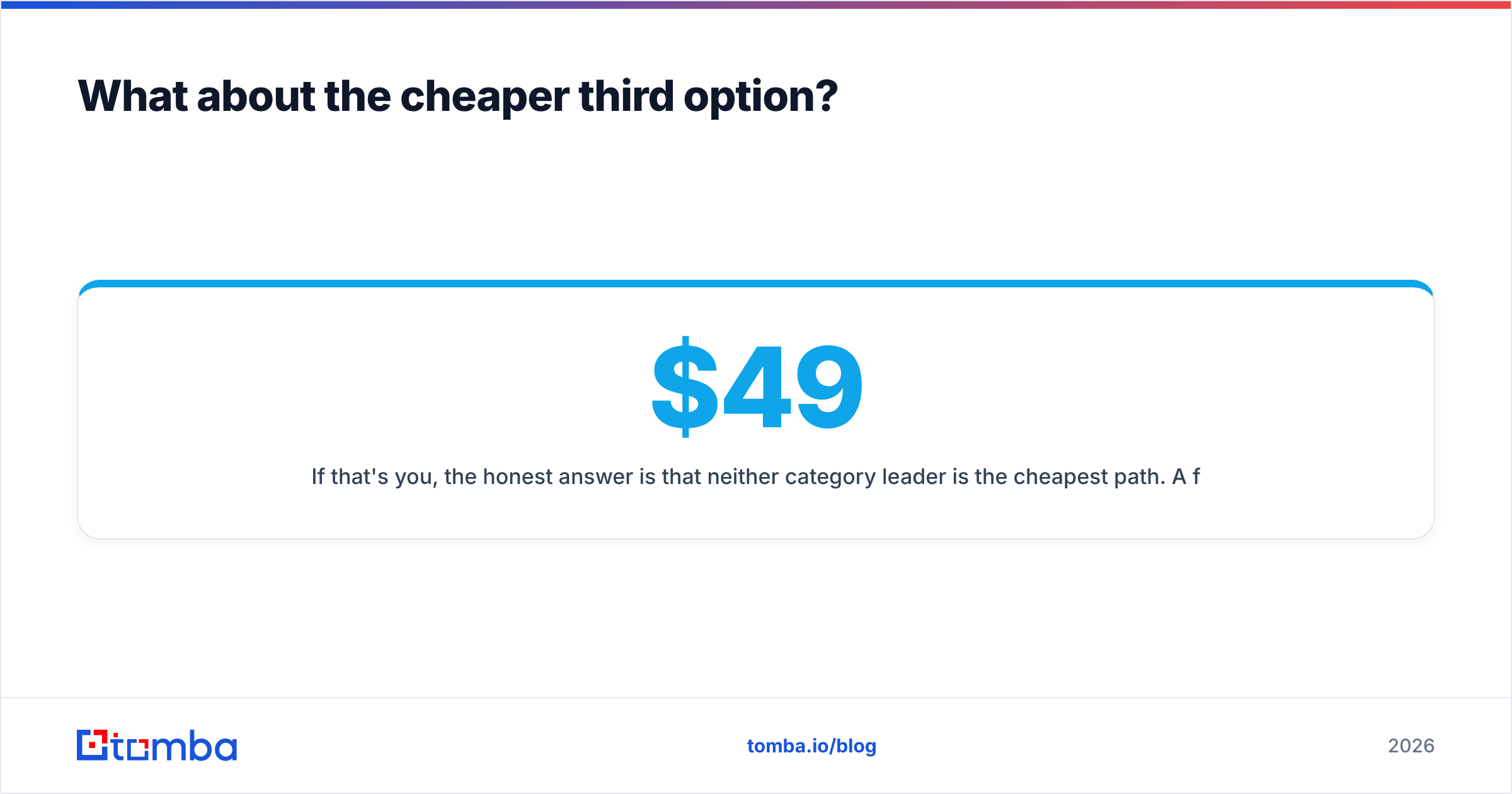
If that's you, the honest answer is that neither category leader is the cheapest path. A focused finder-plus-verifier stack does the specific job — email discovery per domain, verification before send — for less than either. Tomba's Starter plan runs $49/mo, Growth is $99/mo (matching UpLead's entry price with a different unit economics profile), and Pro is $249/mo; full Tomba pricing is public, and the free tier gives you 25 searches to test the match rate before spending anything.
Other honest options depending on your angle:
- BookYourData — pay-as-you-go B2B lists with no subscription lock-in. Strong choice if your buying is bursty rather than monthly, and a solid peer in the accuracy conversation.
- A verifier-only layer — if you already have emails from a scraper or partner and just need to stop bouncing, an email verifier alone solves it for a fraction of a database seat.
- Website visitor identification — for teams with real traffic, visitor identification surfaces in-market accounts that no static database can flag.
- Free tooling first — a company email pattern check plus an email permutator will get you surprisingly far on a 50-account test list before you spend a dollar.
Cross-check any vendor's self-reported numbers against real reviewer data on G2 or Capterra before you commit — the gap between marketing pages and verified reviews is where most bad renewals originate. And if you're routing enriched data into a CRM, check the receiving side's requirements first; HubSpot's data quality documentation is blunt about how quickly duplicate and malformed records degrade a database.
Enrichley vs UpLead: how do you actually decide?#
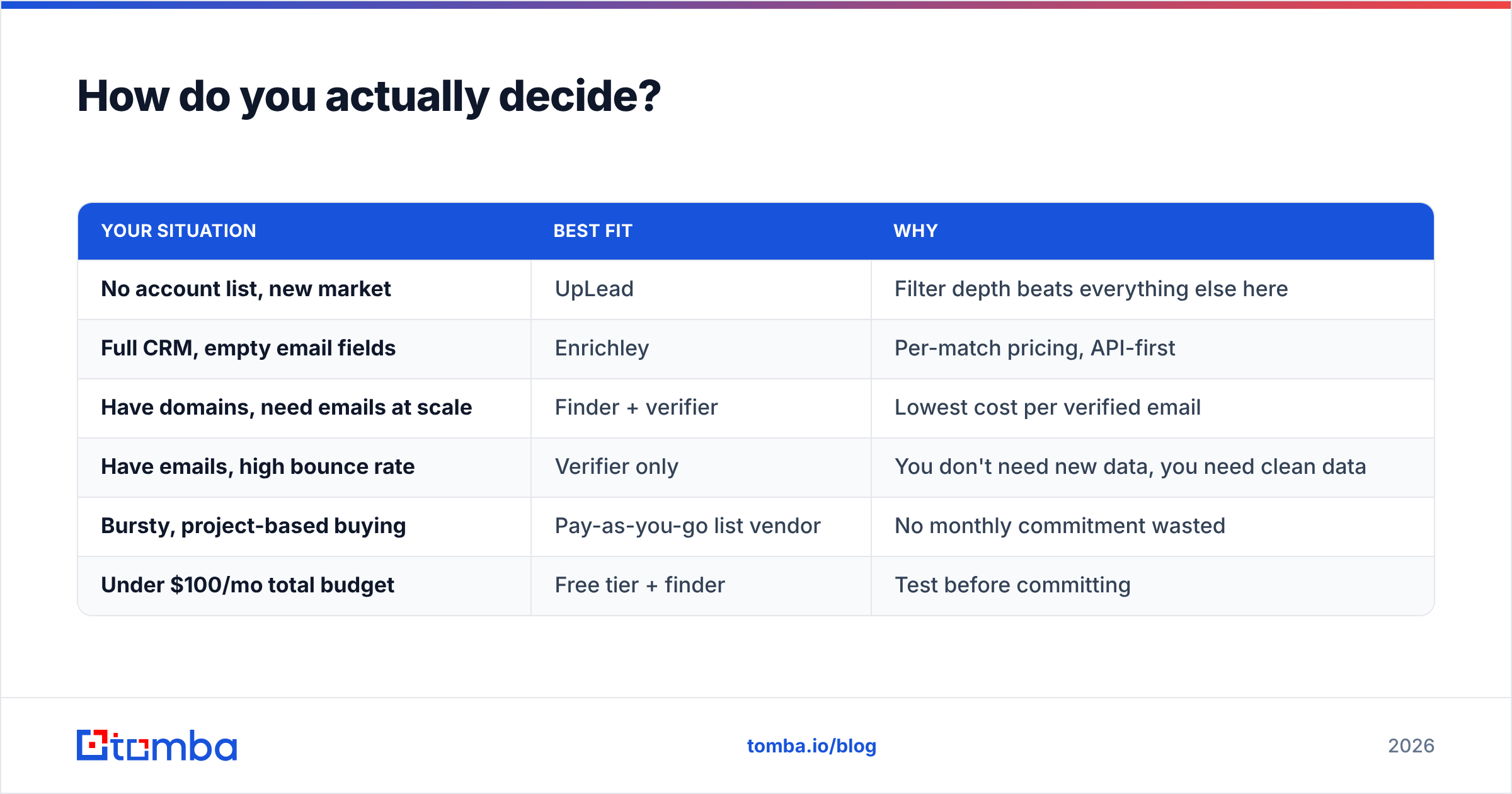
Run this decision sequence in order. Stop at the first line that describes you.
| Your situation | Best fit | Why |
|---|---|---|
| No account list, new market | UpLead | Filter depth beats everything else here |
| Full CRM, empty email fields | Enrichley | Per-match pricing, API-first |
| Have domains, need emails at scale | Finder + verifier | Lowest cost per verified email |
| Have emails, high bounce rate | Verifier only | You don't need new data, you need clean data |
| Bursty, project-based buying | Pay-as-you-go list vendor | No monthly commitment wasted |
| Under $100/mo total budget | Free tier + finder | Test before committing |
The mistake to avoid: buying a database subscription to solve an enrichment problem, or an enrichment API to solve a discovery problem. Both fail slowly and expensively, and you won't notice until renewal.
One more practical note on deliverability. Whatever you buy, the data is only half the equation. A perfect list still bounces if your domain isn't warmed and authenticated — check your SPF record, watch your email deliverability metrics weekly, and don't blame the data vendor for an infrastructure problem. Teams routinely churn off a good tool because their sending setup was broken the whole time.
Ready to test match rate on your own list?#
Before you commit to either platform's annual contract, run the 200-contact benchmark described above against a free tier. Start with Tomba Email Finder — 25 free searches a month, no card required, and a real match-rate number you can compare against whatever UpLead or Enrichley quotes you. If the numbers favor them, buy theirs. If they don't, you just saved a year of subscription on a tool you'd only half-use. Either way, settle Enrichley vs UpLead with your own data rather than a vendor's accuracy claim.
Related guides#
Ready to find emails that actually work?
Join 150,000+ professionals who stopped guessing and started sending. Free credits on signup — no credit card required.
Get the Tomba newsletter
Practical outbound tactics and product updates — once every two weeks.
About the author