ESP Routing in 2026: How to Split Sends Without Burning Domains
ESP routing decides which sending platform, domain, and mailbox each message leaves from. Done right it isolates risk and protects reply rates. Done wrong it quietly torches every domain you own.
TL;DR
- ESP routing is the logic that decides which email service provider, sending domain, and mailbox each outbound message leaves from — and it is now a deliverability control, not a plumbing detail.
- Splitting volume across providers does not "spread out" a spam problem. Mailbox providers judge you on domain and content reputation, so bad routing multiplies the blast radius instead of shrinking it.
- The three practical models are single-ESP, multi-ESP failover, and segmented routing by message type. Segmented routing wins for most teams sending both transactional and cold volume.
- Routing only helps if the underlying list is clean. Invalid and catch-all addresses generate the bounce spikes that trigger throttling in the first place.
- Set routing rules by intent (transactional / lifecycle / cold), not by campaign name, and instrument each route separately or you will never know which one is failing.
What is ESP routing?#
ESP routing is the rule set that determines which email service provider — and which domain, subdomain, IP, and mailbox inside it — carries a given message.
Think of it like a shipping desk. You do not send a legal contract, a warehouse pallet, and a birthday card through the same carrier at the same service level. You route each by what it is, what it costs to lose, and how fast it must arrive. Email works the same way: a password reset, a monthly newsletter, and a cold prospecting sequence have completely different risk profiles, and pushing all three through one provider on one domain means the riskiest one sets the reputation for the other two.
Technically, a routing layer sits between your application or sequencer and the providers. It receives a send request with metadata (message type, recipient segment, priority), applies rules, and hands the message to a specific provider connection. The provider then does the actual SMTP delivery.
Most teams arrive at ESP routing for one of three reasons: they hit a sending limit, they got throttled by Gmail or Outlook and needed a fallback, or they realized their cold outbound was dragging their product emails down with it.
Why does ESP routing matter more in 2026?#
Because the receiving side got stricter and the penalties got faster.
Google's bulk sender requirements — authentication with SPF, DKIM, and DMARC, one-click unsubscribe, and a spam complaint rate kept under 0.3% — turned what used to be soft guidance into enforced thresholds. You can read the current requirements directly in Google's sender guidelines. Microsoft followed with comparable enforcement on Outlook and Hotmail domains. The practical effect: a single week of bad cold volume on a shared domain can push your complaint rate over the line, and the throttling that follows applies to every message from that domain — including the invoices and password resets.
That is the core argument for routing. It is not about squeezing out more volume. It is about making sure that when one stream degrades, it degrades alone.
The second driver is cost asymmetry. Transactional providers charge for reliability and speed. Cold-outbound sequencers charge for mailbox slots and automation. Marketing platforms charge per contact. Running everything on the most expensive tier because it is the only integration you built is a quiet six-figure leak at scale.

How does ESP routing actually work?#
A routing layer evaluates each outbound message against an ordered rule set. The moving parts, in the order they matter:
- Message classification. Tag every send at the source as transactional, lifecycle/marketing, or cold outbound. If your application cannot tag a message, your routing layer cannot protect it. This is the step teams skip and regret.
- Domain and subdomain assignment. Reputation attaches primarily to the sending domain. Use your root domain for nothing but the mail that must always arrive, a dedicated subdomain (
mail.ornotify.) for lifecycle volume, and entirely separate registered domains for cold outbound. - Provider selection. Map each classification to a provider connection. Transactional to a high-reliability API provider, lifecycle to your marketing platform, cold to your sequencer's mailbox pool.
- Volume shaping and throttling. Cap per-mailbox daily sends, enforce a warmup ramp on new mailboxes, and stagger send windows. A mailbox that goes from 0 to 200 sends on day one is a reputation event, not a campaign.
- Failover logic. Define what happens on a 4xx deferral or provider outage — retry on the same route with backoff, or fail over to a secondary. Failover is correct for transactional. It is usually wrong for cold, where a "retry elsewhere" just spreads a complaint problem.
- Per-route observability. Track bounce rate, complaint rate, and reply rate separately per route. Aggregate deliverability numbers hide exactly the signal you need.
That sixth item is where most implementations fall down. If your dashboard shows one blended delivery rate, you will find out which route is broken by reading a customer support ticket.
Which ESP routing model should you use?#
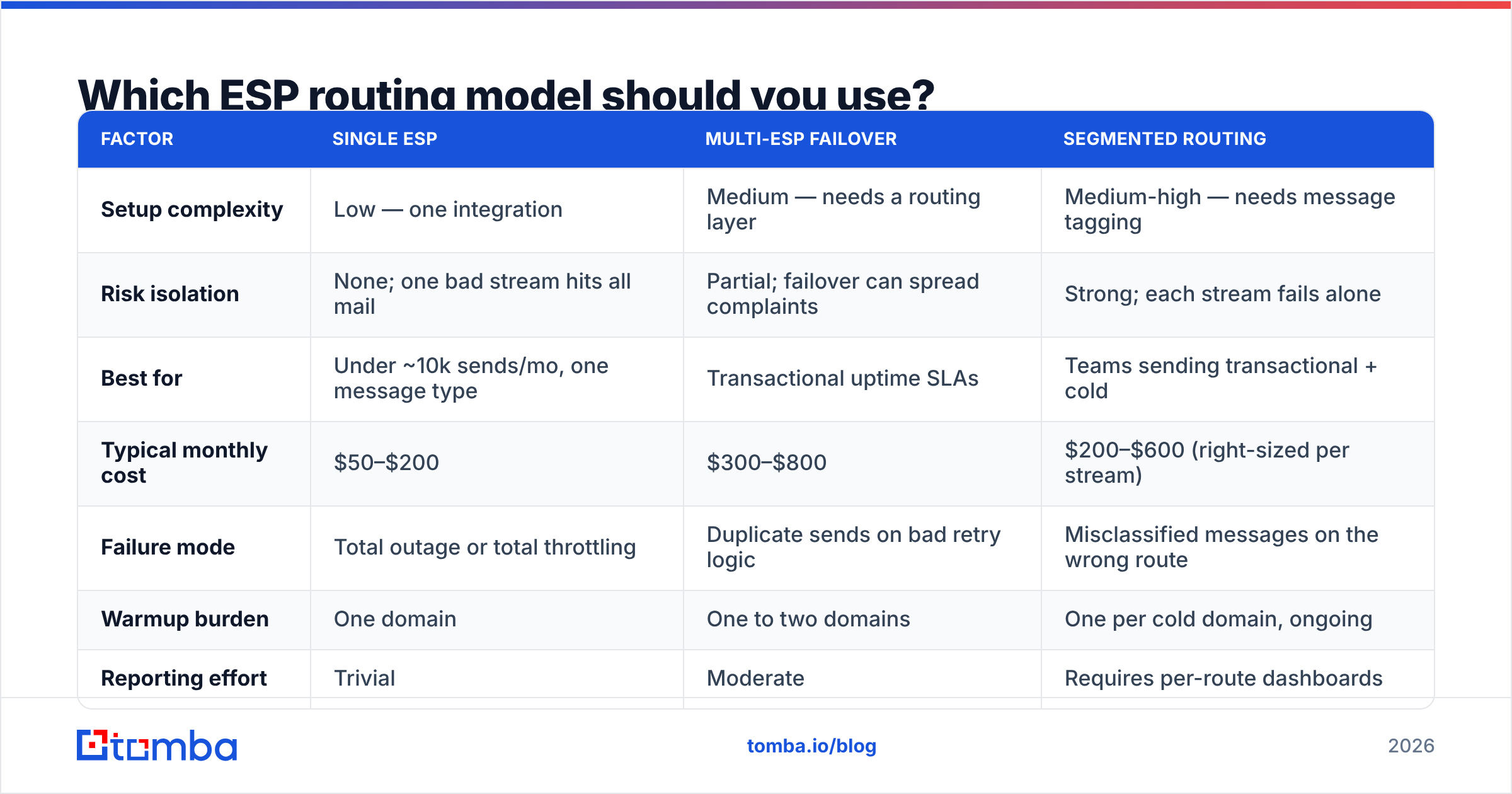
There are three defensible architectures. Pick based on your volume mix, not on what sounds sophisticated.
| Factor | Single ESP | Multi-ESP failover | Segmented routing |
|---|---|---|---|
| Setup complexity | Low — one integration | Medium — needs a routing layer | Medium-high — needs message tagging |
| Risk isolation | None; one bad stream hits all mail | Partial; failover can spread complaints | Strong; each stream fails alone |
| Best for | Under ~10k sends/mo, one message type | Transactional uptime SLAs | Teams sending transactional + cold |
| Typical monthly cost | $50–$200 | $300–$800 | $200–$600 (right-sized per stream) |
| Failure mode | Total outage or total throttling | Duplicate sends on bad retry logic | Misclassified messages on the wrong route |
| Warmup burden | One domain | One to two domains | One per cold domain, ongoing |
| Reporting effort | Trivial | Moderate | Requires per-route dashboards |
The honest read: if you send fewer than 10,000 emails a month and all of it is one type, a single ESP is fine and routing is premature optimization. The moment you add cold outbound to a stack that already carries product email, segmented routing stops being optional.
Multi-ESP failover is narrower than vendors imply. It solves provider outages — genuinely valuable for transactional mail with an SLA — but it does nothing for reputation problems, because the reputation follows your domain, not the provider's IP.
Does ESP routing fix bad list quality?#
No. This is the most expensive misunderstanding in the category.
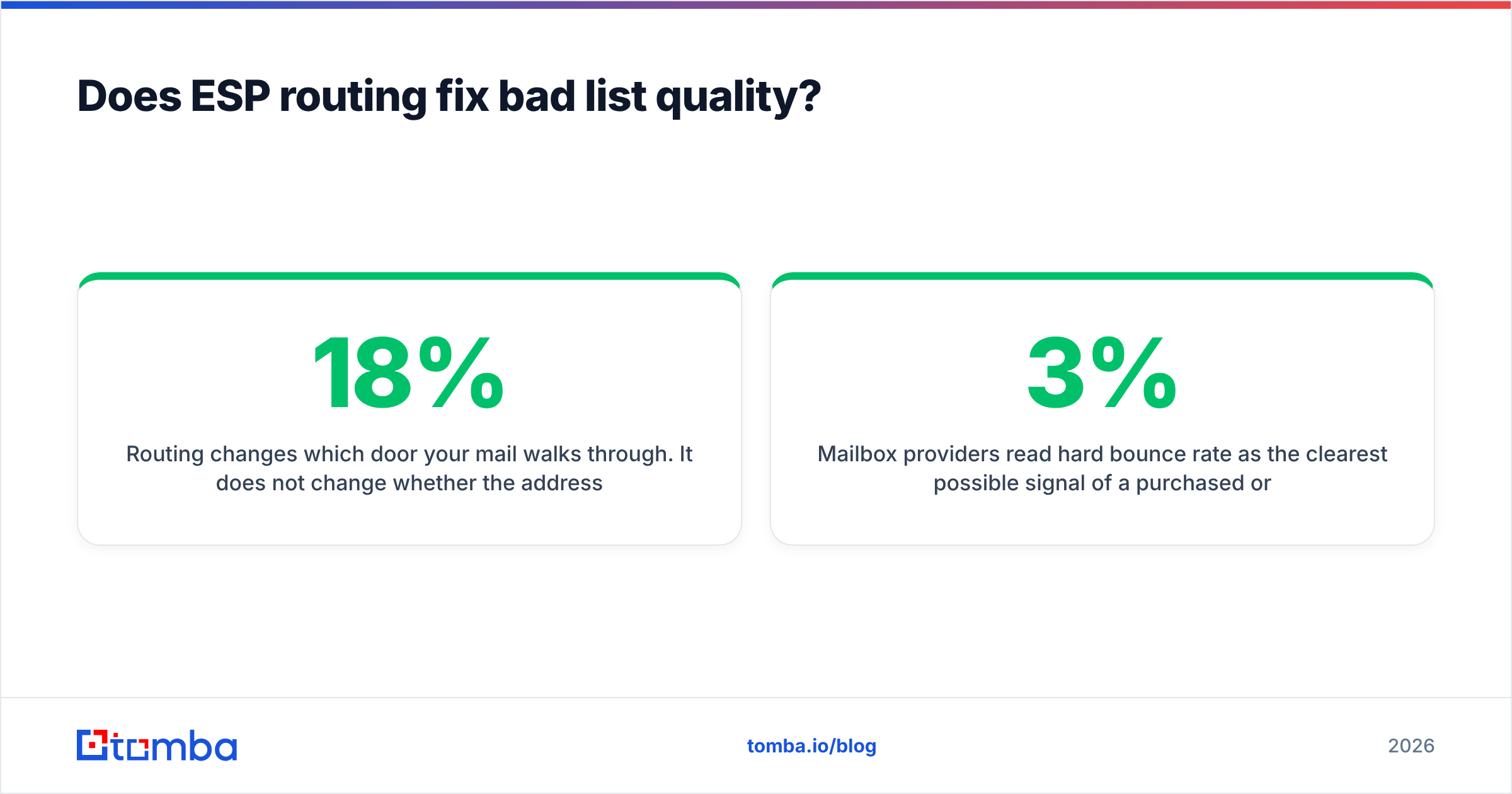
Routing changes which door your mail walks through. It does not change whether the address on the envelope exists. If 18% of a list is invalid, splitting that list across four providers produces four providers with an 18% bounce rate instead of one — and now four reputations are damaged rather than one.
Mailbox providers read hard bounce rate as the clearest possible signal of a purchased or scraped list. Most start throttling above 2–3%. Complaint rate above 0.3% on Gmail moves you toward the spam folder regardless of how elegantly you routed the send.
The sequence that works is boring and non-negotiable:
- Verify before you route. Run every address through an email verifier and drop hard invalids outright. This single step removes most bounce-driven throttling.
- Handle catch-all domains separately. Catch-all servers accept everything at SMTP time and tell you nothing. Segment them into their own low-volume route or use a catch-all verifier to score them before they touch your main sending domains.
- Check your authentication. A missing or malformed SPF record undoes every routing decision you made. A free SPF checker takes thirty seconds and catches the most common misconfiguration in outbound stacks.
- Suppress across routes, not within them. A recipient who unsubscribed from your lifecycle route must be suppressed on the cold route too. Per-provider suppression lists that do not sync are a compliance problem and a complaint generator.
If you want the underlying mechanics, the email deliverability primer covers how reputation signals accumulate and decay.
How do you set up ESP routing step by step?#
Assume you are starting from a single-ESP stack carrying mixed volume. Here is the migration order that minimizes damage.
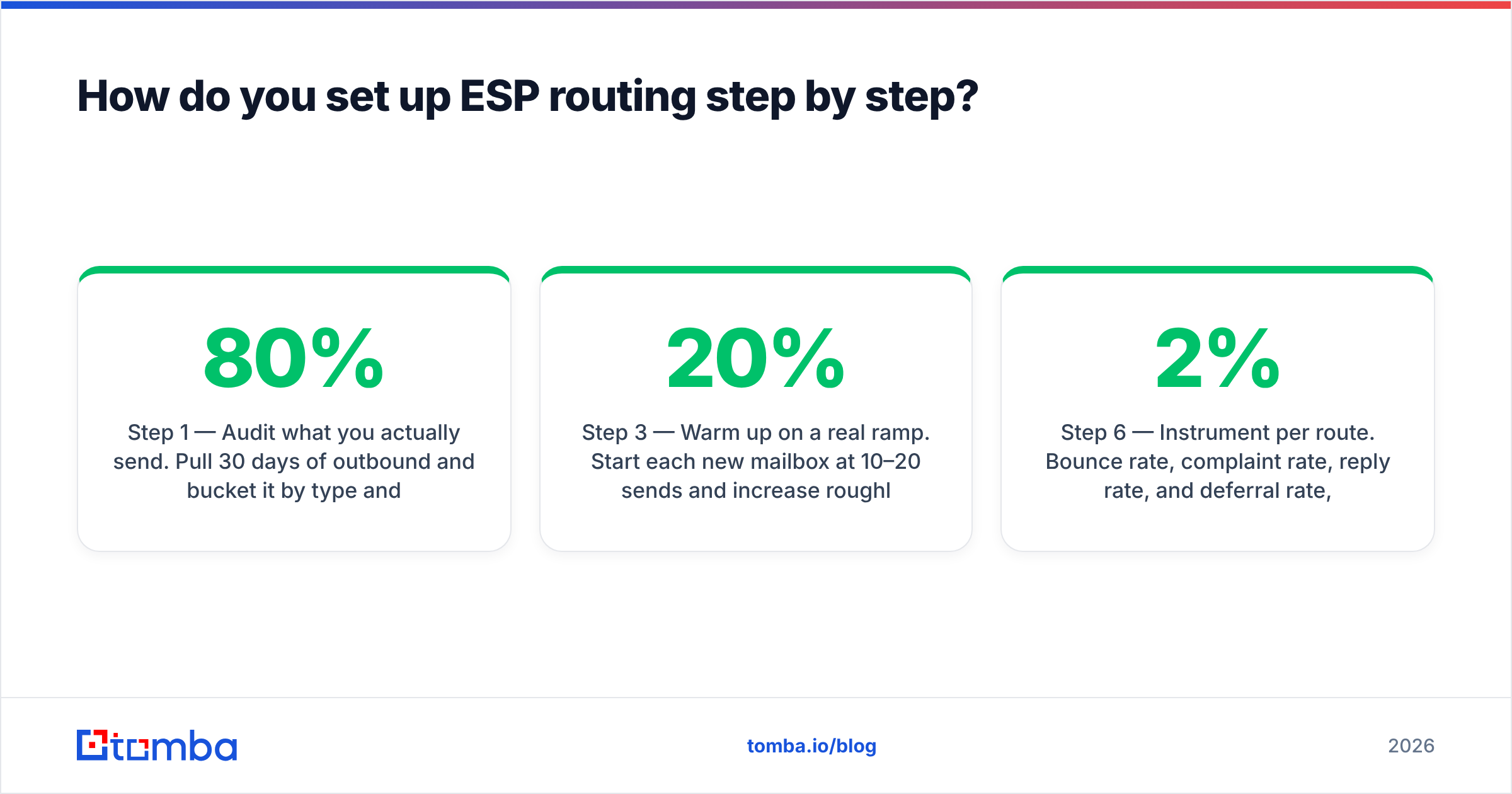
Step 1 — Audit what you actually send. Pull 30 days of outbound and bucket it by type and volume. Most teams discover that 80% of their volume is one stream they were not thinking about.
Step 2 — Register cold-outbound domains separately. Buy lookalike domains for prospecting (getacme.com, acme-hq.com) and keep the root domain out of cold sending permanently. Give each new domain SPF, DKIM, and DMARC records before the first send.
Step 3 — Warm up on a real ramp. Start each new mailbox at 10–20 sends per day and increase roughly 20% weekly until you reach your target ceiling. Most teams cap at 30–50 cold sends per mailbox per day and add mailboxes rather than raising the cap. This is slower than every vendor timeline suggests, and skipping it is the single most common cause of a domain burning out in week three.
Step 4 — Tag messages at the source. Add a message_type field to every send call. Without it, your routing rules are guesses based on subject-line pattern matching.
Step 5 — Write rules by intent. Transactional → provider A on root domain. Lifecycle → provider B on subdomain. Cold → sequencer on isolated domains. Anything untagged → hold and alert, never default to the root domain.
Step 6 — Instrument per route. Bounce rate, complaint rate, reply rate, and deferral rate, split by route and by mailbox. Set alerts at 2% bounce and 0.2% complaint so you intervene before the mailbox provider does.
Step 7 — Load your routes with verified data. Once the architecture holds, feed it with data built for it. A bulk email finder run that verifies as it enriches keeps invalid addresses off routes you just spent weeks warming.

What are the most common ESP routing mistakes?#
Routing to "spread" a complaint problem. If recipients are marking your mail as spam, adding providers adds damaged reputations. Fix the targeting and the copy first.
Failing over cold sends automatically. A deferral on a cold route usually means the receiving server is throttling you on purpose. Retrying through a second provider is the email equivalent of arguing with a bouncer at a different door of the same club.
Using the root domain for prospecting "just to test." Reputation damage on a root domain takes months to repair and takes your invoices and password resets down with it.
Treating mailbox count as a growth lever. Twenty mailboxes at 50 sends a day with a 12% bounce rate will burn faster than five mailboxes with a clean list. Volume amplifies data quality in both directions.
No shared suppression. Sequencer suppression lists that do not sync with your marketing platform will eventually email an unsubscribed contact, and that contact will complain rather than unsubscribe twice.
Ignoring the reply path. Routing outbound is half the job. If replies land in an unmonitored mailbox, your reply rate looks fine and your pipeline still does not move. Compare notes on how sequencers handle this — Instantly and similar platforms document their inbox-rotation behavior, and buyer reviews on G2 are more candid about the limits than any vendor page.
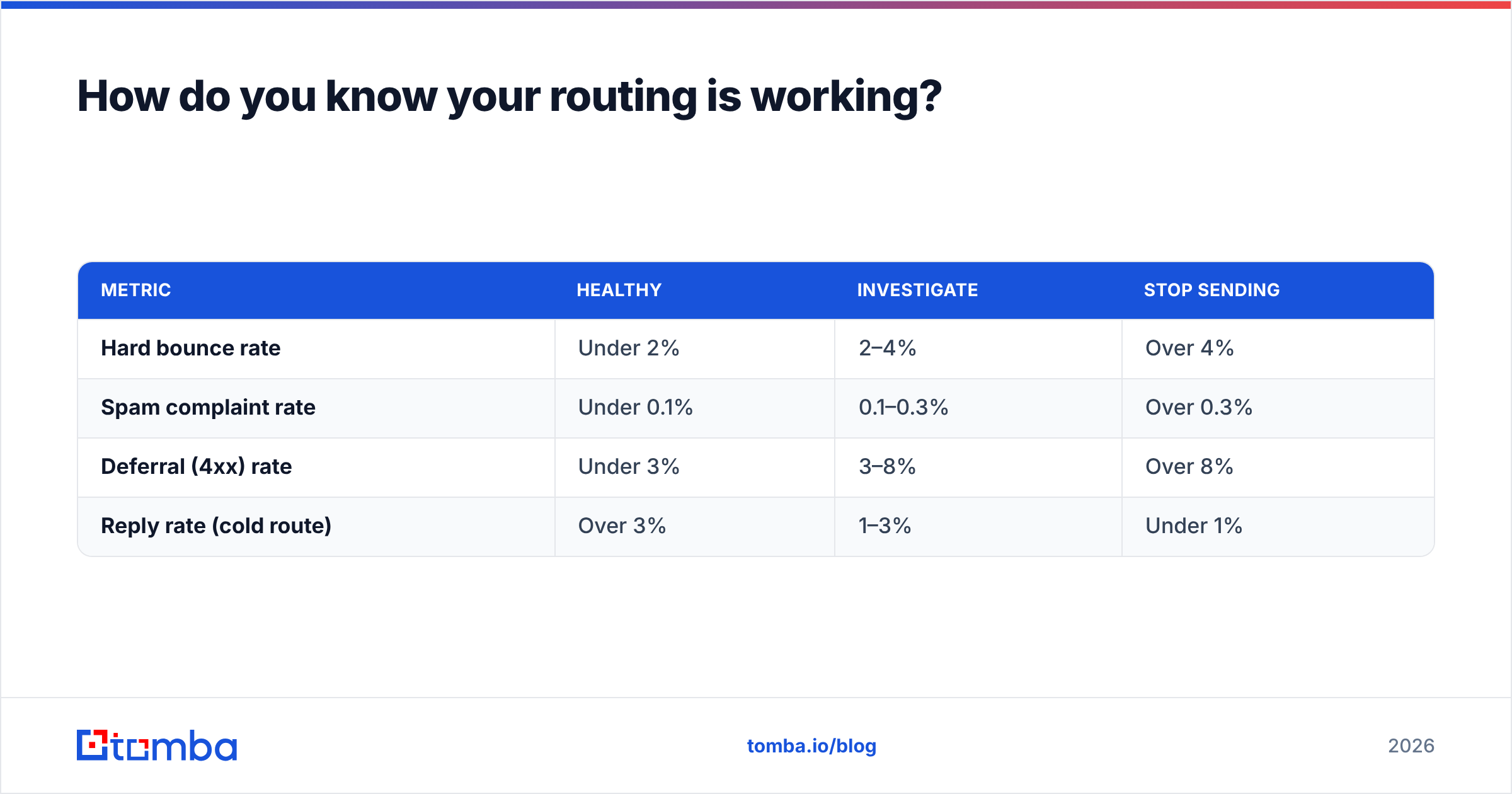
How do you know your routing is working?#
Watch four numbers per route, weekly:
| Metric | Healthy | Investigate | Stop sending |
|---|---|---|---|
| Hard bounce rate | Under 2% | 2–4% | Over 4% |
| Spam complaint rate | Under 0.1% | 0.1–0.3% | Over 0.3% |
| Deferral (4xx) rate | Under 3% | 3–8% | Over 8% |
| Reply rate (cold route) | Over 3% | 1–3% | Under 1% |
Reply rate belongs on that list because it is the only metric that reflects whether mail reached a human. You can have a 99% delivery rate into spam folders and a 0.4% reply rate — the delivery number will tell you everything is fine right up until the pipeline is empty.
Rotate one variable at a time. If you change providers, domains, and copy in the same week, you have learned nothing about which one moved the number.
Get the data layer right before the routing layer#
ESP routing is an amplifier. It amplifies a clean, well-targeted list into consistent inbox placement across isolated streams — and it amplifies a scraped, unverified list into several burned domains at once. The architecture decisions in this post are worth making, but they pay off only on top of contact data that is accurate on the day you send.
That is the part worth fixing first. Tomba's Email Finder returns verified professional addresses with a confidence score attached, so the addresses entering your routes are ones that actually resolve. The free tier covers 25 searches a month to test against your own domain list, and paid plans start at $49/mo — see Tomba pricing for the full breakdown. Verify first, route second, and your warmup work stops being something you have to redo every quarter.
Related guides#
Ready to find emails that actually work?
Join 150,000+ professionals who stopped guessing and started sending. Free credits on signup — no credit card required.
Get the Tomba newsletter
Practical outbound tactics and product updates — once every two weeks.
About the author