11 Best Expertise AI Alternatives for B2B Data in 2026
Expertise AI sells enrichment on a sales-call-and-annual-contract model. Here are 11 alternatives with public pricing, verifiable accuracy, and APIs you can test this afternoon.
TL;DR
- "Expertise AI" is a category label more than a single household product — most teams searching for expertise AI alternatives want an enrichment or contact-data layer they can buy without a 45-minute discovery call.
- The three real buying criteria: published pricing, API-first access, and verifiable email accuracy. Everything else is packaging.
- Tomba covers finding and verifying work emails at $49/mo Starter with a free 25-search tier; Clearbit-style enrichment covers firmographics; BookYourData covers pre-built list purchase.
- Most stacks need two tools, not one: a firmographic enrichment source plus a contact-level finder/verifier. Paying one vendor for both usually means overpaying for the half you use less.
- Test on 100 rows of your own ICP before signing anything. Vendor-published accuracy numbers are measured on the vendor's easiest data.
What is Expertise AI, and why are people looking for alternatives?#
Short answer: teams look for alternatives because the buying process is heavier than the problem.
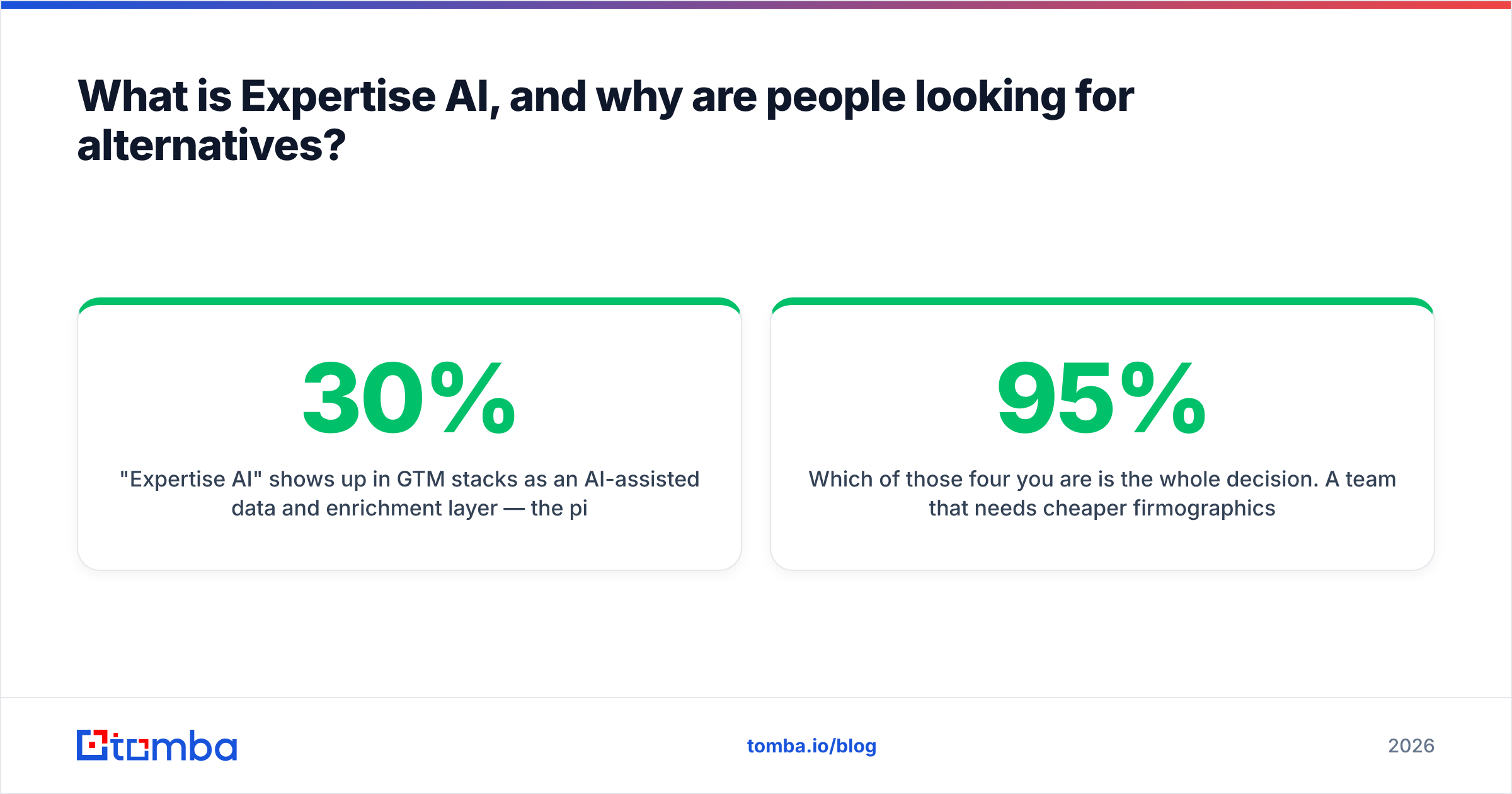
"Expertise AI" shows up in GTM stacks as an AI-assisted data and enrichment layer — the pitch is that machine learning fills in the gaps your CRM has about accounts and contacts. That's a real problem. Roughly 30% of B2B contact records decay per year as people change jobs, so any static list rots.
The friction is in how these platforms get sold. Annual contracts, seat minimums, "contact sales for pricing," and credit systems where a failed lookup still burns a credit. When a RevOps lead types "expertise AI alternatives" into Google, they are usually looking for one of four things:
- Cheaper — the quoted annual number came back at 5x what the use case justifies.
- Self-serve — they want to swipe a card, get an API key, and test today.
- Better contact-level data — the firmographics were fine, the email addresses were not.
- API-first — they want to enrich inside their own pipeline, not export CSVs from a dashboard.
Which of those four you are is the whole decision. A team that needs cheaper firmographics ends up somewhere completely different from a team that needs 95%+ deliverable work emails.

What should you actually compare when evaluating alternatives?#
Compare these six things and ignore the rest of the deck:
- Pricing transparency — is there a public price page, or does every path lead to a demo form? Public pricing correlates strongly with self-serve product quality, because the product has to sell itself.
- Credit mechanics — do you pay for attempts or results? Charging for "not found" results is the single most common way a $99/mo tool becomes a $400/mo tool.
- Verification depth — SMTP-level checking, catch-all handling, and role-account flagging. A finder without a verifier is half a product.
- API and automation surface — REST API, native integrations, Sheets/Excel add-ons, CLI, MCP server. If your enrichment lives in a spreadsheet, it isn't a system.
- Coverage by region and segment — most tools are strong on US SaaS mid-market and thin on EMEA industrials. Test your actual ICP.
- Compliance posture — GDPR/CCPA handling and documented data sources. "We scrape LinkedIn" is not a compliance answer.
Everything else — AI scoring, intent signals, chat interfaces — is a nice-to-have that should never be the deciding factor for a data purchase.
Which Expertise AI alternatives are worth shortlisting in 2026?#
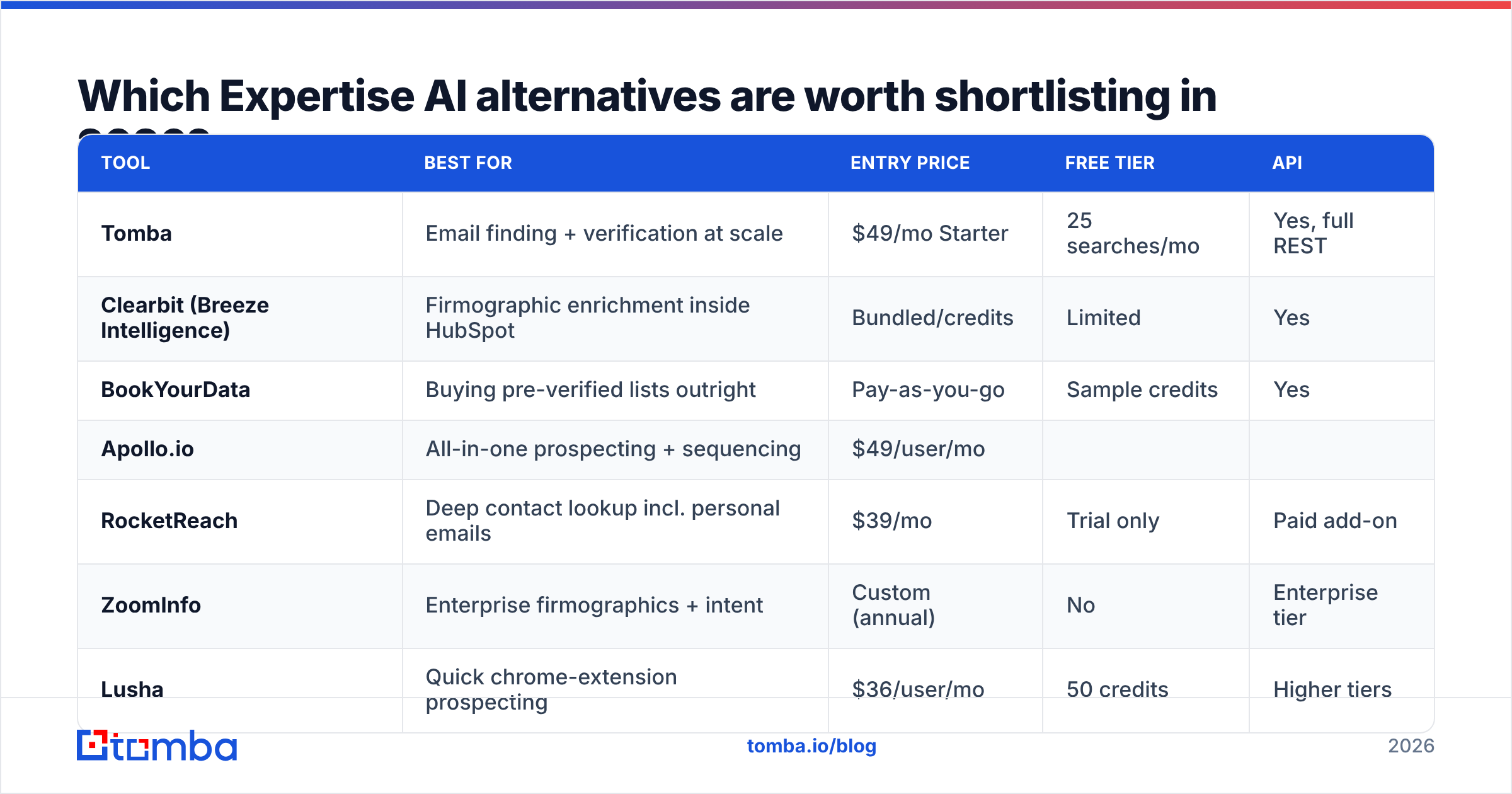
Here's the shortlist, grouped by what they actually replace. Prices are list prices as of early 2026 and move often — check the vendor page before you budget.
| Tool | Best for | Entry price | Free tier | API |
|---|---|---|---|---|
| Tomba | Email finding + verification at scale | $49/mo Starter | 25 searches/mo | Yes, full REST |
| Clearbit (Breeze Intelligence) | Firmographic enrichment inside HubSpot | Bundled/credits | Limited | Yes |
| BookYourData | Buying pre-verified lists outright | Pay-as-you-go | Sample credits | Yes |
| Apollo.io | All-in-one prospecting + sequencing | $49/user/mo | ||
| Yes, limited | Yes | |||
| RocketReach | Deep contact lookup incl. personal emails | $39/mo | Trial only | Paid add-on |
| --- | --- | --- | --- | --- |
| ZoomInfo | Enterprise firmographics + intent | Custom (annual) | No | Enterprise tier |
| Lusha | Quick chrome-extension prospecting | $36/user/mo | 50 credits | Higher tiers |
| Cognism | EMEA-heavy compliant B2B data | Custom (annual) | No | Yes |
| Findymail | Deliverability-focused email finding | $49/mo | Trial | Yes |
| People Data Labs | Raw person/company datasets for builders | Usage-based | 100 records | API-only |
| Clay | Orchestrating multiple data providers | $149/mo | Yes, limited | Via integrations |
Two notes on reading that table. First, "$49/mo" from a per-seat vendor and "$49/mo" from a workspace vendor are not the same number — multiply by headcount. Second, tools with no public price are not automatically worse; they're just a different purchase motion with a longer cycle and usually a floor near $15k–$25k/year.
Which alternative fits which use case?#
If you need work emails, verified, in volume: Tomba. The core email finder resolves name + domain to a business email, and the email verifier runs SMTP-level checks before you send. Tomba pricing is public — Free (25 searches/mo), Starter $49/mo, Growth $99/mo, Pro $249/mo, Enterprise custom — so you can model cost per contact before committing. The domain search endpoint is the one most teams end up automating: give it a company domain, get back the people and the email pattern.
If you need firmographics attached to existing CRM records: Clearbit (now Breeze Intelligence under HubSpot) is the smoothest path if you're already a HubSpot shop. If you're not, the value drops sharply and a Clearbit alternative is worth pricing out.
If you want to skip enrichment and buy the list: BookYourData sells pre-verified contact lists on a pay-as-you-go basis with a bounce guarantee, which is a genuinely different model from credit-based lookup. For teams running a defined, static ICP — say, dental practices in three states — buying the list outright is often cheaper and faster than enriching your way to the same place. It's a solid option and a respected player in this space.
If you need prospecting plus sequencing in one seat: Apollo.io. The tradeoff is data depth versus convenience; many teams eventually split it into a data layer plus a separate sending tool. If the seat math stops working, look at an Apollo alternative with workspace-based pricing.
If you're a builder who wants raw data: People Data Labs or a direct API. You'll do more joining and cleaning, but you own the pipeline. The Tomba API fits here too — plus a CLI and an MCP server if you're wiring data into an AI agent workflow.
How do you test accuracy without wasting a month?#
Run a 100-row bake-off. This takes an afternoon and beats any G2 grid.
- Build a control set. Pull 100 contacts from your CRM where you already know the email is good — recent repliers, closed-won contacts, people who booked meetings. These are your ground truth.
- Strip the emails. Leave name + company domain only.
- Run every candidate tool on the same 100 rows. Same input, same day.
- Score three numbers per tool: hit rate (how many returned anything), accuracy (how many matched your known-good email), and cost per correct email (total spend ÷ correct results).
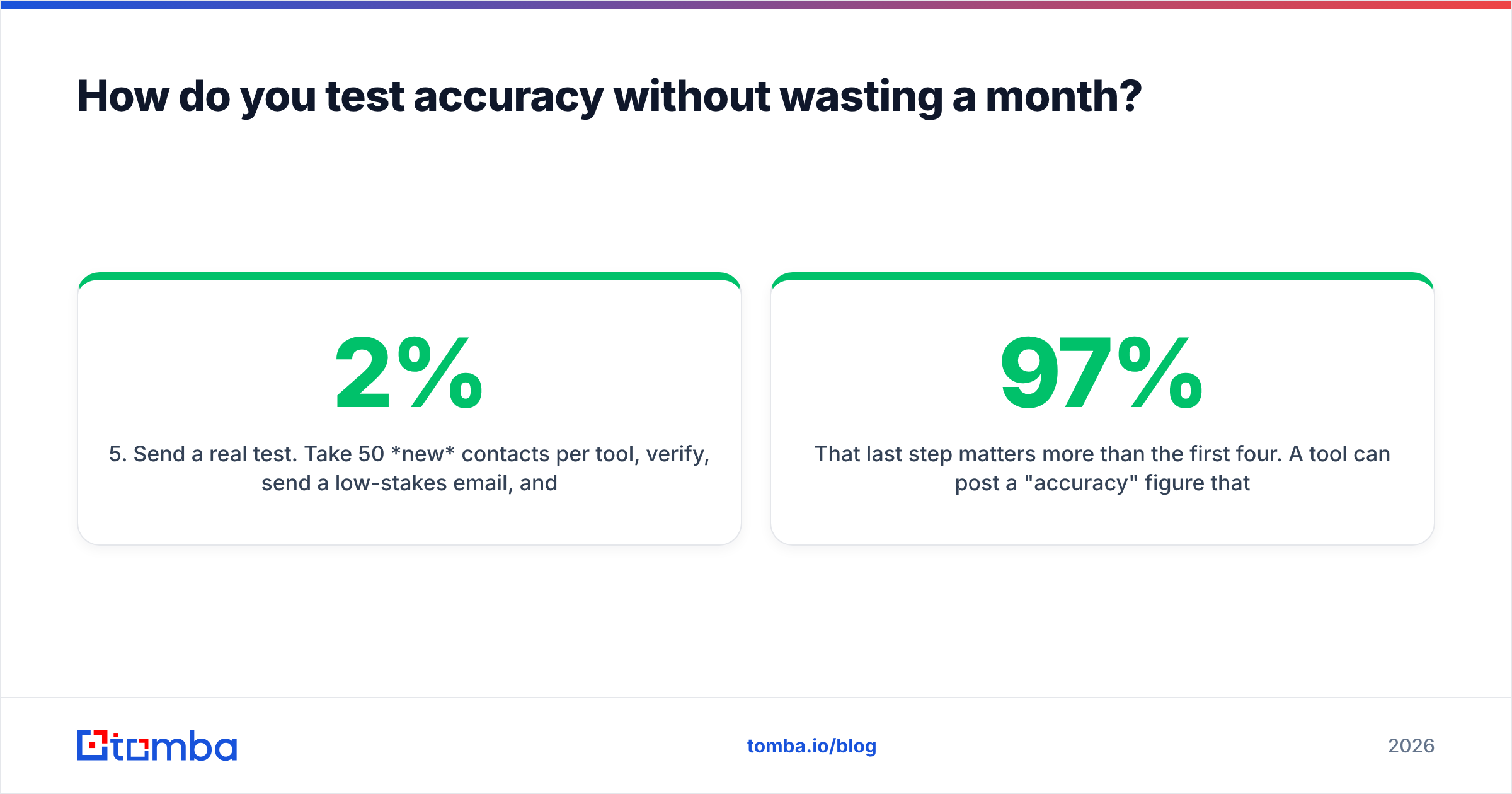
- Send a real test. Take 50 new contacts per tool, verify, send a low-stakes email, and count hard bounces. Under 2% is fine; over 5% means the verification layer isn't doing its job.
That last step matters more than the first four. A tool can post a 97% "accuracy" figure that reflects syntax validity, not deliverability. Cost per correct email is the number that belongs in your spreadsheet — a $99/mo tool with a 40% hit rate is more expensive than a $249/mo tool at 85%.
One more trap: catch-all domains. Many enterprise domains accept every address at the SMTP layer, so a naive verifier marks everything "valid." If a meaningful slice of your ICP is enterprise, you need a catch-all verifier that distinguishes real mailboxes from an accept-all wall, or your bounce rate will spike weeks after you thought you'd validated the list.

Is one platform better than combining two tools?#
Almost always, two focused tools beat one bundle — as long as they share an API.
The bundled pitch is appealing: one vendor, one invoice, one login. In practice, bundles are strong at one thing and adequate at everything else, and you pay bundle pricing for the adequate parts. Gartner has been noting for years that composable GTM stacks outperform monolithic suites on cost-to-value, and the same logic applies at the data layer.
The common two-tool split:
- Layer 1 — Account/firmographic data. Company size, industry, tech stack, funding. Refreshed quarterly. Feeds routing, scoring, and territory design.
- Layer 2 — Contact data. Names, titles, emails, phone numbers. Refreshed at time of use, because it decays fastest. This is where contact enrichment and verification live.
Layer 1 changes slowly and tolerates a cheaper, batch-y source. Layer 2 needs to be accurate this week. Paying enterprise firmographic prices for Layer 2 freshness is how data budgets balloon.
A quick sanity check on your current spend: divide annual data cost by the number of contacts you actually emailed last year. If you're above $2 per contacted person, you're over-tooled. Under $0.20 and you're probably sending to a list nobody verified.
What does a practical migration look like?#
If you're leaving a platform, don't rip and replace mid-quarter. Run this sequence:
- Export everything you're entitled to before the contract lapses. Check your terms — some agreements restrict retaining enriched data after termination. Read that clause before you export, not after.
- Snapshot your current performance baseline. Bounce rate, reply rate, records enriched per month, cost per enriched record. Without this you can't prove the new tool is better.
- Run the new tool in parallel for 30 days on a subset — one territory or one segment.
- Compare on cost per correct record, not cost per credit.
- Wire the automation before you cut over. Zapier, HubSpot, or a direct API call in your own pipeline. A tool that requires manual CSV steps will quietly stop being used by week three.
- Cancel with notice. Most annual contracts auto-renew with a 30–60 day notice window. Calendar it the day you sign anything.
For teams already running spreadsheets as the system of record, the Google Sheets add-on is the lowest-friction bridge — you keep the workflow and swap only the data source underneath it.
What are the honest limitations of every tool on this list?#
No vendor will tell you this, so here it is plainly:
- Nobody has 100% coverage. Expect 60–85% hit rates on a real ICP, lower for small businesses, non-English markets, and anyone who deliberately keeps a low online footprint.
- Personal emails are a compliance question, not just a feature. Tools that surface personal Gmail addresses create GDPR exposure in the EU. Know your legal basis before you use them.
- Phone data decays faster than email. Direct dials go stale within months. Validate at time of call, not at time of purchase — a phone validator run right before a calling block saves more time than any list refresh.
- AI-generated "insights" are the least reliable part of any enrichment product. Inferred fields — predicted budget, predicted intent, predicted seniority — carry error rates nobody publishes. Treat them as tiebreakers, never as filters.
- Credit rollover rules matter more than headline price. A plan with no rollover and lumpy monthly usage effectively costs more than its sticker price. Ask before you buy.
Check recent reviews on G2 with a date filter set to the last six months. Data vendors change materially year to year, and a 2023 review tells you about a product that no longer exists.
Where should you start?#
Start with the layer that's costing you money right now. If your bounce rate is above 3% or reps are hand-hunting emails on LinkedIn, the contact layer is your bottleneck — fix that before you shop for firmographics or intent signals.
Tomba's Email Finder is a straightforward place to test that: the free tier gives you 25 searches a month with no card, which is enough to run a control-set bake-off against whatever you're paying for today. Feed it name + domain, compare against your known-good contacts, and calculate cost per correct email. If Tomba wins, Starter is $49/mo with a full REST API, a Chrome extension, and Sheets/Excel add-ons; if it doesn't, you've spent an afternoon and learned exactly which alternative deserves your budget. Either way, you'll be deciding on your own data instead of a vendor's slide.
Related guides#
Ready to find emails that actually work?
Join 150,000+ professionals who stopped guessing and started sending. Free credits on signup — no credit card required.
Get the Tomba newsletter
Practical outbound tactics and product updates — once every two weeks.
About the author